Top 10 SoundCloud Downloaders You Should Try [2026 Review]
 by Owen Bannett | July 16, 2026 | SoundCloud
Brief Summary
we have put 10 SoundCloud downloader options into distinct groups: browser-based online tools for quick track conversion, and dedicated desktop solution for premium music saving. While online downloaders require no installation for one-off tracks, they often limit download speed and quality, and even get risks of ads. For music lovers who need to keep entire playlists as originals, TopVox All Music Converter is one of the most reliable desktop software for you.
[Updated on July, 2026]
If you are looking for an exceptional downloader that can help you get your favorite SoundCloud Songs for offline listening, we are here to introduce various SoundCloud downloaders you can access on your browser, desktop, and mobile device.
How We Test
To provide an objective review, we tested these tools on Windows 11 & macOS Sequoia. We tried to use a 50-song playlist and individual songs to measure actual downloading speed, audio sample rate accuracy, adware threats, and more features.
First Look: Comparison of 10 SoundCloud downloaders
| Tool | Windows 7 or later (64-bit), macOS 10.14~27 | Output Formats | Max Quality | Batch Download | Speed | Security |
|---|---|---|---|---|---|---|
| TopVox All Music Converter | Windows 7 or later (64-bit), macOS 10.14 or above | MP3, M4A(AAC/ALAC), WAV, FLAC, AIFF | Original Bitrate & Sample Rate (SoundCloud’s max quality is 256 kbps AAC) | ✅️ | 35x | 100% Safe and Ad-free |
| SoundCloudMate | Web-based | MP3 | 128kbps | ✅️ | Fast | Safe |
| SingleMango | Lossy | ❌️ | Fast | ⚠️ | ||
| KlickAud | 128kbps | ❌️ | Fast | ⚠️ | ||
| CloudMP3 | 128kbps | ❌️ | Fast | Ad-free | ||
| Addoncrop | 320kbps | ✅️ | Medium | Ad-free | ||
| SaveFrom.net | 320kbps | ❌️ | Slow | ⚠️ | ||
| SoundCloud Downloader | 256kbps | ❌️ | Fast | Safe | ||
| Telegram Bot | Android & iso | MP3 | 128kbps | ❌️ | Slow | Safe |
| SoundLoader | MP3 | Lossy | ❌️ | Fast | Safe |
Best SoundCloud Downloader for All Users [Mac/Windows]
Rating by softpedia: 4.8/5
If a track is only available for Premium users, most third-party link parsing will fail to process. Use TopVox All Music Converter to capture all high-quality songs for Free users instead. What makes it more powerful is that the program can convert the music 35 times faster, which is perfect for saving more time. It also supports various output formats, like MP3, FLAC, WAV, and more. I got the same best quality as the original source, which is perfect for a satisfying offline listening experience with my MP3 player. As FileCR.com reviewed, “This feature is especially useful for those who enjoy listening with headphones or high-end speakers. Every beat, every note, and every detail remains clear and sharp.”
(Note that TopVox All Music Converter is only for personal use and backup. Always respect intellectual property rights.)
100% Secure. No virus.
100% Secure. No virus.
Features
- The program has a smooth downloading process.
- It supports batch conversion features.
- The music downloader can convert music 35× faster.
- It can produce high-quality audio.
- It supports various audio streaming services, like Pandora, Deezer, Spotify, Apple Music, and more.
Pros
- The program has a simple layout.
- It is free to operate.
- It can preserve the ID3 tags.
- The software can ensure an exceptional quality for better results.
Cons
- You have to access its paid version for more advanced features.
You can follow the methods below to begin downloading your music using this exceptional SoundCloud music converter.
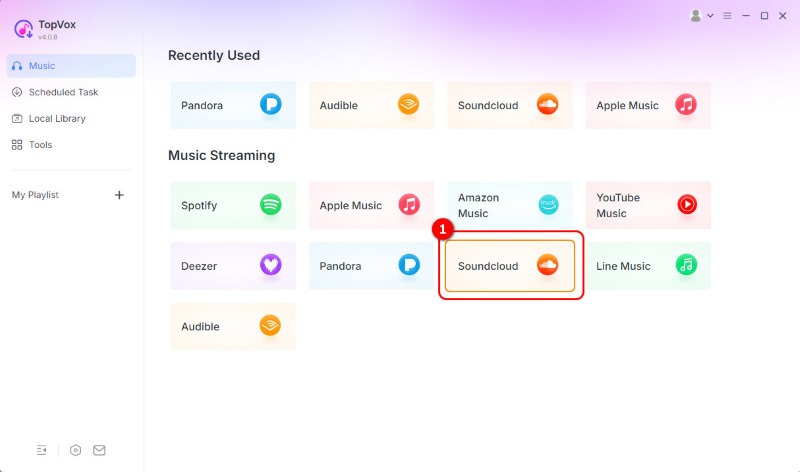
Step 1. Download TopVox All Music Converter on your Mac or Windows computer. Then, run it to start the downloading process.
Step 2. Then, click the SoundCloud platform and start creating your account. You can connect your Gmail account for easier access.
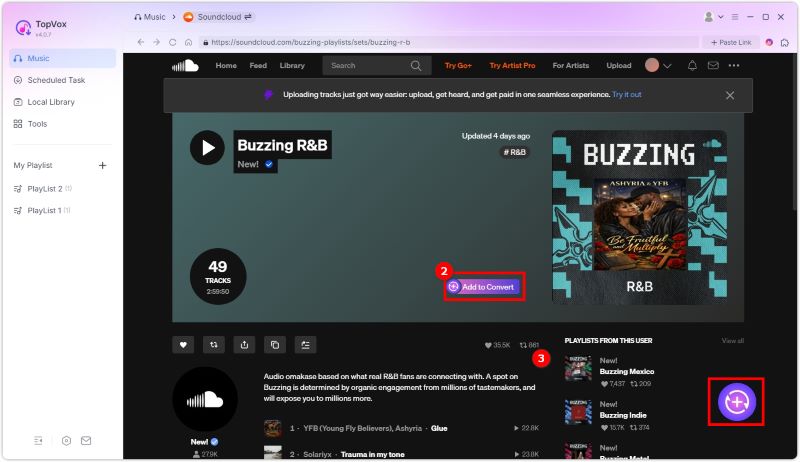
Step 3. Go to the Search section and find the song you want to download. Then, tap the Add to Convert option to load songs.
Step 4. For the last process, you can select your preferred quality and output format. Then, tap Convert Now to start converting and saving your SoundCloud music.
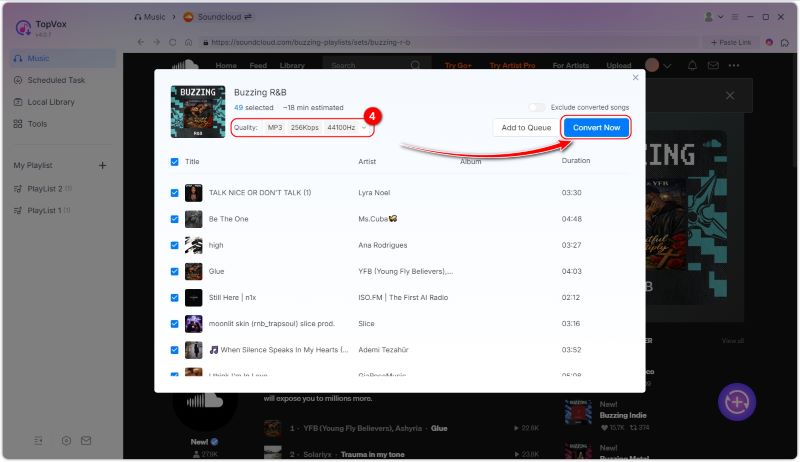
Thanks to this tool, I have achieved the desired result—maintaining a strict 1:1 audio fidelity with zero lossy ID3 tags. In the real performance, downloading a 3-minute track to 320kbps MP3 took exactly 6.2 seconds. Honestly, you can never get the faster workflow than those online downloaders, due to they are a hot mess with all those pop-up ads.
4 Online SoundCloud Downloaders [Free but Unstable]
Do you want an online SoundCloud song downloader? If so, you can use all the tools we have provided in this section.
1. SoundCloudMate
Rating by Google Play: 3.7/5
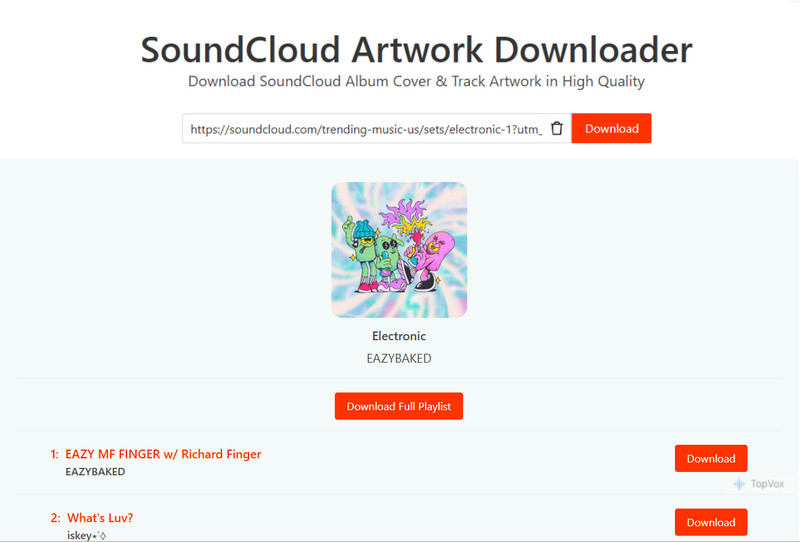
SoundCloudMate is one of the reliable SoundCloud Playlist Downloaders that you can use on any browser (Chrome, Edge, Safari, Opera, etc.) for an effective music download process. What we like about this tool is that it supports download a playlist in one time, which is most online tools can’t do. When you pasting the URL, it will show all songs in the SoundCloud playlist. You can choose download the full playlist or single songs to MP3 format files.
Pros
- The tool has an instant downloading process.
- It is free to access.
- The layout is simple.
Cons
- There are ads everywhere.
- It requires a stable internet connection.
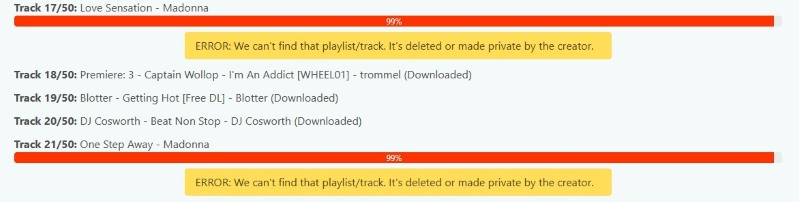
Limitation: I thought the downloads would go smoothly…But I found that it failed to save all songs and some error occurred during conversion: “We can't find that playlist/track. It's deleted or made private by the creator.” Out of 50 songs, 10 failed to download. And every track is only 128kbps.
2. SingleMango
Rating: 3.2/5
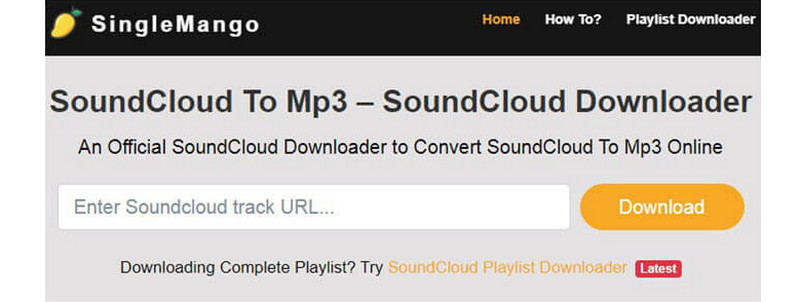
If you're looking for a SoundCloud link downloader, consider using SingleMango. This web-based tool allows you to save your favorite SoundCloud song using the link. What we like about this tool is that it can provide the best quality up to 320 kbps. Additionally, it can automatically convert your music into an MP3 format, making it compatible with all media players. Lastly, you can use this tool for free, so there is no need for you to spend a penny.
Pros
- The downloading process is simple.
- It is accessible to all web platforms.
- The tool can help you download your favorite playlists.
Cons
- If you have a poor connection, you won't be able to get the result smoothly.
- There are some circumstances when the tool is not performing well.
3. KlickAud
Rating by Trustpilot: 3.4/5
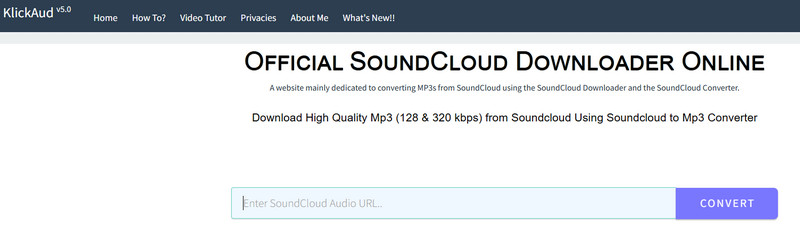
If you want to ensure downloading SoundCloud songs with excellent audio quality, you can try accessing KlickAud. This online-dependent tool is ideal since it provides all the functions you need. By copying and pasting the music link from the SoundCloud platform, you can instantly convert and save the song as an MP3 on your computer. What we like here is that the tool is simple to navigate, thanks to its neat and straightforward layout.
Pros
- The tool has a fast downloading process.
- No login is required to access the tool.
- It works on multiple browsers.
Cons
- It doesn't support other audio formats.
- It doesn't have audio editing functions.
After using KlickAud SoundCloud Downloader, we can confirm that it is an available downloader to help you convert SoundCloud music to your local device. However, as a user post on Reddit, “despite advertising 320kbps output, the downloaded files are actually only 128kbps.” Although I chose to click the DOWNLOAD 320 KBPS MP3 button, the program would not response anything instead of jumping to other unsafe site with spam links.
4. CloudMP3
Rating: 3/5
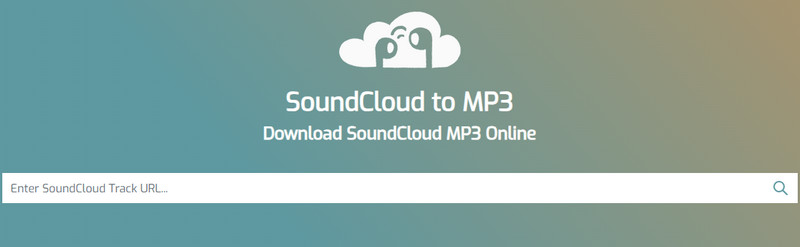
For our last online SoundCloud music downloader, we have CloudMP3. This is a free and popular tool that enables you to effortlessly download any songs from the SoundCloud platform with the best quality. It can even offer a straightforward interface for a seamless downloading process. What we like here is that there are no ads on the screen, which is perfect for a smooth converting and downloading procedure. Thus, if you want to download SoundCloud to MP3, you can rely on this tool.
Pros
- The tool features a smooth and straightforward download process.
- The music downloader is available for free access.
- It can be integrated with GDrive and Dropbox.
Cons
- A fast internet connection is necessary for a better procedure.
- Sometimes, the tool produces subpar audio quality.
You can use this SoundCloud music to MP3 converter to get your favorite in just a few seconds. But I have to say a common problem for most online tools – only supports copy and paste single link one-by-one and the output quality is always 128kbps. To be honest, the downloading speed of Cloudmp3.cc is fast.
Verdict
With these online tools, you can also download SoundCloud music using your browsers. But they can hardly be called the best SoundCloud downloader. As leading tech reviewer Johnathan Vance noted, “Most online conversion tools upscale compressed 128kbps streams. To get genuine high-quality audio ripping, native desktop software is required.” I recommend you try TopVox All Music Converter - it will give you a better solution.
3 Excellent SoundCloud Downloader Extension
In this section, we will introduce various extensions you can use to get your favorite SoundCloud songs. Therefore, read everything and explore more.
1. Addoncrop
Rating: 3.2/5
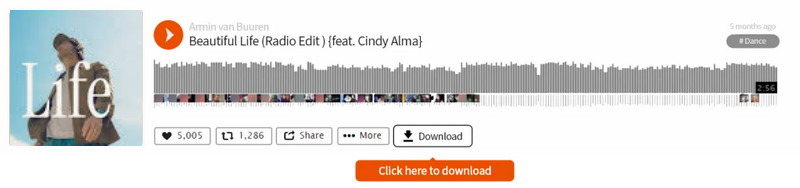
Addoncrop is one of the versatile SoundCloud downloader extensions that allow you to save and download high-quality tracks from SoundCloud. After adding this tool to your browser, it will provide its Download button on SoundCloud for an effective downloading process. Thus, it is clear that saving your music is possible.
Pros
- The extension is easy to access.
- It can preserve the music metadata.
- It is available to all browsers.
Cons
- It may collect personal data.
2. SaveFrom.net
Rating by Google Play: 4.6/5
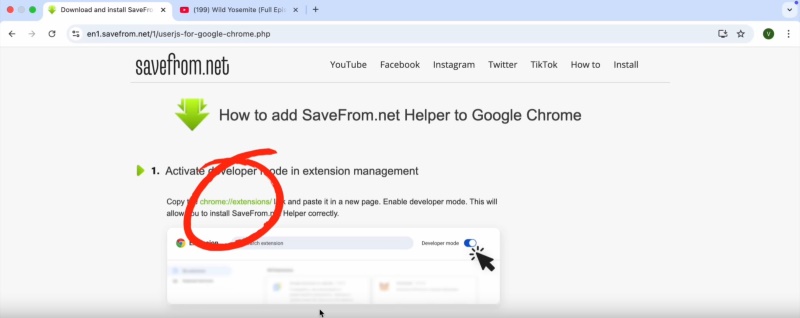
SaveFrom.net supports activating developer mode in extension management. You should install SaveFrom.net Helper first and add OrangeMonkey to Chrome to make the process work properly. Then you can manage extensions in your bookmarks and download music online. It allows you to download entire pages of SoundCloud tracks in bulk up to 320kbps while saving ID3 tags. But you have to pay $5 per month.
Pros
- It can produce a high-quality audio output.
- The extension is simple to access.
- It is free to use.
Cons
- The extension is unavailable to some regions.
3. SoundCloud Downloader (Firefox)
Rating: 4.4/5
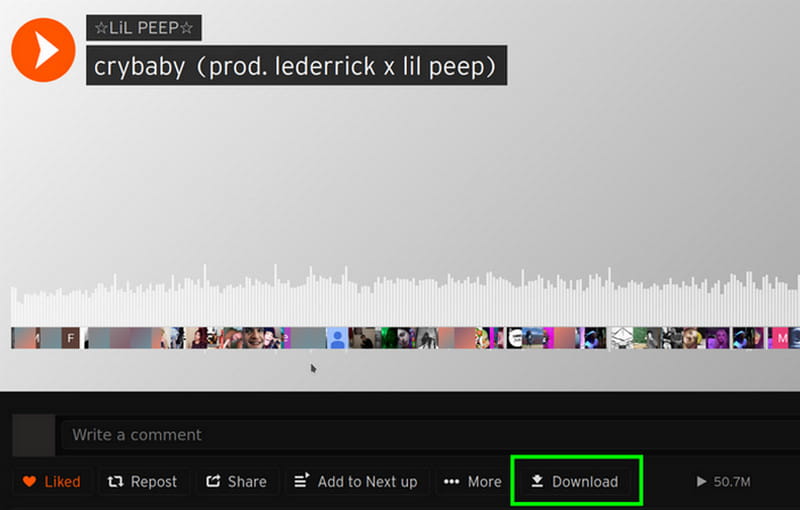
SoundCloud Downloader (Firefox) is another extension available for your browser. After downloading this extension, it will automatically add a download button on SoundCloud for downloading purposes. The good thing here is that you don't need to create an account to achieve the result. After getting the extension, you can already proceed to the SoundCloud platform and begin the saving process.
Pros
- It supports downloading private tracks.
- The tool is capable of saving the metadata.
- It is free to access.
Cons
- The extension can only download music for 128 kbps.
- It only works on Firefox.
Thanks to these extensions, you can effectively download any music from SoundCloud. These are also free to use. With that, feel free to operate them and get your preferred result.
2 SoundCloud Downloader for Mobile Users
There are also some downloaders available to help you obtain your favorite music from SoundCloud. To discover some of them, read this section.
1. Telegram Bot
Rating: 3/5
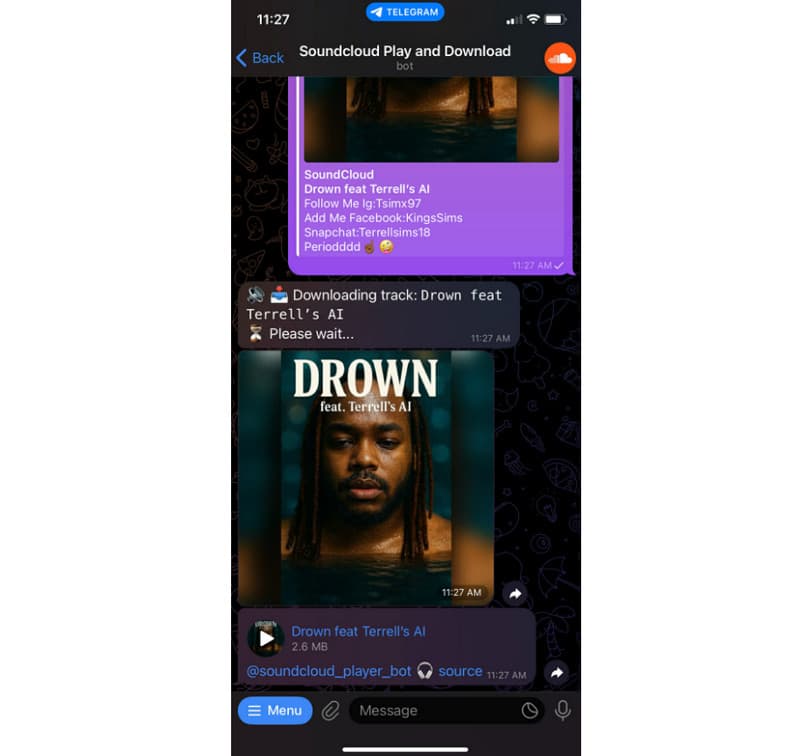
If you want a free SoundCloud music downloader app, you can use Telegram. It allows you to save music from SoundCloud by utilizing a bot. The good thing here is that the process is simple and fast.
Pros
- The app can give the result in just a few seconds.
- The app is completely free.
Cons
- It can only download a single track.
- An internet connection is required.
User Review
@Big_Paramedic_1217: “The telegram bots I’ve used only lets me download each song individually and not as a zip file.”
Except for not supporting batch download, you can only download MP3 files with unstable speed and procedure. Download speed may vary during peak Telegram server load.
2. SoundLoader: MP3 Downloader
Rating by Google Play: 4.5/5
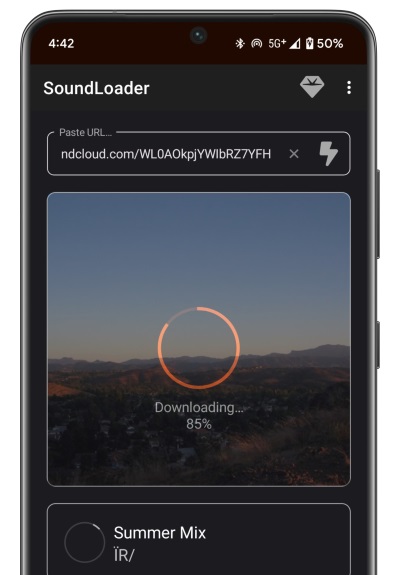
You can also download the SoundLoader app on your phone for an effective procedure. All you need to do is get the music link and let the app do the work. The app also features a smaller file size, so you don't need to worry about using up your storage space.
Pros
- It is simple to operate.
- Downloading the app is simple.
- No login required.
Cons
- It is only available on Android.
- It supports limited metadata.
If you need a helpful SoundCloud song downloader app for iOS and Android, you should consider using these apps. They ensure that you achieve the desired result during the process, making them the best apps.
More Reading: How to Download SoundCloud Songs on iPhone [Quick Guide]
Tips to Choose the Right SoundCloud Downloader
Are you wondering how to choose the best downloader to download your favorite SoundCloud music? In that case, you can refer to the information below for further insights.
Simple User Interface
If you are a non-professional user, it is recommended to choose a tool with a simple layout. With that, you can access all the functions without any difficulties. Thus, always select a program that lets you operate everything easily.
Fast Downloading Process
Do you want to save more time while downloading your favorite music from SoundCloud? Then choose a tool that offers a fast downloading and conversion process. Having the right tool can help you achieve your desired result without consuming a lot of time.
High-Audio Quality
Another factor to consider is whether the downloader can provide excellent audio quality. To have a satisfying playback experience, you must verify that the downloader provides the best audio output.
Supports Multiple Formats
The tool must also support multiple formats, especially the popular ones, such as MP3, AAC, AC3, FLAC, WAV, M4A, and more. Having this kind of feature is ideal if you want to avoid experiencing compatibility issues.
FAQs on the best SoundCloud Downloaders 2026
Q1: How can I download tracks from SoundCloud in true 320kbps MP3 quality?
A: You should know that SoundCloud's max streaming quality is 256 kbps AAC (roughly equivalent to 320 kbps MP3). To download a track in true 320kbps MP3 quality, you can use a dedicated desktop downloader rather than a basic online converter which supports 128kbps. TopVox SoundCloud Downloader can keep highest available audio stream and convert it into a uncompressed 320kbps MP3 file.
Q: How to download entire SoundCloud playlists to MP3 online?
A: For one Playlist, we recommend SoundCloudMate. It is a useful tool that allows you to batch convert all songs in an entire playlist to 128kbps MP3, saving you from downloading them individually. But some protected songs are still inaccessible. If you need to batch-convert multiple playlists or albums, TopVox All Music Converter allows you to add unlimited playlist simultaneously and then download them without crashes.
Q: Are online SoundCloud downloaders safe to use?
A: Generally, many free online downloaders rely on third-party ad networks to offer free services. If using them, pay attention to malicious pop-ups or fake download buttons that redirect into other browser pages. For a 100% clean and secure experience, utilizing a native desktop app like TopVox bypasses annoying ads entirely.
Conclusion
With these SoundCloud downloaders, there is no doubt that you can save all the music you want. You even discover their pros and cons for more insights. Additionally, if you're looking for an exceptional downloader and converter that can help you access all your music with outstanding audio quality, we recommend using TopVox All Music Converter. This program supports various formats for better compatibility. It can even provide a fast downloading process, which makes it a remarkable tool for all users.
100% Secure. No virus.
100% Secure. No virus.
Owen Bannett is a music enthusiasm as well as a senior writer. He has paid close attention on the pros & cons of various audio formats, bitrate, sample rate and encoding methods. Always seeking the best listening experience, Owen has deep insights about lossless music and diverse music converters on the markets.