
Lifetime License
$119.96 $149.95 $249.95

100% Secure. No virus.
100% Secure. No virus.
100% Secure. No virus.
100% Secure. No virus.

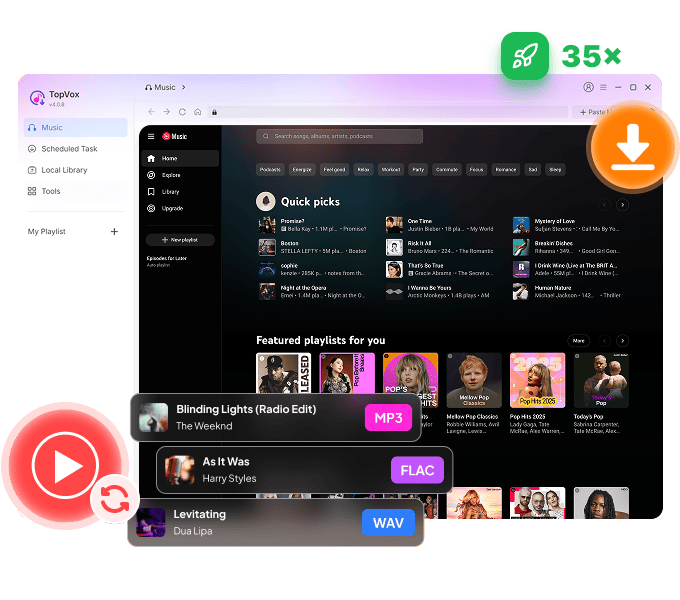
 YouTube Music Converter
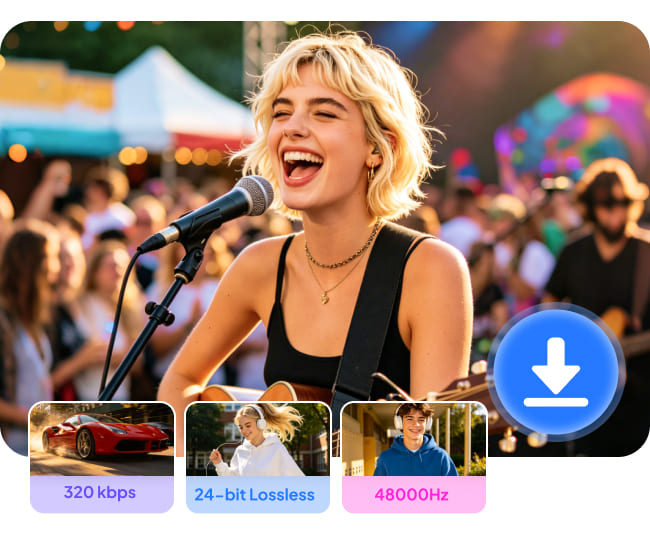
Listen and download your YouTube Music songs, albums, playlists, podcasts, and audiobooks with Hi-Res audio preservation. Every exported song will remain the original quality - TopVox YouTube Music Converter provides the advanced capability to extract audio sources and convert them up to 320kbps/48kHz or 24-bit Lossless, ensuring you have crystal-clear listening or high-end audio files.
100% Secure. No virus.
100% Secure. No virus.
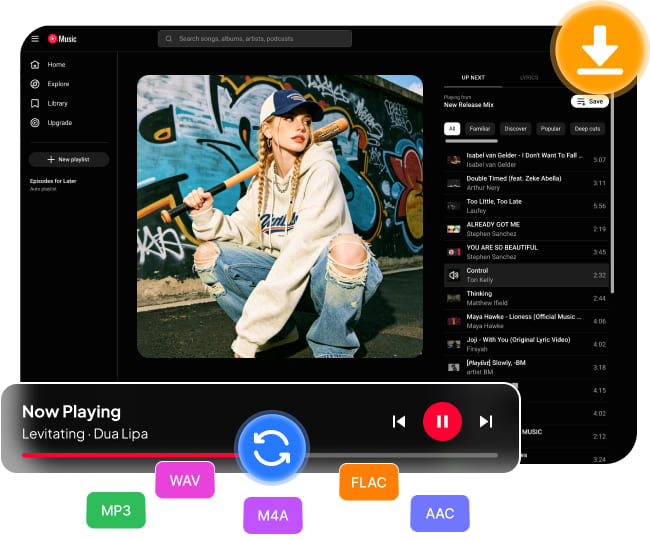
TopVox breaks through the platform restrictions and provides universal output options. You can convert your entire library into common formats, including MP3, M4A (AAC/ALAC), WAV, FLAC, and AIFF, for perfect compatibility with any software and device. Whether you want to save storage space with efficient MP3s or to maintain raw audio data for professional editing in WAV format, this YouTube Music downloader is here to meet your specific requirements.
100% Secure. No virus.
100% Secure. No virus.
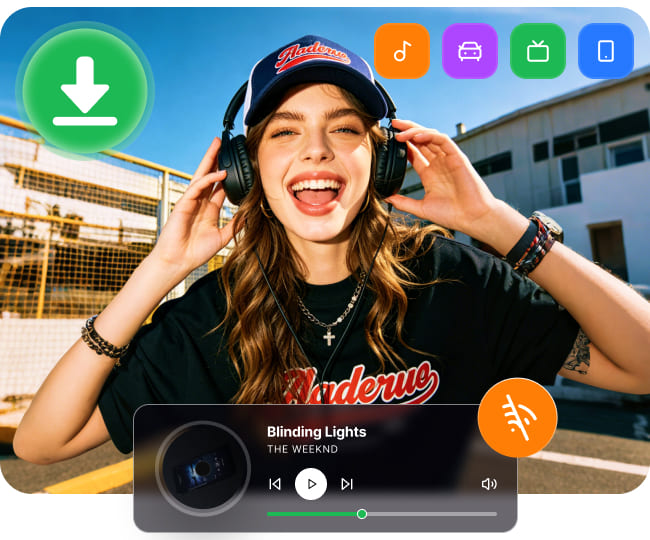
After downloading YouTube Music to your computer, you can enjoy pure offline listening during long flights or remote trips, regardless of subscription status, platform copyright changes, or network conditions. You can also move and play your YouTube Music tracks to USB drives, car systems, MP3 players, DJ equipment, or other portable devices.
100% Secure. No virus.
100% Secure. No virus.
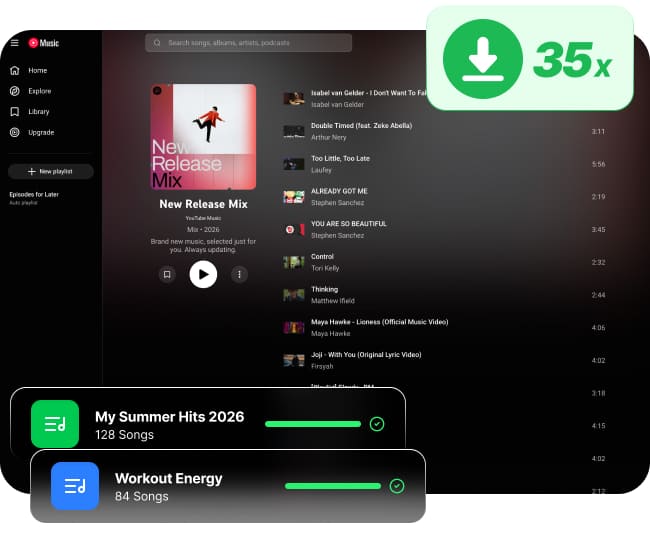
TopVox allows you to download YouTube Music playlists or full albums to your computer in bulk, skipping the tedious manual downloads one by one. Powered by leading decoding technology, the software permits multitasking at speeds up to 35x faster. You can download a mass of YouTube Music songs in seconds and save more time enjoying music through high-performance hardware acceleration.
100% Secure. No virus.
100% Secure. No virus.
Built-in Web Player
Play and convert songs in TopVox without the YouTube Music app.
Intuitive UI Design
Beginner‑friendly interface with a clean, multilingual layout.
High Success Rate
100% stable conversion process with minimal failed attempts.
YouTube Ad Filter
Automatically remove ads from YouTube songs for Free users.
Transfer Playlist
Seamless playlist migration with clicks between 8 platforms.
Handle Local Files
Upload your local audio files and convert them to other formats.
ID3 Tagging
Manually edit song metadata (title, artist, album, etc.) for your needs.
Convert Audiobooks
Convert audiobook files into various formats for common playback.
100% Secure. No virus.
100% Secure. No virus.
| Feature | TopVox YouTube Music Converter | Other Desktop Tools | Free Tools | Online Tools |
|---|---|---|---|---|
| Supported Platform | | |||
| Download Speed | 35× | 5~20× | Slow | Slow |
| Audio Quality | Original 320kbps for MP3/M4A; 24-bit/48kHz for FLAC/WAV/ALAC | 256~320kbps | 128kbps | 128kbps |
| Batch Download | ❌️ | ❌️ | ||
| Keep With ID3 Tags | Fully Preserve | ❌️ Incomplete | ❌️ Always Missing | |
| Output Formats | MP3, M4A(AAC/ALAC), WAV, FLAC, AIFF | MP3+limited formats | MP3 Only | MP3 Only |
| Additional Tools | AA/AAX Converter, Tag Editor, Format Converter, and Playlist Transfer | Some have individual tools | ❌️ | ❌️ |
| Success Rate | 99% | High | Unstable | Always fails |
| Security | 100% Clean & No ads/malware | Safe | Some have ads | With Ads and unsafe links |
| Support | Lifetime online after-sales service | Varies | ❌️ | ❌️ |
100% Secure. No virus.
100% Secure. No virus.
Follow the guide to save YouTube Music to MP3 or other popular formats on PC/Mac.
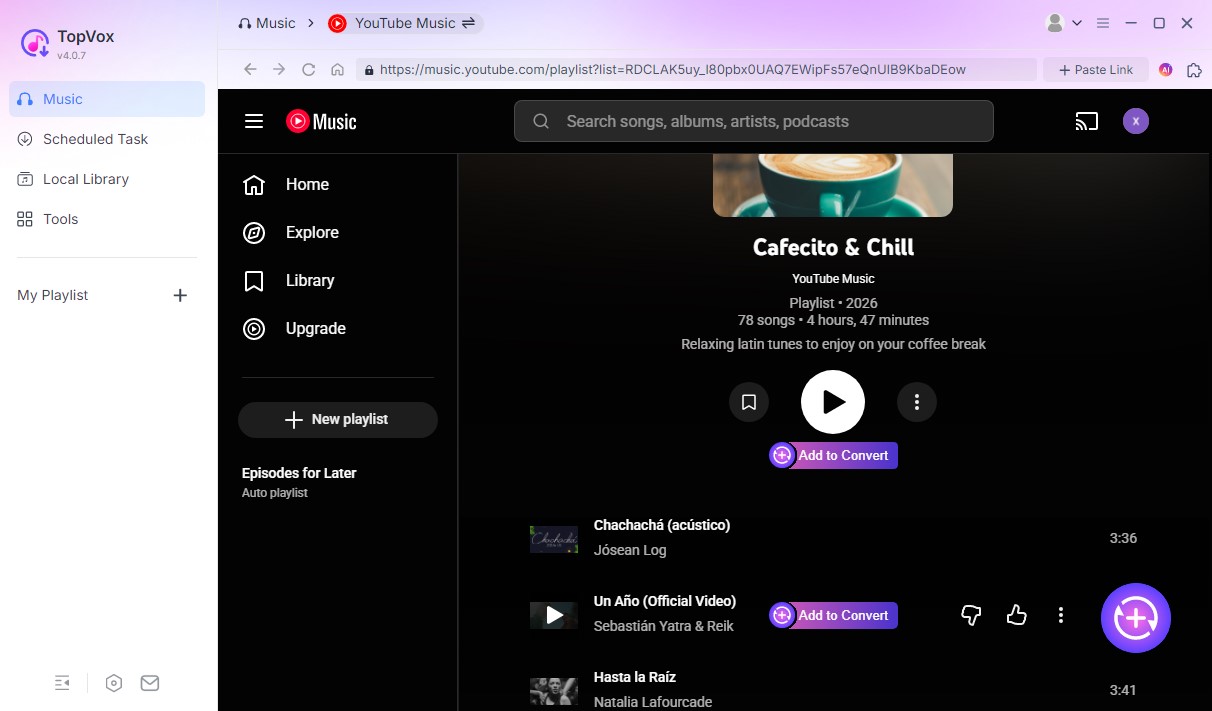
Step 1. Select YouTube Music
After signing in to the built-in YouTube Music web player, choose what you want to download and click Add to Convert, or click the Add button with a plus sign to load all songs.
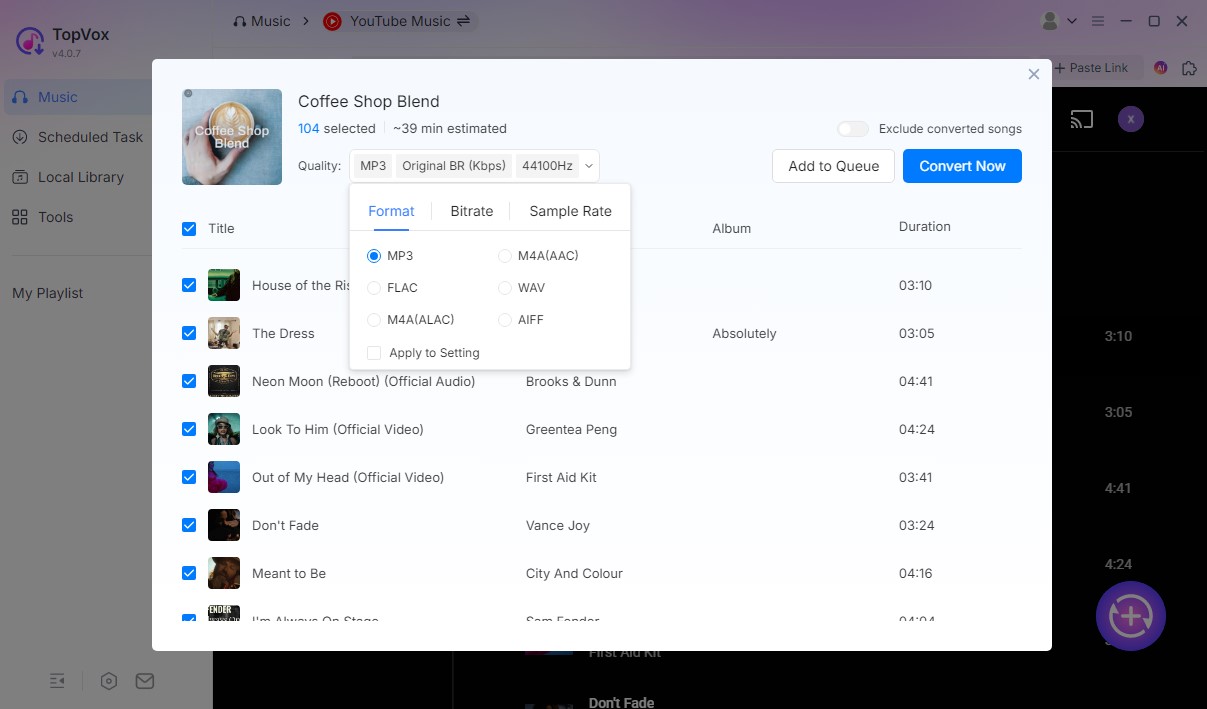
Step 2. Customize Output Settings
Choose the preferred audio format, like MP3, and adjust audio quality (Bitrate & Sample Rate). Then click Convert Now to start the high-speed process. You also can tab the Add to Queue button for later conversion of all playlists you have picked.
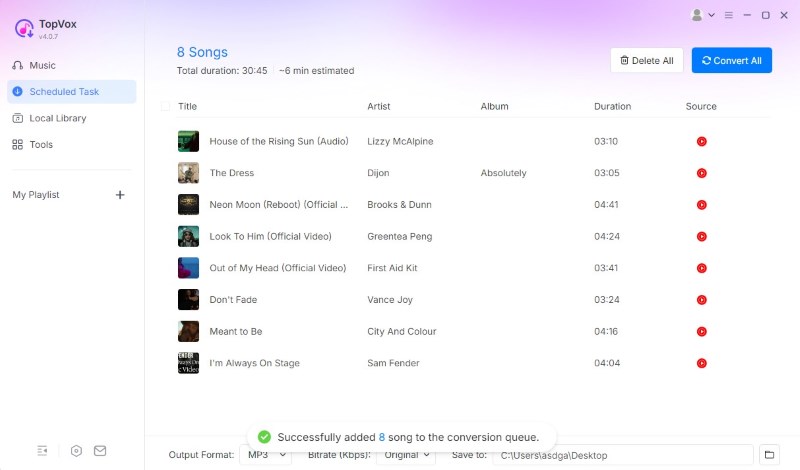
Step 3. Convert YouTube Music
Click Convert All to download all songs in the Scheduled Task. You can locate your downloaded YouTube Music tracks in Local Library and transfer them to any device.
100% Secure. No virus.
100% Secure. No virus.

100% Safe & Clean
No ads, malware, or bundled plugins. A trusted software that never craves information from users.

Money-Back Guarantee
TopVox offers a 7-day/30-day money-back guarantee for monthly subscribers/lifetime users.

48-Hour Customer Response
The TopVox team commits to fast and timely pre-sale and after-sale service to help you to resolve any issues.

Lifetime Free Upgrades
Buy once and upgrade function free. TopVox will ensure the software remains up-to-date for all paid users.
100% Secure. No virus.
100% Secure. No virus.

Alex Thompson_king

I’m a student and spend a lot of time commuting, so I used to listen to music to pass the time. I discovered TopVox after seeing a recommendation online. It makes it so easy to download my favorite tracks from YouTube directly to my phone. Now I can enjoy my playlists offline without worrying about my data plan.

DJ KAIROMedia
I can’t express how useful TopVox has been for my sets. It allows me to back up my streaming playlists directly to my hard drive, so I never have to worry about a spotty internet connection during a gig. I’ve been using it to convert my tracks into high-quality MP3 and WAV formats, which is essential for creating stems and keeping my library professional.

Echojoeew
What I appreciate most about TopVox is its output audio fidelity. Downloads remain virtually identical to the original recordings. The tool provides a listening experience where even extensive tests can’t reveal a difference, making it the perfect solution for anyone who refuses to settle for anything less than high-end audio.
100% Secure. No virus.
100% Secure. No virus.

TopVox serves as your musical partner for both Windows and Mac systems. You can easily obtain high-quality audio files and download your preferred music.

As a professional music downloader, it provides all-around audio conversion and management…the downloading process is clean and ad-free without gaining any sensitive data from users.

The app comes equipped with support for a wide range of streaming platforms, among which are some of the most common out there. This ensures compatibility and versatility, regardless of your preference or taste in music.
100% Secure. No virus.
100% Secure. No virus.
Is TopVox YouTube Music Converter safe to use?
Can I download YouTube Music without a Premium subscription?
Can I transfer downloaded YouTube Music to an iPod or MP3 player?
Is there any sound quality loss when converting YouTube Music to MP3?
How long does it take to download a playlist of 100+ songs?
YouTube Music Converter
Download and convert YouTube Music to High-quality local audio files offline.
100% Secure. No virus.
100% Secure. No virus.
Supported OS:
Windows 7 or later (64-bit)
macOS 10.14 or above
Pricing Plan
1 Month License: from $19.95
Lifetime License: $139.95
Output Formats
MP3, M4A(AAC/ALAC), WAV, FLAC, AIFF
Free to Try
Enjoy a 3-minute conversion of each song during a 14-day free trial.


*Required field
*Please enter a valid email
Copyright © 2026 TopVox. All rights reserved.

Subscribe to Our Newsletter:
Please fill in the details below. Fields marked are required.
First Name
First Name cannot be empty.
Last Name
First Name cannot be empty.
Email Address
Email Address cannot be empty.
Invalid Email Address . Please try again.
Country
Country cannot be empty.
Phone(optional)
Please enter a valid phone number.
ZIP Code(optional)
Please enter a valid ZIP code.
📌Subscribe now and take an extra 20% off on top—double the savings, plus early access to future product updates.

Congratulations! - Exclusive Bonus🎁
Thank you for subscribing! You have successfully joined our newsletter. Expect updates, offers, and insights delivered straight to your inbox. Plus, we offer you an extra $30 off on TopVox Lifetime Membership!


