Eric Bhatta


100% Secure. No virus.
100% Secure. No virus.
100% Secure. No virus.
100% Secure. No virus.

 Deezer Music Converter
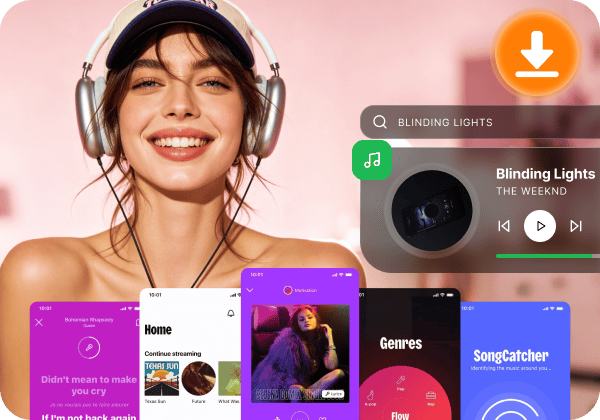
Built-in Web Player for Seamless Browsing
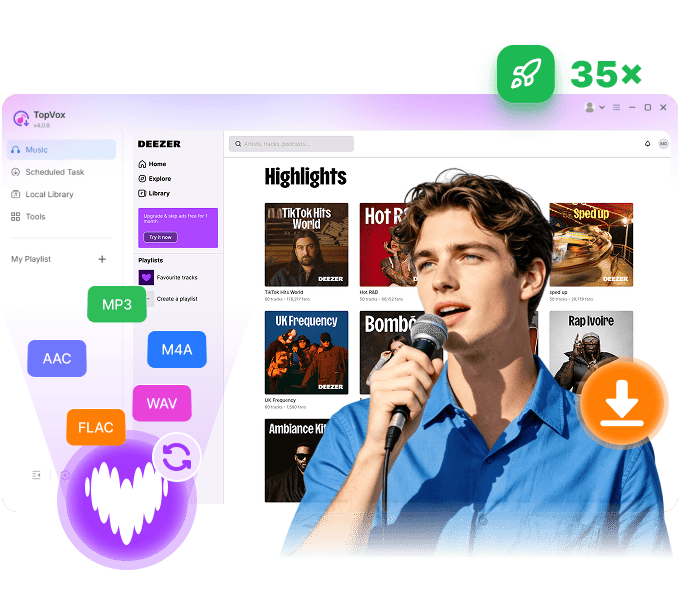
Based on the embedded Deezer web player, TopVox provides a one-stop solution to search, play, download, and manage all Deezer music (songs, playlists, albums, podcasts, and audiobooks) without toggling between the official Deezer app and your browser. You can check out the conversion process in real-time and locate downloaded music in the library, making it effortless to organize local Deezer songs.
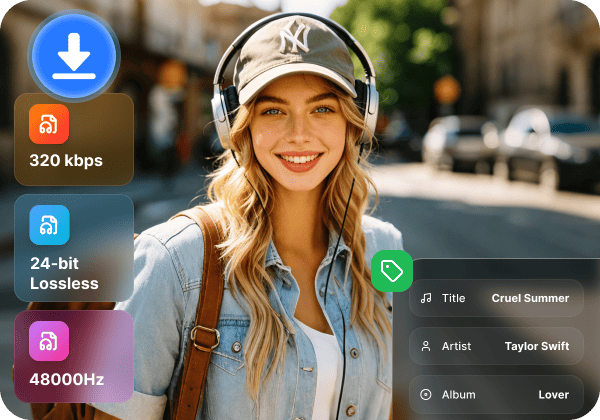
Lossless Hi-Fi Audio with Intact ID3 Tags
TopVox retains original Deezer High-Fidelity audio quality up to 320kbps/48kHz MP3 or Lossless 24-bit FLAC output, for an excellent offline listening experience. Meanwhile, the intelligent tracking system auto extract and manages complete ID3 tags, including titles, artists, albums, artwork, and genres, making your local music collection well organized without requiring tedious manual renaming.
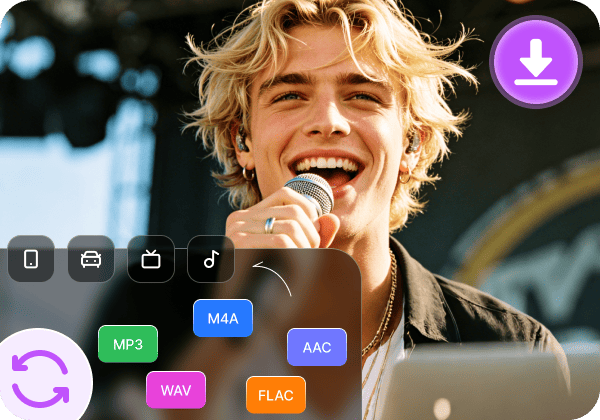
Universal Formats for Flexible Playback
Free from the restrictions of the Deezer ecosystem – TopVox supports one-click conversions into mainstream formats. You can download tracks from Deezer to MP3 for common compatibility, or FLAC/WAV for audiophile-grade sound. In this way, you have the freedom to share your music to any device, such as an MP3 player, car stereo, smartwatch, or home audio system, instead of listening to songs limited to the Deezer app only.
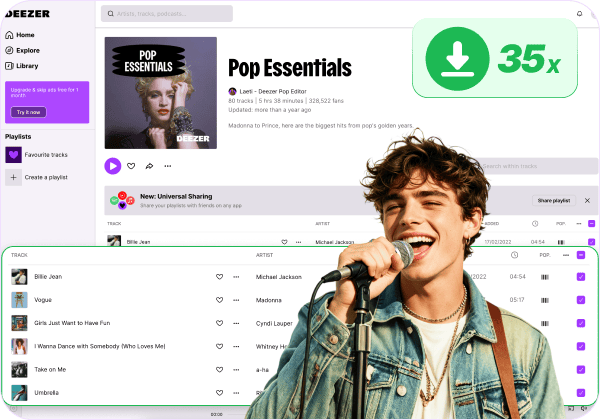
35× Hyper-Speed Batch Downloading
Engineered with cutting-edge hardware acceleration technology, TopVox boasts an incredible 35× faster download speed. Whether you are downloading a single track, a full album, or a massive playlist with hundreds of songs, you can select all in batches and download them offline in just a matter of minutes. According to the feedback, it takes an average of 12 to 14 minutes to convert a 100-song playlist to MP3.
Offline Support for All Deezer Users
Whether you have Deezer Premium, Family, and other plans, or you are just a free user who wants unlimited skips, offline downloads, and ad-free listening, TopVox is compatible with all of you. Every song downloaded to your computer is permanently stored as a local file. Even if your subscription expires or you decide to switch to another streaming platform, your favorite tracks will always be accessible.
100% Secure. No virus.
100% Secure. No virus.
Exclude converted songs
Skip converted tracks to avoid duplicates.
Ad-Free Conversion
Remove ads from Deezer songs for Free users.
Intuitive UI Design
Beginner‑friendly, clean, and multilingual layout.
High Success Rate
100% stable conversion process with minimal failures.
Transfer Playlist
Seamless playlist migration between 8 platforms.
Handle Local Files
Upload and convert local music to other formats.
ID3 Tags Editor
Manually edit song metadata for your needs.
Convert Audiobooks
Convert AAX audiobooks into MP3 files.
Convert via Link
Convert a song by copying and pasting the URL.
100% Secure. No virus.
100% Secure. No virus.
3 steps to convert Deezer music to MP3/FLAC on your computer for offline listening.
Step 1. Add Deezer Music
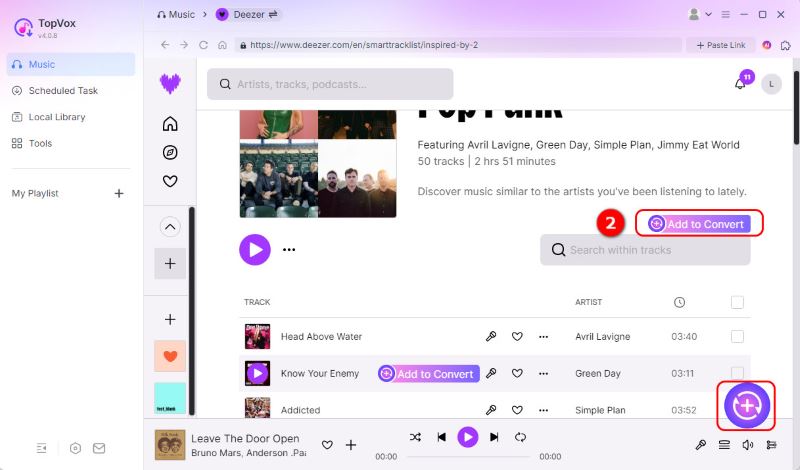
After signing in to the built-in Deezer web player, choose songs and click Add to Convert, or click the Add button with a plus sign to load all songs.
Step 2. Customize Output Settings
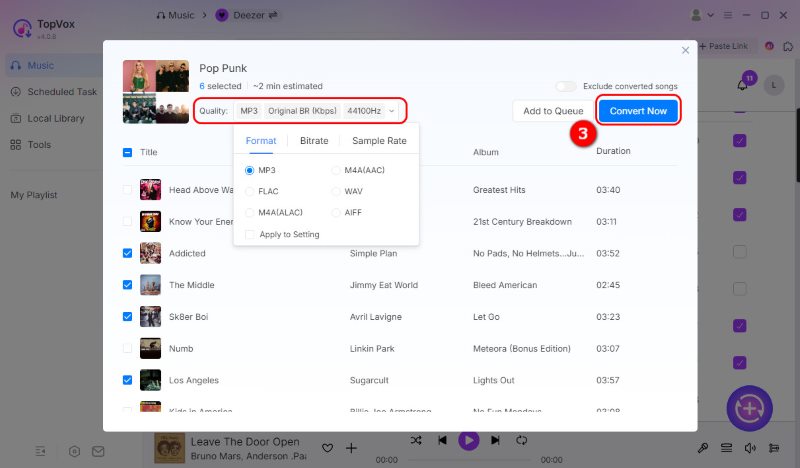
By default, the software is set to MP3 (Original BR, 44,100 Hz), but you can easily modify it. Once all your songs are added and settings adjusted, click Convert Now to download Deezer tracks.
Step 3. Convert and Save Songs
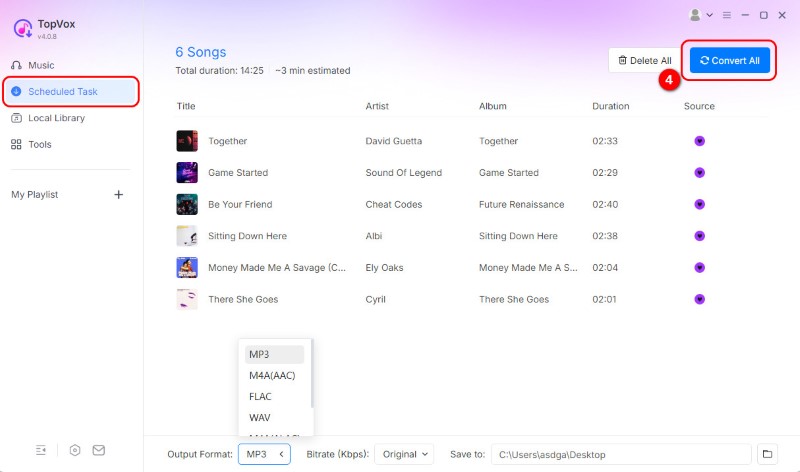
You can choose to pause or stop the download process at any time in the Scheduled Task. You can locate your downloaded Deezer music in Local Library and share them to any device.
100% Secure. No virus.
100% Secure. No virus.
| Feature | TopVox Deezer Music Converter | Other Desktop Tools | Free Tools | Online Tools |
|---|---|---|---|---|
| Supported Platform | | |||
| Download Speed | 35× | 5~20× | Slow | Slow |
| Audio Quality | Original 320kbps for MP3/M4A; 24-bit/48kHz for FLAC/WAV/ALAC | 256~320kbps | 128kbps | 128kbps |
| Batch Download | ❌️ | ❌️ | ||
| Keep With ID3 Tags | Fully Preserve | ❌️ Incomplete | ❌️ Always Missing | |
| Output Formats | MP3, M4A(AAC/ALAC), WAV, FLAC, AIFF | MP3+limited formats | MP3 Only | MP3 Only |
| Additional Tools | AA/AAX Converter, Tag Editor, Format Converter, and Playlist Transfer | Some have individual tools | ❌️ | ❌️ |
| Success Rate | 99% | High | Unstable | Always fails |
| Security | 100% Clean & No ads/malware | Safe | Some have ads | With Ads and unsafe links |
| Support | Lifetime online after-sales service | Varies | ❌️ | ❌️ |
100% Secure. No virus.
100% Secure. No virus.

Eric Bhatta
I wanted to download some Deezer songs for offline listening as MP3 files, so that I could listen to them on my iPod Classic. TopVox allowed me to convert the playlist into MP3 files. The full version is affordable, and I'm fully satisfied with the features and toolkits!

Austim Geef
TopVox is a good music downloader for music enthusiasts. The user-friendly interface simplifies navigation, making it easy to discover new artists and build personalized playlists. The sound quality is also good and gives me an immersive listening experience.

Sladiadaw
I’ve used trial versions of TopVox before. I used to run it on my MacBook Air, and it has good quality music output and different formats that I can choose to download. The official team will solve my issues within 2 days – the waiting time is acceptable. Totally, I have gone for a subscription outright.
100% Secure. No virus.
100% Secure. No virus.

TopVox serves as your musical partner for both Windows and Mac systems. You can easily obtain high-quality audio files and download your preferred music.

As a professional music downloader, it provides all-around audio conversion and management…the downloading process is clean and ad-free without gaining any sensitive data from users.

The app comes equipped with support for a wide range of streaming platforms, among which are some of the most common out there. This ensures compatibility and versatility, regardless of your preference or taste in music.
100% Secure. No virus.
100% Secure. No virus.
Which Deezer converter is the fastest to batch download playlists?
Can I listen to converted Deezer music on other devices?
How can I find out where the downloaded music is saved?
Is TopVox Deezer Music Converter safe to use?
What should I do if there are problems using TopVox?
Deezer Music Converter
Try this best Deezer downloader to convert music without limits now!
100% Secure. No virus.
100% Secure. No virus.
Supported OS:
Windows 7 or later (64-bit)
macOS 10.14 or above
Output Formats
MP3, M4A(AAC/ALAC), WAV, FLAC, AIFF
Pricing Plan
1 Month License: from $19.95
Lifetime License: $139.95
Free to Try
Enjoy a 3-minute conversion of each song during a 14-day free trial.


*Required field
*Please enter a valid email
Copyright © 2026 TopVox. All rights reserved.

Subscribe to Our Newsletter:
Please fill in the details below. Fields marked are required.
First Name
First Name cannot be empty.
Last Name
First Name cannot be empty.
Email Address
Email Address cannot be empty.
Invalid Email Address . Please try again.
Country
Country cannot be empty.
Phone(optional)
Please enter a valid phone number.
ZIP Code(optional)
Please enter a valid ZIP code.
📌Subscribe now and take an extra 20% off on top—double the savings, plus early access to future product updates.

Congratulations! - Exclusive Bonus🎁
Thank you for subscribing! You have successfully joined our newsletter. Expect updates, offers, and insights delivered straight to your inbox. Plus, we offer you an extra $30 off on TopVox Lifetime Membership!