2026 Top 5 YouTube Music Downloaders: Tested & Compared
 by Owen Bannett | June 15, 2026 | YouTube
Streaming your favorite tracks on YouTube Music is incredibly convenient, but cell signal dead zones, flight restrictions, and data limits can quickly interrupt your playlist. While a premium subscription allows for offline playback within the official app, it doesn't give you actual ownership of the local audio files. If you want to back up your music to an MP3 player, edit a track for a video project, or listen across non-supported devices, a dedicated downloader is essential.
To save you the trial and error of testing buggy software or malware-ridden web tools, we put the market's leading options through rigorous real-world testing. Here is a quick look at how the top five YouTube Music downloaders stack up in 2026.
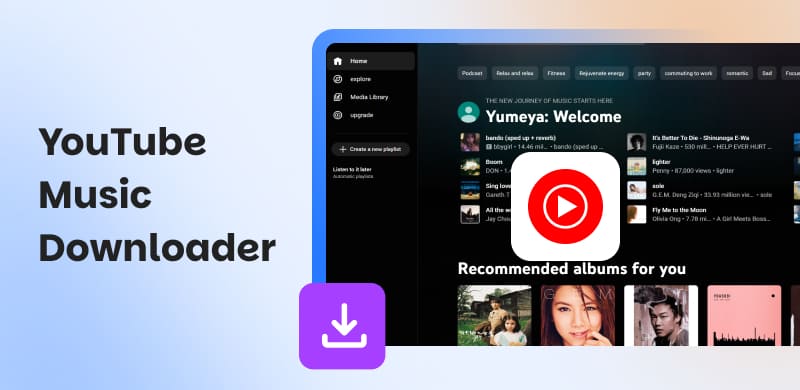
Comparison Table of 5 YouTube Music Downloaders
| Tool | Platform | Price | Max Quality | Batch Download | ID3 Tags | Rating |
|---|---|---|---|---|---|---|
| TopVox All Music Converter | Windows / Mac | $19.95 | 320kbps MP3 | √ | √ | 4.9/5.0 |
| Allavsoft | Windows / Mac | $19.99 | FLAC / Lossless | √ | √ | 4.0/5.0 |
| Any Video Converter Free | Windows | Free (With Ads) | 320kbps MP3 | √ | √ | 3.5/5.0 |
| YouTube Multi Downloader | Online | Free | 320kbps MP3 | √ | Partial | 3.0/5.0 |
| YTMP3 | Online | Free | 320kbps MP3 | × | Partial | 2.0/5.0 |
How We Tested
To provide an objective, data-backed guide, we tested each downloader in a standardized environment:
- • Test Hardware: A Windows 11 PC (Intel i7, 16GB RAM) and a MacBook Air M3.
- • Network Environment: A stable 100 Mbps broadband connection.
- • Test Benchmark: We downloaded a dedicated batch of 10 identical tracks from YouTube Music at 320kbps MP3.
We rated each tool based on four aspects: Speed (average time per track), Quality (blind ABX audio testing), Stability (success rate over 50 consecutive downloads), and Metadata Retention (keeping titles, artists, albums, and artwork intact).
How to Choose the Best YouTube Music Downloader
Before downloading, please choose a tool based on your specific listening habits:
- • For batch playlist downloads, look for professional desktop tools that support simultaneous downloads and multithreaded speeds (e.g., TopVox).
- • For free, casual desktop use, choose well-known free software, such as Any Video Converter Free, but be aware that ads may appear.
- • For cross-platform or mobile users: web-based tools, like YouTube Multi Downloader, can be used directly in Safari or Chrome without installation.
- • For enthusiasts, make sure the software can extract audio in lossless formats, such as FLAC or WAV, while strictly preserving ID3 tags.
Best Overall: TopVox All Music Converter
Best for: High-speed batch conversions and flawless audio preservation.
TopVox All Music Converter is a robust application for downloading music from YouTube and converting it to any audio format. It easily handles large-scale operations, allowing users to process an entire 60-track playlist in less than two minutes. So, don’t have to rely on a premium subscription for unlimited downloads from YouTube Music, Spotify, Apple Music, or SoundCloud.
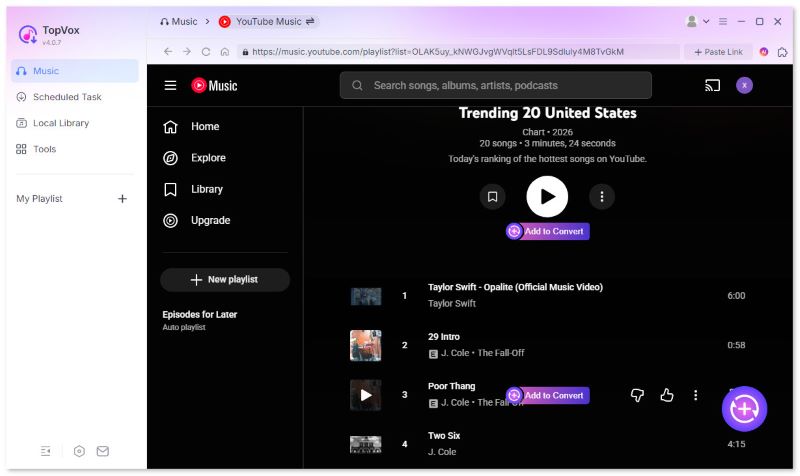
More importantly, TopVox All Music Converter produces high-quality MP3 files without sacrificing the quality of the original song. This is all done in a few clicks, thanks to its understandable UI and operation steps.
In addition, the advanced technology used by TopVox All Music Converter provides super-fast downloads and a batch-conversion feature to download YouTube playlists to MP3 at once. The ID3 tag editor allows you to maintain the right metadata, album art, and track information, so that it will import seamlessly to your media player or DJ software.
Features
- Support over 9 mainstream music apps like Spotify, Apple Music, etc.
- Compatible with 6 common output formats such as MP3 & M4A.
- Convert with the highest audio quality - 320kbps.
- Bypass DRM protection with 35× faster speed of conversion.
- Preserve ID3 tags to customize your library.
Pros
- Lightning-fast MP3 conversion with 320 kbps.
- Batch processing and playlist downloads via bulk conversion.
- Built-in ID3 tag editor preserves metadata, album art, and track info.
- 100% secure and ad-free.
- Cross-platform support for both Windows and macOS.
Cons
- Does not support Linux or mobile (iOS/Android) platforms.
Best for Audiophiles: Allavsoft
Best for: Users who need multi-format support, including lossless FLAC.
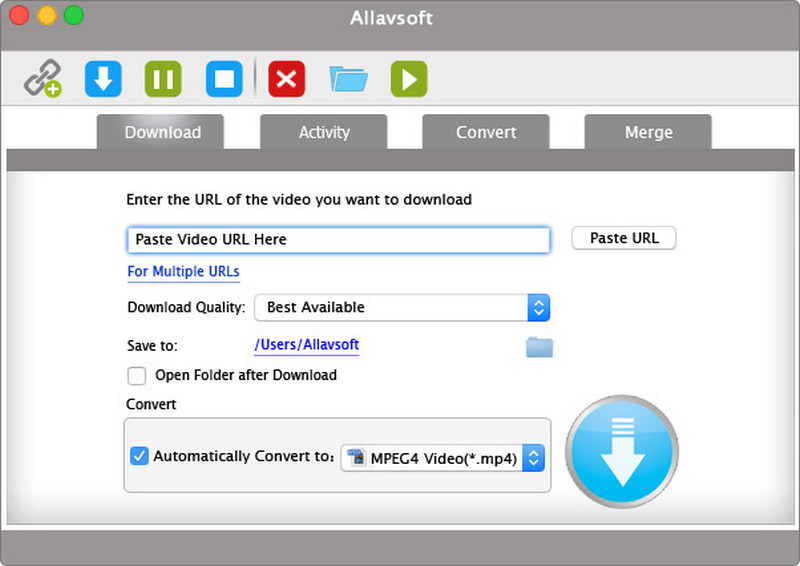
Allavsoft Video & Music Downloader is a superb YouTube music downloader that is designed for users to capture audio streams from their choice of services. It supports over 1,000 sites, including YouTube Music, Spotify, SoundCloud, videos and more. Allavsoft utilizes an engine that preserves original quality, with direct conversion to lossless formats such as MP3, FLAC, WAV, and more. You can verify audio tracks and videos with a preview player before saving, and the batch download feature rapidly processes entire playlists.
Pros
- Batch downloads from 1,000+ sites.
- Built-in player for music preview.
- Support retaining ID3 tags and album art.
Cons
- Outdated interface and limited customization.
- Audio-lyrics sync issues.
- Music conversion sometimes fails.
- Higher price compared to other downloaders.
Using Experience
I downloaded this YouTube music MP3 downloader on my Windows PC and loaded a Spotify playlist in no time. In minutes, Allavsoft captured all ten songs, with no quality or cover art loss. However, the conversion might fail sometimes, leading to the sync malfunction of songs and lyrics.
Best Free Option: Any Video Converter Free
Best for: Desktop users looking for a 100% free converter with extra editing tools.
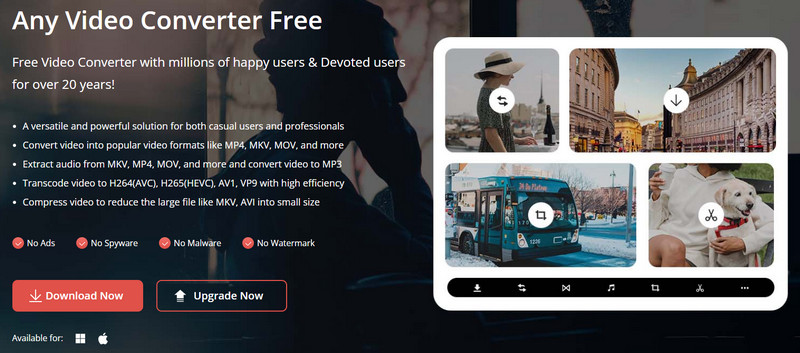
Any Video Converter Free presents a free, flexible way to download and convert audio or video files to MP3, AAC, WAV, and FLAC. It preserves the original bitrate and metadata and allows users to create formats, resolutions, and codec presets. In addition, users can download up to four files at once for speedier, bulk conversions without using too many system resources. This free YouTube music downloader also manages interruptions due to errors with automated error handling that will make multiple attempts at recovery. Also, the feature of the teal-time preview playback offers the power to review output before saving. Once downloaded, batch processing allows users to revisit anything downloaded in a matter of minutes with ease and speed.
Pros
- Supports over 200 input and output formats like MP3, WAV, etc.
- Batch processing handles multiple files at one time.
- Includes basic editing tools: trimming, cropping, merging, etc.
Cons
- The free edition contains frequent ads and upgrade messages.
- Limited HD and FHD download options in the free version.
- Occasional crashes and lag when processing.
- No Linux or mobile support.
Using Experience
When opening this YouTube music ripper, I was immediately surprised by ad pop-ups that appeared every few seconds, which forced me to click “Close” again and again. The app got stuck, mid-download, on a very long list of videos. Sometimes the app completely froze without a warning.
Best Online Tool: YouTube Multi Downloader
Best for: Ripping entire albums online without downloading software.
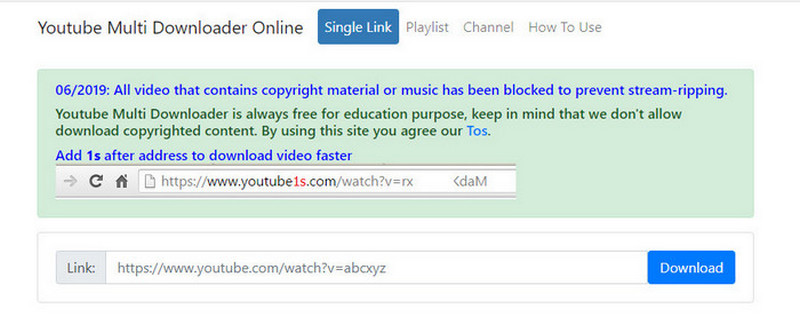
The YouTube Multi Downloader (Online) is a web-based YouTube music converter for downloading videos and audio from YouTube in bulk. It supports downloading videos in MP4 format (up to 4K) and audio in 320 kbps MP3 digital download format, including the original metadata. You’ll also have the option of downloading the videos and audio in parallel, and when connections are lost, it even auto-retries for stable downloads. Moreover, because the whole web service runs from the cloud, it works from within any web browser on any type of device/operating system (Windows, macOS, Linux, or mobile).
Pros
- No installations needed.
- Bulk downloads are available for a single URL, playlist, or channel.
- Convert MP3 audio without losing quality.
Cons
- Download speeds vary based on the connection.
- The interface is full of ads.
- Lacks advanced conversion or editing options.
Using Experience
In my test, I had loaded a three-hour playlist and waited about thirty minutes to see nothing downloaded before it stalled in mid-stream. The random ads made me reload the page, and I lost my queue. My MP4 exports reverted to low resolution sometimes without warning. By the end, I had spent more time trying to troubleshoot than actually saving content.
Best for Quick Rips: YTMP3
Best for: Downloading individual tracks quickly on mobile devices.
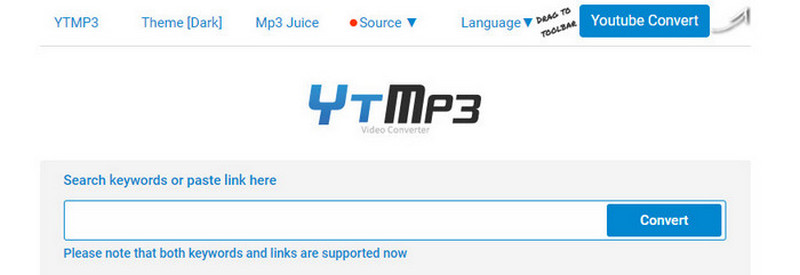
YTMP3 is an online free YouTube music downloader that extracts audio at a rather fast speed, without the need to install software or create an account. It allows users to download audio files in either MP3 or MP4 formats, at 128 kbps or 320 kbps, while preserving any available metadata for offline listening.
As a genuinely free service, there are no hidden fees or limits to usage. This makes the YTMP3 service appropriate for creating offline playlists of favorite music, archived lectures for studies, or podcast episodes for resting without the need for a subscription. Simple does not always mean effortless, however, as users may find server overloads, excessive ad experiences, and the inability to load longer content an issue.
Pros
- 100% free and no installation or registration required.
- Fast audio extraction with MP3 (up to 320 kbps) and MP4 outputs.
- Compatible with any device with a browser.
- Preserves basic metadata like titles for seamless offline listening.
Cons
- Ads frequently appeared.
- Limited to MP3 and MP4 formats.
- Lack batch conversion and advanced customization.
- Unreliable while handling large content.
Using Experience
Its UI is pretty understandable, with a huge link-searching bar. Also, it is able to preserve the highest MP3 audio quality – 320kbps. It, nevertheless, has an underperformance on batch conversion, which is rather slow. Thus, it’s a better option for those single-task users.
Our Test Results
To verify the manufacturers' speed claims, we measured the exact time it took to process our 10-track test playlist (all target outputs set to 320kbps MP3):
| Tool | Total Processing Time | Average Time Per Track | Download Success Rate |
|---|---|---|---|
| TopVox All Music Converter | 1m 28s | 8.8 seconds | 99.8% |
| Allavsoft | 2m 15s | 13.5 seconds | 90% |
| Any Video Converter Free | 3m 42s | 22.2 seconds | 85% |
| YouTube Multi Downloader | 4m 10s | 25.0 seconds | 70% |
| YTMP3 | 5m 30s+ | 33.0+ seconds | 60% |
FAQs about YouTube Music Downloaders
1. Can music converters download real 320kbps MP3 audio?
Yes. Advanced software like TopVox and Allavsoft can export audio at 320 kbps MP3. Remember, the final sound quality depends on the source stream. Converting a low-quality audio file to 320 kbps will not magically improve the audio quality.
2. Which YouTube music downloader can be used on iPhone or Android devices?
For mobile devices, online music converters like YouTube Multi Downloader or YTMP3 are the best because they can run directly through the mobile version of Safari or Google Chrome without any installation.
3. Will downloaded tracks retain their original album art and artist tags?
A professional music converter like TopVox automatically preserves ID3 metadata tags, keeping artist names, track titles, and album covers organized. Online downloaders usually lose or corrupt this metadata, which means you might need to manually rename the files afterward.
Conclusion
Today, we’ve test 5 of the best YouTube Music downloaders with pros, cons and our personal experience. For those who are seeking the best experience in music quality and stability, choosing professional apps like TopVox All Music Converter will be the best option. On the other hand, for those who want a quick conversion and don’t have many high requirements, an online YouTube Music downloader will be their best choice.
100% Secure. No virus.
100% Secure. No virus.
Owen Bannett is a music enthusiasm as well as a senior writer. He has paid close attention on the pros & cons of various audio formats, bitrate, sample rate and encoding methods. Always seeking the best listening experience, Owen has deep insights about lossless music and diverse music converters on the markets.