Dave


100% Secure. No virus.
100% Secure. No virus.
100% Secure. No virus.
100% Secure. No virus.

 Audible Converter
Download Audible Books for Offline Listening
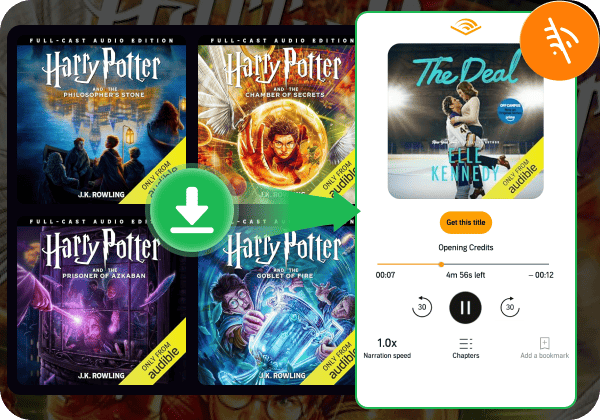
TopVox Audible Converter lets you download any Audible AA or AAX audiobook directly to your local Windows or Mac permanently. You can access your favorite narratives, multi-cast podcasts, and exclusive audiobooks anytime, anywhere - even if your Audible subscription ends. Enjoy absolute offline freedom on airplanes, subways, or remote hiking trails with no playback interruptions.
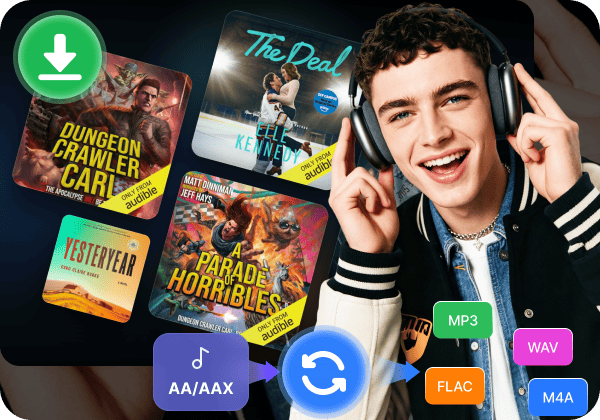
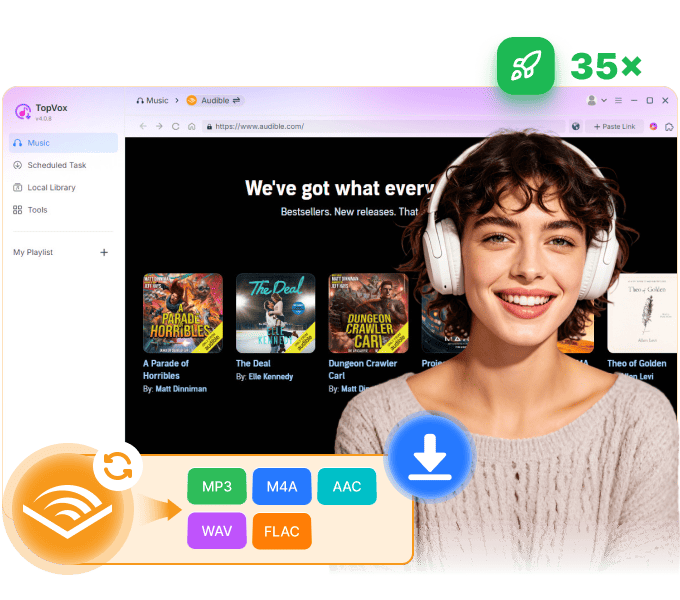
Convert AA/AAX to MP3, WAV, FLAC, etc.
Audible’s encrypted .aa and .aax file extensions make it frustratingly impossible to play your favorite books on non-approved devices. TopVox bridges this digital gap with an advanced audio transcoding engine. It lets you batch-convert restricted Audible files into compatible formats like MP3, M4A, WAV, or FLAC. TopVox preserves 100% of the original studio sound quality with absolutely no distortion.
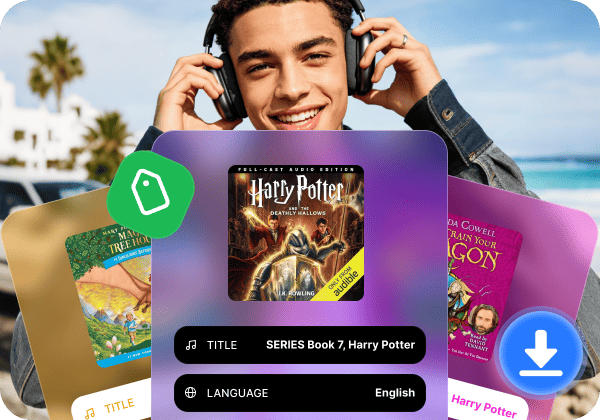
Retain Chapter Info & ID3 Tags
TopVox helps fully preserve embedded ID3 tags during the conversion process. Your output files will automatically retain the book title, author name, narrator, release date, and high-definition cover art. Crucially, it preserves the original internal chapter markers. This allows you to navigate through complex narratives and pick up exactly where you left off, providing a seamless listening experience identical to the official app.
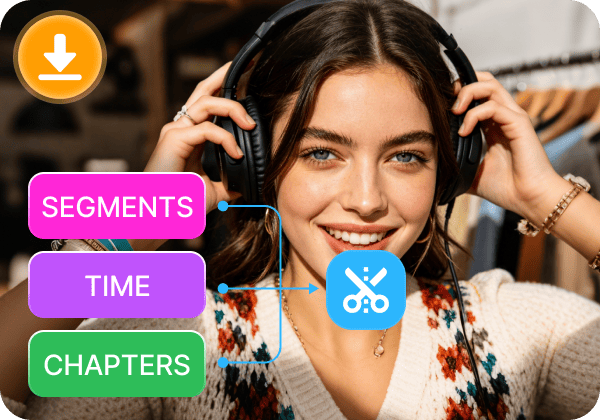
Split Audiobooks by Chapters/Time/Segments
Long audiobooks can easily run from 10 to over 50 hours, resulting in massive files that choke legacy media players. TopVox features an intelligent splitting toolkit for long-form audiobooks. You can easily divide giant files in 1 click: break down by chapters, slice into time intervals (e.g., every 30 minutes), or segment them into a specific number of files. Thus, you can play your favorite books on storage-limited devices like smartwatches or car media players more smoothly than ever.
100% Secure. No virus.
100% Secure. No virus.
Keep High Quality
Provides 320 kbps, 24-bit, and 48kHz to ensure high-quality audio.
35x Faster Speed
Lightning-fast speed to download tracks without waiting too long.
100% Safe
No malware or viruses, no bundled programs, free of ads.
Free Regular Updates
Offers free updates regularly to enhance performance.
Handle Local Files
Upload and convert local music to other formats.
Convert via Link
Convert a song by copying and pasting the URL.
100% Secure. No virus.
100% Secure. No virus.
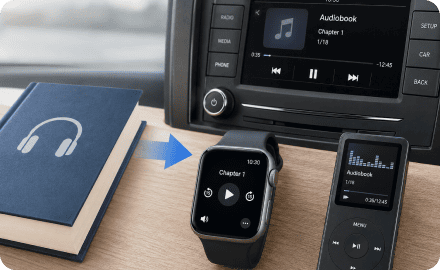
Commuters & Drivers: Audiobooks Beyond the Audible App
Long daily commutes or cross-country road trips shouldn’t be ruined by unstable data or official restrictions. By converting your favorite books into universal MP3 files, you can transfer them to a USB flash drive, an SD card, or legacy car media systems. Listen smoothly offline, wherever you go, with no interruptions.
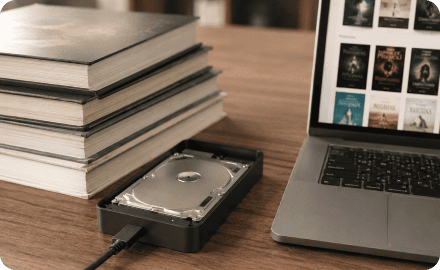
Book Collectors: True Ownership & Permanent Backups
Digital copyright shifts mean titles can occasionally disappear from your streaming library, and canceling your subscription makes accessing your catalog a hassle. Don’t worry, by downloading your entire library locally with TopVox, you protect your collection from platform policy changes and preserve your digital assets permanently.

Parents: Safe, Screen-Free Entertainment for Kids
Audiobooks are a wonderful way for kids to learn and enjoy great stories, yet many parents hope to cut down their children’s screen use and online time. With TopVox, you can turn audiobooks into offline MP3 files and split them into short, easy-to-listen chapters. Then simply transfer the files to audio-only players. Let your kids learn and have fun in a fully offline space, free from digital distractions.
100% Secure. No virus.
100% Secure. No virus.
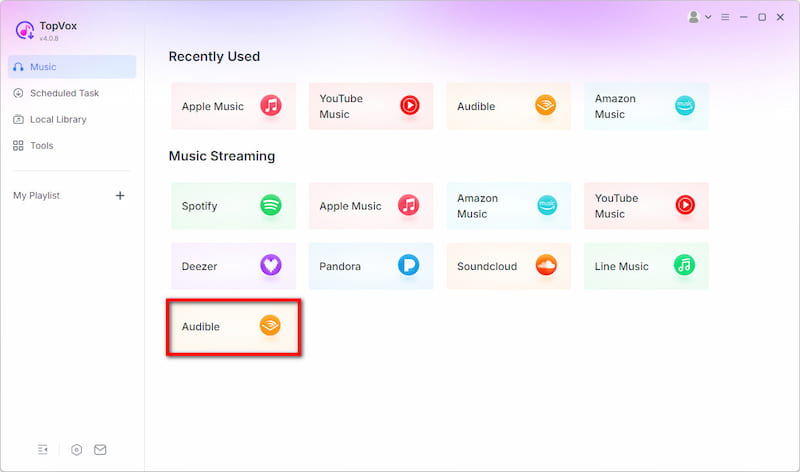
Step 1. Log in to Audible Account
Download, install, and run TopVox, choose Audible and log in to your account.
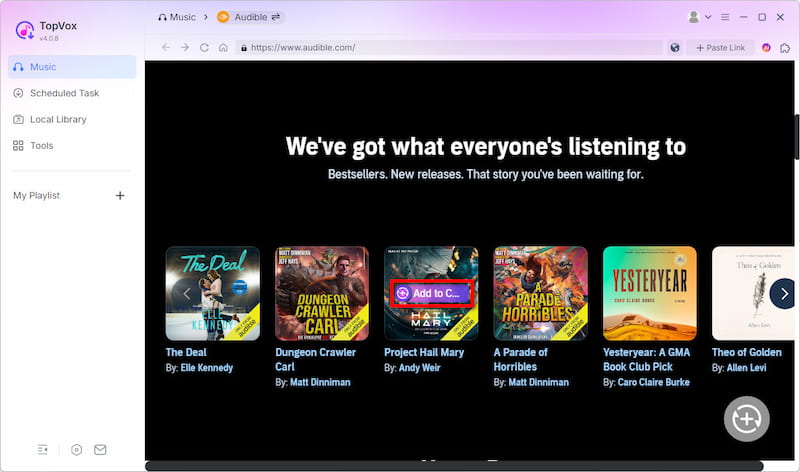
Step 2. Choose Audiobooks to Download
Find the audiobooks or tracks you want to download, and click the “Add to Convert” button.
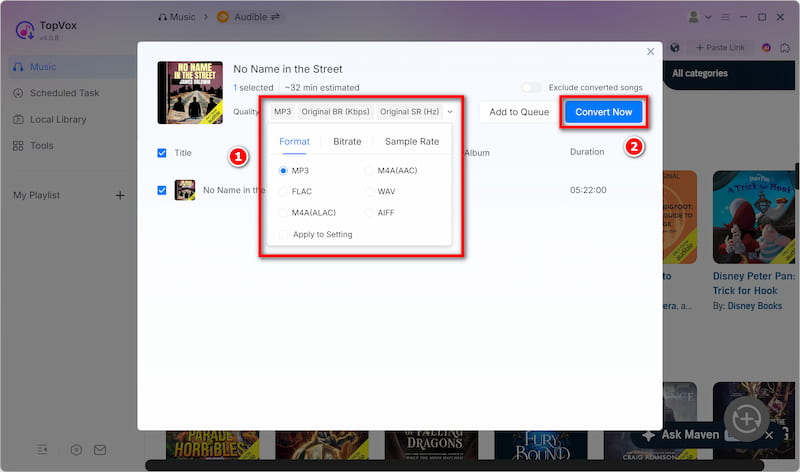
Step 3. Customize and Start Convert
After analyzing, you can choose different output formats and bitrates as you like. Then, click “Convert Now” button. Wait for a few minutes, and you’ll get them on your computer locally.
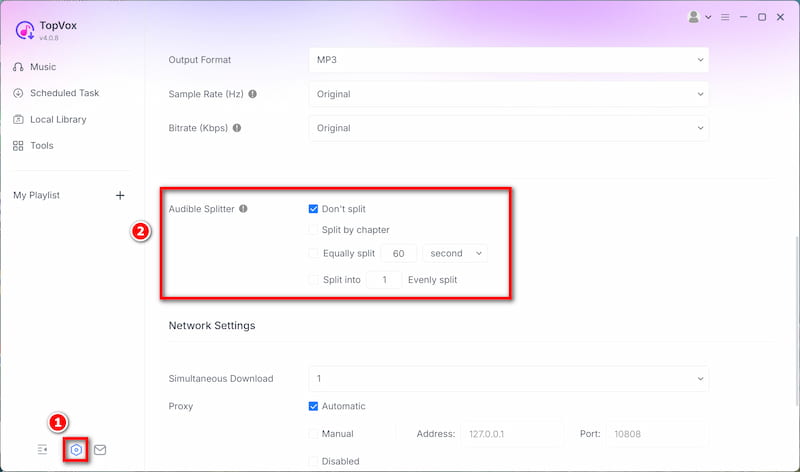
How to Split Audiobooks?
Find the Setting button in the lower left corner, refer to Audible Splitter. Here, you can choose to split by chapter, time, or segment.
100% Secure. No virus.
100% Secure. No virus.

Dave
I’ve been an Audible member since 2018 and have accumulated over 300 books. Call me paranoid, but I don't trust digital storefronts to keep licenses forever. I needed a tool that could batch-convert my library to MP3 format while keeping the original metadata - not just spitting out one giant, clunky 40-hour file. TopVox handled my massive audiobooks like an absolute champ. The 35x conversion speed isn't marketing fluff; it actually processed a 45-hour book in just a couple of minutes.

Marcus
My older Subaru doesn't have Apple CarPlay, and running the official Audible app over Bluetooth always drains my phone battery. I bought TopVox to dump my audiobooks onto a USB drive for my daily commute. What impressed me most is that it retains all the ID3 tags and high-res cover art—so the book title and author display correctly on my dashboard screen. I used the 'split by 30 minutes' feature, which makes it super easy to skip back if I miss a sentence while driving.

Sarah
I was losing my mind trying to get my kids' favorite Audible stories onto their Yoto cards for screen-free time. Most online tools I tried either crashed halfway through or stripped out the chapters entirely, making a 10-hour audiobook completely un-navigable for a 6-year-old. TopVox literally saved the day. It split the AAX files by chapter perfectly, kept the sound crisp, and the output MP3s work flawlessly on our DIY playlists. Best money I've spent this year for my peace of mind.
100% Secure. No virus.
100% Secure. No virus.
Is TopVox Audible Converter safe and legal to use? Will my account be banned?
Do I need to install the Audible app to convert books?
How does the "Split Audiobook" feature work? Will it lose quality?
Can I convert multiple massive audiobooks at the same time?
Audible Music Converter
Convert Audible Audiobooks to high-quality MP3 with original ID3 tags and internal chapter info.
100% Secure. No virus.
100% Secure. No virus.
Supported OS:
Windows 7 or later (64-bit)
macOS 10.14 or above
Output Formats
MP3, M4A(AAC/ALAC), WAV, FLAC, AIFF
Pricing Plan
1 Month License: from $19.95
Lifetime License: $139.95
Free to Try
Enjoy a 3-minute conversion of each song during a 14-day free trial.


*Required field
*Please enter a valid email
Copyright © 2026 TopVox. All rights reserved.

Subscribe to Our Newsletter:
Please fill in the details below. Fields marked are required.
First Name
First Name cannot be empty.
Last Name
First Name cannot be empty.
Email Address
Email Address cannot be empty.
Invalid Email Address . Please try again.
Country
Country cannot be empty.
Phone(optional)
Please enter a valid phone number.
ZIP Code(optional)
Please enter a valid ZIP code.
📌Subscribe now and take an extra 20% off on top—double the savings, plus early access to future product updates.

Congratulations! - Exclusive Bonus🎁
Thank you for subscribing! You have successfully joined our newsletter. Expect updates, offers, and insights delivered straight to your inbox. Plus, we offer you an extra $30 off on TopVox Lifetime Membership!