10 YouTube to MP3 Converters 2026: Save Offline Music Locally
 by Owen Bannett | July 16, 2026 | YouTube
Brief Summary
- For Playlist & Batch Download: With testing in hand, I consider TopVox All Music Converter as the best choice due to its overall quality and fastest speed across all the selected factors.
- For Casual Users: If you want to convert one or two YouTube songs to MP3 and couldn't care less about annoying pop-up ads, SSVid is our top recommendation of online free tools.
In this article, we will explore ten of the best YouTube to MP3 converters, including desktop-based apps and online tools, all of which have been tested already. Make sure they are safe and convenient to download YouTube music to your local device for permanent backup and listening.
How We Test
To provide an objective review, we tested these tools on Windows 11 & macOS Sequoia. We tried to use a 12-song playlist and a YouTube video URL to measure actual downloading speed, audio sample rate accuracy, adware threats, and more features. (Updated in July 2026)
Downloading YouTube music via third-party tools is only for personal use and backup. Always respect intellectual property rights.
How to Choose: Compare 10 YouTube to MP3 Converters
In a hurry? Let’s cut to the chase—See the Feature Comparison Table below to get an answer-first look at 10 YouTube music downloaders and quickly shortlist which one you're concerned about. Simply click on any product name to jump directly to its detailed review!
| Tools | Audio Quality | Processing Speed | Batch Download | Retain Metadata | Security | Price | |
|---|---|---|---|---|---|---|---|
| Desktop | TopVox All Music Converter🏆 | Original Bitrates & Sample Rate | 35× | ✅️ | ✅️ Full ID3 tags and lyrics | ✅️100% Safe & ads-free | $19.95/Month $139.95/Lifetime (Includes 9 platforms) |
| Tunefab | 320kbps | 35× | ✅️ | ✅️ | ✅️ | $55.95/Month $139.95/Year $169.95/Lifetime (Includes 9 platforms) | |
| KeepMusic | 320kbps | 10× | ✅️ | ✅️ | ✅️ | $44.95/Year (Supports YouTube Music only) | |
| Online | YtMP3 | 192kbps | Slow | ❌️ | ✅️ | ❌️ | Free |
| OnlyMP3 | 128kbps | Medium | ❌️ | ✅️ ID3 Tags | ✅️ | ||
| Y2Mate | 192kbps | Medium | ❌️ | ✅️ | ❌️ | ||
| SSVid🏅 | 320kbps | Slow | ❌️ | ❌️ | ✅️ | ||
| SSYouTube | Lower than 192kbps | Slow | ❌️ | ❌️ | ❌️ | ||
| Flvto | Lossy badly | Slow | ❌️ | ❌️ | ❌️ | ||
| YT1s | Not available now | ||||||
3 YouTube to MP3 Downloaders Software
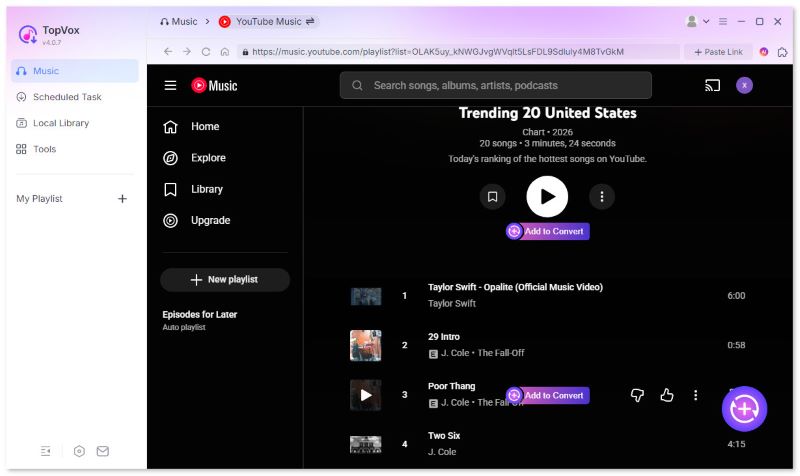
TopVox All Music Converter
Best for: Fast batch download of high-fidelity YouTube Music playlists for permanent offline listening.
OS: Windows 7 or later (64-bit), macOS 10.14 or above
Features
- Offers YouTube to MP3 conversion for both YouTube videos and YouTube Music content, providing additional options.
- Converts digital music into DRM-free formats, including MP3, WAV, FLAC, M4A, and more for increased accessibility.
- Preserves the quality of converted videos by downloading them in lossless quality, 320 kbps audio.
- Retains the ID3 metadata tag of converted YouTube videos to improve file management.
- Equipped with a fast and highly efficient batch downloading tool, up to 35x faster than the standard speed.
100% Secure. No virus.
100% Secure. No virus.
During my test, TopVox All Music Converter is the most balanced digital music converter tool for YouTube, offering optimal conversion efficiency, high-quality music, seamless performance, and reliability.
The software is capable of converting YouTube music into formats such as MP3, WAV, FLAC, M4A, and other options. For users who are looking for high-quality MP3 audio, TopVox supports keeping the original quality as the source. (The highest quality of YouTube Music is 256kbps.) All downloaded files are free from digital rights management (DRM) restrictions. Additionally, MP3 files will retain their metadata, including ID3 tags, such as title, artist, cover art, album, and other information, for an improved file management process.
For seamless conversion of YouTube content to MP3, the overall performance was enhanced by its conversion speed, which is 35 times faster than the standard conversion rate. You can batch download all favored tracks in one go, while browser-based options are limited to single-file downloads from YouTube links.
Pros
- Cross-platform availability to Windows and Mac.
- Also supports conversion from other music streaming apps, including Spotify, Amazon Music, Apple Music, and more.
- Equipped with a built-in web player to easily access music streaming content.
- Well-designed interface optimized for beginners.
- Completely ad-free for increased user friendliness.
Cons
- The trial version of the tool has slightly limited features.
Verdict:
TopVox provides a professional, ad-free experience for users looking to create a permanent and high-quality music library. As analyst Andrew Woodsville reported, “TopVox All Music Converter has more stable performance and advanced features…As a professional music downloader, it provides all-around audio conversion and management.” In my test, downloading a YouTube Music playlist took about 3 minutes only. Trusting completely its 35x lightning speed!
TuneFab All-in-One Music Converter
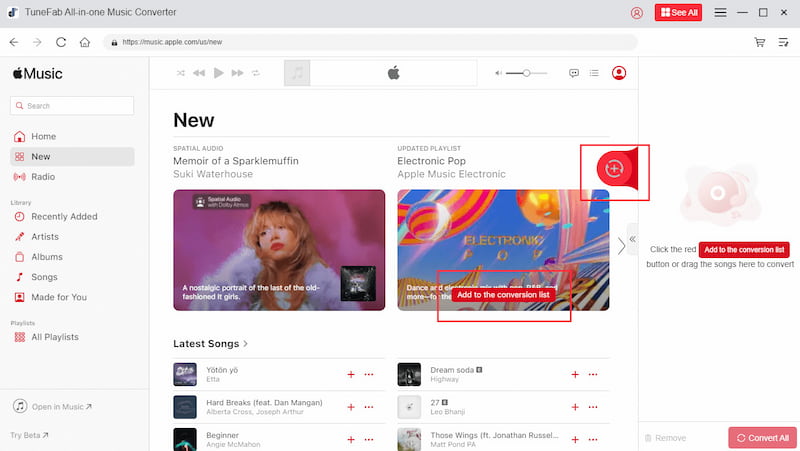
Author Review: TuneFab is another professional YouTube Music downloader, which is evenly matched with TopVox. But for best value for money, TuneFab’s price is much higher.
OS: Windows 7 or later on 64-bit, Mac OS 10.15 or higher.
Features
- Equipped with a built-in browser to access YouTube Music’s web player.
- High preservation of music ID3 tag and advanced metadata.
- Offers multiple format conversion options from MP3, WAV, FLAC, and more.
Moving forward to the next option for the YouTube to MP3 converter for desktop computers, we have TuneFab. A multimedia converter tool that can process YouTube videos and music into a DRM-free format. Although it also claims downloading speed can reach 35x, KeepMusic completed an MP3 extraction in 24 seconds, while TopVox did it in 8 seconds. Additionally, the expensive subscription plan makes it a large barrier for some users.
Pros
- Works as a converter and download tool for Windows and macOS.
- Offers a one-time purchase option for regular converters.
- Completely ad-free interface.
Cons
- Paid app. It does not offer a free-to-use version.
- Its paid plans are significantly higher than other desktop options.
- It cannot be used on mobile devices.
Verdict:
TuneFab’s unique offering of a one-time purchase plan makes it appealing for users who plan on committing to regularly downloading YouTube content as digital music. However, this factor also presented the software with a disadvantage, as it made the tool impractical for casual users.
KeepMusic YouTube Music Converter
Best for: Download songs, albums, and playlists from YouTube Music with an ad-free & high-quality listening experience.
OS: Windows 11/10/8/7, macOS 11 or above
Features
- Offers a wide selection of conversion options from MP3, FLAC, WAV, and more.
- It can convert files on your computer for local file type conversion.
- Supports batch conversion for multiple music files.
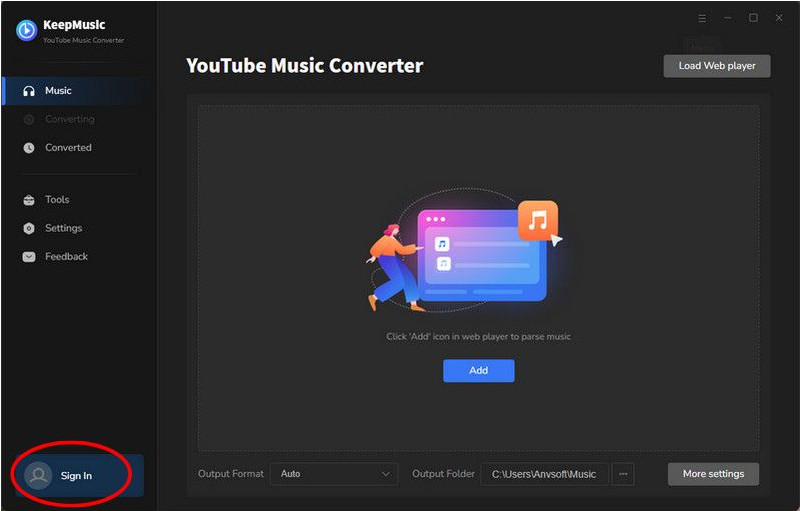
The next YouTube to MP3 converter option that is safe to use is KeepMusic YouTube Music Converter, a computer-based program optimized for converting digital content to offline formats. Although it functions well as a YouTube to MP3 converter, it was primarily developed as a type conversion software. This made the tool a good option for both local file conversion and digital downloads.
Since its intended purpose is to be a converter, KeepMusic’s digital conversion option may be considered a bonus feature, which may appeal as it is not its main intended function. Moreover, the software has an extremely limited free version, which restricts its main features, making it unfriendly for casual users.
Pros
- Wide-format selections for improved accessibility across various devices.
- The interface is optimized for beginner usage.
- Also supports the library of other music streaming apps.
Cons
- Its free version is highly restricted in features.
- Require downloads and paying for the premium plan.
- Reliant on developer support to maintain performance.
Verdict:
KeepMusic’s conversion background makes it a suitable tool for processing YouTube media into MP3; unfortunately, its limited free version may be too cumbersome for some users. Its hyper-reliance on developer updates also makes it tricky to maintain consistent performance.
7 YouTube to MP3 Converter Sites [Online Free]
YtMP3
• Output Formats: MP3
• Download Quality: 128 kbps - 320 kbps
• Easy: ⭐⭐
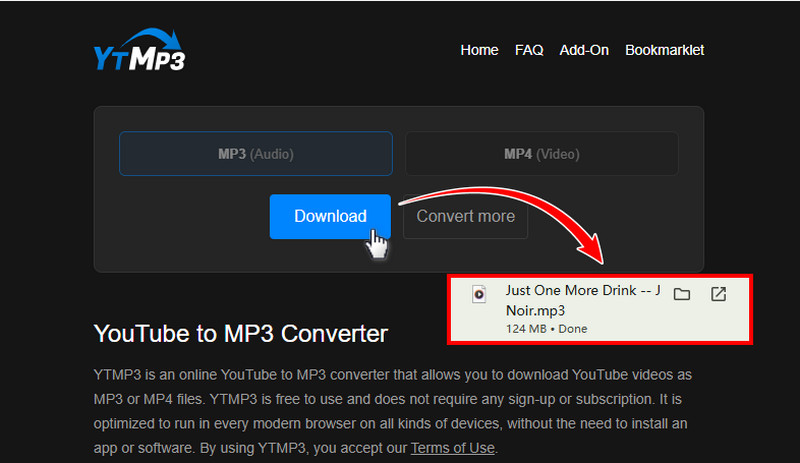
Moving forward to online-based options, we have YTMP3, a YouTube to MP3 converter, which is the first option we will highlight among the link-based online tools in this article. Since it was catered to casual downloaders, it is free, easy to use, and does not require any downloading or setup.
Despite its vision to be as accessible as possible, its online nature made it vulnerable to ads, such as pop-up ads and redirecting links. This could cause harm to its users, as these links may lead to malware and unwanted downloads.
Pros
- Very accessible and easy to use.
- Does not require an account or downloading.
- Available directly on browsers.
Cons
- Plagued by ads and pop-ups.
- No batch downloads.
- Limited audio quality editing.
Users Experience
I have run out of patience using this tool. When clicking the download button, it hijacked my browser and redirected to unsafe and unrelated websites. I have to close pop-ups in time and click the damn 'Download' button over and over again! And the worst part? The final audio track was heavily compressed to 192kbps.
OnlyMP3
• Output Formats: MP3
• Download Quality: 128 kbps
• Ease of Uses: Easy
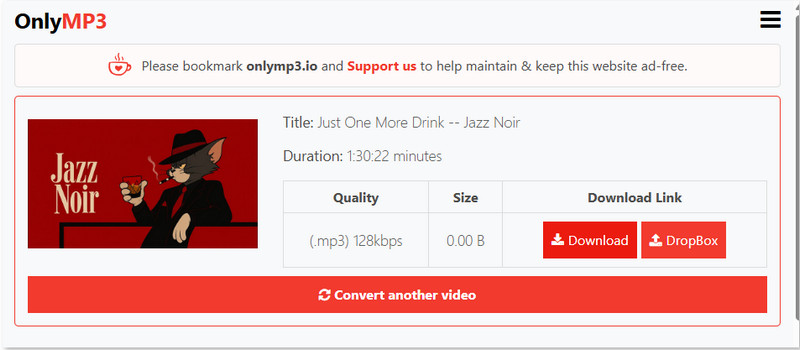
The next option on our list of free YouTube to MP3 converters is OnlyMP3, an exclusive online tool designed to download MP3 files from online videos, especially those on YouTube. Among the options in this list, OnlyMP3 offers higher-quality audio, which could prove to be the primary factor in choosing the program.
Unfortunately, its lack of batch downloads and advanced audio adjustment settings limits it to being an audio downloader for casual listening. Its audio quality might be higher than that of its competitors, but it is not good enough for professional needs or the standards of music enthusiasts.
Pros
- Good quality audio for a browser-based option.
- Available across different devices.
- Simple to use.
Cons
- Link conversion reportedly fails sometimes.
- Lack of audio customization.
- It does not offer batch downloads.
Feedback
If you are seeking the best sound effect or use the file for a DJ show, this site can’t meet your demands. It claims to offer standard 128kbps audio quality, which is already a huge compromise, but the hands-on test shows that the actual bit rate was a flat, muddy 113kbps.
Y2Mate
• Output Formats: MP3
• Download Quality: 128 kbps - 320 kbps
• Ease of Uses: Intermediate
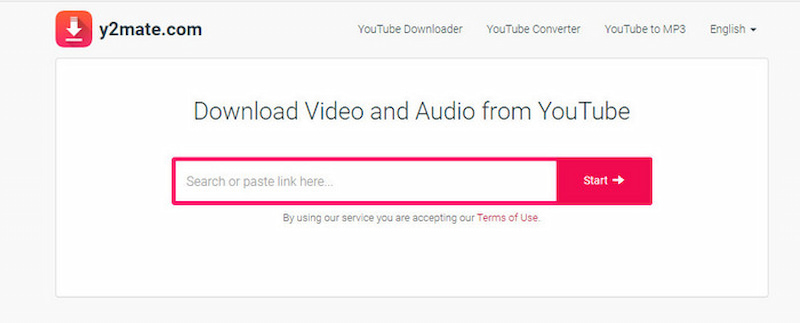
One of the most popular YouTube to MP3 converter sites is Y2Mate, a flexible online tool that can convert media from both YouTube Music and YouTube videos. During our testing, Y2Mate successfully extracted a 5-minute YouTube audio link in 14 seconds, but it triggered 3 aggressive redirect ads and a fake 'Virus Detected' pop-up before the real download link appeared. Many users reported on Reddit that they don't use Y2Mate as it brings you to malicious third-party websites.
Pros
- Converts both YouTube videos and music content.
- Offers basic audio editing settings like format and quality.
- Available for browsers and multiple devices.
Cons
- Heavy ad presence with pop-ups.
- It may not be available in several regions or countries.
- Conversion may breach YouTube’s terms of service.
SSVid
• Output Formats: MP3
• Download Quality: 128 kbps - 320 kbps
• Ease of Uses: Intermediate
Since most of the featured articles in this list are limited to YouTube, SSVid is an online YouTube to MP3 converter that can also convert content from other music sites, such as Spotify, Apple Music, and similar options. It also provides minor settings for format and quality adjustment.
Due to its improved access to other sites, SSVid became plagued by more ads when compared to other options. This often leads to misleading download buttons and redirection links, which can cause harm to users who are unfamiliar with online tools.
Pros
- Supports converting content from other music sites, not just YouTube.
- Offers adjustment options in format and quality.
- Trusted by third-party online tool assessment sites.
Cons
- Plagued by pop-up ads that mislead clicks.
- Ads often redirect users to random links.
- Performance is affected by internet quality.
User Review
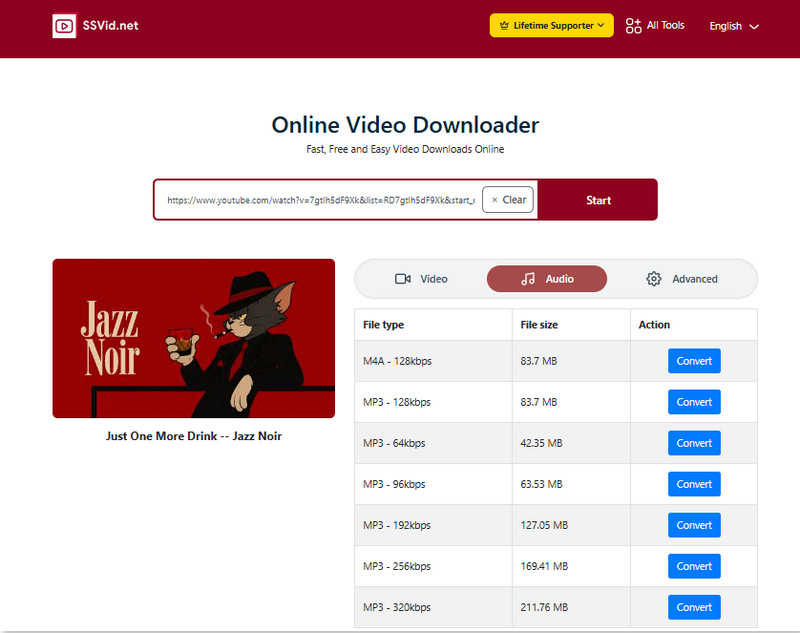
Among those web-based YouTube MP3 downloaders, SSVid was the best represented in the rankings. It can quickly recognize the YouTube URL and show many file type options. I converted the link to MP3 320kbps. The quality is all right! I can accept the drawback that it can't be downloaded in bulk. I will use it occasionally when downloading a song.
SSYouTube
• Output Formats: MP3
• Download Quality: Compressed heavily
• Ease of Uses: Intermediate
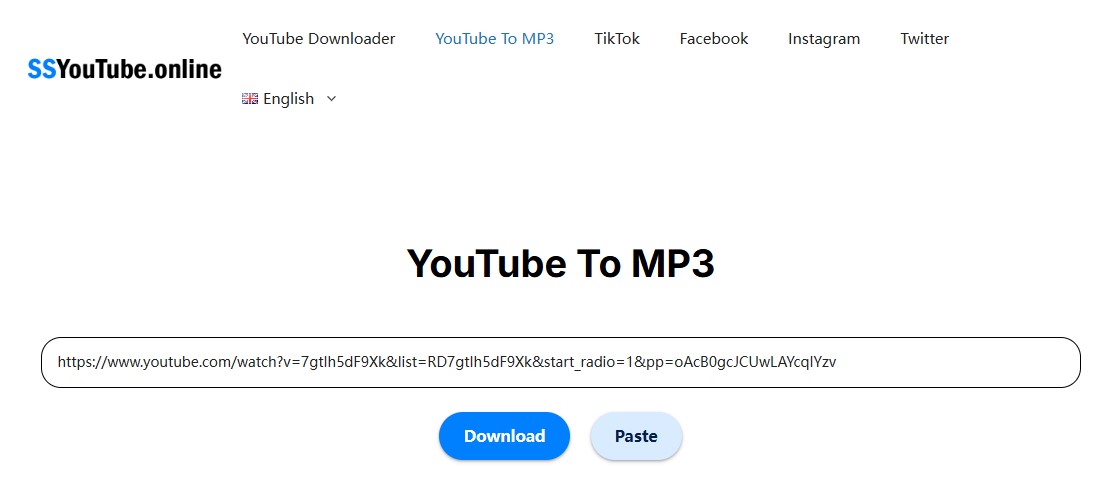
Due to the competitive nature of online tools, some programs are destined to be a backup option. Unfortunately, SSYouTube could be considered as such since it does not offer any unique features that distinguish it from the market. It is only capable of basic conversion to download YouTube videos and music.
In addition to being quite basic, malware is also reported to be present in some content downloaded from the program. This factor may be one of the reasons why the software is an unappealing program.
Pros
- Capable of converting YouTube content to audio or video.
- Free to use software.
Cons
- There are reported presence of malware on downloaded content.
- Limited format and bitrate adjustment option.
- Intrusive ad presence.
Note
After clicking download, it automatically triggers a chain reaction of redirects and leads your browser to stranger websites. You close one, try again, and pop up another…Honestly, the endless loop of sketchy links makes it feel completely unsafe for my computer.
Flvto
• Output Formats: MP3
• Download Quality: 128 kbps
• Ease of Uses: Easy
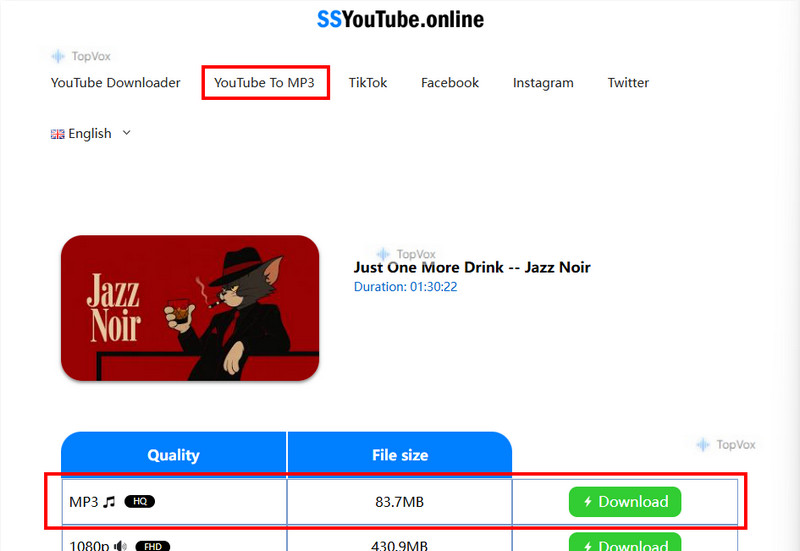
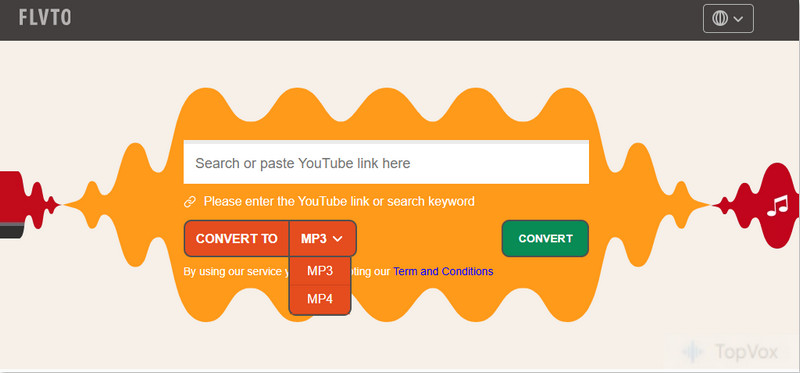
Although it is quite rare, other online tools offer a paid version for improved performance. Fortunately, Flvto decided not to join this trend. This made the software a go-to for some users who only want a simple conversion and download. Flvto is one of the simplest YouTube-to-MP3 converter programs.
Since it is designed for simple downloading, the audio quality captured by the software was a compromise. It has generally lower audio clarity, which may be noticeable when listening on higher-quality earphones.
Pros
- The link-based conversion process offers a straightforward approach.
- Free to use and no premium options.
Cons
- Heavy ad and pop-up presence.
- Prone to site blocking and downtimes.
- Lower quality of audio files.
User Review
I found that Flvto supports pasting a link from YouTube Music, but I was tricked by it! The download is not any music, but instead a three-second audio clip with 40 kbps. I didn't open it to listen but deleted it directly. Besides, the site works unstably, and no one knows when it will show “Not Found” on the page.
YT1s
• Output Formats: MP3
• Download Quality: 128 kbps - 320 kbps
• Ease of Uses: Easy
Finally, the next tool in this article will be YT1s. Another online software optimized for simple downloads. Similar to other software mentioned in this article, it was optimized to be easy to use, free, and require no downloads.
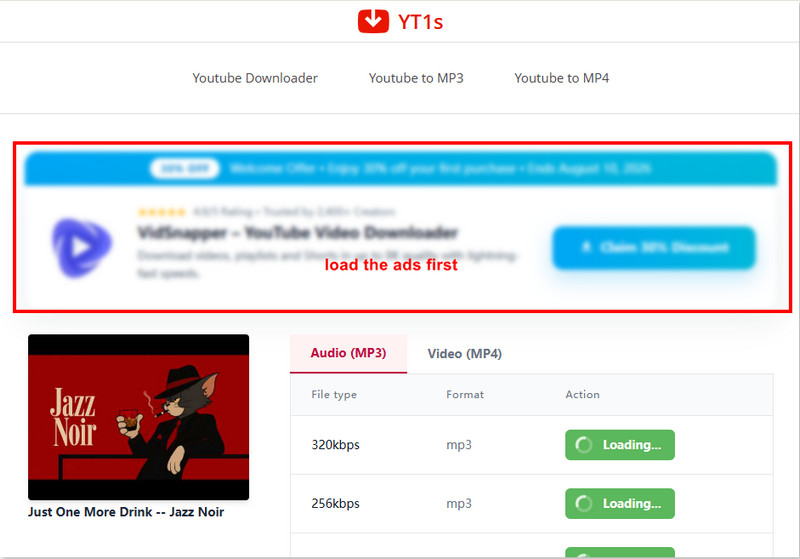
Unfortunately, its basic design makes it susceptible to malware and intrusive ads that have misleading download buttons. These ads often redirect their users to random links, which could be dangerous for security and privacy.
Pros
- Free to use software.
- Does not require download and installation.
Cons
- Ad presence redirects users to random links.
- Presence of malware based according to some reports.
- Misleading download buttons.
User Review
Unlike other online tools where you have to manually click 'Download' to start the process, this one will jump to the download page instantaneously once you have pasted the URL. Similarly, it’s not an ad-free site, and it got stuck in an infinite loading loop when I tried to grab the audio. I waited for a long time, but the file never processed.
FAQs on YouTube to MP3
Q: What is the best audio quality for converted YouTube music?
A: Many YouTube Music downloader software claim they can download 320kbps MP3 files, but in reality, the max audio quality on YouTube Music is 256kbps AAC (and it varies even more if you are extracting audio from standard YouTube videos). To solve it once and for all, I recommend using TopVox All Music Converter. With it, you can directly download tracks with their original audio quality.
Q: What is the best free YouTube to MP3 converter in 2026?
A: SSVid. It has no annoying ads and offers high-quality downloads. The only downside is that it doesn't support batch downloading.
Q: Is it legal to convert YouTube to MP3?
A: Converting copyrighted YouTube music without official permission goes against its service rules. But it is allowed by default if you are converting your own uploaded videos or YouTube Music content for personal use.
Conclusion
With the strengths, limitations, and best features of the ten most reliable YouTube to MP3 converters now discussed, we hope that this article has provided you with useful information about which desktop-based or online tool option is the best for your music downloading needs. If you are still confused about which one is the most reliable, starting with the best tool optimized for balanced performance will be a great start. In this case, please ensure that you download TopVox All Music Converter using the link provided below.
100% Secure. No virus.
100% Secure. No virus.
Owen Bannett is a music enthusiasm as well as a senior writer. He has paid close attention on the pros & cons of various audio formats, bitrate, sample rate and encoding methods. Always seeking the best listening experience, Owen has deep insights about lossless music and diverse music converters on the markets.