7 Best Spotify to MP3 Converters in 2026 [Software/Online]
 by Luna Harper | June 12, 2026 | Spotify
Takeaways
1. TopVox All Music Converter
Why it’s recommended: various music platforms, widest output formats, fast conversion speed, and lossless audio quality.
2. SpotiFlyer
Why it’s recommended: Ideal for mobile users on a budget who still need basic downloading features.
3. Spotisaver
Why it’s recommended: simple to use, lightweight, and focused on Spotify to MP3 music downloads.
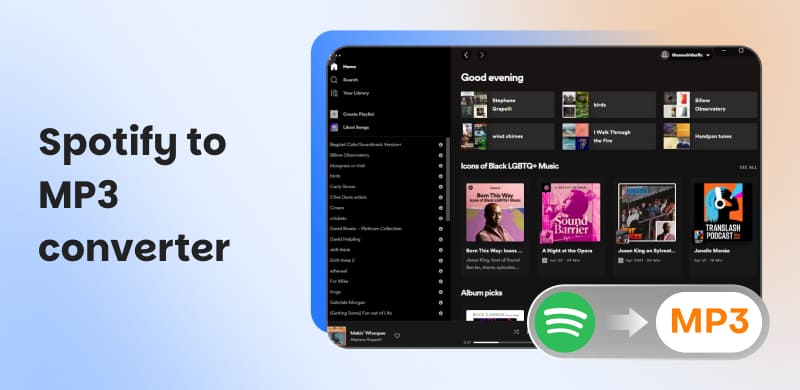
Spotify is a king when it comes to streaming music, yet all of its songs are buried under DRM locks, meaning you can't free them from the app. If you want to save your music playlists to a hard drive as a permanent archive, you will need a reliable Spotify-to-MP3 converter.
In this article, we share the top 7 options - a mix of simple desktop applications and flexible online converters - converting your protected audio to saved file formats and maintaining the original quality and metadata. After testing, we selected the top recommendation to finish the high-quality Spotify-to-MP3 conversion process – TopVox All Music Converter. Goodbye subscription restrictions and device limitations. Keep reading to find out how to free your music library and take your favorite tracks whenever and wherever you like.
100% Secure. No virus.
100% Secure. No virus.
How We Test
We tested all products on Windows 11, macOS Sonoma, or mobile devices. Audio quality is benchmarked via Spek, Mp3tag, and Audacity with a uniform 50-track Spotify playlist, and final evaluation results are scored by download success rate, sound quality, conversion speed, and metadata integrity. These tools are for personal backup and educational use only. We do not condone unauthorized distribution of copyrighted files.
Which tool should I choose? [Comparison]
| Tool | Supported platforms | OS | Audio Quality | Output Formats | Conversion Speed | Advanced Features | Stability |
|---|---|---|---|---|---|---|---|
| TopVox All Music Converter | Spotify, Apple Music, Amazon Prime Music, YouTube Music, Deezer, Pandora, SoundCloud, Line Music, or Audible | Windows 7 or later (64-bit), macOS 10.14 or above | 128~320 kbps, Original BR | MP3, WAV, FLAC, AIFF, M4A (AAC/ALAC) | 35× | AA/AAX Converter, Tag Editor, Playlist Transfer, Format Converter | ✅️ |
| SpotiFlyer | Spotify, YouTube, Gaana, Jio-Saavn and SoundCloud | Android, Mac, Windows, and Linux | 128~320 kbps | Only MP3 | 1× | ❌️ | ❌️ |
| Sidify Spotify Music Converter | Spotify | Windows 11/10/8, macOS 11 or above, Android 5 or above | 320kbps (Pro version) | MP3, AAC, WAV, FLAC, ALAC, or AIFF | 10× | (Pro version) Format Converter, AA/AAX Converter, CD burner, Tag Editor, and Audio Editor | ✅️ |
| Zotify | Spotify | Open-source | 160kbps or 320kbps | MP3, FLAC | 1× | ❌️ | ✅️ |
| SpotifyMate Spotify to MP3 Free | Spotify | Web-based | Up to 320 kbps | Only MP3 | 1× | ❌️ | ❌️ |
| SpotiSong Downloader | Spotify | browser-based | 320kbps | MP3, M4A | 1× | ❌️ | ❌️ |
| Spotisaver | Spotify | browser-based | Up to 320 kbps | Only MP3 | 2× (Premium) | ❌️ | ❌️ |
Top 1. TopVox All Music Converter [All-Powerful]
Best for: All-in-one Spotify music converter to bulk download multi-format tracks at the fastest speed.
Rating: 4.8/5
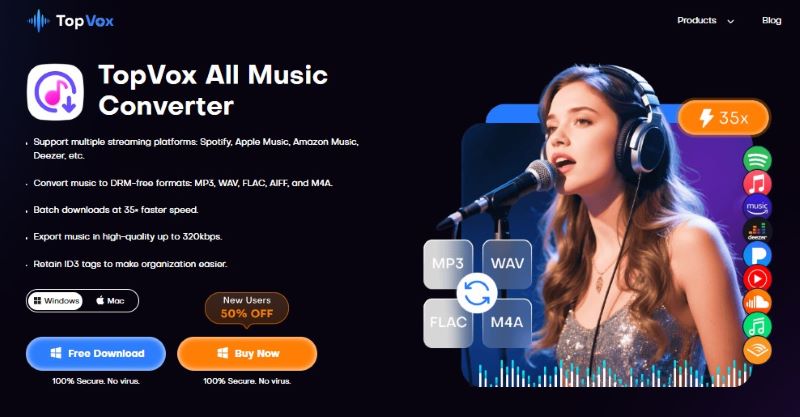
In our test, TopVox All Music Converter can be recognized as the best solution for converting Spotify to MP3. It has the fastest DRM elimination process and creates studio-quality output. It supports up to 320 kbps without losing any audio quality. Every MP3 is file-tagged, so you won't have a cluttered library like Spotify. Its built-in web player is not only compatible with Spotify, but also with other 8 streaming platforms, making it a definite all-in-one solution to search, play, download, convert, and manage music collections. More importantly, TopVox will never compromise safety and privacy - it only allows safe downloads and guarantees every file is virus-free using encrypted download files. The outputs remain on your device with no risk of security leaks of data or capabilities.
Why does it Out Stands?
• Convert all kinds of music to various formats.
Easy to convert your favorite songs, albums, playlists, podcasts, and audiobooks. You can choose various output formats flexibly, including MP3, WAV, FLAC, AIFF, M4A (AAC), or M4A (ALAC), in order to suit your different devices and preferences.
• Output lossless audio quality.
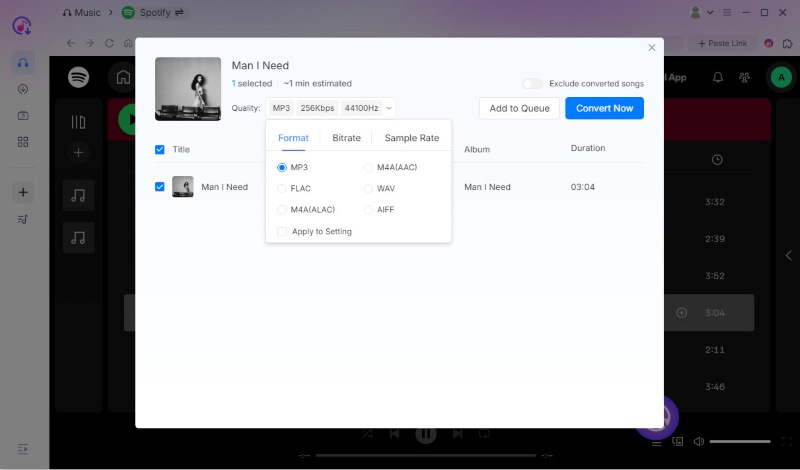
During the conversion, you have total control over the audio bitrate and sample rate. The output sound quality at the default settings remains at the original BR and 44100hz. And the program will keep with ID3 tags and other metadata.
• Batch downloads music at 35× faster speed.
During our internal tests using a 1 Gbps fibre connection, downloading a playlist of 77 tracks took about 15 minutes.
• Built-in web player supports multiple platforms.
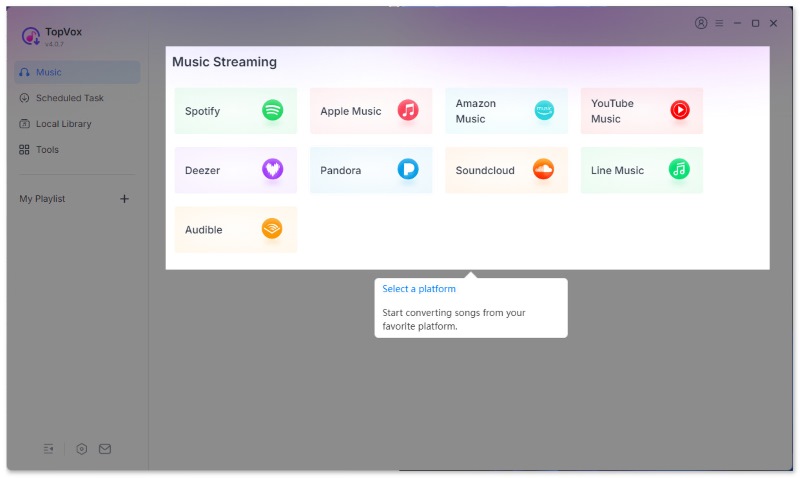
With the integrated web player, you can freely access Spotify, Apple Music, Amazon Prime Music, YouTube Music, Deezer, Pandora, SoundCloud, Line Music, or Audible.
• User-friendly operation and high success rate.
The intuitive interface and quick-start instructions help you get started quickly. After several steps, you can convert Spotify to MP3 tracks at 99% success rate.
Pros
- Convert music with the highest MP3 audio quality.
- Covert music in batches to save time.
- Keep the ID3 tag while converting.
- Supports peerless DRM-removal technology.
- Free ads and no malware or viruses.
Cons
- Android and iOS are not supported.
3 steps for using this Spotify-to-MP3 converter:
Step 1. Choose a music platform.
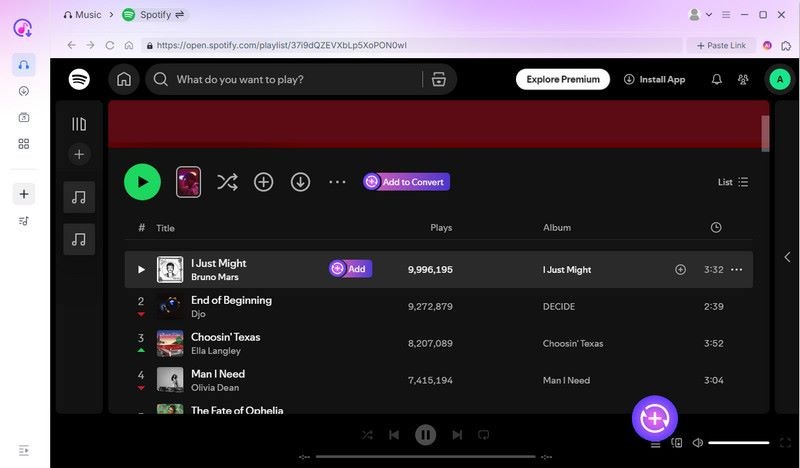
Step 2. Select the music you want to convert, and click Add to Convert.
Step 3. Change the output quality in the pop-up window and click Convert Now.
Feedback
As Andrei Verdeanu, a professional editor from Softpedia, says in a review:
“If you plan on setting an offline playback session for your favorite artists and their albums, this dedicated audio downloader can help you easily grab your preferred tracks from a multitude of streaming platforms, convert them with ease, and have them readily available for playback.”
In my test, so he was. I downloaded a 50-song playlist without any errors, and the process just takes me less than 10 minutes, emm…certainly 6 minutes. I have checked ID3 tags of all songs, surprisingly, they are all well!
Top 2. SpotiFlyer [Mobile App]
Best for: On-the-go mobile free Spotify MP3 downloading.
Rating: 4.6/5
If you don't have a computer, SpotiFlyer is the right tool for phone users (Android only). This free music-listening software allows you to save your favorite tracks, albums, and playlists from various music platforms as MP3s. And you can share downloaded music with your friends and family without converting songs again. Although officials say it runs on Windows, Mac, and Linux, the actual user experience is not ideal due to the lack of FFmpeg. SpotiFlyer supports bulk downloads with high-quality audio and ID3 tags. However, the audio quality and album cover have been compressed in our test.
Pros
- Downloads music from Spotify, YouTube, Gaana, Jio-Saavn and SoundCloud.
- Simple interface with no ads.
- Supports adjusting output parameters.
- The highest audio quality reaches 320kbps.
Cons
- Can’t handle the DRM-protected songs.
- Not open to iOS users.
- It’s difficult to work on a desktop.
- The conversion speed is slow.
- Manual operation is time-wasting.
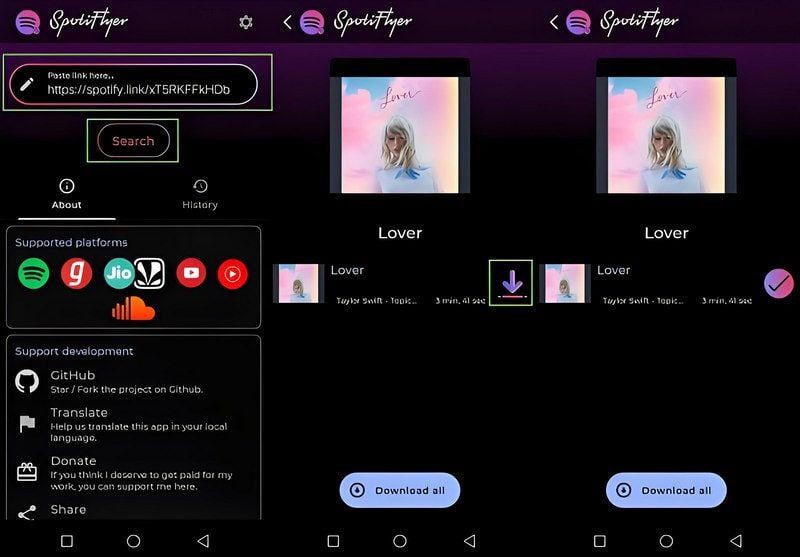
How to use SpotiFlyer to convert Spotify to MP3?
Step 1. Download the SpotiFlyer APK from its official site to your Android.
Step 2. Go to Spotify and copy the link to the music you want to convert.
Step 3. Paste the URL to the main interface and click Search.
Step 4. Click the purple download arrow to save music.
Note:
To install the app successfully, make sure your phone allows installation from unknown sources in Settings > Security > Unknown Sources. That means there are still some risks associated with this tool. We recommend that you use more reliable desktop software.
Author Note:
On the whole, Spotiflyer really is a good Spotify downloader. The only thing that I doubt is its output quality. I found that most downloaded songs are lower than the original 320kpbs or Hi-Fi resolution. Besides, some songs can’t be handled, almost a dozen failed out of 50 songs! I tried twice! After checking other real comments from Reddit…This situation did really exist:
“…you can’t download any or all the songs in 320Kbps from all the sources provided in Spotify…Also, you won’t get to download the exact same sound quality of the streaming songs of YouTube or YT Music.” - Jackie7610.
Top 3. Sidify Spotify Music Converter Free [Limited]
Best for: Desktop conversion for high-quality downloads with full metadata.
Rating: 4.5/5
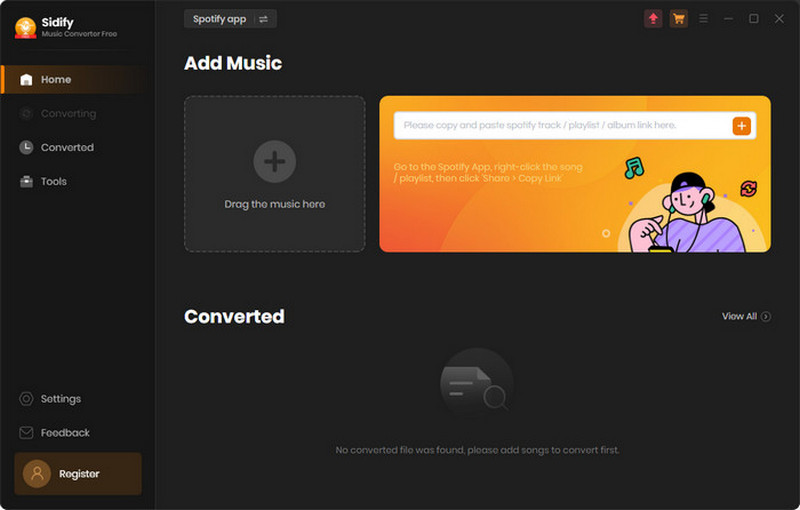
Even if you don’t have a Premium subscription, Sidify Spotify Music Converter Free removes DRM and unshackles your Spotify library to MP3 or AAC, including songs, playlists, podcasts, and audiobook files. You can download high-quality tracks with full ID3 tags. But we found that the features are quite different between the Free and Pro versions. The free version converts one track at a time at real-time speed, meaning a single export is a long process if you have many songs. And the downloaded audio quality will be compressed. Instead, the premium edition allows batch conversion in the web player at 10× faster speed.
Pros
- Both for Spotify Free and Premium users.
- Multiple Output Format ID3.
- Tags & lyrics preservation.
- Convert audio at 10 times faster speed.
- Supports 48 languages.
Cons
- Need to preinstall the Spotify app.
- Unstable download and conversion process.
- Takes more time to handle a large library.
- Get the Pro version to access the full features.
Test Experience
I confess that converting larger batches of songs is accessible without random crashes. But to be honest, you have to notice its security problem – my friend used it for just 2 or 3 days, Spotify suspended his account for “unauthorized use” and “creating copies outside the Spotify app.” And for faster batch conversion speed, Topvox is 35 times more efficient than Sidify. For example, to download 100 songs, TopVox takes 27 minutes less time, which is nearly one-third of that of Sidify.
100% Secure. No virus.
100% Secure. No virus.
Top 4. Zotify [Open-Source]
Best for: Tech-savvy users preferring free open-source tools.
Rating: 4/5
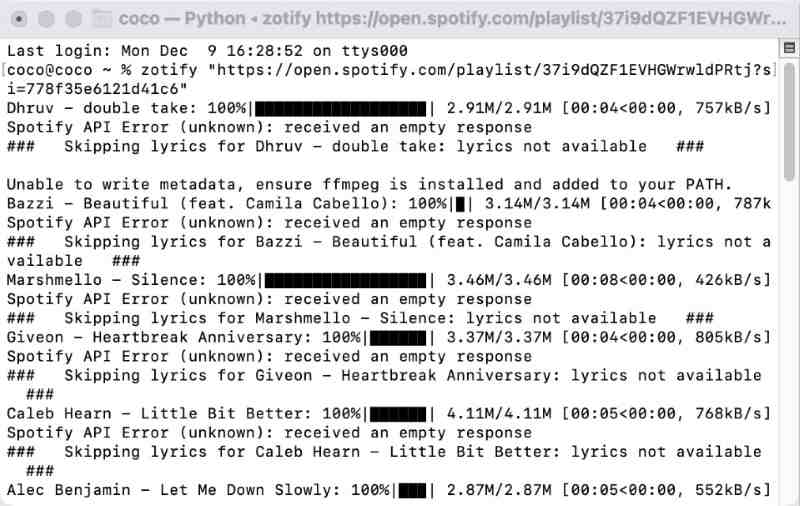
Zotify is a powerful command-line tool built for power users who demand the original quality, audio streams directly from Spotify. It will preserve and manage your favorite songs, albums, playlists, or podcasts with full ID3 tags. It works by grabbing and copying content played on Spotify in real-time. So, you need to have a Spotify account first and play your tracks to finish the recording task. Premium users can convert Spotify to MP3 in 320kbps, while Free users are limited to 160kbps. The installation procedure and usage rules are complicated, which makes it hard for beginners.
Pros
- Do not rely on third-party websites.
- Download high-quality audio files.
- Automatically avoid redownloading.
Cons
- Only runs through a command-line interface.
- There are technical difficulties in using it.
Note:
Your account may be blocked by Spotify once the officials detect your abnormal playback. In order to keep the account secure, try other safe and easy-to-use software like TopVox All Music Converter.
Feedback
If you need to convert your whole library of Spotify to MP3, this tool is worthing to try. It's admittedly more coding than I'm used to, but once you figure it out, it’s easy. But it occasionally stops and needs to be restarted. But I still find it a bit difficult. It's hard to find a definite version.
I won't use it anymore😢
3 Free Online Spotify to MP3 Converter
There are lightweight solutions for users who prioritize speed and convenience, enabling high-quality MP3 downloads without taking up any storage space with additional software. In contrast, the sound quality of the music and the operational stability cannot be guaranteed.
SpotifyMate Spotify to MP3 Free
Best for: Download Spotify songs on any browser without installing apps.
Rating: 3.7/5
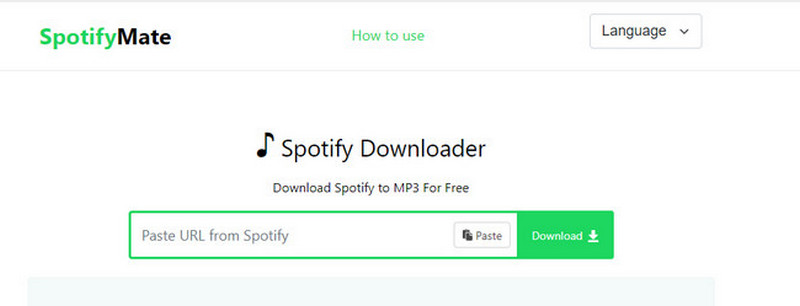
SpotifyMate is a free browser-based downloader that removes DRM from Spotify songs without requiring an account or installing additional software. You paste a Spotify track URL into its clean, simple interface and download an MP3, retaining the ID3 tags. All of your files will carry the title "SpotifyMate.com," but for quick downloads, it is a pain-free option. Nevertheless, the site has advertisements and is easy to break down (usually shows a network error and fails the process).
Pros
- Free and no installation is required.
- No device limitations across desktop and mobile browsers.
- Available in high-quality MP3 format up to 320kbps.
Cons
- No support for batch download.
- Many pop-up ads will interrupt the user experience.
- Compress audio quality to 128 kbps.
- Unstable process, and may download the wrong Spotify tracks.
Feedback
If you don’t have thousands of Spotify songs to back up, it does things sometimes…okay for one use. I don't need that many songs during my test. However, I really think it is unsafe because it has ads.
SpotiSongDownloader
Best for: Temporary use with occasional small-playlist downloads.
Rating: 3.5/5
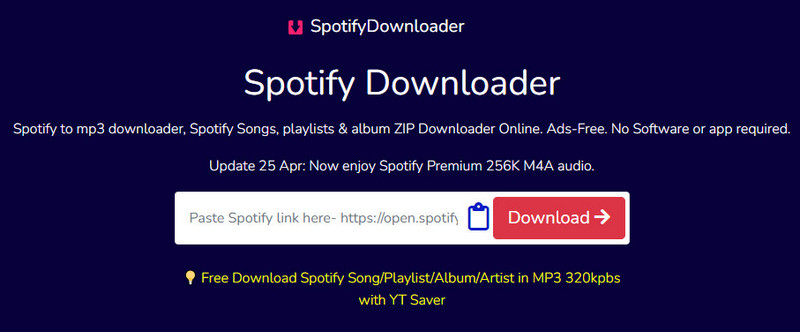
SpotiSongDownloader is a free and web-based tool that allows you to convert tracks, albums, and playlists from Spotify to MP3 (up to 320kbps) or 128kbps M4A without needing a Spotify Premium account. The site allows a minimalist display to paste the Spotify web link, then download an individual song immediately, and all downloads will have the original ID3 metadata. Thus, you can keep your music library organized. Additionally, the downloader can be accessed from any modern desktop computer or mobile web browser, so it is a universal tool to save your favorite Spotify-related music content.
Pros
- No Spotify account or third-party apps are required.
- No ads while converting.
- 100% free.
Cons
- Only 2 songs are supported for download at once.
- Only a few ID3 tags will be saved.
User Experience
Spotidownloader always popped up when I sorted out the mainstream tools before testing, and I decided to give it a try. The workflow is simple, but ads and redirects galore! The downloads are always hit, and it literally stalled halfway through.
Funny thing is, there are quite a few products with the same name, so make sure you find the right website. I have tried to download a large playlist, but I always get the same screen tip: “Sorry, no download slots are free right now due to high load. Please try again in a few minutes.”
Spotisaver
Best for: Budget users looking for lightweight free online Spotify to MP3 downloader.
Rating: 3/5
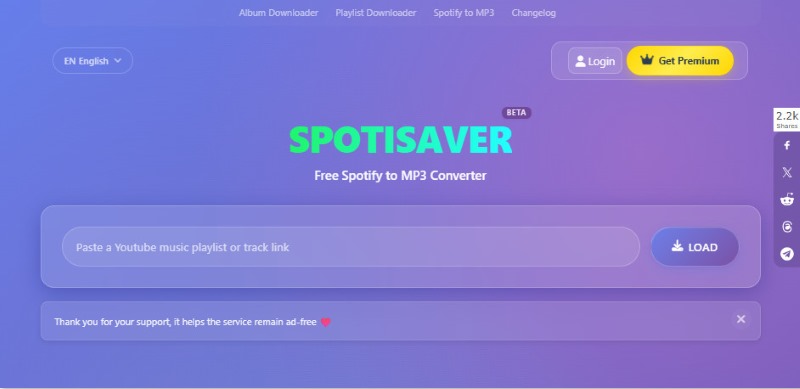
SpotiSaver is a web-based Spotify to MP3 downloader that offers a seamless experience to save tracks, albums, and playlists directly through your browser on any device. You can quickly handle individual songs or batch download (ZIP) playlists and albums to MP3 by copying and pasting the music link. But a free user can’t reach all the features of it, such as limited playlist loading and ZIP archive creation, fixed filename pattern, standard download speed, etc.
Pros
- No need to install other software.
- Download full albums or playlists as a ZIP.
- Support multiple languages.
- Embed metadata with covers, artist names, and release dates.
Cons
- No support shows, podcasts, and artist pages.
- One playlist (up to 200 tracks) at a time for free users.
Testing Review
I find it frequently changes the domain - that's maybe a meaningful danger cue. What surprised me was that Spotisaver has a score of 4.0 on Trustpilot - most online tools lack reviews.
“Free edition doesn't download playlist. But the premium (paid) edition downloads playlists fast with the right songs and in perfect 320kbps sound quality.” - Ronald Ramaker from Reddit.
FAQs on Spotify-to-MP3 Converter
Q: How to maintain 320kbps quality during the conversion?
A: You can choose a professional Spotify to MP3 converter that supports customising the output audio quality, such as TopVox All Music Converter. It allows you change the bitrate and sample rate during the conversion. By default, it keeps Original BP (kbps) and 44100hz.
Q: Can I convert Spotify to MP3 on iPhone without a PC?
A: Yes. You can convert Spotify to MP3 on an iPhone using online converters like SpotiSongDownloader. You can choose Telegram bots or Siri Shortcuts to achieve that. While these tools offer great convenience, they come with some significant risks that you should consider before using them, such as malvertising. compressed audio quality, etc.
Conclusion
Today, we have examined 7 Spotify-to-MP3 converters, covering their key features and pros and cons. If you seek the best and most balanced app, you can give TopVox All Music Converter a shout. It has reached a perfect balance between performance, simplicity and fluency.
100% Secure. No virus.
100% Secure. No virus.
Luna Harper is a passionate music lover and an inspiring content sharer. She has explored most of the music converters available on the market, acquiring thorough knowledge of their features, usability, and differences. Luna enjoys using her professionalism to help fellow music lovers get superior audio quality.