Sidify YouTube Music Converter: Features, Pros, and Cons
 by Owen Bannett | May 19, 2026 | YouTube Music
Sidify YouTube Music Converter is among the most popular music converters for downloading and converting songs from the YouTube Music platform. With this tool, you can obtain your favorite music for offline audio playback. So, is this tool worth using? In this review, we will give you all the information about the converter, including its key features, advantages, drawbacks, and more. You will also discover the best replacement for the tool. Thus, read this review and explore the topic further.
Part 1. An Introduction to Sidify YouTube Music Converter
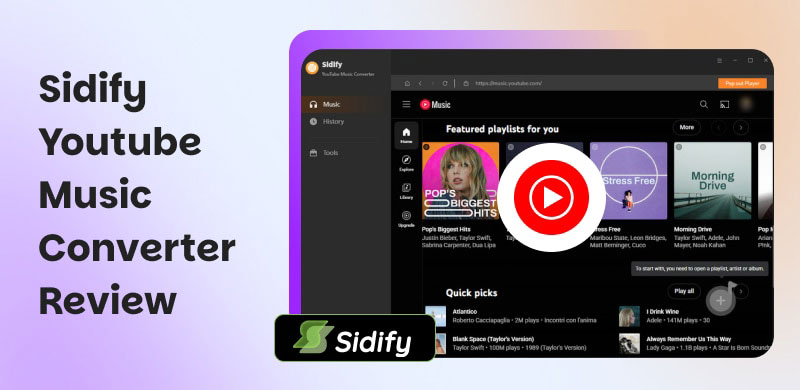
Sidify YouTube Music Converter is a tool that helps users convert and download YouTube Music tracks, albums, and playlists for offline listening. The good thing about the music converter is that it supports multiple audio formats, ensuring compatibility across various platforms while preserving audio quality and metadata. If you want to learn more about the music converter, explore its core features below.
YouTube Music Converter
The program's core feature is to convert songs from the YouTube Music platform. The good part about this software is that it can give you a smooth conversion process. It can even ensure you get the best audio quality up to 320 kbps.
High-Speed Conversion
The music converter can also offer a fast conversion process. You can convert your favorite songs 10× faster compared with other converters. It can even support batch conversion, allowing you to convert and download songs from YouTube Music without taking up much time.
Multiple Output Formats
What makes the program ideal is that it lets you save music in various output formats. You can save your favorite music in MP3, FLAC, WAV, ALAC, AIFF, and AAC formats. It ensures that you won't encounter any compatibility issues during audio playback.
Integrated YouTube Music Web Player
The software can provide an effective built-in web player. This feature lets you play and listen to your favorite music while the YouTube Music conversion process runs.
Extra Utilities
Besides converting music, you can also enjoy more features. You can burn CDs, adjust ID3 tags, and edit audio files.
Part 2. Pros and Cons of Sidify YouTube Music Converter
Want to learn more about the advantages and disadvantages of the software? Then, you can check this section for more insights.
Advantages of Sidify YouTube Music Converter
- • Since it can support numerous output formats, you can expect to play your music without any compatibility issues.
- • The music converter’s user interface is comprehensive and neat.
- • With its fast conversion process, you can obtain all the music you want while saving a lot of time.
- • It ensures that the ID3 tags, such as album, cover art, song title, artist, and even lyrics, are present.
- • You can also convert songs from one format to another with the software’s Format Converter feature.
Drawbacks of Sidify YouTube Music Converter
- • When using the free version, you might encounter various limitations.
- • When using the converter on a Mac, the conversion procedure is slower.
- • There are times when the program performs poorly.
- • The paid version is expensive.
Please check: Honest review of NoteBurner Music Downloader.
Part 3. How to Use Sidify YouTube Music Converter
Want to use Sidify YouTube Music Converter to convert your favorite songs. Follow the simple steps outlined in this section.
Step 1. First, download Sidify YouTube Music Converter on your computer. After that, install it to begin converting your favorite music.
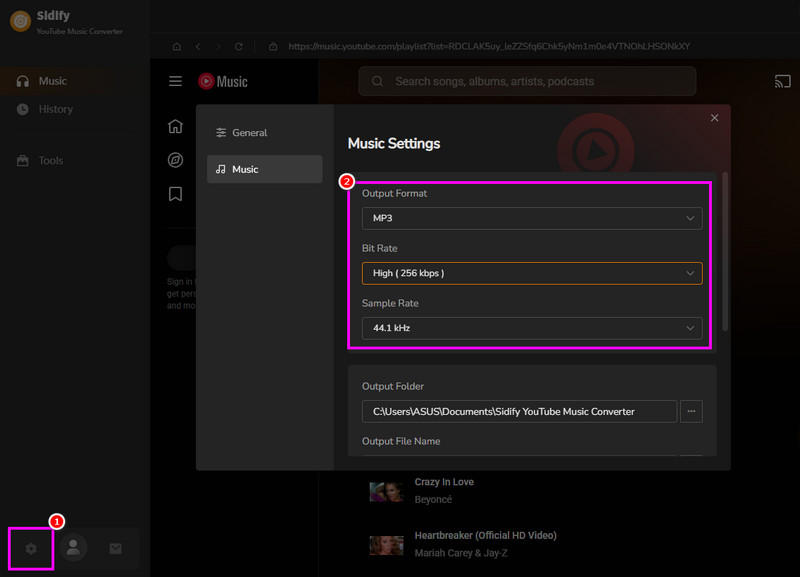
Step 2. For the next process, go to the Settings option below and choose your desired audio format. You can also select/pick your desired quality and sample rate.
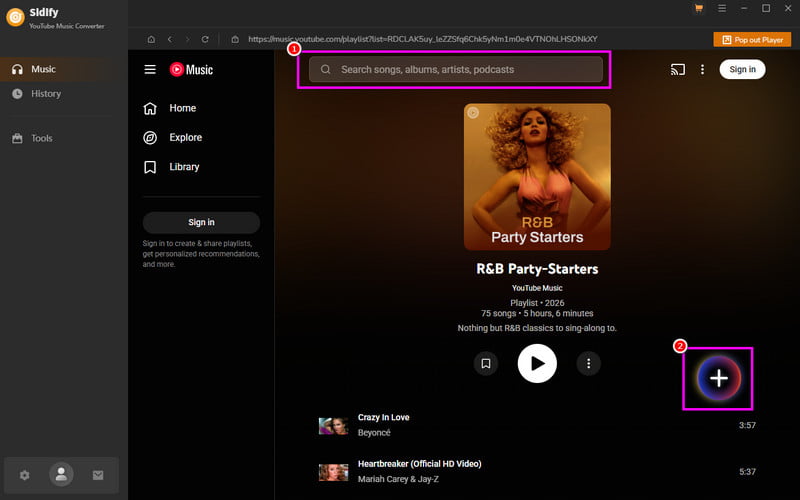
Step 3. Navigate to the Search section to start browsing the music or playlist that you want to convert. Then, tap the Plus > Add options.
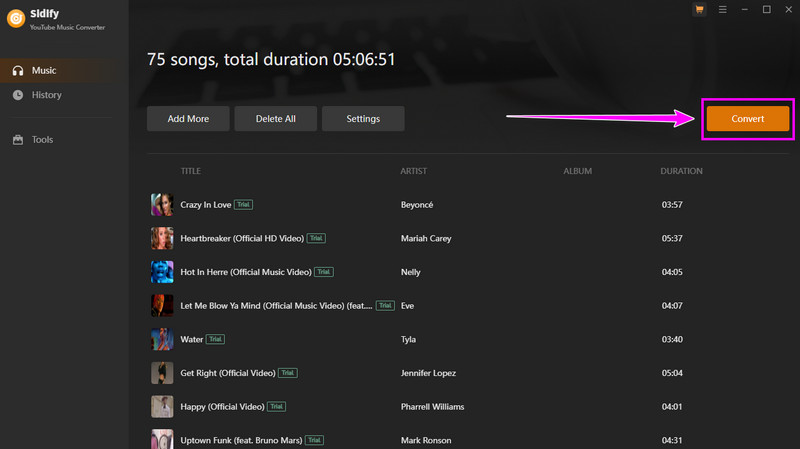
Step 4. Hit the Convert button above to start converting and downloading all the music you want.
Part 4. My Experience of Using Sidify YouTube Music Converter
When it comes to converting songs from YouTube Music with Sidify YouTube Music Converter, we say it offers a smooth conversion process. You can even navigate all the functions easily, thanks to its simplicity. However, you must take note that there are various restrictions you will encounter when using the free version. You can only convert the first one minute of the song, which might not be satisfying to users. Thus, if you want to access the overall features of the software, using its paid version is highly recommended.
Part 5. Best Alternative to Sidify YouTube Music Converter
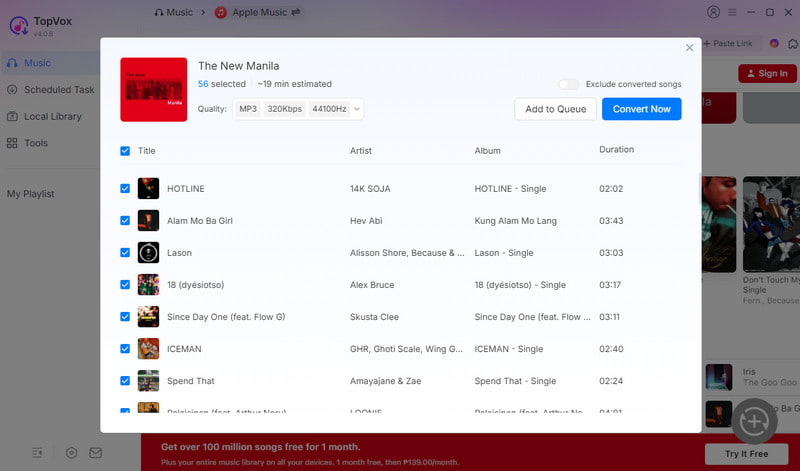
Do you want to convert your favorite music from YouTube Music for free, without any restrictions? In that case, the best alternative is TopVox All Music Converter. This program is far better because it offers all the features you need. You can convert music smoothly and easily. It also has a faster conversion speed, up to 35× faster. Aside from that, it ensures the best audio quality, resulting in a better listening experience. What's more, the converter can support numerous audio formats. It includes MP3, AAC, AC3, FLAC, WAV, and more. With that, this music converter is ideal for converting your favorite Apple Music songs.
100% Secure. No virus.
100% Secure. No virus.
Features
- The music converter can provide a smooth conversion process.
- It can convert songs instantly thanks to its 35x faster conversion speed.
- It can offer its built-in web player for audio playback.
- The software lets users adjust the quality and sample rate for a better listening experience.
- It can offer additional features for burning CDs, converting between formats, and editing tags.
Part 6. A Comparison of the Sidify and TopVox
View the comparison table below for more insights into the two exceptional YouTube Music converters.
| TopVox All Music Converter | VS | Sidify YouTube Music Converter |
|---|---|---|
| 35x faster | Conversion Speed | 10x faster |
| Up to 320 kbps | Audio Quality | Up to 320 kbps |
| Starts at $19.95 | Price | Starts at $59.95 |
| Lightweight, ad‑free, no background processes; designed for secure offline use | Safety | Ad‑free, integrates with Apple Music app/web player; safe but tied to Apple ecosystem |
| MP3, M4A, FLAC, AIFF, WAV, AAC, and more. | Formats | MP3, FLAC, WAV, AAC, AIFF, and ALAC. |
| Windows and Mac | Platforms | Windows and Mac |
Part 7. FAQs about Sidify YouTube Music Converter
Q: Is Sidify YouTube Music Converter safe to use?
A: After using the converter, we can conclude that it is safe to access and operate. It ensures that your songs and other details are safe and secure.
Q: Can Sidify YouTube Music Converter save and convert music faster?
A: Definitely, yes. The program offers 10× faster conversion speed, allowing you to save and download songs without spending much time.
Q: Is Sidify YouTube Music Converter the best converter?
A: It is a helpful tool as a music converter. However, if you want the best YouTube Music converter, TopVox All Music Converter is the best option. This software offers all the features you need without any restrictions.
Conclusion
With this honest review of Sidify YouTube Music Converter, you have learned that it is a reliable tool you can use on your desktop to convert music from the YouTube Music platform. However, if you want a better converter that offers all the features without any limitations, choose TopVox All Music Converter. It ensures that you can achieve the result you want after the conversion process.
Owen Bannett is a music enthusiasm as well as a senior writer. He has paid close attention on the pros & cons of various audio formats, bitrate, sample rate and encoding methods. Always seeking the best listening experience, Owen has deep insights about lossless music and diverse music converters on the markets.