7 SoundCloud Playlist Downloaders to Save SoundCloud Songs
 by Owen Bannett | June 11, 2026 | SoundCloud
How to download SoundCloud playlists for offline listening without an internet connection? The best thing to do is to download them to your device. This article will introduce various SoundCloud playlist downloaders you can use to save your music effectively. In our test, TopVox got the highest overall scores from numerous competitors, proven to batch-download a 20-song playlist to 320kbps MP3 in under 5 minutes. I’ve spent the last week testing 7 different tools, and here is exactly what I discovered during my deep-dive benchmark!
| Tool | TopVox SoundCloud Music Converter | Online SoundCloud downloaders (in common) | SoundCloud Music Downloader (Extension) |
|---|---|---|---|
| Output Format | MP3, WAV, FLAC, AIFF, M4A, etc. | MP3 (Some have additional options) | MP3 |
| Audio Quality | 320kbps/48kHz or lossless 24-bit | Lossy (lower than 256kbps) | 320kbps |
| Batch Download | ✅️ (multitasking) | ❌️ | ✅️ (entire pages of tracks) |
| Conversion Speed | 35× Ultra- Fast | Slow | Depend on your internet connection |
| Advanced Features | Transfer playlists among different platforms, convert audiobooks, edit ID3 tags, etc. | ❌️ | Cut and trim songs to size. |
| Ad-Free | ✅️ | ❌️ | ✅️ |
| OS | Windows 7 or later (64-bit), macOS 10.14 or above | Web-based | Browser Plugin |
How We Test
During our test, we tried these tools to download a massive 50-track SoundCloud playlist (total duration about 4.5h) on the latest macOS 27 Golden Gate beta and Windows 11 with a stable internet connection. Measured on 5 critical dimensions: success rate, real output bitrate, batch converting speed, ease of use, and security. TopVox stood out by maintaining a 99.2% download success rate and process tasking faster than traditional browser-based recorders.
Part 1. Ultimate Desktop Solution: TopVox SoundCloud Music Converter
Best for: Fast download lossless SoundCloud playlists on computers and transfer them to more devices.
Rating: 4.8/5
TopVox SoundCloud Music Converter, this desktop software allows you to download any music from SoundCloud without restrictions. What I like about it is that you can save the song with the best quality, for up to 320 kbps MP3. Of course, you can choose your preferred format compatible with different devices, including AAC, FLAC, WAV, M4A, and more. The good part here is that the program supports various platforms, allowing you to access, like Spotify, Apple Music, Pandora, etc., on both your Mac and Windows. Best of all, if you are always on the go and may not have much time to process large music collections, TopVox can be a solid choice for fast and stable bulk conversion.
100% Secure. No virus.
100% Secure. No virus.
Why did I pick it?
- The program can download SoundCloud music 35 times faster.
- It can convert and download music to most DRM-free formats.
- Batch convert songs, playlists, albums, podcasts, and audiobooks from SoundCloud.
- Keep with full ID3 tags and all metadata (You can customize them freely).
- Save music to the highest quality up to 320kbps and 48000Hz/24-bit.
- Works on various streaming platforms, including Apple Music, Spotify, Deezer, etc.
- Compatible with both Mac and Windows operating systems.
Feedback
As Andrei Verdeanu, a professional editor from Softpedia, says in a review:
"If you plan on setting an offline playback session for your favorite artists and their albums, this dedicated audio downloader can help you easily grab your preferred tracks from a multitude of streaming platforms, convert them with ease, and have them readily available for playback."
In my test, so he was. I downloaded a 50-song playlist without any errors, and the process just takes me less than 10 minutes, emm…certainly 6 minutes. I have checked ID3 tags of all songs, surprisingly, they are all well!
To start downloading your favorite playlist, follow the simple and detailed instructions below.
Step 1. Download TopVox All Music Converter on your PC. After that, run it to begin the playlist downloading process.
Step 2. From the primary interface, click the SoundCloud platform and start signing in to your SoundCloud account.
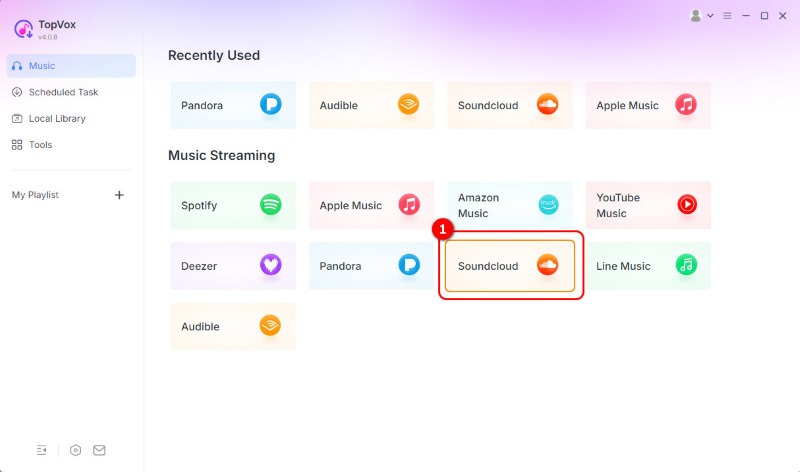
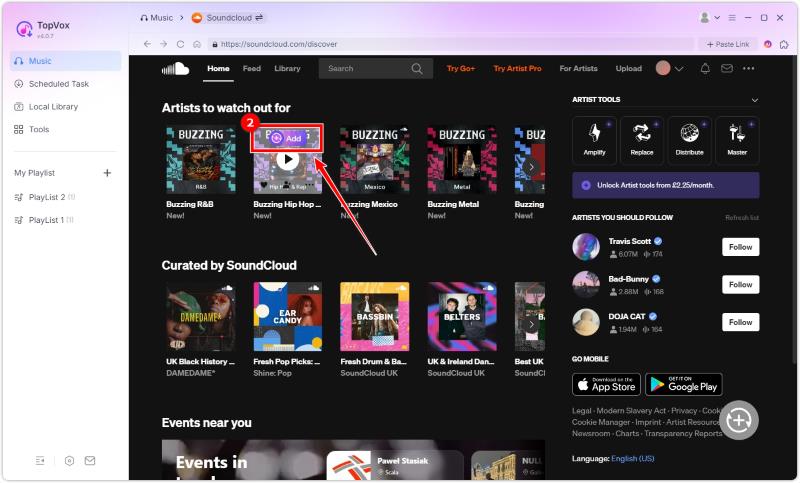
Step 3. Proceed to the Search section to begin browsing your favorite playlist. Then, tap the Add option.
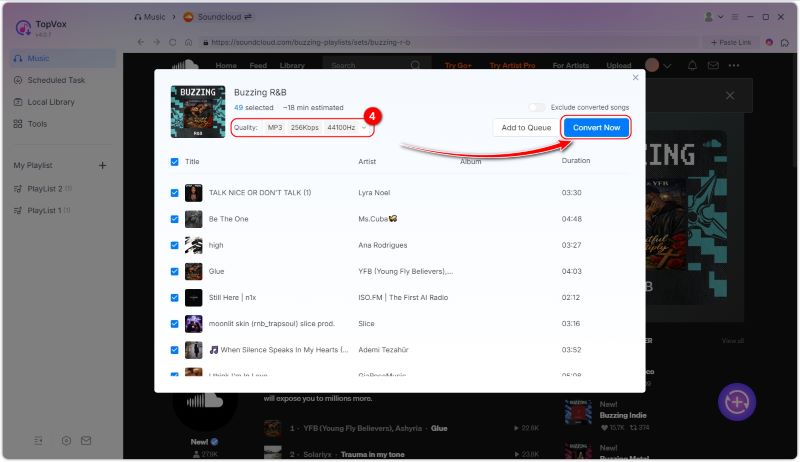
Step 4. From the pop-up window, you can now select your desired format and quality. Then, tap the Convert Now to begin the conversion.
Step 5. You can pause or stop the conversion process and reset output parameters at any time. The program will spend the least time to complete the downloading process.
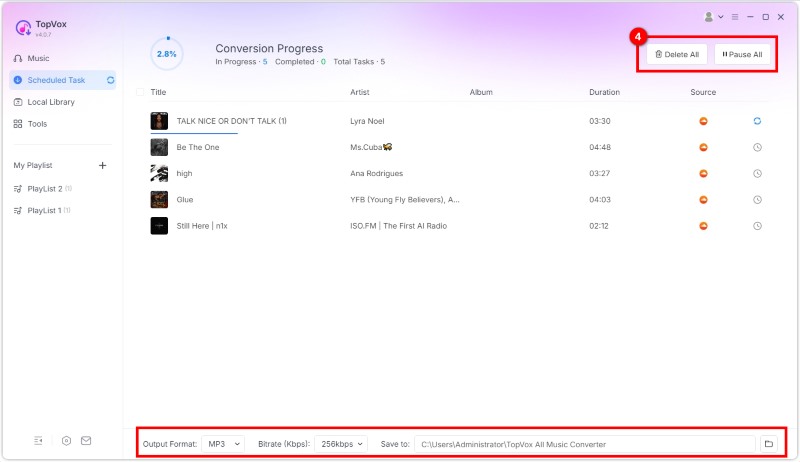
With this procedure, you can ensure that you can get your favorite playlist from SoundCloud. What we like here is that you can also choose your desired format. You can download SoundCloud to FLAC, WAV, AAC, MP3, and more.
Part 2. Online SoundCloud Downloaders
Are you searching for an online SoundCloud to MP3 downloader? In that case, you can use all the tools from this section. Read here and learn more.
1. SoundCloudMe
Best for: Free download of SoundCloud tracks, playlists, and podcasts in up to 320kbps MP3.
Rating: 4.1/5

A popular crowdsourced site, AlternativeTo says about SoundCloudMe.com: "Anyone can download and convert SoundCloud mp3 songs and playlist songs from their Android, iPhone, and computer by using Chrome or using any other browser for free online in high quality 320 kbps and 128 kbps." By copying and pasting your music link, you can instantly get your music on your device. What makes it more ideal is that the tool is simple to access and has a fast downloading process. Additionally, you can access the tool on all web platforms, which is great news for all users. With that, if you want an excellent downloader to save your playlist from SoundCloud, feel free to use this tool.
Pros
- The tool features a simple layout for a smoother process.
- It is free to access.
- It has a fast downloading process.
Cons
- The music downloader requires a fast conversion process.
After using this tool, we can see that it provides the results you need. Thus, to ensure a smooth procedure, always make sure that you have a fast internet connection.
2. ForHub SoundCloud Downloader Online
Best for: Download audio from all social websites like SoundCloud, Facebook, Instagram, etc.
Rating: 3.7/5
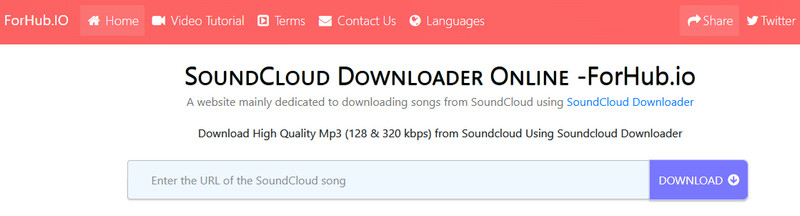
ForHub SoundCloud Downloader Online is another tool that you can access directly in your browser. This tool enables you to save all the playlists you want with the best possible audio quality. With that, you can listen to the music smoothly and satisfyingly. You can even save as much music as you want without needing to purchase a plan.
Pros
- The tool is simple to navigate.
- It has a smooth conversion process.
Cons
- Ads are appearing on the screen.
- Only process individual tracks at a time rather than a playlist.
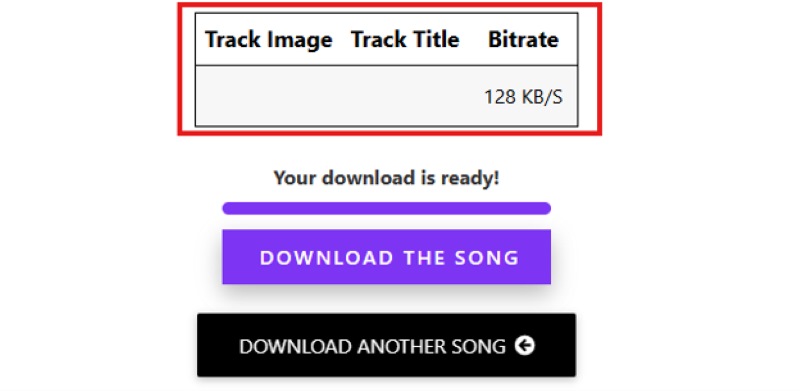
I found that it failed to work when I used this service to download an entire playlist. The details of the playlist information can’t be recognized. If you want to save playlists, you can only paste a single song link into the converter box. Notes that most of the audio quality is limited to 128kbps.
3.DownloadsCloudMP3
Best for: Supports playlist downloads without ads and login required.
Rating: 4.1/5
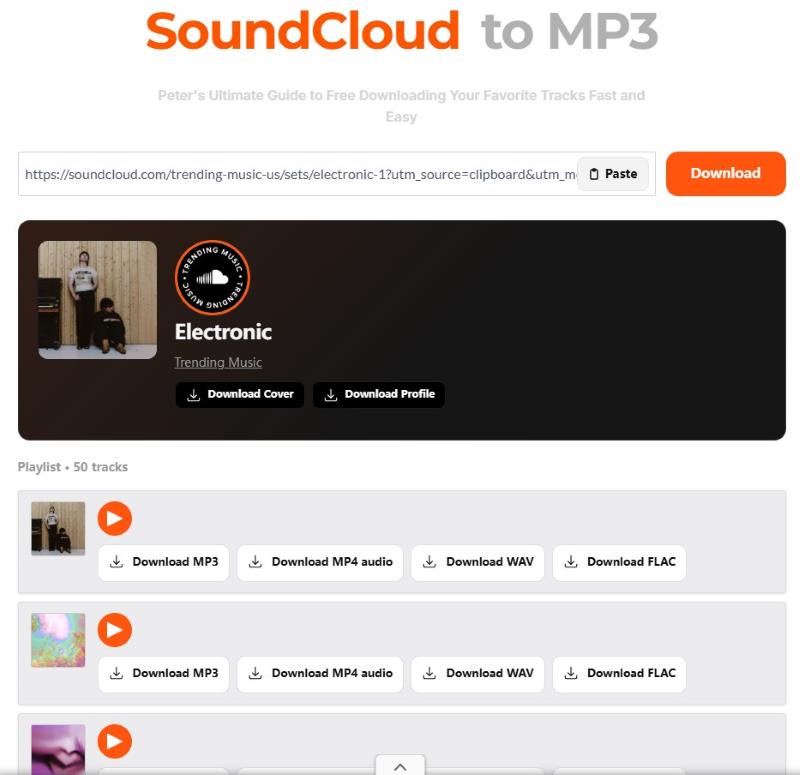
DownloadsCloudMP3 (downloadscloudmp3.com) provides a web-based utility tool to convert public audio URLs to audio formats (MP3, WAV, AAC, etc.) You can enjoy free non-copyrighted SoundCloud downloads with lightning-fast conversion speed. You can choose 3 quality levels: 128/192/320kbps for multiple use, like studio recording, daily listening, and background addition.
Personal Experience:
The official claims that the tool will process all the tracks in bulk, but in my test, when I pasted a playlist URL into it, although the window showed all 50 songs of the playlist, you have to download them one by one. Worse, the server didn’t respond or always showed "Download Failed" after clicking the download button! You can try it too - maybe it's a problem with my device…
4.SoundCloudDL
Best for: Converts song or playlist links to 320kbps MP3 (only supports downloads provided by creators).
Rating: 4.3/5
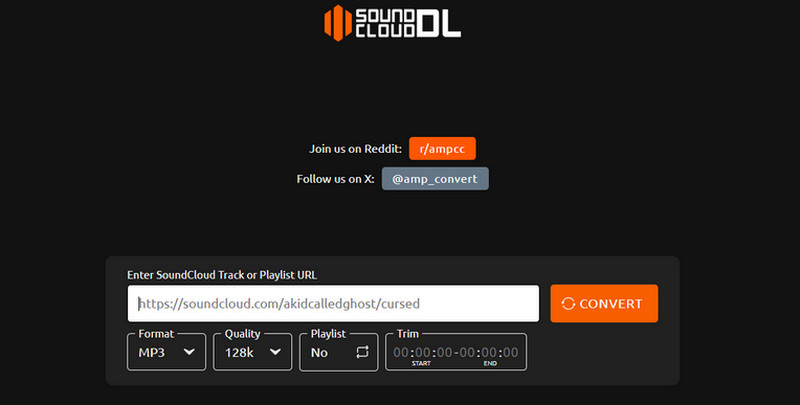
Do you want to save your favorite SoundCloud playlists as MP3 and M4A files? In that case, you must use SoundCloudDL. Unlike other online tools, this SoundCloud music downloader allows you to choose your preferred audio format between MP3 and M4A. With that, you can ensure that you can avoid experiencing compatibility issues. The advantage of this tool is that it does not display ads on the screen, allowing you to download and convert music without interruption.
Pros
- Download SoundCloud music in the best quality (as officials say).
- It is an ad-free tool, ideal for a smooth downloading process.
- It is accessible to all web platforms.
Cons
- There are times when the music downloader is not performing well.
After accessing this tool, the best part here is that you can save the music to two different formats, such as MP3 and M4A. SoundCloudDL has also been recommended by other Reddit users, but there are some issues:
"It only managed to convert 75/400 of the songs on my playlist. Is there a way to get around this limit?" - LifeBrief5288
"80% of my tracks were at 128kbps, even though I selected 320." – Levosso
Besides, I have found that it only downloads the first 30 seconds of a SoundCloud song. Tried many times! Whatever, someone said it downloaded the entire song. And note that if you’re a non-Latin, you may have to rename each file because this tool can’t recognize other languages.
5.MusicVerter
Best for:
Converts song or playlist links to 320kbps MP3 (only supports downloads provided by creators).Rating: 4.3/5
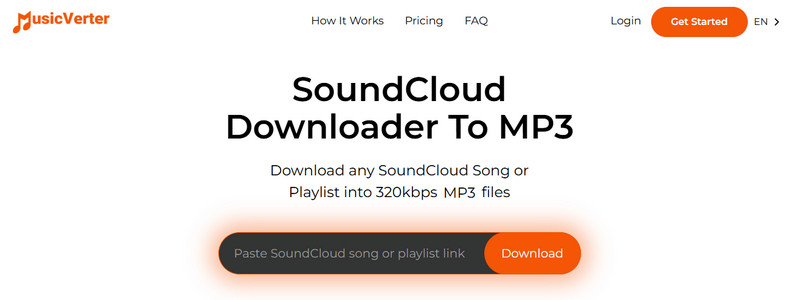
For our last online free SoundCloud playlist downloader, we have MusicVerter. It is one of the tools designed to download music playlists from SoundCloud. What we like here is that you can download music in the best quality, up to 320 kbps. Aside from that, it also has a simple layout, allowing you to access all the necessary functions for a better procedure. With that, if you are searching for a remarkable music downloader, there is no doubt that MusicVerter is among the tools you have to try.
Pros
- The tool can save and download music with the highest audio quality.
- It can automatically download the music as MP3.
- It can preserve the song's metadata.
Cons
- For an unlimited music download, you have to access the paid version.
Author Note:
MusicVerter is an amazing tool that can help you achieve the results you want. Worth mentioning is that the usage steps are omitted: copying and pasting the URL is enough. Once the program detects the song, it will automatically convert SoundCloud to MP3. It can even provide the best quality for an enhanced listening experience. However, this is not 100% free. You have to get the Premium version for more advanced features.
Part 3. SoundCloud Downloader Plugin for Browser
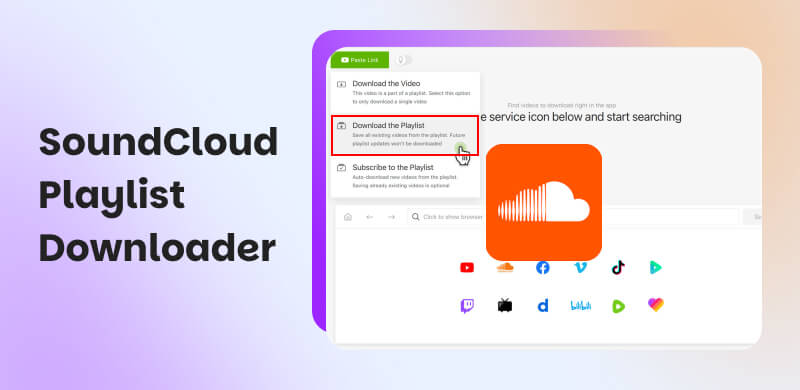
If you want a plugin or extension for downloading SoundCloud playlists, you can use Addoncrop. This extension is ideal if you want to achieve your main objective. This tool can automatically offer a Download button to the SoundCloud platform for an effective downloading process. The good part here is that it is free to use and has a simple user interface. To check its capability, you can use the methods below.
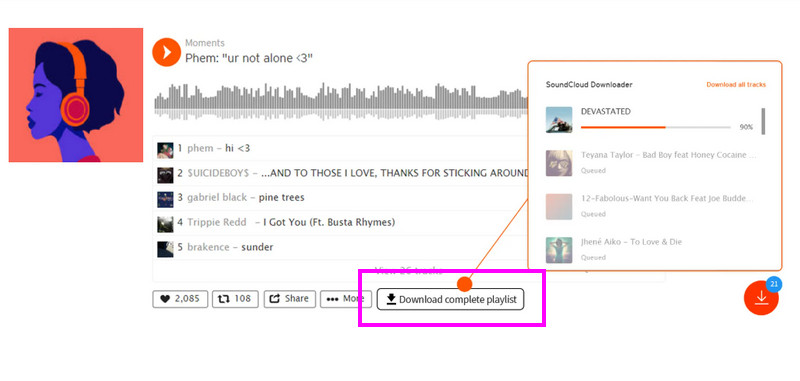
Step 1. Go to your browser and download the Addoncrop extension.
Step 2. After that, proceed to SoundCloud and search for the music you want to download.
Step 3. Then, you can tick the Download button below to start saving your music playlist.
Review:
If you need a SoundCloud playlist/album downloader, which is safe of course, AddonCrop has an extension that does this incredibly seamlessly. I’ve been using Addoncrop on Chrome for about two weeks to archive some music for DJ sets. Overall, it’s a frictionless tool, but it isn’t perfect.
The download speed is fast, and the response time is nearly instant. But with a quick analysis via Spek, the downloaded file outputs at a standard 128kbps stream bitrate. If you just need an occasional offline MP3 for casual listening, it gets a solid 4/5. If you're looking to hoard full high-fidelity music archives or massive albums at once, you might still need a dedicated desktop software solution.
Pros
- Download Soundcloud playlist after playlist.
- Supports cutting Soundcloud track clips into MP3.
- Automatically save ID3 tags during conversion.
- Check your download queue at a glance.
Cons
- Need additional Crosspilot companion extension.
- Can't download tracks or playlists in a batch.
- Download SoundCloud to MP3 only.
Part 4. FAQs about SoundCloud Playlist Downloaders
What is the SoundCloud playlist limit?
The limit of SoundCloud playlists is 500 per account. Thus, if you can't add another playlist to your account, you may have exceeded the limit.
Is creating a SoundCloud playlist free?
Absolutely yes. You can create a free playlist on SoundCloud. However, you cannot download them since they require a subscription plan, especially for offline listening.
Can others see your SoundCloud playlist?
Well, it depends. If you are sharing your playlist publicly, then others can see it. On the other hand, if you are in Private sharing, other users won't see any music from your playlist.
Conclusion
Now you have explored the best SoundCloud playlist downloaders. With that, try them and get your favorite playlist. Additionally, if you want the most reliable music downloader to save SoundCloud tracks to your desktop, we recommend using TopVox All Music Converter. This program is perfect if you want to download music with the best quality. Thus, use this software to enjoy better audio playback.
100% Secure. No virus.
100% Secure. No virus.
Owen Bannett is a music enthusiasm as well as a senior writer. He has paid close attention on the pros & cons of various audio formats, bitrate, sample rate and encoding methods. Always seeking the best listening experience, Owen has deep insights about lossless music and diverse music converters on the markets.