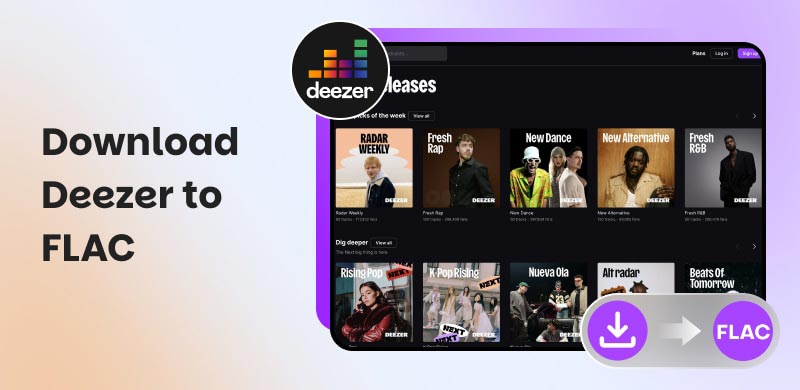
Download Deezer to FLAC with Official and Full Offline Way
Many music lovers want to download Deezer music to FLAC to get a true high-fidelity listening experience. This is possible because Deezer is known for its Hi-Fi streaming capability, yet official downloads are also locked behind restrictions or DRM. That is why official FLAC downloads cannot be opened or played outside the Deezer app. The worst part is that canceling your subscription can wipe out all your offline access.
That is why, in this guide, we'll cover everything you need to know, plus a great tool like TopVox All Music Converter to give you offline freedom with your Deezer music library.
Method 1: Official In-app Way: With Strict Guardrails
The first way to stream high-fidelity music from Deezer is to subscribe to a paid tier, such as Premium, Duo, or Family. A free account won't support offline downloads. However, this method will cost money and will likely come with strict guardrails. Let us talk more about it below:
Steps to Subscribe for Offline Listening in Deezer
We will now guide you through enabling offline listening by subscribing to a Deezer Premium account. Here are the steps you need to follow for the official in-app method:
Step 1. Upgrade Deezer Account to Paid Tier
First, upgrade to a paid tier on Deezer. Offline downloads are only available with Premium, Duo, or Family subscriptions. Please open the Deezer app and go to the Account tab to access Manage Subscription. From there, please choose Premium Duo or Family.
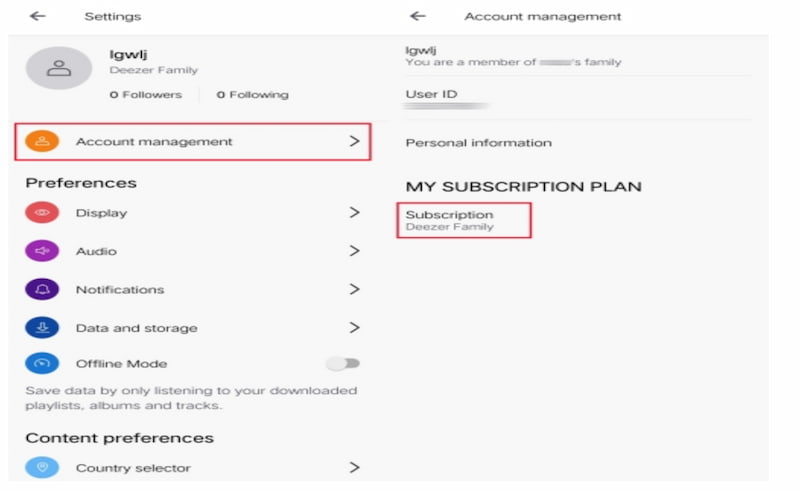
Step 2. Download Deezer Music
Now save the albums, playlists, or tracks you want to listen to offline in the Deezer app. Search for the music, then tap the Download icon on the right. Then wait a few moments. You will see a green arrow indicator that confirms the track downloaded successfully.
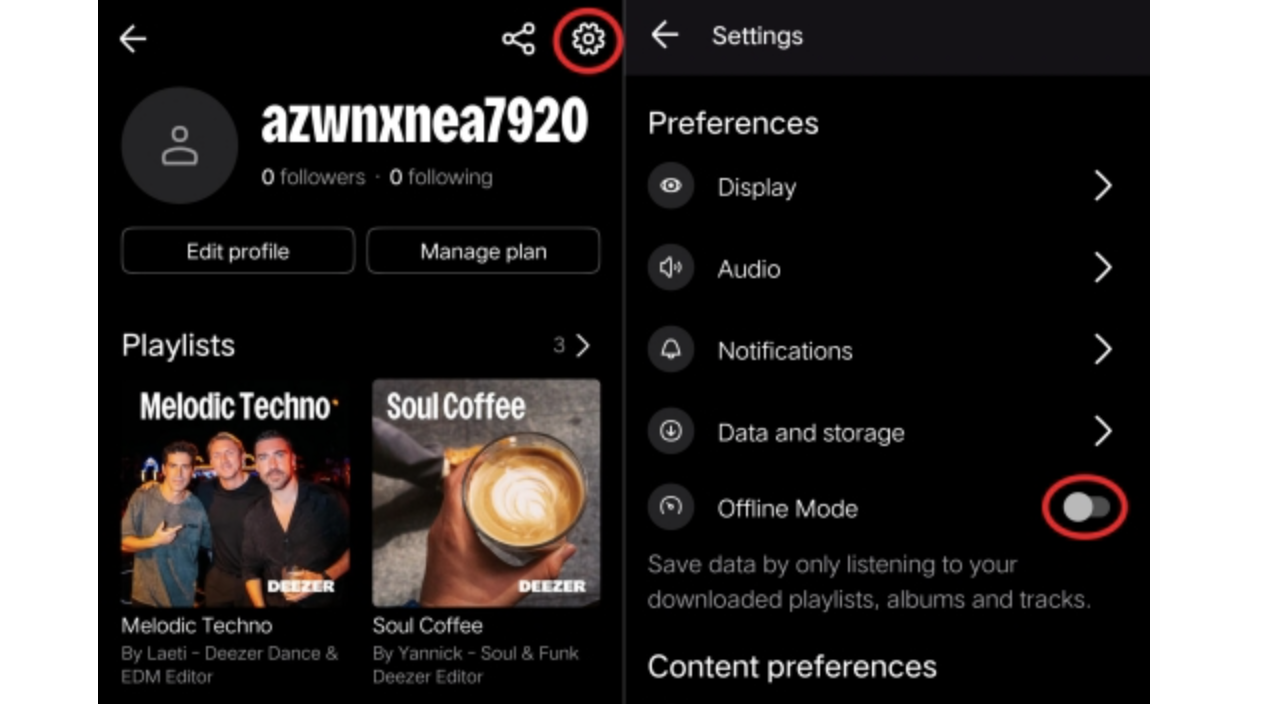
Step 3. Enable Offline Mode
Now go to Settings and enable Offline Mode. From there, please toggle on Offline Mode. Also, make sure you have enough device storage, because downloading music from Deezer takes up space.
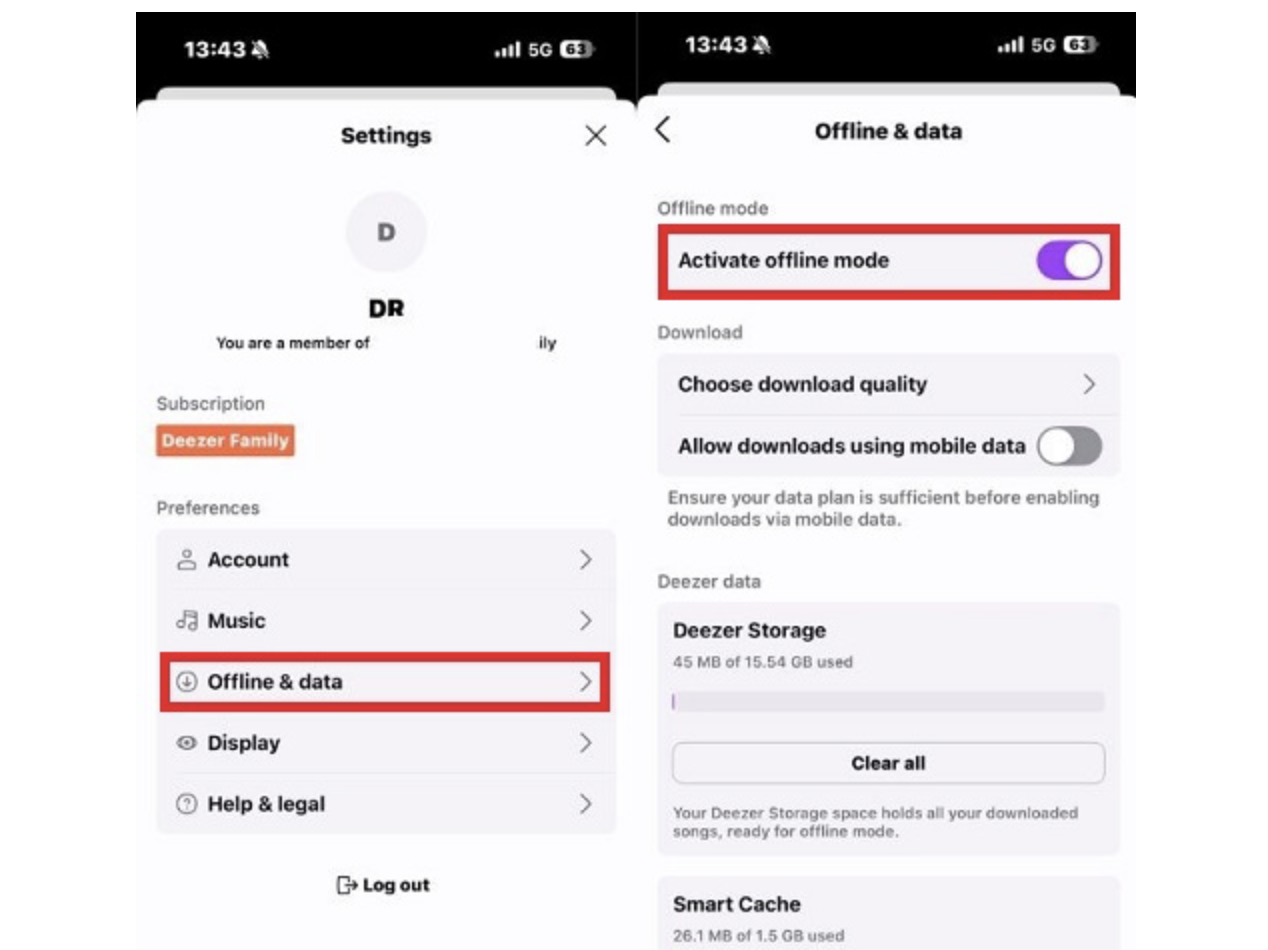
Verdict
The official in-app method is for users who want convenience for casual offline listening. Yet, it's definitely not for users who want real ownership of what they download.
Key Points to Understand in Downloading on Deezer
DRM-encrypted. The files you download are stored as dzmedia, especially on your iOS and in hidden cache folders for Android. In addition, even HiFi FLAC is encrypted, which means no external player can play or read it.
MP3 Uploads. Deezer is actually allowing you to upload MP3s. Yet, you can import tracks but cannot export them.
Cancellation of Subscription. Once you cancel your subscription, it also invalidates all cached offline files. This also removes all offline music you downloaded in the app.
Method 2: True Offline Freedom via TopVox All Music Converter
After learning that the official in-app method still comes with restrictions, we understand if you are still looking for a true offline freedom method. Good news: this section introduces a great tool that offers exactly what you want. In this part, we'll introduce TopVox All Music Converter, a versatile tool that you can use to download Deezer music to FLAC for offline listening without restrictions. That is right: TopVox All Music Converter offers effective features that let you own the music. This tool can bypass DRM and supports a wide range of file formats, including FLAC. Overall, it can help you keep your library playable anywhere. Here are the other features you can enjoy in this tool and a simple guide to use it:
Features
- It can preserve metadata such as album art and track information.
- This tool supports batch conversion.
- High-quality audio output.
- It supports various platforms and gives you full control over your library.
Steps to Use TopVox All Music Converter
Now, let's go through the simple steps to use TopVox All Music Converter for full offline control of downloading your Deezer music.
Step 1. Get the amazing tool of TopVox All Music Converter using the download buttons below. You can also visit their official website for more information.
Step 2. Open the tool on your computer and access Deezer Music from the options. You can basically see all of the music platforms it supports.
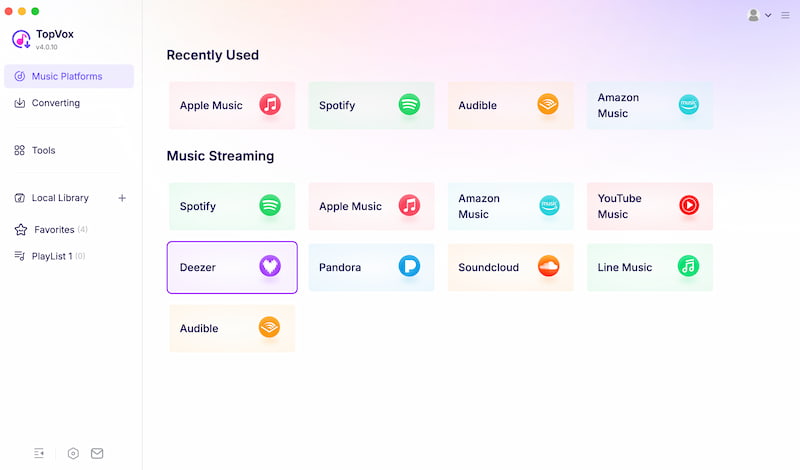
Step 3. Now the tool will show you Deezer's main interface. That means you can now search for the music, album, playlist, or track you want to download. Play the music, then click the Plus button on the right.
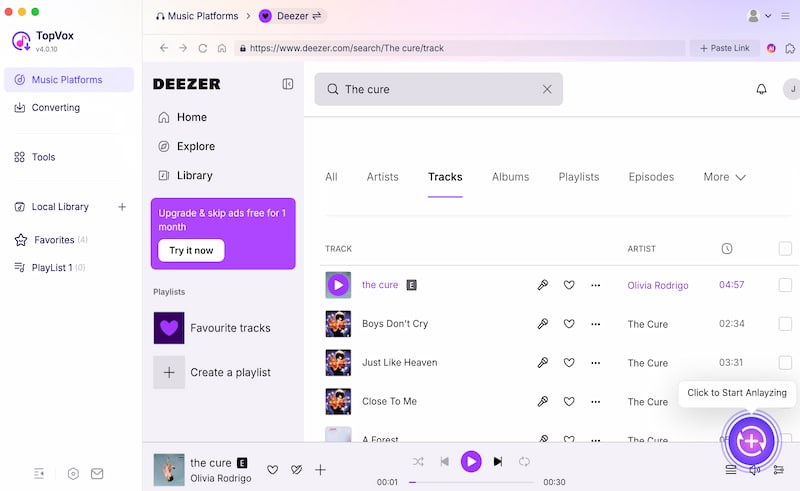
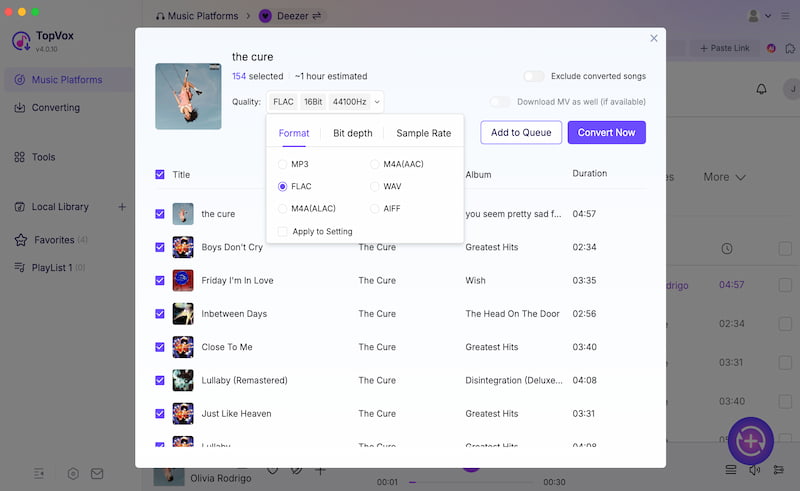
Step 4. The tool will now analyze the tracks you have chosen. Then it will show related tracks you might also want to download. Set the format to FLAC and click the Convert Now button to start the download process.
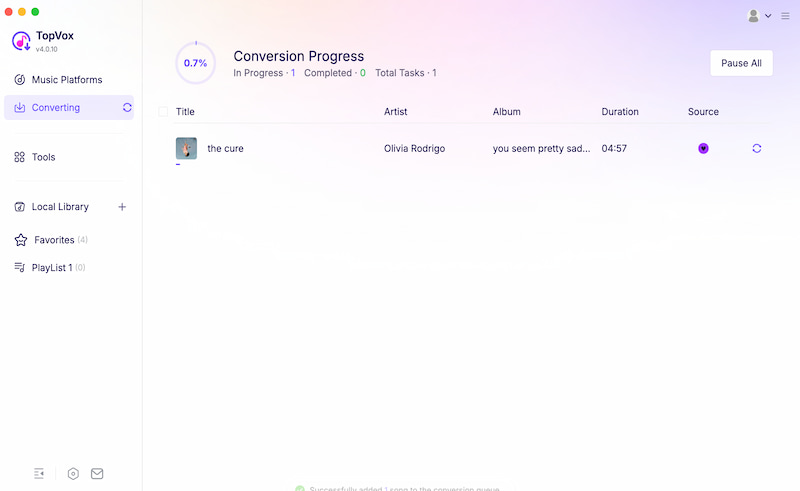
Step 5. The tool will now convert the track. After a few seconds, you can listen to the music offline in your preferred format with full control. You can now quickly access the track in your local library.
Verdict
TopVox All Music Converter makes it easy to download Deezer music to FLAC with full offline control. TopVox allows you to convert and back up full-length FLAC tracks locally, freeing you from long-term subscription locks. Now you wonder why many users love TopVox All Music Converter, and I bet you will also love it. Use it now for free.
FAQs about Downloading Deezer to FLAC
Q: Can I choose where Deezer saves my downloaded FLAC files?
A: No. Because Deezer stores offline files in hidden system folders: encrypted .dzmedia packages on iOS and hidden app-private cache directories on Android. Therefore, Deezer has full control over your offline downloads while you have a subscription. The offline music you download will vanish once you cancel your subscription.
Q: Can I play Deezer HiFi FLAC outside the app?
A: No. Even if downloaded, Deezer FLAC media won't play outside the app. The files commonly come with Digital Rights Management (DRM) making them unsupported by other offline players.
Q: What does the License Token Required error mean when I am downloading FLAC?
A: The license token required error happens when you try to download a FLAC without a HiFi subscription. This typically happens with accounts that have upgraded. imply logging out and re-authenticating your account typically resolves the issue.
Conclusion
In conclusion, Deezer HiFi audio quality is definitely a great experience for offline music lovers. However, we realize this is only possible with a paid Deezer account and comes without full control. On the other hand, TopVox All Music Converter offers great features that let us download high-quality FLAC music from Deezer for free in a few simple steps. Many users love it now, so be one of them and use the tool for free.
Luna Harper
Luna Harper is a passionate music lover and an inspiring content sharer. She has explored most of the music converters available on the market, acquiring thorough knowledge of their features, usability, and differences. Luna enjoys using her professionalism to help fellow music lovers get superior audio quality.




 by
by