Top 6 Audible Converter: Instant Play of Audio Books on Phone
Listening to your favorite audiobooks will always come at a cost. You need a subscription to any platform you need in order to access the available audiobooks that you love to listen to. Thus, the Digital Rights Management or DRM is full of restrictions in terms of using these files. As we all know, most audios are encrypted with the AAX or AAXC file format. These file formats are not supported by our mobile phone, which is why having an audible converter tool is very useful to get the audible books you love, convert them to MP3, and let them play on your device. In this article, we will introduce you to the best 6 Audible book converters that you can use with ease and effectively. Check them out here.
How We Test
- Functionality. We test conversion speed, output quality, and format support.
- Usability. We evaluate usability, interface clarity, and setup process by installing each tool.
- Features. We compare features including batch conversion, DRM removal, metadata retention, and platform compatibility.
Quick Summary: Top 3 Audible Converters
- TopVox All Music Converter: It is a great tool with versatile features for converting Audible.
- Viwizard Audible Converter: Strong feature for the DRM removal process.
- Epubor Audible Converter: A straightforward tool suitable for beginners.
Top 1. TopVox All Music Converter
Best For: All-in-one audible converting tool.
Overall Rating: 4.5/5.0
Verdict: It has versatile features suitable for converting audible into MP3 file format.
The first on the list of the best Audible book converters is TopVox All Music Converter. That is because of its all-in-one ability to convert audio without complication. You will also notice that this tool is versatile and has a wide range in terms of the platforms it supports. Most importantly, the process here is very smooth and uncomplicated. Thus, you will never get stressed about getting your audio when using TopVox All Music Converter. Use it and discover more of the things it can do.
Features
- Download audible from different platforms.
- Batch conversation availability.
- Clean interface.
- It has an organized conversion list.
Pros
- Smooth and easy process.
- Wide features for its free version.
- Support various platform sources for your audible.
- High-quality output.
- Free to download.
- Safe and secured platforms.
Cons
- The full version needs subscriptions.
Steps to Use TopVox All Music Converter
Step 1. Get the amazing tool of TopVox All Music Converter for free and instantly install it on your computer.
Step 2. Open the tool immediately and see the platforms where you want to get the audio books. Choose Audible among the options.
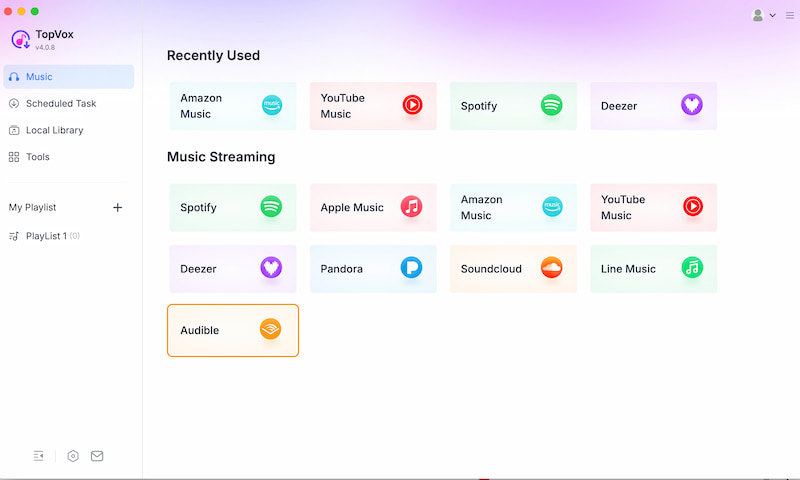
Step 3. The tool will now lead you to its main interface. That means you can now freely search the audiblebook you want to convert. Search it and on the right side of the track, click the Add to Convert.
Step 4. It will now lead you to a new tab, where you can set the audiobook to MP3 format. Click Convert Now to start the process.
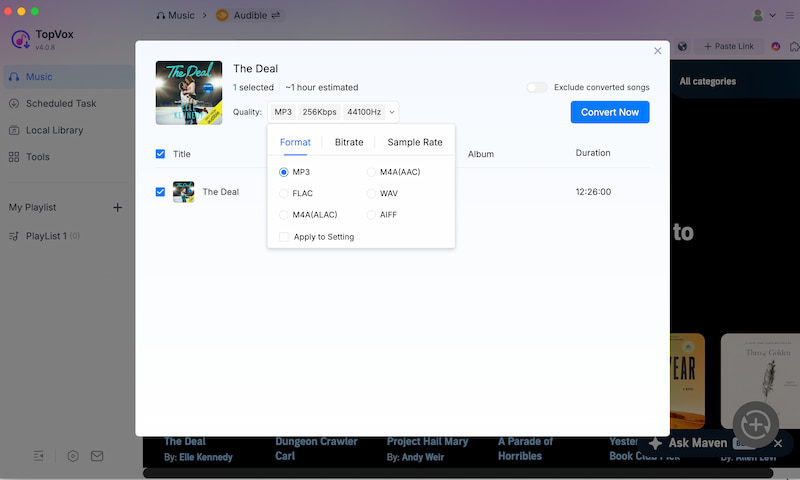
There you have it. You will need to wait for a few seconds, and your audibles are now ready. We can see how effective the tool is in terms of conversion. Also, we cannot deny its smooth and fast conversion speed, something that is missing with other tools.
Top 2. Viwizard Audible Converter
Best For: Fast conversion with DRM removal support.
Rating: 4.0/5.0
Verdict: A powerful and reliable tool with strong DRM removal and fast conversion speed.
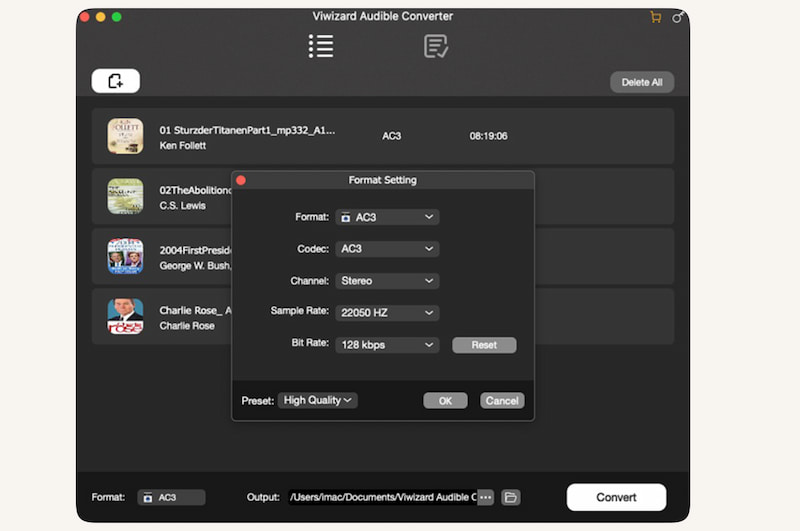
The second option is Viwizard, which is also a great tool to convert your audio. Because, based on ratings from platforms like Trustpilot and software review sites, we can see that the tool is consistently getting scores around 4.5 to 4.7 stars. Mostly, it is because of the smooth process it can give. Although there are some that say it is a bit complicated to use, overall, it is good.
Pros
- Fast conversion speed.
- Supports multiple output formats.
- Preserves ID3 tags and chapters.
Cons
- Paid software has a limited free trial.
- Interfaces may be complex for beginners.
Brief Usage Tutorial
Step 1. Install and launch Viwizard Audible Converter.From there, you need to import AA/AAX files into the program.
Step 2. Now, please choose an output format like MP3 which is recommended.
Step 3. Adjust settings if needed. Finally, please click Convert to start the process.
Top 3. Epubor Audible Converter
Best For: Simple and beginner-friendly Audible conversion for you.
Overall Rating: 4.0/5.0
Verdict: This is a straightforward converter with solid performance. Yet, it has fewer advanced features.
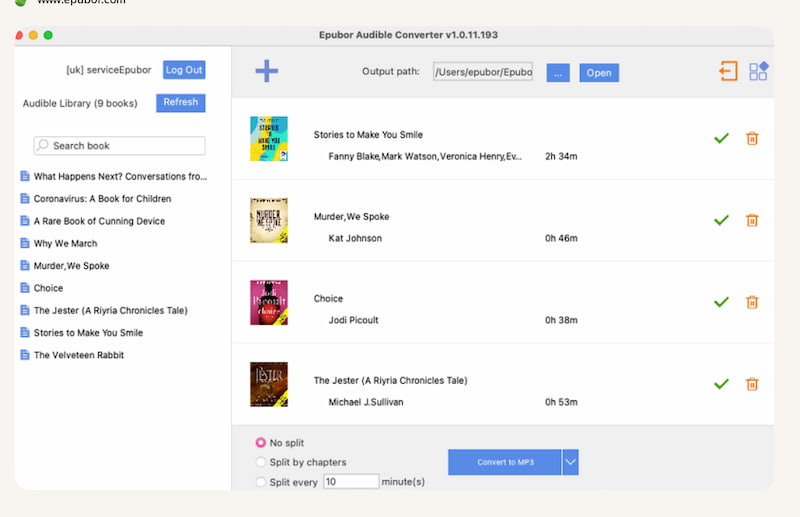
Epubor Audible Converter is designed for users who want a simple and clean way to convert Audible files. It supports popular formats and ensures decent output quality while maintaining chapter information.
Pros
- You can expect a good output quality.
- It can preserve chapters and metadata.
- Stable performance.
Cons
- A bit lesser with advanced settings.
- You can see slower than some competitors.
- Fewer supported platforms.
Brief Usage Tutorial
Step 1. You need to open the Epubor Audible Converter. From there, please add your Audible files
Step 2. Now, select output format. From there, you can now click Convert to MP3.
Step 3. Wait for the process to complete.
Top 4. Aax Audio Converter [windows only]
Best For: Free and open-source conversion on Windows.
Overall Rating: 3.5/5.0
Verdict: A solid free option for Windows users.
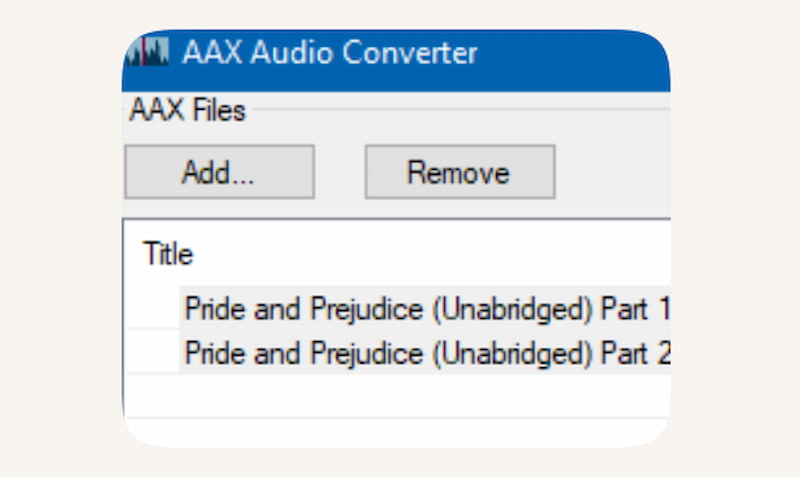
The fourth on the list is Aax Audio Converter. This is very popular as an open-source software which helps users specifically for converting Audible AAX files. This tool is completely free yet can still provide good functionality. However, you need to expect that it requires additional setup such as activation codes so that it can function fully.
Pros
- The tool is completely free.
- Open-source to use.
- Good conversion quality.
- It supports chapter splitting.
Cons
- Only Windows users can use it.
- It requires you to set up an activation code.
- An outdated interface can be seen on the tool.
- Not beginner-friendly
Brief Usage Tutorial
Step 1. First we need to install the software on Windows.
Step 2. Then, import your AAX file. Proceed with entering activation bytes if required
Step 3. Choose output settings to start conversion
Top 5. AConvert.com
Best For: Quick online conversion without installation
Overall Rating: 3.0/5.0
Verdict: Convenient for quick use, but limited by file size, speed, and stability.
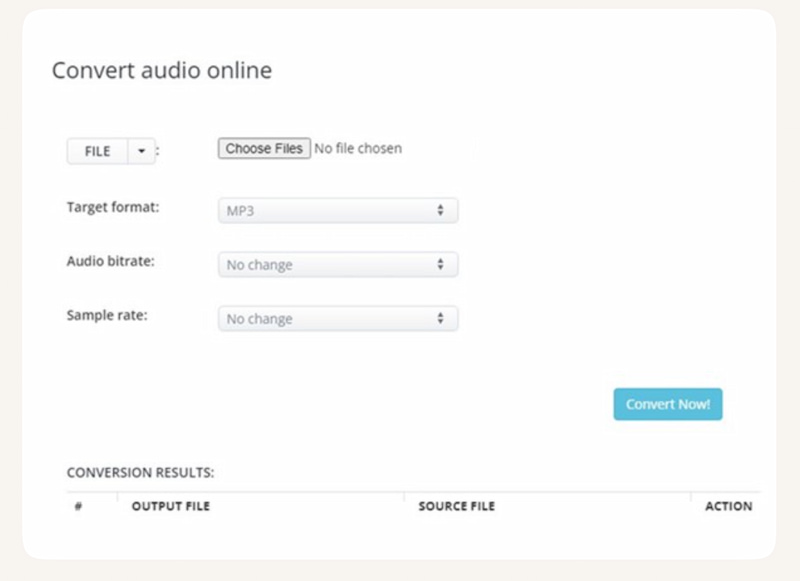
On the top five of our list, we have AConvert.com. This is an online audio converter that allows you to convert files directly through a browser. Therefore, getting your audible books using an online tool is also possible. Particularly, this tool supports various formats but is not specifically optimized for Audible files.
Pros
- No installation required.
- Accessible on any device.
- Simple interface.
Cons
- File size has limitations.
- Slower upload and download speeds.
- There are privacy concerns.
- Requires internet connection to function.
- May fail with DRM-protected files.
Brief Usage Tutorial
Step 1. You need to visit the AConvert website. Then upload your audio file.
Step 2. After that, choose output format
Step 3. Finally, click Convert Now. Then, download the converted file.
Top 6. Libation
Best For: Managing and downloading Audible libraries
Overall Rating: 3.5/5.0
Verdict: Great for managing Audible libraries, but not as streamlined for simple conversions.
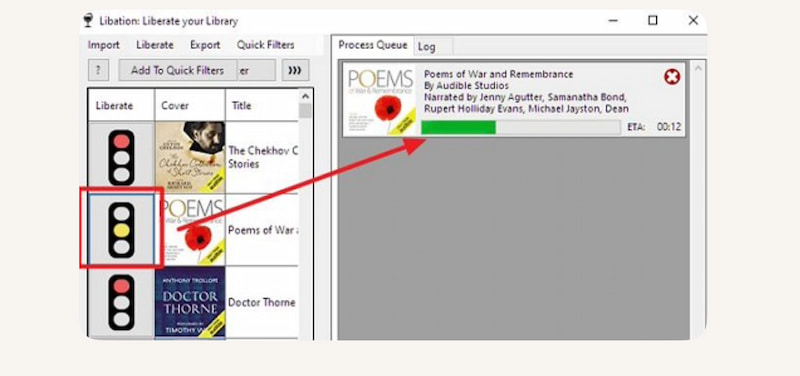
The last on the list is called Libation. This is a unique tool that focuses on downloading and managing our Audible audiobook. It is like a converter and a management file tool. It is especially useful for users like you who want a full control over their Audible library.
Pros
- Free to use in converting.
- Library management features are available.
- Supports batch downloads.
- Active community support.
Cons
- Interfaces can be confusing when using it.
- The setup may take time.
- Not focused purely on conversion.
Brief Usage Tutorial
Step 1. Install and open Libation. Then, log in to your Audible account
Step 2. Sync your library. From there, select audible to convert
Step 3. Export in your desired format.
Comparison: Which Audible Converter is Better?
Here is a quick table to compare all six Audible converters. Check out some elements and see what tool is best for you.
| TopVox All Music Converter | Viwizard Audible Converter | Epubor Audible Converter | Libation | AAXAudioConverter |
| Quality | ●Excellent.
●Preserves ID3 tags. | ●High.
●It preserves ID3 tags. | ●Good.
●Basic metadata. | ●Variable.
●Depends on setup. | Solid but limited. |
| Speed | Very fast. | Fast. | Very fast. | Moderate. | Fast on Windows. |
| Bulk Conversion | Yes. | Yes. | Yes. | Yes. | Limited. |
| Success Rate | High and stable. | Stable. | High. | Depends on technical skill. | Reliable. |
| Formats | ●MP3
●WAV
●FLAC
●AIFF
●M4A | ●MP3
●M4A
●M4B | ●MP3
●M4B | ●MP3
●M4B | ●MP3
●M4A |
| Chapter Support | Retains metadata | Yes. | ●Basic.
●No advanced split. | Limited. | Yes. |
| OS | ●Windows
●Mac | ●Windows
●Mac | ●Windows
●Mac | Cross‑platform (Java). | Windows only. |
| Price | Free and Paid license. | Paid license. | Paid license. | Free. | Free. |
FAQs on Audible Converter
Q: Is using an Audible converter legal?
A: Yes. As long as you convert audible for personal use only, then it is generally allowed. But if you use it for redistributing DRM‑free files, then it may violate copyright laws.
Q: Which format should I choose when converting audible, MP3 or M4B?
A: Many users say MP3 is the best because it offers universal compatibility. While M4B supports chapters and bookmarking, ideal for long audiobooks. It still depends on what feature you want.
Q: Do converters affect audio quality?
A: High‑quality converters preserve the original audio, but free/open‑source tools may vary depending on settings.
Conclusion
In conclusion, audible converters are helpful in removing the encrypted AAX/AAXC of audi-books, making it available on our mobile phones. Among the top six tools above, we can also see that TopVox All Music Converter is the best option for you to use. Use it now and get that audio played on universal devices with ease.
Ethan Carter
Ethan Carter creates in-depth content, timely news, and practical guides on AI audio, helping readers understand AI audio tools, making them accessible to non-experts. He specializes in reviewing top AI tools, explaining the ethics of AI music, and covering regulations. He uses data-driven insights and analysis, making his work trusted.




 by
by