Import Spotify Playlist to Deezer with Desktop and Online Tool
 by Owen Bannett | June 11, 2026 | Playlist Transfer
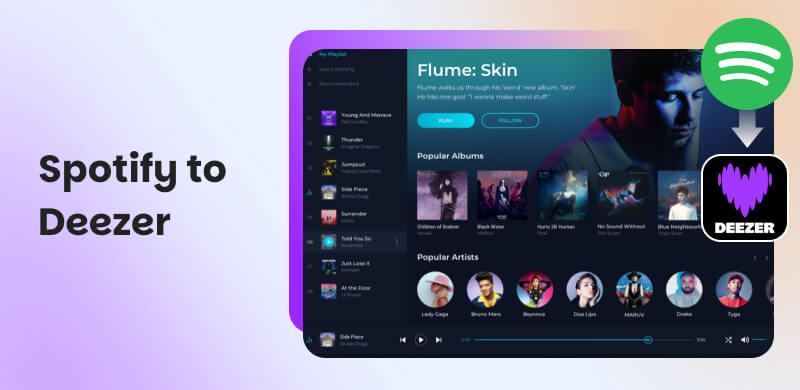
You want to switch from Spotify to Deezer because of its HiFi Audio with its lossless FLAC streaming, amazing audio equalizer, exclusive access for EPs, or more reasons. Yet you are still thinking about the playlist you curated for years, which became very personal to you. Well, we are here to help you transfer a Spotify playlist to Deezer using great software, available online as well. Read the whole article now to discover all of the things you need to know.
Part 1. Technical Checklist: Spotify VS Deezer
Here is a quick comparison between Spotify VS Deezer. Take a look at the features you need so you know which streaming platform you want most.
| Features | Spotify | Deezer |
|---|---|---|
| Audio Quality | OGG Vorbis, up to 320 kbps which is lossy. | FLAC HiFi, 1,411 kbps which is lossless CD-quality. |
| Music Discovery | Discover Weekly and Daily Mix with curated AI playlists. | Flow which is a continuous adaptive stream mixing favorites plus new tracks. |
| Library Size | 100M tracks plus exclusive podcasts. | 120M tracks plus 32K radio stations with synced lyrics. |
| Unique Features | Wrapped, collaborative playlists, podcast exclusives. | Lyrics sync, personal uploads, Deezer Sessions. |
| Limitations | No personal uploads, no lossless tier. | Less polished personalization, fewer podcast exclusives. |
Part 2. Best Solution to Import Spotify to Deezer
If you are not sure about moving from Spotify to Deezer, let us begin with the best tool to make the process possible. Allow us to introduce you to TopVox All Music Converter. This tool can deliver quality, speed, and effectiveness. Indeed, an all-in-one tool that lets you move your Spotify playlist to Deezer quickly. That is because batch conversation is supported in this tool with the capability to maintain ID3 tags. Let us now learn more about its features and the simple steps to use it below:
Why Choose TopVox All Music Converter
- • Fast batch conversion of entire libraries.
- • Retains metadata such as titles, artists, and album art.
- • You can use it to work offline.
- • The tool ensures data security.
- • Supports Spotify to Deezer and other platforms
How to Use TopVox
Step 1. Get TopVox All Music Converter from the official website and install it for free.
100% Secure. No virus.
100% Secure. No virus.
Step 2. Launch the application to access the Tools platform. From there, set Source to Spotify and Target to Deezer.
Step 3. You will now select the Playlist you need to transfer. Click Next to proceed.
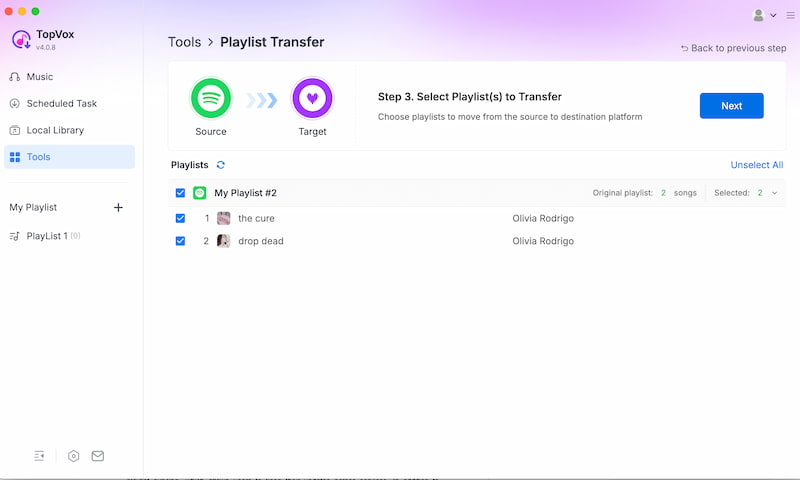
Step 4. Finally, click Convert All and let the tool do the process.
You now have the simplest and most efficient method for moving your playlist from Spotify to Deezer. We can observe how quick and easy the tool is to use.
Part 3. Import Spotify to Deezer using Online Tools
Tool 1. Soundiiz
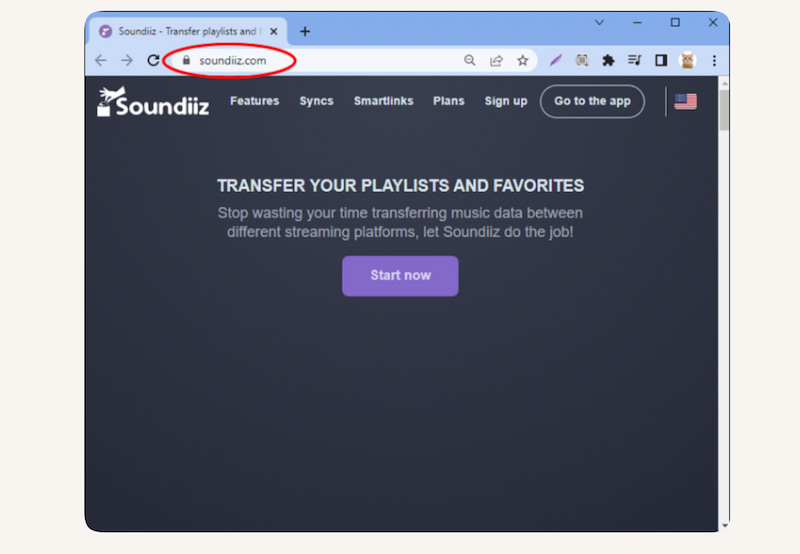
The first web-based option on the list that can help move Spotify to Deezer is Soundiiz. You will discover dozens of streaming websites that the tool supports. What sets it apart is its advanced playlist syncing, which allows users to keep their updates across services. In addition to transfers, it offers management tools; full functionality necessitates premium features.
How to Use Soundiiz
Step 1. To register for an account, visit the Soundiiz website.
Step 2. Now link your Deezer and Spotify accounts. From there, select the playlist you want to go with.
Step 3. Once you've chosen Deezer as the destination, begin the transfer.
Limitation
- It won’t function without a dependable internet connection.
- A premium subscription is needed to access the full version.
- It might slow down with very large playlists.
Tool 2. TuneMyMusic
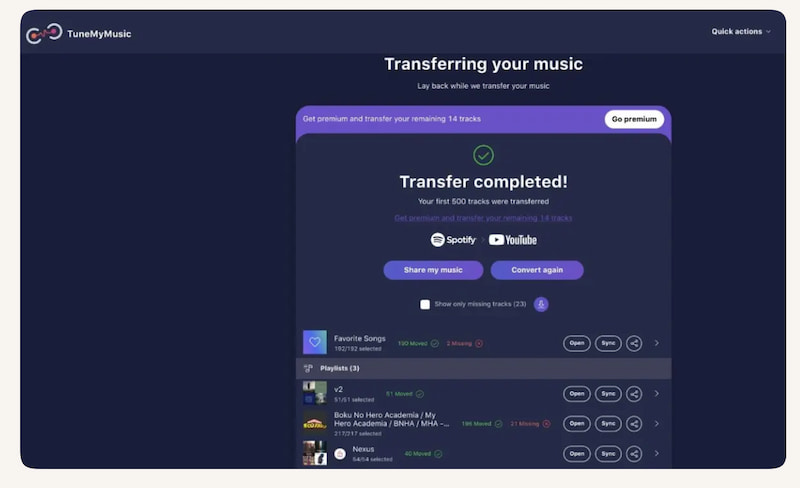
TuneMyMusic.com is an additional online tool for moving Spotify to Deezer. It is unique due to its speed and broad compatibility. With this application, you can now perform quick browser-based transfers with metadata retention. However, the number of playlists that can be moved is limited for free accounts.
How to Use TuneMyMusic
Step 1. Use your browser to visit TuneMyMusic.com.
Step 2. Choose the source to be Spotify. You have to log in to your account in order to choose which playlist to transfer.
Step 3. You can now select the destination for the playlists. In this case, choose Deezer. Start the transfer and allow it to complete.
Limitation
- There are not many features in the free edition.
- It depends a lot on the internet.
- Privacy concerns due to the need to connect accounts.
Part 4. TopVox All Music Converter VS Online Sync Services
| Factor | TopVox All Music Converter | Soundiiz | TuneMyMusic |
|---|---|---|---|
| Success Rate | Near‑perfect transfers with batch conversion | ●Reliable for small or medium playlists. ●May fail on very large sets. | Fast transfers but occasional errors with huge libraries. |
| Metadata Accuracy | Retains ID3 tags like titles, artists, album art, order. | Good but sometimes loses album art or playlist order. | Retains most metadata; album art may be inconsistent. |
| Offline File Ownership | Works fully offline, ensuring data security. | Requires constant internet connection. | Browser‑based only; no offline mode. |
| Large Library Stability | Stable with thousands of tracks. | Can slow down or timeout with very large playlists. | ●Limited free tier. ●Premium needed for big transfers. |
| Pricing Plan | One‑time license, no hidden fees | ●Free tier limited. ●Premium subscription required. | Free tier limited; premium subscription required |
| Platform Support | Spotify to Deezer, plus Apple Music, Amazon, YouTube, more. | Supports dozens of streaming platforms. | Broad compatibility across major streaming services. |
Verdict
In summary, online services like Soundiiz and TuneMyMusic are handy, but most likely depend on internet reliability. In addition, they will require your subscriptions. More than that, there is a risk of losing metadata with them. On the other hand, TopVox All Music Converter is the better option for large libraries and for a safe Spotify-to-Deezer migration, thanks to its offline reliability, complete metadata retention, and consistent batch conversion.
FAQs on Spotify to Deezer
Q: Is transferring playlists from Spotify to Deezer free to process?
A: Not all the time. Yet, there are Free transfers, but they always come with restrictions. One of these is the limitation in the quantity of playlists or songs that are provided by certain web resources. Paid technologies like TopVox are suggested for offline ownership and limitless transfers.
Q: Will the metadata of my playlist from Spotify to Deezer be maintained?
A: Yes. TopVox stores ID3 tags, including album art, artists, and titles. Therefore, you will not need to worry as long as you have the desktop tool for the process. Sometimes, online programs will shuffle playlist order or lose album art.
Q: Does the transfer require me to keep both accounts active?
A: You must log into both Spotify and Deezer in order to use online sync services. TopVox and other offline converters just require access to your Spotify library files.
Q: Is it allowed to move playlists from Spotify to Deezer?
A: As long as you utilize approved tools and keep the music in your personal accounts, it is legal. Copyrighted content is not being redistributed by you.
Q: Is it possible to transport big libraries all at once?
A: Batch transcoding for thousands of tracks is supported by TopVox. Large playlists may cause online tools to lag or malfunction.
Conclusion
We can now conclude that moving from Spotify to Deezer is possible and easy to use, as long as we have the right tool. In this post, we can see three amazing tools for desktop and online use. However, many users recommend using a desktop tool like TopVox All Music Converter because of its all-in-one capabilities, making the process smoother.
Owen Bannett is a music enthusiasm as well as a senior writer. He has paid close attention on the pros & cons of various audio formats, bitrate, sample rate and encoding methods. Always seeking the best listening experience, Owen has deep insights about lossless music and diverse music converters on the markets.