How to Export Apple Music Playlist to Spotify: Transfer Smoothly
 by Ethan Carter | April 16, 2026 | Playlist Transfer
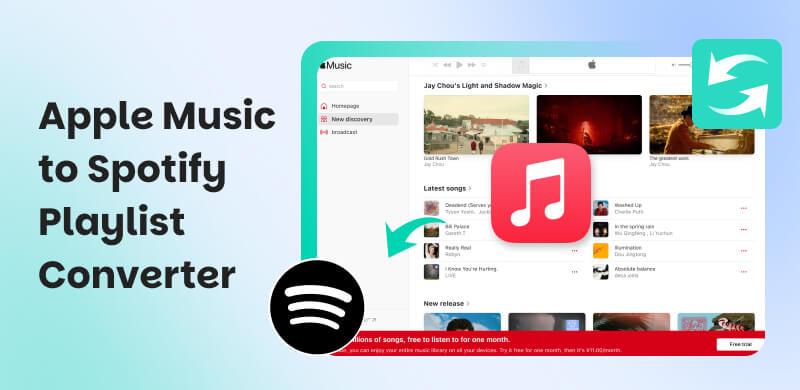
Users will say that Apple Music’s strength lays on their sound quality. Tested and proven, the audio quality of Apple Music is undeniable. Listening to it feels like you know every detail of the songs. That is why many music enthusiasts use it whenever they listen to songs. However, users also argue that Spotify’s algorithm is incredible and it stands out compared to Apple Music. This is more comparable with users who love to discover music aligned with their music taste. That is why we cannot blame them if they want to transfer from Apple Music to Spotify. WIth that being said, this article exists to help you do the process. We will introduce the best tools you can use. See them now as you start reading.
Quick Summary
- The best Apple Music to Spotify converter depends on what you need. It can be about its speed, supported platforms, or advanced management features.
- TopVox All Music Converter remains the best for accuracy, speed, and versatility across multiple platforms.
- Other tools like SongShift, MusConv, and Soundiiz can give us specific niches.
How We Test
- The team evaluates features, speed, and ease‑of‑use using the feature of transferring playlists between Apple Music and Spotify.
- We experience first hand the accuracy of song matching and note missing tracks due to licensing or metadata issues.
- We observe, differentiate, and compare the pricing plans and platform support.
Part 1. TopVox All Music Converter: Best Overall for Accuracy and Speed
The Verdict
TopVox All Music Converter leads the way for being the best tool to use as a converter for your Apple Music to Spotify. This tool possesses a high-quality of transfer, accuracy of results, and the speed of transferring from Apple Music to Spotify and other services is undeniable. That is why many users love it and continuously give positive feedback about their experience in using this tool.
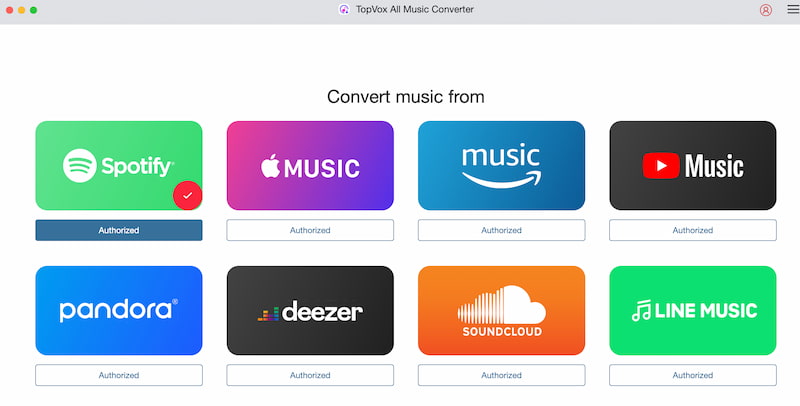
Why Choose TopVox All Music Converter?
Platform: Windows and macOS
Price: Free and $19.50 starting price.
Rating: 9.0/10
There are many reasons why we need to choose TopVox All Music Converter. But three things you need to know about it are its versatility, availability, and speed. The tools offer various features such as downloading music for offline listening and choosing some file formats you need to save the music directly on your devices. Second, its availability to support various platforms such as Apple Music, Spotify, Amazon Music, and more. Then most importantly, the transferring processing using this tool is undeniably faster than any tools. It is faster because bulk transfer is possible in this tool.
Features: 8.5
Speed: 9.0
Ease-of-use: 9.5
Overall Rating: 9.0
Pros
- The tool can work on your Windows and Mac device.
- It can support various platforms like Spotify, Amazon, Deezer, YouTube.
- Easy to use for the transferring process.
- Saves for offline play are available.
- No ads that made it lightweight.
Cons
- No mobile version.
- Song match errors are possible.
Pricing Plan
| Subscriptions | Price | Features |
|---|---|---|
| Free Account | Free | • Access to all platforms it supports. • Listen to music without premium accounts. • Download for offline listening. • Transfer playlist with ease. |
| Monthly License | $19.95 per month. | • 1 Mac for 1 Month. • 1-month access to full features. • 1-month free updates. • 7-day money-back guarantee. • Auto-renewal. |
| Lifetime | $139.95 one time purchase. | • 1 Mac, Lifetime. • Lifetime access to full features. • Lifetime free updates 30-day. money-back guarantee. |
Part 2. Songshift: Best for iOS and Android
The Verdict
When it comes to your mobile devices like iOS and Android, the amazing tool of SongShift is one of the best tools you can use. This tool is suitable for iOS users who want a quick and beginner‑friendly way to transfer their playlists between Apple Music and Spotify. More than those features, you can expect a smooth and simple process here. only.
How to Use SongShift
Step 1. We need to download and install SongShift on your mobile device.
Step 2. After that, we need to open the app and connect your Spotify and Apple Music accounts.
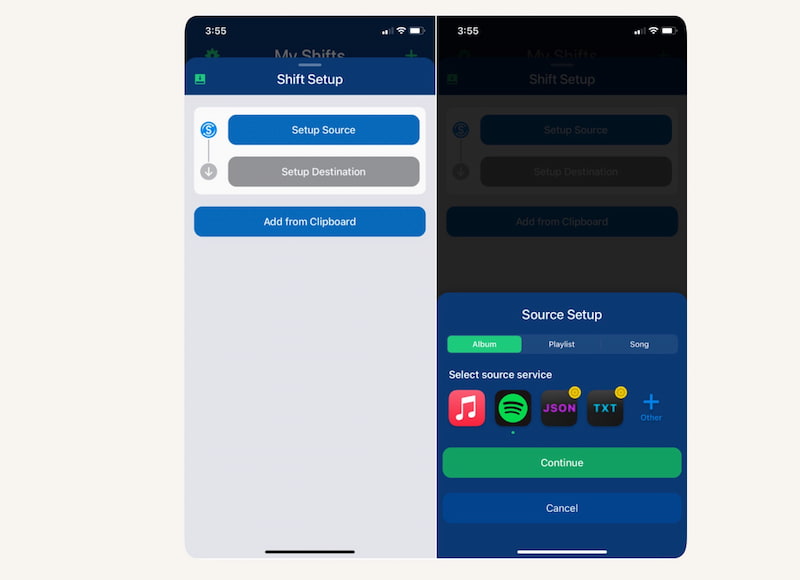
Step 3. From there, we need to choose Spotify as the source as we select your playlist from it.
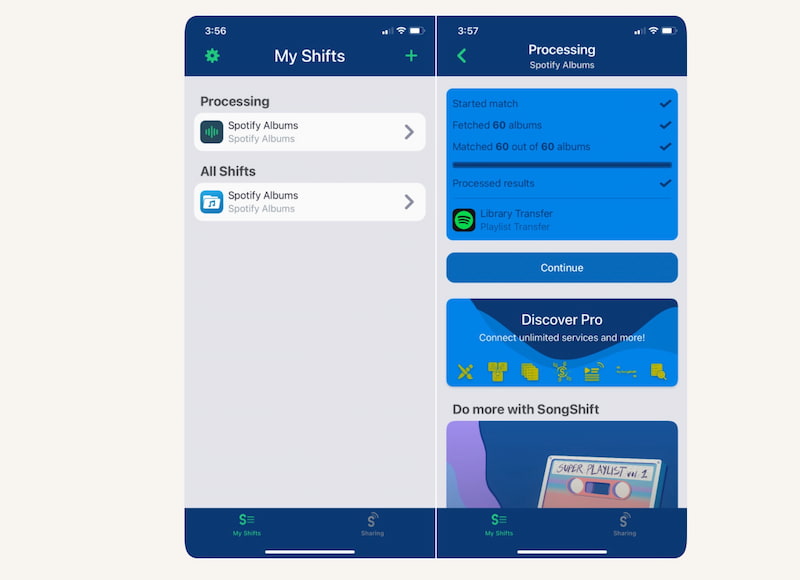
Step 4. From there, we need to choose Spotify as the source as we select your playlist from it.
Pros
- It has an easy to use interface.
- Fast playlist transfers from Apple Music to Spotify.
- The tool supports multiple streaming services.
- Reliable song matching.
Cons
- Limited advanced features on the app.
- Occasional mismatched songs.
Part 3. Musconv: Best for Niche & Hifi Platforms
The Verdict
Another tool you can use is MusConv. This is a powerful playlist transfer tool best for users with niche or HiFi platforms such as Tidal, Qobuz, Napster, and others. This tool can support more than 29 services that makes it more versatile from other tools. However, it comes at a higher cost and requires a desktop or mobile app.
How to Use MusConv
Step 1. You must log in with your source account. In this situation, we need Apple Music as our source.
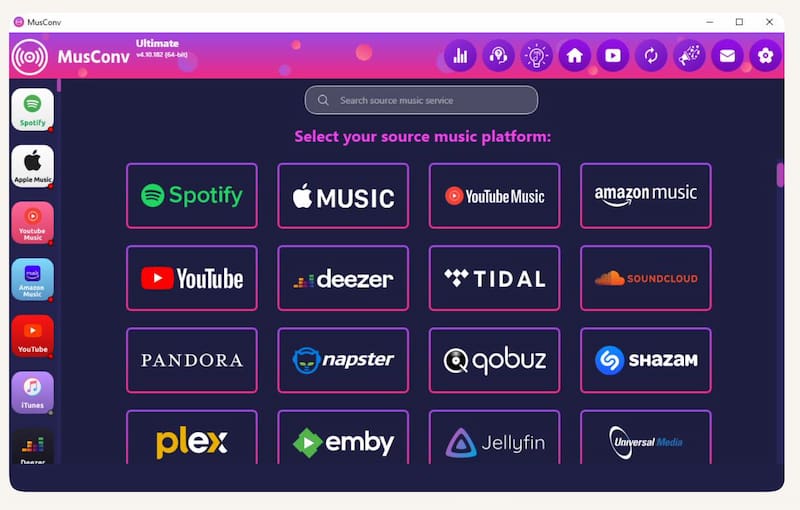
Step 2. Next, select the destination service. You only need to pick where you want to transfer your playlist from Apple Music. In this case, choose Spotify.
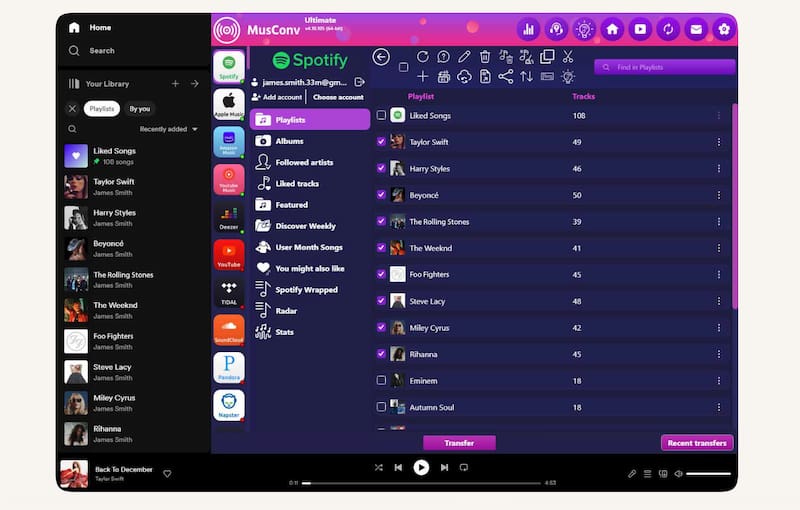
Step 3. You can now proceed in choosing the playlists or Albums you want to move.
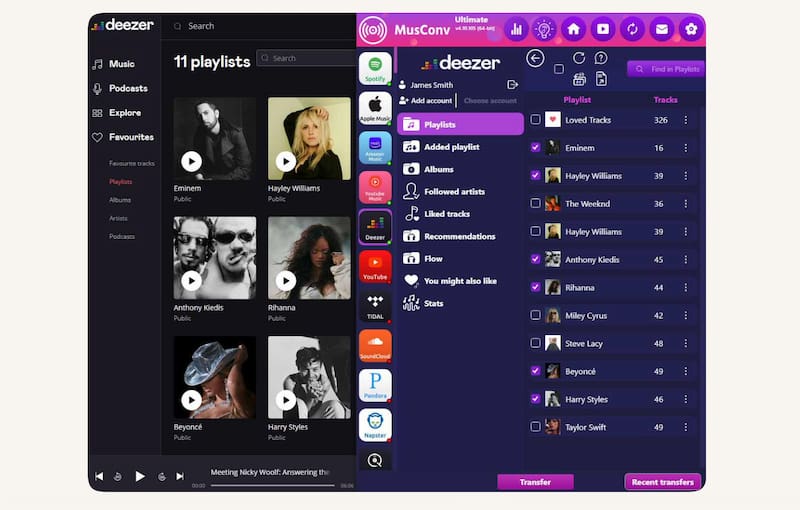
Pros
- Supports wide platforms like Spotify, Apple Music, Tidal, and more.
- Available for on Windows, Mac, and Android users.
- Handles large libraries like playlists, albums, and liked songs.
- Good for HiFi services like Tidal and Qobuz.
- Safe and legitimate with high trust ratings.
Cons
- It comes with a paid license only without a free tier.
- The interface is less beginner‑friendly.
- There can be occasional metadata mismatches.
- It has a heavier software compared.
- More complex setup for casual users.
Part 4. Soundiiz: Best for Advanced Library Management
The Verdict
We shall now move forward with Soundiiz which is known to be one of the most feature‑rich playlist transfers from Apple Music to Spotify tool. It is important to know that it is designed not only for moving playlists but also managing entire music libraries across platforms.
How to Use Soundiiz
Step 1. We need to go first with soundiiz.com and sign up for your account.
Step 2. After that, you need to connect your streaming accounts, most importantly Spotify, Apple Music.
Step 3. Now, proceed with choosing the source service. In this manner, please select Apple Music. Then, select the playlists you want to transfer. At this moment, please pick Spotify as your destination service.
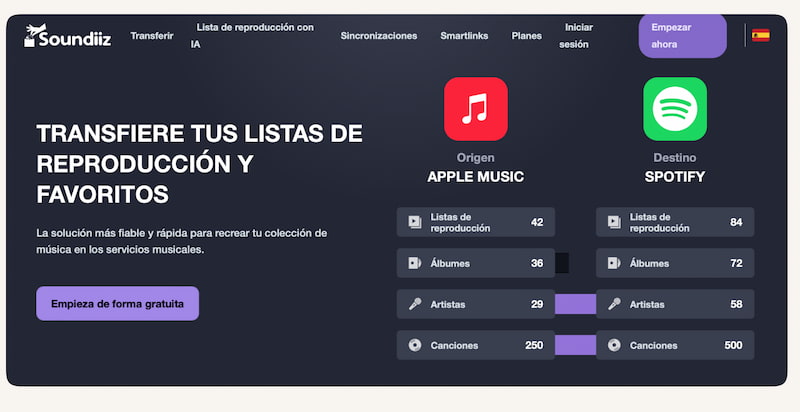
Pros
- The tool can work on a web browser for no installation process.
- It can support more than 40 platforms like Spotify, Apple, Amazon, Tidal, Deezer, YouTube, Qobuz, Napster, and more.
- It has advanced library management for your playlists, albums, artists, and favorites.
Cons
- The free plan it offers is limited.
- Single playlist transfer only.
- Full features require an expensive subscription.
- Transfers can take longer for large libraries.
You May Also Like:
Part 5. Why Do Some Songs Fail to Transfer?
Songs Fail to Transfer
Even if you are using the best Apple Music playlist to Spotify transfer tools, there are times that we cannot prevent miss tracks. Here are the common reasons why:
- Regional Licensing: Some of our songs are only available in certain countries.
- Greyed‑out Tracks: These are songs removed or unavailable on the source platform. Some songs are available in Apple Music but not in Spotify and vice versa.
- Metadata Mismatches: There is always a difference in song titles, artist names, or album info can cause the tool to miss matches. This is happening especially when the songs come from other platforms.
Expert Tips
- Double‑check playlists after transfer to ensure everything transferred successfully.
- You can always search manually for missing songs.
- Using a CSV to export or import or better accuracy is possible.
- Keep both services updated to avoid catalog mismatches.
FAQs on Apple Music to Spotify Playlist Converter
Q: Can I transfer Apple Music playlists to Spotify for free?
A: Yes. There are free versions that can allow users with limited transfers. This is usually capped by song count or playlists. This process is very suitable only for testing before upgrading to the premium version of the tool you are using.
Q: Will all songs transfer perfectly from Apple Music to Spotify?
A: Not always. Because as we all know we have regional restrictions, unavailable tracks, and metadata mismatches. These issues often cause missing songs. Thus, manual checking after transfer is recommended.
Q: Do I need to log in to both accounts to make the transfer?
Q: Do I need to log in to both accounts to make the transfer?
Q: Can I transfer albums and liked songs too from Apple Music?
A: Some apps support albums and favorites, but free tiers usually restrict transfers to playlists only, requiring premium upgrades for full library migration.
Conclusion
For all that being said we can now conclude that moving from Apple Music to Spotify is made possible with different tools we have. As per the users, many are recommending to use TopVox All Music Converter for high-quality process, faster transfer, and easy to use tool. Use it now and make the transferring more efficient with this tool.
Ethan Carter creates in-depth content, timely news, and practical guides on AI audio, helping readers understand AI audio tools, making them accessible to non-experts. He specializes in reviewing top AI tools, explaining the ethics of AI music, and covering regulations. He uses data-driven insights and analysis, making his work trusted.