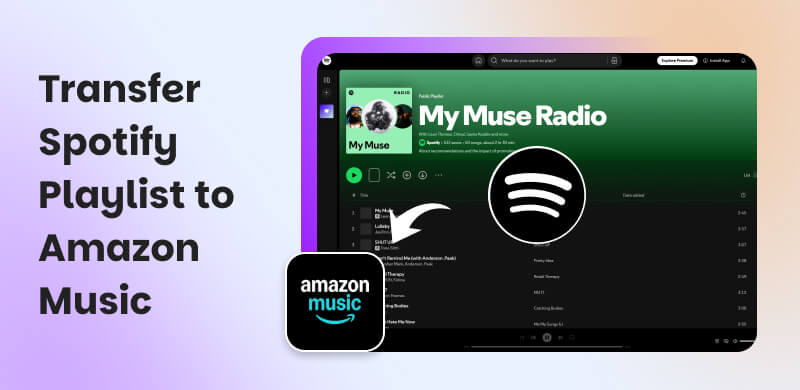
How to Transfer Spotify Playlist to Amazon Music ?
 by Ethan Carter | May 28, 2026 | Playlist Transfer
Listening using Spotify to listen to your favorite music is great. We all know that it has a great algorithm for different genres and moods of music you would like. But, some users are saying that the sound quality is lacking, and they want more. For that, some users are transferring their Spotify playlist to Amazon Music. If you are one of them, then this article is suitable for you. Because we will guide you in making it possible. In addition, we will also give you the best alternative tool you can use. Let us now discover all of these details as you continue to read.
Quick Summary
- TopVox All Music Converter is still the best choice for professional, high-quality transfers.
- We have Web-based tools like TuneMyMusic and Soundiiz that can provide you with quick and free transfers of playlist directly using your browser.
- There are also Mobile apps such as SongShift for iOS and FreeYourMusic for iOS and Android that can make playlist transfers easy on the go.
- Remember that not all songs from your Spotify playlist will transfer due to licensing differences, so always double-check your playlists after migration.
Part 1. Import Spotify Playlist to Amazon Music via Web-based Tools [Quick and Free]
Let us start the first process using web-based tools like TuneMyMusic and Soundiiz. These online tools simplify the process by transferring your Spotify playlists to Amazon Music. A few examples you can use are TuneMyMusic and Soundiiz.
In this manner, TuneMyMusic is a tool that focuses on quick transfers with a clean interface. This is good for people who like minimalistic approaches. On the other hand,you can also use Soundiiz. This tool offers more advanced features like syncing playlists across multiple platforms. Therefore, professional and deeper purposes can use this. Good thing, both are free to use with optional premium upgrades.
Transfer Spotify Playlist to Amazon Music (Web-based Tool)
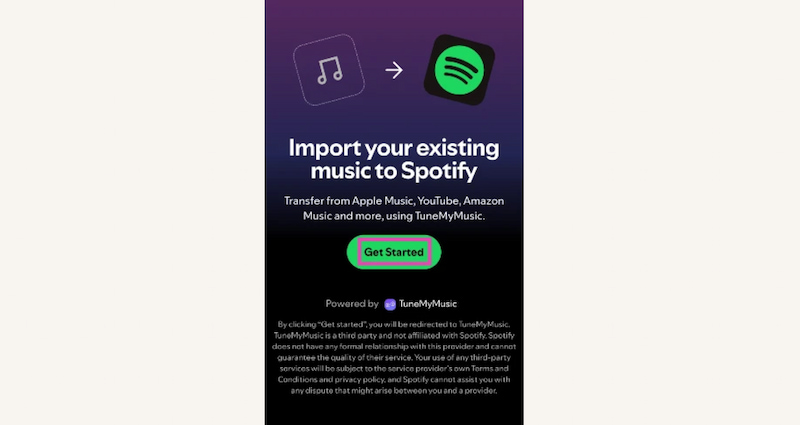
Here is the simple way on how you can import a Spotify playlist into Amazon Music using TuneMyMusic. Since this tool is more compatible with beginner users. See the steps below:
Step 1. First, we need to go to their official website. Please visit the website of TuneMyMusic.
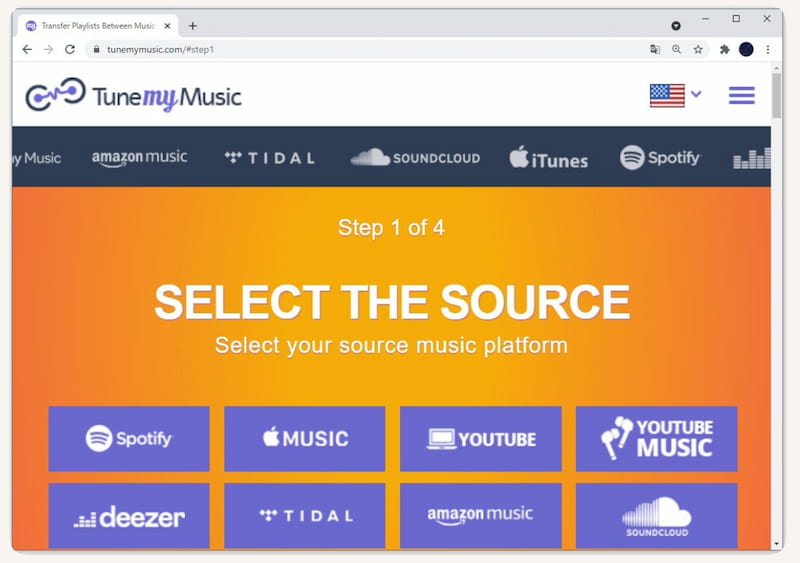
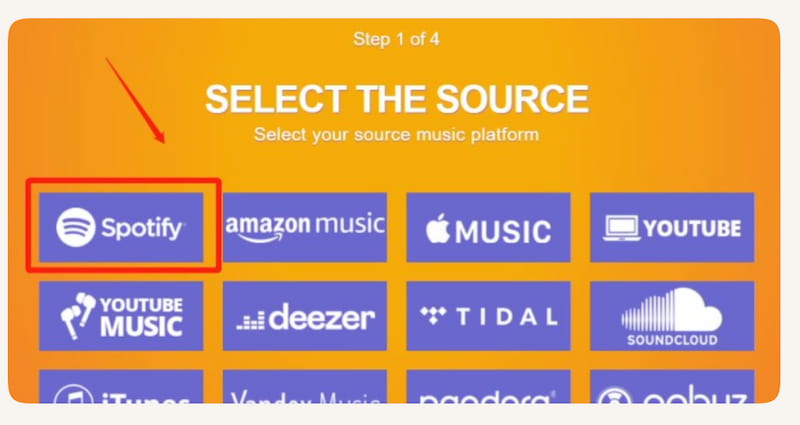
Step 2. From there, we need to choose our source. Basically, we only need to select Spotify as your source platform. Then please proceed to signing in to your Spotify account and grant access.
Step 3. After that, we need to select the playlist you want to transfer.
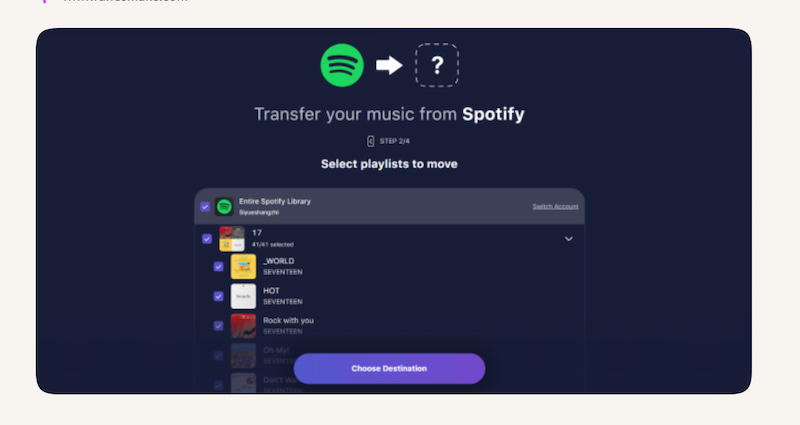
Step 4. Next, choose the destination. It only means we need to select Amazon Music as the destination. Yet, we also need to sign in to your Amazon Music account.
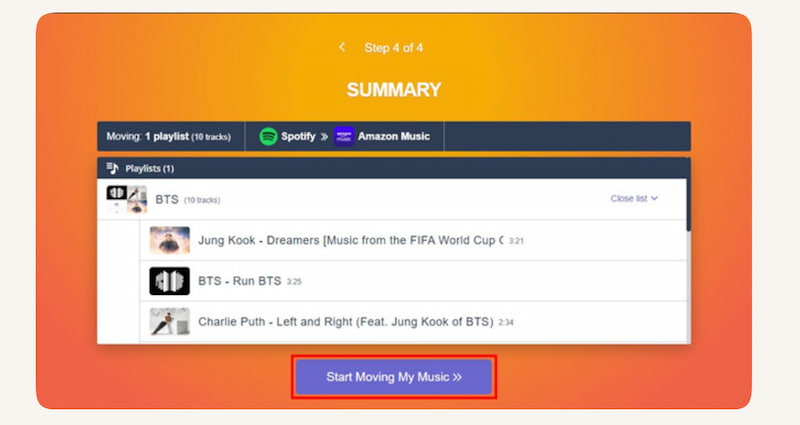
Step 5. From there, please transfer. Click Start Transfer and wait for the process to complete. Within minutes, your Spotify playlist will appear in Amazon Music.
Part 2. Spotify Playlists to Amazon Music Using Desktop Software
As we proceed with the next method, we shall now know that online tools are great. But having to use a desktop tool is better than any tool. Because this kind of tool offers more features and is high-quality. In this process, we are talking about the amazing TopVox All Music Converter. This tool is one of a kind software that can help you transfer Spotify playlist to Amazon Music with ease. Using this tool can give you a high-quality process plus a bulk transferring method. Also, despite its various features, TopVox All Music Converter retains its ease of use so that everyone can use it. For that you can now see how simple it is when it comes to the process.
Step 1. Go to the official website of TopVox All Music Converter and download it for free. Then, immediately install it on your computer.
100% Secure. No virus.
100% Secure. No virus.
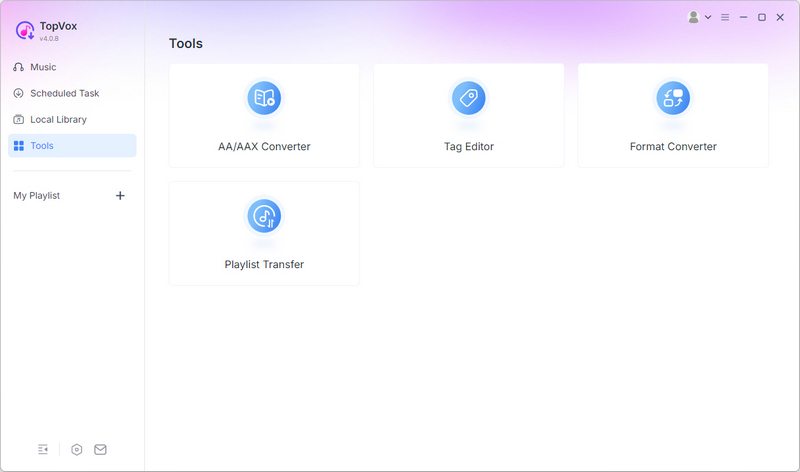
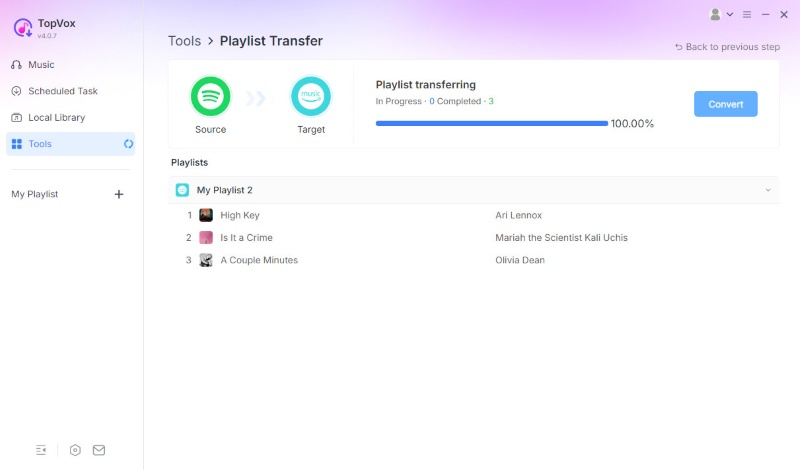
Step 2. Open the tool and access its main interface. Among the platforms shown, select Playlist Transfer in Tools section as your source.
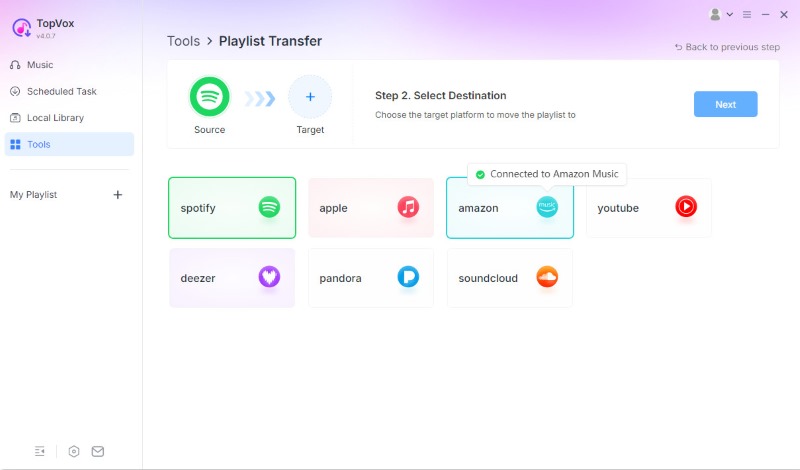
Step 3. Then, select Spotify as your source platform and Amazon as your target.
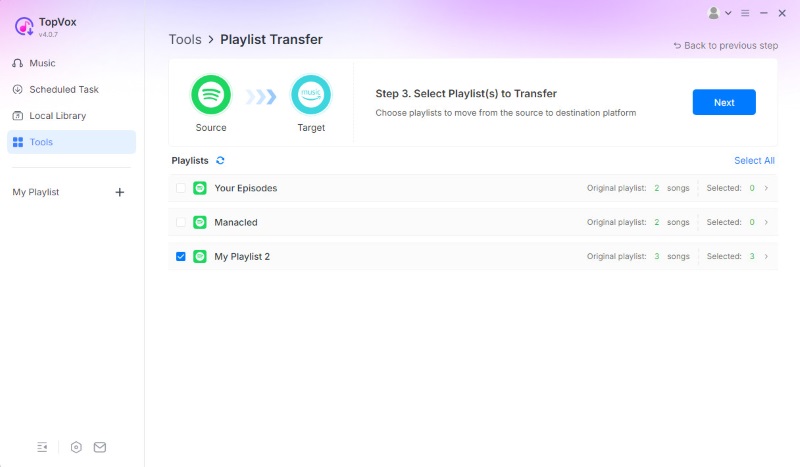
Step 4. From there, choose the playlist that you want to transfer. Then, click Next.
Step 5. Finally, click Convert to start. When the process completes, you can go to Amazon to see the new playlist.
Part 3. How to Export Spotify Playlist to Amazon Music on Mobile?
Application 1: Songshift (iOS)
The first application you can use is SongShift. It is a simple iOS app designed for quick playlist transfers between streaming services. This tool is an amazing medium that supports Spotify, Amazon Music, Apple Music, and more. More than that, in this tool you can expect a smooth process with its beginner‑friendly interface. With that being said, users can easily move Spotify playlists to Amazon Music in minutes. But, remember, this tool is only limited to the iPhone. Here are the steps on using it.
Step 1. First, we need to download SongShift from the App Store.
Step 2. Now, we need to open the app as we connect both your Spotify and Amazon Music accounts on it.
Step 3. From the interface, please see Setup Source as we choose Spotify. Then start selecting the playlist you want to transfer.
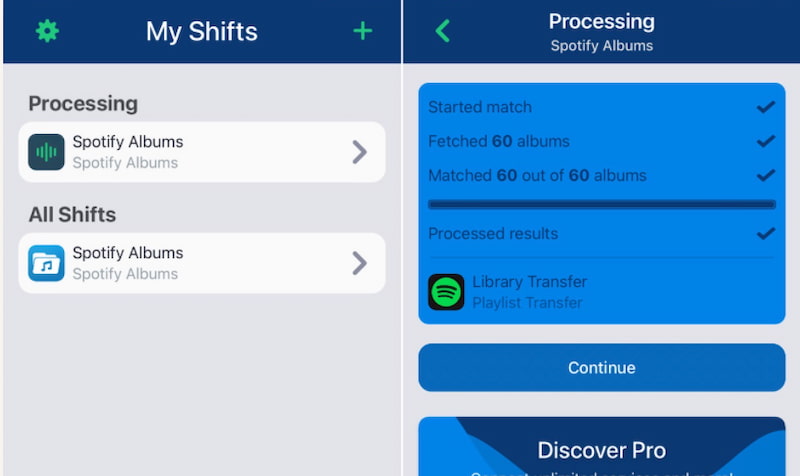
Step 4. Next, Setup Destination. That means choose Amazon Music.
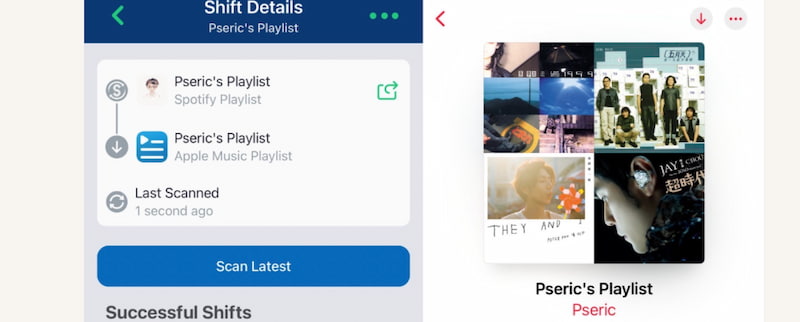
Step 5. We are now about to confirm the transfer. You will notice that SongShift will match songs and move them over.
Limitation: SongShift is only suitable for iOS users. That means Android users will need another app.
Application 2: FreeYourMusic
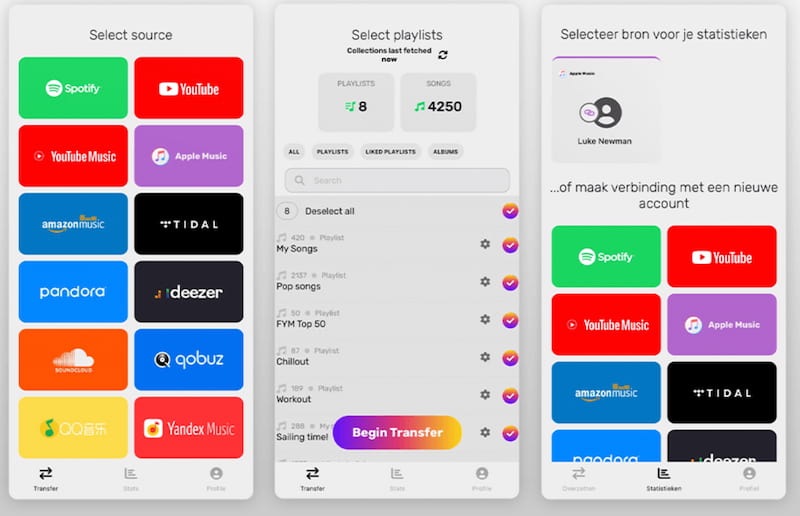
The second application we can use is FreeYourMusic. This tool is known to be a cross‑platform app for iOS and Android that lets users transfer playlists from Spotify to Amazon Music. More than that. The tool offers quick setup with reliable song matching. Here is the guide to follow in using it.
Step 1. We need to install FreeYourMusic from the App Store or Google Play.
Step 2. After that, please open the app and connect your Spotify and Amazon Music accounts by logging in.
Step 3. Now, we need to select Spotify as the source and Amazon Music as the destination of the playlist we want to transfer. For that being said, please, choose the playlist you want to transfer.
Step 4. Start the transfer. Then the app will copy songs over to Amazon Music.
Part 4. Which Method Should You Choose?
| Method | Transfer Speed | Audio Quality | Success Rate | Ease of Use | Best For |
|---|---|---|---|---|---|
| TuneMyMusic (Web) | Fast. | Standard. | High. | Very Easy. | Beginners who want quick transfers. |
| Soundiiz (Web) | Moderate. | Standard. | High. | Moderate. | Users needing advanced syncing features. |
| TopVox All Music Converter (Desktop) | Fast and bulk. | High. | Very High. | Easy. | Users who want high-quality bulk transfers. |
| SongShift (iOS) | Fast. | Standard. | High. | Very Easy. | iPhone users who want quick transfers. |
| FreeYourMusic (iOS & Android) | Fast. | Standard. | High. | Easy. | Cross-platform users (Android + iOS). |
Winner: TopVox All Music Converter
We can say that web-based and mobile apps are convenient. But, TopVox All Music Converter stands out as the most reliable and professional solution because of its high-quality process and the professional process it offers with ease.
FAQs on Spotify to Amazon Music
Q: Will all songs transfer successfully?
A: Depending on the situation. We can say that most songs will transfer, but some may not be available on Amazon Music due to licensing differences. Therefore, songs that are not available on Amazon Music will definitely not make it.
Q: Do I need to install software?
A: Not necessarily because we have web-based tools like TuneMyMusic and Soundiiz that work directly in your browser. However, if you want a higher quality and bulk transfer process, then a desktop software like TopVox All Music Converter is recommended.
Q: Is the audio quality better on Amazon Music?
A: Many users prefer Amazon Music’s sound quality. Especially with HD and Ultra HD options. Then, if we compare it to Spotify’s standard streaming quality, Amazon Music stands out in this aspect.
Q: Which method is best for Android users?
A: There is only one app that works for Android here, FreeYourMusic. This tool is the most convenient option for Android, offering reliable transfers with a simple interface. Making it easy for you to transfer Spotify playlist to Amazon Music.
Conclusion
We can now conclude that the process of transferring Spotify Playlist to Amazon Music is possible as long we have the proper method to do it. We have seen various ways from web-based tools to mobile applications up to the great software tool for high-quality transfer with bulk features. TopVox All Music Converter indeed stands out. Use it now to discover its full potential.
Ethan Carter creates in-depth content, timely news, and practical guides on AI audio, helping readers understand AI audio tools, making them accessible to non-experts. He specializes in reviewing top AI tools, explaining the ethics of AI music, and covering regulations. He uses data-driven insights and analysis, making his work trusted.