How to Transfer Playlist from Amazon Music to Spotify
 by Ethan Carter | June 24, 2026 | Playlist Transfer
Switching streaming services also means having to rebuild your music life from scratch. It also feels like losing years of curated playlists, favorite tracks you used to listen to when you moved from Amazon Music to Spotify. This instance indeed frustrates music lovers who value their collections. With that, most users are torn between leaving for better music streaming platforms or staying with the current one for the playlist they created. Fortunately, you do not have to be torn apart because transferring is now the only option. Modern playlist transfer tools let you carry your playlists forward, preserve your listening journey, and keep the soundtrack of your past alive without interruption. Discover the four methods to transfer an Amazon Music playlist to Spotify.

Part 1. Best Way to Transfer Amazon Music Playlist to Spotify
We shall now start this by giving you a professional tool that handles the process of transferring an Amazon Music playlist to Spotify with ease. We are talking about TopVox All Music Converter, which is the leading converting tool you can use. This tool allows a smooth and fast transfer between various platforms with an ability to retain every metadata for an easy organizational process. More than that, this tool knows how important your time is since batch conversion is possible. There are more features you can maximize in TopVox. Ensure to use it now for more.
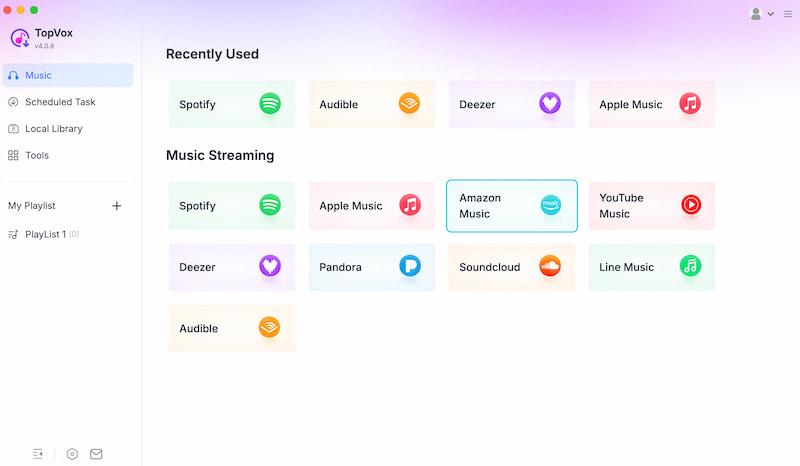
Features
- Transfer Amazon Music to Spotify.
- Support various streaming platforms.
- Convert music to a universal format.
- Batch conversion features for playlist or album.
Steps in Using TopVox All Music Converter
Step 1. Download and install the TopVox All Music Converter on your computer for free.
100% Secure. No virus.
100% Secure. No virus.
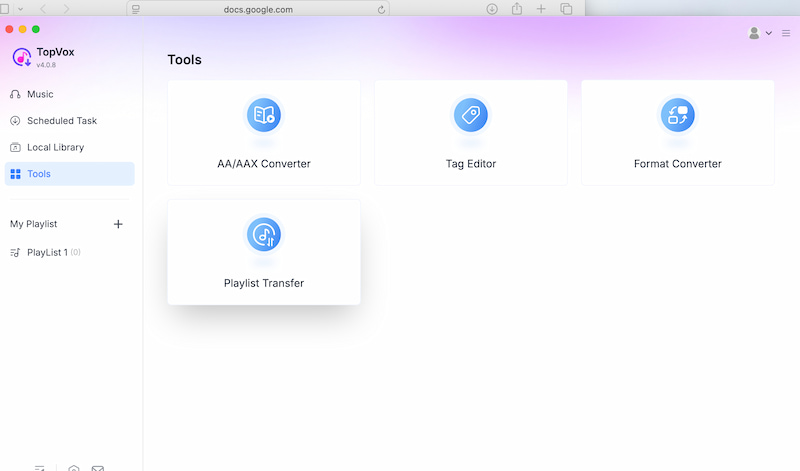
Step 2. Immediately access its main interface to see the platform it supports. Click the Tool feature, Music, among the options. From there, please choose Playlist Transfer.
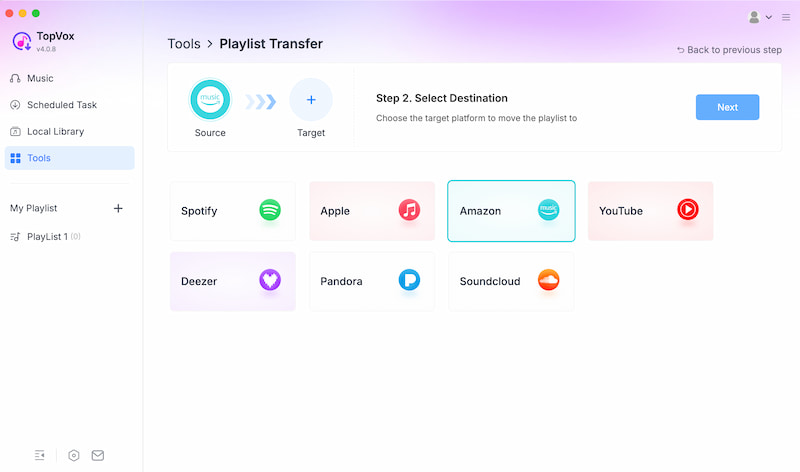
Step 3. Then select Amazon Music as the Source and Spotify as the Target. Then click Next.
Step 4. Now, select the Convert All and let the tool do the process.
The process of using TopVox All Music Converter to transfer Amazon Music playlist to Spotify is easy to do. You can see that it came with a few steps. You can now enjoy your curated playlist to your new streaming platform.
Part 2. Transfer Amazon Music to Spotify with PlayListGo
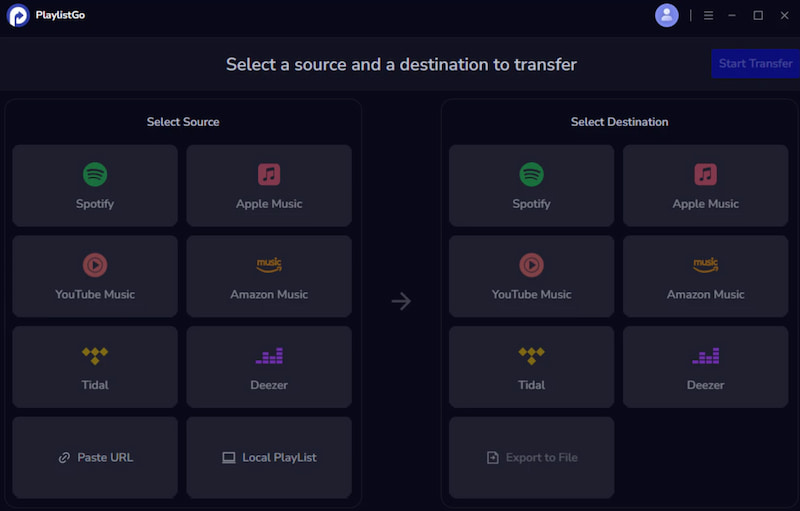
Second on the list is PlaylistGo, a browser-based tool that lets you transfer playlists from Amazon Music to Spotify. This tool basically exists for simple transfer use. More than that, his tool can eliminate the frustration of manually rebuilding playlists, offering a quick, user-friendly way to preserve curated tracks across platforms.
How-To Use PlaylistGo
Step 1. Visit the official website of PlaylistGo. From there, you need to create an account or sign in.
Step 2. After that, please connect both Amazon Music and Spotify accounts. Next, please select the playlists you want to transfer from Amazon Music.
Step 3. To proceed, you must review the list and confirm that every track is included. Then, start the transfer process.
Pros
- Easy interface.
- Free basic transfers.
- Multi-platform support.
Cons
- Limited free transfers.
- Occasional mismatches.
Part 3. Sync Amazon Music Playlist to Spotify (Online Tools)
Tool 1: TuneMyMusic
TuneMyMusic is another free online tool you can use. This lets you easily transfer playlists between various streaming platforms, such as Amazon Music and Spotify. The tool focuses on speed and accessibility, which is why it requires no installation. Whenever you use it. More than that, users can transfer or download playlists in just a minute. These are the reasons why it is a popular choice for quick, hassle-free playlist transfer, too.
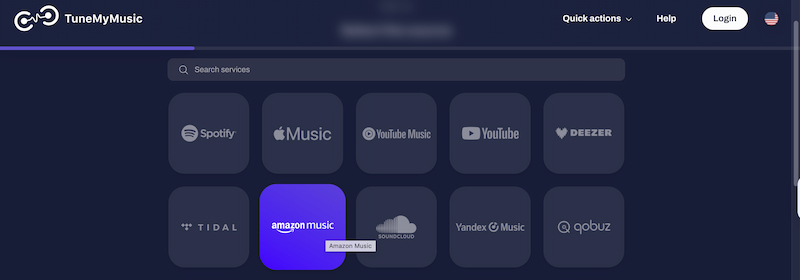
Step 1. Search for TuneMyMusic in your browser.
Step 2. From there, set Amazon Music as the source and Spotify as the destination. It is also important that you authorize both accounts to proceed.
Step 3. Choose playlists, confirm, and transfer instantly.
Pros
- Fast transferring of the playlist.
- You do not have to register to use it.
- Supports multiple formats as an output.
Cons
- Free tier limited.
- Premium needed for auto-sync.
Tool 2: Soundiiz
Soundiiz is a playlist management tool that works with more than 40 streaming services. You can do more than just transfer playlists; you can also sync playlists, albums, and artists between Amazon Music and Spotify. These features are helpful if you have a big music library or want to keep your playlists updated automatically.
How to Use Soundiiz
Step 1. First, you need to sign in to Soundiiz’s website.
Step 2. After that, it is important to connect your Amazon Music and Spotify accounts with the tool.
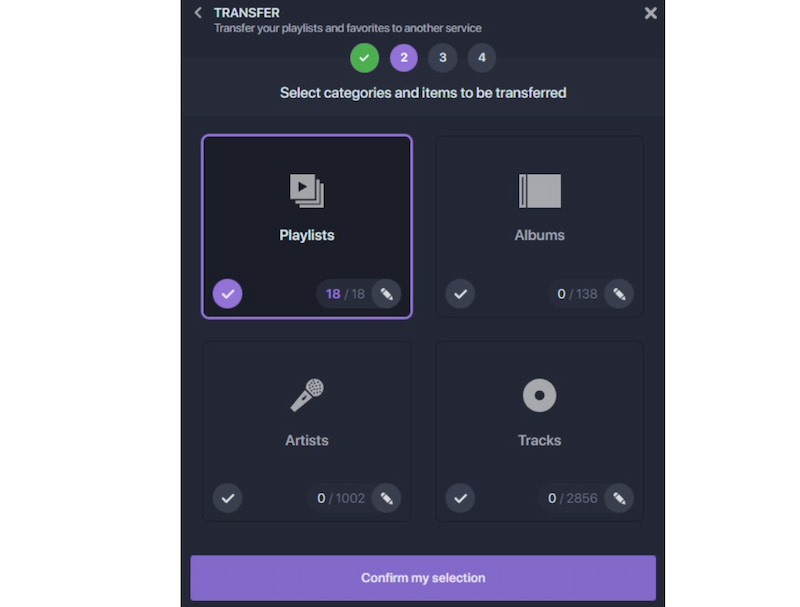
Step 3. Now is the time to select the playlists from Amazon Music you want to transfer.
Step 4. Use sync mode to keep libraries updated automatically.
Pros
- Supports transferring of playlists, albums, and artists.
- The sync feature is available in this tool.
Cons
- Transferring can be slow.
- The free plan only lets you transfer one playlist at a time.
Part 4. Convert Amazon Music Playlist to Spotify Via SongShift
Another amazing tool you can use is SongShift, which is available for all iOS users. You can now use this app to transfer playlists from Amazon Music to Spotify easily. This application is designed to provide a handy process by offering a simple setup that guides users through the playlist migration. More than that, SongShift promises accuracy and great control during the transfer process.
How to Use SongShift
Step 1. Download and immediately install the SongShift application from the App Store.
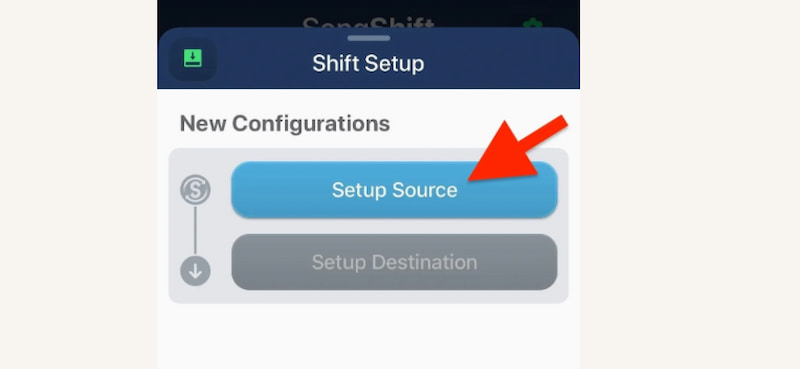
Step 2. After that, you have to connect your Amazon Music as the source for the playlist you want to transfer. Then, Spotify is the destination.
Step 3. From there, you need to create a Shift and select the playlists you need. Please finalize review matches so we can fix errors.
Pros
- A resource tool that is mobile-friendly.
- It has an intuitive interface.
- The basic account is free to use.
Cons
- Limited to iOS-only.
- The premium is needed for unlimited transfers.
FAQs on Amazon Music to Spotify
Q: Will all songs transfer successfully between Amazon Music and Spotify?
A: Not always. Some tracks may be unavailable on Spotify, causing mismatches. Tools like SongShift let you review and fix errors.
Q: Does transferring playlists affect my Amazon Music account?
A: No, your Amazon Music playlists remain intact. Transfers only copy playlists into Spotify without deleting or altering originals.
Q: Is it legal to convert Amazon Music playlists to Spotify?
A: Yes, transferring playlists is legal since you're only moving metadata (song titles, artists). You're not pirating or downloading tracks.
Conclusion
Therefore, we conclude that transferring an Amazon Music playlist to Spotify is possible. Thanks to the various tools we can use, from a web-based tool to a mobile application. But users cannot deny the fact that TopVox All Music Converter stands out among all the tools because of the wide range of features it can offer. Use this and expect an effective, accurate, and quality process.
Ethan Carter creates in-depth content, timely news, and practical guides on AI audio, helping readers understand AI audio tools, making them accessible to non-experts. He specializes in reviewing top AI tools, explaining the ethics of AI music, and covering regulations. He uses data-driven insights and analysis, making his work trusted.