How to Download YouTube Music on Mac (2026) — 4 Best Tools Tested
 by Owen Bannett | June 15, 2026 | YouTube
YouTube songs offline are truly remarkable for anyone who uses a Mac. Unfortunately, they are not free and are quite difficult to keep permanently. That’s how we can help. We’ve thoroughly tested numerous YouTube Music downloaders for Mac users and narrowed them down to the four strongest, fastest, and easiest tools for downloading your favorite music. Once you finish reading this guide, you’ll have a worthy YouTube music downloader that lets you download high-quality MP3 music files, download playlists in batches, and choose a variety of outputs, without compromising your Mac and its enjoyment.
How We Tested These 4 YouTube Music Downloaders
We tested each tool on a MacBook Pro M3 (macOS 15) using a 25-track YouTube Music playlist.
- Testing Device: MacBook Pro M3 running macOS 15.
- Test Dataset: A dedicated 25-track YouTube Music playlist containing a mix of high-bitrate studio tracks and live music videos.
Test Results:
- Download speed: Verified through spectrum analysis to ensure real high-bitrate audio rendering.
- Ease of Use: Evaluated UI clarity, setup times, and the presence of disruptive ads.
- Safety: Every installer file was scanned by professional anti-malware tools to check for bundware.
Speed Test Results (25 tracks, MP3 320kbps)
Below are the empirical benchmarks captured during our testing phase:
| Total Time | Per Track Average | CPU Usage | |
|---|---|---|---|
| TopVox | 4m 22s | 10.5s | 12% |
| Allavsoft | 8m 15s | 19.8s | 18% |
| Y2Mate | Manual | 45s | 5% (browser) |
| SnapDownloader | 6m 48s | 16.3s | 22% |
Comparison Table
| Supported Platforms | Batch Download | Max Quality | Playlist Support | DRM Removal | Price | |
|---|---|---|---|---|---|---|
| TopVox | Windows/macOS | √ | 320kbps | √ | √ | Free 14-Day Trial/Paid |
| Allavsoft | Windows/macOS | √ | 320kbps | √ | Partial | $29.99/yr |
| Y2Mate | Web-Based | × | 256kbps | × | × | Free (Ads) |
| SnapDownloader | Windows/macOS | √ | 320kbps | √ | × | Free 48h Trial |
TopVox All Music Converter — Best All-in-One YouTube Music Downloader
Best for: Music enthusiasts who want high-quality audio and seamless, high-speed batch conversions.
TopVox All Music Converter is a superb YouTube Music downloader that can transform your online YouTube Music into local files. It features a built-in web player that allows you to search, play, and download content at any time and from anywhere. You can also easily download music from Spotify or Apple Music to continue building your playlists.
Batch conversions are up to 35× the speed of the original track into MP3, WAV, FLAC, AIFF, or M4A (up to 320 kbps). Moreover, it transfers all metadata and album art and neatly organizes them into your library. It features advanced DRM-removal technology with a 99% success rate so that everything you download is ad-free, malware-free, and safe to use.
100% Secure. No virus.
100% Secure. No virus.
If you are expanding your offline library, you might also find our comprehensive How to convert Spotify to MP3 guide helpful for cross-platform archiving.
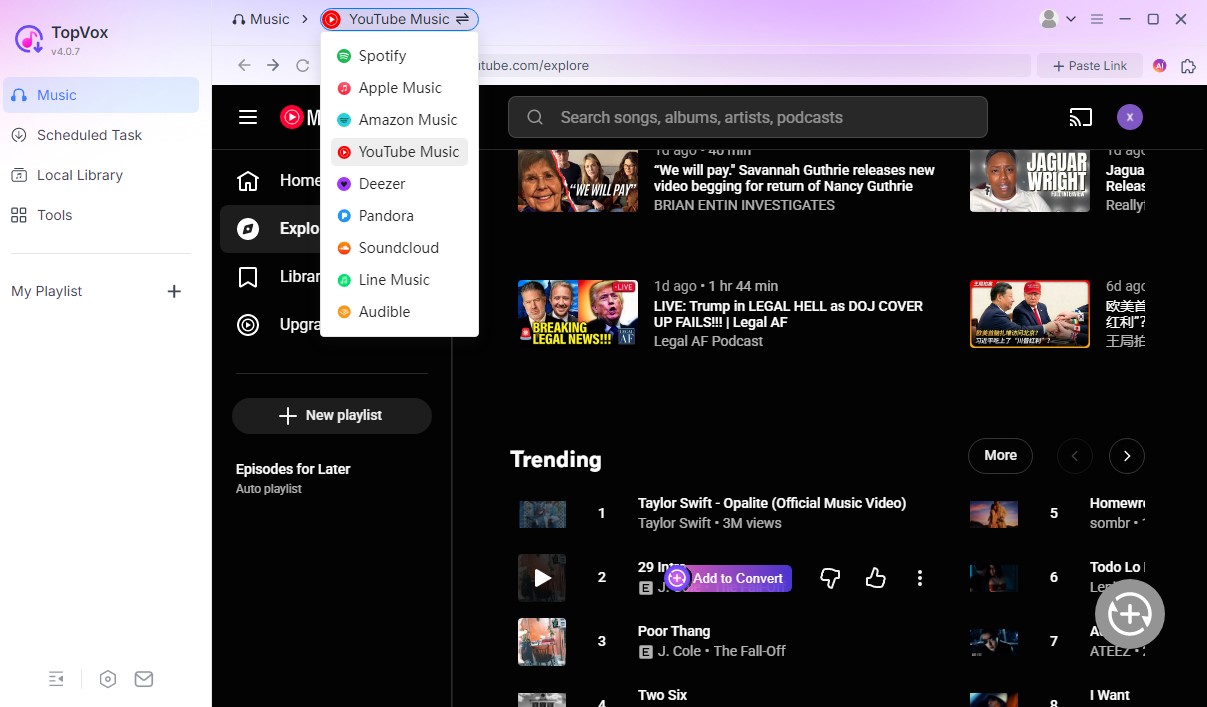
Features
- Support 9+ mainstream music platforms: Spotify, Apple Music, etc.
- Bypass DRM and convert music to MP3, WAV, M4A, etc.
- Batch download music at 35 times faster.
- Output music with up to 320kbps quality.
Pros
- Multiple music platforms support: Spotify, Apple Music, etc.
- Preserve all ID3 tags during the conversion.
- Up to 320kbps quality support.
- No Ads.
- Utilize AI to achieve a 35× faster conversion speed.
Cons
- Not available on Android and iOS.
Allavsoft — Best for Users Who Want Flexibility Across 1000+ Sites
Best for: Multi-platform media collectors who need a single tool to pull both audio and video files from diverse web sources.
Allavsoft Music Downloader for Mac offers a flexible way to download or rip audio from YouTube Music and over 1,000 other streaming sites. Copy a single track or playlist URL into the program’s intuitive window and specify the desired download formats: MP3, FLAC, WAV, or AAC. Then, select the Download option. The program includes the conversion to other formats and batch downloading at high speed, making it great for queuing multiple songs or an entire YouTube Music playlist to download and convert simultaneously. You can save ID3 tags and other album art automatically. Finally, broken downloads can be resumed at any time. It also comes with Google Chrome and Firefox add-ons for downloading from in-browser streaming services with one button click.
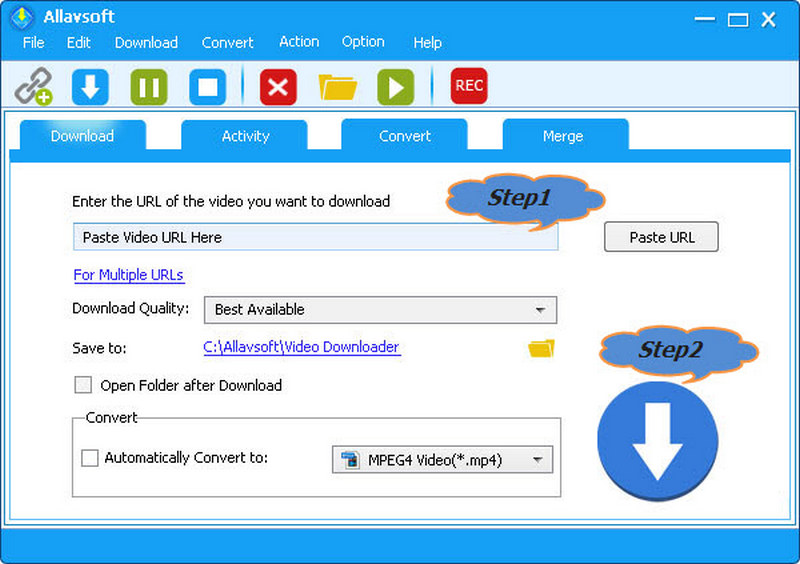
Pros
- The UI is very simple to understand.
- Batch-download from 1,000+ sites, including YouTube Music.
- Supports downloading YouTube VR 360° videos.
- ID3 tags are saved automatically.
Cons
- The interface looks slightly dated and utilitarian.
- DRM extraction can occasionally require manual component updates for newly encrypted tracks.
Y2Mate — Best Free Online Option (No Installation Required)
Best for: Casual users who only need to download a handful of individual tracks occasionally and want to avoid software installation.
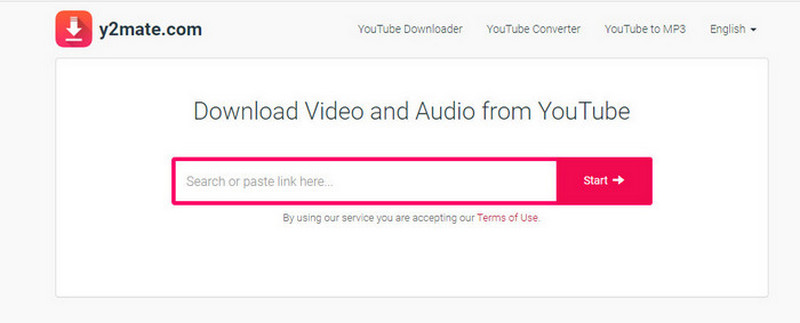
Y2Mate is an online YouTube music downloader that operates directly in the browser, eliminating the need for installation on Mac. It’s for individuals who want an easy way to download tracks from YouTube Music without taking up a lot of space. Its UI and minimalist setup make it user-friendly for those new to the concept, as well as friendly for advanced users who may appreciate tweaking the bitrate settings for a higher-quality audio experience.
Y2Mate also supports video downloads, making it extra useful for users interested in both audio and video from YouTube Music. While it does not support batch downloading or playlist downloads, it is simple and reliable, making it a great platform for single-use. No registration is required, and Y2Mate will work normally on all major browsers on macOS.
Pros
- 100% free to use with no account sign-ups required.
- Compatible with any operating system since it runs purely on the web.
Cons
- Completely lacks batch downloading or automated playlist parsing.
- Audio outputs max out at 256kbps.
- Saturated with annoying and potentially unsafe pop-up ads.
SnapDownloader — Best for 8K Video + Audio Downloads
Best for: Users who want to download high-resolution music videos alongside standard offline audio tracks.
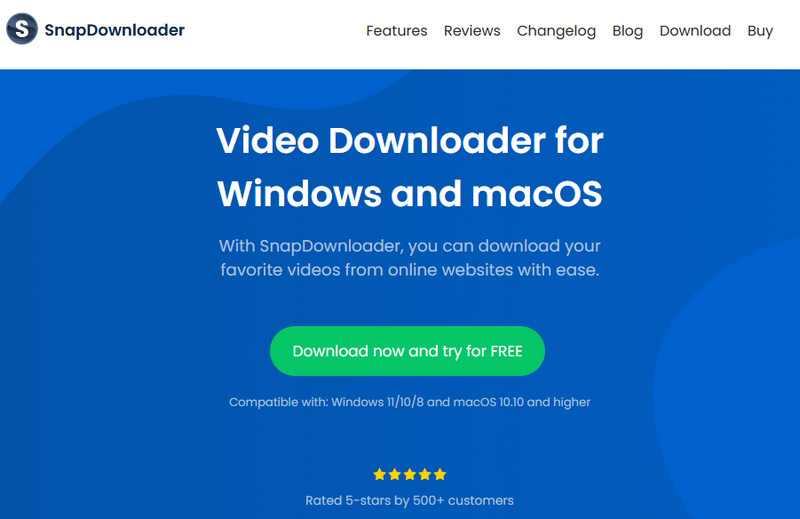
SnapDownloader features a native Mac interface with support for M1/M2 processors, retina graphics, TouchBar shortcuts, share menu integration, and automatic dark mode support.
Thanks to SnapDownloader’s multi-threaded engine, it can download music from YouTube Music and 900+ other websites at up to 10× the speed of tools inside web browsers. More importantly, it only uses minimal CPU and RAM.
It downloads at up to 8K resolution, can export audio as MP3, AAC, FLAC, WAV, or AIFF at custom bit rates, and preserves the audio metadata, album art, and cover art intact. However, please note that you can only use SnapDownloader for free for 48 hours, after which a paid license is required.
Pros
- Supports downloads from over 900 websites.
- Bulk downloads up to 15 simultaneously.
Cons
- Download speeds are only around 400 KB/s per stream on average.
- No support for 360° or HDR videos, nor premium/protected content.
- Free trial lasts only 48 hours.
How to Choose the Right YouTube Music Downloader for Mac
To make your decision easy, map these tools to your direct goals:
1. Go with TopVox if you want maximum conversion speed, absolute metadata accuracy, and want to batch download entire playlists with a single click.
2. Go with Allavsoft if you want a utility tool that extracts audio and video across thousands of diverse, obscure websites.
3. Go with Y2Mate if you are just downloading one or two quick tracks and don't mind closing a couple of pop-up ads to avoid installing desktop apps.
4. Go with SnapDownloader if your media consumption heavily relies on music videos, live concerts, and high-definition video-to-audio archiving.
FAQs about Mac YouTube Music Downloader
1. Does YouTube Music downloader work on Apple Silicon?
Yes. Web-based tools like Y2Mate run entirely inside your browser and are independent of processor architecture. Dedicated desktop utilities like TopVox and SnapDownloader are fully optimized to run natively or via Rosetta 2 on M1, M2, and M3 Mac systems, ensuring highly efficient processing without overheating your Mac.
2. Can I download playlists?
Yes, but playlist parsing depends entirely on your chosen tool. Premium desktop options like TopVox, Allavsoft, and SnapDownloader allow you to paste a single playlist link to automatically fetch and download every track in bulk. Free web apps like Y2Mate do not support this automation and force you to download each song one by one.
3. MP3 vs FLAC for YouTube Music — which is better?
For downloading content from YouTube Music, saving tracks as MP3 (320kbps) or AAC is recommended. YouTube Music streams its source audio at a maximum compressed bitrate (typically 256kbps AAC). Downloading them in a lossless FLAC container will not artificially enhance the original stream quality; it will only result in unnecessarily bloated file sizes on your Mac's hard drive.
Conclusion
In this post, we have examined the 4 best YouTube Music downloaders on Mac. If you want to pursue the best experience with free music conversion, you can take a look at professional apps like TopVox All Music Converter, Allavsoft, and SnapDownloader. However, the last of these 2 apps either lacks the batch download function or has a low downloading speed. Additionally, there’s a free installation option designed for users who prefer not to download any programs - Y2Mate YouTube Downloader. Due to its online feature, you can access it from anywhere, at any time, without device limitations. Additionally, if you have any questions, please do not hesitate to contact our support team. They will solve your problems as much as possible.
100% Secure. No virus.
100% Secure. No virus.
Owen Bannett is a music enthusiasm as well as a senior writer. He has paid close attention on the pros & cons of various audio formats, bitrate, sample rate and encoding methods. Always seeking the best listening experience, Owen has deep insights about lossless music and diverse music converters on the markets.