7 YouTube Music Downloaders to Keep Permanent MP3s for Free
 by Owen Bannett | July 3, 2026 | YouTube
Brief Summary
The post conducted a review of various free YouTube music downloaders, both for desktop software and online tools. While online YouTube music download sites, like onlymp3.io and Savefrom, present security risks, selecting a safe desktop tool ensures stable conversion of your favorite tracks, such as TopVox All Music Converter.
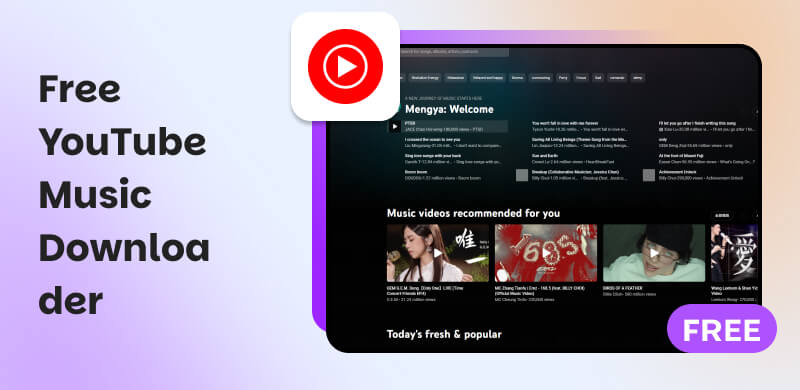
We've compiled a list of the finest 7 free YouTube Music downloaders of 2026, ranging from basic web-based music converters to feature-rich desktop programs. This article evaluates their performance, features, and more so you can select the best option for your needs.
How We Tested
We evaluated different free YouTube music downloader apps and tools on various devices, including Windows 11 (Intel Core i7), MacBook Air M2, and iPhone 15 Pro (Chrome). Every downloader in this guide has been tested on the following core metrics in the table. To be sure, signs of a substandard YouTube music downloader are that it outputs compressed audio below 128~256kbps, covers intrusive pop-ups, and fails to download all tracks in one time.
(Note: The highest quality of YouTube Music is 256kbps.)
Comparison Table of 7 Free YouTube Music Downloaders
Choosing the best YouTube Music downloader is determined by your requirements, whether you want a speedy web tool or a feature-rich desktop client. The chart below ranks the top 7 free YouTube Music downloaders based on compatibility, output quality, batch support, ad-free experience, and overall usability.
| Tool | TopVox All Music Converter | AllavSoft | aTube Catcher | Y2mate | Ssvid | OnlyMP3 | Savefrom (not available ⚠️) |
|---|---|---|---|---|---|---|---|
| OS | Windows 7 or later (64-bit) macOS 10.14 or above | Windows 2000/XP/Vista/7/8/10/11, Mac OS X 10.4 Tiger and higher | Only Windows XP/Vista//7/8/10 | Online | Safari or Chrome browser | Online | Online |
| Max Audio Quality | Up to 320kbps MP3 / HiFi FLAC | 320kbps MP3 | 128-160kbps | 192kbps | 320kbps MP3 | 128kbps 😢 | Only MP4 files could be downloaded (latest test) |
| Output Formats | MP3, WAV, FLAC, AIFF, M4A (AAC/ALAC) | WAV, M4A, AC3 and more | MP3, FLAC, WAV, etc. | MP3 | MP3, WAV, M4A, etc. | MP3 | |
| (Batch) Speed | Up to 35× | Fast | Medium | Slow (Batch ❌️) | Fast (Batch❌️) | Slow | |
| Full ID3 Tags | ✅️Full | Track number, artist, album, and cover art. | ❌️ | ✅️ | ❌️Nothing | ✅️ | |
| Ad-Free | ✅️ | ✅️ | ❌️ | ❌️ | ❌️ | ✅️ | ✅️ |
| Supported platform(s) | Spotify, Apple Music, Amazon Music, Deezer, etc. | YouTube, Spotify, Facebook, etc. | Vimeo, Facebook, Dailymotion, etc. | YouTube | YouTube, SoundCloud, Facebook, etc. | YouTube | YouTube, Facebook, Instagram, and TikTok |
1. TopVox All Music Converter [🏆]
Best for: Fast batch download high-fidelity YouTube Music playlists for permanent offline listening.
Rating: 4.4/5 ⭐⭐⭐⭐ from Softpedia
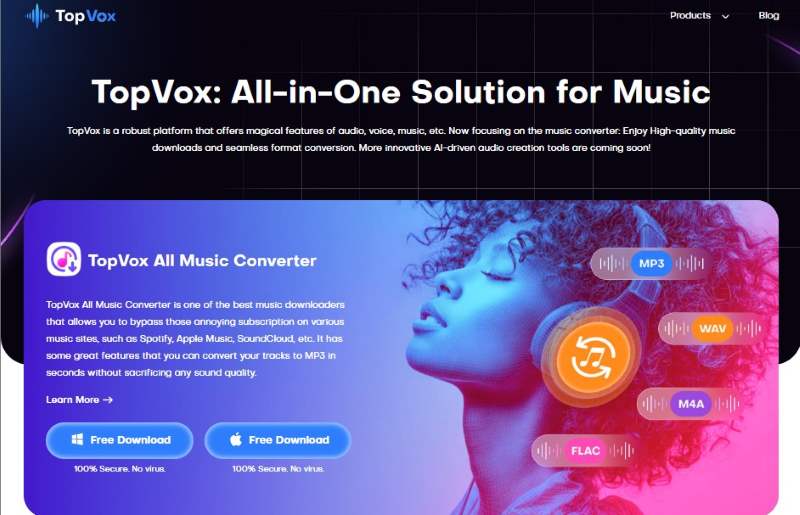
TopVox All Music Converter is a premium all-in-one Youtube Music downloader and converter that works with your Windows and macOS devices. It is intended for those who seek lossless audio quality, quick conversion times, and complete control over their downloaded files. More than that, this tool helps you get the music you love to hear for free anytime and anywhere. You only need to convert the music you want from the Youtube Site of TopVox All Music Convert and you will be good to go. In line with that, here are the key features you can enjoy in this tool and the simple steps you can follow below.
Features
- Supports MP3, M4A, FLAC, and WAV output formats.
- Maintains 100% original sound quality and ID3 tags.
- Batch download and conversion support.
- Built-in music player with quick preview.
- Works with both Windows and macOS.
Steps to Use TopVox All Music Converter
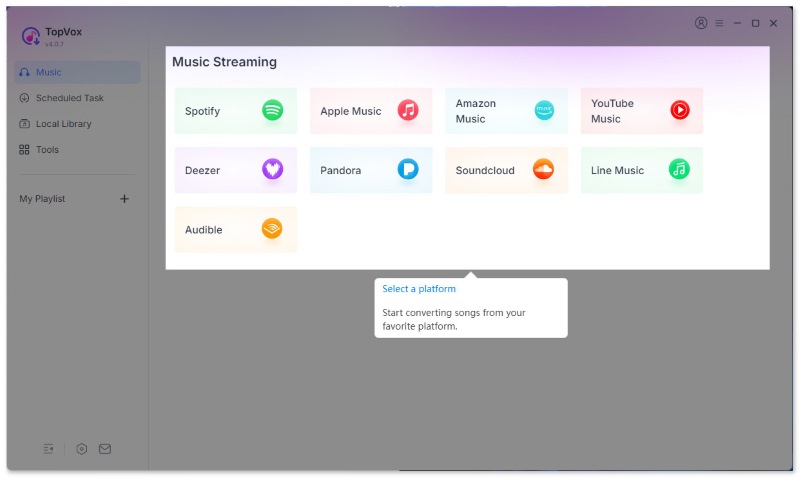
Step 1. Download and install TopVox All Music Converter. Then, launch the app and sign in with your YouTube account.
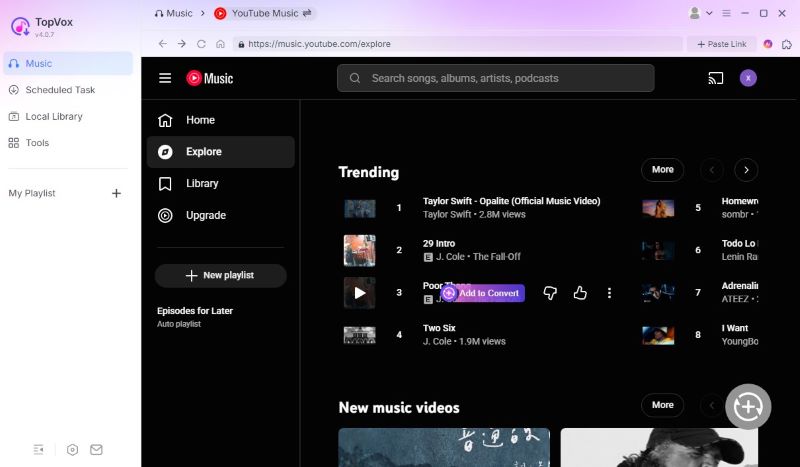
Step 2. Choose the song or playlist you want to download from YouTube. Please click the Add to Convert button to continue.
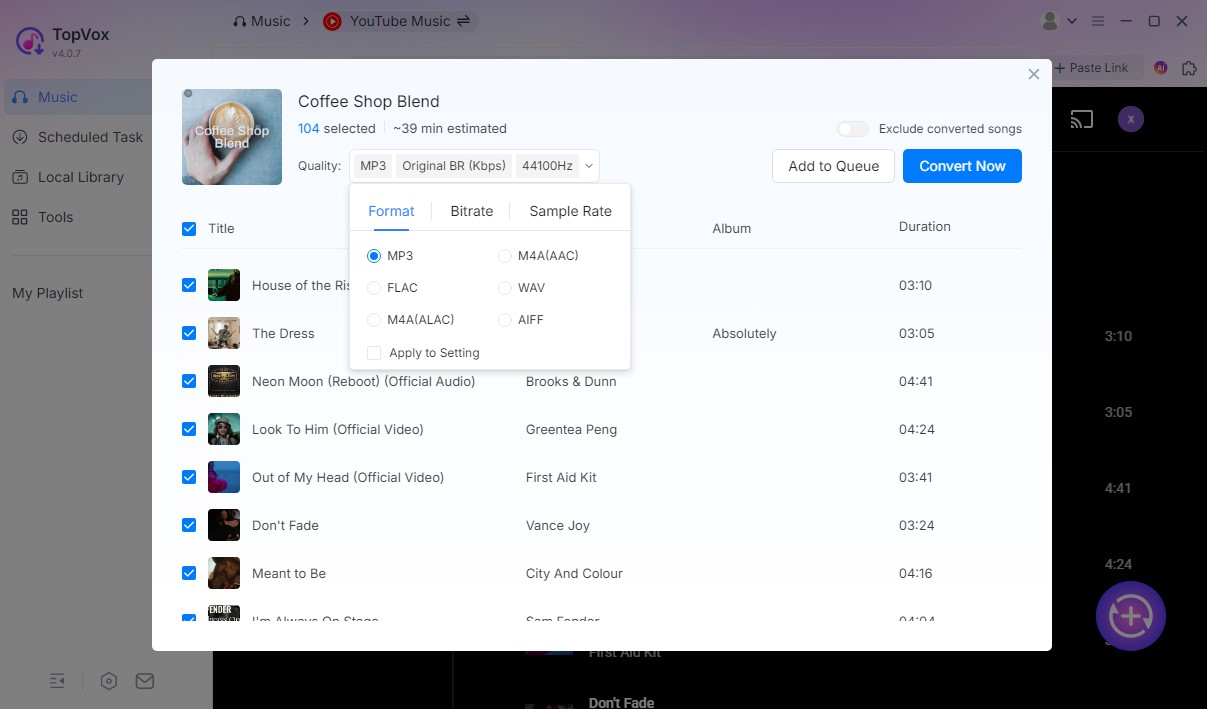
Step 3. Change the output format and audio quality, and then click the Convert Now icon to download your favorite tracks.
Verdict
TopVox provides a professional, ad-free experience for users looking to create a permanent and high-quality music library. As analyst Andrew Woodsville reported, “TopVox All Music Converter, has more stable performance and advanced features…As a professional music downloader, it provides all-around audio conversion and management.”
In my test, it downloaded a 3-minute YouTube music track only 5 seconds. Trusting completely its 35x lightning speed!
2. AllavSoft
Best for: Multi-source batch downloading across diverse video and music platforms.
Rating: 4.3/5 ⭐⭐⭐⭐
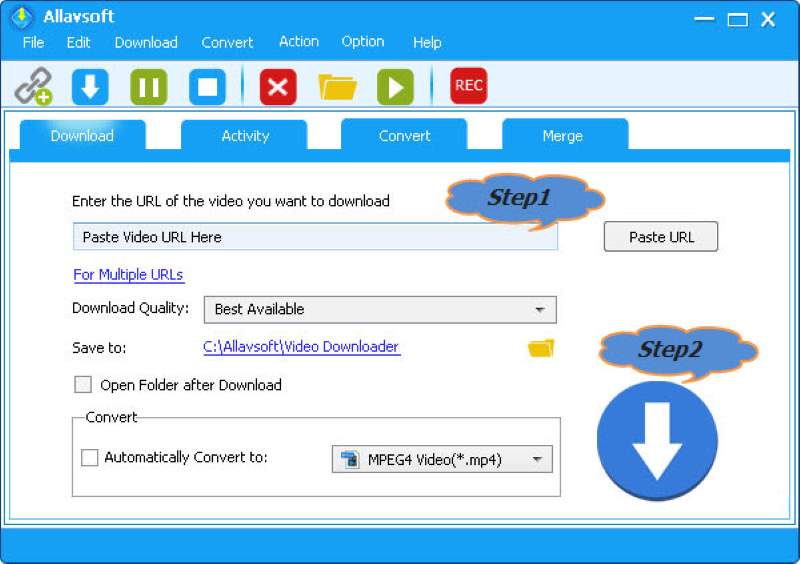
Allavsoft is a multipurpose software that allows users to download audio and video files from prominent streaming services like YouTube, Spotify, and Vimeo. It serves as a good YouTube song downloader app with a free trial. Its user-friendly layout allows you to effortlessly explore the application and select your desired media format before downloading it seamlessly.
Allavsoft supports a wide range of audio formats for downloading audio files from YouTube, including MP3, WMA, WAV, AAC, AAC, and more. All you have to do is copy and paste the URL of the YouTube video you want to download to Allavsoft. From there, you may choose the audio format you want, and Allavsoft will do the rest.
Features
- Downloads from YouTube, Spotify, Vimeo, and more than 1000 sites.
- MP3, WMA, WAV, and AAC formats are supported, among others.
- Batch download and auto-convert to your favorite format
- Enables video-to-audio extraction.
- Integrated video player.
Steps to Use Allavsoft
Step 1. Copy the YouTube video link and paste it into Allavsoft.
Step 2. Choose your favorite output format such as MP3 or WAV.
Step 3. Click Download to begin saving the file.
User Review from Trustpilot
👱Joannes: I have been using it since 2017. I use it primarily to download MP3s which I use in my car via USB. I travel through regional Australia where there is often no wifi, internet, or even FM radio.
👨Chris George: though I have noticed that roughly 75% of songs are coming in at 128kbps for some reason. About 10% are around 230kbps, and the rest are 320kbps.
3. aTube Catcher
Best for: Windows users who require a free desktop toolkit for audio downloading.
Rating: 3.7/5 ⭐⭐⭐
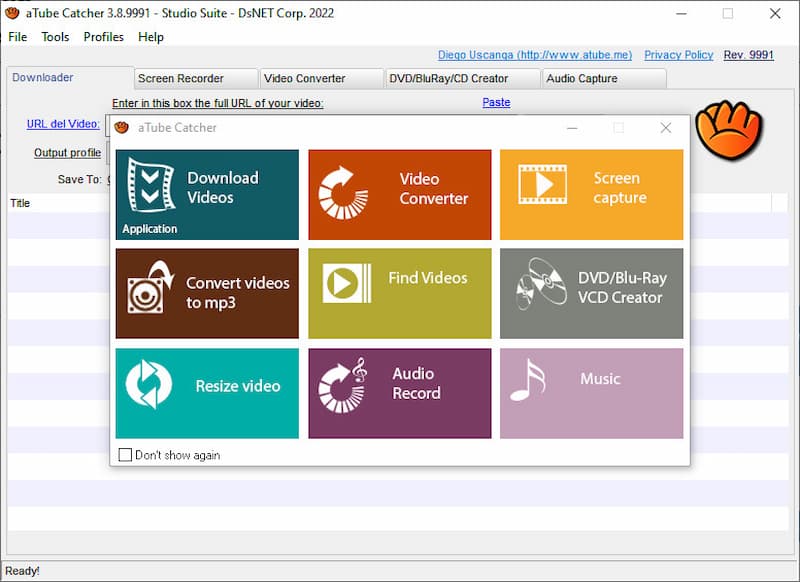
aTube Catcher is another versatile YouTube Music Downloader that is commonly used to download great music from different platforms including YouTube and many more. You can export multimedia information in a variety of formats, including MP4, MP3, WMA, WMV, FLAC, and WAV. It's another free YouTube Music download software you shouldn't miss.
Features
- Downloads and recordings from YouTube, Vimeo, Facebook, and other platforms.
- Converts into MP3, MP4, WMV, FLAC, or WAV.
- Built-in screen recorder and DVD creator.
- Supports batch processing.
- 100% free for Windows.
Steps to Use aTube Catcher
Step 1. Paste the YouTube video link into aTube Catcher.
Step 2. Select your export format MP3, FLAC, or MP4.
Step 3. Click Download to begin saving the media.
Limitation
First of all, it works as a video downloader or a screen recorder, actually. All MP3 files are extracted audio from YouTube videos. And the sound quality depends on the source video (always compressed to 128-160kbps). What puzzles me is many ads...one for each video that you want to download. Note that this free YouTube music download app only supports Windows.
4. y2mate
Best for: Casual users who need a quick way to download YouTube without installation.
Rating: 3.5/5 ⭐⭐⭐
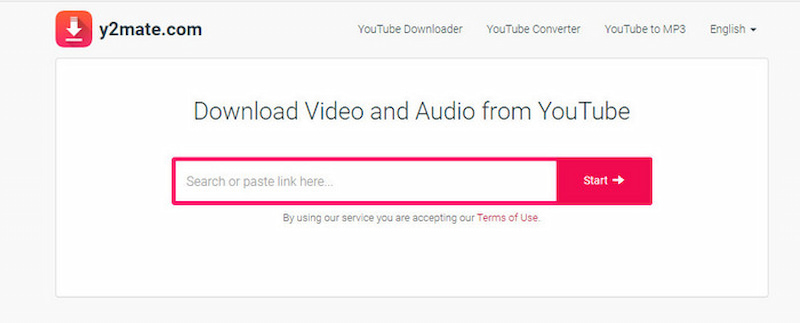
Y2mate is one of the most widely used internet applications for downloading YouTube music. It requires no installation, making it ideal for users who like quick and easy conversions right from their browser.
Features
- Download in MP3, MP4, M4A, and WEBM format.
- No registration is necessary.
- The conversion process is fast and simple.
- Works on all browsers and devices.
Steps to Use Y2mate
Step 1. Go to Y2mate and paste your YouTube URL.
Step 2. Select MP3 or MP4 as the format.
Step 3. Click Download to convert and save the file.
Testing Experience
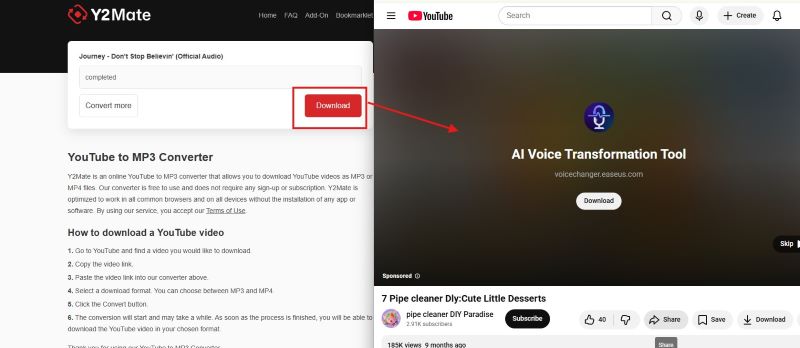
Oh, well, I've been retested a couple of times…Y2mate will download the wrong tracks that don't correspond to the URL songs. The max bitrate is only 192kbps. The experience has not been great, because when you click the download button, it will open another page without my consent. It looks like advertising for other YouTube videos!
5. Ssvid YouTube to MP3 Converter
Positioning: A clean online tool focused on fast YouTube-to-MP3 conversion.
Rating: 3.6/5 ⭐⭐⭐ from Google Play
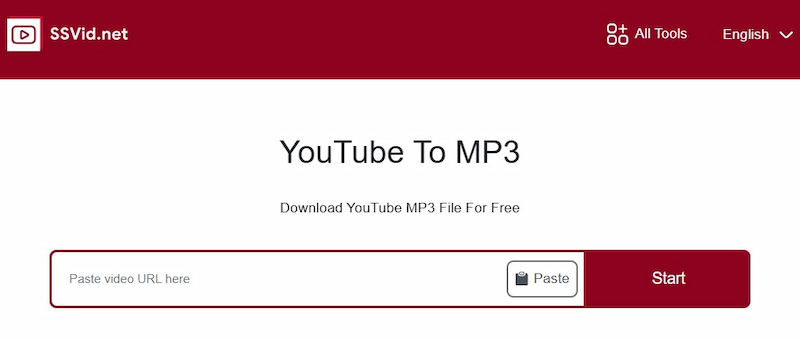
Ssvid YouTube to MP3 Converter is another useful web-based tool for converting YouTube videos to high-quality MP3s. It is lightweight, easy to use, and does not require an account.
Features
- High-speed MP3 transcoding.
- Supports HD and 320kbps audio.
- Compatible with: PC, Mac, Android, and iOS.
- No installation required.
Steps to Use Ssvid YouTube to MP3
Step 1. Go to the Ssvid page and paste your YouTube URL.
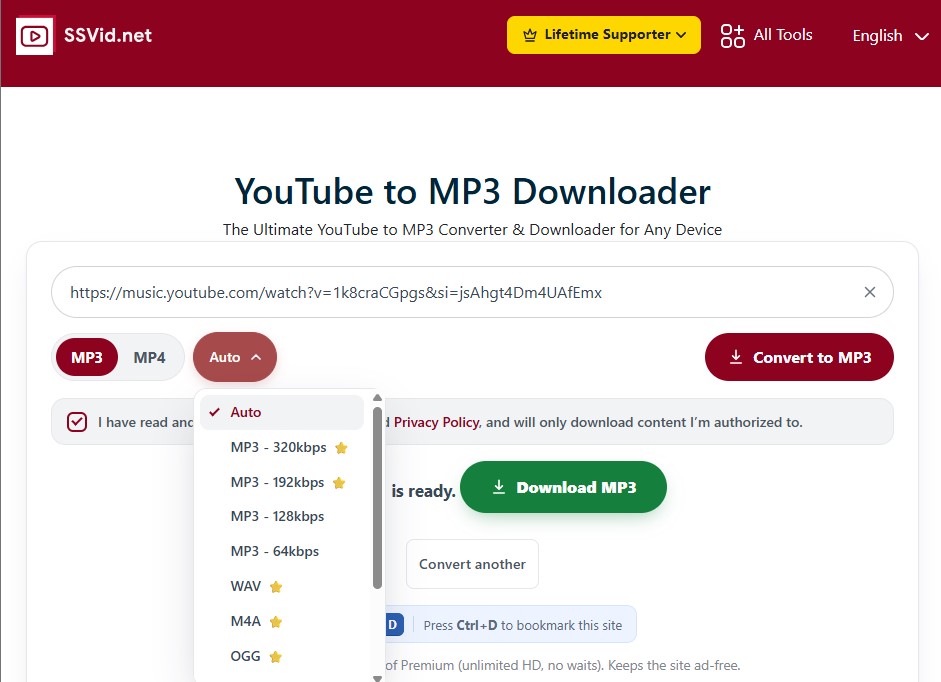
Step 2. Select MP3 and the appropriate quality.
Step 3. Click Download to save the song.
Verdict
Overall, it is the best free online YouTube music download site in the test. It's dependable for daily usage and works seamlessly across several devices. The downloads can reach MP3 320kbps (the default Auto option is 192kbps)
6. OnlyMP3
Positioning: A straightforward cloud tool that saves converted MP3 files to Dropbox.
Rating: 4.8/5 ⭐⭐⭐
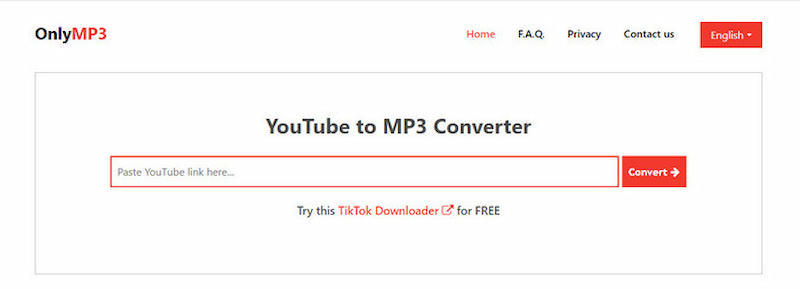
When it comes to free online YouTube downloaders, OnlyMP3 YouTube to MP3 Converter (Link: https://en.onlymp3.io) is one of the greatest options to consider. It's a sophisticated web application that lets you easily convert YouTube videos to MP3 audio files with a single click. This digital portal is extremely efficient and user-friendly, making it ideal for anyone who needs to extract audio data from YouTube content, such as music fans or content makers.
Features
- Converts YouTube videos to MP3s fast.
- Keeps audio in 320kbps high quality.
- Works without software installation.
- Save files directly to Dropbox or a local drive.
- Compatible with all major browsers.
Steps to Use OnlyMP3
Step 1. Enter your YouTube link into OnlyMP3's input bar.
Step 2. Select MP3 as the output format.
Step 3. Click Convert to download the file.
Author Note
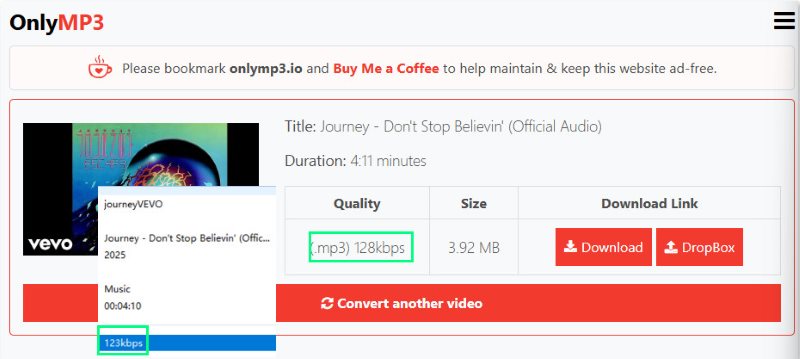
I use the same song to test these tools. Compared with other YouTube Music downloaders that output at least 192 kbps, OnlyMP3 shows the quality is only 128kbps. After downloading, I found that the actual bitrates turned to 123kbps. Compressed once again!
7. Savefrom [⚠️]
Best for: Users who want a URL-shortcut solution for rapid, multi-format media grabbing.
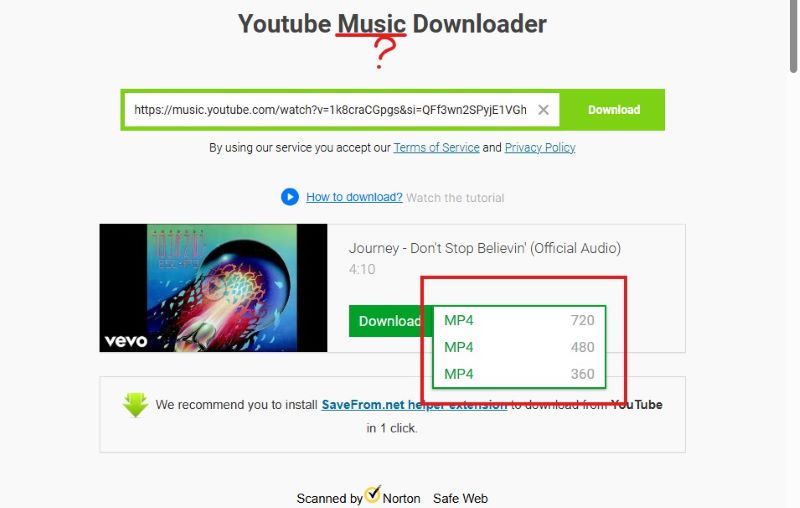
SaveFrom (url: https://en1.savefrom.net/102-youtube-music-downloader-16ql.html) has long been one of the most popular methods for downloading YouTube music tracks. It makes claims that allow users to save songs directly to their devices without having to install any additional software. But in fact, you can only download YouTube videos to MP4, although you paste a music URL into it!!! Now it’s no longer available to work as a free YouTube music downloader!
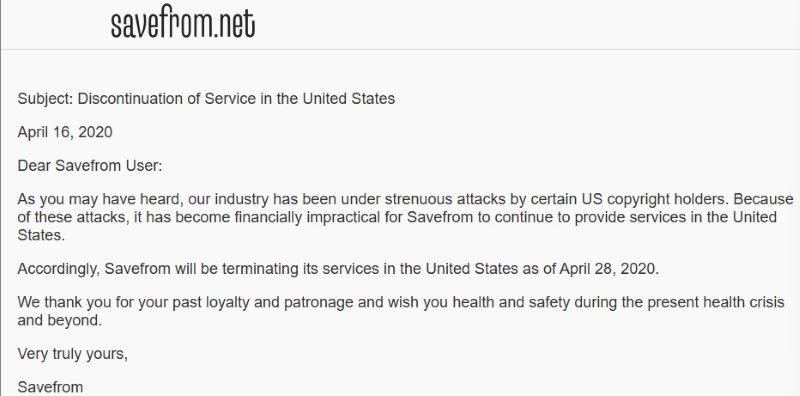
Worse, if you’re a US user, you can’t access it due to the termination of service. (Updated in July, 2026)
FAQs on Free YouTube music downloader
What is the safest alternative to an online YouTube to MP3 downloader?
We can see that most total free YouTube music downloaders are web-based sites that with ad-heavy risks. You can use a dedicated, clean desktop converter tool like TopVox All Music Converter or configure an open-source command-line framework like yt-dlp.
Can I download a massive YouTube music playlist with 500+ tracks at once?
Yes. You can batch download a large YouTube playlist tracks in bulk with one of the fastest downloaders, TopVox All Music Converter, which supports 35x hyper-speed batch conversion. Averagely, a playlist of 50 songs can be downloaded in under ten minutes.
Will I lose access to my downloaded music tracks if YouTube takes down the original music?
Never. Once converting the YouTube Music songs into local MP3 or other format files, you have permanent enjoyment and ownership over them. Although an artist removes albums or geo-restrictions apply, those songs will remain forever on your devices.
Conclusion
With these seven trusted tools, downloading YouTube music is easier than ever. Whether you prefer a simple internet converter or a complex desktop tool, there is an option for everyone. TopVox All Music Converter is the greatest choice for people looking for the highest quality, fastest conversion time, and lifetime access to their favorite tunes. Give it a try today and you'll have complete control over your YouTube Music library, anytime, anywhere, forever.
100% Secure. No virus.
100% Secure. No virus.
Owen Bannett is a music enthusiasm as well as a senior writer. He has paid close attention on the pros & cons of various audio formats, bitrate, sample rate and encoding methods. Always seeking the best listening experience, Owen has deep insights about lossless music and diverse music converters on the markets.