Top 6 Free Apple Music Downloaders For Lossless Output [2026]
 by Owen Bannett | June 26, 2026 | Apple Music
Takeaways
- TopVox All Music Converter is the ultimate choice for efficiency and high-quality, standing out as the fastest tool to download flawless 320kbps/Lossless Apple Music tracks.
- DRmare Apple Music Converter excels in metadata preservation, offering a robust solution that keeps original ID3 tags and audio experience.
- For users seeking a completely free solution, APLMate is the most reliable online tool, providing a more stable process without the need for additional software installations.
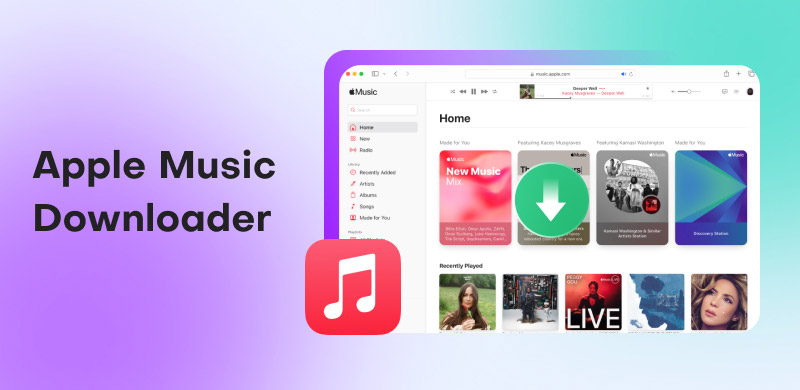
Apple Music is an exceptional audio streaming service that provides high-quality music content. It is also available on both browsers and devices. With this great platform, you can enjoy listening to your favorite music. However, since it is an online-based tool, you must have an internet connection to run it and listen to the song. If you want to listen to music offline, the best option is to use an excellent Apple Music downloader. Thankfully, you can discover the best music downloaders you can use online and offline by reading this post. You will also gain valuable knowledge about their advantages and disadvantages. Therefore, explore the best music downloaders for Apple Music here.
How We Tested
To provide an objective evaluation, we tested these tools on Windows 11 (Intel Core i7, 16GB RAM) and macOS Sequoia (M2 Chip), ensuring compatibility across both primary desktop environments.
✅️ Audio fidelity check: Using spectral analysis to verify the output quality to guarantee loss-free output.
✅️ Speed benchmarking: We measured the actual time taken to batch-download a 100-track playlist.
✅️ Metadata verification: ID3 tags & lyrics retention rate checked.
✅️ Stability: Download all songs successfully without any lag or errors.
Part 1. Comparison of the Best Apple Music Downloaders
For additional insights into the best Apple Music downloaders, refer to the comparison table below.
| Apple Music Downloaders | Rating | Audio Quality | Conversion Speed | Supported Format | Full ID3 Tags | Offer Web Player |
|---|---|---|---|---|---|---|
| TopVox All Music Converter | 4.8/5 | Up to 320 kbps. | 35× faster | AAC, AC3, AIFF, ALAC, FLAC, WAV. M4A, and more. | Excellent | ✅ |
| UniConverter | 4/5 | Up to 320 kbps. (inconsistent) | Fast | MP3, AAC, AC3, FLAC, and more. | Excellent | ❌ |
| DrMare | 4.6/5 | Up to 320 kbps. | 30× faster | MP3, FLAC, AAC, M4A, and more. | Excellent | ✅ |
| Apple Music Downloader Online | 4/5 | Standard | Depends on the internet | MP3 | Good | ❌ |
| APLMate | 3.5/5 | Standard | Depends on the internet | MP3 | Poor | ❌ |
| KeepVid | 3/5 | Standard | Depends on the internet | MP3 | Poor | ❌ |
Part 2. Desktop Apple Music Downloaders [Windows/Mac]
Looking for the best offline Apple Music downloaders? Refer to this section for information on all music converters, including their pros, cons, and user experiences.
TopVox All Music Converter [All-Round]
Best For: Users who want a single tool to download music from multiple platforms like Apple Music.
OS: Windows 7 or later (64-bit), macOS 10.14 or above
Pricing: $35.96/Mo, $149.95/Lifetime
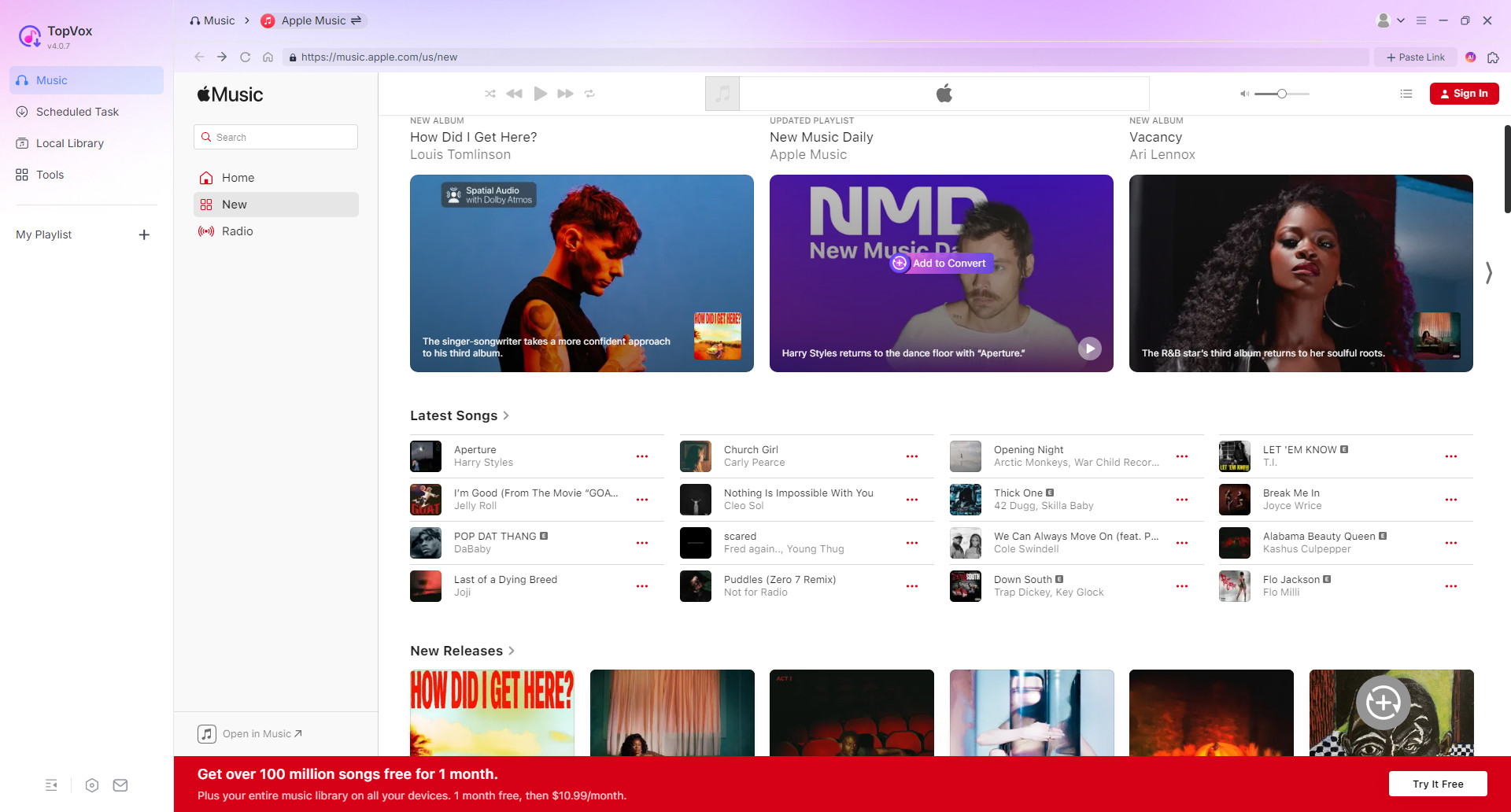
If you want a professional Apple Music downloader, look no further than TopVox All Music Converter. It can fully produce professional-grade audio quality with a fast batch conversion speed of 35 times. With advanced DRM-removal technology, it can even save your song from Apple Music to various DRM-free formats, including 320kbps MP3, Lossless ALAC, and more. In the built-in web player, you are allowed to search, play, and download any audio tracks, never needing to switch between music apps and browser pages. Therefore, for a seamless conversion workflow, consider using this one-stop software on Mac and Windows.
(TopVox All Music Converter is a home tool for personal use only.)
100% Secure. No virus.
100% Secure. No virus.
Features
- Provides a fast conversion process for up to 35 times faster.
- Lossless Audio Quality up to 320kbps and 48000Hz.
- Converts DRM-protected music to various output formats.
- Compatible with 9 streaming platforms, including Apple Music, Spotify, Audible and more.
- Supports additional tools for advanced requirement.
- High success rate for music downloading.
Pros
- A straightforward layout for easier navigation.
- Converts songs, albums, playlists, and podcasts to digital formats.
- It outputs high-quality audio files with full ID3 tags.
- Downloads multiple tracks at once.
Cons
- Using the premium version for all features.
How to use it for downloading Apple Music tracks?
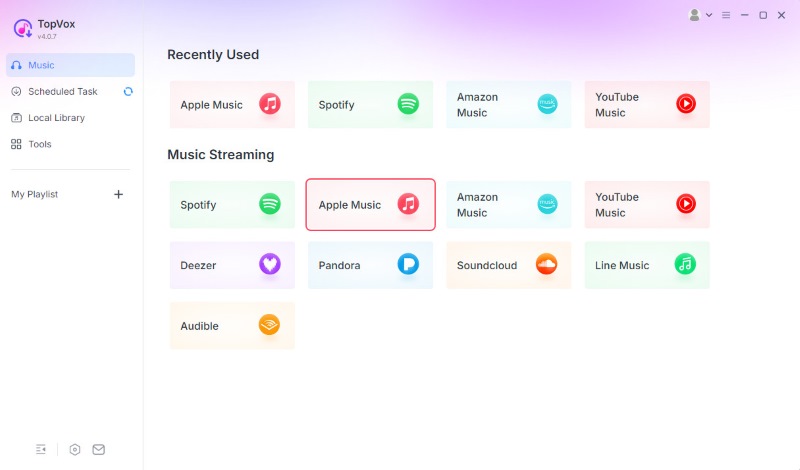
Step 1. Launch and log in the app and switch to Apple Music platform.
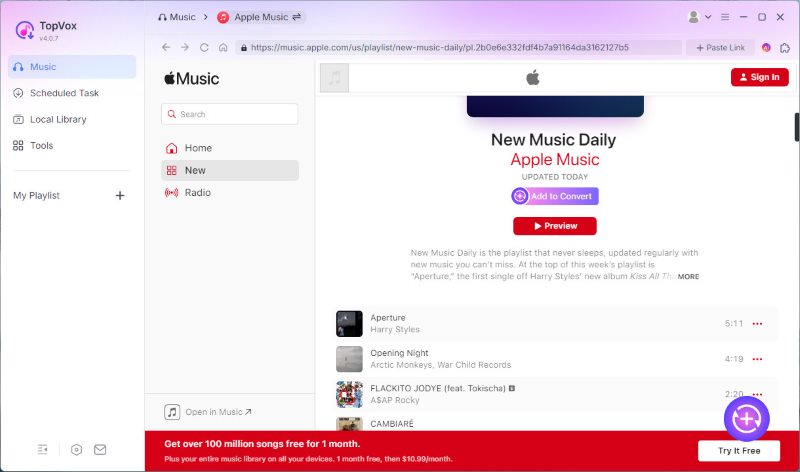
Step 2. Open a playlist, click Add to Convert. You also can tap Add at the bottom right, and the program will automatically detect and load songs.
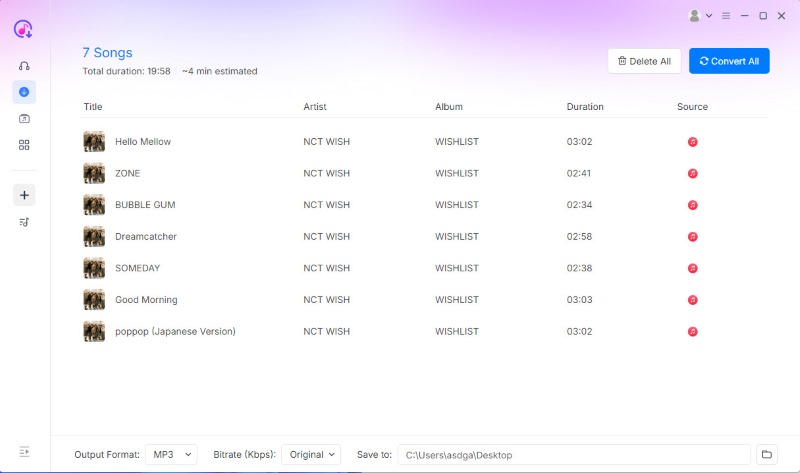
Step 3. In the Scheduled Task list, you can adjust output format and quality as you need. Then click Convert All to download DRM-protected Apple Music files.
User Experience
In our test, it definitely offers a smooth and fast conversion process. I can search, play, and download, transfer my favorite songs or playlists on my computer at ease. A 3-minute track takes only 3 seconds! Nothing could have shocked me more! Sure enough, as fast as lightning speed as it claimed. The excellent audio quality remains the original playback experience. Thus, if you want an amazing Apple Music downloader, look no further than TopVox All Music Converter.
UniConverter
Best For: Power users who need a comprehensive suite for video conversion, compression, and screen recording.
OS: Windows 11/10/8/7/Vista, macOS 10.13 or later (including macOS 26 Tahoe)
Pricing: Individual Perpetual Plan: $ 69.99 / Team Annual Plan (1 User -5 Users): $59.99 to $224.96
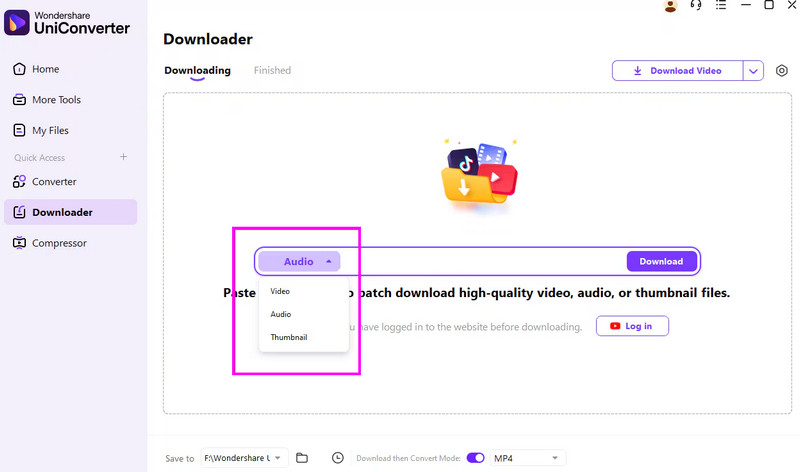
When it comes to converting Apple Music tracks into audio files, UniConverter stands out as the premier solution. Its core advantage lies in its capability to seamlessly remove Digital Rights Management (DRM) protection from music, albums, and playlists, while preserving the original audio quality. This process allows users to liberate their music from the Apple ecosystem, enabling playback on any device, including Android phones, Windows Media Player, car stereos, and other compatible devices. The good part here is that it can even support more formats, such as AAC, AIFF, FLAC, MP3, and more. Therefore, if you require an exceptional Apple Music Converter for Windows and Mac, consider using this software.
Pros
- It can offer a fast conversion process.
- It can produce high-quality audio.
- The music converter supports batch conversion features.
Cons
- Its free version has lots of restrictions.
- Some of its functions are not performing well.
User Experience
Actually, this software is a video solution, but it serves as a playlist downloader as well. In terms of converting and downloading songs from Apple Music, you need to copy and paste the track link into it manually. There are times when it produces poor-quality audio, which is dissatisfying to some users.
I got to say that Wondershare UniConverter is like an integrated feature-packed toolkit including video editor, music downloader and more. But on the other hand, it costs a lot for those who want only have an Apple Music downloader.
DrMare Apple Music Converter
Best For: Audiophiles and Audiobook listeners prioritizing speed and metadata.
OS: Windows 11/10/8/7/XP/Vista, macOS 10.13 High Sierra/10.14 Mojave/10.15 Catalina/11 Big Sur/12 Monterey/13 Ventura and macOS 14 Sonoma, macOS 15 Sequoia, and macOS 26 Tahoe
Pricing: Individual -Yearly License: $44.95 / Monthly License: $14.95 / Lifetime License: $87.95
Family - Monthly License: $19.95 / Yearly License: $59.95
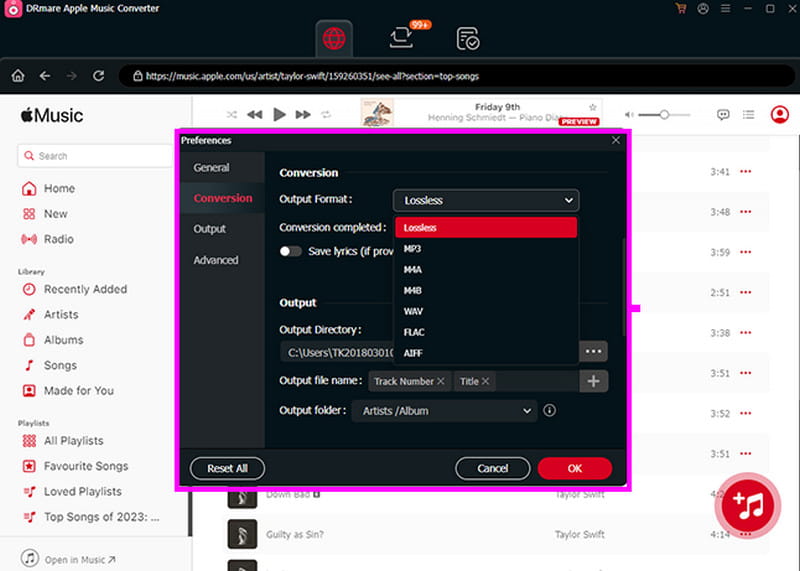
Another Apple Music converter for Mac and Windows you can use is DrMare Apple Music Converter. This program is ideal since it offers its features with a simple layout. What makes it powerful is that it can handle various output formats and has a fast conversion speed. The good part here is that you can download your favorite playlist from Apple Music. Thus, to assess its overall capabilities, start downloading it to your computer.
Pros
- The software consistently offers great audio quality.
- It has a high-speed conversion and downloading process.
- It can handle bulky music.
Cons
- Its subscription plan is too expensive.
User Experience
This platform has a smooth Apple Music to MP3 conversion process. It can even offer its simple layout for easier navigation. But reported by some users, the downloads sounded very poor:
“…ripping the DRM and ending up with very low volume that cannot be adjusted…wasn't aware until moving files to an MP3 player for swimming, the originals play fine through Music App.” — Civil-Resource-2310 from Reddit
You can also check: Explore the best Spotify to MP3 converters.
Part 3. Online Apple Music Downloaders
Besides desktop downloaders, many browser-based online tools are good alternatives for quick tasks. What they have in common is zero-installation experience. Most of these platforms are entirely free to download music from Apple Music regardless of your operating system.
1. Apple Music Downloader
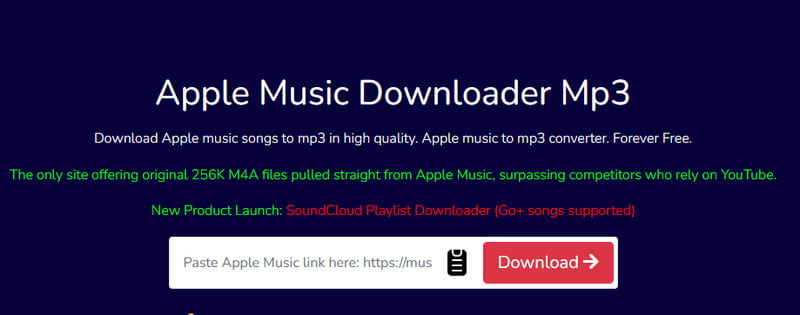
To convert Apple Music to an MP3 file online, you can try using the Apple Music Downloader tool. This web-based music converter is perfect for all users, thanks to its simplicity. The best part here is that it can offer a fast loading process, allowing you to see the song in just a few seconds. Additionally, you can enjoy playing the downloaded audio, as it offers great audio quality up to 320 kbps. What's more, you can access the tool on all web platforms, making it more accessible to all users. So, if you are searching for an exceptional online tool to save your favorite song from Apple Music, try using this platform.
Pros
- It can offer a fast loading process.
- The tool is available to all web platforms.
- It is completely free to use.
Cons
- It needs a fast cellular data or internet connection to perform well.
- It needs a fast cellular data or internet connection to perform well.
User Experience
After using the tool, we can conclude that it is another tool that can help you get your favorite song from Apple Music for free. It can even provide a fast conversion process, making it one of the best tools for downloading Apple Music.
2. APLMate
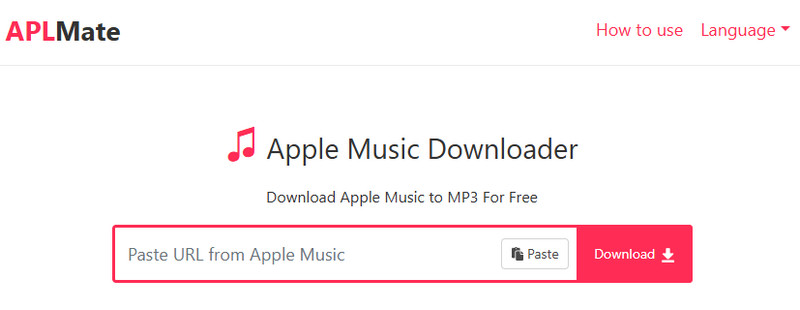
Another Apple Music to MP3 downloader you can access online is APLMate. This tool is among the most popular, thanks to its smooth conversion process. What we like about this tool is its capability to give an easy and fast conversion process. Additionally, the tool ensures that your data is safe. It won't share any of your data with other users without your consent. Lastly, you can use this tool to download various content from Apple Music to MP3. You can convert and download individual songs, playlists, albums, and more.
Pros
- The conversion process is fast and simple.
- It is 100% free.
- It is compatible with all browsers.
Cons
- Ads are always displayed on the screen during the download process.
- There are times when the tool shows an error and can't provide the result you want.
User Experience
APLMate is ideal for both skilled and beginner users, as it offers a simple layout. Plus, its downloading process is smooth, making it one of the best tools you can consider. However, since it is an online tool, always ensure that you have a smooth/stable internet connection.
As a techy, NathanRodriguez, said, “Keep in mind that tools like APLMate are mainly for personal use and testing. It’s best to use it responsibly and only for music you own the rights to or have permission to download.”
3. KeepVid
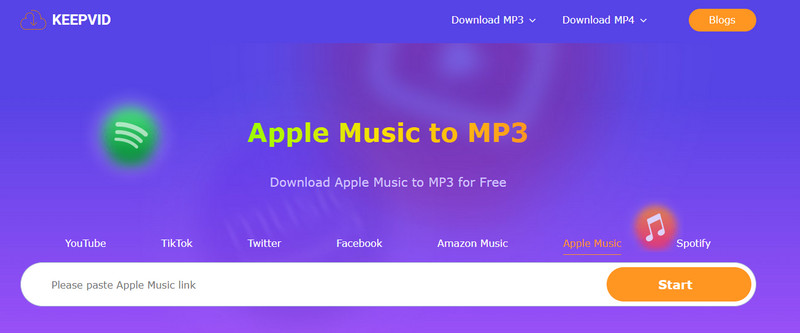
For our last online Apple Music downloader, you can try using KeepVid. By pasting the link from Apple Music, you can instantly get the result you wanted. The good part about this tool is that no ads appear on the screen during the process. Additionally, the conversion process is straightforward, making it accessible to all users. One thing we like about this tool is its ability to download music from various platforms. Besides Apple Music, you can also convert music from Spotify, YouTube, Amazon Music, and more. Thus, if you want a powerful music downloader and converter, try accessing this tool on your browser.
Pros
- The tool is available to all web platforms.
- It is simple to access and operate.
- It can download music from Spotify, YouTube, Amazon, and more.
Cons
- It can only convert music to MP3.
- There are times when the loading process is time-consuming.
User Experience
KeepVid is an excellent tool for converting songs from Apple Music. It can even offer the best audio quality for better audio playback. Thus, to achieve your desired result, it is best to try accessing this tool through your browser.
Part 4. FAQs on Apple Music Downloaders
Q1: Is it legal to download Apple Music songs?
A: Depends On. Downloading Apple Music songs for personal use, such as private offline listening or backup, always are allowed by default, instead of commercial purposes or public distribution. We recommend that always ensure your actions follow your local copyright laws and the terms of service from Apple Music.
Q2: Can I play downloaded Apple Music songs after my subscription expires?
A: Yes. Within the official Apple Music app, you can’t access downloaded songs once your subscription ends. However, if you use a professional Apple Music downloader, like TopVox All Music Converter, the tracks will be saved as local files on your computer forever, providing a permanent digital ownership to play music anytime, anywhere, even without an active subscription.
Q3: How to transfer saved Apple Music songs to an old MP3 player?
A: Apple Music does not support direct transfers to other devices due to DRM restrictions. The most efficient solution is to use an Apple Music downloader to first download the songs as MP3 files. Once saved to your computer, you can simply transfer them to your MP3 player via USB with a quick drag-and-drop.
Conclusion
If you want the best Apple Music downloaders, you can try all the music downloaders and converters we have provided above. Plus, if you are a non-professional user who wants to download a song from Apple Music with the best quality, look no further than TopVox All Music Converter. This program ensures that you can get your favorite song with the best quality, making the converter ideal for all users.
100% Secure. No virus.
100% Secure. No virus.
Owen Bannett is a music enthusiasm as well as a senior writer. He has paid close attention on the pros & cons of various audio formats, bitrate, sample rate and encoding methods. Always seeking the best listening experience, Owen has deep insights about lossless music and diverse music converters on the markets.