How to Transfer Spotify Playlist to Soundcloud in Easy Ways
Users who would like to switch from Spotify to SoundCloud have different reasons. Some users would like to feel the indie-first culture again and witness the process of uploading from direct artists. While other users want to escape Spotify’s algorithm-heavy playlists. However, moving from what you used to to the streaming platform you used to is not that simple, especially if you are attached to your years of curated playlists. No worries, because we are here to help you use these two amazing ways of transferring a Spotify playlist to SoundCloud. Check out the two tools you can use to make the process easy. In addition, we will offer guidance on resolving issues whenever you experience problems with the process.
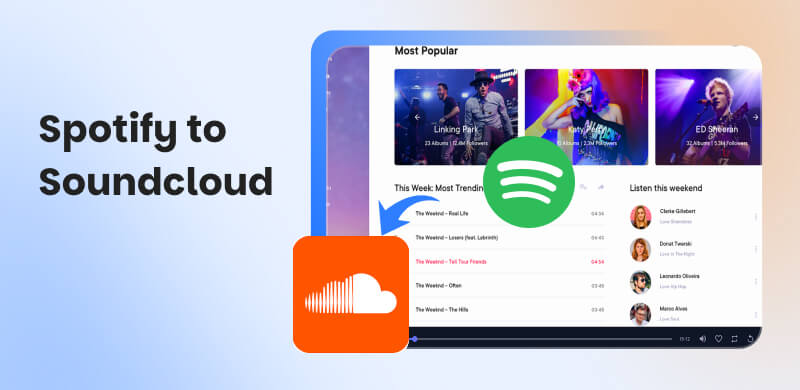
Spotify VS SoundCloud: Which is Better?
| Spotify | SoundCloud |
| Best For | Mainstream listeners, podcast fans, families. | Indie artists, underground fans, experimental genres. |
| Price | ●Free with ads.
●Premium $9.99 per month.
●Family $15.99 per month. | ●Free with ads.
●Go+ $9.99 per month. |
| Audio Quality | ●Up to 320 kbps MP3.
●HiFi tier pending. | ●Standard 128 kbps.
●Go+ up to 256 kbps AAC. |
| Music Library | ●100M+ songs.
●7M podcasts.
●500K audiobooks. | 250M tracks, mostly indie creator uploads. |
| Community Features | ●Spotify Wrapped.
●Collaborative playlists.
●Algorithmic discovery. | ●Direct uploads.
Comments on tracks.
Remix culture. |
| Integration | Works on smartphones, PCs, smart speakers, cars, and consoles. | Web, mobile apps. There is limited smart device integration. |
| Social Engagement | Strong personalization and playlist sharing. | Grassroots fan-to-artist interaction. |
Method 1. Transfer Spotify Playlist to Soundcloud via TopVox
TopVox All Music Converter
The first method you need to know is the best one of them all. This method uses TopVox All Music Converter, which has a feature that can help us transfer Spotify to SoundCloud with ease. Although it supports various platforms such as Spotify, Apple Music, Amazon Music, and more, the quality it delivers is superb on any platform you use. What matters most in this tool is its ability to convert per batch, saving you time.
Features
- Instant transfer from Spotify to SoundCloud.
- Preserve metadata properly.
- Batch conversation is supported.
- It supports a wide range of platforms for converting tracks for offline listening.
Pros
- Speedy conversion speed.
- Quality audio for output.
- Details of tracks are accurately preserved.
- Rich in features and effectiveness.
- The free version offers everything you need.
Cons
- Advanced features requires a paid subscription.
How to Convert Spotify Playlist to SoundCloud
Step 1. You need to download and install TopVox All Music Converter for free on your computer. Get it now on their website.
Step 2. Open the tool and go to Tools > Playlist Transfer
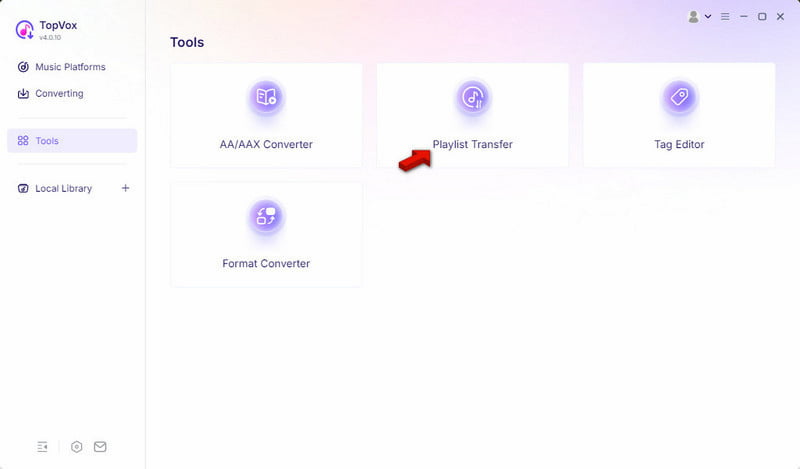
Step 3. Select Spotify first as your source platform. Then choose SoundCloud as your target platform. Then, click Next.
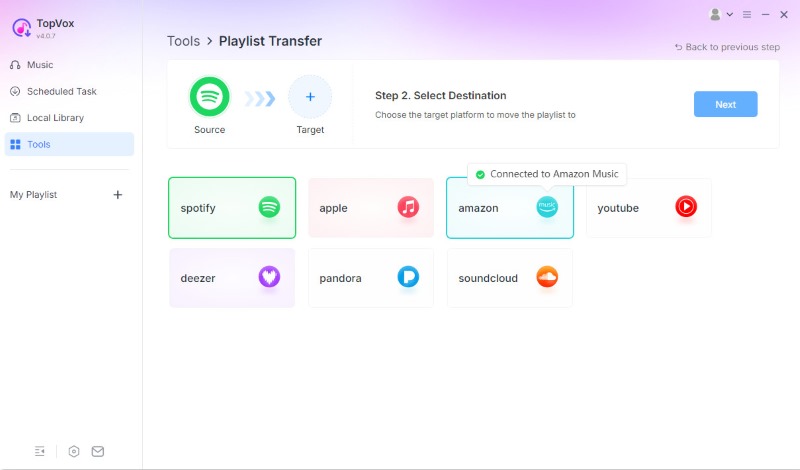
Step 4. Topvox will automatically fetch the playlist from Spotify. Select the playlist you want to move to SoundCloud and click Next to start the transfer.
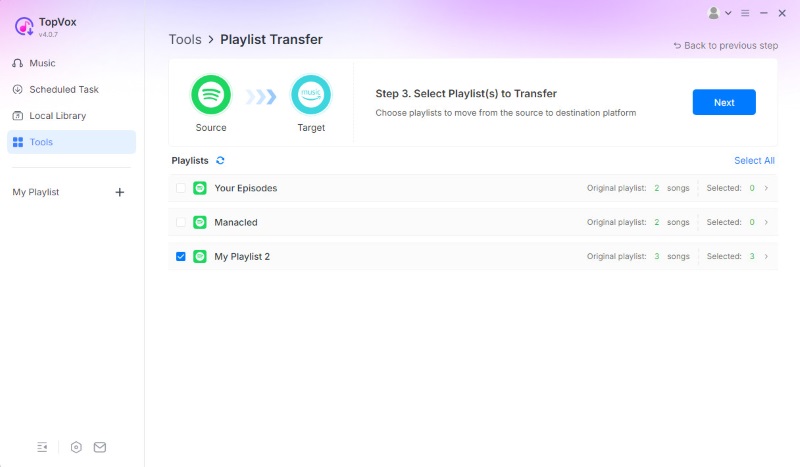
That is the simplest way to move a Spotify playlist to SoundCloud. You can see how straightforward TopVox is and how dedicated it is to helping you handle the process with ease.
Method 2. Using Web-based Spotify to SoundCloud Playlist Converters
Tool 1: Soundiiz
The first on the list of online tools is Soundiiz. It is known as a great browser-based playlist manager that lets you transfer playlists directly between various streaming services, including Spotify and SoundCloud.
In this tool, you can expect it to maintain playlist order throughout transfers and to offer sophisticated playlist management features such as merge, split, and sync.
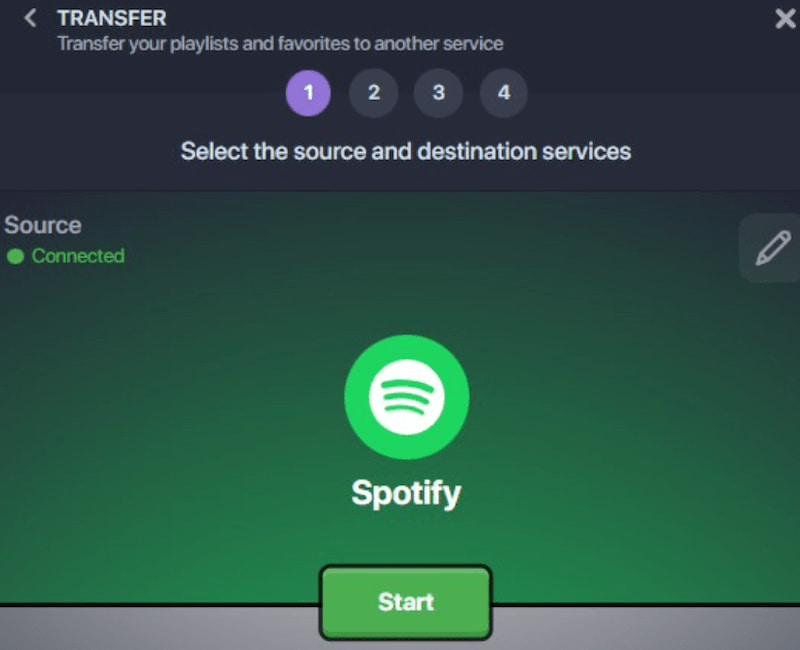
How to Use Soundiiz
Step 1. You need to create your account or sign in if you already have one.
Step 2. It is now time to link your SoundCloud and Spotify accounts to ensure a smooth transfer.
Step 3. On the Spotify interface, select the playlist you want to move.
Step 4. Start the export after selecting SoundCloud as the destination.
Tool 2: TuneMyMusic
TuneMyMusic is another web-based tool that can also help you move a playlist from Spotify to SoundCloud quickly. This is also a quick option for the process, with broad platform support.
How to Use TuneMyMusic
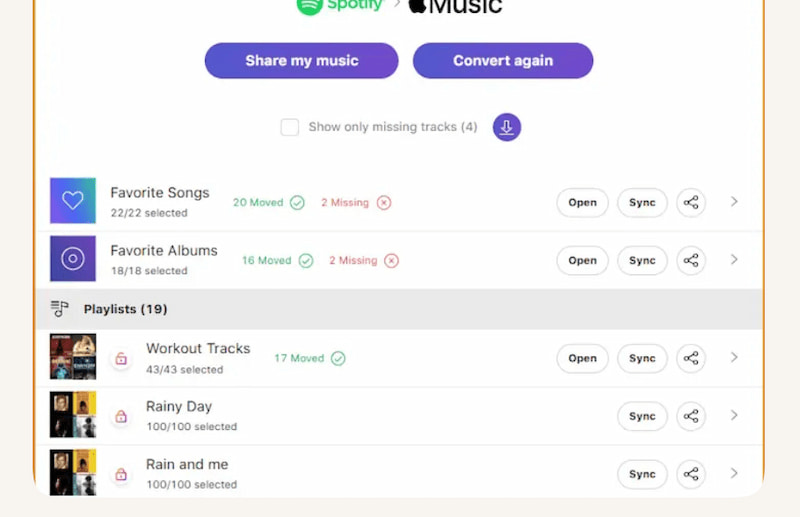
Step 1. You need to go to TuneMyMusic.com and choose Spotify as your source.
Step 2. From there, log in to Spotify, and please select the playlist you want to move.
Step 3. Now, log in to your SoundCloud account, as you've chosen it as your destination for the playlist.
Step 4. Finally, please launch the transfer and watch for it to finish.
Troubleshooting: Why Your Spotify Songs Won't Show on SoundCloud
Issue 1: Why Are Some Songs Missing After Transfer?
- • Cause: Track gap is a common issue with the tool used to convert your playlist. Most of the time, certain music is also blocked, especially due to regional limitations.
- • Solution: TopVox All Music Converter can reduce errors by maintaining metadata and providing manual review options to correct mismatches before export.
Issue 2: Soundcloud Upload Limits for Basic Users.
- • Cause: Free SoundCloud accounts have strict upload limits. Thus, new transfers won’t show up once you reach it.
- • Solution: Upgrade to SoundCloud Next Pro or remove older uploads to free up space. Professional converters like TopVox help batch-export and effectively manage uploads for large playlists.
Issue 3: File Format Errors During Upload.
- • Cause: SoundCloud only supports MP3, WAV, FLAC, and AAC. With that, if your converter produces unsupported files such as M4B or DRM-protected music then expect that the uploads will fail.
- • Solution: Use a converter that guarantees compatibility. Without manual modifications, TopVox automatically converts incompatible formats, such as M4B to MP3, so your music uploads properly.
FAQs about Spotify to Soundcloud
Q: Is it possible to move Spotify playlists straight to SoundCloud?
A: Native transfer is not available on Spotify or SoundCloud. Third-party services such as Soundiiz, TuneMyMusic, or SoundCloud's Move Your Music feature are required.
Q: Why do certain tracks disappear after being transferred?
A: Not every Spotify song is available on SoundCloud. Gaps are caused by variations in remix versions, regional availability, and licensing. By maintaining information, programs like TopVox and Soundiiz reduce mismatches.
Q: Is it free to move playlists?
A: Soundiiz and TuneMyMusic offer free basic transfers, but huge collections, continuous syncing, and batch transfers frequently call for a paid membership.
Conclusion
Therefore, we conclude that the transition from Spotify to SoundCloud is very easy. We have tools above that make everything possible. However, people recommend TopVox All Music Converter as the best option, as everything you need is available here.
Owen Bannett
Owen Bannett is a music enthusiasm as well as a senior writer. He has paid close attention on the pros & cons of various audio formats, bitrate, sample rate and encoding methods. Always seeking the best listening experience, Owen has deep insights about lossless music and diverse music converters on the markets.




 by
by