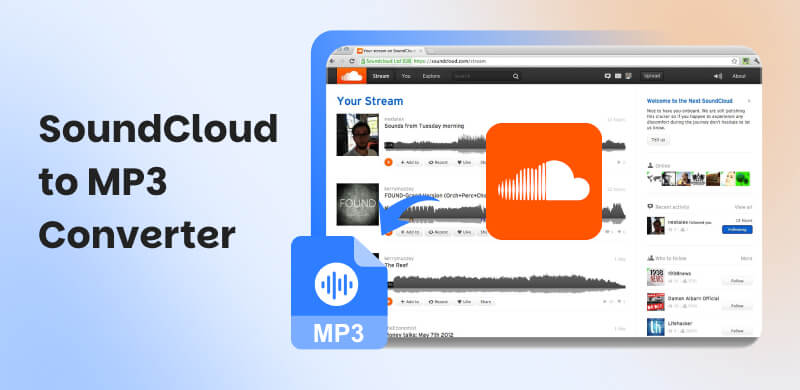
10 SoundCloud MP3 Converter Apps/Online: Safe & High-Quality
 by Owen Bannett | July 16, 2026 | SoundCloud
Brief Summary
we have put 10 SoundCloud downloader options into distinct groups: browser-based online tools for quick track conversion, and dedicated desktop solution for premium music saving. While online downloaders require no installation for one-off tracks, they often limit download speed and quality, and even get risks of ads. For music lovers who need to keep entire playlists as originals, TopVox All Music Converter is one of the most reliable desktop software for you.
If you want to save your favorite SoundCloud music permanently, we explore all the best SoundCloud to MP3 converters to achieve your desired output. Say bye to the SoundCloud Premium version and access various music you want in high-quality sound!
How We Test
To provide an objective review, we tested these tools on Windows 11 & macOS Sequoia. We tried to use a 12-song playlist and a song URL to measure actual downloading speed, audio sample rate accuracy, security, and more features. (Updated in July 2026)
Comparison Table of 9 Best SoundCloud MP3 Converters
| Tool | Supported Files | Real Quality | ID3 Tags | Batch Download | Speed | Ad-free | Extra Features | Rating |
|---|---|---|---|---|---|---|---|---|
| TopVox All Music Converter | Songs, MVs, playlists, albums, audiobooks, and podcasts | Original Bitrate & Sample Rate | Full keep | ✅️ | Up to 35x | 100% Safe | Playlists Transfer, ID3 editor, Convert AA/AAX, Format Converter, etc. | 4.8/5 |
| KlickAud | tracks, songs, remixes and 1+ hour Podcasts | 128kbps | Lossy | ❌️ | Fast | ❌️ | ❌️ | 3.5/5 |
| Cloudmp3.cc | Individual song | 128kbps | ❌️ | ❌️ | Fast | ✅️ | Save music to Dropbox and Google Drive | 3/5 |
| MusicVerter | Songs and playlists | 320kbps MP3 | Cover art, album, artist, and title | ✅️ | Fast | ✅️ | ❌️ | 4.4/5 |
| ForHub.IO | Single track | 128kbps | ❌️ | ❌️ | Medium | ❌️ | ❌️ | 3/5 |
| SoundCloudDL | Track or playlist | 320kbps | ✅️ | ✅️ | Slow | ❌️ | ❌️ | 3.5/5 |
| AddonCrop | Single tracks or entire playlists | 320kbps | ID3 tags | ✅️ | Medium | ✅️ | ❌️ | 4/5 |
| Audacity | Record audio one by one | Compressed | ❌️ | ❌️ | Real-time | ✅️ | Edit your recording files | 4/5 |
| SCDL | Single tracks or entire playlists | 256kbps | Set ID3 tags | ✅️ | Depends on your network | ✅️ | ❌️ | 3.6/5 |
Best Choice: Convert SoundCloud to MP3 320kbps
TopVox All Music Converter is one of best SoundCloud MP3 converter, which can save music directly into high-quality 320kbps MP3 files without any audio loss. Note that SoundCloud supports 128kbps MP3 or 256kbps AAC (for GO+ users). TopVox uses advanced resampling technology to keep the max clarity of 320kbps MP3 audio, rather than fake amplification. You can convert the music to MP3 with the best audio quality, which is 320 kbps. Additionally, the process of converting the music is simple, making it an ideal tool for non-professional users. Additionally, you can download your favorite playlist, making it even more remarkable. With that, if you want to obtain your desired music from SoundCloud, there is no doubt that TopVox All Music Converter is among the programs you can operate.
Note: TopVox only supports personal use. Commercial distribution is strictly prohibited.
Features
- The music downloader can convert SoundCloud music smoothly.
- It has a fast conversion and downloading process for up to 320 kbps.
- It supports the batch conversion process.
- The software can support various formats, including, WAV, M4A, FLAC, and more.
- It can download music from 9+ platforms, including SoundCloud.
To use this SoundCloud to MP3 downloader, you can check the instructions below.
Step 1. Download TopVox All Music Converter on your desktop. Then, launch it to start the SoundCloud to MP3 conversion process.
100% Secure. No virus.
100% Secure. No virus.
Step 2. Then, visit the SoundCloud platform and start linking your SoundCloud account. You can use your Gmail account if you want to.
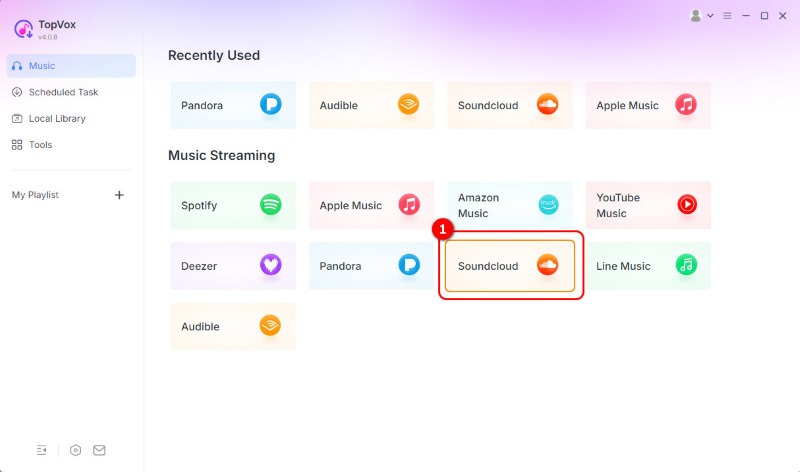
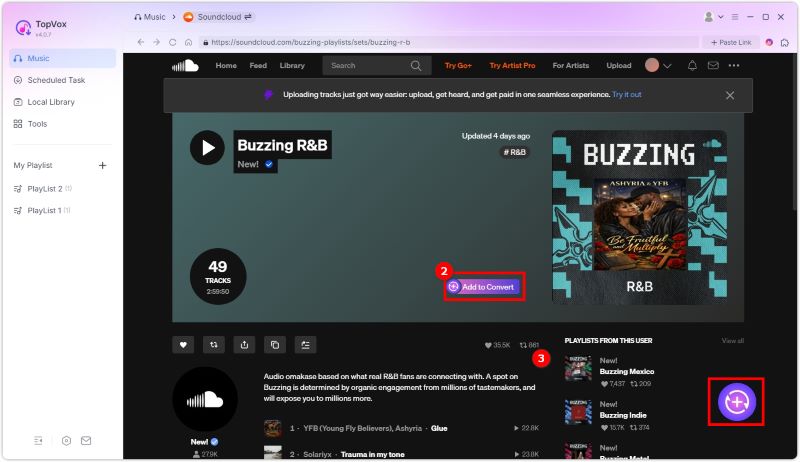
Step 3. You can go to the Search section above to browse the music you want to save and download. Then, tap the Add button to insert the song in the Conversion section.
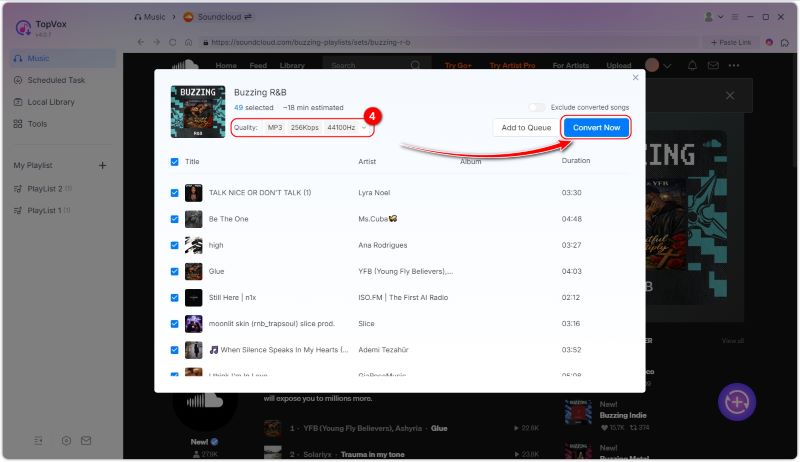
Step 4. Go to the Format section and select MP3. After that, you can now hit the Convert Now button to begin converting the SoundCloud music to MP3 and save it on your computer.
After using this music downloader, we can see that it is an excellent program for converting SoundCloud tracks to MP3. You can even convert it to other audio formats with the best quality. Therefore, consider using this software to achieve your desired output.
6 Online SoundCloud Music to MP3 converters
KlickAud SoundCloud Downloader
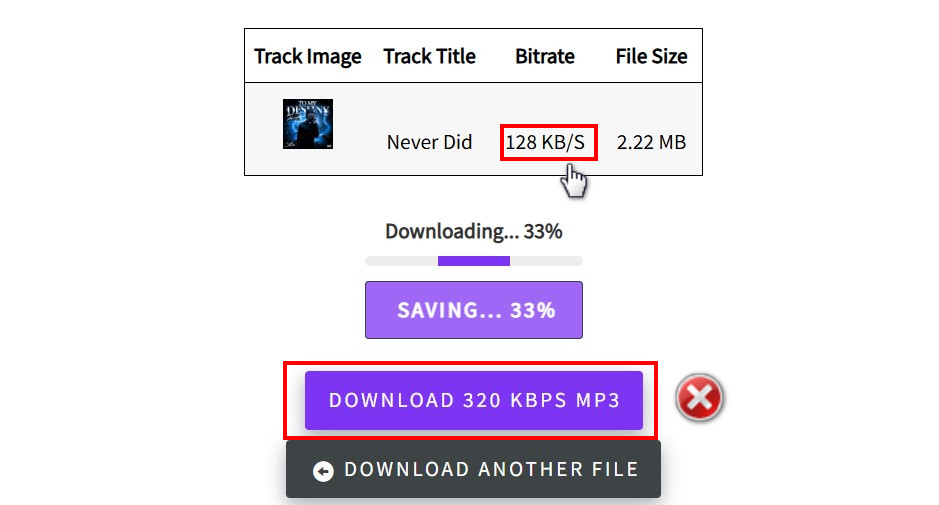
If you need an online music downloader to download music from SoundCloud as MP3, we suggest using KlickAud SoundCloud Downloader. Thanks to this tool, you can simply insert the music link and initiate the download process. What we like here is that the tool can provide a fast process, allowing you to get the result in just a few seconds.
Pros
- The tool has a simple conversion process.
- It is available to all web platforms.
Cons
- Ads are appearing on the screen.
- It doesn't support the batch conversion process.
After using KlickAud SoundCloud Downloader, we can confirm that it is an available downloader to help you convert SoundCloud music to your local device. However, the default quality is only 128kbps. Although I chose to click the “DOWNLOAD 320 KBPS MP3” button, the program would not response anything instead of jumping to other unsafe site with spam links.
CloudMP3.cc
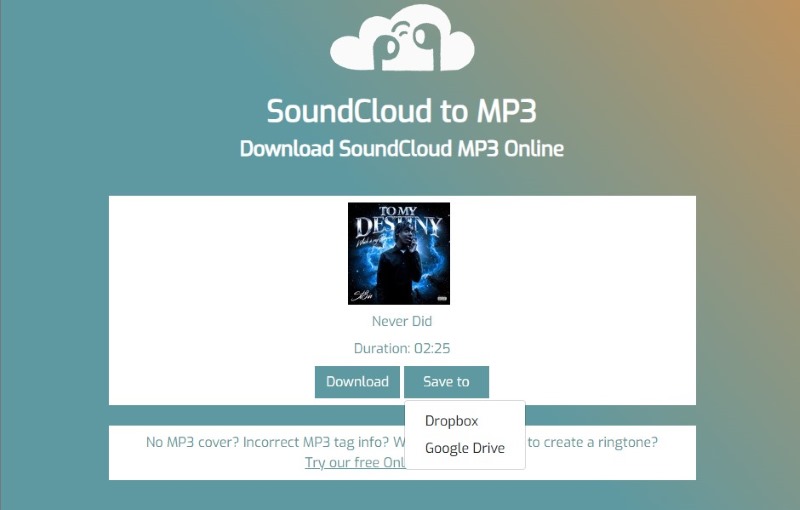
CloudMP3.cc is a free-to-use and highly popular SoundCloud MP3 downloader tool that allows you to easily and effortlessly download SoundCloud tracks in the highest available audio quality, up to 320 kbps. Whether you're using a tablet, PC, or mobile device, CloudMP3's user-friendly interface makes the download procedure seamless and straightforward.
Pros
- It has a neat user interface.
- The process of downloading music is simple.
Cons
- The tool only supports the MP3 format.
- Sometimes, it doesn't work well.
You can use this SoundCloud music to MP3 converter to get your favorite in just a few seconds. But I have to say a common problem for most online tools – only supports copy and paste single link one-by-one and the output quality is always 128kbps. To be honest, the downloading speed of Cloudmp3.cc is fast.
MusicVerter
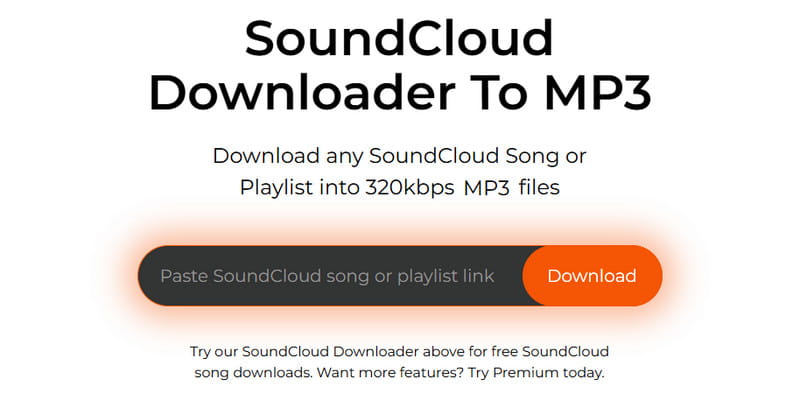
MusicVerter is an excellent tool if your focus is on saving SoundCloud music to MP3 with excellent quality. It is because the tool can download music at 320 kbps, providing a satisfying listening experience. The good part here is that you can access the free version of this tool to check its capabilities.
Pros
- It can download music with the best quality.
- The layout of the tool is comprehensive.
Cons
- The subscription fee is expensive.
- It doesn't offer audio options for audio enhancement.
Author Note:
MusicVerter is an amazing tool that can help you achieve the results you want. Worth mentioning is that the usage steps are omitted: copying and pasting the URL is enough. Once the program detects the song, it will automatically convert SoundCloud to MP3. It can even provide the best quality for an enhanced listening experience. However, this is not 100% free. You have to get the Premium version for more advanced features.
ForHub.IO
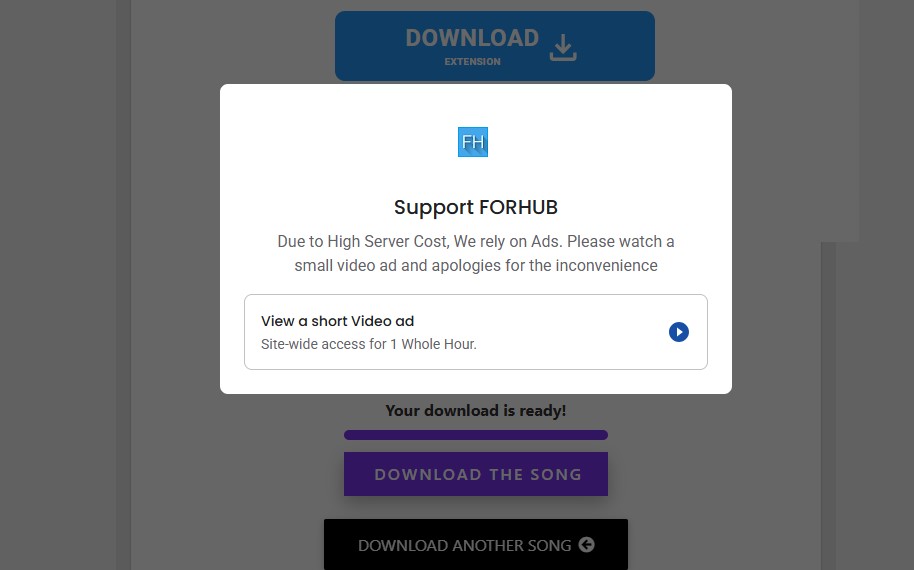
Do you want a smooth downloading process when converting SoundCloud to MP3? If so, you can try using ForHub.io. What makes it more useful is that you can save the music from 128 to 320 kbps.
Pros
- You can access the tool for free.
- The tool doesn't require a login.
- Compatible with any browser.
Cons
- The batch conversion feature is not available.
- Ads are disturbing.
We can conclude that this online SoundCloud to MP3 converter is one of the most reliable options for downloading SoundCloud tracks as MP3 files. It can even provide high-quality audio for an enhanced experience.
SoundCloudDL
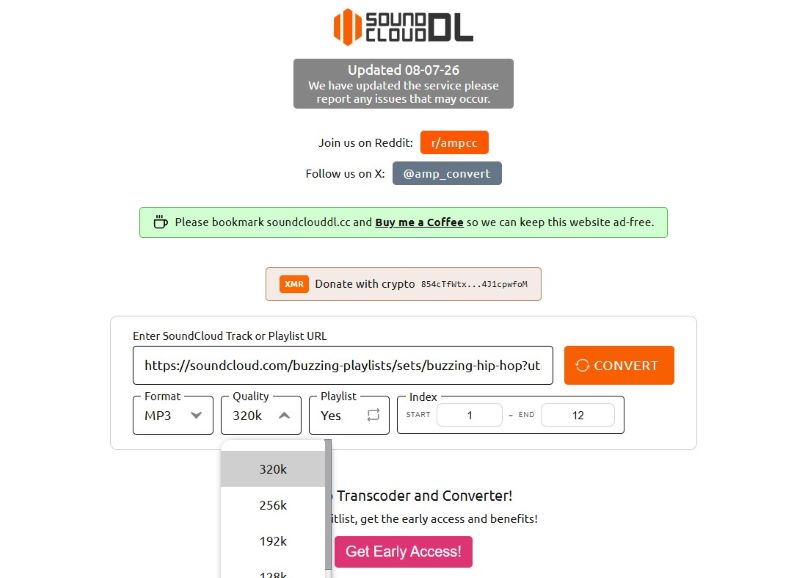
If you're looking for another free SoundCloud to MP3 downloader, consider using SoundCloudDL. What makes this tool more powerful is that it has a fast conversion process. You can even get a good quality from 128 to 320 kbps. Additionally, besides MP3, you can also convert music to M4A, making the tool even more astounding.
Pros
- It can maintain the original ID3 tags.
- It supports MP3 and M4A formats.
Cons
- It cannot download a SoundCloud playlist.
- There are times when the downloading process is slow.
SoundCloudDL is an excellent SoundCloud downloader for converting and downloading music from SoundCloud. You can even choose your preferred format, such as MP3 and MP4. SoundCloudDL has also been recommended by other Reddit users, but there are some issues:
“It only managed to convert 75/400 of the songs on my playlist. Is there a way to get around this limit?” - LifeBrief5288
“80% of my tracks were at 128kbps, even though I selected 320.” – Levosso
Besides, this SoundCloud MP3 converter supports pasting a URL of single track or the whole playlist. For the latter, you can not only choose the output format and various audio quality (up to 320kbps), but also index the special songs. But during my test, the conversion process always failed and showed a prompt “Queue is full, try again in a minute.” Well, it can still be patchy and unreliable…
AddonCrop
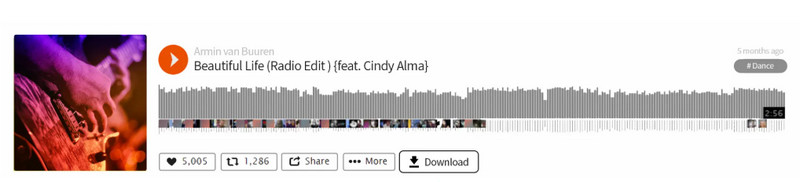
Looking for the best extension for downloading SoundCloud music? Then, we suggest using AddonCrop. This extension can offer a download button on your SoundCloud platform, allowing you to download SoundCloud music as an MP3. It is also free to use, which makes it accessible to all users.
Pros
- The extension can convert SoundCloud music to the best quality.
- It can also save the original ID3 tags of the music.
Cons
- Not all SoundCloud soundtracks can be downloaded.
- There are times when the extension can save the music with only 128 kbps.
If you need a SoundCloud playlist/album downloader, which is safe of course, AddonCrop has an extension that does this incredibly seamlessly. I’ve been using Addoncrop on Chrome for about two weeks to archive some music for DJ sets. Overall, it’s a frictionless tool, but it isn’t perfect.
The download speed is fast, and the response time is nearly instant. But with a quick analysis via Spek, the downloaded file outputs at a standard 128kbps stream bitrate. If you just need an occasional offline MP3 for casual listening, it gets a solid 4/5. If you're looking to hoard full high-fidelity music archives or massive albums at once, you might still need a dedicated desktop software solution.
Other 2 SoundCloud MP3 Converters [Fussy]
Audacity [Recording]
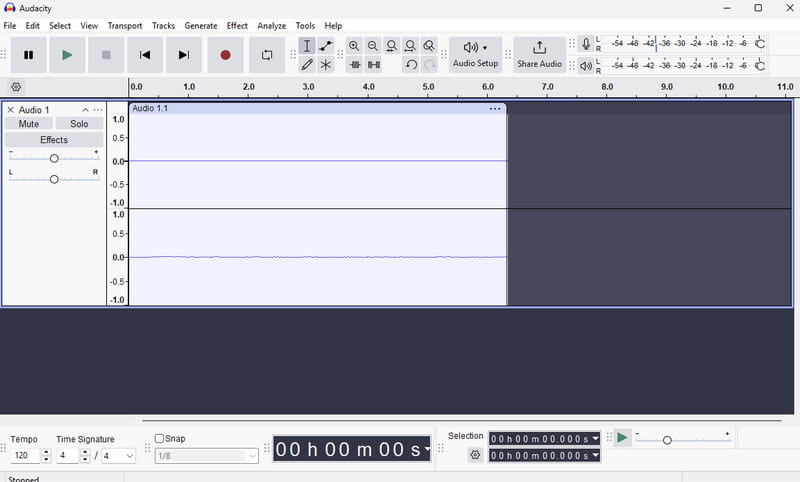
Besides downloading, you can also record the music from SoundCloud and save it as an MP3. With that, if you are looking for an excellent audio recorder, we recommend using Audacity. With this software, you can access its recorder feature to record SoundCloud music and save it in your preferred format, including MP3, FLAC, WAV, M4A, and more.
Pros
- The software is open-source and free.
- The tool's user interface is neat.
Cons
- There are times when the saving process is slow.
Audacity is a must-have recorder if you want to record music from SoundCloud smoothly. Thus, access this program and get your desired outcome.
SCDL [Script]
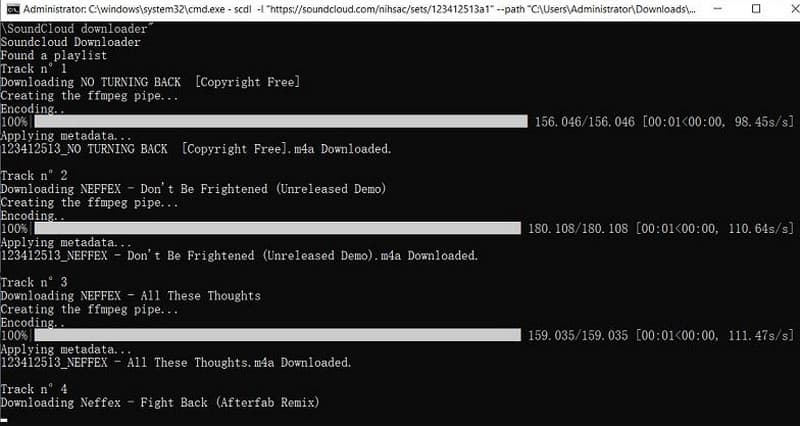
If you love music on SoundCloud, SCDL is a free tool that lets you download your favorite tracks directly to your computer. It works on Windows, Mac, and Linux. You'll get the songs as high-quality MP3s, and in some cases, you can even get studio-quality 320 kbps files.
Pros
- The tool can retain the music metadata.
- It can deal with SoundCloud playlists.
Cons
- The software doesn't offer a graphical user interface.
- The program is complicated to use.
SCDL is ideal for professionals, as it features an advanced process for saving SoundCloud music to MP3. The only drawback here is that it is not suitable for beginners.
If you want to learn more about these best SoundCloud to MP3 converters, see the table below.
FAQs on SoundCloud to MP3
Q1: Is it safe to use an online SoundCloud to MP3 converter?
A: Generally, NO. Most online music downloader sites work with security issues. To be honest, annoying ads helps preserve the no-cost nature of those websites. If you frequently convert your SoundCloud songs, recommend you to use a dedicated SoundCloud to MP3 converter software, which is far safer and more stable to process downloading tasks.
Q2: Can I bulk convert an entire SoundCloud playlist to 320kbps MP3?
A: You can batch-download a SoundCloud playlist using the right tools, but a true 320kbps quality is inaccessible. SoundCloud streams free audio at 128kbps MP3 and 256kbps AAC for Go+ accounts. A reliable tool only can save the highest native stream possible to match the original source.
Q3: Will all ID3 tags be preserved after converting to MP3?
A: Depends on your converter tool. Most online tools lossless ID3 tags completely, like artist, year, genre, or album art. Try to convert SoundCloud music to MP3 via a desktop program, which will automatically keep with the right metadata, ensuring that the song title, artist name, and high-resolution album art are perfectly preserved.
Conclusion
With these SoundCloud to MP3 converters, you can ensure that you get all the music you want from the SoundCloud platform. Thus, utilize these tools to achieve your desired output. Additionally, if you want to use your desktop to save and convert your favorite music to MP3 with the best quality, we recommend using TopVox All Music Converter. This program provides a consistent, high-quality audio experience, making it a powerful music converter and downloader for users.
100% Secure. No virus.
100% Secure. No virus.
Owen Bannett is a music enthusiasm as well as a senior writer. He has paid close attention on the pros & cons of various audio formats, bitrate, sample rate and encoding methods. Always seeking the best listening experience, Owen has deep insights about lossless music and diverse music converters on the markets.