Import Spotify Playlist to Amazon Music: Switching for Lossless Audio
You might know by now about Amazon Music's Ultra HD quality. You can now imagine yourself streaming at up to 24‑bit/192 kHz, with more than 10 times the bitrate of standard compressed audio. You know that it is going to be fun and a superb experience. However, you might not want to discard the music list on Spotify, especially if you built and curated it for years. We got you covered, because transferring Spotify playlists to Amazon Music is now possible and easy to do using these amazing tools. In line with that, this article exists to guide you through the process. Read now to discover.
Part 1. Pro-choice for Spotify to Amazon Music: TopVox All Music Converter
TopVox All Music Converter
Let us begin by knowing the best choice of all the options here. TopVox All Music Converter is a leading, versatile tool that offers features for transferring your Spotify playlist to Amazon Music in a quick span of time. These tools prioritize speed, quality, and effectiveness. That is why batch conversion for a large playlist is available here with a super-fast process. Thus, using TopVox will not let you wait for days, because the process will be done in a few minutes. More than that, quality is still the same, and all of the metadata is preserved properly.
Why Choose TopVox All Music Converter
- • Fast conversion of a playlist from Spotify to Amazon.
- • Batch conversion is supported.
- • Preserves ID3 tags and metadata properly.
- • Supports various streaming platforms.
How to Use TopVox All Music Converter
Step 1. Install TopVox All Music Converter for free by downloading it from the official website.
Step 2. Open the tool and access Tool feature. Then set Spotify as the source and Amazon Music as the target.
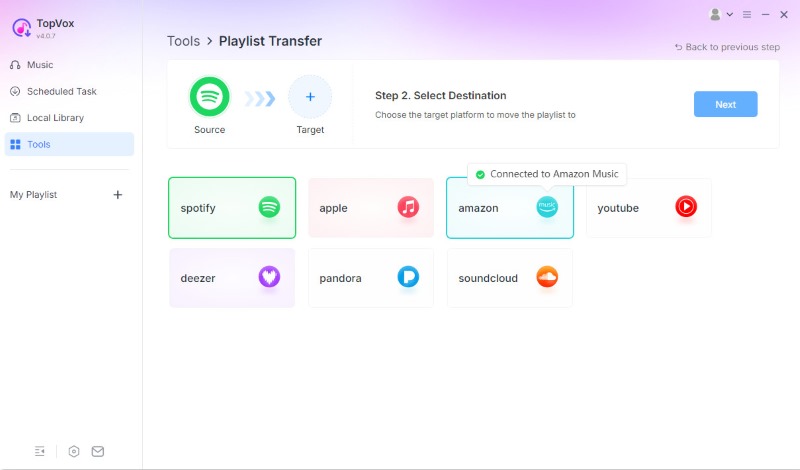
Step 3. Select the playlist you want to move. From there, click the Next button. Give the tool a moment to process it. Then click Convert All.
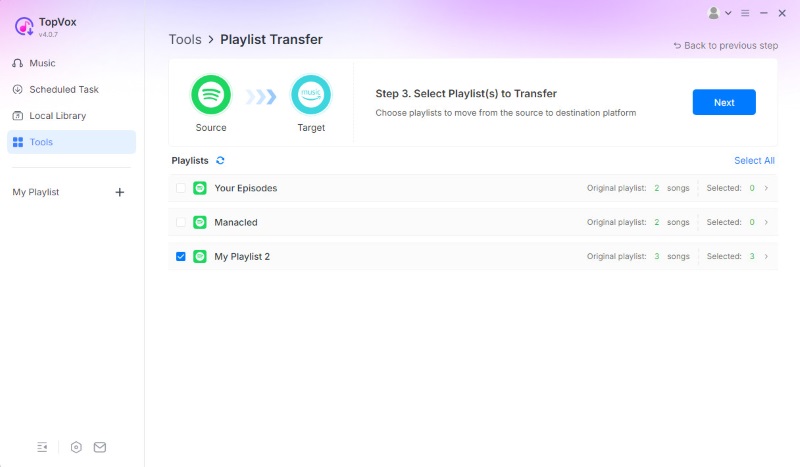
There you have the easiest and most effective way to transfer your playlist from Spotify to Amazon Music. We can see how intuitive the tool is and how fast it is when it comes to doing the process.
Part 2. Using Spotify to Amazon Music Playlist Online Converters
Tool 1: Soundiiz
Soundiiz is the first web-based solution on the list that can facilitate the transfer of Spotify to Amazon Music. You will notice dozens of streaming sites in a matter of hours. Its sophisticated playlist syncing, which enables users to maintain their updates between services, is what makes it distinctive. It provides management tools in addition to transfers; full operation requires premium features.
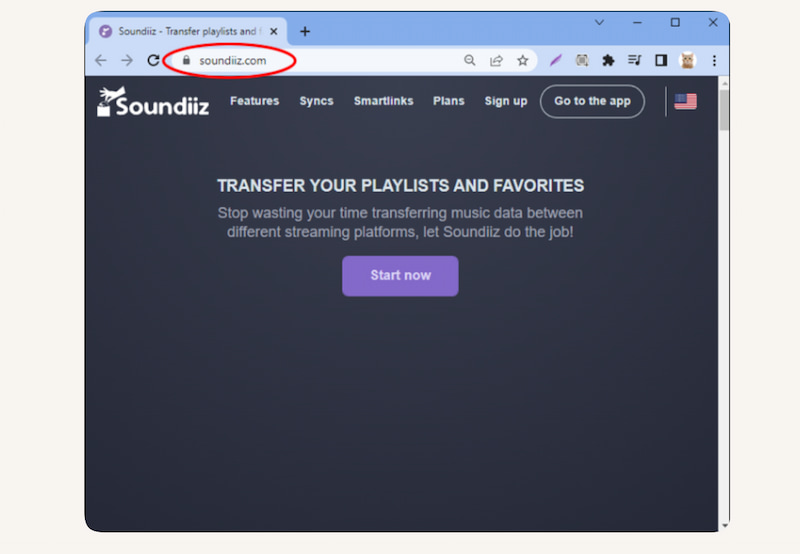
Step 1. Go to the Soundiiz website to create your account.
Step 2. Connect your Spotify and Amazon Music accounts now. Choose the playlist you wish to move from there.
Step 3. Start the transfer after selecting Amazon Music as the destination.
Limitation
- • Without a reliable internet connection, it will not work.
- • The full version requires a premium subscription.
- • With really huge playlists, it could slow down.
Tool 2: TuneMyMusic
Another online tool for transferring Spotify to Amazon Music is TuneMyMusic.com. Its quickness and wide compatibility make it distinctive. You may now carry out fast browser-based transfers with metadata retention with this application. However, its free accounts restrict how many playlists may be moved.
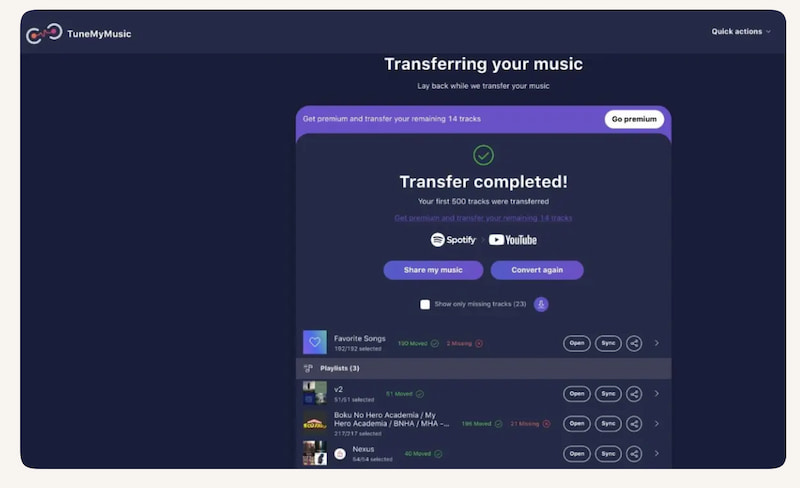
Step 1. Access TuneMyMusic.com in your browser.
Step 2. Select the Spotify network as the source. When selecting the playlist to transfer, you must also log in to your account.
Step 3. The playlists' destination can now be chosen. Select Amazon Music in this situation. Launch the transfer and give it time to finish.
Limitations
- • The free edition has relatively few features.
- • It is heavily dependent on the internet.
- • Privacy issues because accounts have to be connected.
Part 3. Open-source Way to Move Spotify Playlist to Amazon Music
spotDL
You can also move a Spotify playlist to Amazon Music with the open-source command-line application called spotDL. Using this tool, all of the songs from your playlist can now be manually uploaded or imported into Amazon Music after they have been downloaded. By first turning Spotify streams into files and then transferring them to Amazon Music, this strategy effectively avoids the need for a direct playlist transfer.
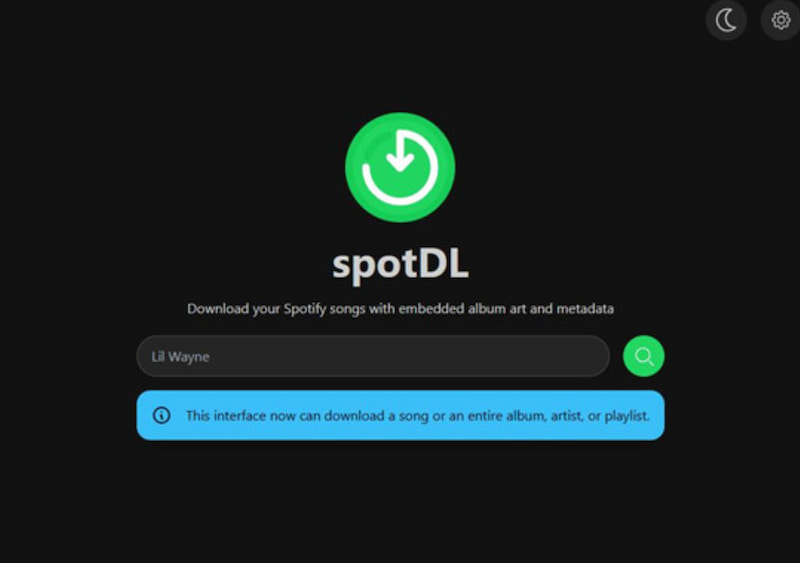
How to Use spotDL
Step 1. Install spotDL via Python.
Step 2. Get the Spotify playlist link from your Spotify account.
Step 3. Run the command, spotdl [playlist_link]. This downloads all songs in MP3 or FLAC format.
Step 4. Upload to Amazon Music using the desktop app or the web player’s local file import option.
Pros
- No subscription is required.
- The downloaded files are yours.
- MP3, FLAC, and metadata tagging are supported.
Cons
- It needs to be downloaded and then uploaded again.
- Downloading songs from Spotify may violate its terms of service.
- Takes longer than direct transfer tools.
Important Note
TopVox All Music Converter advises customers to download playlists first and then move them. Compared to 改为manual spotDL transfers, TopVox is more practical, faster, and better at preserving information.
FAQs on Transfer Spotify Playlist to Amazon Music
Q: Will all songs transfer successfully from Spotify to Amazon Music?
A: Not always. Some tracks may have issues with the process due to unavailability on Amazon Music. You can find out which songs are missing by using programs like Soundiiz or MusConv.
Q: Does moving playlists affect my Spotify account?
A: No. Your Spotify playlists are still intact. Only copied playlists are transferred to Amazon Music; originals are not removed or changed.
Q: Can Spotify playlists be converted to Amazon Music?
A: Since you are merely transferring metadata (song titles, artists), it is allowed to transfer playlists. It may violate Spotify's terms of service to download songs directly using open-source programs like spotDL.
Q: Can I transfer Spotify playlists directly to Amazon Music?
A: No, Spotify and Amazon Music don’t offer native transfer. You must use third-party tools like FreeYourMusic, MusConv, or Soundiiz.
Q: Is it free to move playlists from Spotify to Amazon Music?
A: The majority of apps permit restricted free transfers (up to 600 songs, for example). Typically, a paid subscription is needed for unlimited transfers.
Conclusion
We can see that transferring a Spotify playlist to Amazon Music is easy to do. Thanks to the amazing tools that offer everything we need to make the process possible. If you are still looking for recommendations, then we highly suggest using TopVox All Music Converter, mostly because of its versatility and effectiveness in the process. Indeed, using this tool is a sureball quality for the output.
Owen Bannett
Owen Bannett is a music enthusiasm as well as a senior writer. He has paid close attention on the pros & cons of various audio formats, bitrate, sample rate and encoding methods. Always seeking the best listening experience, Owen has deep insights about lossless music and diverse music converters on the markets.




 by
by