How to Download Spotify Music to a Computer: Full Guide
 by Luna Harper | October 31, 2025 | Spotify
Spotify is an excellent tool for streaming a wide range of audio content. It can offer millions of songs, albums, playlists, and podcasts. With this platform, you can listen to your favorite content. However, this platform has a limitation. It requires an internet connection to perform and offer all the songs. If you want to play your favorite music anywhere and anytime, the best thing to do is download the song to your computer. Thankfully, this post has the best method you can rely on. We are here to provide you with the most effective ways on how to download music from Spotify to a computer. With that, you will have enough insight into how to save your favorite song, album, and playlist. Without further ado, check and learn the best Spotify music downloading process.
Part 1. Can You Download Music from Spotify to a Computer
Yes. If you are a Premium user, it’s allowed to download music directly from the Spotify app. However, it's crucial to understand what this "download" actually means and what limitations you will encounter.
Due to strict DRM restrictions, the downloads are encrypted and locked inside the app. They cannot be saved as local files on your computer. Besides, these encrypted files are bound to your active subscription. If your subscription expires, all your downloaded music will be unplayable.
So, what can you do to back up Spotify songs on a computer without restrictions? Using a third-party Spotify downloader to transfer Spotify to MP3 permanently, proceed to the next section to see how.
Part 2. Comparison of 3 Ways to Download Spotify Music
| Features | TopVox All Music Converter | Spotify App (Built-in) | SpotMate |
|---|---|---|---|
| Offline Listening | ✅️ | ❌️ Downloads are tied to the app and require an online connection every 30 days | ✅️ |
| File Ownership | ✅️ Save audio files on the device forever | ❌️ Downloads are encrypted and locked in the Spotify app. | ✅️ |
| Premium Required | Works with both free and Premium accounts. | Premium-only | ❌️ |
| Audio Quality | 320kbps MP3/M4A (AAC) 24-bit lossless for FLAC | 320 kbps (Ogg Vorbis) for Premium | High-quality MP3 |
| Download Speed | Up to 35x | Fast | Slow |
| Batch Convert | ✅️ | ✅️ | ❌️ |
| Advanced Tools | AA/AAX Converter Tag Editor Format Converter Playlist Transfer | ❌️ | ❌️ |
Part 3. Ultimate Way to Download Music from Spotify
As we discussed above, there are various music converters you can rely on to effectively download your favorite Spotify music to a computer. For the best program, we recommend using TopVox All Music Converter. This software is perfect since it provides all the best features you need to obtain your music. Its primary role is to download and convert your Spotify music to different formats. It includes MP3, AAC, FLAC, AC3, WAV, and more. The best part here is that you can get the best audio quality, up to 320 kbps.
Moreover, you can even download large songs, allowing you to save more time during the process. Additionally, the program offers a fast conversion speed, up to 35 times faster than other converters. Lastly, you don't have to access Spotify's Premium account. You can download your music without spending a penny. Therefore, if you need an excellent and powerful Spotify music converter that can give you your desired output, look no further than TopVox All Music Converter.
Features
- The software can convert and download music from Spotify to a computer smoothly.
- It can deal with DRM-protected content.
- It offers a fast conversion process.
- The program supports various formats, including MP3, AIFF, AC3, FLAC, and others.
- The music converter can convert music from various platforms, like Pandora, Amazon Music, Apple Music, and more.
To download Spotify music to your computer for free, follow the steps below.
Step 1. Tap the Download buttons below to download and install the program on your computer.
100% Secure. No virus.
100% Secure. No virus.
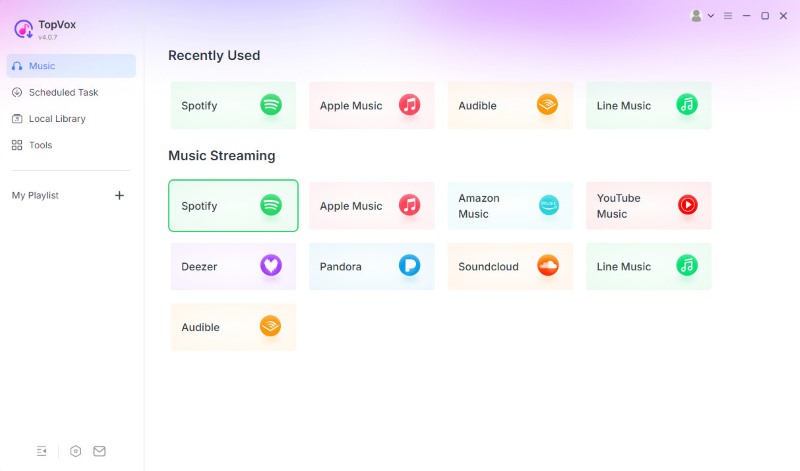
Step 2. Click the Spotify platform from the primary interface. Then log in to your Spotify account.
Step 3. Search and open the Spotify music and playlist you want to download. Once done, tap the Add to Convert option and choose your preferred output format and quality.
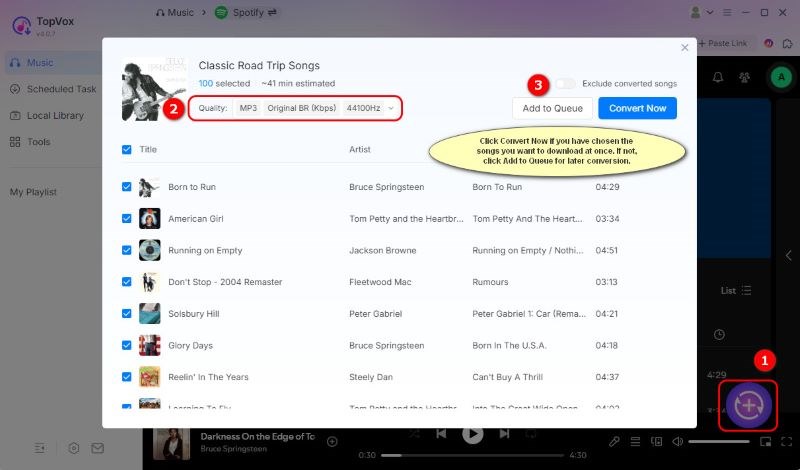
Step 4. Tick the Convert Now button. After the conversion and downloading process, you can now listen to your favorite Spotify music.
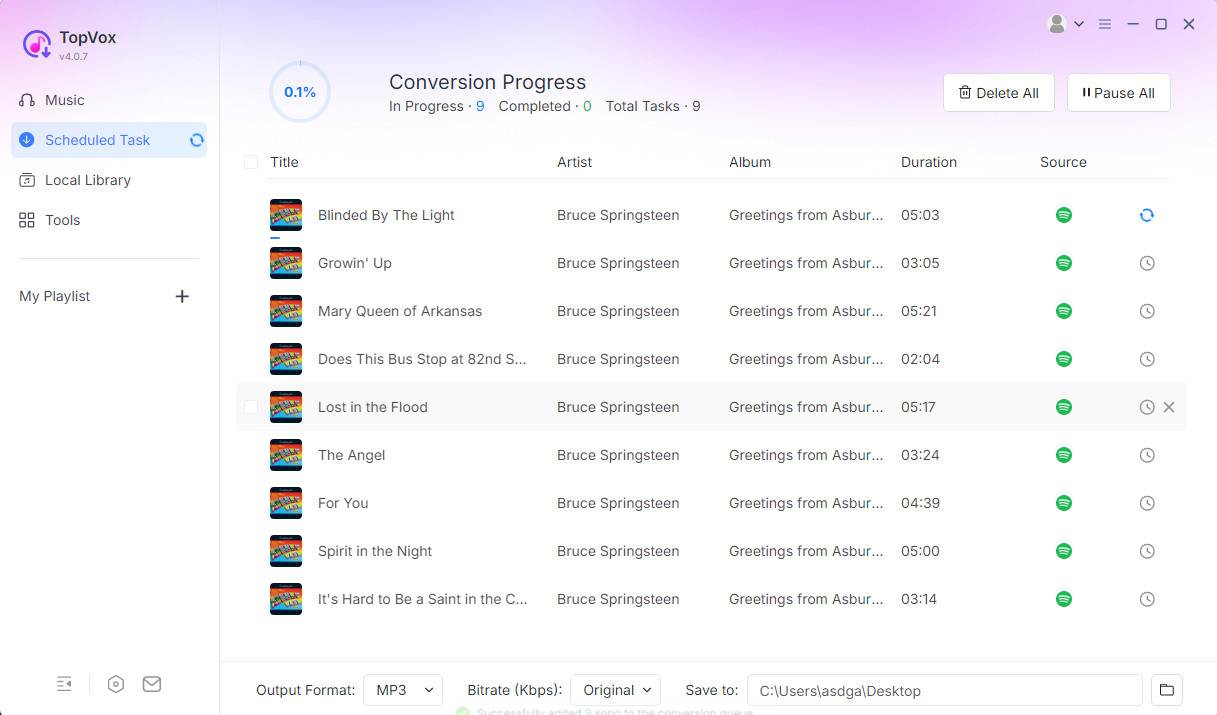
Thanks to this method, you can effectively download your favorite Spotify music to your computer. You can even achieve excellent audio quality for improved audio playback. The good part here is that you can save the songs to various formats. You can convert Spotify to MP3, , WAV, FLAC, AIFF, AAC, and more, making it the best music converter for users.
Part 4. Official Ways to Download Music from Spotify
Do you refer to using the official method to download your Spotify music on your computer? Then the best thing to do is to download the desktop version of Spotify. Then, you must access its Premium version to enable the software's download feature. To initiate the official download process, please follow the instructions provided below.
How to Download Individual Songs on Spotify
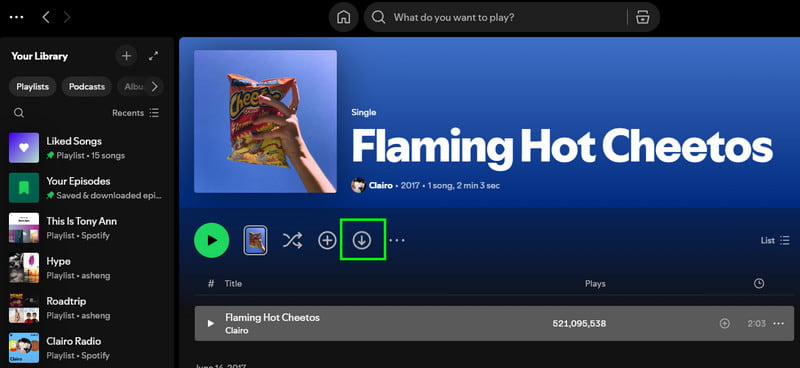
Step 1. Download the Spotify app on your computer. After that, run the application and log in to your Spotify account.
Step 2. From the interface, proceed to the Search section and start searching for the Spotify song you want to download.
Step 3. Now, click the Arrow Down option to start the downloading process. After that, you will see the downloaded song in the Library section.
How to Download a Playlist and Album on Spotify
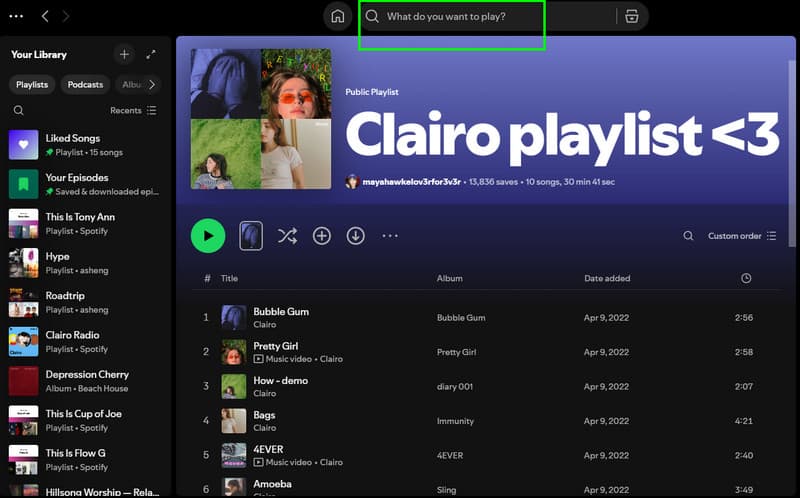
Step 1. After launching the Spotify software, navigate to the Search section and begin searching for your favorite playlist. You can insert the name of the singer or the band.
Step 2. Once you have found your favorite playlist or album, you can tap the Download button. After the downloading process, you can now listen to them without an internet connection.
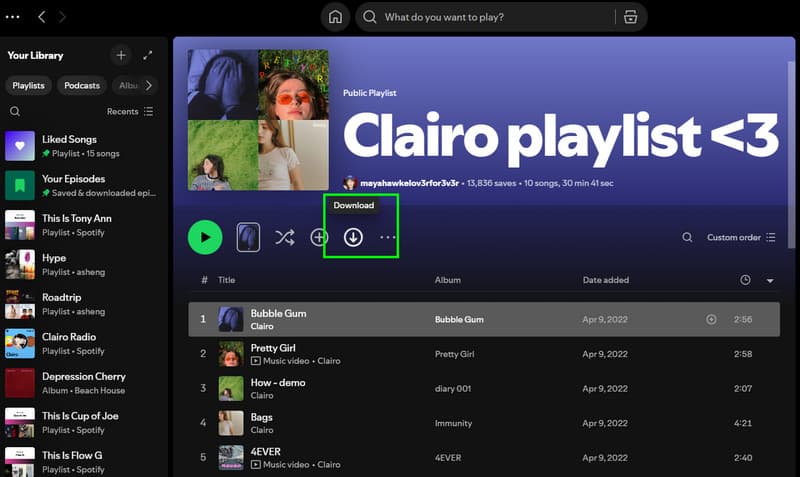
With these detailed and official methods, you can ensure that you can listen and play your favorite Spotify music on your computer. However, always ensure that you are using Spotify's premium version. If the subscription expires, all downloaded songs will also be deleted.
Part 5. Download Spotify Music with An Online Tool
SpotMate is a free online Spotify downloader that offers a seamless ripping process. You can enjoy the freedom to convert your favorite songs to MP3 files without a Spotify account. Although it’s easy to use, the site will pop up some ads to interrupt your experience or mislead you to unsafe pages. Once I filled in a music link, the website will read the information quickly and load for a while.
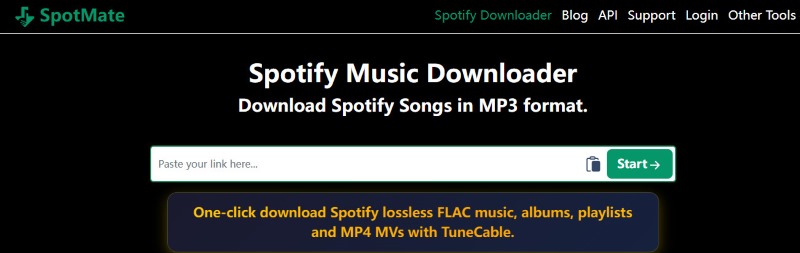
Step 1. Open Spotify and select a single track, a playlist or an album you wish to download. Then copy its URL.
Step 2. Paste the copied URL into Spotmate and click Start.
Step 3. After loading, you can click Convert > Download to save every song one-by-one.
Note
You can’t process a bulk of songs in one time or freely change the audio quality. The quality of downloads is always lower than 320kbps. To customized output files, TopVox lets you take full control of your downloading.
100% Secure. No virus.
100% Secure. No virus.
FAQs on Downloading Spotify Music to Computer
Q1: Where are downloaded songs stored in the Spotify app?
A: You can find or change the storage location in the Spotify desktop app under Settings > Storage > Offline Storage Location. Note that all downloads cannot be played or transferred to other devices.
Q2: Why can't I play my downloaded Spotify songs offline?
A: Check out weather your premium subscription has expired or failed to go online at least every 30 days, which ensure your downloads active. Plus, Spotify allows downloads on a maximum of 5 devices per account (up to 10,000 tracks per device), so make sure if you have exceeded these limits.
Conclusion
Downloading Spotify music to a computer is ideal if you want to listen to your favorite music without an internet connection. To save and download your favorite songs, you can use any of the methods provided in this article. Additionally, if you're looking for a free method to achieve your preferred outcome, we recommend using TopVox All Music Converter. The best part here is that it can even give you the best audio quality, which is ideal for all music enthusiasts.
100% Secure. No virus.
100% Secure. No virus.
Luna Harper is a passionate music lover and an inspiring content sharer. She has explored most of the music converters available on the market, acquiring thorough knowledge of their features, usability, and differences. Luna enjoys using her professionalism to help fellow music lovers get superior audio quality.