Audible Books on iPhone: Guide for You to Download with Ease
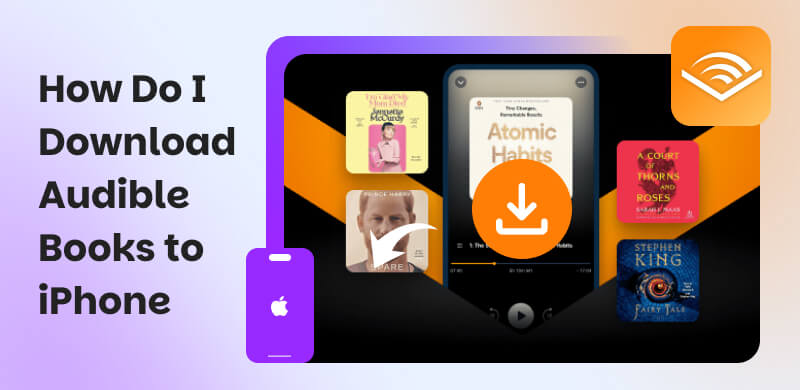
Audiobooks nowadays offer portability compared with physical books or even eBooks. In line with that, many users now prefer listening to stories using their iPhone. Thus, have you ever wondered, how do I download audible books to my iPhone? How can we get these files for an offline listening experience? Well, you shall read this article as we give you the most effective method for an instant audible on your iPhone. Allow us to guide you. Read the article now to discover.
Method 1. Download Audiobooks on iPhone via Audible App
Audible app is one of the platforms for audiobooks that many users love. This platform offers a dedicated iOS Audible app that makes it easy for users to enjoy their favorite titles on their iPhone. More than that, Audible also extends its compatibility to various Apple devices. With that, here are some requirements you should have to make the process possible.
Requirements
- • iOS 15 and higher.
- • An Audible account with Premium Plus.
- • Purchased titles on your account.
- • Enough phone storage space.
Steps to Download Audiobooks
Step 1. First, you need to download and install the Audible app in the Apple App Store on your iPhone. Then, you should now sign in your Audible account in Audible.
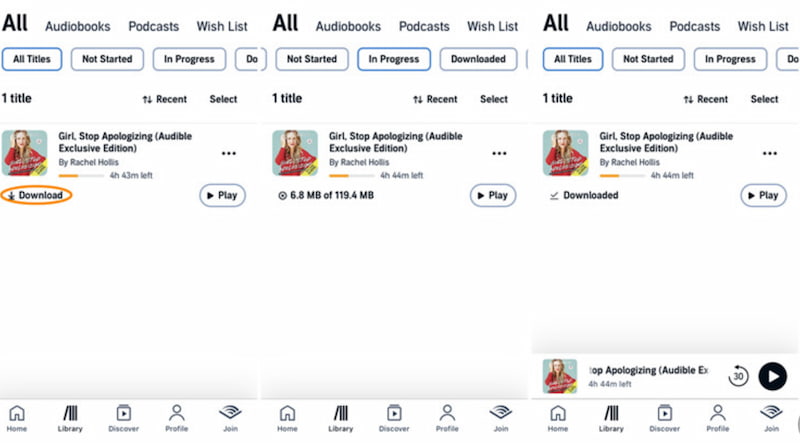
Step 2. After that, you should now tap the My Library tab. From there, you will find all your purchased audiobooks.
Step 3. Next, click on the Download icon to start downloading the book to your device.
Step 4. Now, play the title of the book you want.
Limitations
- • The official method is bound by DRM restrictions.
- • You need to use specific apps.
- • Subscriptions are needed to make it.
Method 2. Download Audible Books to iPhone Using a Great Tool
We can see that the official website process has so many restrictions and requirements to make it. In addition, you need to pay for a subscription just for a limited time. That is why it is understandable if you are now looking for an alternative to make the process possible. Good thing, we have TopVox Audible Converter to help you. This tool is an all-in-one solution for getting audible books for the iPhone. The good thing about it is that it offers a free trail version, but you will get the audiobook without time limitations. Basically, it will be permanently yours. Those are a few reasons why many people love using TopVox. Discover more of its features and capabilities below, plus a guide on how to use it easily.
Features
- Download and convert audio books from various platforms.
- Preserves the metadata and ID3 tags.
- Convert in batch process.
How to Convert and Transfer Audible Books to iPhone with TopVox
Step 1. Download and install the amazing tool TopVox Audible Converter on your computer. This is a free tool, so you can get it now.
Step 2. Open the tool and access all the platforms it supports. Among the options, you can click Audible.
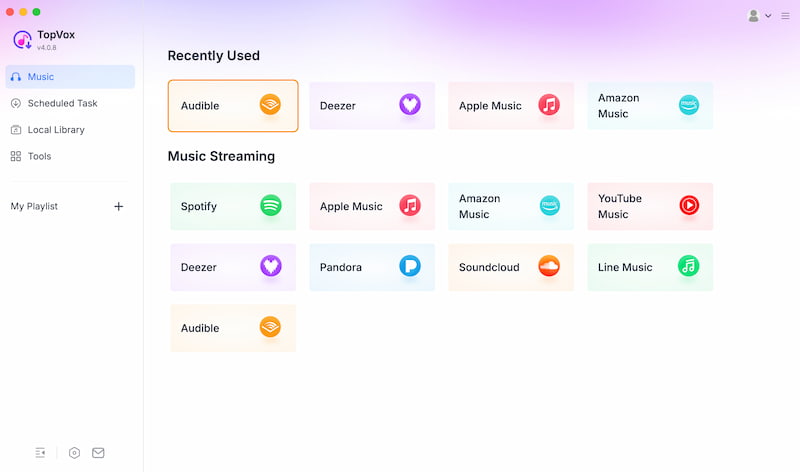
Step 3. On the Audible interface, you can now access or search the titles you want to download. Click Add to Convert.
Step 4. A new tab will appear where you can now set the format as MP3 so that it will be good to transfer to your iPhone. Click Convert Now to proceed.
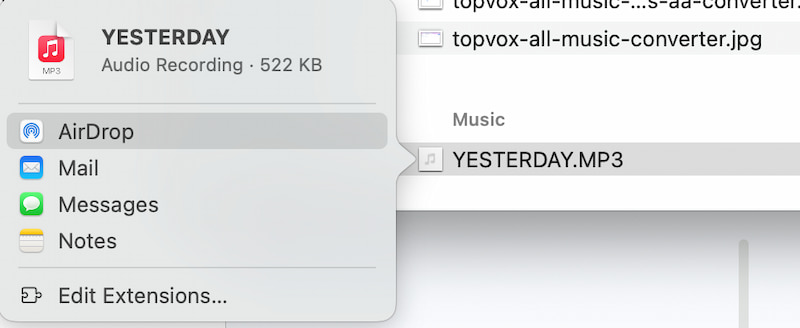
Step 5. Once the audio book is on your computer, you can Airdrop it to your iPhone now.
TopVox VS. Official App: Which is Better For You?
Which is better for you among TopVox Audible Converter and the official app? See some of the features and criteria in this table we prepared for you. See each element and have a bigger picture of the best tool:
| TopVox Audible Converter | Official Audible App |
| Player Limits | Unlimited playback on any device or player. | ●Audible app only.
●Playback restricted to authorized devices. |
| Offline Access | ●Yes, files saved locally.
●Playable anywhere. | ●Yes, but only within the Audible app. |
| File Formats | ●MP3.
●FLAC.
●WAV.
●M4A.
●AAC.
●ALAC.
●AIFF. | Proprietary AA/AAX only. |
| Encryption/DRM | DRM‑free output.
Full ownership of files | DRM‑locked; cannot export freely. |
| Batch Downloads | Batch conversion for multiple audiobooks. | Not supported, one file at a time. |
| Speed | ●Ultra‑fast conversion.
●Handles long files in seconds. | Dependent on download size and internet. |
| Customize Output | Full control over codec, bitrate, metadata, and chapter. | None. |
FAQs on Downloading Audible Audiobooks to iPhone
Q: Can I listen offline after downloading from the Audible app?
A: Yes. After you download audiobooks, they will be automatically stored locally in your Library and can be played without an internet connection through the Audible app.
Q: What file format does Audible use on iPhone?
A: Audible audiobooks are stored in AAX format. This file format is DRM‑protected and playable only on authorized devices. Therefore, converting audible to MP3 is a must to continue enjoying listening to them even without an authorized app.
Q: Do I need an Audible subscription to download books?
A: Yes. You need an active subscription or purchased audiobooks. Because free samples can be downloaded, however, they are most likely not full versions.
Q: Can I transfer Audible books from my iPhone to another player?
A: No. Files remain DRM‑protected if the titles are from the Audible app. Thus, we cannot export or play outside the Audible app unless converted with third‑party tools.
Q: Can I change the audio quality of Audible when downloading?
A: Yes. It is possible to change the sound quality. As long as you have an Audible app, it will let you choose between Standard and High Quality downloads. This can be done easily with the audio settings of the Audible app.
Conclusion
We can now conclude that downloading Audible audio books on iPhone is possible as long as you subscribe to their services. However, playing them will only be possible with the authorized app. Good thing, TopVox All Music Converter exists to help us with a versatile process of downloading Audible for iPhone. You can now use it to download and convert audible at the same process. Use it now for free!
Ethan Carter
Ethan Carter creates in-depth content, timely news, and practical guides on AI audio, helping readers understand AI audio tools, making them accessible to non-experts. He specializes in reviewing top AI tools, explaining the ethics of AI music, and covering regulations. He uses data-driven insights and analysis, making his work trusted.




 by
by