4 Methods to Transfer Apple Music to YouTube Music
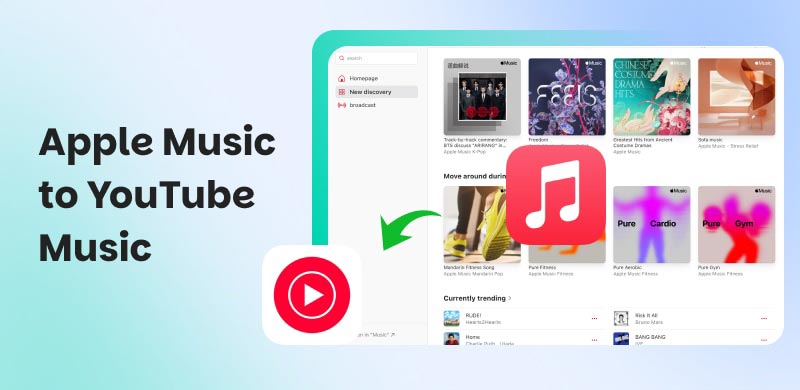
If you are thinking of moving from Apple Music to YouTube Music, then this is your sign to do it. In this article, we will guide you using four methods. It includes the official way and three methods using great third-party tools. We will guide you from the start and cover the key things you need to know. Let us start this guide now to explore more.
Method 1. Official Apple-to-Google Transfer
Best for: Users who don't want to use third-party tools.
Exporting Apple Music to YouTube Music can be easily done using the official Apple-to-Google method. Many users love using it because it is free and secure. In addition, this method seamlessly migrates your playlist and tracks. Yet, this official method will take hours or even days.
Features
- Maintain data within the Apple and Google ecosystems.
- This can handle large libraries.
- Transfer your tracks, playlists, and albums.
Steps for Official Apple-to-Google Transfer
Step 1. Open your YouTube Music and sign in using your Google account. From there, please locate Transfer under the settings.
Step 2. Authorize Apple Music. You can do it by signing in to your account, and then the prompt will allow you to permit the Google library.
Step 3. Confirm the migration and wait for a few moments. Here, you need to expect an hour to a day, depending on how large your libraries are.
Verdict
This method has no third-party privacy risks, is completely free, and handles large libraries. What it can transfer: playlists and music, yet purchased or uploaded music usually stays put. In addition, the waiting time is expected to be an hour to a few days.
Method 2. Topvox All Music Converter (Windows and Mac)
Best for: Versatility, cross-platform, and easy customization with faster transfer speed.
We've found the best tool to use for moving Apple Music playlists to YouTube Music. TopVox All Music Converter is the leading tool in the market for transferring your playlist to a wide variety of platforms. Thus, the process from Apple Music to YouTube Music can be done in a few minutes. All of this process comes with a few clicks! Use it now as we give you the guide below:
Features
- Transfer Apple Music to a wide range of music platforms.
- Compatible with various operating systems.
- You can use it for offline playback.
- Preserves metadata properly.
Steps to Use TopVox All Music Converter
Step 1. Go to their official website and install the tool for free on your computer.
Step 2. Open the tool and access the Tools to see Transfer Playlist among the options.
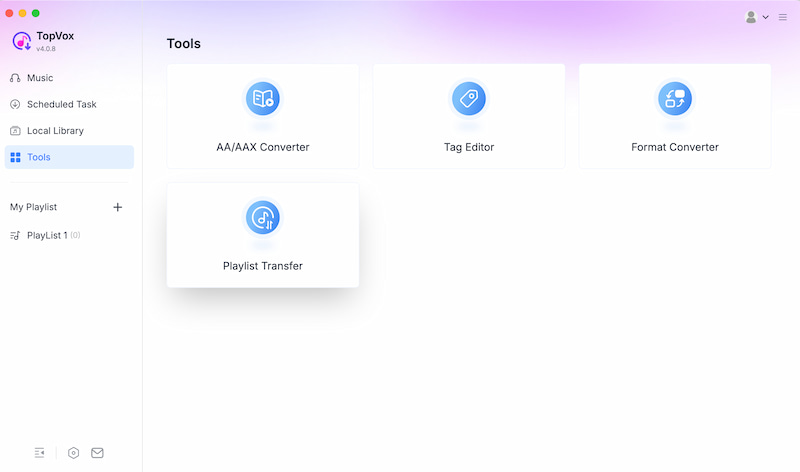
Step 3. After that, please select Apple Music as the Source and YouTube Music as the Target.
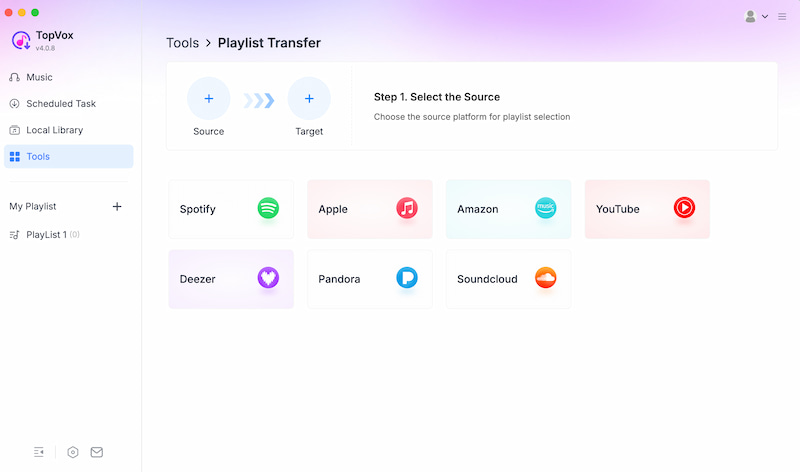
Step 4. Now, select the playlist you want to move and click Nex. After a few minutes, the transfer shall be completed.
Verdict
This method, using TopVox, can offer you full control and versatility. That means transferring your playlist from Apple Music to YouTube Music is simple and possible within a short period of time.
Method 3. Soundiiz: For Online
Best for: Users who want to do the process using an Online tool.
The third method is by the use of Soundiiz, which is known to be an online tool for transferring playlists, such as Apple Music, to YouTube Music. This is a convenient option for users who do not want to install any tool. Although it also supports multiple platforms, some users say that the features are much more limited compared with other software.
Features
- Online transfer.
- Playlist management.
- Cross-device access.
Steps to Use Soundiiz
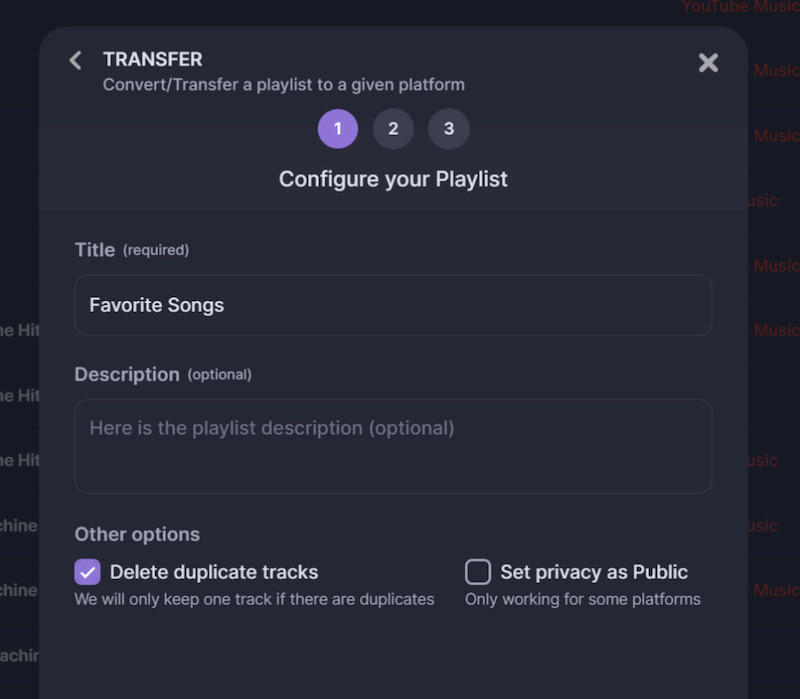
Step 1. You can go to the Soundiiz website and log in to both authorized Apple Music and YouTube Music.
Step 2. Select the playlist you want from Apple Music.
Step 3. Start the transfer.
Verdict
This is a no-tool download with support for cross-platform migration of playlists, but it is limited compared to other tools in this review.
Method 4. SongShift (iOS)
Best For: Direct transfer using your iPhone device.
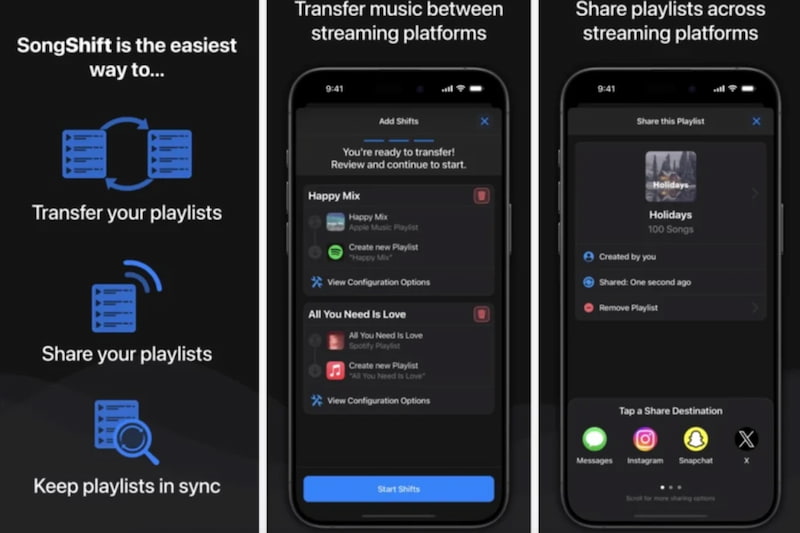
For the fourth method, we have the SongShift application. This app is applicable for transferring Apple Music playlists to YouTube Music with your iOS devices. Here, you can experience a quick and convenient process. Yet, some songs may not carry over because of an issue with metadata or licensing problems.
Features
- Mobile convenience and process.
- Clean and simple interface.
- Quick transfer.
Steps to Use SongShift
Step 1. Get the SongShift app from the Apple Store.
Step 2. Connect your Apple Music and YouTube Music accounts with the app.
Step 3. Select the playlist you want to move and start the process.
Why Some Songs Don't Make it
There is a situation where a user sees that his 100-song playlist becomes 92 songs after doing the process. This is a common issue with the process, and here are the reasons behind it:
- • Metadata Mismatches: Some remixes, live versions, or even alternate titles will not match exactly with a new platform.
- • Regional Licensing Differences: There are songs that are available in Apple Music, but YouTube Music prevents them in your region.
- • Video-only Content: Some tracks only exist as video on YouTube.
- • Fix: To fix these problems, the thing you can do is manually add the lost track to the new platform.
FAQs about Apple Music to YouTube Music
Can I transfer purchased music from Apple Music to YouTube Music?
No. It is not allowed to move purchased music from Apple Music to YouTube Music or any music platform. This kind of music will remain on Apple Music.
How long does the Apple Music to YouTube Music transfer take?
It depends on the method you use. The official way takes an hour to days. Yet some third-party tools only take a few minutes, like the TopVox All Music Converter.
Are Managed Apple accounts supporting the transfer?
No. Some child or managed accounts cannot transfer to YouTube Music. This is because of the restriction from the account that manages it.
Canceling the process midway will bring me what?
The tracks that are already moved will remain; only the remaining tracks will not go through. That means you can always restart the process, but only with the remaining tracks.
Conclusion
In conclusion, moving from Apple Music to YouTube Music is easy with the right tool. In this article, we review four methods, including the official one, which can take a lot of time to process. Also, some third-party tools like TopVox can instantly transfer. Use it now and see the amazing features it can offer.
Luna Harper
Luna Harper is a passionate music lover and an inspiring content sharer. She has explored most of the music converters available on the market, acquiring thorough knowledge of their features, usability, and differences. Luna enjoys using her professionalism to help fellow music lovers get superior audio quality.




 by
by