
How to Find Downloaded Songs in Spotify Desktop and Mobile
 by Owen Bannett | May 28, 2026 | How to
Spotify has solidified itself as the primary music streaming app in the market. Unfortunately, a common concern among its users is the program’s limitations for downloading and offline listening. This is because the function is limited to saving files only in the Spotify app, making its users reliant on premium subscriptions. In this article, we will provide a concrete solution to this problem by outlining the steps to find downloaded Spotify songs. We will highlight two ways to download directly from the app and through the built-in download process in your Spotify library.
100% Secure. No virus.
100% Secure. No virus.
Part 1. Find Downloaded Songs on Spotify on Your Computer
Before learning how to locate downloaded Spotify songs on your computer, you have to learn how to download the songs first. This may be challenging since Spotify uses Digital Rights Management (DRM) protection. Fortunately, we will highlight the best DRM converter tool on the market for downloading Spotify media: TopVox All Music Converter.
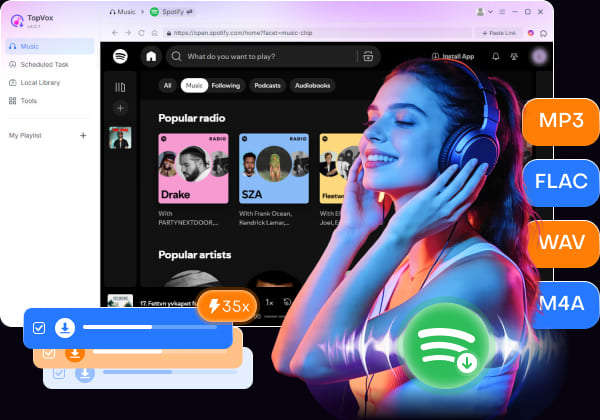
Designed specifically to download content from DRM-protected streaming platforms, this program is well-optimized for handling Spotify content. On top of basic downloads, TopVox can handle batch-downloading optimized for curated Spotify playlists, albums, or artists’ radio.
Moreover, the sound quality of downloaded audio won’t be sacrificed, since converted DRM files can be saved at 320 kbps or in original lossless quality as FLAC, ALAC, or WAV.
To learn more about the software, read the key features below for using it as a Spotify media downloader. Do not forget to download it as well for an easier time following our full tutorial on using it.
100% Secure. No virus.
100% Secure. No virus.
Key Features:
- Batch downloads Spotify albums, playlists, podcasts, and audiobooks.
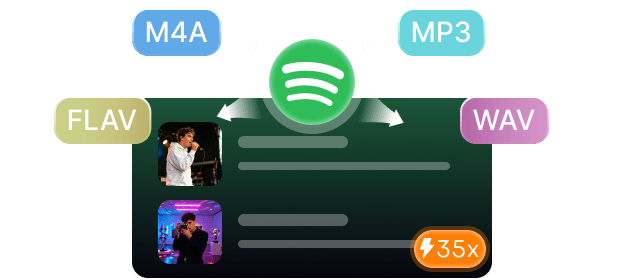
- Downloaded Spotify songs may be saved in MP3, M4A, WAV, FLAC/ALAC, or AIFF formats.
- Supports GPU acceleration for 35× faster download and conversion speeds.
- Downloaded media may be saved in high-quality 320 kbps or lossless quality.
- Keeps the ID3 tags and metadata of downloaded songs from album art, artist, album, and more.
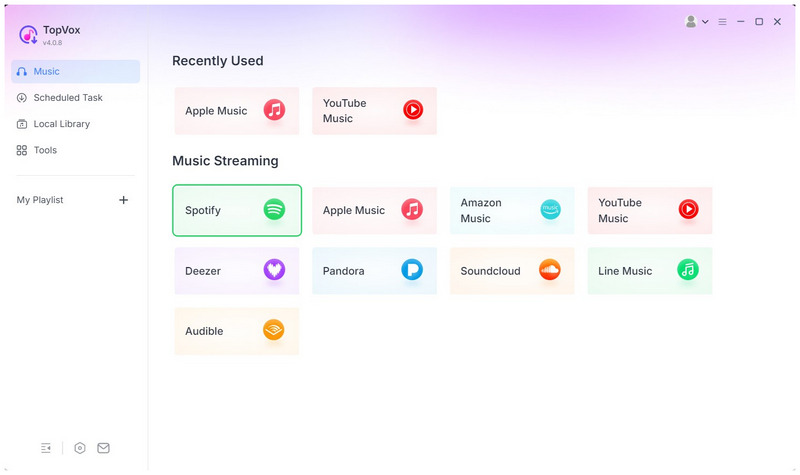
Step 1. Open TopVox All Music Converter, then click Spotify among the streaming services.
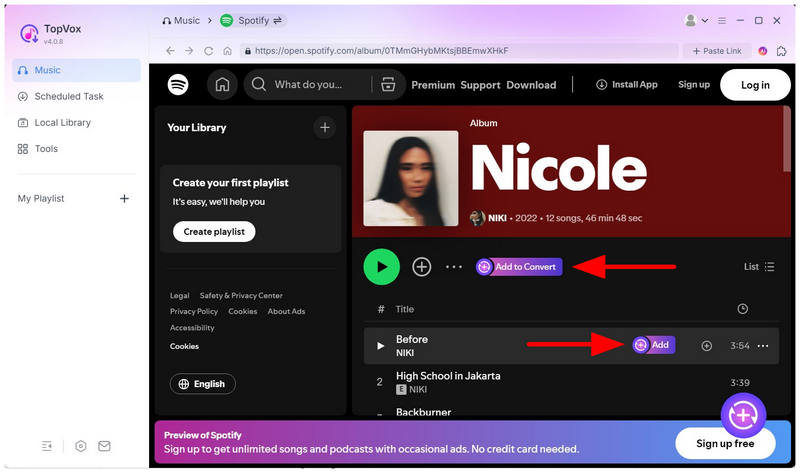
Step 2. Find the Spotify media you want to download by navigating through its menu. Next, add albums, playlists, or individual songs to the conversion queue. Select Add to Convert on the collection title or a single song to add it for download
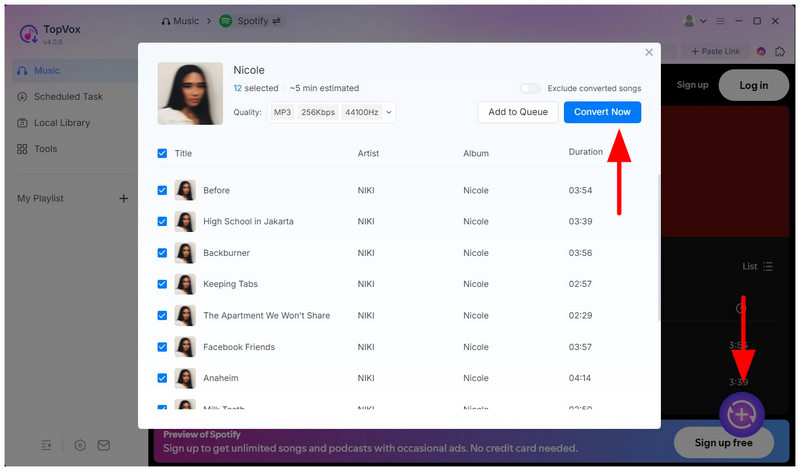
Step 3. Once you’ve selected the media files you want to convert and download, click the Add button in the lower-right section of TopVox. In the pop-up menu, select Convert Now to begin converting the DRM-protected audio to an MP3 audio file.
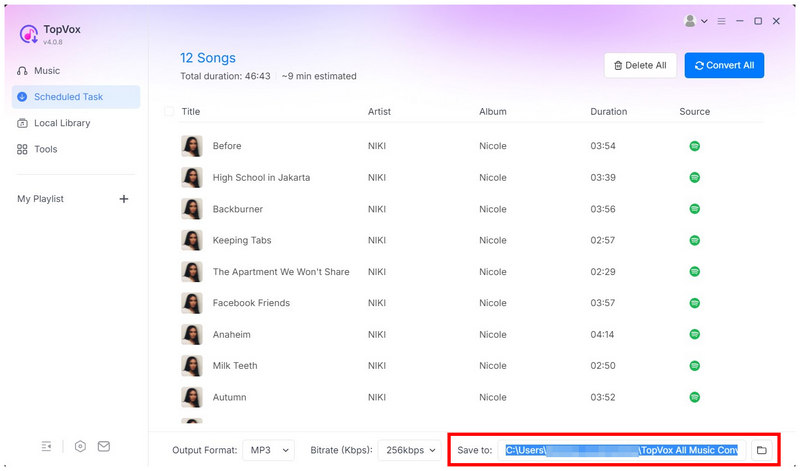
To find the save destination for your downloaded Spotify music, go to the Scheduled Task tab and select the Save To option. By default, the save location is located in C:/Users/Name/TopVox All Music Converter. You can customize the location by clicking on the Folder icon.
100% Secure. No virus.
100% Secure. No virus.
Part 2. Find Downloaded Songs on Spotify on Mobile
If you are subscribed to Spotify Premium or you are using their services for podcast consumption, you can download media from Spotify itself. Fortunately, these are easy to locate within the app.
They are organized neatly in Your Library under the Downloaded media section. To easily locate your downloaded Spotify songs and episodes, please read our three-step guide below.
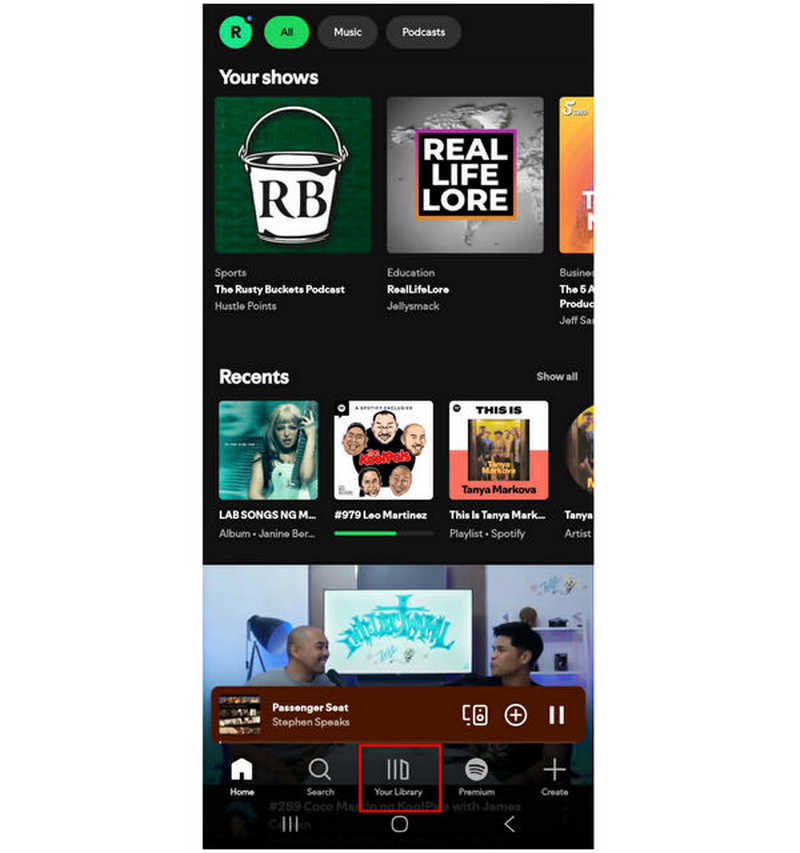
Step 1. Open Spotify and go to the Your Library tab.
Step 2. Then, select Downloaded in your profile’s library.
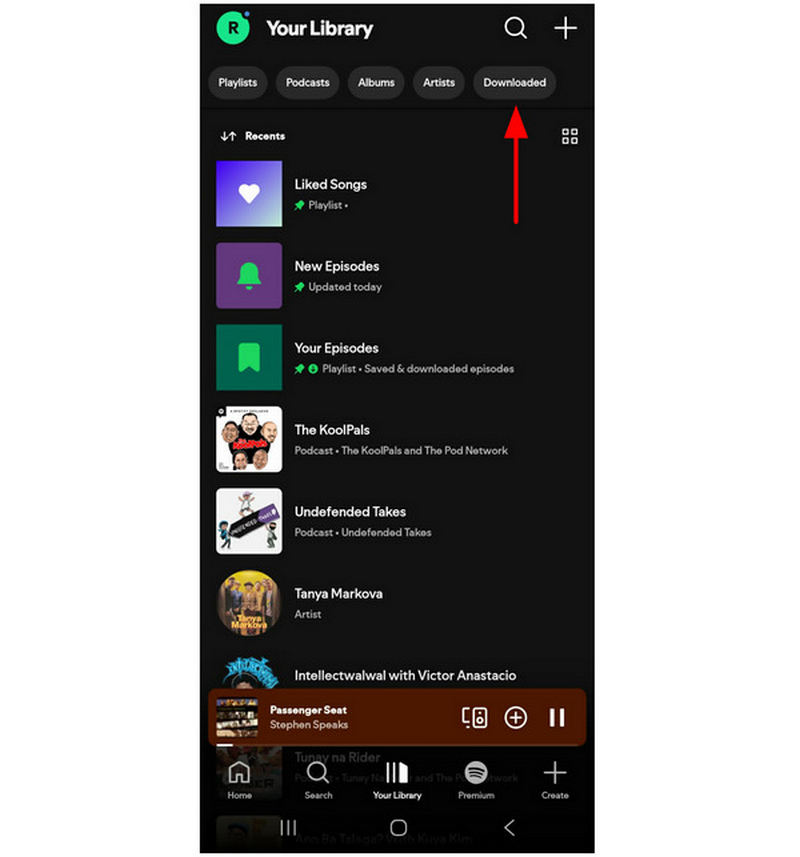
Step 3. In the Downloaded tab, your downloaded podcast episodes and playlists will be available. However, you can only download playlists and songs if you are subscribed to Spotify Premium; free users can only download podcast episodes.
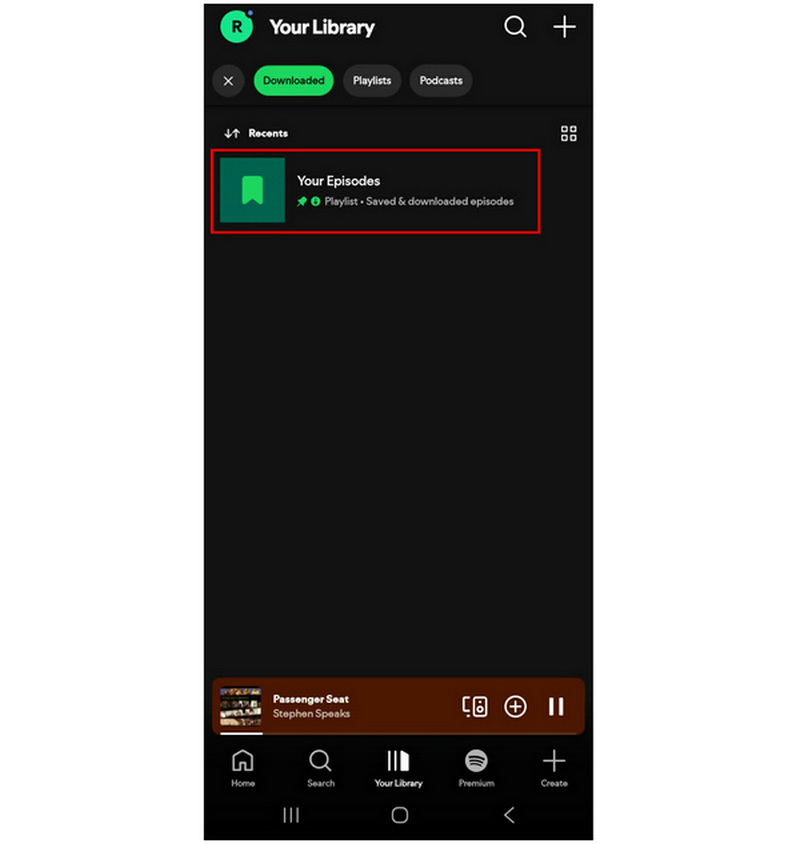
Once you have located the downloaded audio on your Spotify app, you can now enjoy them on Spotify’s offline mode. Although these files are not downloaded themselves, they get the job done by providing offline access to Spotify media.
Conclusion
Now that you have learned the best options for finding and locating downloaded Spotify media on your app or computer, we hope this article is enough to improve your overall listening experience. For users who want to learn how to download Spotify songs directly, not just save them in-app, make sure to start using TopVox All Music Converter to begin downloading DRM music on your device. You may download the tool using the link below.
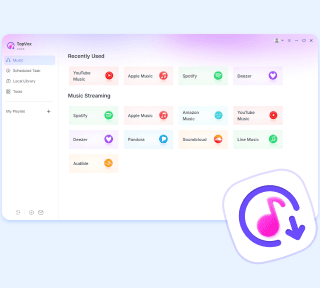
TopVox Spotify Music Converter
Rated on Trustpilot >  4.8/5
4.8/5
- Download and convert Spotify songs, albums, playlists, etc., with a success rate of up to 99%.
- Keep original quality, retain ID3 tags, offer lightning-fast speed and lifetime updates.
100% Secure. No virus.
100% Secure. No virus.