Tunepat Amazon Music Converter Review: Amazon Music Downloader
There is plenty of great music on Amazon Music with its high-quality sound. Every user loves to listen to music because of it. However, for this to happen we need a subscription first. Then what shall we do when we cannot afford to subscribe to its premium account? Good thing we now have various tools that allow us to download music for free even without subscription. One of these is the incredible TunePat Amazon Music Converter. That is why, in this article we will review its features and the things it can offer for its users. Learn more about it by reading now.
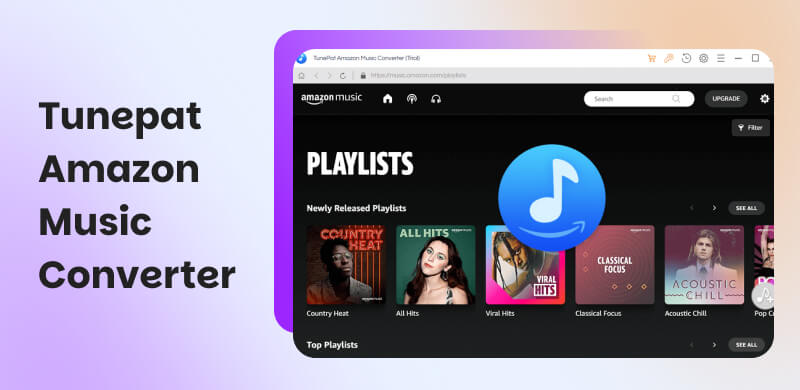
Part 1. In-depth Review of TunePat Amazon Music Converter
What is TunePat Amazon Music Converter
Let us now start by defining what it means by Tunepat Amazon Music Converter. In simple words, this tool is designed for us users to download and convert Amazon Music songs, playlists, and albums into universal formats of MP3, AAC, WAV, FLAC, and AIFF. These file formats allow you to play the music offline on your devices.
More than that, let us now break down some of the key features you can enjoy when you are looking at a Tunepat Amazon Music Converter review. Check these features below together with other details such as operating system requirements, pricing plan, and more.
Key Features of TunePat Amazon Music Converter
- • Various Supported Format: This tool can allow you convert Amazon Music to a variety of popular formats. Here, you can choose the format that you need for your needs and devices.
- • Great ID3 Tag Retention: It has a feature where it is designed to retain important ID3 tags. This includes all of the artist, album, title, and artwork. Once all of these are retained, then your music library is organized and easy to navigate.
- • High-Quality Audio Output: Using this tool means you also aim to preserve the original audio quality during the conversion process. Get this tool and set a goal to enjoy your music in the best possible quality.
- • Batch Conversion: It also offers batch conversion capabilities. That means, it is now easy to convert entire playlists or albums with a single click.
OS Requirement
| Supported Versions | Processor | RAM | Disk Space | Display |
| Windows | Windows 7, 8, 8.1, 10, 11 with 32‑bit and 64‑bit. | 1 GHz or higher. | 512 MB minimum. | 1 GB free. | 1024×768 or higher. |
| macOS | macOS 11 or later. | 1 GHz or higher. | 512 MB minimum. | 1 GB free. | 1024×768 or higher. |
Pricing Plan
Take a look at the pricing plan below for the TunePat Amazon Music Converter:
| Price | Details |
| 3‑Month License | $29.95 | ●1 PC.
●Auto‑renews.
●5‑day money‑back guarantee. |
| 1‑Year License | $44.95 | ●1 PC.
●Auto‑renews.
●Advertised as $3.75/month. |
| Lifetime License | $89.90 | ●One‑time purchase.
●Lifetime free updates.
●30‑day money‑back guarantee. |
| Bundle Option | $99.95 per year or $199.90 lifetime. | ●Includes Amazon Music.
●Video Converter. |
User Review about TunePat
Trustpilot
Rating: 4.3/5 out of 400 reviews.
Verdict:
- • There is a good lossless audio quality and metadata retention.
- • Users love the batch conversion and fast speeds.
- • There is an issue about subscription auto‑renewal.
- • There is also an issue with bugs in video tools.
Softpedia
Rating: 3.5/5 out of 97 votes.
Verdict: The tool is lightweight and effective, but most features are locked behind a subscription.
Part 2. How to Use a TunePat Music Converter?
After knowing the definition of the TunePat Music Converter, let us now know how easy it is in terms of using it. See the steps you can follow below:
Step 1. We need to open the TunePat Amazon Music Converter. It is also important that you log in to your Amazon Music account.
Step 2. Please proceed with the Settings icon. From there, click your desired output format and configure other settings like output file naming conventions in accordance with your preference.
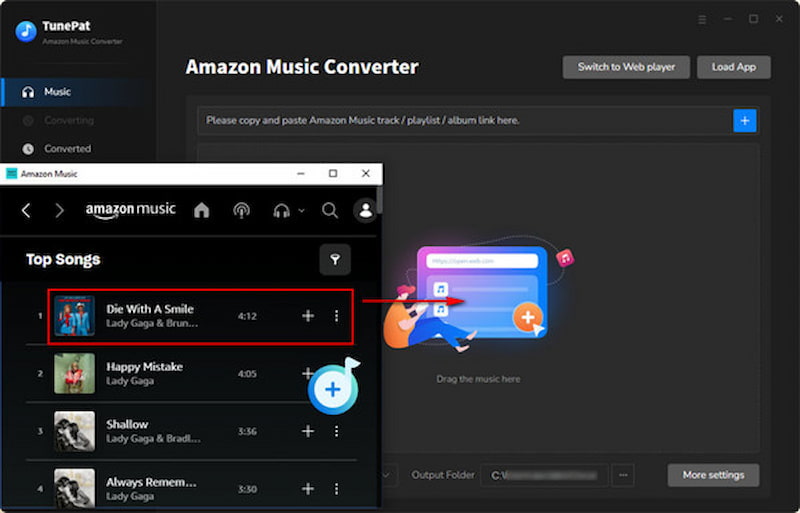
Step 3. Within the TunePat interface you can now browse your Amazon Music library. See the music you love and click the Add button.
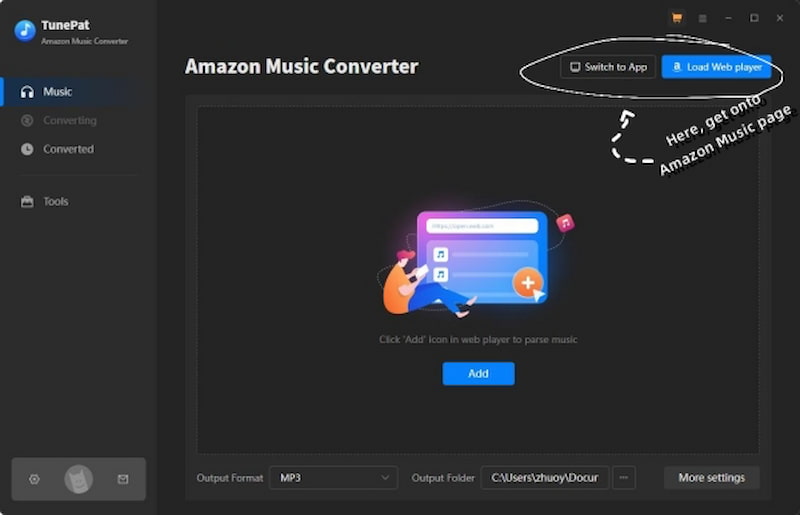
Step 4. You will now see the selected music in the conversion list. From there, we need to choose the specific songs you want to download and convert. Click the Convert button to begin the conversion process.
Part 3. TunePat Music Converter Alternative: TopVox All Music Converter
What is TopVox All Music Converter
We get to know TunePat Music Converter, from the best things it can offer and some of the flaws it possesses. Now, if you think that tool is not enough to meet your needs then TopVox All Music Converter is here to rescue. This tool is the best TunePat Music Converter alternative with much better features and functionality.
TopVox All Music Converter is a versatile music converter that allows you to get music on Amazon with ease and straightforward process. Also, batch conversion allows it here, making you save time and effort. More than that, the tool is versatile in supporting wide options for different music platforms, not just Amazon music. Let us see more of its feature and steps to use it below:
How to Use TopVox All Music Converter
Step 1. TopVox All Music Converter is free to download, get it and install it with ease.
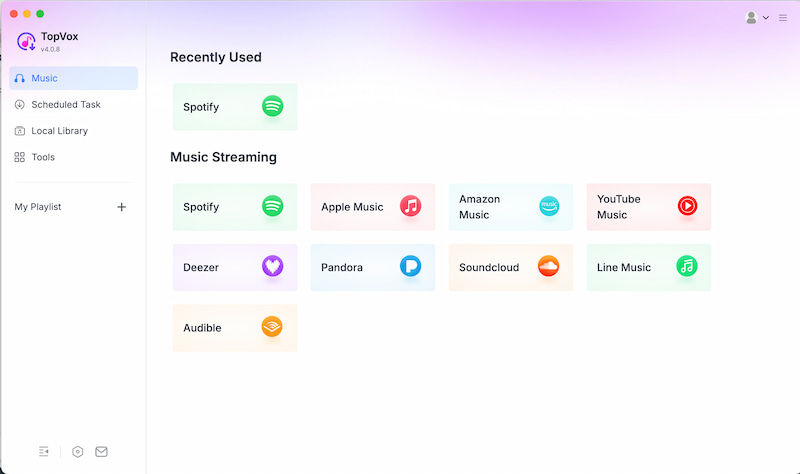
Step 2. Now, open the tool on your device and see its main interface. Among the options, choose Amazon Music.
Step 3. You can now see the interface of Amazon Music from TopVox, search the music you want to convert. On the side of the track, click the button for Add to Convert. At last, adjust the output format and click Start to Convert.
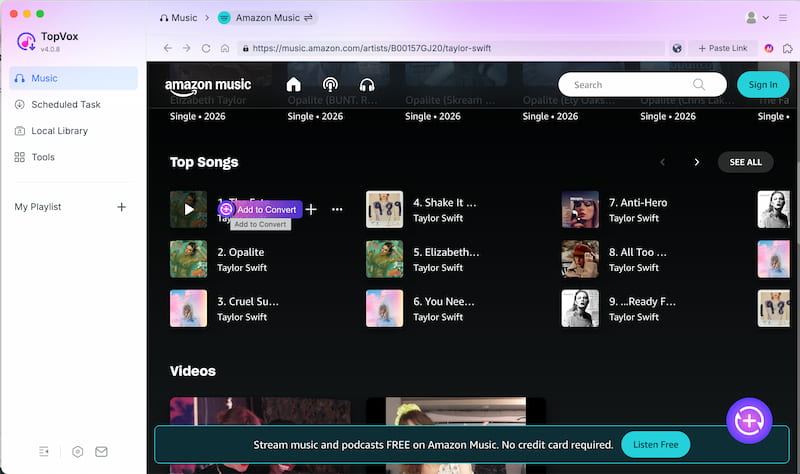
After following those steps, you just need to wait for a few seconds and your music will be ready. That is how fast TopVox All Music Converter is when it comes to getting your music. Use it now!
User Review about TopVox All Music Converter
Softpedia
Rating: 4.5/5.0
Verdict:
- • Users love how simple, efficient, and versatile it is.
- • Supports many streaming platforms.
- • Offers good audio quality and ID3 tag retention
AlternativeTo
Rating: 4.6/5.0
Verdict:
- • Users highlight its clean interface and ad‑free experience.
- • Multi‑platform support, fast conversion, and privacy‑focused design.
- • Considered lightweight and secure.
Part 4. TunePat vs. TopVox: Which is Better to Convert Amazon Music?
| TunePat Amazon Music Converter | TopVox All Music Converter |
| Best For | Users who want a stable Amazon‑only converter | Users who want multi‑platform support. |
| Audio Quality | High quality; preserves original audio | ●High quality.
●Supports lossless formats |
| ID3 Tags | Retains artist, album, artwork. | Strong ID3 tag retention. |
| Output Formats | ●MP3.
●AAC.
●WAV.
●FLAC.
●AIFF. | ●MP3.
●WAV.
●M4A.
●AAC.
●ALAC.
●FLAC.
●AIFF. |
| Conversion Speed | ●Fast.
●Supports batch conversion. | ●Very fast.
●Optimized for bulk downloads. |
| Free Trial Limits | Converts only the first 3 minutes of each track | ●Limited features.
●Watermark or partial conversion depending on platform |
| Additional Tools | Amazon Music‑focused only | ●Multi‑platform downloader.
●Built‑in browser.
●Wider format support. |
| OS Support | ●Windows 7 to 11.
●macOS 11+. | ●Windows.
●macOS. |
FAQs on TunePat Amazon Music Converter
Q: Does TunePat retain ID3 tags?
A: Yes. The tool has an ability to preserve artist, album, title, and artwork metadata. This data will keep your music library organized and easy to navigate.
Q: Is the audio quality preserved during conversion?
A: TunePat Amazon Music Converter can ensure you a high-quality audio output. This can maintain the original sound quality throughout the conversion process you undergo on this tool.
Q: Can I convert entire playlists at once?
A: Yes, TunePat Music Converter has a feature for batch conversion.This can allow users to convert albums or playlists quickly with a single click.
Q: Are there any drawbacks mentioned?
A: There are users who report issues with subscription auto-renewal. Also, an issue with occasional bugs is up.
Q: Is there a free trial available for TunePat Music Converter?
A: Yes. There is a free trial that converts only the first three minutes of each track. This free trial will let users test the functionality before purchase.
Conclusion
As we get to the conclusion, we can now say that TopVox All Music Converter is a great tool that will let you get music with ease. But TopVox All Music Converter can also offer great and better features. Use it and get your music without complication. Many users suggest it is much more secure and safe to use. Use it now and discover more of the things it can offer for you.
Ethan Carter
Ethan Carter creates in-depth content, timely news, and practical guides on AI audio, helping readers understand AI audio tools, making them accessible to non-experts. He specializes in reviewing top AI tools, explaining the ethics of AI music, and covering regulations. He uses data-driven insights and analysis, making his work trusted.




 by
by