Sidify Amazon Music Converter Review: Best or Limited Tool?
Summary:
Sidify Amazon Music Converter provides a reliable way to save Amazon Music tracks for offline listening. However, its scope is limited to a single platform and standard conversion speeds. In contrast, TopVox All Music Converter is a multi-platform powerhouse, offering 35× faster speed and 24-bit studio-grade output. With support for multiple streaming platforms, TopVox provides the versatility and efficiency that Sidify’s specialized tool lacks.
If you want to remove DRM protection and download music from Prime or Unlimited, you need an Amazon Music Converter. It is the only tool that transforms streamed tracks into permanent offline files you can play anywhere. Sidify is one of the tools that often appears in search results. But the real question is, does it actually deliver a good experience, or is it just another basic option in a crowded space? If you haven't tried it before, this Sidify Amazon Music Converter review takes a closer look at it from all aspects. We'll look at its features, performance, and limitations to help you decide. And if you find it limited in certain areas, we also include a better alternative for a smoother experience.
Part 1. What is Sidify Amazon Music Converter
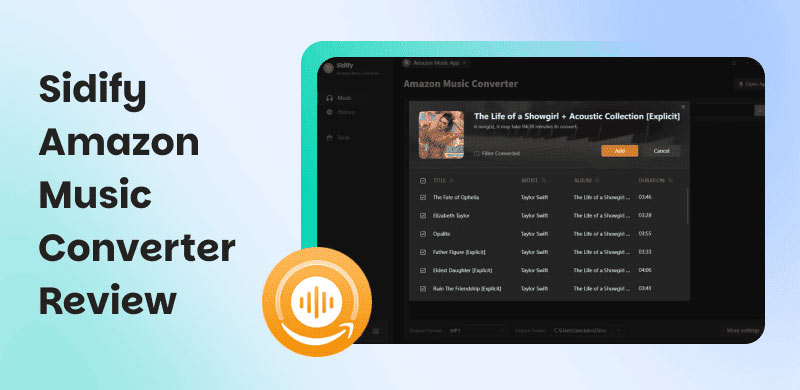
Sidify Amazon Music Converter is a desktop tool fully compatible with Windows 7-11 and macOS 11 and above. It lets you convert and download music from Amazon Music into standard audio formats. It preserves original sound quality, including HD and Ultra HD, while keeping the metadata intact. It also supports batch conversion of playlists and albums at 10× faster speeds. After conversion, it saves files locally, allowing you to listen offline without restrictions.
What to Know More about Sidify:
- Supports batch conversion with adjustable speeds up to 10×.
- Converts Amazon Music to MP3, AAC, WAV, FLAC, AIFF, and ALAC.
- Includes audiobook converter, audio converter, tag editor, and CD burner.
- Downloads songs, albums, playlists, podcasts, and audiobooks from Amazon Music.
- Preserves all ID3 tags, including title, artist, album, artwork, track number, lyrics, and year.
| Lifetime Plan |
| $59.95 | $129.90 |
License for a single computer.
Free updates.
5-day money-back guarantee. | License for a single computer.
Free updates.
30-day money-back guarantee. |
Part 2. Pros/Cons of Sidify Amazon Music Converter
Before getting into any Amazon Music downloader, it's worth taking a closer look at both sides. The pros tell you what kind of results you can expect, while the cons reveal the trade-offs you might run into. Knowing both helps you avoid surprises, especially when you care about how your downloaded music actually sounds and behaves after conversion.
Pros
- It delivers clean, playable files that work on most devices.
- It converts entire playlists consistently without missing tracks.
- It keeps songs intact without much distortion or compression loss.
- It maintains stable audio levels without sudden volume inconsistencies.
- It allows you to keep music permanently, even after your subscription ends.
Cons
- It may not fully preserve embedded lyrics in all cases.
- It occasionally misses or mislabels metadata in some tracks.
- It can create output files that need manual organization afterward.
- It does not always perfectly retain Ultra HD quality in every conversion.
- It depends on the original stream quality, which limits the final output quality.
Part 3. My Experience with Sidify Amazon Music Converter
Even if you have never used such a tool before, getting started with Sidify Amazon Music Converter is straightforward. The interface is clean, and most of the process comes down to choosing your music, adjusting a few settings, and hitting convert.
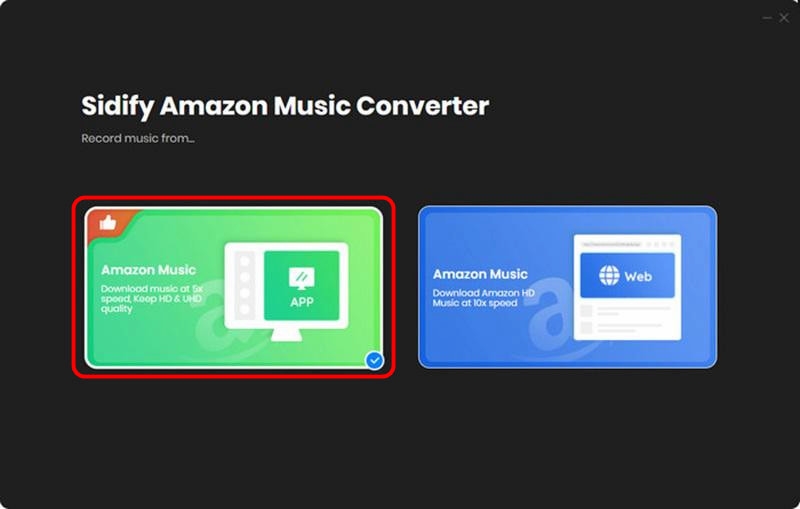
Step 1. Upon opening Sidify, choose a download mode: App Mode or Web Mode. For this demonstration, we will use the App Mode.
Step 2. Browse your library and drag and drop them into the interface to queue them up for conversion. Next, click Settings to specify output format and adjust audio quality.
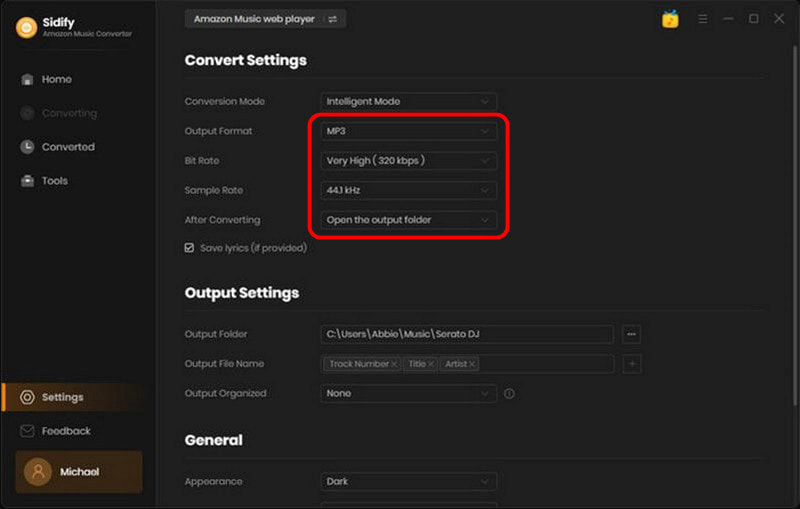
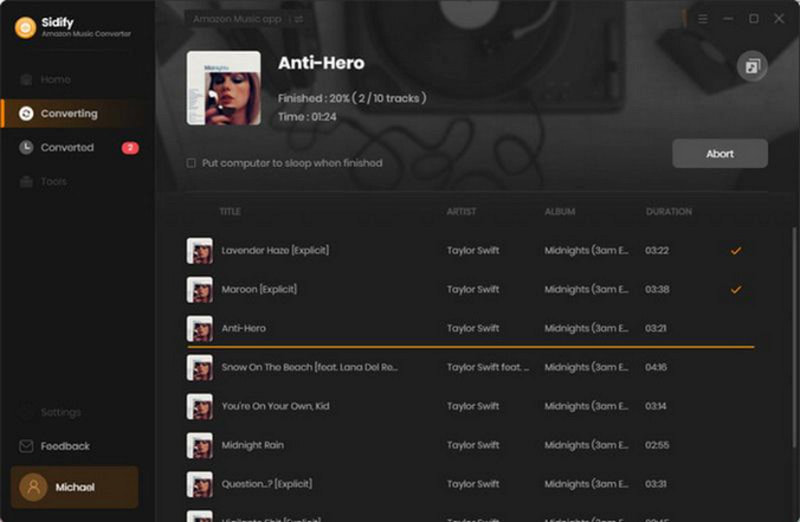
Step 3. After you set up everything, click the Convert button. Sidify will begin downloading and converting your selected tracks in batches.
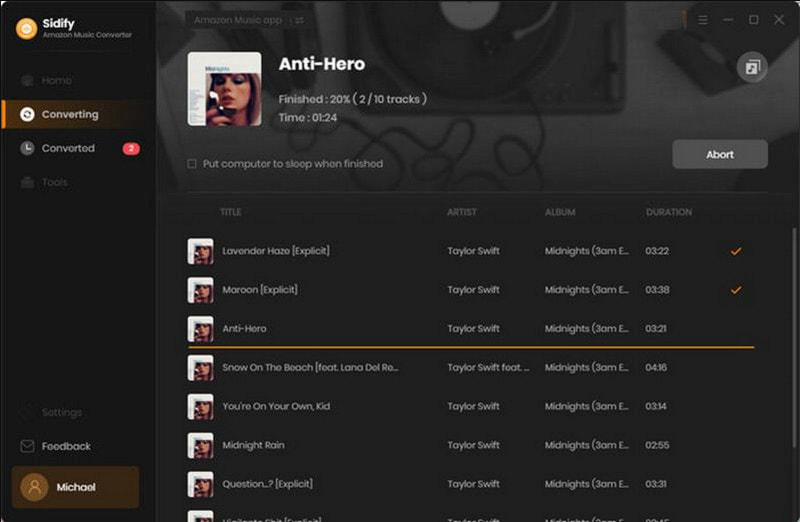
Sidify Music Converter is good, but with clear limits. It converts Amazon Music into usable, high-quality MP3 files that you can keep and play anywhere. However, performance tends to drop when handling larger batches, and some inconsistencies can show up during longer sessions.
| Result | Format |
| Single Song (3:21) | 1 minute and 24 seconds | MP3/320Kbps/44.1kHz |
| Album (10 tracks) | 15 minutes and 33 seconds | MP3/320Kbps/44.1kHz |
| Batch (102 tracks) | 2 hours and 18 minutes | MP3/320Kbps/44.1kHz |
Part 4. Best Alternative: TopVox All Music Converter
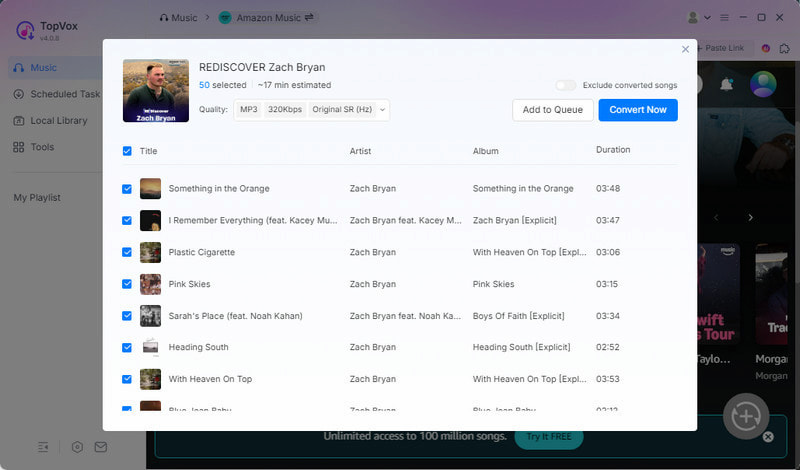
If you've been searching for the Sidify Amazon Music Converter crack version, you're trying to unlock full features without limits. But going that route comes with risks, including unstable performance and security issues. A better option is to switch to a tool that already gives you more flexibility and power out of the box.
TopVox All Music Converter is built as a more complete solution, not just for Amazon Music but for multiple streaming platforms. It lets you convert Amazon Music to open formats such as MP3, FLAC, M4A (ALAC/AAC), WAV, and AIFF. It can export music at up to 24-bit, 320 kbps, and 48kHz. With support for simultaneous downloads up to 35× faster, it handles large playlists and bulk conversions much more efficiently. Also, it retains full ID3 tags, including song titles, artist names, and album details. Notably, it goes beyond Amazon Music, supporting Apple Music, Spotify, YouTube Music, Deezer, Pandora, SoundCloud, Line Music, and Audible.
What to Look Forward to with the TopVox All Music Converter:
- Supports simultaneous batch downloads at speeds up to 35× faster.
- Allows large playlist and library conversions without manual tracking.
- Delivers high-quality audio output up to 24-bit, 320 kbps, and 48,000 Hz.
- Offers an all-in-one music conversion solution across 9 streaming services.
- Converts Amazon Music and other streaming tracks into DRM-free formats.
Part 5. Sidify Vs TopVox
| Sidify | Versus | TopVox |
| Amazon Music | Supported Services | Amazon Music, Apple Music, Spotify, YouTube Music, Deezer, SoundCloud, Pandora, Line Music, and Audible |
| MP3, AAC, WAV, FLAC, AIFF, and ALAC | Output Formats | MP3, FLAC, M4A (ALAC/AAC), WAV, and AIFF |
| 320kbps/44.1kHz | Audio Quality | 24-bit/320Kbps/48kHz or lossless FLAC/WAV |
| Up to 10× | Download Speed | Up to 35× |
| ✅ | Batch Downloading | ✅ |
| ✅ | DRM Removal | ✅ |
| ✅ | ID3 Tag Preservation | ✅ |
| $129.90 (Lifetime Plan) | Price | $139.95 (Lifetime License) |
| Windows and Mac | Platform | Windows and Mac |
Part 6. FAQs about Sidify Amazon Music Converter
Q: Will Spotify ban me for using Sidify?
A: Spotify doesn't officially state that it bans users for installing Sidify. However, using these tools to download or convert streams violates Spotify's Terms of Service. While Spotify rarely bans casual users in practice, the risk remains.
Q: Is Sidify safe to use?
A: Downloading Sidify Music Converter from its official website ensures software integrity. The program contains no ads, malware, or bundled plugins. However, safe software differs from safe usage. Though the program itself is clean, using it with streaming services violates platform rules.
Q: Is it illegal to convert Spotify to MP3?
A: Converting Spotify music to MP3 without proper authorization violates Spotify's Terms of Service. Spotify intends for users to stream content within its platform rather than extract permanent offline files. In general, you should assume that converting copyrighted streaming content without permission is prohibited.
Conclusion
That's where our Sidify Amazon Music Converter review ends. Sidify works well for basic Amazon Music conversion with decent results. However, it also shows limitations in speed stability, large-batch handling, and platform flexibility. For a complete, future-ready solution, TopVox All Music Converter is the smarter choice for downloading and using. It offers higher audio quality, faster conversion speeds, and broader platform support, all in one tool.
Owen Bannett
Owen Bannett is a music enthusiasm as well as a senior writer. He has paid close attention on the pros & cons of various audio formats, bitrate, sample rate and encoding methods. Always seeking the best listening experience, Owen has deep insights about lossless music and diverse music converters on the markets.




 by
by