NoteBurner Amazon Music Converter Review [2026 Update]
Summary:
NoteBurner Amazon Music Converter effortlessly turns Amazon Music tracks into offline audio files. It delivers solid quality with customizable output options. However, its focus remains limited to Amazon Music, and its recording-based approach can feel less flexible than those of more advanced solutions. For broader platform support and smoother performance, TopVox All Music Converter is a complete and flexible alternative.
Streaming services are convenient, but they come with limitations. After your subscription ends, your downloaded tracks disappear, leaving you with no real ownership of your music. NoteBurner addresses this issue by saving Amazon Music as playable audio files that you can store, transfer, and use freely on any device. If you've ever felt restricted inside the Amazon Music app, this kind of tool makes that limitation easy to understand. In this NoteBurner Amazon Music Converter review, we'll walk through what NoteBurner offers. We will also cover how it works, its key features, and where it performs well or falls short. And if you find it a bit limited after the breakdown, we'll introduce a better alternative that delivers a more flexible and smoother music conversion experience.
Part 1. What is NoteBurner Amazon Music Converter
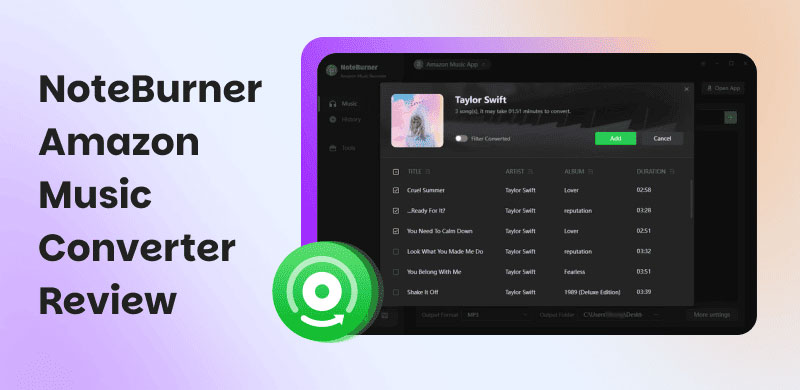
NoteBurner Amazon Music Converter is a downloader and converter rolled into one. This tool is fully compatible with Windows 7-11 and macOS 11-26. It lets you take songs, playlists, and albums from Amazon Music and save them as regular audio files. It means no more app restrictions or losing access when your subscription ends. At its core, it allows you to download Amazon Music in MP3, AAC, M4A, WAV, FLAC, AIFF, and ALAC formats.
What to Know More about NoteBurner:
- Works with both the Amazon Music app and web player.
- Retains ID3 tags, lyrics, and original sound quality after conversion.
- Processes downloads at speeds up to 10× faster, even for large playlists.
- Includes a format converter, ID3 tag editor, CD burner, and AA/AAX converter.
- Converts Amazon Music to standard audio formats with preserved audio quality.
| Lifetime Plan |
| $59.95 | $129.90 |
License for a single computer.
Free updates.
5-day money-back guarantee. | License for a single computer.
Free updates.
30-day money-back guarantee. |
Important Note: Many users search for NoteBurner Amazon Music Converter crack versions, but this is risky. Cracked software usually comes with malware, data theft, or hidden viruses, not to mention broken features and zero updates. You could end up damaging your system or exposing personal info.
Part 2. Pros/Cons of NoteBurner Amazon Music Converter
Before jumping in, it's worth taking a step back. Looking at the pros helps you determine if the software fits your needs, but the cons are just as vital. They highlight the trade-offs, limitations, and potential frustrations you might encounter. Skipping this step is how people end up with tools that look good on paper but fail in practice.
Pros
- It retains lyrics along with the converted files.
- It keeps lossless formats like FLAC intact for better audio fidelity.
- It allows offline playback without any app or subscription limitations.
- It produces stable, consistent output even when converting large playlists.
- It delivers high-quality audio output that closely matches the original tracks.
Cons
- It lacks support for streaming platforms outside Amazon Music.
- An active Amazon Music account is required to access content.
- It relies on a recording-based process, not true direct conversion.
- It does not always maintain perfect lossless quality in real-world use.
- It takes longer to handle very large playlists, despite the claims of speed.
Part 3. My Experience of NoteBurner Amazon Music Converter
Getting started with this Amazon Music downloader is straightforward. You don't need any technical background, only a few clicks, and you're on your way to saving your favorite tracks for offline use. Still, knowing the right steps can make the process smoother.
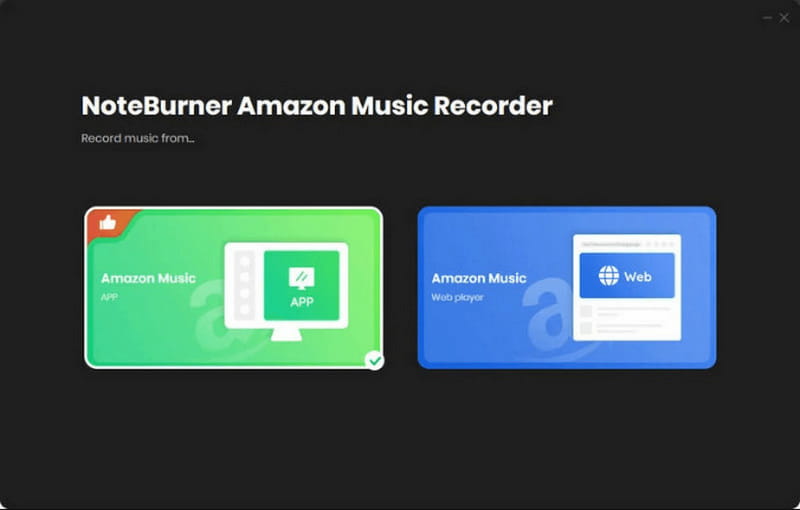
Step 1. On the NoteBurner main dashboard, the software prompts you to choose between downloading from the Amazon Music app or the Amazon Music web player. Here, we choose the Amazon Music app mode as it delivers higher output quality.
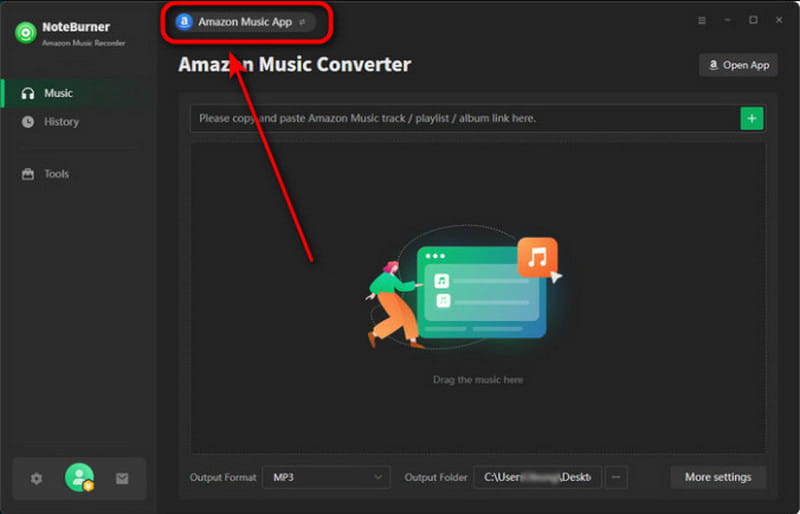
Step 2. Drag and drop songs, playlists, or albums directly into NoteBurner. You can also copy and paste a playlist link into the app. After your selections appear in the list, click Add to confirm them. Click the Settings button to customize output format and audio quality.
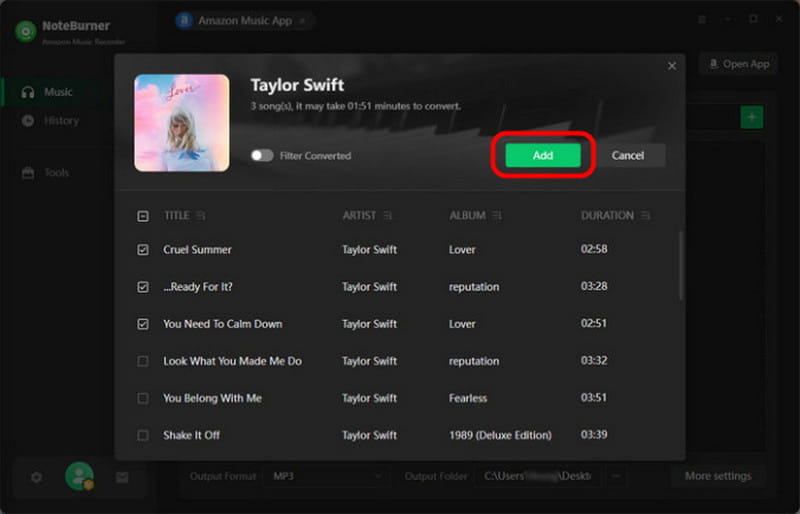
Step 3. After setting up everything, click Convert to begin processing your tracks. After the conversion, head to the History section to find your files. You can click the Folder button to jump straight to where you save your music.
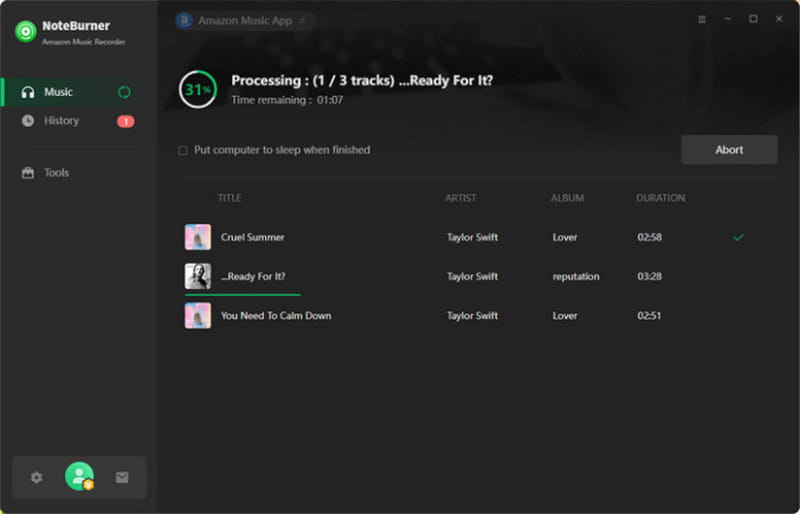
NoteBurner Amazon Music Converter is a solid and reliable tool for saving Amazon Music for offline listening with good quality. It performs well in maintaining audio fidelity, handling batch conversions, and preserving metadata. However, if you're expecting ultra-fast processing or a completely unrestricted downloader experience, you may feel its limitations over time.
| Result | Format |
| Single Song (2:58) | 1 minute and 7 seconds | MP3/320Kbps/44.1kHz |
| Album (15 tracks) | 17 minutes and 55 seconds | MP3/320Kbps/44.1kHz |
| Batch (50 tracks) | 1 hour and 25 minutes | MP3/320Kbps/44.1kHz |
Part 4. Best Alternative: TopVox All Music Converter
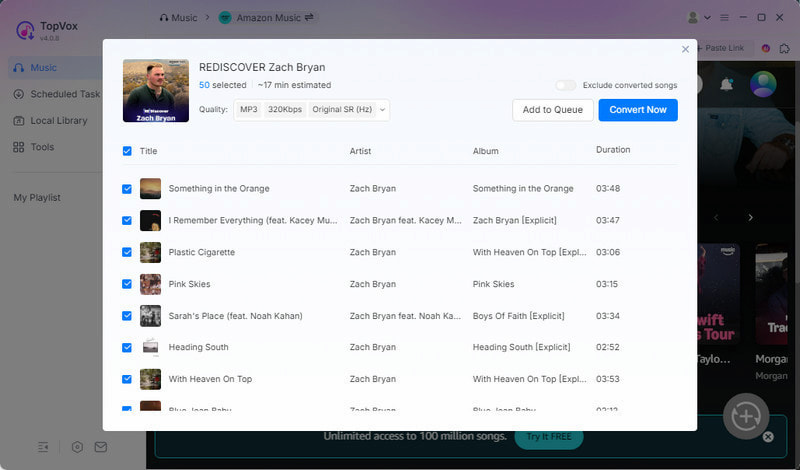
If you're looking for a music converter that goes beyond Amazon Music, TopVox All Music Converter is a solid choice. It is a multi-service music downloader and converter fully compatible with Windows and Mac. It delivers stable, high-quality, DRM-free output files, giving you real offline access to your music library.
This software fully decrypts and converts Amazon Music tracks into DRM-free audio files. It supports downloading single tracks, full albums, entire artists, playlists, and even podcasts. It can export music in MP3, FLAC, M4A (ALAC/AAC), WAV, and AIFF formats. Additionally, it allows customization with a bitrate up to 320 kbps and a sample rate up to 48,000 Hz. Aside from Amazon Music, it also supports Apple Music, Spotify, YouTube Music, Deezer, Pandora, SoundCloud, Line Music, and Audible.
What to Look Forward to with the TopVox All Music Converter:
- Enables simultaneous downloads up to 35× faster.
- Supports multiple streaming platforms beyond Amazon Music.
- Converts Amazon Music tracks into DRM-free formats such as MP3.
- Retains full ID3 tags, such as song title, artist, album, and artwork for organization.
- Supports full playlist and album downloads without manual track-by-track processing.
Part 5. NoteBurner Vs. TopVox
| NoteBurner | Versus | TopVox |
| Amazon Music | Supported Services | Amazon Music, Apple Music, Spotify, YouTube Music, Deezer, SoundCloud, Pandora, Line Music, and Audible |
| MP3, AAC, M4A, WAV, FLAC, AIFF, and ALAC | Output Formats | MP3, FLAC, M4A (ALAC/AAC), WAV, and AIFF |
| 320kbps/44.1kHz | Audio Quality | 320Kbps/48kHz or lossless FLAC/WAV |
| Up to 10× | Download Speed | Up to 35× |
| ✅ | Batch Downloading | ✅ |
| ✅ | DRM Removal | ✅ |
| ✅ | ID3 Tag Preservation | ✅ |
| $129.9 (Lifetime Plan) | Price | $139.95 (Lifetime License) |
| Windows and Mac | Platform | Windows and Mac |
Part 6. FAQs about NoteBurner Amazon Music Converter
Q: Is the NoteBurner Amazon Music Converter safe?
A: Yes, NoteBurner is safe when you download it from the official website. However, like any third-party converter that interacts with streaming apps, safety also depends on using the legitimate version. Also, using the cracked version can introduce malware or stability issues.
Q: What is the best Amazon Music Converter?
A: NoteBurner is a solid choice if your focus is strictly on Amazon Music. It offers reliable conversion and high-quality output. However, if you're looking for a more complete and flexible solution, TopVox is recommended as the better option. This tool supports multiple streaming platforms, provides broader format options, and offers a more unified experience.
Q: Can Spotify detect NoteBurner?
A: Yes, Spotify can detect tools like NoteBurner because they operate within the Spotify environment to capture or process audio. Even at lower speeds like 1×, there is still a risk, since streaming platforms monitor unusual playback behavior and automated patterns.
Conclusion
This marks the end of our NoteBurner Amazon Music Converter review. NoteBurner is reliable for converting Amazon Music to high-quality, organized offline files. However, it remains Amazon-focused and has limitations in efficiency and flexibility. For a more powerful solution, we highly recommend TopVox All Music Converter. It offers a more complete experience with multi-platform support, faster batch processing, and greater flexibility for managing your entire music library in one place.
Owen Bannett
Owen Bannett is a music enthusiasm as well as a senior writer. He has paid close attention on the pros & cons of various audio formats, bitrate, sample rate and encoding methods. Always seeking the best listening experience, Owen has deep insights about lossless music and diverse music converters on the markets.




 by
by