Detailed Review of KeepMusic YouTube Music Converter
 by Owen Bannett | May 19, 2026 | YouTube Music
KeepMusic YouTube Music Converter is designed to convert and download various songs from the YouTube Music platform. With this tool, all avid listeners can listen to their favorite music on their desktop or any device without relying on the internet. If you are interested in learning more about this music converter, read the entire review. We will offer all the program's features, along with its pros and cons, how to use it, and more. Without anything else, read here and learn more about this exceptional YouTube Music converter.
Part 1. An Overview of KeepMusic YouTube Music Converter
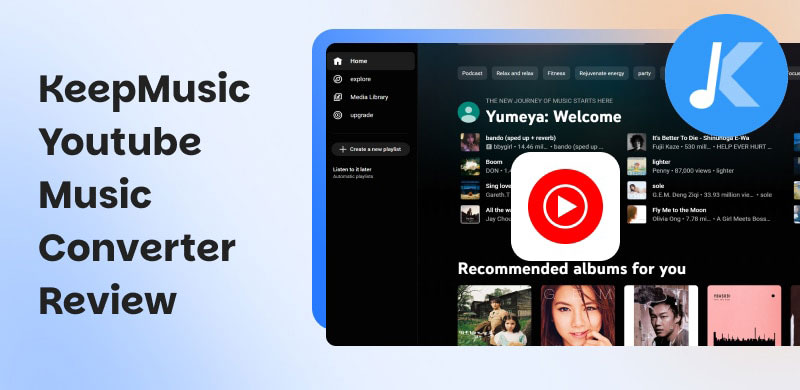
KeepMusic YouTube Music Converter lets users save YouTube Music songs, playlists, and albums for offline playback, giving them greater control over their streaming experience. It maintains audio quality, supports a variety of output formats, and has an easy-to-use interface that appeals to both casual listeners and serious collectors. KeepMusic presents itself as a dependable tool for managing and enjoying music libraries outside of streaming platforms with features focused on speed, safety, and flexibility. To get more details about the capabilities of the music converter, you can check all the core features below.
YouTube Music Converter
The main feature of the program is to convert songs from the YouTube Music platform. With its smooth conversion process, you can ensure getting your music without any issues. Plus, the conversion speed is 10× faster than that of other converters.
Batch Conversion
Another excellent feature the converter offers is batch conversion. It is perfect if you want to convert multiple songs in just a single go. You can even save and download your favorite playlists, making it more powerful and reliable.
Good Audio Quality
What we like about the program is that it ensures good quality. You can save and convert music to the best quality, up to 320 kbps. You can even adjust the sample rate to improve the audio and enhance the listening experience.
User-Friendly Interface
The music converter offers a neat design, making it easy to use, especially for non-professional users. With its ideal user interface, you can easily convert your favorite music without encountering any problems.
Part 2. Pros and Cons of KeepMusic YouTube Music Converter
In this KeepMusic YouTube Music Converter review, you will also learn its advantages and drawbacks. Read here and get more insights about the music converter.
Advantages of KeepMusic YouTube Music Converter
- • The music converter can convert and download music to various formats, such as MP3, AAC, FLAC, WAV, M4A, and more.
- • With its quick conversion speed, you can get all the music you want without consuming much time.
- • The software lets you view lyrics alongside downloaded tracks.
- • The tool’s user interface is simple, making it an ideal converter for both skilled and novice users.
- • It offers free updates so that you can get the latest features even with the free version.
Drawbacks of KeepMusic YouTube Music Converter
- • When using the converter’s free version, you can’t access some features.
- • There might be a potential quality loss. Sometimes, some users report minor degradation after converting songs from the platform.
- • This music converter might violate YouTube’s terms of service, since you are saving music outside the app.
- • The subscription plan for the music converter is pricey.
Part 3. How to Use KeepMusic YouTube Music Converter
Want to use KeepMusic YouTube Music Converter to convert and save songs from YouTube Music? Then, check the instructions in this section.
Step 1. For the first step, download KeepMusic YouTube Music Converter on your Windows or Mac computer. Then, launch it to begin the conversion and downloading process.
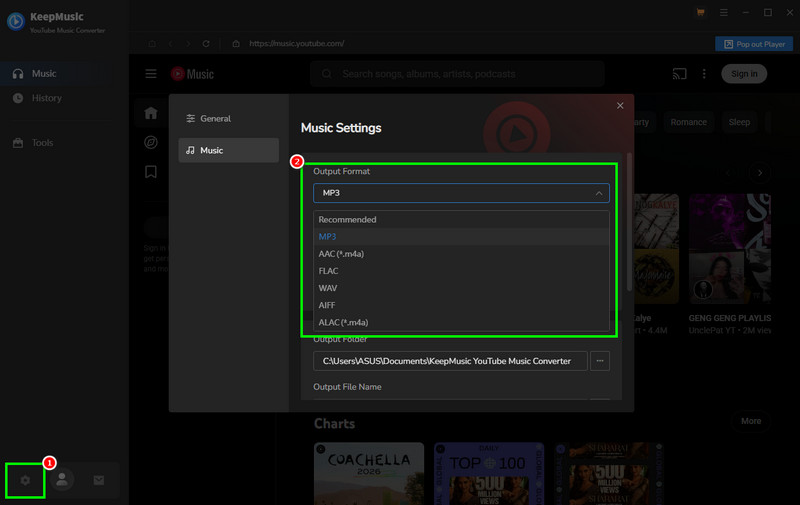
Step 2. In the interface, select the Settings section below and choose your desired audio quality. You can select MP3, AAC, M4A, WAV, FLAC, and more.
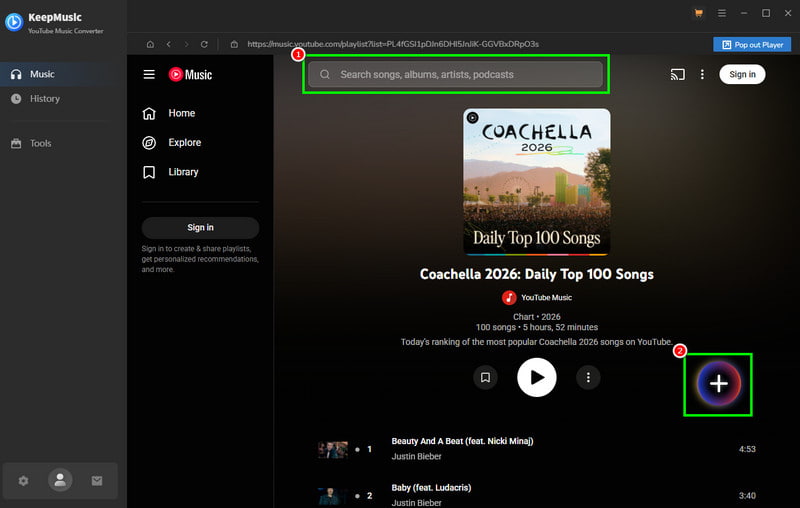
Step 3. Navigate to the Search section to browse the music you want to convert and download. Then, hit the Plus > Add options.
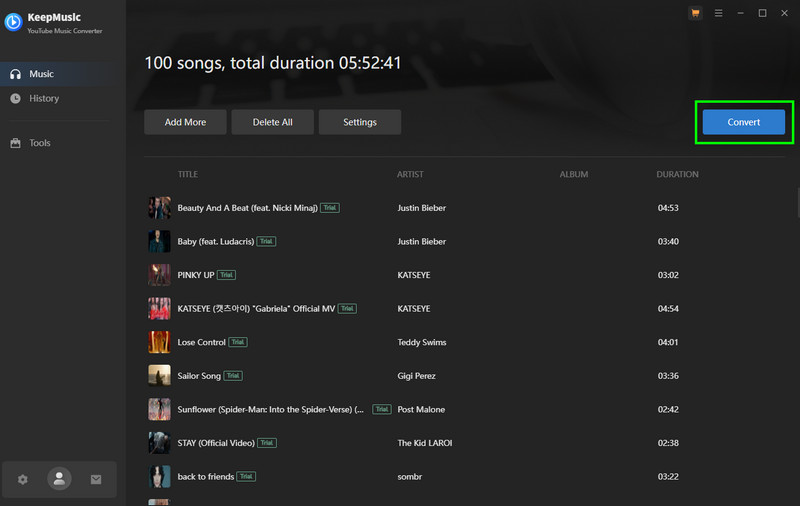
Step 4. To start converting your favorite music, click the Convert button in the top interface.
Part 4. My Experience of Using KeepMusic YouTube Music Converter
After using KeepMusic YouTube Music Converter, it is easy to use and converts your desired music smoothly. The best part here is that it lets you convert your favorite playlist in just a single process, making it more reliable and powerful. However, when using the free version, you cannot access all the features. With that, we highly recommend subscribing to the plan to use all the features without any restrictions.
Part 5. Best Alternative to KeepMusic YouTube Music Converter
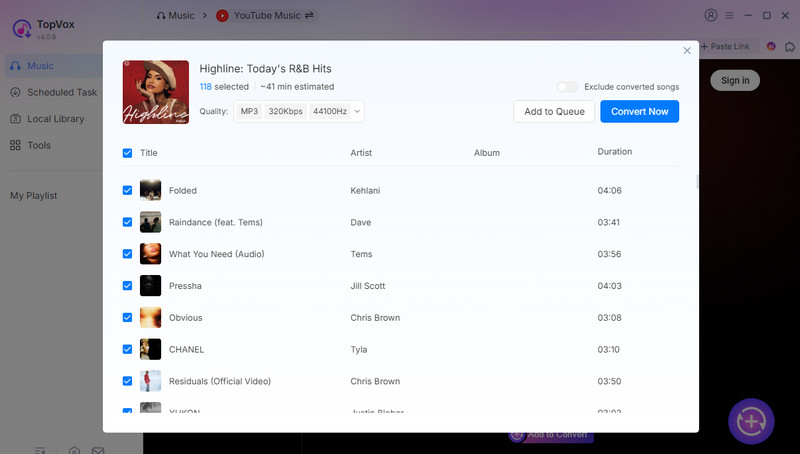
Even though KeepMusic YouTube Music Converter is fast and reliable, it sometimes has metadata gaps, minor quality loss, and restrictions. If you are looking for a better music converter, use TopVox All Music Converter as an alternative. This ideal music converter offers a comprehensive user interface, a smooth conversion process, and ensures you won't encounter any restrictions during conversion. It can even convert your songs 35× after, making it superior to KeepMusic. Aside from that, it consistently delivers the best quality so that you can enjoy your music during audio playback. You can even convert the music to different formats, including WAV, MP3, AAC, FLAC, M4A, and more.
100% Secure. No virus.
100% Secure. No virus.
Features
- The music converter can deliver excellent audio quality up to 320 kbps.
- It can convert music to DRM-free formats, such as AAC, FLAC, WAV, MP3, and more.
- It can retain ID3 tags to arrange music easily.
- The software can offer its built-in web player for effective audio playback.
Part 6. A Comparison of KeepMusic and TopVox
Do you want to learn more about the two YouTube Music converters? Check the table below for all the information you need, including speed, quality, platform, and more.
| TopVox All Music Converter | VS | KeepMusic YouTube Music Converter |
|---|---|---|
| Up to 35× faster | Conversion Speed | Up to 10× faster |
| Up to 320 kbps | Audio Quality | Up to 320 kbps (but unstable) |
| The price starts at $19.95 | Price | The price starts at $14.95 |
| Lightweight, ad‑free, and no tracking. The process files are in a dedicated folder | Safety | Ad‑free and safe for personal use. |
| MP3, M4A, FLAC, AIFF, WAV, AAC, and more. | Formats | FLAC, WAV, AAC, MP3, and more. |
| Windows and Mac | Platforms | Windows and Mac |
Part 7. FAQs about KeepMusic YouTube Music Converter
Q: Can I use the KeepMusic YouTube Music Converter before buying it?
A: Absolutely, yes. You can access the tool's free version to check its capabilities as a music converter. But you should note that there are restrictions on the free version.
Q: Is KeepMusic YouTube Music Converter safe to operate?
A: The music converter is lightweight, ad-free, and safe for personal use. It ensures that all your data is secure, making it a reliable converter for users.
Q: Is KeepMusic YouTube Music Converter the best converter?
A: The program can give you a smooth conversion process. However, using the free version has many limitations. If you need a free music converter with no restrictions, feel free to use TopVox All Music Converter, which provides all the necessary features to achieve your desired outcome.
Conclusion
Well, there you go! With this honest review of KeepMusic YouTube Music Converter, you have learned everything you need to know, including its description, features, pros, cons, and more. Plus, you discovered an exceptional alternative to the tool: TopVox All Music Converter. This program ensures that you get high-quality audio after the conversion, making it the most reliable converter for all users.
Owen Bannett is a music enthusiasm as well as a senior writer. He has paid close attention on the pros & cons of various audio formats, bitrate, sample rate and encoding methods. Always seeking the best listening experience, Owen has deep insights about lossless music and diverse music converters on the markets.