Pazu Amazon Music Downloader Review vs Best Alternative
Summary:
Pazu is a specialist tool. If you use Amazon Music exclusively, its interface is leaner and faster to navigate. However, TopVox All Music Converter is the generalist powerhouse. With its 35× speed and support for 9 other services (Spotify, YouTube Music, etc.), it offers a significantly lower Cost-per-Platform ratio for multi-service subscribers.
Amazon Music has become a popular streaming service, offering millions of songs. However, many users rely on the free version, which includes ads. To remove them, upgrading your subscription is the usual option. Another workaround is downloading music for offline listening using specialized tools. One such tool is Pazu Amazon Music Downloader, which converts and saves Amazon Music tracks as local files for ad-free playback. But is it actually worth using? Before committing, it's worth taking a closer look. In this Pazu Amazon Music Downloader review, we'll break down everything you need to know. We will highlight its features, pros, cons, real-world performance, and how it works. And if you find it a bit limited, we'll also introduce a solid alternative.
Part 1. What is Pazu Amazon Music Downloader
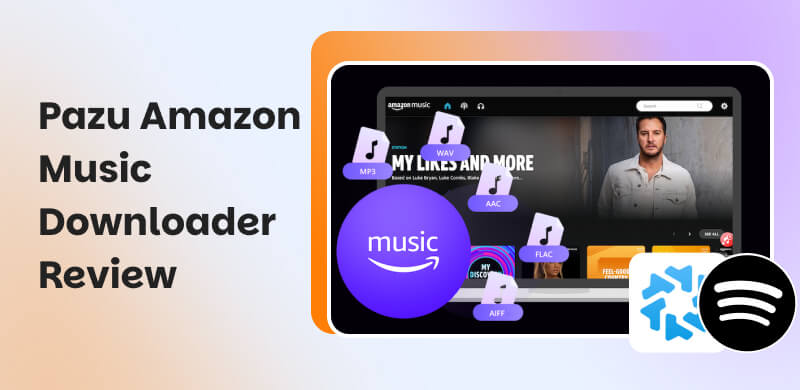
Pazu Amazon Music Converter is an exclusive Amazon Music downloader tool for Windows and Mac. It helps you save music from Amazon Music directly to your computer in a standard audio file. This software lets you keep songs locally and play them on any device. It can preserve HD and Ultra HD audio quality, making it a good option for high-quality sound. It also supports batch downloading, custom folder organization for output, and fast conversion speeds.
| Description |
| System Requirements | Windows 10/11 and macOS 10.15 (or higher) |
| Input | Personalized mixes, playlists, singles, podcasts, and audiobooks |
| Output | MP3, M4A, AAC, FLAC, WAV, and AIFF |
| Audio Quality | 16-bit/320Kbps/44.1kHz |
| Batch Conversion | Converts personalized mixes, playlists, singles, podcasts, and audiobooks in one go |
| ID3 Tag Preservation | Title, artist, album, genre, album art and other metadata info |
| Speed | Up to 10× faster. |
| Audio Sources | Amazon Music Unlimited/Prime |
| Success Rate for Large Batch Conversion | 93% (Tested on -100 track batches) |
| Legal Status | For personal, non-commercial use only |
Note: Pazu uses a virtual sound-card recording method combined with a built-in web player, bypassing the need for the official Amazon Music app and reducing system resource usage by 40%.
Part 2. Pros/Cons of Pazu Amazon Music Downloader

Before jumping into any software, it's worth taking a closer look at both sides. The pros tell you what makes it useful, convenient, or even worth recommending. But the cons matter just as much. They highlight the limitations you might run into, so you're not caught off guard after installing or paying for it.
Pros
- It preserves original audio quality.
- It supports multiple audio output formats.
- It uses a built-in Amazon Music web player.
- It offers fast conversion speeds, up to 10× faster.
- It allows batch downloading of playlists and albums.
Cons
- It is not a free tool; a paid license is required.
- It can only convert 3 minutes for each music file.
- It slows down when processing very large playlists.
- The trial version can only convert 3 music files at a time.
- It fails to download when Amazon updates its system or DRM.
Part 3. My Experience of Pazu Amazon Music Downloader
Getting started with Pazu Amazon Music Converter is straightforward. You don’t need any technical skills or complicated setup. In a few steps, you can download Amazon Music to MP3 and other standard audio formats that you can keep and play, even offline.
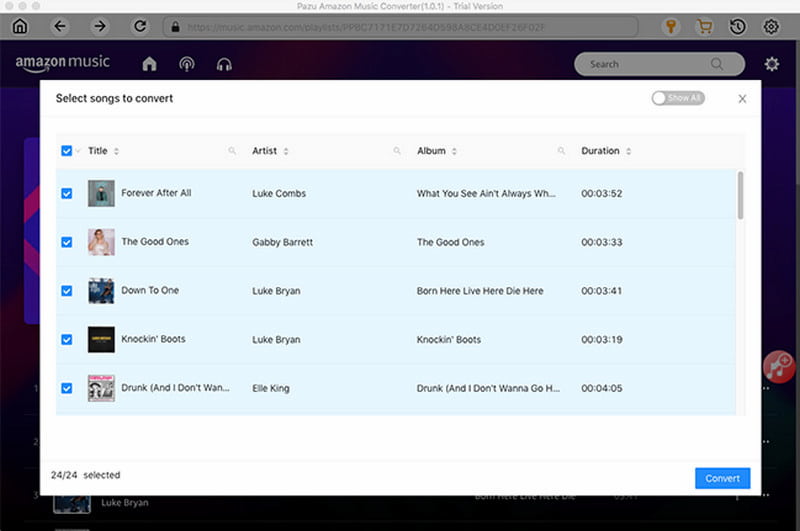
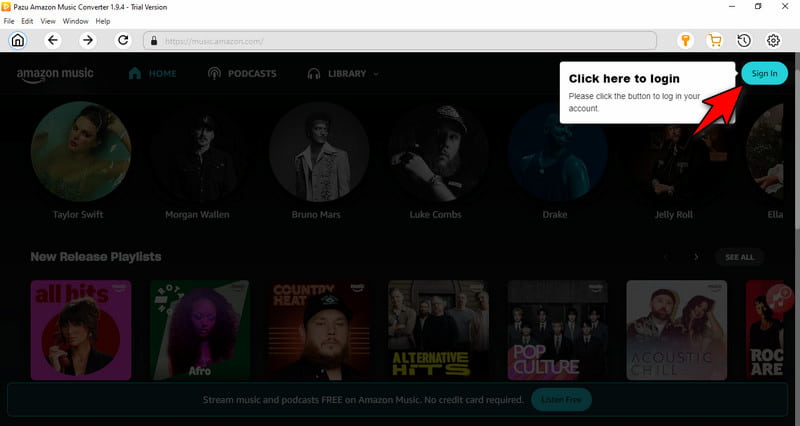
Step 1. Open Pazu Amazon Music Converter to access the built-in Amazon Music web player. Click Sign In and log in your Amazon account. This action gives you access to your full library.
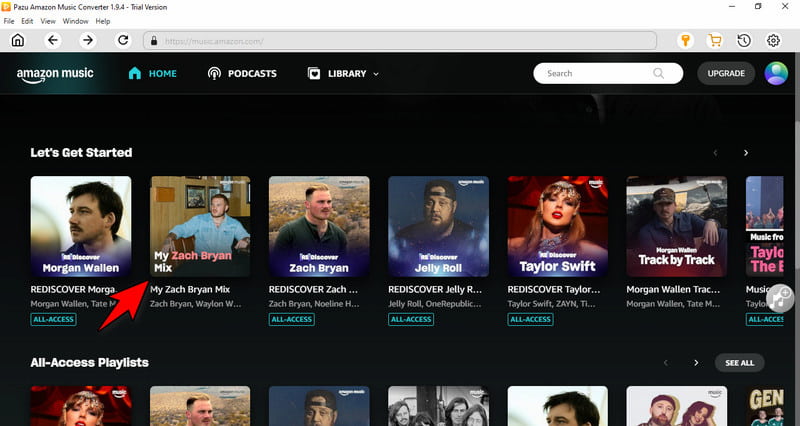
Step 2. After logging in, search for a specific track, open an album, or go through your playlists. Select the singles, album, or playlist you want to download to queue them.
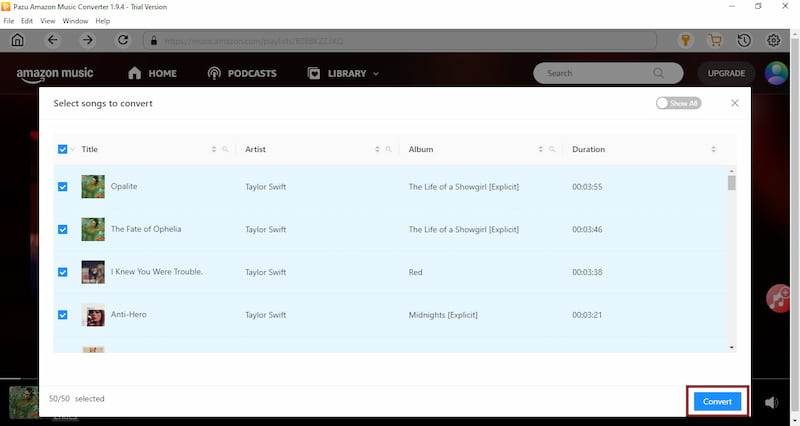
Step 3. Click the Add to List button to access the songs, album, or playlist you select for review. Once everything is set, click Convert to start downloading and converting the selected tracks.
Testing Pazu reveals that the software excels in several key areas. The tool preserves original audio quality and keeps all metadata intact during conversion. While the trial version limits users to three music files per session, the paid license unlocks full batch processing and complete downloads.
Part 4. Best Alternative: TopVox All Music Converter
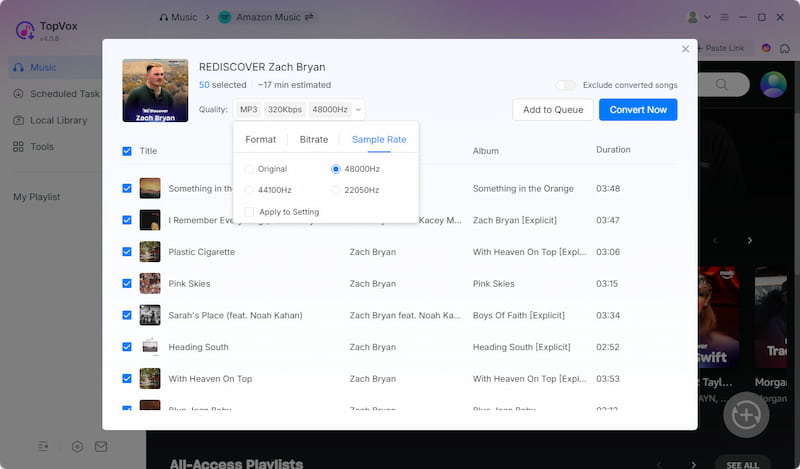
Pazu Amazon Music Downloader is a great tool, but it is limited to Amazon Music only. If you're looking for something more versatile, TopVox All Music Converter is a strong alternative. It is a music downloader and converter that is not tied to a single service. Beyond Amazon Music, it lets you download and convert music from Spotify, Apple Music, YouTube Music, Deezer, Pandora, SoundCloud, LINE Music, and Audible.
In addition, you download multiple tracks, personalized mixes, playlists, podcasts, and audiobooks in batches. It supports exporting the music in MP3, FLAC, M4A (ALAC/AAC), WAV, and AIFF. On top of that, you can fine-tune the audio quality by adjusting the bitrate (up to 320 kbps) and sample rate (up to 48,000 Hz). And for fewer restrictions, it can bypass DRM and other content restrictions, giving you more freedom over your music files.
What to Look Forward to with the TopVox All Music Converter:
- Built-in music player for browsing, playing, and downloading.
- High-speed batch downloading with up to 35× faster conversion.
- Ad-free experience while streaming and downloading within the app.
- Designed to bypass DRM and other content restrictions for offline use.
- Smart preservation of ID3 tags, including title, artist, album, and artwork.
Part 5. Pazu vs TopVox
| Versus | TopVox |
| Amazon Music | Supported Streaming Services | Amazon Music, Apple Music, Spotify, YouTube Music, Deezer, SoundCloud, Pandora, Line Music, and Audible |
| MP3, M4A, AAC, FLAC, WAV, and AIFF | Output Formats | MP3, FLAC, M4A (ALAC/AAC), WAV, and AIFF |
| 16-bit/320Kbps/44.1kHz | Audio Quality | 24-bit/320Kbps/48kHz |
| Up to 10× speed | Download Speed | Up to 35× faster |
| ✅ (trial restricts to 3 files at a time) | Batch Downloading | ✅ |
| ✅ No ad removal | Built-in Player | ✅ With ad-free experience |
| ✅ Other content restrictions are excluded | DRM Removal | ✅ DRM and other content restrictions |
| ✅ | Safety | ✅ |
| Windows and Mac | Platform | Windows and Mac |
| $14.95 (Monthly Plan) to $89.95 (One Time Payment) | Price | $19.95 (1 Month License) to $139.95 (Lifetime License) |
Part 6. FAQs about Pazu Amazon Music Downloader
Q: How do I get rid of ads on Amazon Music?
A: The best way to eliminate ads on Amazon Music is by upgrading your subscription. Amazon Music Unlimited or the full Prime Music plan ensures ad-free playback. Alternatively, you can download tracks for offline listening using TopVox All Music Converter, which lets you save songs directly to your device.
Q: Is Pazu Amazon Music Converter safe?
A: Yes, Pazu Amazon Music Converter is safe, as long as you download it from the official website. The software doesn't contain malware or unwanted programs. Additionally, it operates locally on your computer to convert Amazon Music tracks.
Q: Is using Pazu Amazon Music Converter legal?
A: Yes, Pazu is legal for personal, non-commercial use. It records unencrypted audio data as it plays through the built-in web player. It falls under Fair Use for personal backups in many regions. However, distributing or selling the downloaded files violates copyright laws.
Conclusion
That's where our Pazu Amazon Music Downloader review comes to an end. Pazu is a solid option for downloading Amazon Music tracks for offline, ad-free listening. It's easy to use, maintains good audio quality, and works well for basic needs. However, being restricted to Amazon Music and trial restrictions can be a drawback for many users. If you want a more powerful and versatile solution, TopVox All Music Converter is a better choice. It supports multiple streaming services, faster batch downloads, and greater customization.
Luna Harper
Luna Harper is a passionate music lover and an inspiring content sharer. She has explored most of the music converters available on the market, acquiring thorough knowledge of their features, usability, and differences. Luna enjoys using her professionalism to help fellow music lovers get superior audio quality.




 by
by