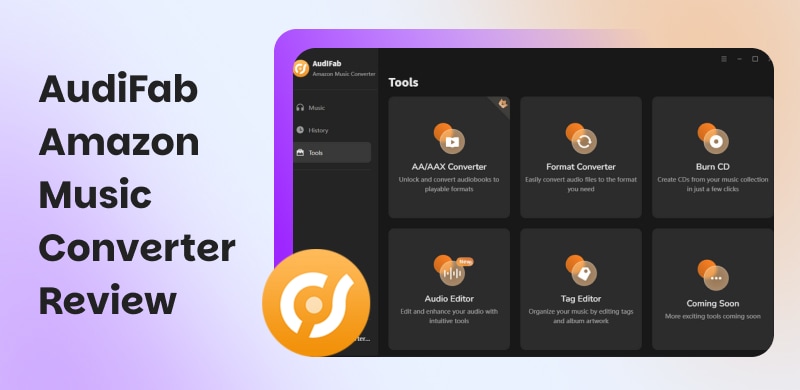
AudiFab Amazon Music Converter Review: Based on Real Experience
AudiFab Amazon Music Converter is a popular tool for users who want full control over their Amazon Music library, even without a subscription. That is why, in this article, we will provide an AudiFab Amazon Music Converter review focusing on its overview, advantages, and disadvantages, and will outline the steps for using it. In the latter part, we will share our personal experience in using the tool and a great alternative tool that you can also use in managing your Amazon Music playlist.
1. Overview of AudiFab Amazon Music Converter
As we look at the overview of AudiFab Amazon Music Converter, it is a tool specifically designed for people who love to listen to Amazon Music offline without the limitations of the official application. This tool basically lets you listen to music offline without a subscription, with full control over your library. It is available on Windows and Mac devices.
Key Features and Elements:
- Convert your Amazon Music tracks to DRM-free formats.
- Supports MP3, FLAC, AAC, ALAC, WAV, and more.
- Supports original sound and ultra HD quality.
- Convert your entire playlist.
| Price | Details |
| Monthly | $15 per month | ●1 license.
●Free upgrades and support.
●5‑day money‑back guarantee. |
| Annual | $60 per year | ●1 license.
●Free upgrades and support.
●Auto‑renewal.
●Cancel anytime. |
| Lifetime | $130 one‑time | ●1 license.
●Lifetime upgrades.
●30‑day money‑back guarantee. |
2. Pros and Cons of AudiFab Amazon Music Converter
Every tool has two sides: the good and the bad. Thus, here are the pros and cons of AudiFab Amazon Music Converter in order to balance this review:
Pros
- High-quality output that preserves lossless sound.
- Supports a wide range of formats.
- Fast conversion speed up to 10 times.
- It has a simple interface for drag-and-drop functionality.
Cons
- An active subscription is needed.
- Expensive monthly subscription.
- It does not support mobile applications.
- Mismatched tracks can happen.
3. How to Use and My Experience with AudiFab Amazon Music Converter
Let us now discover the steps on how to use AudiFab Amazon Music Converter in this comprehensive guide. Note that this tool offers a free service to try in order to explore its features and what it can offer you. Check this guide now:
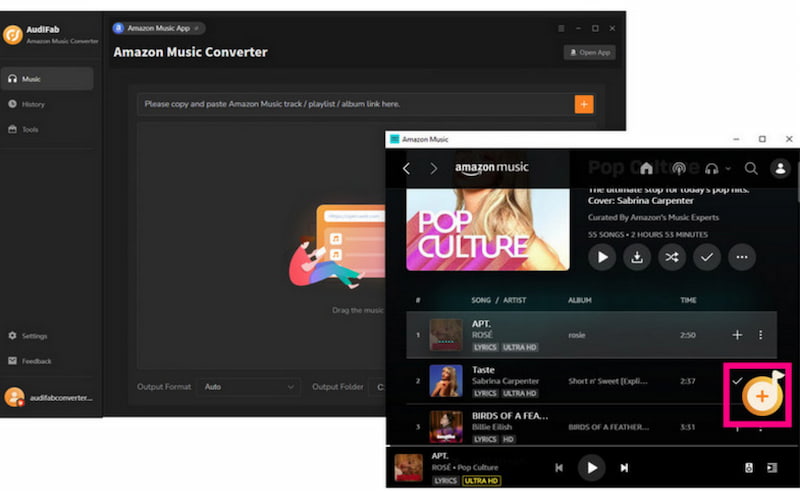
Step 1. Open the AudiFab Amazon Music Converter on your computer and also open Amazon Music simultaneously.
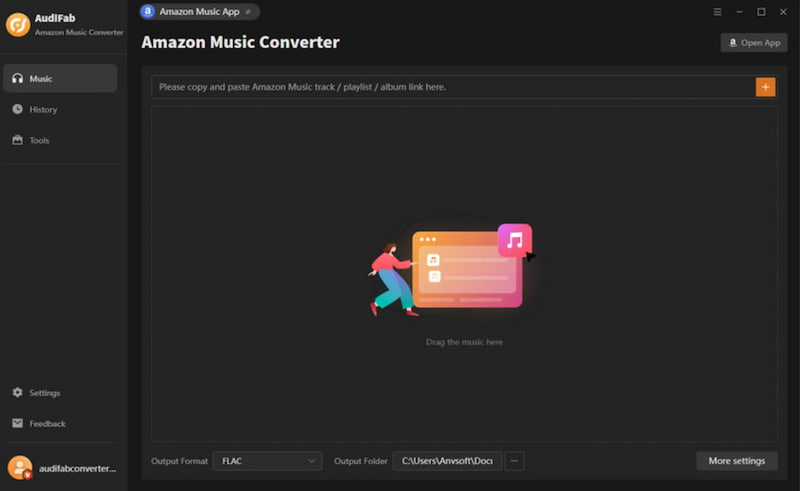
Step 2. Now, browse the tracks on Amazon Music that you would like to listen to offline. Select them and drag-and-drop them on the interface of AudiFab. You can also select the titles and click the Add button.
Step 3. After that, you can now go to the Settings of AudiFab. From there, you can select the needed file format, such as MP3, FLAC, and more.
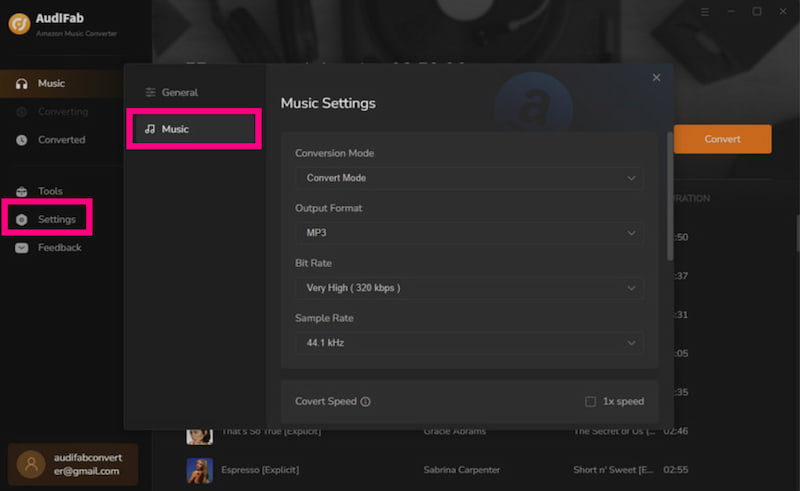
Step 4. You can now export the songs to your computer. Click the Convert button, and the tool will do the process for you.

Step 5. After a while, you can now go to the Converted tab and play the music you downloaded from Amazon Music.
4. My Experience with AudiFab Amazon Music Converter
Verdict
We can see that AudiFab Amazon Music Converter is effective in terms of getting music for offline listening. Yet, one issue we can see is the integration between the tool and the required subscription from the platform. Overall, the tool is effective and can get the job done with a certain amount of money.
Test Result
The tool offers effectiveness in getting the tracks you want from Amazon Music. This tool can be used for downloading track-by-track or even a small music library. The 10 times speed somehow cannot handle a bigger library and some songs are mismatched from the playlist. Thus, after a few tries, the tool starts to remind me to subscribe to continue downloading more music.
5. Best Alternative: TopVox All Music Converter
We get to see what the tool above can offer. Yet, we understand that you are still frustrated because you have seen some limitations from the tool, such as the need to still have a subscription while doing the process. That is why, in this part, we will give you a great tool that can be a great alternative to AudiFab Amazon Music Converter. A tool that can allow you to download music from Amazon Music for free and much faster.
We are talking about TopVox All Music Converter and its amazing features. This tool allows you to remove DRM from the music and listen to it offline with full control. More than that, it has a faster conversion process, up to 30 times faster. Get your music library now for free for your offline listening party.
Key Features
- Breaks DRM on your Amazon Music files.
- Up to 30 times faster conversion process.
- Batch conversion for albums and playlists.
- It supports multiple platforms and operating systems.
Steps to Use TopVox All Music Converter
Step 1. Download TopVox All Music Converter using the download buttons below. You can also visit their website for more information about it.
Step 2. Open the TopVox All Music Converter on your computer and select Amazon Music from the options.
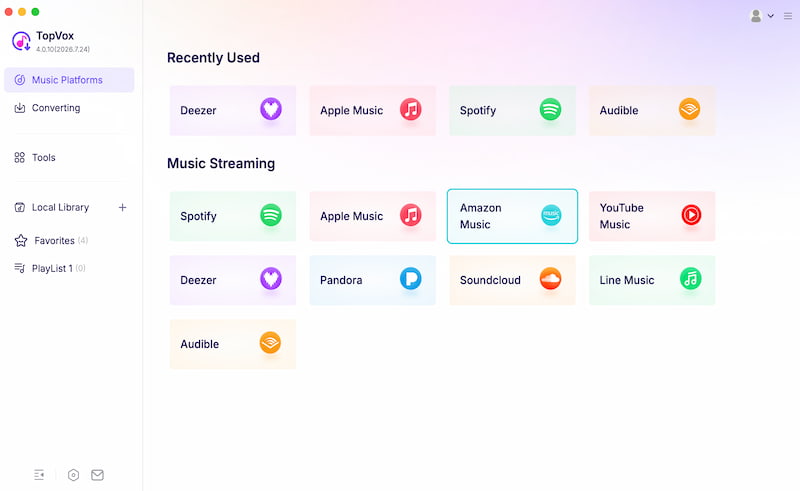
Step 3. The tool will now show the interface of Amazon Music. From there, please browse the tracks you want to download. Then click the Add button on the right side of the track. The tool will now analyze the track you selected.
Step 4. On the new tab, finalize the tracks you have chosen. This is where you can change your file formats and quality. Then, if you are done, please click the Convert button to continue.
Step 5. It will now process your tracks. After a while, you can check the tracks in your Local Library to listen to them offline.
6. AudiFab VS TopVox
| Feature | AudiFab Amazon Music Converter | TopVox All Music Converter |
| Ease of Use | Drag‑and‑drop tracks from Amazon Music, requires subscription. | Direct Amazon Music integration, no subscription needed. |
| Formats Supported | MP3, FLAC, WAV, AAC, ALAC, and AIFF. | MP3, FLAC, WAV, AAC, ALAC, and AIFF. |
| Speed | Up to 10× faster than standard converters. | Up to 30× faster conversion. |
| DRM Handling | ●Requires active Amazon subscription.
●DRM bypass limited. | Fully breaks DRM.
Permanent offline files. |
| Batch Conversion | Supports playlists and albums. | Supports playlists and albums with higher speed. |
| Best For | Users who want simple offline access but don’t mind subscription limits. | Users who want true ownership, faster conversion, and cross‑platform freedom. |
FAQs about AudiFab Amazon Music Converter Review
Q: Why do I get Invalid Code when registering on AudiFab Amazon Music Converter?
A: The main reason why you are getting an Invalid Code is that you are using the incorrect version of Windows or macOS. Ensure that you update your operating system on time.
Q: What do Error Code Failed 1000 and Failed 1200 mean?
A: This simply means that there are unknown conversions happening or timeouts. You need to restart the tool so that you can fix this problem.
Q: Can I do the sorting process with my converted files by album or even artist?
A: Yes. You can sort your converted music by album and artist. As long as you’ve completed the download successfully.
Conclusion
In conclusion, we can say that AudiFab Amazon Music Converter is an effective tool for getting and managing your downloads from Amazon Music for an offline listening experience. Yet, it still comes with limitations. The good thing is, TopVox All Music Converter pretty much offers every feature you need without limitations for free. That is why you can try it now and experience an amazing process.
Owen Bannett
Owen Bannett is a music enthusiasm as well as a senior writer. He has paid close attention on the pros & cons of various audio formats, bitrate, sample rate and encoding methods. Always seeking the best listening experience, Owen has deep insights about lossless music and diverse music converters on the markets.




 by
by