Full ViWizard Apple Music Converter Review & Its Alternative
- At a Glance: ViWizard Apple Music Converter Review
- Our Rating: ⭐⭐⭐⭐ (4.2/5)
- Key Benefit: Reliable 20× conversion speed with 96% ID3 tag retention.
- Main Drawback: The built-in web player consumes excessive RAM during batch tasks.
- Verdict: Ideal for users needing a permanent backup of their Apple Music library before a subscription ends.
Apple Music is renowned for offering millions of songs across nearly every genre. It gives users instant access to a massive streaming library. Although you can download tracks for offline listening, these downloads are only accessible with an active subscription. Also, you can only play them within the Apple Music app. Because of this limitation, many users turn to third-party tools to convert Apple Music into standard audio formats that they can play on any device. One of the most talked-about tools in this space is ViWizard. It allows you to transfer songs to different devices and enjoy normal playback after download. However, this also raises important questions. Is it really practical to use? Is it safe or even legal? And does it truly deliver what it promises? This ViWizard Apple Music Converter review aims to answer all of that. We will break down its features, performance, pros and cons, and overall value so you can decide whether it’s worth using.
Part 1. What is ViWizard Apple Music Converter
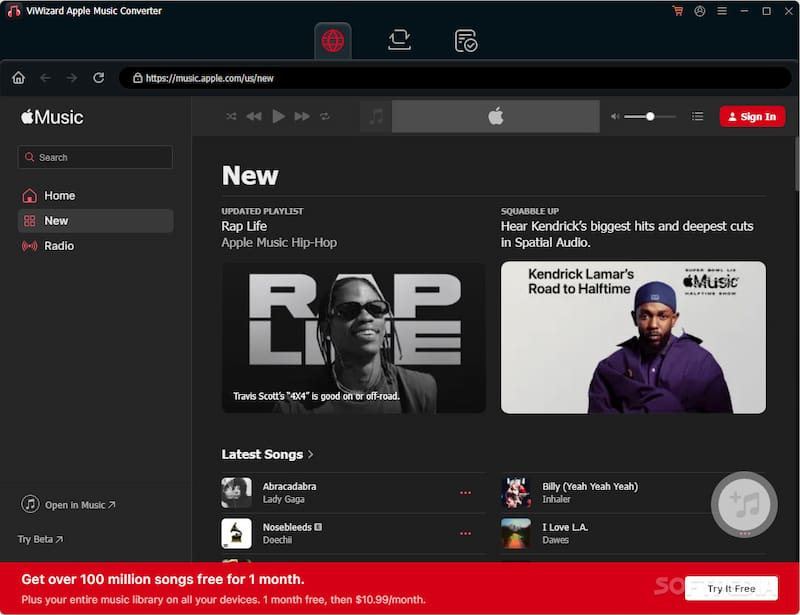
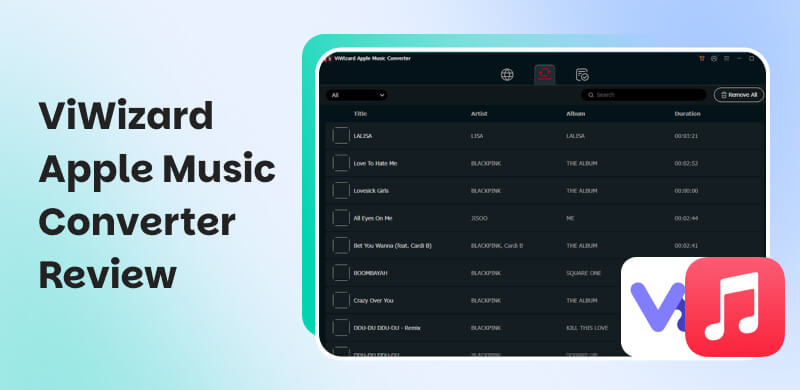
ViWizard Apple Music Converter is an all-in-one Apple Music converter for Windows and Mac. It is designed to convert Apple Music tracks for download as regular audio files. It connects directly to the Apple Music web player, letting you access your library and convert songs into digital formats. This tool processes Apple Music files so you can transfer, store, or play them freely for personal use
| Description |
| System Requirements | Windows 7-11 and macOS 10.13-26 |
| Input | Artists, Albums, Songs, and Playlists |
| Output | MP3, M4A (AAC), M4B, WAV, AIFF, and FLAC |
| Audio Quality | 24-bit/256Kbps/48,000Hz |
| Batch Conversion | Converts entire playlists, albums, or libraries simultaneously |
| ID3 Tag Preservation | Title, genre, album, and other metadata info |
| Speed | Up to 20× faster. |
| Audio Sources | Apple Music catalog, iTunes purchases, and iCloud Music Library |
| Success Rate for Large Batch Conversion | Near-100% (Tested on -100 track batches) |
| Legal Status | For personal, non-commercial use only |
Part 2. Pros/Cons of ViWizard Apple Music Converter
Before committing to any software, like ViWizard, it’s worth taking a step back. Knowing the pros helps you see if the tool actually fits your needs. Meanwhile, understanding the cons helps you avoid surprises later. No conversion is perfect, and being aware of the trade-offs makes your decision much smarter.
Pros
- It converts Apple Music tracks into multiple formats.
- It supports batch conversion for entire playlists and albums.
- It removes DRM restrictions, allowing you to use music freely.
- It maintains high audio quality, including lossless output options.
- It has a built-in Apple Music web player for easy access and conversion.
Cons
- A paid license is required to access all features.
- It limits conversion length in the free trial version.
- It occasionally fails if the internet connection is unstable.
- It depends on an active Apple Music account to access songs.
- It consumes system resources during large batch conversions.
Part 3. My Experience of ViWizard Apple Music Converter
Before jumping into the steps, here’s a quick idea of what you’re working with. ViWizard Apple Music Converter is a desktop tool that connects to the Apple Music web player. It lets you download Apple Music to your PC in formats such as MP3, M4A (AAC), M4B, WAV, AIFF, and FLAC. The whole process is simple: log in, pick music, tweak a few settings, and hit convert.
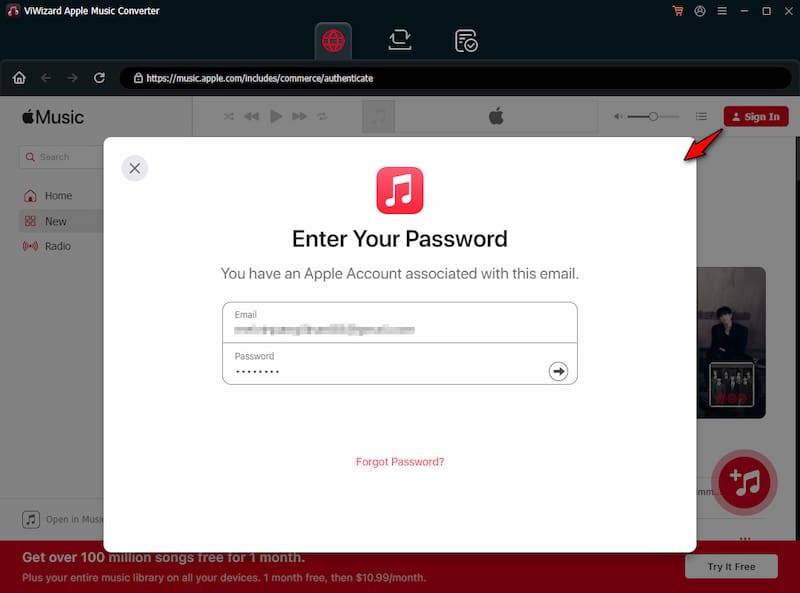
Step 1. Upon opening ViWizard, you’ll see its built-in Apple Music interface. Sign in with your Apple ID to allow the software to access your playlists, albums, and saved tracks.
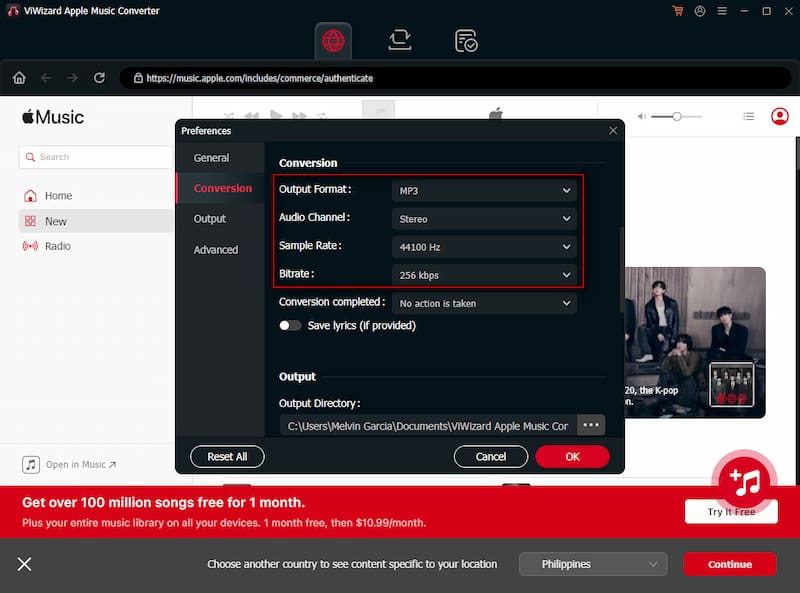
Step 2. Proceed to the upper-right navigation, click Menu, and select Preferences. In the Conversion section, configure the output format, sample rate, bitrate, and other settings.
Step 3. Click + to add the songs to the conversion list, then click Add to List to confirm. After everything is set, click Convert to start downloading and converting your selected tracks.
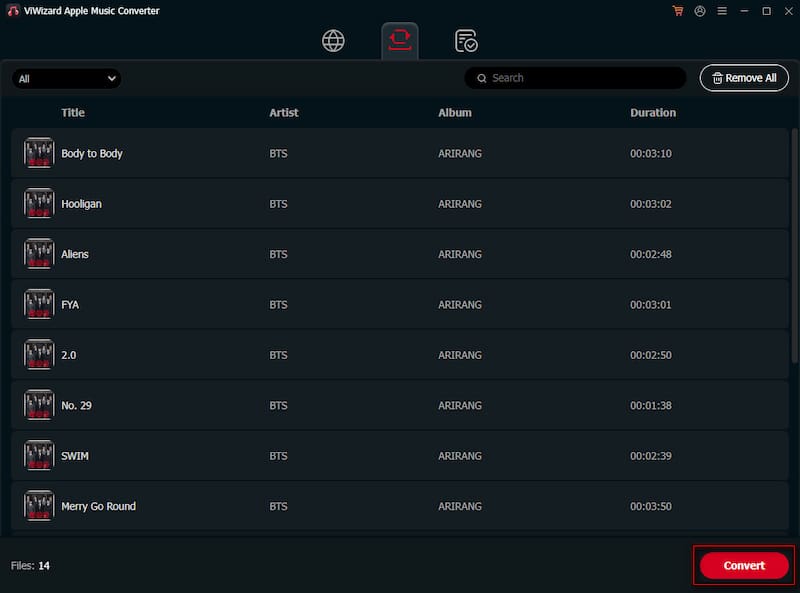
After testing ViWizard, the conversion process is fast and efficient. It also handles large-batch conversions smoothly so that you can process full playlists in one go without strict limits. However, if you’re using the free trial, it only converts the first 30 seconds of each song.
| Result | Format |
| Single Song (4:20) | 1 minute and 14 seconds | MP3/256Kbps/48kHz |
| Album (12 tracks) | 42+ minutes | 24-bit/FLAC/48kHz |
| Batch (100 tracks) | 4 hours and 18 minutes | MP3/256Kbps/48kHz |
| Success Rate | 96% (other fails due to unstable internet connection) | n/a |
Part 4. Best Alternative: TopVox All Music Converter
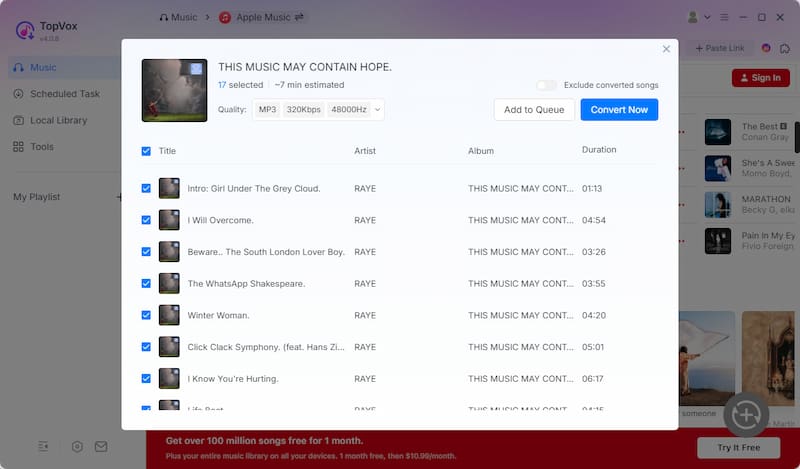
In this ViWizard Apple Music Converter review, one thing becomes clear: it does its job well. However, it is limited to Apple Music only. If you’re looking for something more flexible, TopVox All Music Converter easily stands out as a top-notch alternative. It’s a multi-service music downloader, meaning you can grab music from multiple streaming services in one place. It lets you download and convert music directly from Apple Music and iTunes. Also, you can download artists, albums, singles, and even playlists in batches.
Furthermore, this software supports a wide range of output formats, including MP3, FLAC, M4A (ALAC/AAC), WAV, and AIFF. On the quality side, you can set the bitrate to 320Kbps and the sample rate to 48000Hz. Where TopVox really pulls ahead is platform support. Beyond Apple Music, it works with Spotify, Amazon Music, YouTube Music, Deezer, Pandora, SoundCloud, Line Music, and Audible. Additionally, it supports batch downloads at up to 35× speed. And perhaps the biggest advantage: it works with no DRM or content limitations.
What to Look Forward to with the TopVox All Music Converter:
- Includes a built-in web player for browsing, searching, and downloading.
- Delivers batch downloads at speeds up to 35× faster for efficient processing.
- Enables direct download and conversion from Apple Music and iTunes libraries.
- Supports downloading and converting music from 10 major streaming platforms.
- Bypasses DRM protection and content restrictions for unrestricted music saving.
Part 5. ViWizard vs TopVox
| Versus | Pro Method |
| Apple Music and iTunes | Supported Streaming Services | Apple Music, Spotify, Amazon Music, YouTube Music, Deezer, SoundCloud, Pandora, Line Music, and Audible |
| MP3, M4A (AAC), M4B, WAV, AIFF, and FLAC | Output Formats | MP3, FLAC, M4A (ALAC/AAC), WAV, and AIFF |
| 24-bit/256Kbps/48kHz | Audio Quality | 24-bit/320Kbps/48kHz |
| Up to 20× speed | Download Speed | Up to 35× faster |
| ✅ | Batch Downloading | ✅ |
| ✅ | DRM Removal | ✅ |
| ✅ | Safety | ✅ |
| Windows and Mac | Platform | Windows and Mac |
| $32.95 (Monthly License) to $132.95 (Lifetime License) | Price | $19.95 (1 Month License) to $139.95 (Lifetime License) |
Part 6. FAQs about ViWizard Apple Music Converter
Q: Is ViWizard Spotify Music Converter legal?
A: ViWizard operates in a legal gray area depending on how it is used. The software itself is not illegal, but its use must comply with copyright laws and platform terms of service. Using it to bypass DRM protections or redistribute copyrighted content is illegal.
Q: Is it illegal to convert Apple Music to MP3?
A: Converting Apple Music to MP3 is allowed when dealing with protected AAC files because Apple Music tracks are DRM-protected. These files are designed to work only within the Apple Music app while your subscription is active.
Q: How long do Apple Music downloads last?
A: Apple Music downloads remain accessible only as long as your subscription is active. Once your subscription ends or is canceled, downloaded songs become unavailable, and you cannot play them offline.
Conclusion
In conclusion, the ViWizard Apple Music Converter review shows that it delivers solid performance, enabling you to break free from Apple Music’s restrictions and enjoy tracks in standard formats. It offers reliable conversion, good quality output, and convenient batch processing. However, if you’re looking for broader platform support, an alternative is worth exploring. TopVox All Music Converter stands out as an all-in-one solution. It supports multiple music platforms, faster downloads, and a wider range of formats.
Owen Bannett
Owen Bannett is a music enthusiasm as well as a senior writer. He has paid close attention on the pros & cons of various audio formats, bitrate, sample rate and encoding methods. Always seeking the best listening experience, Owen has deep insights about lossless music and diverse music converters on the markets.




 by
by