What is Speechify? The Most Practical Review for 2026
 by Ethan Carter | June 11, 2026 | Text to Speech
Imagine conquering your reading list during your daily commute, while washing clothes, or on your morning walk. The ability to absorb written content audibly is no longer a futuristic dream. It is already a reality powered by apps like Speechify. Touted by influencers and professionals alike, is Speechify a game-changer for everyone? In our test, this TTS tool is hard to avoid some shortcomings. This Speechify review will provide you with its features, pros and cons, and recommend other 5 alternatives to Speechify.
Part 1. What is Speechify [Features, Pros & Cons]
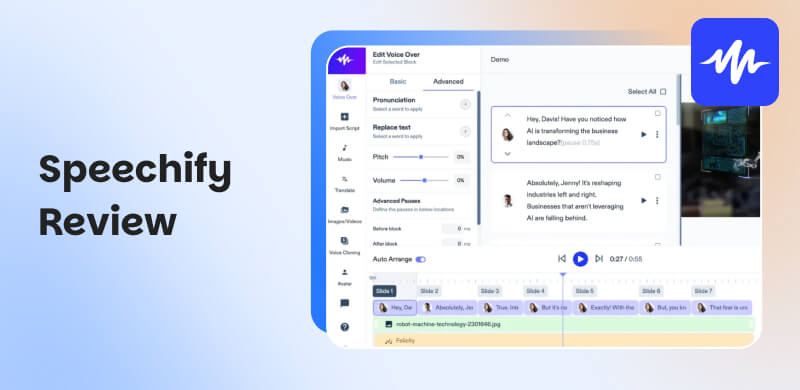
Speechify is an excellent text-to-speech (TTS) app that converts written text into an audio file. It lets users listen to a wide variety of content. It includes digital documents, emails, web pages, and e-books on tablets, computers, and mobile phone devices. The tool's primary objective is to enhance productivity and accessibility by enabling individuals to read with their ears, converting previously idle time, such as exercising, commuting, and walking, into opportunities for learning and staying up-to-date on specific information.
What Can Speechify Bring to You?
- • Turn Text to Audio: You can effectively listen to all the text you have from your PDF, Word document, e-book, and more. The operation of turning your text into audio is simple for all users.
- • Offer Various AI Voices: Speechify allows you to use hundreds of AI voices. You can even use some of the voices of popular celebrities, such as Snoop, John, and Geffen, among others. Listen to your text with more engaging and unique sounds.
- • Adjust Listening Speed: Speechify AI voice generator is also capable of adjusting the audio speed up to 4.5 times faster than the original version. With this feature, you can decide how you want to listen to your text document.
- • Offline Listening: After converting your text into audio, you can access the Download feature to save the result on your device. With that, even if you are offline, you can listen to the converted file everywhere.
Pros
- The tool has a simple layout that is easy to navigate.
- It offers transparent pricing and flexible subscription options.
- It offers an offline mode for listening without an internet connection.
- The app is simple to access.
Cons
- The subscription plan of the tool is a little bit expensive.
- There are times when the tool produces an inconsistent voice quality.
- Some voices have a limit on the amount of text that can be processed at one time, which can interrupt long listening sessions.
| Free | Monthly | Annual | |
|---|---|---|---|
| Price | $0.00 | $29.00 | $138.96 |
| Inclusions | ●Listen at speeds up to 1.5x ●Listen anywhere | ●200+ high-quality, natural voices ●60+ different languages ●Offline MP3 download ●Listen at 5x faster speeds ●Advanced skipping and importing ●AI Summaries & Chats | ●200+ high-quality, natural voices ●60+ different languages ●Offline MP3 download ●Listen at 5x faster speeds ●Advanced skipping and importing ●AI Summaries & Chats |
Since the tool is not entirely free, I only used the free plan at first. And then I found that the free function is not enough to meet some advanced requirements. So I checked the pricing plan of Speechify. Well, it seems a little expensive to me. If you want a totally free Tex-to-Speech tool that can provide 200+ voices, turn to Part 3 and try the first recommendation: TopVox.
Part 2. User Cases and User Guide
Who is Speechify best for? Specifically, certain users can utilize the tool for an effective experience. And for some people, the performance of Speechify is probably not for you.
| Best For | Not Suitable For |
|---|---|
| ✅️ Someone visually impaired: listens to written files without any issues. | ❌️ Enterprise users: Speechify may be insufficient for large enterprises, particularly those with complex needs. It is because the tool is lacking advanced features. |
| ✅️ People with ADHD, dyslexia, and other learning challenges: understand text more effectively. | |
| ✅️ People filled with urgent matters: scan documents, quickly process academic papers, textbooks, and other materials to enhance your productivity. | ❌️ Users who require high-quality voices: As discussed above, the tool may produce inconsistent voice quality. With that, if you are a user who wants exceptional audio quality, it is best to use an alternative tool. |
Want to learn how to use Speechify? If so, you can use the steps below to learn how to turn your text into audio.
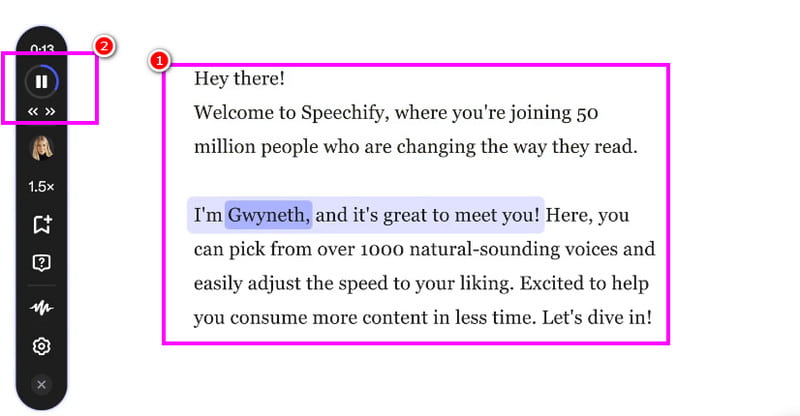
Step 1. You can visit the Speechify main website directly from your browser. Then, you can connect your Gmail account.
Step 2. After that, you can start selecting your voice actor/model and the playback speed.
Step 3. After that, you can now insert the text you want to turn into audio. Then, hit the Play button from the left interface to start listening.
With this process, you can instantly turn your text into audio. With that, if you want to listen to your e-book, documents, written story, and more, it is recommended to use the Speechify text-to-speech tool.
Part 3. Best 5 Alternatives for Speechify
Speechify is an amazing tool for converting your text into speech/audio. However, there are times when it is not performing well. Additionally, it offers an expensive plan, making it less ideal for some users. If you are looking for the best Speechify alternative, see this section.
1. TopVox Text to Speech AI [Online Free]
Best for: Free daily use with instant access and fast text-to-speech generation.
Price: Free
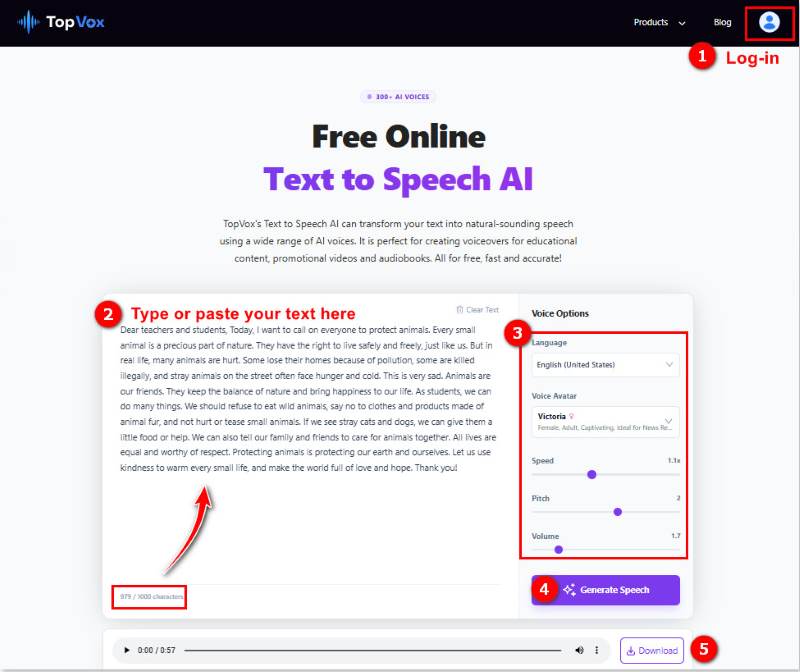
What I most recommend is that TopVox Text to Speech AI is an online Text-to-Speech tool that remains completely free for all features. As mentioned, Speechify requires a paid approach to access more AI voices and Pro settings. Don't have to spend too much money on it for most daily users. TopVox allows you to turn text contents (≤ 1000 characters) into natural human-like MP3 audio files in any browser. It supports 300+ ultra-realistic AI voices and 24 languages and accents, making you apply your vivid audio to dubbing, e-learning, advertising, and more. Besides, you can adjust speech speed, pitch, volume, and other parameters with one click for personal use.
What’s cool:
- Free to use without installing other software.
- Ultra-realistic voices with natural tones and pauses.
- Custom playback settings as you like.
- Massive voice styles and global languages.
- Supports business use on YouTube, ads, etc.
- Simplified workflow for every user.
User Feedback:
In my test, the Text-to-Speech MP3 maker outputs natural audio with no robotic tone at all. The conversion speed is also fast, and a TTS process takes around several seconds. The only limitation is that the input character is up to 1000 per task. In fact, in some ways, it actually avoids wrong sentence breaks or pauses when dealing with longer text.
2. PlayHT
Best for: It is good at producing high-quality audio.
Price: $39.00~$99.00 per month
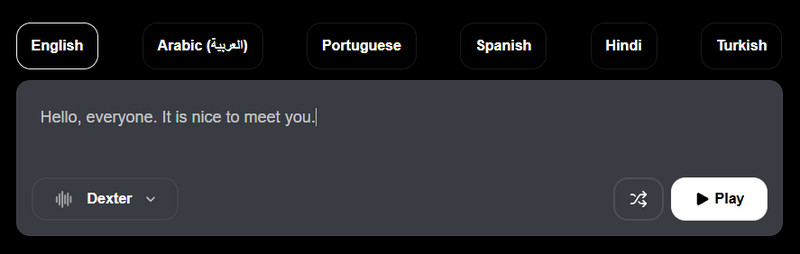
.One of the best text-to-speech tools that can replace Speechify is PlayHT. This AI-powered tool is ideal since it offers various voice models with exceptional audio quality. The good part here is that you can select your preferred expressions, making it more appealing for all users. You can also adjust the voice speed, language, and other settings.
Pros
- Provides an extensive collection of voices across different languages and styles.
- Generate high-quality audio with customization controls.
- API access to different applications or systems for more usage. (Only for paid users)
Cons
- Sounds strangely robotic in long narrations.
- Pay for higher usage limits, more voice options, and controls.
- Unstable voice cloning effects.
- Premium prices cost more than expected.
User Review from G2:
The official evaluation says that Play specializes in real-time conversational Voice AI models that can clone any voice, speak like a human across any language and accent. But most users reported that this Text-to-Speech software could no longer function:
"I’ve been locked out of my account due to a technical issue for weeks, and despite multiple support tickets, no one ever responds. Meanwhile, they keep charging me monthly, and I can’t even cancel the subscription." - Noa C, CEO of a Small-Business, 7/19/2025
3. ElevenLabs
Best for: An ideal tool that can offer various voice models.
Price: $6.00~$990.00 per month (use credits)
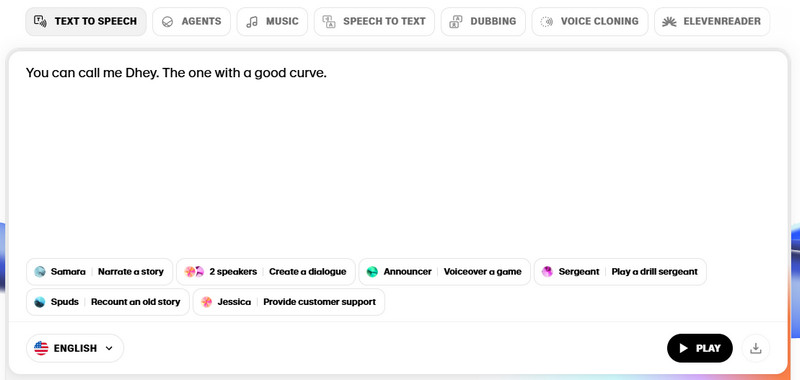
Another alternative tool that can replace Speechify is ElevenLabs. This tool offers all the features you need at no cost. You can choose your desired voice model, language, and many more. What we like here is that you can use its Download feature to save the converted text on your device.
Pros
- Turn text to expressive speech with 70+ languages.
- Custom sound effects, soundscapes, and ambient audio.
Cons
- It may be overkill for daily users.
- The price is not affordable enough.
I found that ElevenLabs has its target users, actually. If you’re actually pumping out videos and care a lot about natural-sounding voices or character consistency, you can try it. If you’re only generating a voice sometimes, it’ll probably feel expensive and annoying.
A user posted on an AI Content Creator Community from Reddit, he said: "I want to get AI voices from different characters, but apparently, you need credits for voice cloning, which resets every month. I feel like that's kind of a scam. I thought it would just be infinite uses. You start with like 3 uses max with those credits."
4. NaturalReader
Best for: A perfect tool with a comprehensive layout for easier navigation.
Price: Free, $20.9/month for Plus, $25.9/month for Pro
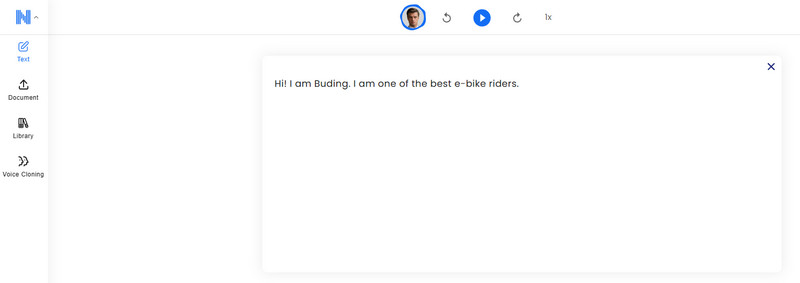
If you are still looking for another helpful text-to-speech tool, you can try using NaturalReader. This tool is driven by artificial intelligence, so you can expect an amazing result after the conversion process. Like other tools, you can even speed up the voice up to 5 times faster, making it one of the best alternatives for Speechify.
Pros
- Supports more input formats, like PDF, DOCX, etc.
- Convert your texts to voices in 90+ languages with multiple accents.
- Download your text as MP3 files for offline listening.
- Adjust speed, voice, and more options to meet your reading habits.
Cons
- Users are restricted to using only 5 minutes per day.
- The voice sounds like a robot, and the quality is lower than expected.
- There are many bugs during the text-to-speech process and downloading.
- The price for the TTS utility is a bit high for private use.
User Experience
@Mycroft from LingQ Forum: "I’ve been using Natural Readers for a few months now and quite like it so far. I do pay for the tier that allows the downloading and saving…They sound very natural, although one caveat to that is that every so often, there may be a particular sound in the language that isn’t accurate. I’m guessing it occurs if that sound is never produced in the recording, that one probably must upload to add the community voice."
5. Synthesia
Best for: The tool is best for producing excellent audio output.
Price: Free, $18/month for Starter, $59/month for Creator
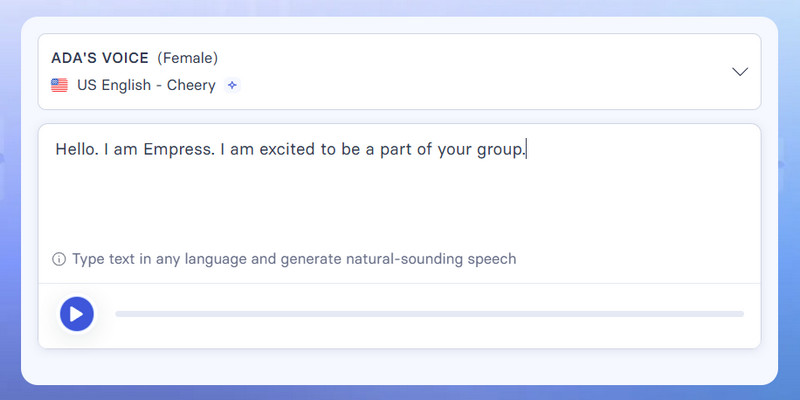
For our last alternative to Speechify, we have Synthesia. This tool is ideal for those who want a fast text-to-speech conversion process. It is because the tool has a simple interface, making it suitable for all users. Thus, visit this tool and get the result you want.
In my test, this AI tool was seen a bit more as an AI voice generation. To be honest, Synthesia supports multiple languages for both text-to-speech and avatar lip-syncing. It can switch your script into 1000+ audio sounds. But it seems to works for voice creators and businesses which needs to make many demonstration videos. Mostly, the pricing plan can be substantial.
Part 4. Summary: Is it Worth it?
Is Speechify worth it? After using the Speechify tool, it is clear that it is an ideal AI-powered tool that yields impressive results, especially in converting text into audio. It also features a simple layout, making it ideal for all users to survive his reading load. However, there are some inevitable shortcomings, such as unstable Android usage, unexpected charges, difficult self-service cancellation, and automatic renewal, etc. In that case, it’s necessary to choose a better alternative.
Based on our testing and overall review, the best Text-to-Speech tool is TopVox Text to Speech AI. The TTS sound quality is performing just as well as Speechify or even better. More than anything, TopVox is the only free one among all products we tested!
Part 5. FAQs about Speechify Review
Is Speechify free?
Speechify is not 100% free. You can only access its free version with limitations. With that, if you want to access its overall capabilities, using its premium version is the best solution.
Is Speechify safe?
After using the tool, it is clear that Speechify is a safe text-to-speech platform. You can insert all your data without worrying about your privacy since the tool ensures that it won't share your information with other users.
What is the objective of Speechify?
The main purpose of the tool is to turn your text into speech or audio. It is ideal if you want to listen to the text effectively. With this tool, you don't have to read a document manually. You can just turn it into an audio file for a better experience.
What is the disadvantage of Speechify?
There are various limitations to consider when using the free version. Additionally, the tool is inconsistent in producing high-quality audio. Therefore, if you want to create high-quality audio from your text, it is advisable to use an alternative tool.
Ethan Carter creates in-depth content, timely news, and practical guides on AI audio, helping readers understand AI audio tools, making them accessible to non-experts. He specializes in reviewing top AI tools, explaining the ethics of AI music, and covering regulations. He uses data-driven insights and analysis, making his work trusted.