Ultimate Guide of How to Use ChatGPT Text-to-Speech [2026]
 by Ethan Carter | April 9, 2026 | Text to Speech
With the rapid AI development, the text-to-speech process is becoming increasingly mature nowadays. ChatGPT is revolutionizing the way we view and use text-to-speech technology. ChatGPT has expanded the scope of AI communication by including text-to-speech. You can now listen to its responses in addition to reading them.
To put it another way, the ChatGPT TTS paradigm is now the best option for hands-free scenarios and accessibility requirements. We'll go over all you need to know about ChatGPT text-to-speech in this blog. Let's get started!
1. What is ChatGPT Text-to-Speech
ChatGPT's text-to-speech feature uses a sophisticated AI language model to translate text into human-like speech rather than robotic noises. In other words, instead of only reading the tool's response, users can hear it.
How does this operate? In order to mimic human speech patterns, this technology uses advanced machine learning and speech recognition algorithms. What you get is a realistic sound that is clear and genuine, making it ideal for usage with conversational chatbots and AI voice assistants like Alexa or Google Assistant.
More than what we have discussed above, ChatGPT also has a talk-to-ChatGPT Chrome extension. This is all possible by including natural voice input and audio responses right within the browser, the Talk-to-ChatGPT Chrome extension improves user interaction with ChatGPT. Using Text-to-Speech, users can converse with ChatGPT instead of inputting messages, and the AI will respond right away.
This produces a smooth, hands-free experience that is perfect for conversational learning, multitasking, and accessibility. Users who need faster interactions, prefer vocal communication, or desire a more organic, human-like approach to communicate with ChatGPT will find the plugin extremely helpful. Talk-to-ChatGPT turns any chat session into an intuitive, voice-driven dialogue, and it's easy to install and use.
2. Features and Pros & Cons of ChatGPT TTS
With its innovative text-to-speech technology, ChatGPT's voice feature provides users with a number of advantages, such as:
Superior Audio Quality
The text generation capabilities of ChatGPT have advanced significantly thanks to OpenAI. Their persistent work has produced ChatGPT-4, which is notable for its text-to-speech and image-reading features. This AI language model can readily recognize patterns, intonations, and other subtleties of human speech since it has been trained on enormous datasets that include human voice recordings. It can therefore generate clean, natural-sounding, and high-quality synthetic speech.
Various Voice Choices
Users can listen to audio responses using six distinct synthetic voices, which is another benefit of the ChatGPT TTS paradigm. Every speech type has a realistic sound and can be altered to improve communication. As a result, every contact feels more organic, intimate, and interesting.
Streaming Audio in Real Time
Chunk transfer encoding is used by the Speech API to enable real-time audio streaming. Before the full file has been created and made available, the audio can be played. This capability allows ChatGPT text to speech to provide smooth speech synthesis conversations. Users can interact with the tool in a back-and-forth fashion, meaning that you can speak to it and it will respond in the most natural way. In order to foster more sympathetic connections, this program also recognizes emotional patterns in the user's voice and generates suitable responses.
Pros
- Convenient for users with visual impairments or reading difficulties.
- Generate a natural voice with emotional pauses.
- Supports multiple languages.
- Real-time response to text-to-speech.
Cons
- Has daily generation limits (Pay for the Pro plan at $200).
- Can't customize speaking speed and other voice settings.
- No access to multiple voice avatars.
- Unstable audio quality, and some voices sound robotic.
3. Use Cases of ChatGPT Text to Speech
By converting textual content into audio that sounds natural, ChatGPT Text-to-Speech (TTS) improves how users interact with information. TTS provides a hands-free and more immersive experience that makes content simpler to comprehend, consume, and enjoy in a variety of contexts, whether for learning, accessibility, productivity, creativity, or language practice.
Studying and Learning
To hear explanations, summaries, or study notes, use ChatGPT TTS. Hearing information improves understanding, facilitates memory retention, and enables auditory learners to comprehend difficult subjects without having to reread the content.
Enhancing Productivity
When multitasking, such as when driving, cooking, or working out, TTS is perfect. By having ChatGPT read messages, articles, or instructions aloud while you remain active, it enables you to consume information hands-free.
Accessibility Support
Users with dyslexia, visual impairments, or reading difficulties can benefit from text-to-speech. By converting textual content into clear voice, it increases the accessibility, comprehensibility, and usability of digital information for everybody.
Production of Creative Content
TTS can be used by creators for audio mockups, voiceovers, and script testing. It facilitates quicker content creation without the need for voice actors or specialist recording equipment by previewing tone, pace, and clarity.
Learning a Language
TTS helps students by offering listening practice, genuine speech patterns, and precise pronunciation. Through real-time spoken output, it helps strengthen vocabulary, develop accent abilities, and increase general language comprehension.
4. What Scenario Should ChatGPT Text to Speech be Used
Here's how to enable voice control in ChatGPT without modifying the settings menu in any way.
Step 1. Use the ChatGPT mobile app or website to log in. Verify that the version you're using supports TTS.
Step 2. As usual, type your prompt or question into the text entry form. ChatGPT will produce a response when you enter your voice commands.
Step 3. To have ChatGPT read the current message or response aloud, look for the speaker icon beneath the generated response and click on it.
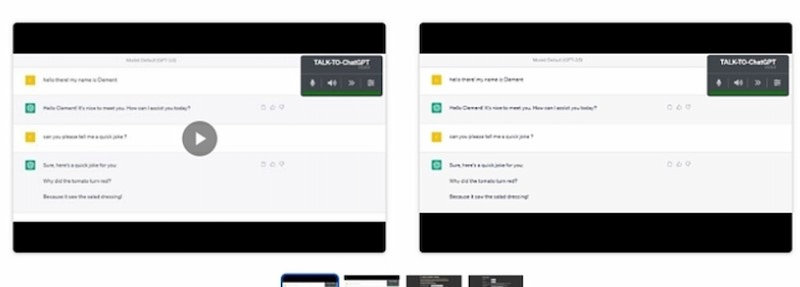
Along with possibilities for various voices or accents, certain versions of the program also provide voice control, including the ability to pause, restart, or modify the speech speed.
When processing long text with ChatGPT TTS, it has incorrect pauses and awkward sentence segmentation sometimes. But I found that adding specific tone words in prompts will effectively reduce robotic sound and make the voice more natural.
From user feedback in OpenAI Developer Community, we can see that the output of ChatGPT TTS is not quite the same under the different GPT models:
"Advanced Voice Mode…is capable of sounding very emotive…generate text with GPT-4o or GPT-4-Turbo - keep in mind that these are two different models with different pricing and capabilities to generate text…"
5. Alternative to ChatGPT Text-to-Speech
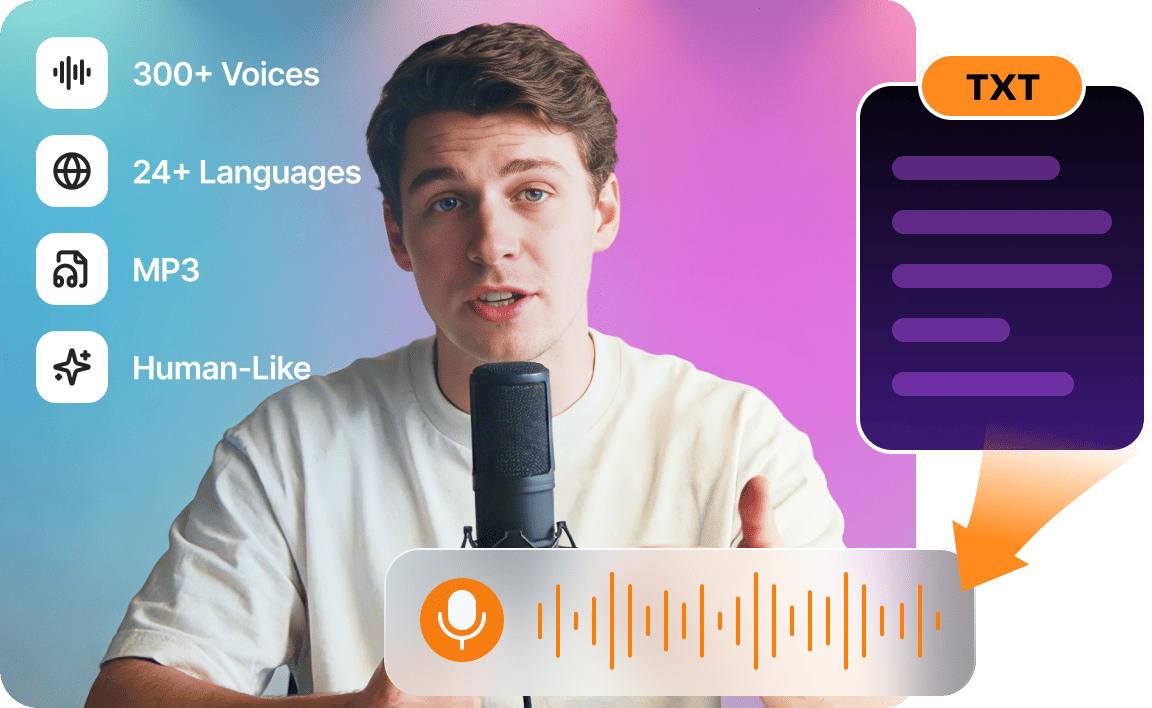
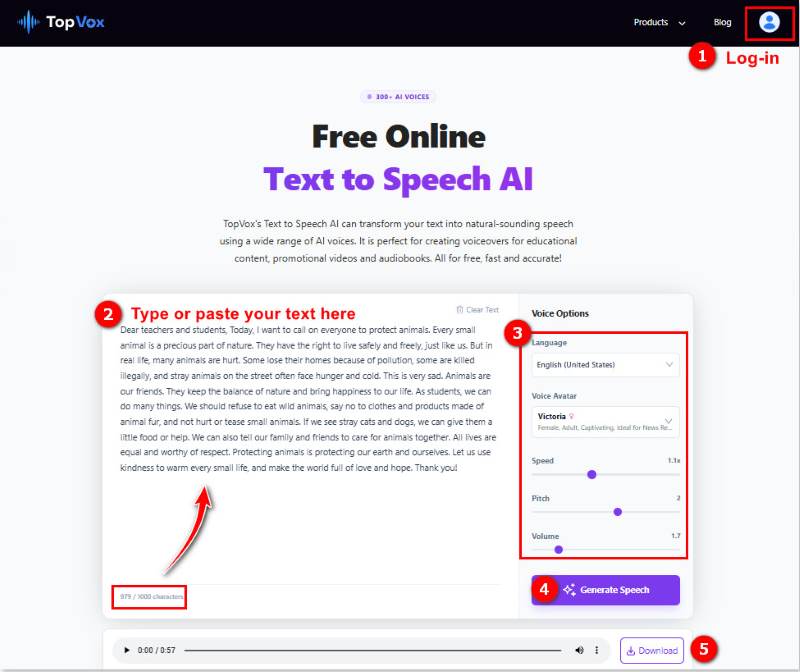
As we have discussed above, ChatGPT TTS has its special place. Still, it also has restrictions on the voice library, customization, and pricing plan. If you want to solve these issues in one go, we recommend another free tool to you: TopVox Text to Speech AI. This AI voice generator provides various languages and ultra-realistic AI voices covering different age groups, tones, and emotions. And you can take control of your generated speech via some voice options, like speed, pitch, volume, etc., to match daily reading, video voiceovers, educational content, audiobooks, and casual commercial use. Best of all, it allows you to create natural-sounding content without a limit on how many tries you get.
Features
- 300+ AI voices with realistic inflections.
- Supports 24 languages for international users.
- Adjust voice avatar, speed, pitch, and volume.
- Convert text to high-quality MP3 audio files.
- Easy-to-use workflow in 3 steps.
- Fast TTS conversion speed.
This Text-to-Speech MP3 maker delivers me a perfect experience: the output audio files are natural with no robotic tone at all. The conversion speed is also fast, and a TTS process takes around several seconds. The only limitation is that the input character is up to 1000 per task. In fact, in some ways, it actually avoids wrong sentence breaks or pauses when dealing with longer text.
FAQs about ChatGPT Text-to-Speech
How does ChatGPT Text-to-Speech work?
It converts text into natural, fluid speech using AI voice models. ChatGPT instantaneously produces audio playback with natural tone, pace, and clarity when users just type a message.
Is it free to utilize ChatGPT Text-to-Speech?
Your plan will determine availability. Standard capabilities are available to free users, however premium subscriptions could provide better voices, quicker performance, and more audio output customization options.
Which gadgets can use ChatGPT Text-to-Speech?
The majority of contemporary devices, including PCs, laptops, tablets, and smartphones, can use ChatGPT TTS. Users can easily listen to generated speech as long as the platform allows audio playback.
Is it possible for me to select different voices?
Yes, depending on your plan, ChatGPT offers a variety of speech types. To suit their preferences or particular content requirements, users can choose from a variety of tones, languages, and speaking styles.
Can kids benefit from text-to-speech?
Of course. Students can listen to study guides, explanations, or summaries. When studying, reviewing, or multitasking, it enhances understanding, memory retention, and general productivity for auditory learners.
Conclusion
ChatGPT Text-to-Speech is revolutionizing the way people engage with information by improving accessibility, engagement, and ease of consumption. Its natural-sounding audio and adaptable features greatly improve the user experience for learning, creativity, or accessibility. However, if you are seeking text-to-speech with a unique voice avatar and personalized settings, TopVox Text to Speech AI is a better free choice.
Ethan Carter creates in-depth content, timely news, and practical guides on AI audio, helping readers understand AI audio tools, making them accessible to non-experts. He specializes in reviewing top AI tools, explaining the ethics of AI music, and covering regulations. He uses data-driven insights and analysis, making his work trusted.