Top 10 Spotify Downloaders for Desktop, Online, and Mobile
Key Takeaways
- Winner: TopVox All Music Converter stands out as an all-in-one solution to download Spotify tracks with ultimate versatility.
- High-Fidelity Sound: It supports high-quality outputs up to 320kbps and lossless formats like FLAC and WAV.
- Smart Organization: Automatically preserves ID3 tags and album covers.
- Extreme Speed: Features 35x faster batch conversion to save you hours.
Spotify is among the top music streaming platforms worldwide, offering millions of songs, making it easy to discover new music and enjoy your favorite songs for offline listening. However, it is only available to Premium subscribers. If you’ve ever wished to download Spotify tracks without needing a Premium subscription, you’re in the right place. In this post, we will introduce the top 10 Spotify downloaders available. We will review each downloader in detail, covering their performance. This way, you can safely and efficiently download Spotify music and enjoy it offline.
How We Test
We conduct all reviews of these downloaders using a fully standardized process meant to ensure reliability. We purchase all testing accounts independently from each vendor, with no vendor involvement or sponsorship of any kind. Audio performance is benchmarked with commercial measurement tools, ensuring our test bed is consistent, covering aspects such as bitrate, frequency response, dynamic range, and delay (latency) under a range of conditions – Wi-Fi, 4G, and 5G.
Part 1. The Best All-in-One Spotify Downloader: TopVox
Best for: Multi-platform collectors who need a single tool to extract and convert audio from diverse streaming and video sources.
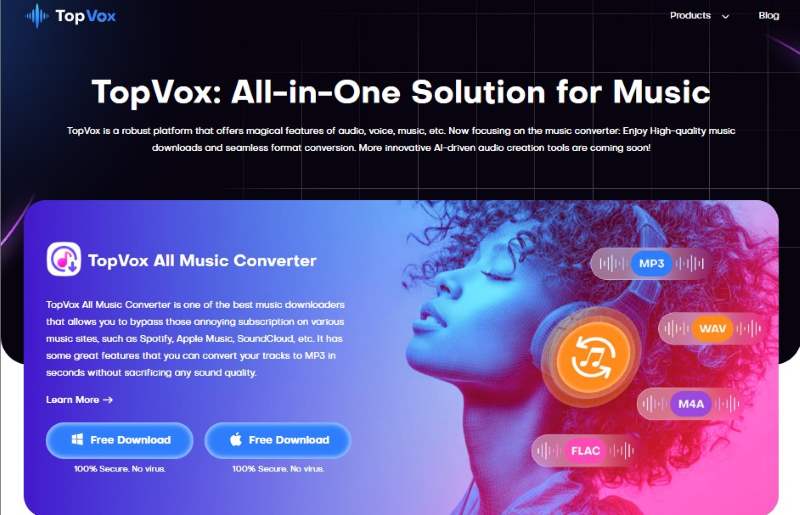
TopVox All Music Converter is a one-stop Spotify downloader and converter for Windows and Mac. This multiplatform bundle gives lifetime access to popular music streaming platforms without subscription limits. Beyond Spotify, it supports Apple Music, Amazon Prime Music, YouTube Music, Deezer, Pandora, SoundCloud, Line Music, and Audible.
For good measure, it lets you download any music up to 48,000 Hz and 320 kbps. Additionally, you can save them as MP3, M4A (AAC), WAV, FLAC, AIFF, or M4A (ALAC) files. What makes it even more powerful is its ability to bypass DRM protection. It lets you enjoy downloaded songs on any device, anytime, forever.
Features:
- Boasts an exceptionally fast conversion speed, up to 35× faster.
- Compatible with major music streaming platforms, including Spotify.
- Gives full ownership of music downloads by removing DRM protections.
- Download multiple songs, full playlists, or entire albums simultaneously.
Pros
- It supports up to 320 kbps audio quality.
- It includes a built-in browser and player.
- It allows output to multiple audio formats.
Cons
- It has a limited free trial offer.
How to use TopVox to download Spotify music?
Step 1. Get started by downloading the software for free. Install the Spotify downloader and complete the setup process. Once finished, launch the software to start downloading Spotify.
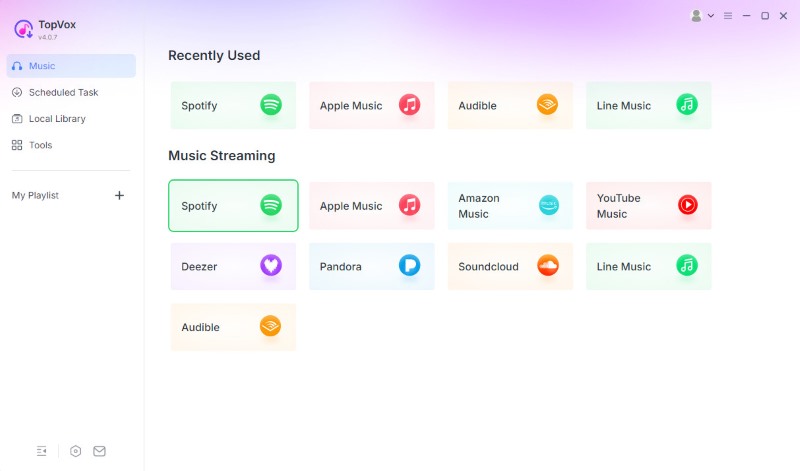
Step 2. On the main screen, you’ll see a list of supported streaming services. Click the Spotify tile to open the built-in browser. Log in using your account credentials to access your playlists, albums, or favourite tracks.
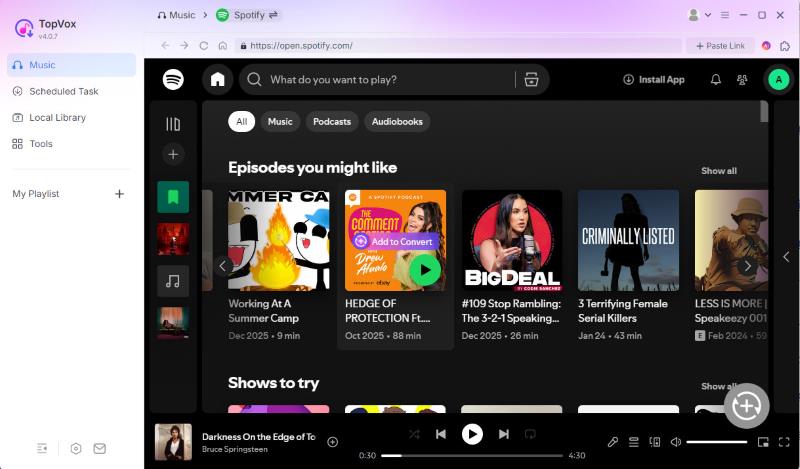
Step 3. Browse your library and choose the songs or playlists you want to download. You can click Add to Convert. You can also click the Add button (a plus icon at the lower right corner), and the program will automatically detect and load songs.
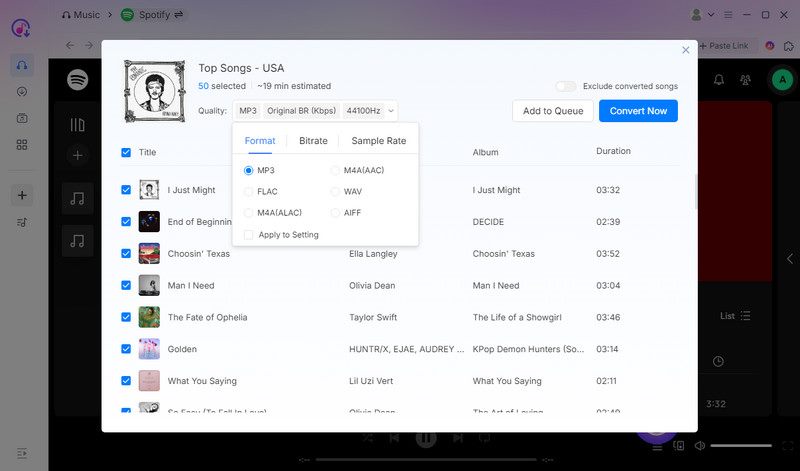
Step 4. By default, the software is set to MP3 (Original BR, 44,100 Hz), but you can easily modify it. Once all your songs are added and settings adjusted, click Convert Now to begin the process. It will automatically download and convert selected tracks or playlists at a fast speed.
User Testimonials:
After testing TopVox All Music Converter, I can confidently say that it’s the most reliable Spotify to MP3 converter I’ve used. I could add multiple tracks, and the software handled everything smoothly without lag. I also appreciated that the program retained all the metadata.
Part 2. Spotify Downloaders for Windows & Mac
Audacity
Best for: Advanced users who pursue long-term stability and ultimate listening experience in a music library.
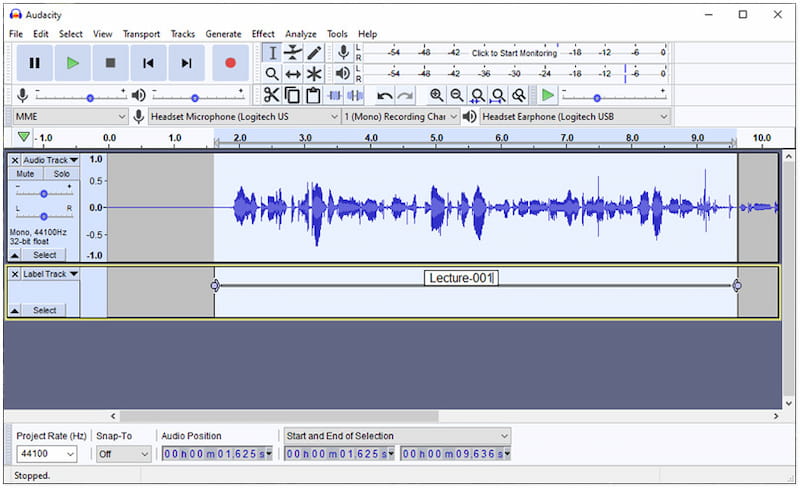
Audacity is primarily an open-source audio editor and recorder designed to capture audio from various sources. Beyond simple recording, it directly captures the sound signal from your computer instead of cracking Spotify's encrypted link. So, you can download the music effectively to bypass DRM restrictions. You can trim silence, normalize volume levels, and export files in lossless formats such as FLAC or 32-bit WAV. It transforms the downloading process into a high-quality recording workflow.
Pros
- It offers advanced audio editing tools.
- It is completely free to download and use.
- It supports multitrack recording and editing.
Cons
- It takes time to learn how to use it effectively.
- It doesn’t have a feature for downloading Spotify tracks.
User Testimonials:
From my experience, Audacity is a capable tool for recording, editing, and enhancing Spotify tracks. Since it lacks a built-in music downloader, I had to record the audio manually.
Sidify All-In-One Music Converter
Best for: Users who need a professional, all-in-one desktop suite to batch-convert high-fidelity Spotify music.
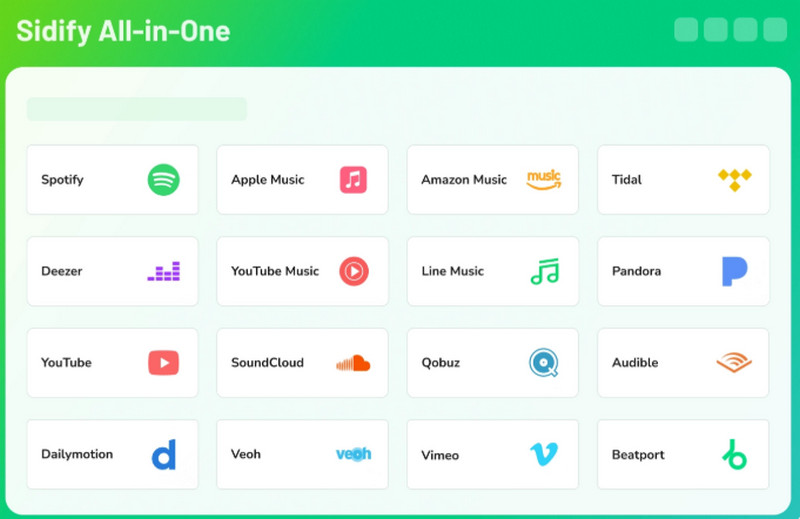
Sidify All-In-One Music Converter represents the ultimate professional-grade solution for users who demand a comprehensive tool for all their streaming needs. It offers the 10x ultra-fast conversion speed, combined with the ability to preserve original Hi-Fi audio quality, making it one of the most efficient tools for audiophiles.
It allows users to export music into various formats while retaining 100% of the metadata and lyrics. With its clean, ad-free interface and regular updates to bypass the latest encryption, Sidify provides a good experience for those who want to have a high-quality, permanent offline collection.
Pros
- Download Spotify tracks to MP3, WAV, AAC, FLAC, AIFF, or ALAC format.
- Preserve original audio quality with ID3 tags.
- Support batch conversion.
- Offers a 10 times faster speed.
Cons
- The free version only allows you to convert the first 3 minutes of each song.
- Lacks professional audio editing features.
User Testimonials:
From my experience, Sidify is an incredibly efficient tool for batch-converting high-quality playlists at 10x speed, saving me from the tedious task of recording tracks manually.
SpotiKeep Converter
Best for: Quickly batch-convert large Spotify libraries into high-quality local files with zero effort.
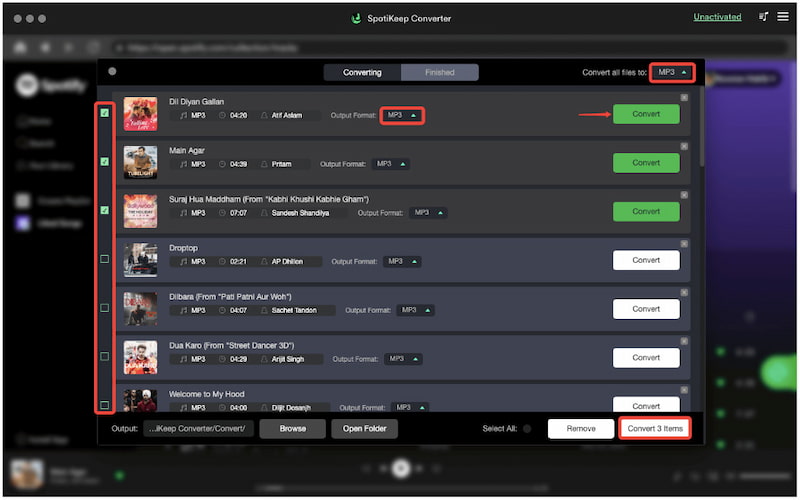
SpotiKeep Converter lets you download any Spotify song, album, or playlist without Premium while retaining the original data and ID3 tags. You can save lossless-quality music tracks for offline listening at a 5× conversion speed, allowing you to transform Spotify music into various audio output formats, like MP3, M4A, WAV, and FLAC in a very short time. The downloaded audio will keep a 320kbps high-bitrate, which means that the listening experience is indistinguishable from the original stream.
Pros
- It allows you to configure output quality and format.
- It supports batch conversion of playlists and albums.
- It can download Spotify tracks even without a premium.
Cons
- It does not support other music streaming platforms.
- Its trial version converts only the first 3 minutes of the track.
User Testimonials:
During my test, I converted a full playlist to MP3 format, and the audio quality is impressive. However, I needed to upgrade to the full version to download all the tracks.
Part 3. Spotify Downloaders Online
SpotiDown
Best for: A quick and free way to download Spotify tracks without installing any software or apps.
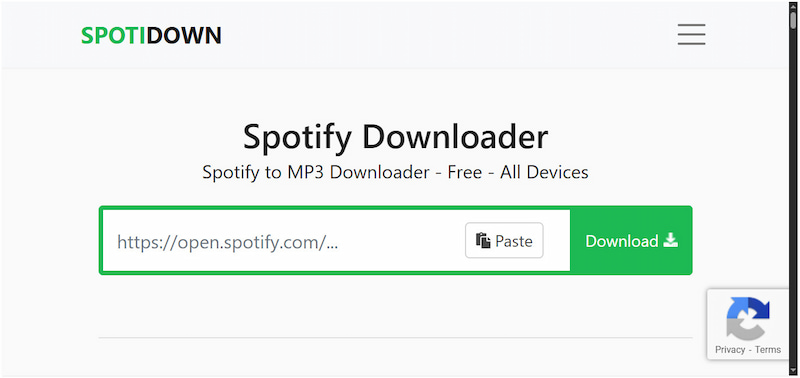
SpotiDown is an internet-based Spotify MP3 downloader for users who want a no-install solution. The Spotify playlist downloader lets you paste a Spotify URL to convert your favorite tracks and playlists, working seamlessly across Windows, macOS, Android, and iOS without a Spotify Premium account or registration. It can save your downloaded music in MP3 format with high quality for offline use, all through a clean, advertisement-light interface that prioritizes speed over technical configuration.
Pros
- It only requires copying and pasting Spotify links.
- It promotes 100% free, subscription-free use.
- It requires no Spotify login or account creation.
Cons
- It downloads playlists/albums as a ZIP file.
- It redirects you to ad pages during downloads.
User Testimonials:
When I tested Spotidown app, I was drawn to how simple it was to use. However, I noticed that the audio quality wasn’t always consistent. Some tracks sounded slightly compressed.
SpotiSongDownloader
Best for: Users seeking a web-based solution to quickly download Spotify tracks with full metadata on any device.
Spotisongdownloader.to is a streamlined, web-based utility to convert any Spotify song to M4A and MP3 formats without paying any fees. The platform operates entirely within your browser, requiring only a simple copy-paste URL to start the download. For the playlist, you can save the entire playlist in one go via the ZIP downloader button. Instead of raw audio, the tool intelligently fetches and embeds essential ID3 tags for a complete audio-visual experience.

Pros
- It is fully compatible with modern browsers.
- It lets you save downloaded music up to 320 kbps for free.
- It supports downloading single tracks and even entire playlists.
Cons
- It doesn't download all songs properly.
- It cannot download protected Spotify songs.
User Testimonials:
I found Spotisongdownloader.to to be a convenient and straightforward tool for grabbing Spotify songs online. However, some links failed or resulted in broken files.
SpotMate
Best for: Users without a Spotify subscription to build a clean, searchable offline music library with minimal effort.
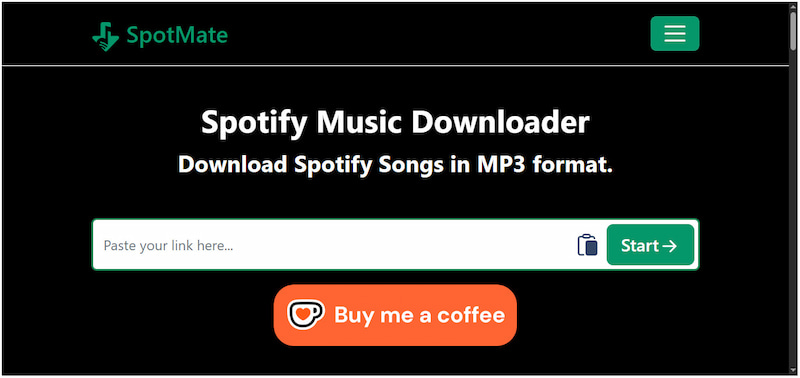
SpotMate is a free Spotify downloader available online to offer a universal solution for offline Spotify listening. It allows you to convert and download tracks, albums, or playlists from Spotify to MP3 with ID3 tags. Similar to other online tools, it doesn’t require creating an account or remembering your login credentials.
Pros
- It is completely free of charge.
- It requires no subscription or logins.
- It works on any device with a browser.
Cons
- It does not offer advanced audio output formats.
- It has a lower bitrate, compromising the output quality.
User Testimonials:
In my view, SpotMate is a hands-free option for quickly converting a few songs. However, it only allowed downloading one song at a time; batch playlist downloads weren’t supported.
Part 4. Spotify Downloaders for Android & iOS
SpotiFlyer [Android]
Best for: Mobile users needing a fast, zero-config way to batch-download playlists with full metadata.
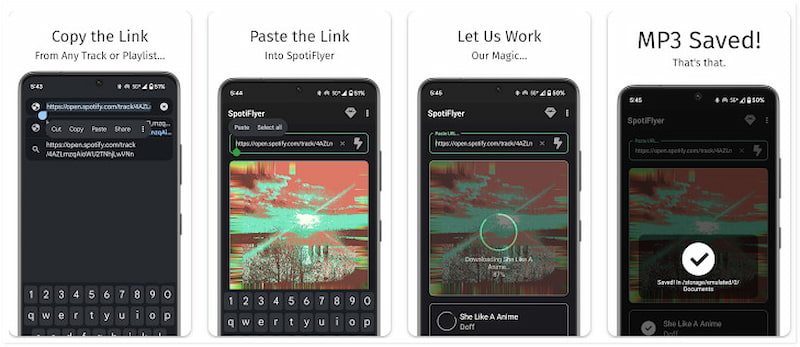
Spotiflyer is a versatile music downloader that supports multiple platforms. Apart from Spotify, it also operates as a Jio-Saavn, SoundCloud, Gaana, and YouTube Music downloader. It lets you save your favorite Spotify tracks as MP3s. It automatically embeds all metadata, including album art, lyrics, and ID3 tags, directly into your files, ensuring your offline library retains original information. Best of all, you don’t need to sign in to any music streaming account and paste a music link to fetch and download entire playlists at once.
Pros
- It supports multiple music streaming apps.
- It downloads tracks in high-quality MP3 format.
- It only requires pasting the Spotify URL.
Cons
- It is not affiliated with the official Spotify app.
- It does not support downloading DRM-protected tracks.
User Testimonials:
After using SpotiFlyer, I enjoy exploring various music sources. However, the maximum bitrate for Spotify tracks is capped at 128kbps.
SpotDown [Android]
Best for: Android users who want a simple, mobile-native app to search, preview, and download individual Spotify tracks.
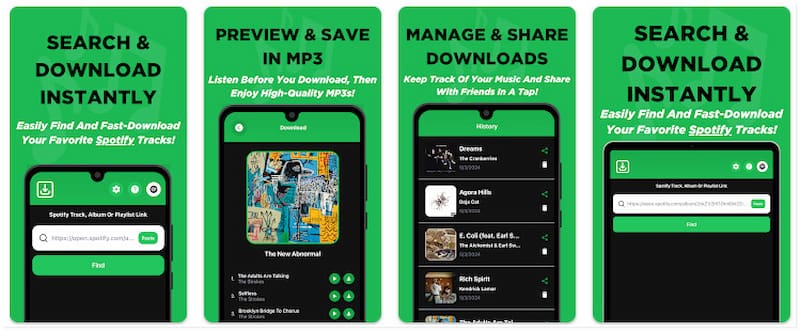
Spotdown is another dedicated Spotify downloader app for Android devices. It allows you to access Spotify’s collection of tracks, albums, and playlists and listen to snippets before downloading them in MP3 format. After that, you can access your history to easily manage tracks for future use. Besides local storage, you can share and send your favorite offline tunes to others.
Pros
- It reviews Spotify tracks before downloading.
- It supports downloading select copyright tracks.
- It offers a download management history for management.
Cons
- It is limited to Spotify only.
- It is only available in select regions.
User Testimonials:
During testing, Spotdown made it easy for me to keep track of my downloaded content. However, it only allowed downloading one song at a time. No batch download support.
RoutineHub Spotify to MP3 [iOS]
Best for: iOS users who prefer using Apple Shortcuts over traditional apps to download Spotify music.
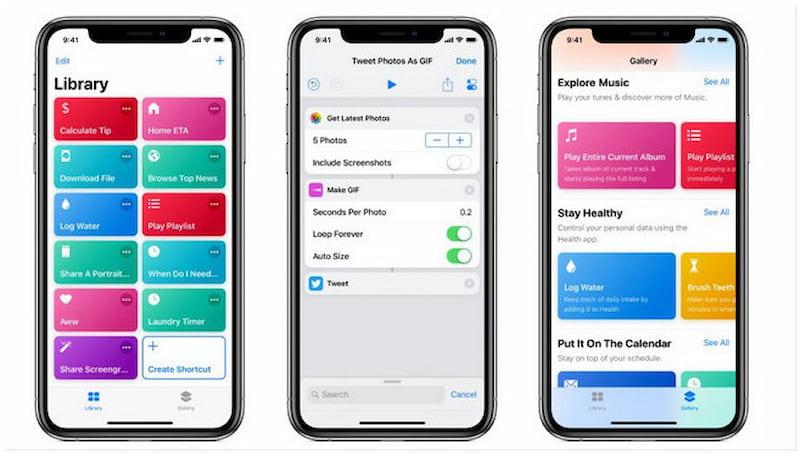
RoutineHub Spotify to MP3 is a shortcut rather than a standalone app, which is hosted on the RoutineHub community platform. You can directly send music in the Spotify interface to the shortcut and then save it as an MP3 file. Beyond tracks, albums, and playlists, you can use it as a Spotify podcast downloader to get your favorite podcast episodes. Operating within the secure environment of Apple's Shortcuts app, it remains incredibly lightweight and privacy-conscious.
Pros
- It is entirely free to use.
- It retains ID3 tags and lyrics.
- It is compatible with both iPhone and iPads.
Cons
- It requires manual copying of Spotify URLs.
- It limits users to 5 song downloads at a time.
- The downloaded audio quality is not perfect.
User Testimonials:
I tried the RoutineHub Spotify to MP3 on my iPhone, and it was a mixed experience. Within moments, the track was downloaded as an MP3 file. However, the audio quality was lower than expected.
Part 5. Comparison of the Top 10 Spotify Downloaders
| OS | Price | Supported Platforms | Built-in Web Player/Browser | Output Formats | Audio Quality | Speed | DRM Protection Removal | Batch Downloading |
| TopVox All Music Converter | Windows 7 or later (64-bit) and macOS 10.14 or above | Starts at $19.95 with a free trial option | Spotify, Apple Music, Amazon Prime Music, YouTube Music, Deezer, Pandora, SoundCloud, or Line Music. | ✔ | MP3, M4A (AAC), WAV, FLAC, AIFF, and M4A (ALAC) | Up to 320kbps | 35× | ✔ | ✔ |
| Audacity | Windows 11/10. macOS 11 or above, and Linux | Open-source | Spotify, YouTube Music, Apple Music, etc. | ❌ | WAV, AIFF, MP3, FLAC, Ogg, and M4A (AAC) | Up to 320kbps | 20× | ❌ | ❌ |
| Sidify All-In-One Music Converter | Windows 11/10/9/8 and macOS 11 or above | $3.75/month | Spotify, Apple Music, Amazon Music, Tidal, Deezer, YouTube, YouTube Music, SoundCloud, and more. | ✔ | MP3, AAC, FLAC, WAV, AIFF, and ALAC | Up to 320kbps | 10× | ✔ | ✔ |
| SpotiKeep Converter | Windows / Mac | $19.95/month | Spotify | ✔ | MP3, M4A, FLAC, and WAV | 128/256/320 kbps | 5× | ✔ | ✔ |
| SpotiDown | Online | Free | Spotify | ❌ | MP3, M4A and OPUS | 128 kbps | Relies on the internet | ❌ | ❌ |
| SpotiSongDownloader | Online | Free | Spotify | ❌ | MP3, M4A and OPUS | Up to 320kbps | Relies on the internet | ❌ | ❌ |
| SpotMate | Online | Free | Spotify | ❌ | MP3 | 128 kbps | Relies on the internet | ❌ | ❌ |
| SpotiFlyer | Android | Free with in-app purchases | Spotify, YouTube, Gaana, Jio-Saavn and SoundCloud. | ❌ | MP3 | 128kbps | 1× | ❌ | ✔ |
| SpotDown | Android | Free | Spotify | ✔ | MP3 | 256 kbps or 320 kbps | 1× | ✔ | ❌ |
| RoutineHub Spotify to MP3 | iOS | Free | Spotify | ❌ | MP3 | Depends on your Spotify plan. | 1× | ❌ | ❌ |
Conclusion
For those who want to enjoy their favorite Spotify tracks without subscription restrictions, a reliable Spotify downloader is the perfect solution. Whether you’re using desktop software, online services, or mobile tools, TopVox All Music Converter stands out as an all-in-one solution. You can effortlessly convert your Spotify to various formats with high quality and speed.
Luna Harper
Luna Harper is a passionate music lover and an inspiring content sharer. She has explored most of the music converters available on the market, acquiring thorough knowledge of their features, usability, and differences. Luna enjoys using her professionalism to help fellow music lovers get superior audio quality.




 by
by