Convert SoundCloud to FLAC Format Losslessly [2026]
When it comes to listening to various music, consider visiting SoundCloud. This platform is ideal for those who want to access a wide range of music genres with high-quality audio. However, if you want to keep the songs, you must download them to your device, as the platform is internet-dependent. With that, if you want the best solution, then we recommend saving the music from SoundCloud to FLAC. It is because FLAC can offer an amazing quality, which is ideal for preservation. Thus, if you want to explore all the best methods to obtain a FLAC file from SoundCloud, start reading this informative tutorial.
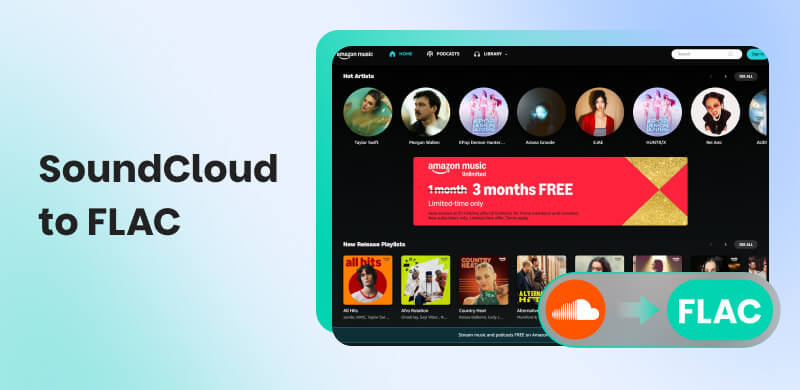
Part 1. The Official Way to Download SoundCloud to FLAC
SoundCloud is one of the most popular music distribution and streaming services available on your browser. With the help of this platform, you can enjoy and listen to all your favorite music. One of the benefits of this platform is that you can utilize its Download feature. This feature is perfect if you want to download and save your music for offline listening. The best part here is that you can get a satisfying listening experience, thanks to its astounding audio quality.
However, please note that SoundCloud is not a free service. You must subscribe to its plan to access all its features. You even need to create an account for effective audio playback. If you are interested in learning how to download SoundCloud to FLAC, please see the methods below.
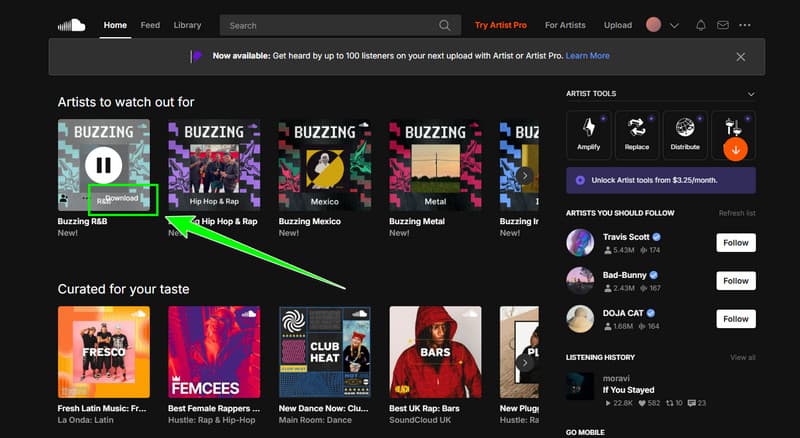
Step 1. Go to your browser and access SoundCloud by creating your account. Ensure that you also get the subscription plan.
Step 2. After that, you can now go to the Search section to start browsing the music you want to download.
Step 3. For the final step, you can start tapping the Download button. Once done, you can start playing the music without needing an internet connection.
With this process, you can officially get the music you want from SoundCloud. However, you have to access its premium version to enjoy its features. Additionally, there are instances when the platform can download music as MP3, so you need to convert it to FLAC using the best converter.
Part 2. Best Way to Download SoundCloud to FLAC Losslessly
Do you prefer a free way to download SoundCloud to FLAC? Then we suggest using TopVox All Music Converter. In terms of downloading and converting music from SoundCloud, there is no doubt that this platform can help you, as it offers all the necessary features you can access. You can achieve a fast conversion process that is up to 35 times faster compared to other converters. You can also navigate all the functions, as it features a straightforward user interface. The best part here is that it lets you download a playlist from SoundCloud, making it more convenient for all users. It can also convert the music to other formats, including AAC, AC3, WAV, MP3, M4A, and more. With that, if you are looking for an amazing converter that can achieve your main objective, look no further than TopVox All Music Converter.
Features
- The program can offer a fast conversion process.
- It supports the batch conversion process.
- The software can convert music with the best quality.
- It can convert music from various platforms, like YouTube, Amazon, Apple Music, and more.
To start converting and downloading SoundCloud music to FLAC format, follow the instructions below.
Step 1. Download the program on your Mac or Windows. From the primary interface, click the SoundCloud platform and start inserting your account.
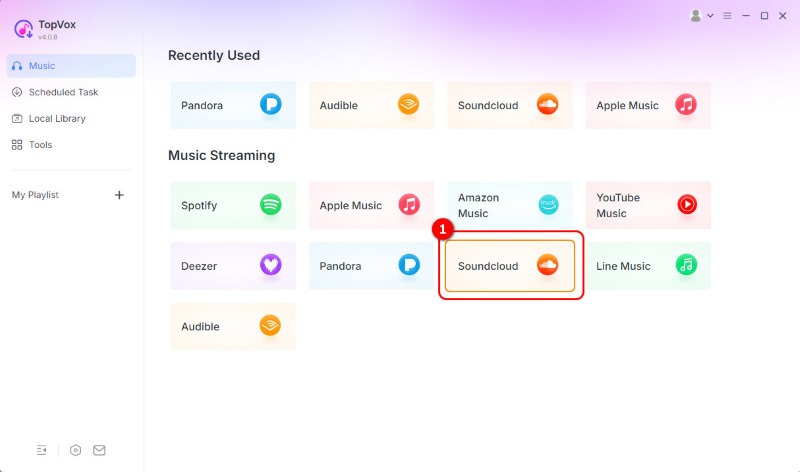
Step 2. From the primary interface, click the SoundCloud platform and start inserting your account.
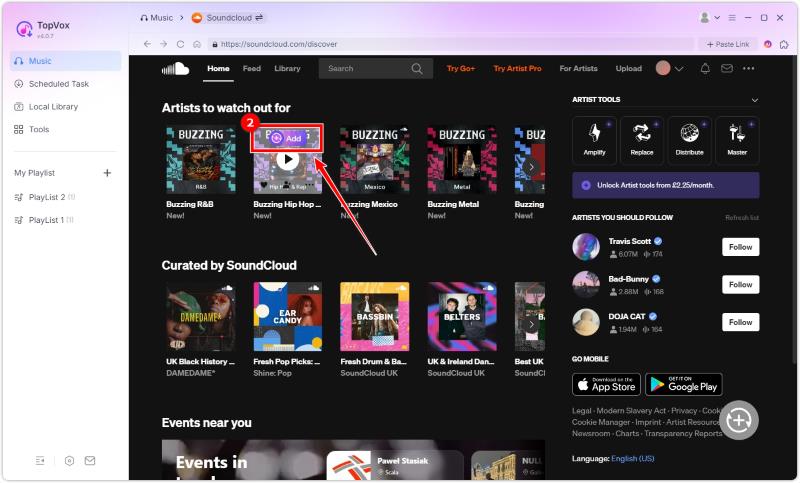
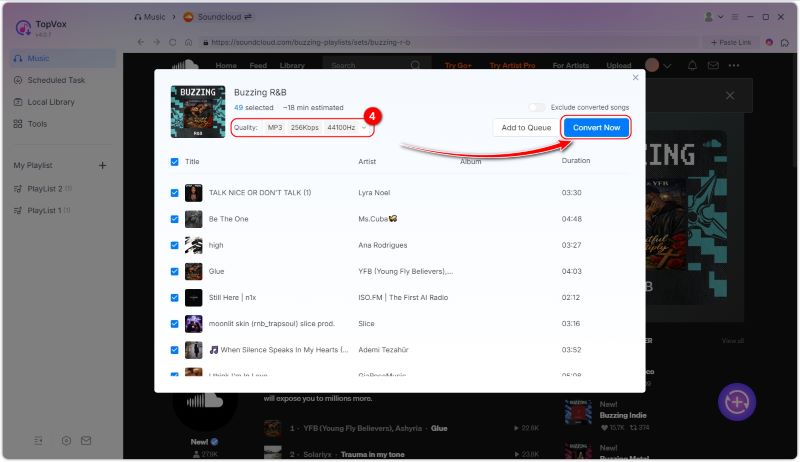
Step 3. Select FLAC from the Format section and change preferred output audio quality. After that, tap Convert Now to start the process.
Step 4. You can find the downloaded song in the Local Library, and click the folder icon to target where the files on your device.
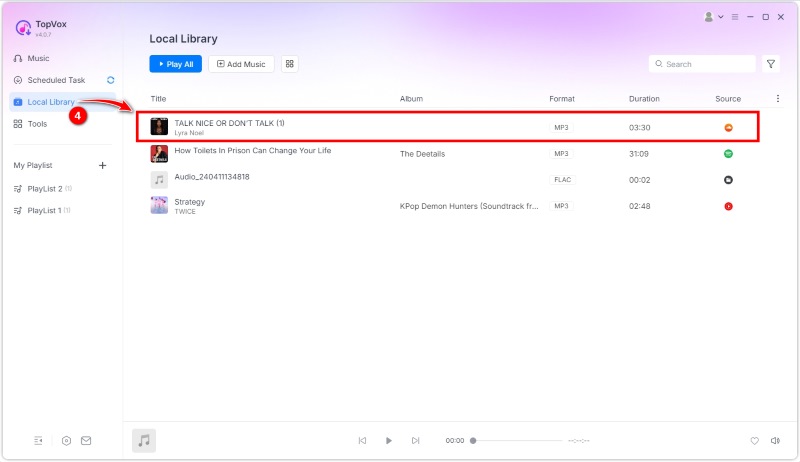
Thanks to this free method, you don't have to get SoundCloud's premium version. It can even convert SoundCloud to other formats. You can convert SoundCloud to WAV, MP3, AAC, and more. The best part here is that it has all the features you need, allowing you to get your desired result.
Part 3. Download SoundCloud to FLAC Online
Want an online SoundCloud to FLAC downloader? In that case, we recommend using Soundcloudrips. This tool is ideal if you want to insert the SoundCloud link and download it instantly. The good part here is that you can enjoy high-quality audio and a smooth conversion process. The only drawback here is that the tool requires a stable/fast internet connection for optimal performance. If you want to start downloading your favorite music from SoundCloud as FLAC, you can use the tutorial we have provided.
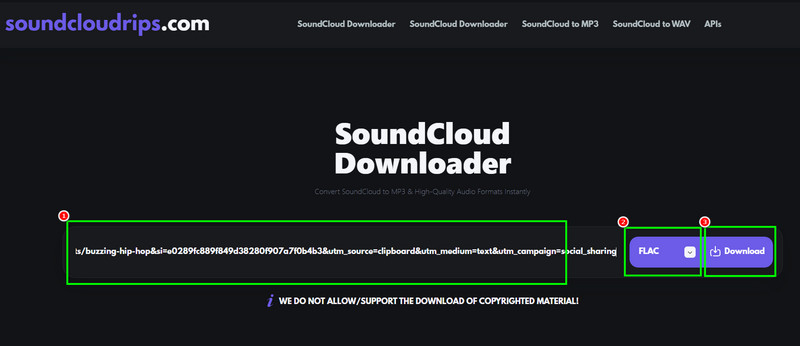
Step 1. Proceed to your browser and access Soundcloudrips. Then, you need to get the music link from SoundCloud.
Step 2. Paste the link on Soundcloudrips and select FLAC from the Format section.
Step 3. After that, you can start clicking the Download button to convert and save the music on your device.
To convert and download SoundCloud music as a FLAC file online, it's clear that this tool is perfect. It can offer an instant conversion process with high-quality results. The only drawback is that it requires a stable internet connection to function optimally.
You can also check: Effective methods to convert SoundCloud to MP3.
Part 4. Convert SoundCloud to FLAC with Audacity
Another way to save your favorite music from SoundCloud as FLAC is to record it. If you want the best audio recorder, it is best to download Audacity. This software features a reliable audio recorder function that allows you to record your entire music collection and save it as FLAC files. What we like about this program is its simple interface and smooth procedure. Thus, to experience its capability, see the steps below.
Step 1. Download Audacity on your computer. After that, launch the software and tap the Record button. Then, play the music from SoundCloud to begin the recording process.
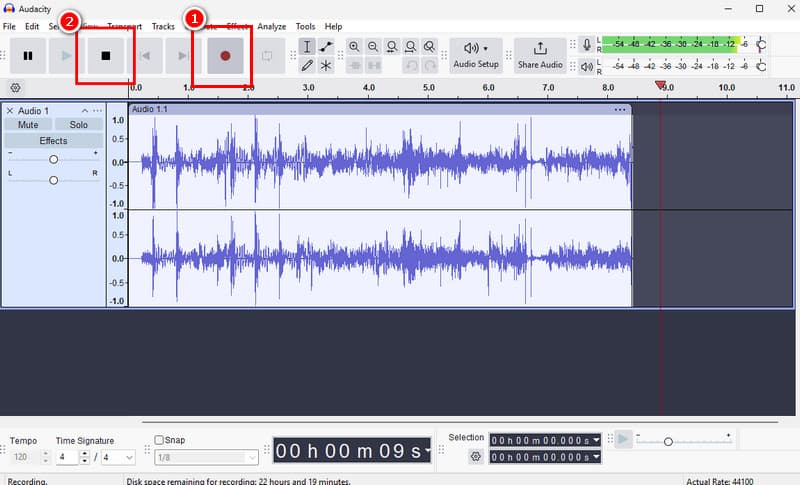
Then, after recording, you can tap the Stop button.
Step 2. You can now go to the File > Export Audio option. Then, click the Export button on your computer.
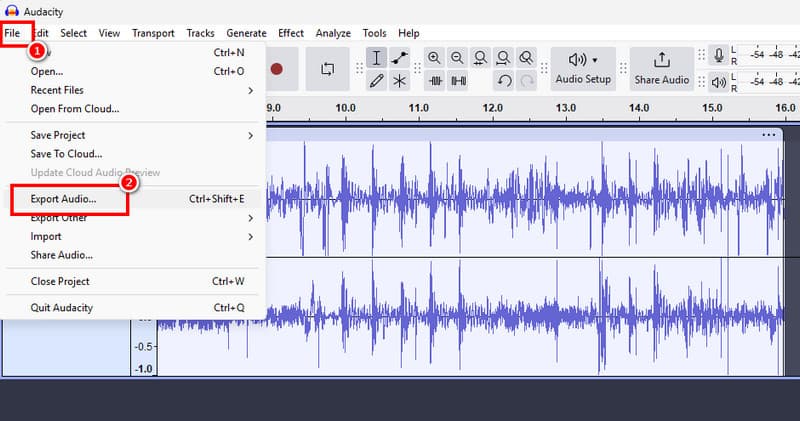
Step 3. Go to the Format section and choose FLAC. Now, hit Export to start the saving process.
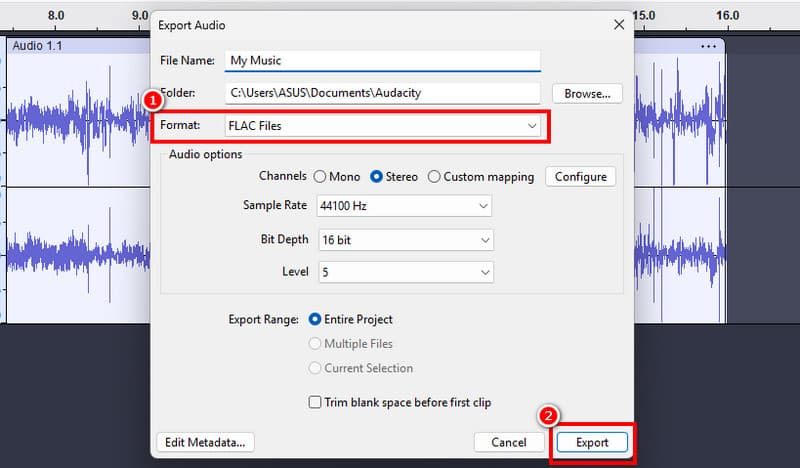
By recording, we can tell that it is possible to save the music from SoundCloud as FLAC. With that, rely on Audacity if you want to save your music for offline listening.
Part 5. FAQs about SoundCloud to FLAC
Does FLAC have better quality than CD?
Well, CDs are superior when it comes to audio quality. It is due to a better bitrate and wider dynamic range.
Is it easy to convert SoundCloud to FLAC?
Absolutely, yes. If you are using an excellent converter, then there is no doubt that converting SoundCloud is a simple task. Therefore, ensure that you use an easy-to-navigate converter for a smooth process.
Why is FLAC better than MP3?
It is because FLAS has a lossless compression algorithm. It can create original quality, unlike MP3, which can only offer standard quality.
Conclusion
If you want to convert and download SoundCloud to FLAC, you can check all the methods provided in this tutorial. The tutorial is perfect if you prefer listening to music offline. Plus, if you want the best audio converter, there is no doubt that TopVox All Music Converter is perfect since it can offer all the features, from fast conversion and outstanding audio quality.
Owen Bannett
Owen Bannett is a music enthusiasm as well as a senior writer. He has paid close attention on the pros & cons of various audio formats, bitrate, sample rate and encoding methods. Always seeking the best listening experience, Owen has deep insights about lossless music and diverse music converters on the markets.




 by
by