2026 NoteBurner Spotify Music Converter Review: Still Worth It?
Many Spotify listeners turn to third-party conversion tools due to its limitations, like unplayable offline playlists without Premium. NoteBurner Spotify Music Converter is a widespread music downloader. In 2026, how does it actually hold up in terms of user experience in the context of advanced encryption tech? A comprehensive review of NoteBurner to learn about its features, pros & cons and user tutorial. We will also share and compare a major alternative to help you find the best conversion solution.
Part 1. What is NoteBurner Spotify Music Converter? [Tested]
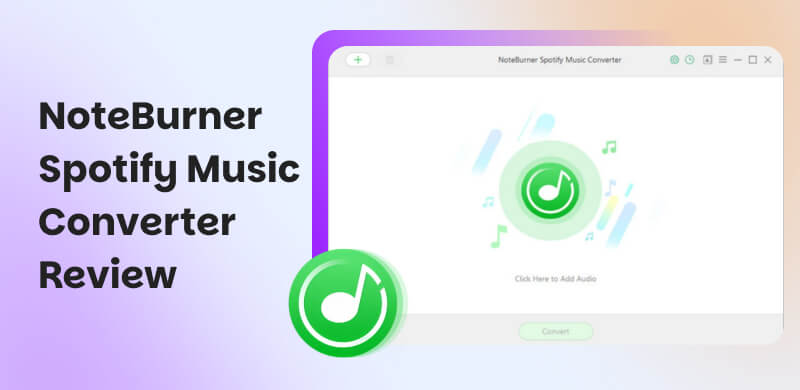
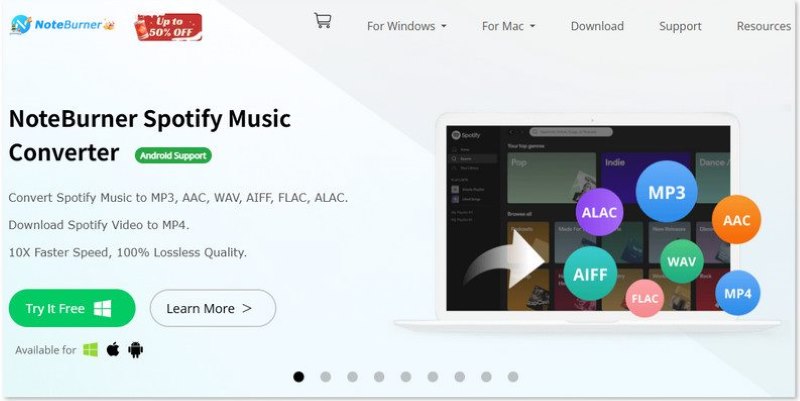
NoteBurner Spotify Music Converter is a professional application to download your Spotify music to various audio formats, such as MP3, AAC, WAV, FLAC, etc. If you want to save MVs and other videos from Spotify, it will help you convert them to MP4. Whether you’re a free or Premium Spotify user, you can enjoy lossless music, playlists, and podcasts offline on any device without restrictions. The downloader also supports burning converted Spotify playlists to CD without a CD burner. Additionally, relying on its built-in toolbox, converted Spotify songs can be managed or edited in an easy way.
Features
- Various Input Formats: Spotify songs, albums, playlists, podcasts, audiobooks or radios.
- Convert audio files to MP3, AAC (.m4a), FLAC, WAV, AIFF, ALAC and MP4 format.
- Convert music at 10× faster speed in one go.
- Lossless audio quality up to 24-bit/44.1 kHz.
- Retain ID3 tags as original tracks.
- Free toolbox for DIY music library.
Pros
- Customize your download settings for Spotify tracks.
- Convert songs in batches at a fast speed.
- No need for extra hardware or virtual drivers to encode.
- Intuitive and user-friendly interface.
Cons
- Convert the first minute of each song at 128kbps in a free trial.
- Complete download success rate cannot be guaranteed.
- Can’t download large Spotify playlists in a batch.
Summary
After all, NoteBurner is enough to meet most requirements for saving Spotify music. But if you're seeking a high-quality Spotify playlist downloader, it’s not a perfect choice. You can directly go to Part 3 to choose another alternative tool.
Part 2. How to use NoteBurner Spotify Music Converter? [Real Feedback]
NoteBurner Spotify Music Converter offers a free trial with full functional features. You can follow the step-by-step guide below to convert your Spotify music tracks on Windows/Mac:
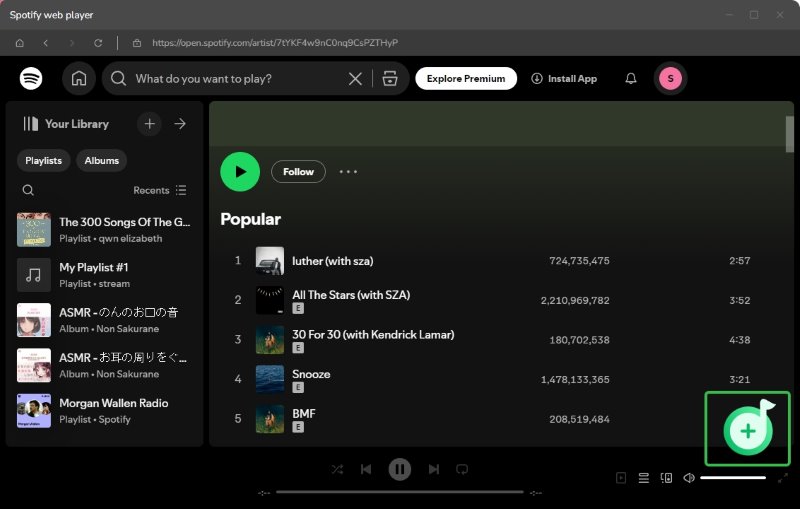
Step 1. Install and launch the downloader on your device and then log in to your Spotify account.
Step 2. Search and add the Spotify tracks you want to save by clicking the “+” button in the right corner. You can choose the target songs in the check boxes or directly click Add for the whole playlist.
Step 3. In the Music Settings, adjust conversion mode, output formats, bitrate, storage path and more parameters as you like.
Step 4. Tab Convert to start the process.
User Review:
“The design is clean and intuitive. I didn't need instructions to understand how things work. All the main features are easy to access, which make the experience pleasent.” – From Trustpilot
“The software is great, but cancelling the subscription is not. There should be a link in the welcome email but that link goes to an email address, so you still have to send an email to support to cancel. Also, there's no customer portal, where I can view my subscriptions.” - From Trustpilot
You may want to know: Is NoteBurner safe?
This Spotify downloader is safe for personal use with no ads or malware. But some people reports that their account has the risk of being blocked by Spotify for illegal copies. Even if you reactivate the account, it will never be possible to use NoteBurner to download Spotify music again.
Part 3. Best Alternative to NoteBurner Spotify Music Converter: TopVox
Different from NoteBurner Spotify Downloader, TopVox All Music Converter is an all-in-one platform for most music listeners. You can download tracks from Spotify, Apple Music, Amazon Prime Music, and other streaming platforms. Even better for power users, the really amazing factor is the super efficiency. While other tools struggle with large libraries, TopVox handles massive playlists with an incredible 35× lightning speed. That means if you convert 500 songs in bulk, it only takes you about 1 hour. More importantly, the software saves lossless songs in terms of available output formats with every ID3 tag intact. Through different setting parameters, you can grab your songs, albums, or playlists and keep them organized and crystal clear anywhere, anytime.
Features
- Supported platforms include Spotify, Apple Music, Amazon Prime Music, YouTube Music, Deezer, Pandora, SoundCloud, Line Music, and Audible.
- Turn audio tracks to MP3, WAV, FLAC, AIFF, M4A (AAC/ALAC).
- Lossless downloading at up to 320kbps and 48000Hz.
- Convert songs at 35× speed without compressing original quality.
- Supports batch conversion with ID3 tags.
- Built-in web player to search, play, and download.
Pros
- The 99% success rate for music downloading.
- Easily organize and identify your converted music.
- High-quality download to the greatest extent.
- Clear navigation and operation for beginners.
Cons
- Only download the first 3 minutes of each song during the 14-day free trial.
- No Android/iOS version.
How to use TopVox All Music Converter?
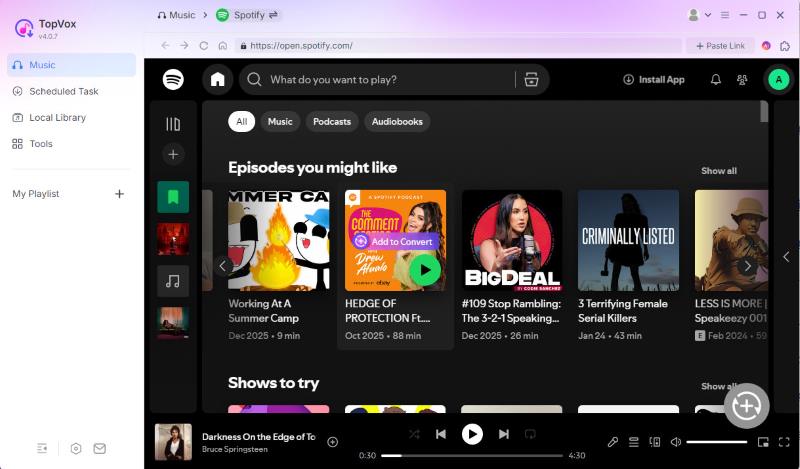
Step 1. On the main interface, choose and log in to Spotify from streaming services.
Step 2. Navigate to the specific song, album, or playlist you want to download. Click the Add to Convert. You can change the audio quality on an overlay.
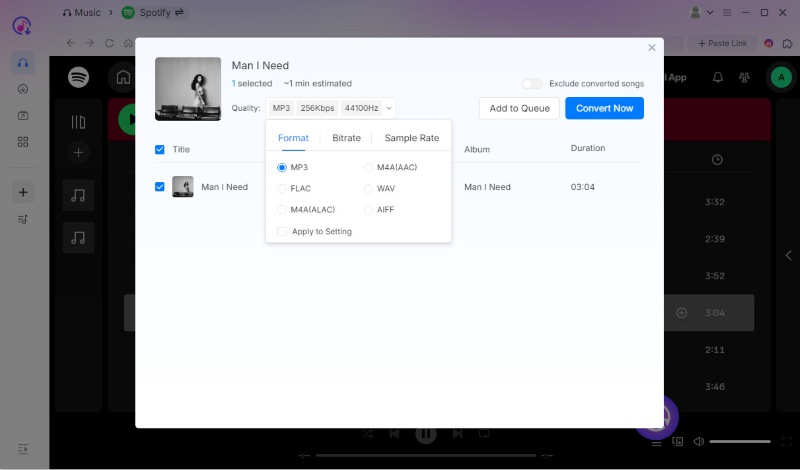
Step 3. Change output quality on the pop-up window and click Convert Now if you have chosen the songs you want to download at once. If not, click Add to Queue for later conversion.
Step 4. Turn to the Scheduled Task list, choose the output place and click Convert All.
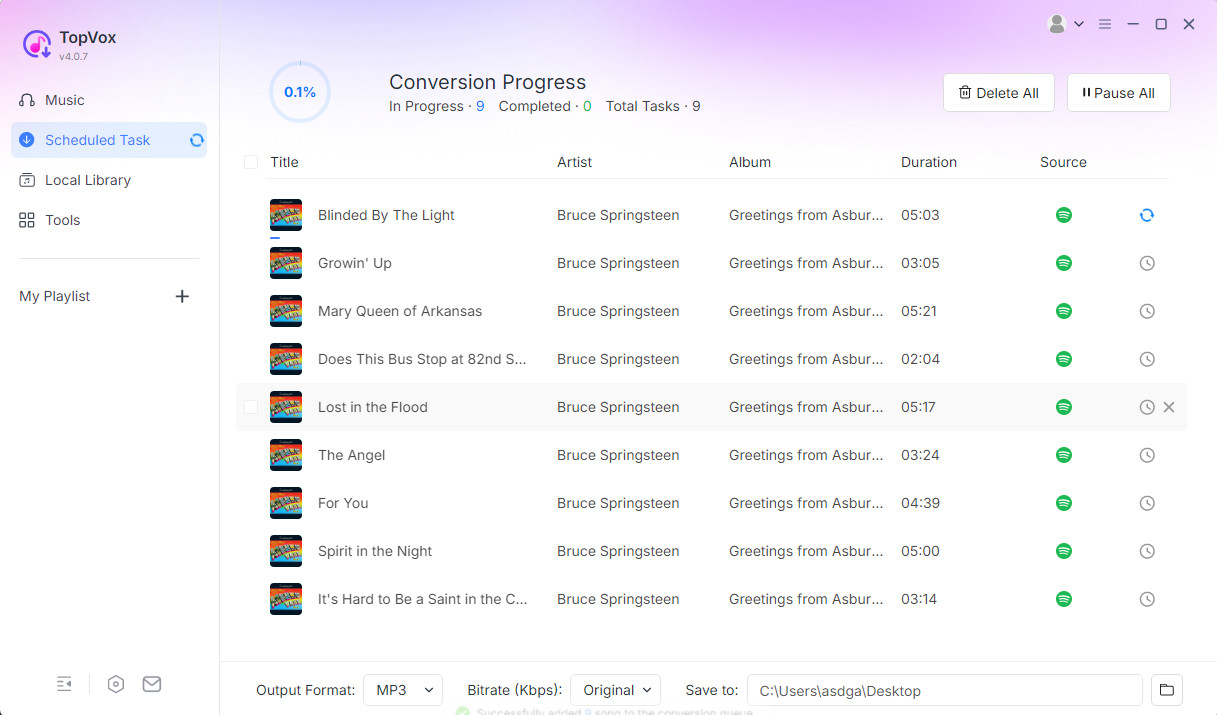
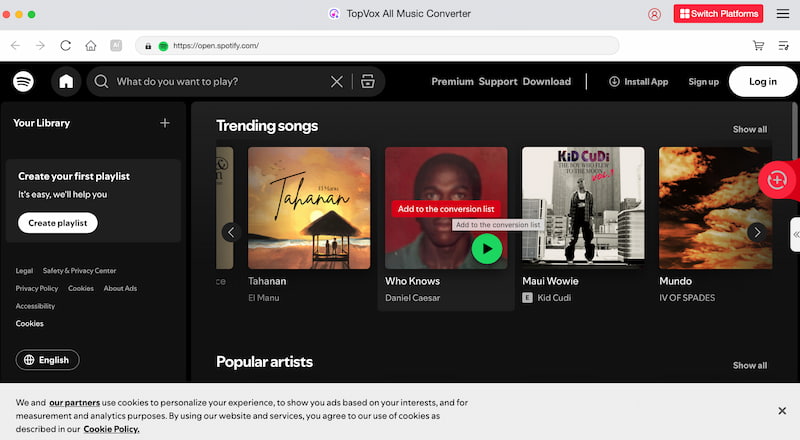
Click Convert All to download. Once completed, you can listen to the converted songs offline.
Summary:
TopVox gives Spotify listeners full control over their favorite music tracks. If you’re tired of juggling multiple music apps, it is more than just a conversion tool, but an all-around music player. Its integrated web player combines with different music apps that you can easily access.
Part 4. TopVox vs. NoteBurner: Which to choose?
| TopVox | Noteburner |
| OS | Windows 7 or later (64-bit), macOS 10.14 or above | Windows 11/10/8.1/8, macOS 11-26, Android 8-15 |
| Supported Platform | Spotify, Apple Music, Amazon Music, Deezer, etc. | Spotify |
| Download Speed | 35× | 10× |
| Success Rate | Stable | Unstable |
| Audio Quality | Lossless (Up to 320kbps) | Compressed or incomplete sometimes |
| Output Formats | MP3, M4A(AAC/ALAC), WAV, FLAC, AIFF | MP3, M4A(AAC/ALAC), WAV, FLAC, AIFF, MP4 |
| Batch Download | ✅ | ✅ |
| Keep With Full of Data | ✅ | ✅ |
| Built-in Audio Editor | ✅ | ✅ |
| Free Conversion Limit | First 3 minutes | 1 minute |
| Pricing | 1 Month License: $19.95
Lifetime License: $159.90 | 1-Month Plan: $14.95
1-Year Plan: $41.95
Lifetime Plan: $79.90 |
FAQs on Spotify Music Converter
Q1: Is NoteBurner free?
A: NoteBurner has a limited free version, which allows you to download the first minute of a song for sample testing. If not, you have to purchase a license to get the full features.
Q2: How to keep Spotify music forever?
A: Can’t keep music all the time using only the Spotify app. Even with a Premium subscription, the songs you download are actually encrypted. If you cancel your subscription or stay offline for more than 30 days, Spotify’s DRM will lock those files, making them unplayable. But you can convert them into local MP3 files using third-party tools, like TopVox All Music Converter.
Conclusion
While NoteBurner remains a reliable and time-tested option for Spotify conversion, TopVox is the winner for those seeking a more powerful experience. TopVox offers superior performance with lightning-fast conversion speed and better stability when handling massive playlists, making it the more efficient, professional-grade choice for Spotify lovers.
Luna Harper
Luna Harper is a passionate music lover and an inspiring content sharer. She has explored most of the music converters available on the market, acquiring thorough knowledge of their features, usability, and differences. Luna enjoys using her professionalism to help fellow music lovers get superior audio quality.




 by
by