Download YouTube Music to Mac: Desktop, Online, & Extension
YouTube is an incredible platform that provides consumers with a wealth of video and music content. You can discover your favorite music and get new musical ideas from it. However, if you find a great song and wish to save YouTube music to MP3 or other common formats that are compatible with various devices, you will discover that numerous limitations make this impossible.
This article will show you how to download music from YouTube to your Mac, allowing you to enjoy your favorite YouTube songs on any device using any media player without difficulty. Scroll down for information!
Part 1. Download Music from YouTube to Mac via Desktop Software
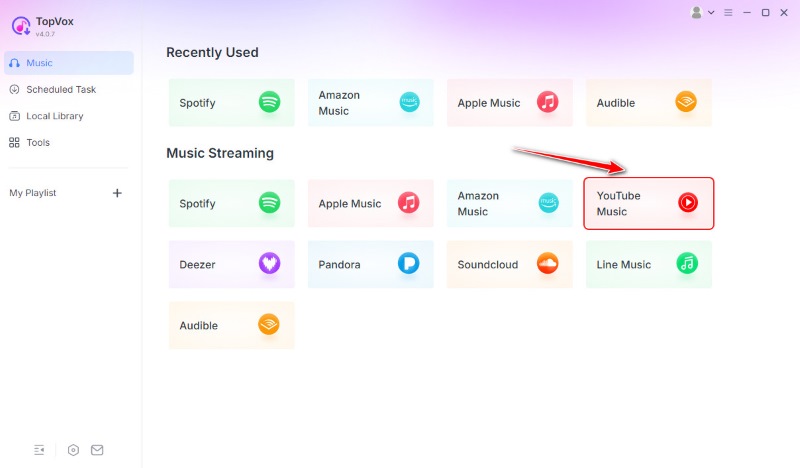
If you want a robust and stable application for saving YouTube audio on your Mac, TopVox All Music Converter is one of the best desktop tools available. It's intended to enable users to convert streaming tunes from YouTube. This tool is evidently easy and fast to download. It is pretty straightforward to use, because every platform you wish to use like YouTube is already in the main interface. Thus, all you need to do is search for your music and add it to your list. Learn more about it below.
Features
- Lossless audio quality preserves the original sound quality of YouTube or other sites.
- Various output formats are available, including MP3, WAV, M4A, and FLAC.
- Batch conversion allows you to download whole playlists or multiple tracks all at once.
- The advanced download engine enables up to 10x faster conversion.
- ID3 tag preservation automatically saves metadata such as artist, album, and title.
- Ad-free interface. No pop-ups or ads, providing a clean experience.
Steps in Using TopVox All Music Converter
Step 1. Download and launch the program to your MacBook and choose YouTube as your platform.
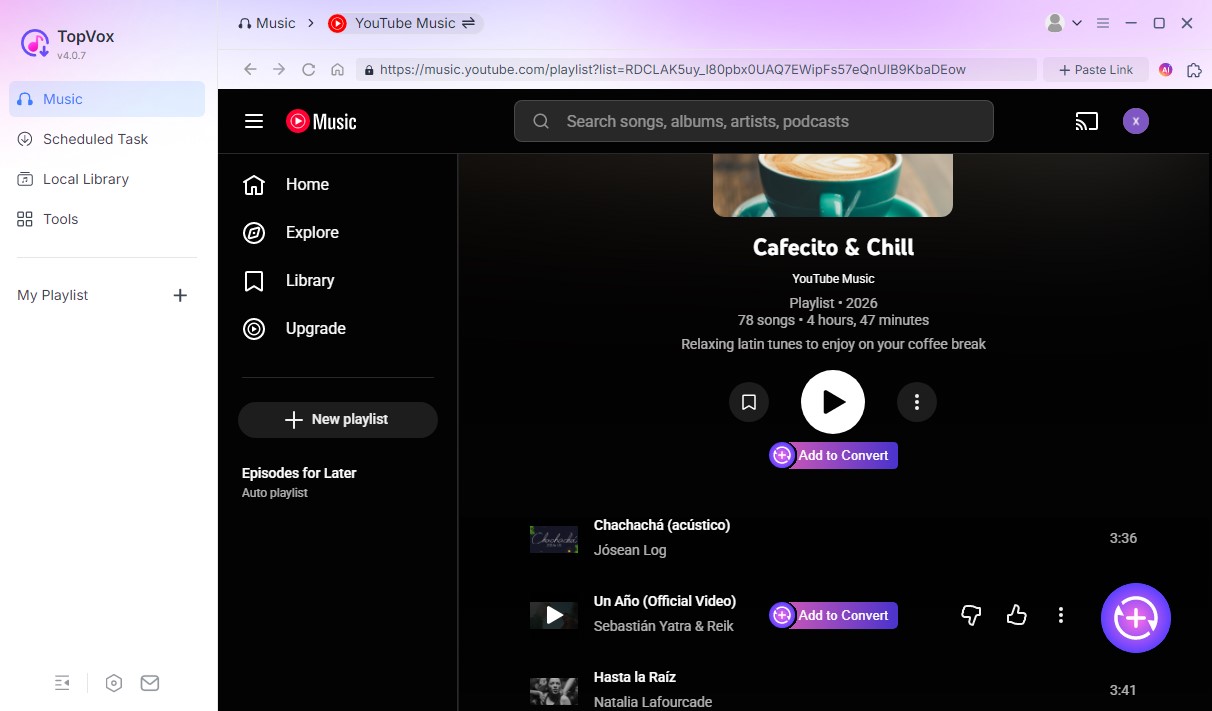
Step 2. Log in to your YouTube account and search for the music you want. Then click the Add to Convert button. It will automatically detect and load the tracks.
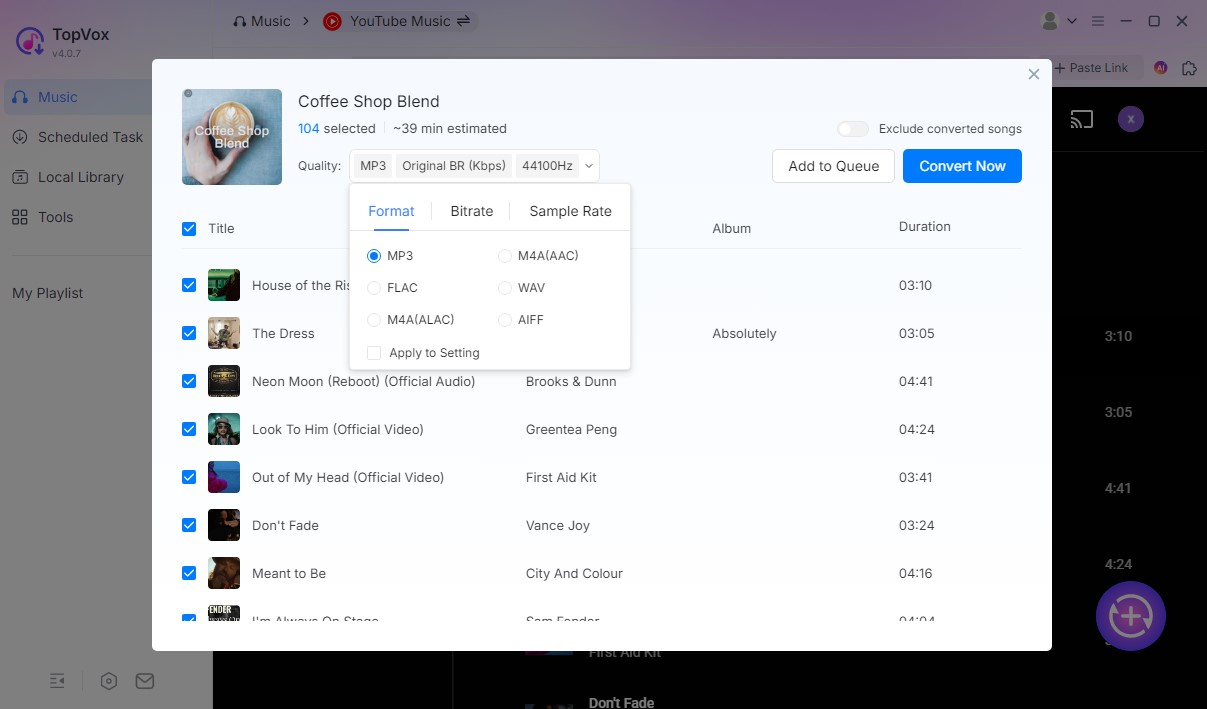
Step 3. Now, change the preferred output format and quality and click Convert Now. Wait for a few seconds, and your music will be good to listen to offline.
Verdict
TopVox All Music Converter is ideal for customers who want high-quality music, batch downloads, and complete control over file types. While it requires installation, it's well worth it if you routinely download music or have enormous playlists.
Part 2. Download YouTube Audio to Mac via Online Converter
If you don't want to install any software, FLVTO provides a simple, browser-based method for extracting audio from YouTube videos. This online converter allows you to download music directly from YouTube links with just a few clicks, no registration or setup necessary.
FLVTO is one of the most often used YouTube to MP3 converters available. It works flawlessly on Mac with browsers such as Safari, Chrome, and Firefox, allowing you to convert YouTube videos into high-quality MP3 or MP4 files. Everything occurs within your browser, making it great for speedy downloads on the go.
Steps in Using FLVTO
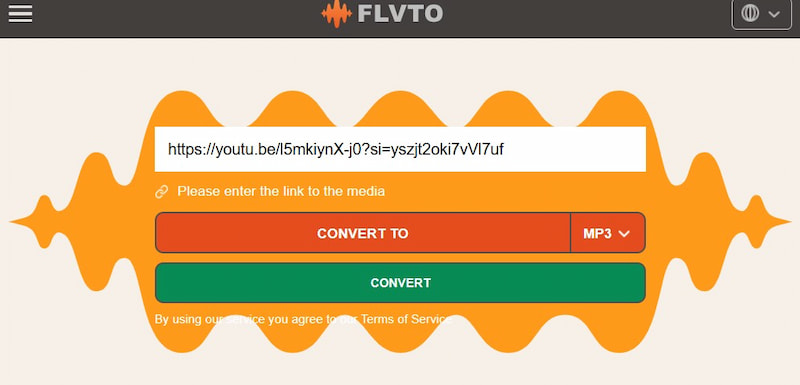
Step 1. Open your browser and navigate to flvto.site/en2/. Copy the YouTube video URL for the song you wish to download.
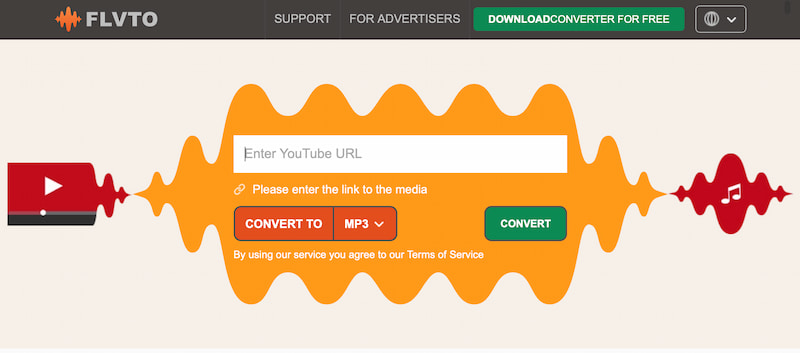
Step 2. Enter the link into the search box on the FLVTO homepage. Select your preferred output format. Click Convert To and wait for FLVTO to process your video.
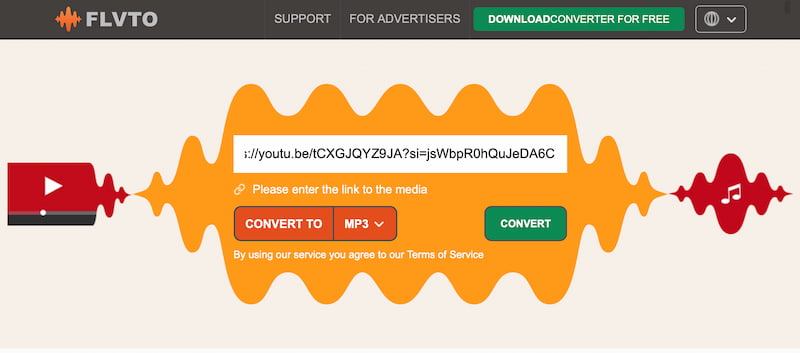
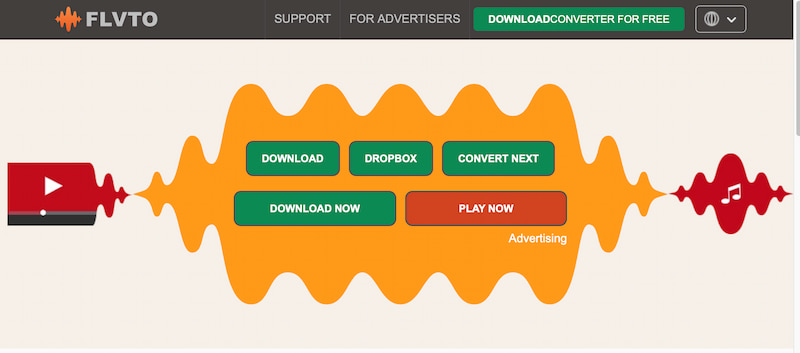
Step 3. Once completed, click Download to save the audio file directly to your Mac.
Pros
- 100% online, no installation or account required.
- Compatible with all of the major Mac browsers.
- Enables high-quality MP3 transcoding.
- Downloading a single track is quick and easy.
Cons
- Ads may appear during the conversion process.
- There is no possibility for playlists or batch downloads.
- Dependent on the internet connection.
- Audio quality may differ based on the originating video resolution.
Verdict
FLVTO is ideal for people who desire a quick and easy solution to download individual YouTube tracks without the need to install software. It's easy to use, free, and works directly in your browser, making it an excellent choice for casual music collectors.
Part 3. Download Songs from YouTube to Mac via Browser Extension
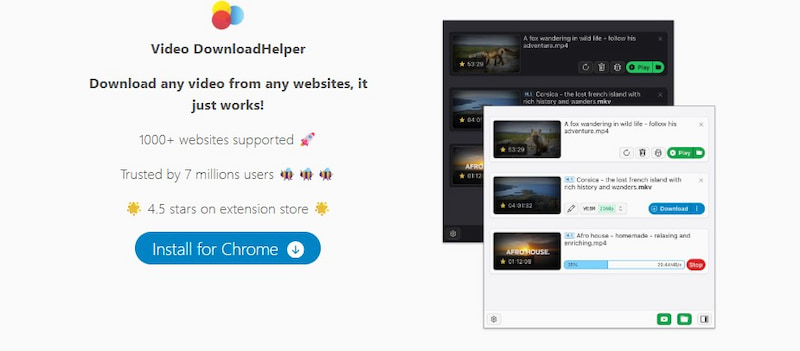
Another simple solution is to use browser extensions. Video DownloadHelper is a popular program for downloading videos or audio directly from websites, including YouTube. It functions as an extension for Firefox and Chrome.
Steps in Using Video DownloadHelper
Step 1. Open your browser such as Firefox or Chrome and look for the Video DownloadHelper in the Extensions store. Add it to your browser and pin the symbol.
Step 2. Navigate to YouTube and play the video you wish to extract. Click the DownloadHelper icon in the toolbar to see the possible formats like MP4, MP3, etc.
Step 3. Select MP3 or Audio only, and it will begin downloading to your Mac.
Pros
- It's built right within your browser, making it convenient and accessible.
- Detects various media formats automatically.
- No need for a separate app.
Cons
- Some downloads may require an additional companion app for conversion.
- Does not always maintain full audio quality.
- Some YouTube videos may be banned owing to copyright.
Verdict
Video DownloadHelper is ideal for casual users who want a quick, integrated solution in their browser, but it is less powerful than a desktop converter for high-quality audio.
Part 4. Download Music From YouTube to Mac via GitHub
If you're familiar with scripts and command-line tools, GitHub has open-source alternatives for downloading YouTube content, such as yt-dlp, a popular successor to youtube-dl.
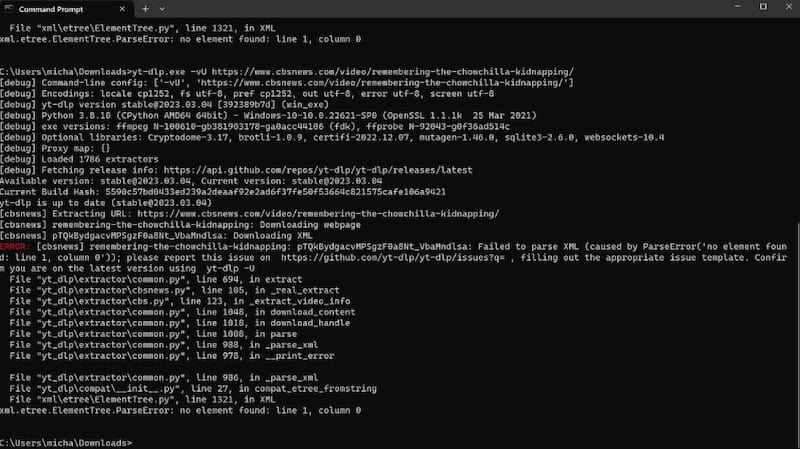
yt-dlp is a command-line application hosted on GitHub that allows you to download movies and audio from YouTube and other websites. It's free, open-source, and fully customizable, making it ideal for tech-savvy users.
Steps in Using GitHub via yt-dlp
Step 1. Open Terminal on your Mac. Install Homebrew if you haven't already.
Step 2. Install yt-dlp using Homebrew. Once installed, use the following command to get audio only.
Step 3. The audio file will be saved immediately to your Mac's current location.
Pros
- Completely free and open-source.
- Supports dozens of formats and websites.
- Very adaptable for automation or scripting.
Cons
- Basic familiarity of the command line is required.
- There's no graphical interface.
- Requires occasional dependency updates.
Verdict
GitHub-based solutions, such as yt-dlp, are ideal for sophisticated users who demand complete control and are comfortable inputting commands.
Part 5. Download YouTube Audio to Mac via QuickTime Player
Did you know macOS has a built-in capability for recording YouTube music? QuickTime Player can record system or browser audio, so you can manually capture YouTube music. While QuickTime is not a downloader, it is a dependable means to record audio directly from your Mac's output. You can then save the recording in MP3 or M4A format.
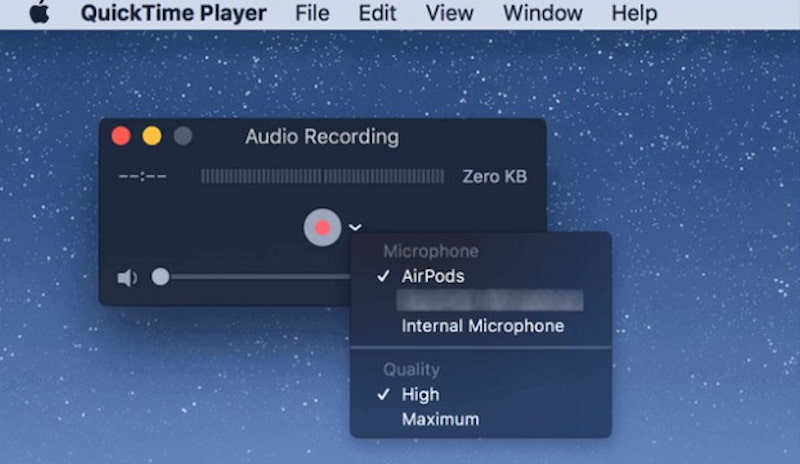
Steps in Using QuickTime Player
Step 1. Launch QuickTime Player from Applications. Then select File to see New Audio Recording.
Step 2. Click the arrow next to the record button to select your audio input. After that, play the YouTube video that you want to record.
Step 3. Click the Record button in QuickTime. Once completed, click Stop to save the file to your Mac.
Pros
- It is already built into macOS.
- A simple and free method.
- Works even with restricted videos.
Cons
- Not a true downloader, but it does record in real time.
- Third-party sound routing tools are required
- Your configuration determines the audio quality.
Verdict
If other techniques fail, QuickTime Player is a final resort, easy but time-consuming when dealing with several tracks.
Part 6. Comparison Table of 5 Methods Above
To assist you in determining the best method for downloading YouTube music to your Mac, we have summarized the essential characteristics of all five alternatives in a comparison table. This table compares output formats, audio quality, download speed, batch capabilities, ID3 tag retention, ad experience, web access, and overall usability.
| Output Formats | Lossless Quality | Speed | Batch Downloads | ID3 Tags | Ad-Free | Web Player | Ease of Use |
| TopVox All Music Converter | MP3, M4A, WAV, FLAC | Yes | Fast | Yes | Yes | Yes | No | Excellent |
| FLVTO (Online) | MP3, MP4 | No | Medium | No | No | No | Yes | Good |
| Video DownloadHelper | MP3, MP4 | Partial | Fast | No | No | Some ads | Yes | Good |
| yt-dlp (GitHub) | MP3, WAV, FLAC | Yes | Fast | Yes | Manual | Yes | No | Moderate |
| QuickTime Player | M4A | Depends | Slow | No | No | Yes | Yes | Basic |
Conclusion
Downloading music from YouTube to your Mac is simple given you have the necessary tools. Whether you use a desktop converter like TopVox, an online portal like FLVTO, or browser tools like Video DownloadHelper, all of these options allow you to store your favorite music for offline listening. Choose the one that best suits your workflow, whether it's quality, convenience, or speed, and listen to YouTube music whenever and wherever.
Owen Bannett
Owen Bannett is a music enthusiasm as well as a senior writer. He has paid close attention on the pros & cons of various audio formats, bitrate, sample rate and encoding methods. Always seeking the best listening experience, Owen has deep insights about lossless music and diverse music converters on the markets.




 by
by