Listen Apple Music on MP3 Player: Unsupported File No More
 by Ethan Carter | June 24, 2026 | Apple Music
Have you ever tried listening to your favorite track from Apple Music to an MP3 player, only to see an unsupported format error notification? That is frustrating, right? Yet, that notification exists because Apple Music files are not the standard MP3 file format. All of the tracks from Apple Music are locked in formats with DRM protection.
In line with that, we would like to present to you several ways to add Apple Music to an MP3 player. This article will give you the official methods and a great third‑party converter. Start reading now to discover all of this amazing information.
Part 1. Can You Put Apple Music on a MP3 Player Directly?
Reasons Why It Doesn’t Work
You cannot put Apple Music on an MP3 player directly. Because when you download Apple Music tracks for offline listening, what you actually get is a streaming cache. These are temporary files that are tied to your subscription. Therefore, you cannot copy or move them anywhere. These files only play inside the Apple Music app.
In addition, Apple also uses a proprietary M4P format that always comes with digital rights management or DRM. This protection can easily ensure tracks will not be transferred or playable on non‑Apple devices. Moreover, when you try to do it, you'll likely get a notification that shows Unsupported Format.
The Solution to Unsupported Format
There is a great solution you can do in order to enjoy Apple Music on an MP3 player. That solution is to convert Apple Music tracks into the universal MP3 format. Because this format is widely compatible with all players and platforms you are using. Also, the file is permanent which is not tied to subscription status. Lastly, an MP3 file is offline‑ready without authorization checks. Proceed with part two to know the easy way to do the process.
Part 2. Ultimate Way to Convert Apple Music to a MP3 Player
We shall now introduce you to TopVox All Music Converter, which can make the process of converting tracks from Apple Music to MP3 without complication. This amazing tool has evolved from being a platform where you can download music for an offline listening experience to a converter tool now. No wonder many users are trusting and using this tool now. It is an all-in-one tool, yet it does not disappoint when it comes to the speed and quality of any files you are converting.
Features
- Converting tool for M4P to MP3.
- Supporting various platforms to download music like Apple Music.
- Fast and quality conversion.
- Batch conversion is possible here.
Steps to Use TopVox All Music Converter
Step 1. Get TopVox All Music Converter on its official website and install it on your computer for free. Open the tool and access Apple Music.
100% Secure. No virus.
100% Secure. No virus.
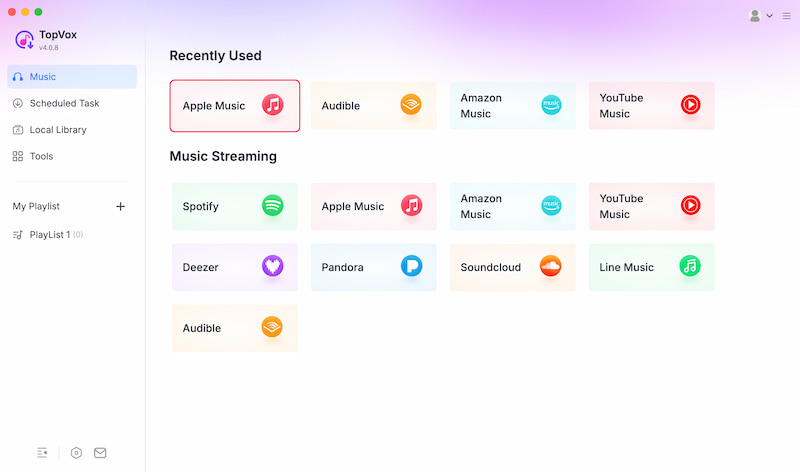
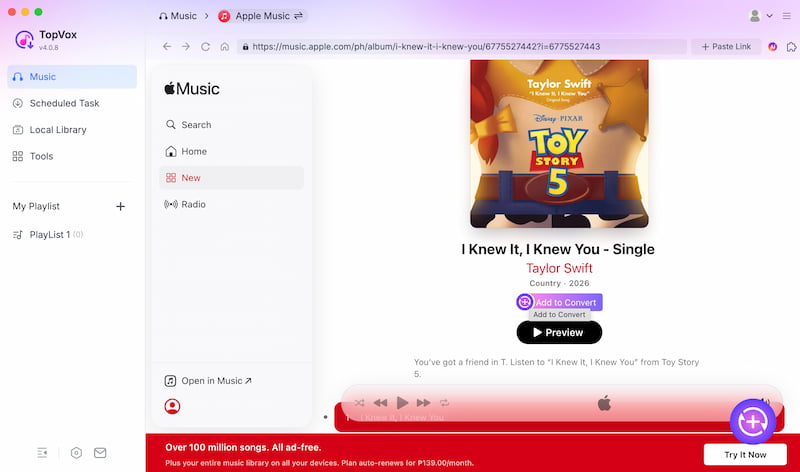
Step 2. Select the track you want to convert. Then click Add to Convert.
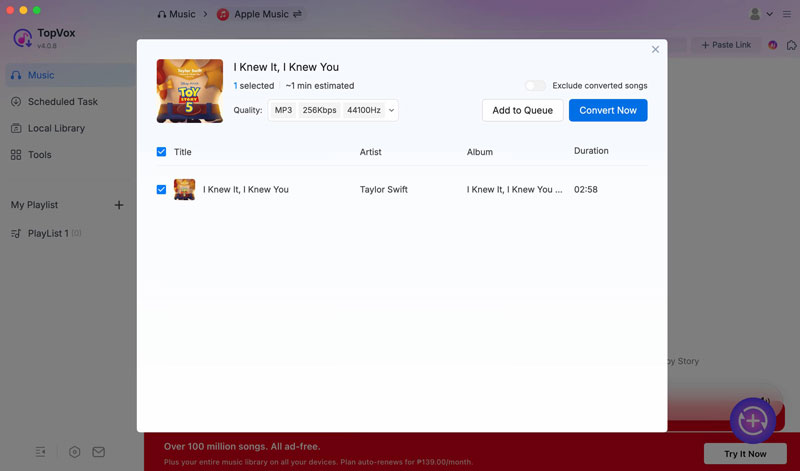
Step 3. Set the output file format to MP3. Then click Convert Now. Wait for a few seconds, and your converted music is now ready to listen to on your MP3 player.
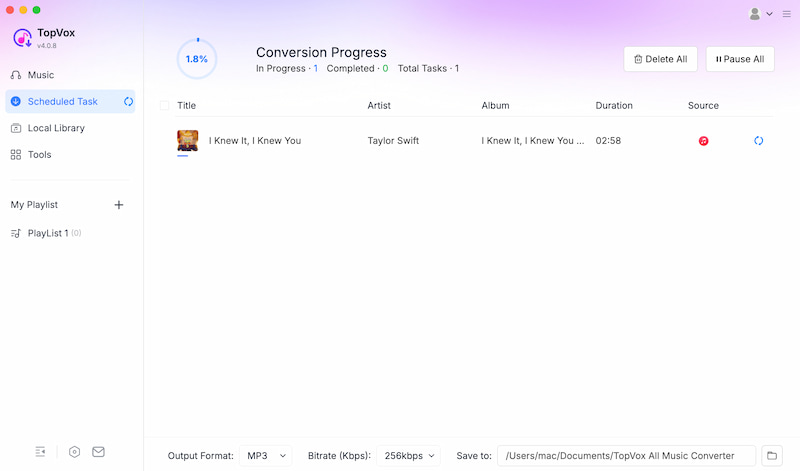
Step 4. Please wait a few seconds and your music will be converted quickly. Now, you can play with any MP3 player you have on your phone without having to access it with Apple Music.
Part 3. Other 4 Ways to Add Apple Music to a MP3 Player
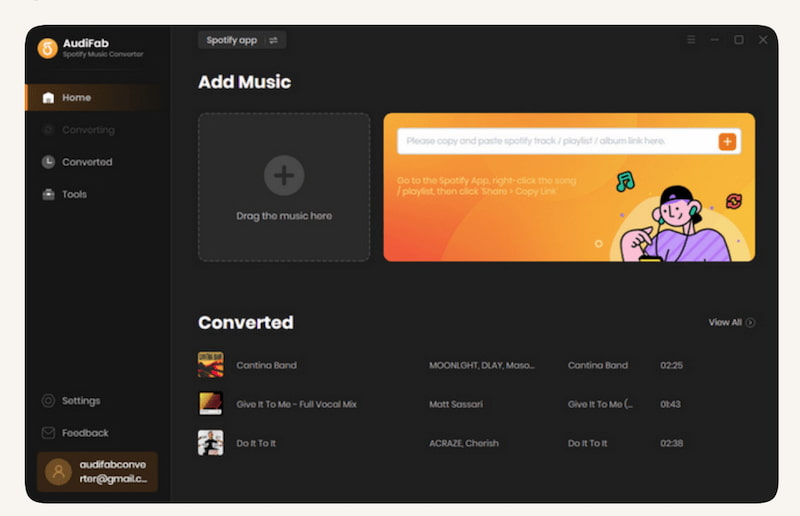
Tool 1: AudiFab Apple Music Converter
The first tool is a desktop converter to strip DRM from M4P and export Apple Music tracks to a more universal file like MP3, AAC, FLAC, or WAV.
Pros
- High audio quality.
- Available in batch conversion.
- It can keep ID3 tags.
Cons
- Paid license required after trial.
- Conversion speed depends on the system.
Simple Steps to Use
Step 1. Install Audifab on your device.
Step 2. Launch and log into Apple Music. Then, select tracks from Apple Music.
Step 3. Choose MP3 output and start conversion.
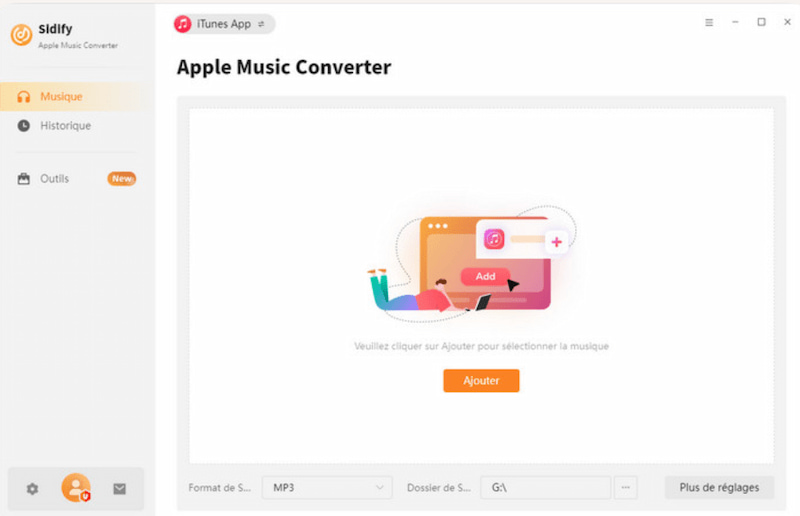
Tool 2: Sidify Apple Music Converter
The next tool is a well‑known converter with a clean interface for Apple Music to MP3, AAC, FLAC, and WAV. Beginner users can use it with ease.
Pros
- Fast conversion speed.
- It can preserve metadata.
- It supports multiple formats.
Cons
- Free version limits features.
- The subscription cost for full access.
Simple Steps to Use
Step 1. Download Sidify. From there, add Apple Music tracks.
Step 2. Select MP3 as output.
Step 3. Click Convert to finish.
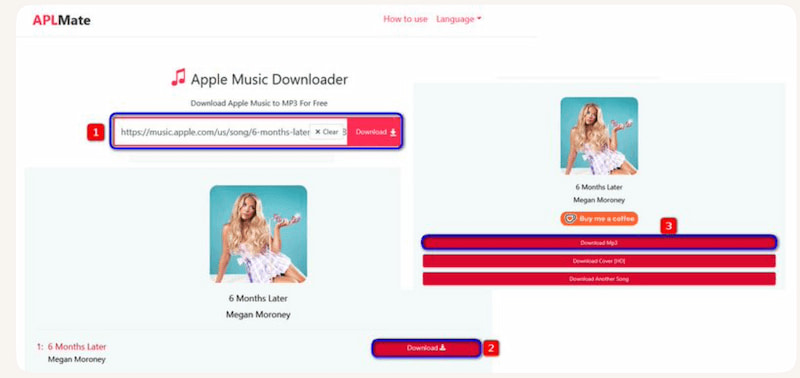
Tool 3: Aplmate Apple Music Downloader
Our third tool is a web‑based downloader that can easily extract Apple Music tracks with the use of URL input.
Pros
- No installation needed.
- Simple interface.
- Accessible for everyone.
Cons
- Dependent on internet connection.
- Limited free downloads.
Simple Steps to Use
Step 1. Visit Aplmate site. From there, paste the Apple Music track URL.
Step 2. Select MP3 output.
Step 3. Download converted file.
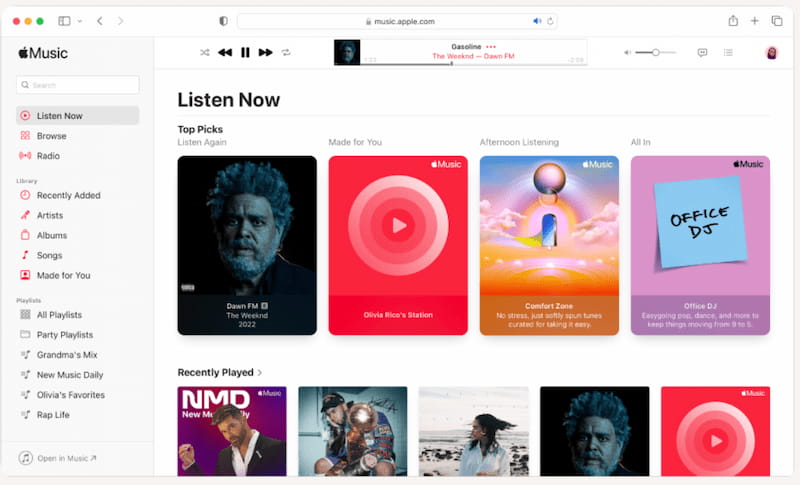
Tool 4: Applemusicmp3
Last but not least, it is an online service that can offer a direct Apple Music to MP3 conversion using an online tool.
Pros
- Quick process.
- It is a browser‑based.
- No software installed.
Cons
- Quality may vary, often low.
- It requires a stable internet.
- Limited free use.
Simple Steps to Use
Step 1. Open the website. Paste the Apple Music link.
Step 2. Choose the MP3 format as an output.
Step 3. Download the file to your device.
Part 4. Best MP3 Players Compatible with Apple Music App (2026 Picks)
| Device | Category | Highlights | Why It’s Great |
|---|---|---|---|
| Activo P1 | Best Overall | ●Superb hi‑res audio. ●Full Android app support. | Combines audiophile‑grade sound with streaming flexibility. |
| Sony NW‑A306 | Best Mid‑Range | ●Compact design. ●Android 12 and Apple Music support. | ●Affordable yet powerful. ●Ideal for everyday listening. |
| FiiO M23 | Best Hi‑Fi Powerhouse | ●Custom Android OS. ●High‑power headphone output. | Built for audiophiles who want premium sound with Apple Music streaming. |
| FiiO JM21 | Best Budget Choice | ●Entry‑level Android player. ●Smooth streaming | Wallet‑friendly option for casual listeners who still want Apple Music access. |
FAQs on Apple Music to MP3 Player
Q: How do you load music onto an MP3 player?
A: You can load music via syncing files via USB cable or drag‑and‑drop MP3s into the player’s storage. However, for Apple Music you must first convert tracks to MP3. After that, you can start transferring them like regular audio files.
Q: Is it illegal to convert Apple Music to MP3?
A: Converting Apple Music for personal use is generally allowed, but distributing or sharing converted files violates copyright law. Always keep conversions for your own listening only.
Q: Will the song quality drop after conversion?
A: High‑quality converters preserve lossless audio, so most listeners won’t notice a difference. However, if you choose lower bitrates (e.g., 128 kbps), you may hear reduced clarity compared to the original stream.
Conclusion
To conclude, we cannot listen to the track we get from Apple Music directly to the MP3 Player. That is because of the DRM that protects it. However, we can easily get rid of that by converting tracks from Apple Music to MP3. One of the best tools you can use is TopVox All Music Converter which offers everything you need to make the process possible. Use it now for free.
Ethan Carter creates in-depth content, timely news, and practical guides on AI audio, helping readers understand AI audio tools, making them accessible to non-experts. He specializes in reviewing top AI tools, explaining the ethics of AI music, and covering regulations. He uses data-driven insights and analysis, making his work trusted.