5 Spotify Downloader Online You Should Try | The Hot Picks
Most of us have wished to access our favorite tracks on Spotify even when we’re offline. While Spotify offers the option to download music, this feature is available only to Premium subscribers. This leaves free users without an official way to enjoy offline playback. Downloading Spotify music has long been a challenge for those without a subscription. Thankfully, there are now online downloaders that let you save music without a Premium account. This post introduces the most popular Spotify downloaders online. We will explore their capabilities and how they can help us save our favorite tracks. Our aim is to provide reliable options for accessing Spotify music offline and to guide you in choosing a downloader that fits your needs.
Part 1. SpotifyDown
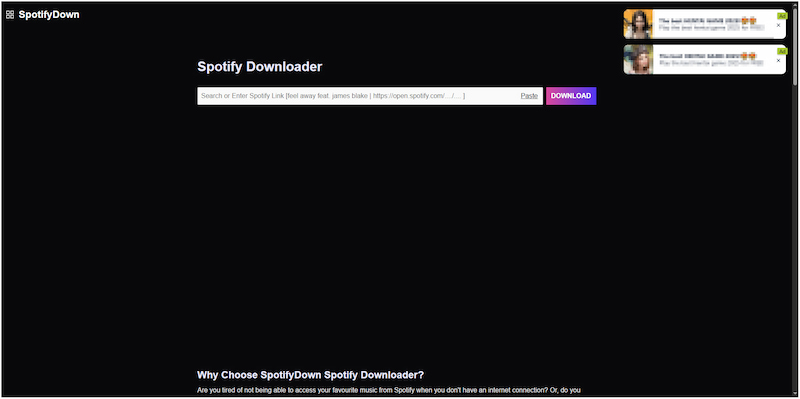
Additionally, you can use it as a Spotify podcast downloader across devices. It works by parsing the link to extract metadata via the public Spotify API. By then, it identifies a matching audio file from publicly available web sources.
Pros
- It only requires pasting a Spotify link.
- It requires no premium account or subscription.
- It retains metadata such as title, artist, and album name.
Cons
- It is full of pesky X-rated advertisements.
- Its actual audio quality is lower than expected.
User Testimonials:
After testing SpotifyDown myself, the resulting files retained the correct ID3 tags. However, it constantly redirected me to unknown pages whenever I clicked a button.
Part 2. SpotifyMate
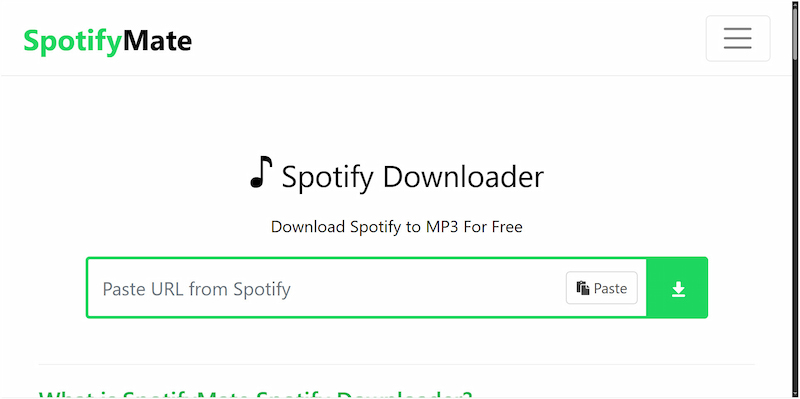
SpotifyMate is an online Spotify downloader and audio conversion tool that lets you download music from Spotify. With it, you can paste a Spotify URL and save it in uncompromised MP3 format. It can download individual Spotify tracks or an entire playlist without any hassle.
Pros
- It is stable and free of ads.
- It operates with any modern web browser.
- It can download Spotify tracks without limits.
Cons
- It does not support batch downloads.
- It cannot handle DRM-protected tracks.
User Testimonials:
Based on my experience, SpotifyMate is a handy tool for quickly downloading Spotify tracks. But when I tried to download a playlist, it only allowed me to download each song individually.
Part 3. SpotMate
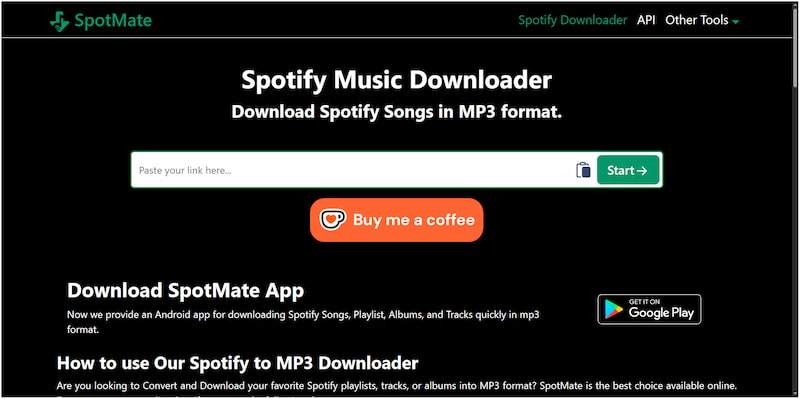
SpotMate is an online Spotify song downloader that converts Spotify songs to MP3 format. You can access it in any modern browser, with no account creation or software installation required. Additionally, you can use it as a Spotify podcast downloader across devices.
Pros
- It offers an Android app version.
- It is entirely free, with no hidden charges.
- It can download tracks even without a Spotify account.
Cons
- It displays frequent pop-ups and ads.
- It has poor audio quality, lower than Spotify's streaming quality.
User Testimonials:
I found SpotMate to be very convenient for downloading Spotify songs and playlists. However, downloaded MP3s are capped at 128 kbps, which is lower than Spotify’s streaming quality.
Part 4. SpotDownloader

SpotDownloader is an online Spotify audio downloader that lets you download songs in MP3 format. It lets you download entire albums or playlists as ZIP files, preserving metadata. It emphasizes reasonable MP3 output while preserving the original sound quality.
Pros
- It doesn't require any account registration.
- It retains the track’s full metadata information.
- It can download entire playlists or albums as a single ZIP file.
Cons
- Its actual output quality is only 128 kbps.
- It doesn’t support downloading podcasts.
User Testimonials:
I can say Spotify downloader is a dedicated tool for downloading tracks, playlists, and albums. However, it does not host copyrighted material and uses third parties to serve content.
Part 5. TopVox All Music Converter | Offers the Best Audio Quality [Recommended]
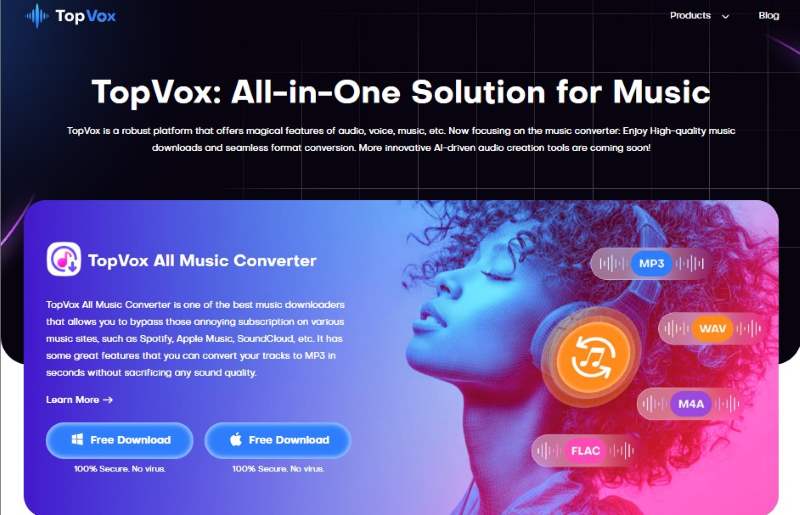
TopVox All Music Converter, while not an online Spotify downloader, is a complete music downloader and converter bundle. It supports Spotify, Apple Music, Amazon Prime Music, YouTube Music, Deezer, Pandora, SoundCloud, Line Music, and Audible. It can bypass DRM protections, allowing you to permanently save Spotify songs for offline playback. You can save them in MP3 with audio quality up to 48,000 Hz and 320 kbps. In addition to MP3 format, it can output M4A (AAC), WAV, FLAC, AIFF, or M4A (ALAC).
What to Look Forward to with the TopVox All Music Converter:
- Fast conversion speed, up to 35× faster than many alternatives.
- Full ownership of Spotify music downloads through DRM removal.
- Compatibility with major music streaming platforms, including Spotify.
- Download multiple tracks, full playlists, or entire albums simultaneously.
Pros
- It can output MP3, M4A, WAV, FLAC, and AIFF formats.
- It boasts a built-in browser and player for browsing, streaming, etc.
- It can output downloaded tracks with audio quality up to 320kbps.
Cons
- It has no online version available.
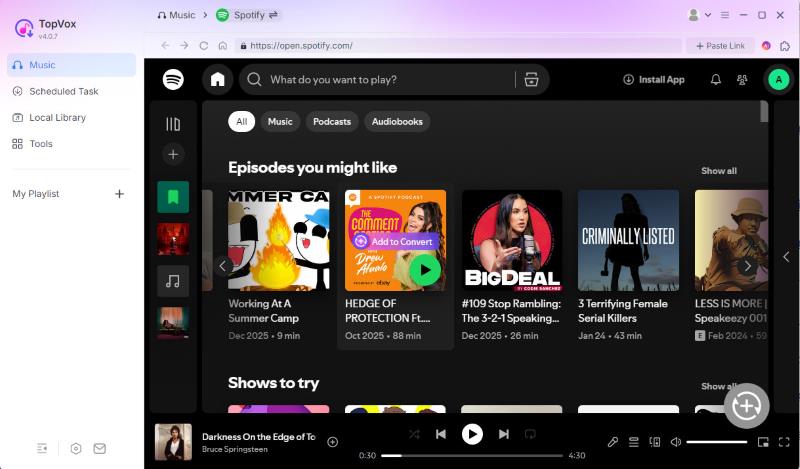
Step 1. Run and register the software. Select the Spotify on the main screen and log in your account.
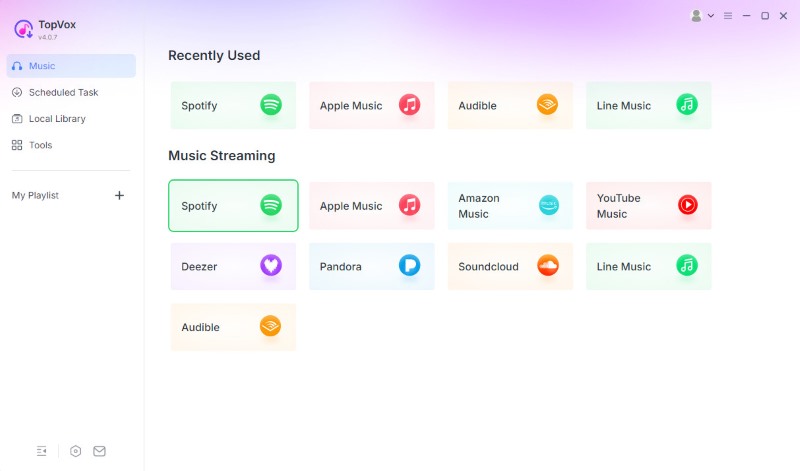
Step 2. Select the tracks, playlists, or albums you wish to download and click Add to Convert.
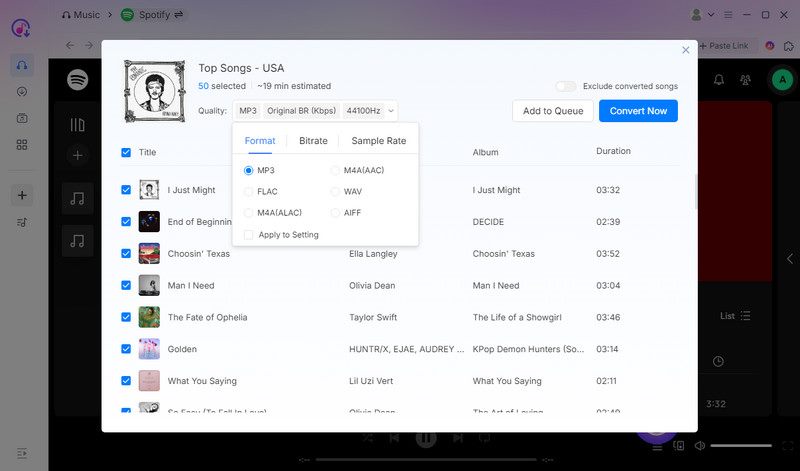
Step 3. By default, the software is set to MP3 (Original BR, 44,100 Hz), but you can easily modify it. Once all your songs are added and settings adjusted, click Convert Now to begin the process. It will automatically download and convert selected tracks or playlists at a fast speed.
User Testimonials:
Based on my experience, TopVox All Music Converter is a top-tier solution to permanently save music offline. Another standout feature I discovered is that TopVox isn’t limited to Spotify. I was able to use it to save Amazon Music to MP3 just as easily.
Part 6. Comparison of the Best Spotify Downloader Online
| System Requirement | Music Streaming Platform Supported | Built-in Web Player/Browser | Export Format Supported | Audio Quality | Conversion Speed | DRM Protection Removal | Batch Download Support | ID3 Tag Preservation |
| SpotifyDown | Online | Spotify | No | MP3 | Up to 256kbps | Relies on the internet connection | No | No | Yes |
| SpotifyMate | Online | Spotify | No | MP3 | Up to 128kbps | Relies on the internet connection | No | No | No |
| SpotMate | Online and Android | Spotify | No | MP3 | Up to 128kbps | Relies on the internet connection | No | No | No |
| SpotDownloader | Online | Spotify | No | MP3 | Up to 128kbps | Relies on the internet connection | No | No | Yes |
| TopVox All Music Converter | Windows and Mac | Spotify, Apple Music, Amazon Prime Music, Pandora, Deezer, Line, Music, SoundCloud, and YouTube Music | Yes | MP3, M4A (AAC), WAV, FLAC, AIFF, and M4A (ALAC) | Up to 320kbps | Up to 35× speed | Yes | Yes | Yes |
Conclusion
Spotify’s official offline playback is limited to Premium subscribers. Thankfully, Spotify downloaders online provide an effective way for free users to enjoy their favorite tracks. Among the available options, TopVox All Music Converter stands out as a reliable, high-quality solution. While not an online tool, it can help you save your favorite Spotify track in various formats. With its fast conversion speed, support for multiple streaming platforms, and metadata preservation, it ensures a seamless offline music experience.
Luna Harper
Luna Harper is a passionate music lover and an inspiring content sharer. She has explored most of the music converters available on the market, acquiring thorough knowledge of their features, usability, and differences. Luna enjoys using her professionalism to help fellow music lovers get superior audio quality.


 by
by