How to Download MP3 from YouTube to MP3: Great Ways Here
Converting YouTube videos to MP3 files is one of the simplest methods to enjoy your favorite songs offline. Whether you need background music for editing, podcasts for traveling, or playlists for personal listening, various programs can help. From full-featured software like TopVox All Music Converter to simple web converters and browser addons, this guide will show you the best and safest ways to convert YouTube to MP3 in 2026.
Part 1. Convert YouTube to MP3 via All-in-One Music Converter
TopVox All Music Converter
TopVox All Music Converter is a trustworthy and high-quality program for downloading YouTube music to your computer so that you can listen to it offline. This all-in-one converter lets you download and convert songs, playlists, and podcasts from a variety of streaming services like YouTube in a quick process.
Features
- Supports MP3, M4A, WAV, FLAC, AAC, and AIFF formats.
- Preserves original sound quality up to 320 kbps.
- Retains ID3 tags, including title, artist, and album.
- Supports batch downloads and conversions.
- Ad-free interface and 10x faster conversion performance.
Step-by-Step Using TopVox All Music Converter
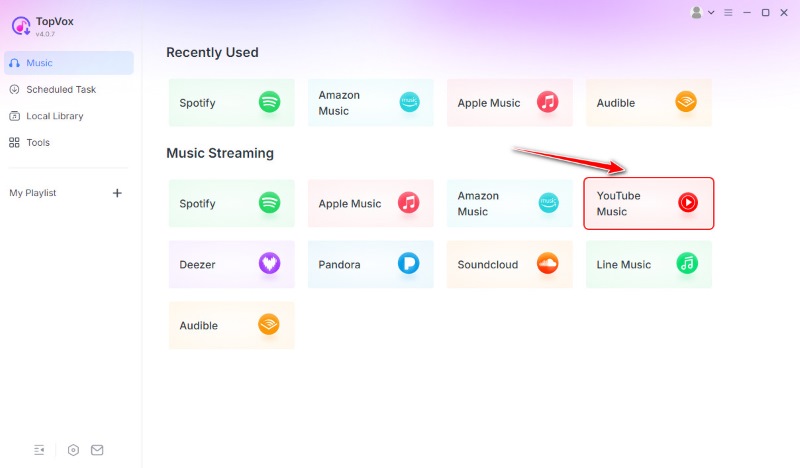
Step 1. Download and open TopVox All Music Converter from your desktop. Then access the YouTube Music platform.
Step 2. The tool will now present you with the interface of YouTube. Search the music in the search bar. Then click Add to Convert beside the track.
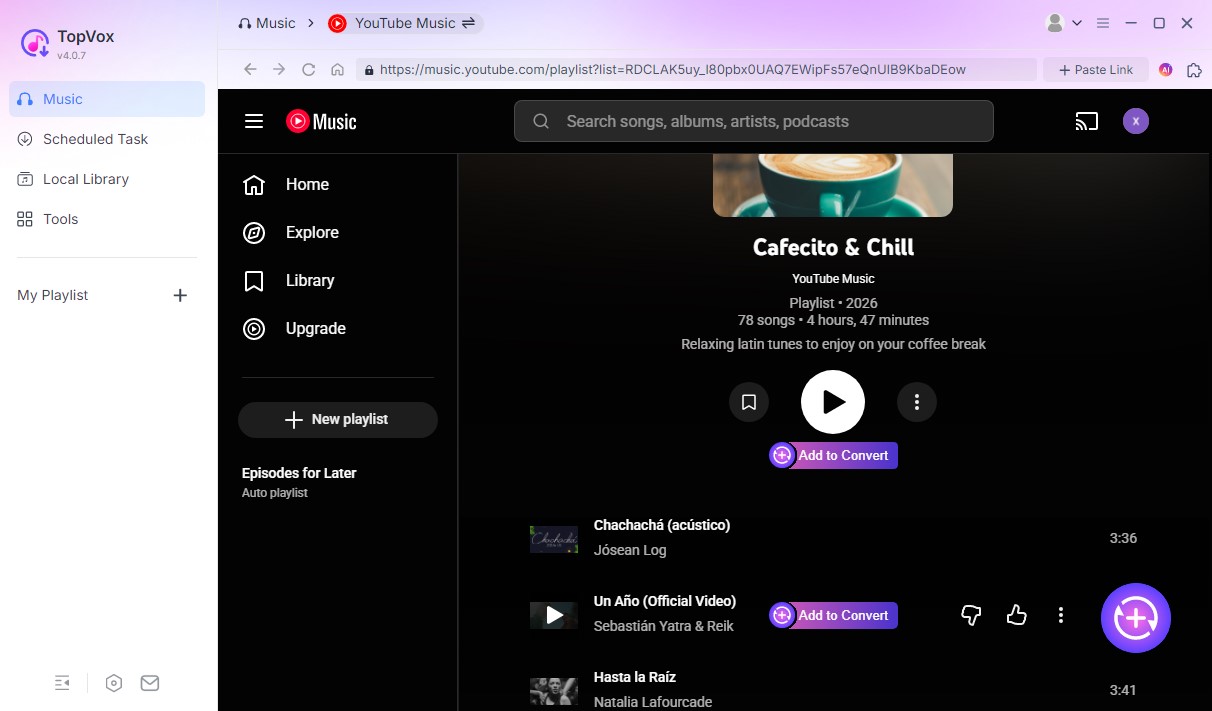
Step 3. Now you can change the output format and quality here and click Add to Queue. Tab the Scheduled Task on the left side, retarget your storage location and click Convert All.
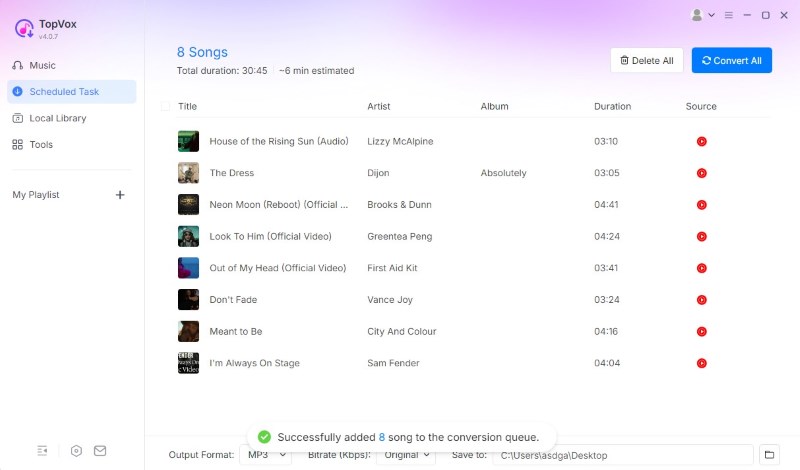
Verdict
TopVox All Music Converter converts MP3 files quickly, securely, and without losing quality. It is appropriate for both casual listeners and music collectors who value excellent sound quality and well-organized file tagging.
Part 2. Download YouTube to MP3 via Online Tools
Online converters are fantastic for consumers who seek a quick and free solution to obtain YouTube audio without installing software. The following are three of the most popular web tools: YTMP3, Y2Mate, and SaveFrom. These platforms make transcoding and downloading music simple and user-friendly.
Tool 1: YTMP3
YTMP3 is a popular web-based Youtube music downloader. It’s lightweight, works on both desktop and mobile browsers, and requires no registration. Users may convert videos of any length into MP3s in seconds, making it ideal for individuals who like speedy conversions without having to deal with sophisticated settings.
Simple Steps in Using YTMP3
Step 1. Browse the YTMP3 website.
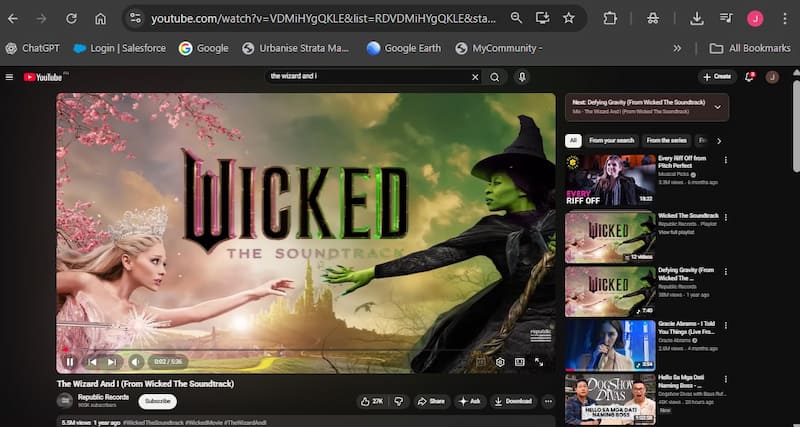
Step 2. Access YouTube site to search the music you would like to download. Please copy its URL to proceed.
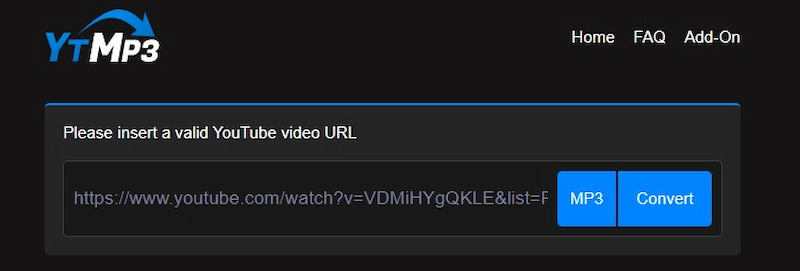
Step 3. Going back to the YTMP3 site, paste the URL of music to the Search Bar. Then, click the Convert button.
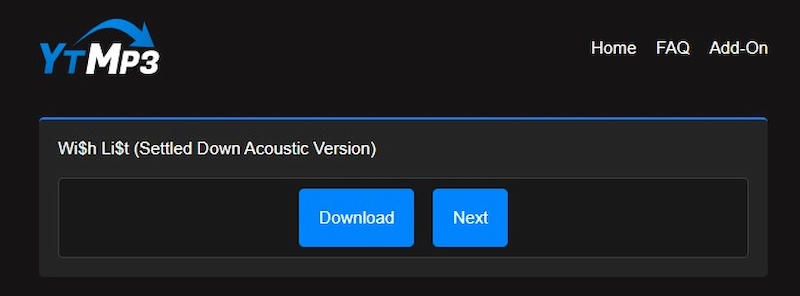
Step 4. The tool will now initialize the song, then click the Download button and you will now get the music you want from YouTube.

Quality: Supports up to 192kbps MP3.
Cons: Contains advertisements and may have poorer conversion rates during peak hours.
Tool 2: Y2Mate
For many years, Y2Mate has been a trusted name among internet converters. It has a basic design that allows users to convert video and music files in MP3 and several formats. Its main advantage is that it is compatible with practically every browser and does not require any program installations. However, users should be aware of any pop-up adverts that may surface.
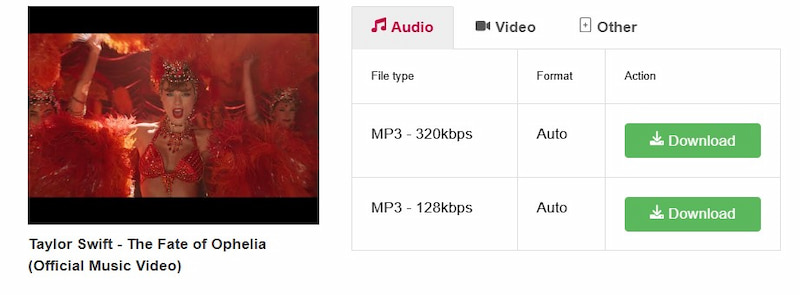
Simple Step in Using Y2Mate
Step 1. Visit the Y2Mate website.
Step 2. Then go to the YouTube site and search the song you want to convert as MP3. It is important to copy the link.
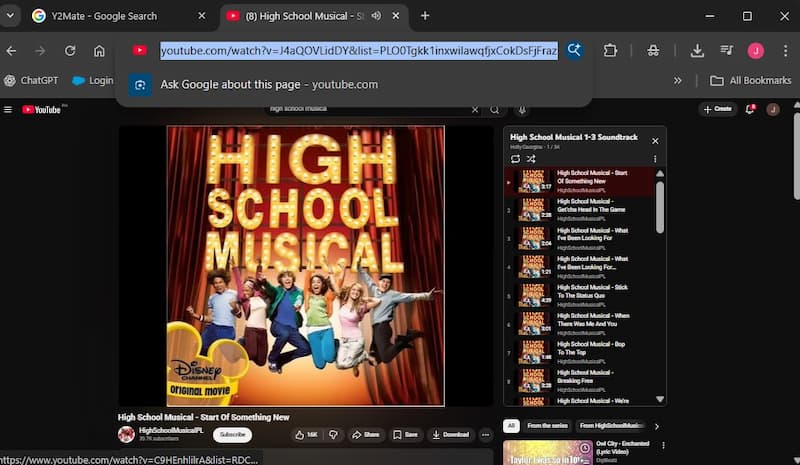
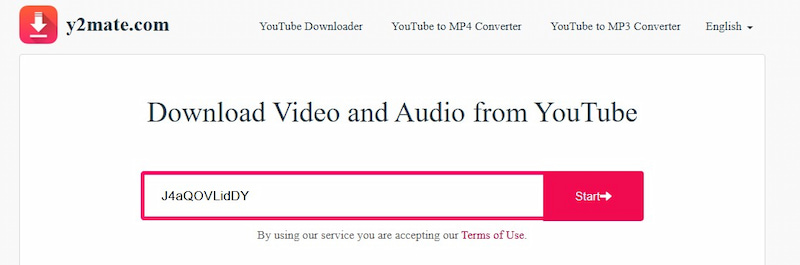
Step 3. Go back to the Y2Mate tab. Then, enter the video URL into the search field.
Step 4. Finally, select Download. It is important to select the MP3 format and desired quality.
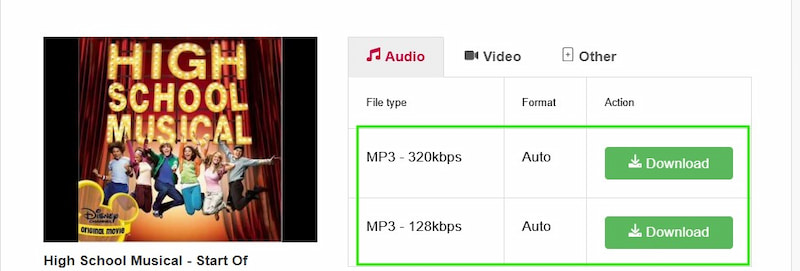
Quality: Bitrates vary according to the video source.
Cons: Frequent pop-up advertising, which may redirect to other pages.
Tool 3: SaveFrom
SaveFrom is another long-standing web service that allows users to download films and audio directly from YouTube. It's quick, simple to use, and requires no account setup. The service also lets you append ss before a YouTube URL to start fast downloads, which saves time. However, output quality is frequently limited to standard standards.
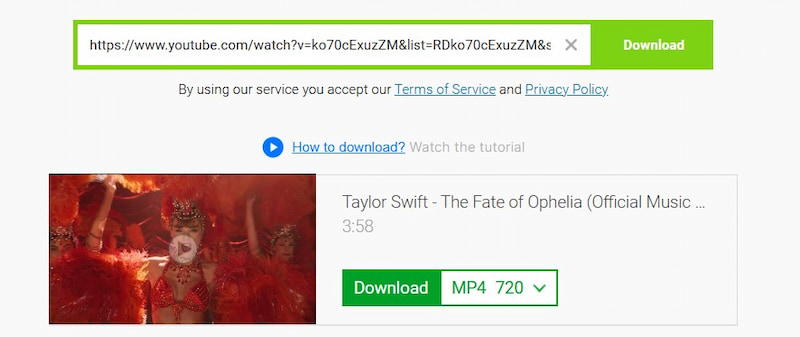
Simple Steps in Using SaveForm
Step 1. Access the website of SaveFrom.net.
Step 2. Please access the YouTube site too and search the music to copy its URL.
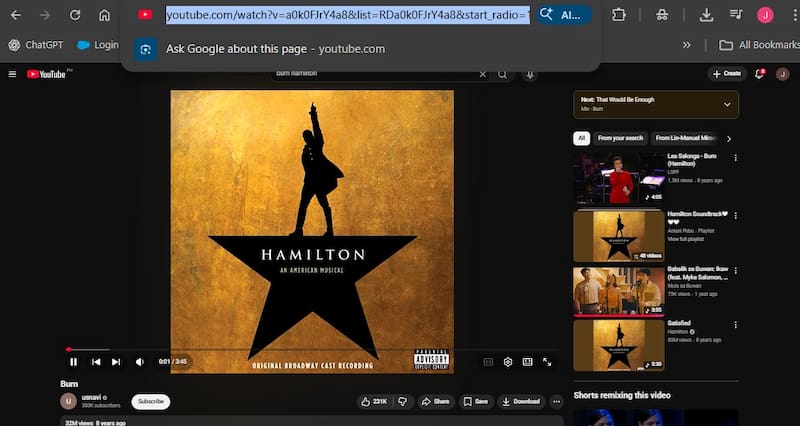
Step 3. Go back to the SaveForm tool, and paste the YouTube link into the bar. Then click the Download button right away.
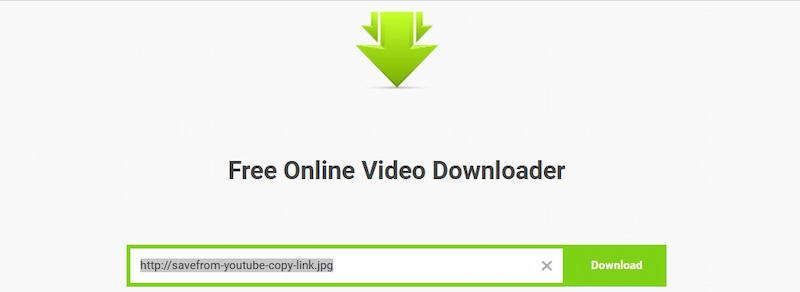
Quality: Output ranges from 128 to 192kbps.
Cons: There is no ID3 tagging and little control over the sound quality.
Part 3. Convert YouTube to MP3 via Browser Extension
Browser extensions are useful for frequent YouTube users who like to convert videos directly from their browser rather than switching to another tab or site. Tubly Downloader and Video DownloadHelper are two dependable options that work with most major browsers, including Chrome and Firefox.
Tool 1: Tubly Downloader
Tubly Downloader is a browser plugin that simplifies YouTube downloading. Once installed, it will automatically recognize videos on the pages you visit and provide a download option underneath the video. It supports a variety of output formats, including MP3 and MP4, and transforms automatically in the background. Tubly is lightweight, making it ideal for users who prefer an integrated approach.

Simple Steps in Using Tubly Downloader
Step 1. Add the Tubly Downloader to Chrome or Firefox.
Step 2. Open a YouTube video and select the Tubly symbol.
Step 3. Select MP3 as the output format.
Step 4. Wait for the procedure to finish before downloading your file.
Quality: Provides up to 256kbps MP3.
Cons: Long films or playlists may not be supported; frequent upgrades are required to be functional on YouTube.
Tool 2: Video DownloadHelper
Video DownloadHelper is a robust and versatile plugin for both Firefox and Chrome. It enables downloads from a variety of websites, including YouTube, Vimeo, and Facebook. In addition to MP3 extraction, it can convert films to a variety of formats via an optional companion software. The tool is suitable for users who require flexibility across many platforms.
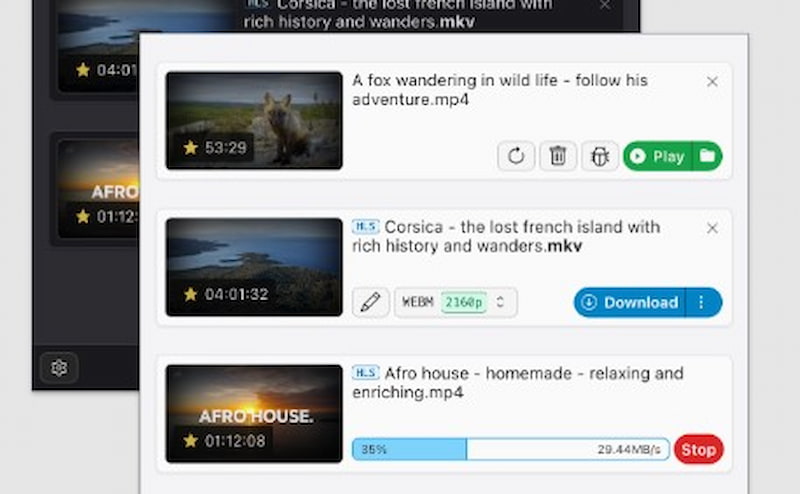
Simple Steps in Using Video DownloadHelper
Step 1. Install Video DownloadHelper in your browser.
Step 2. Open the YouTube video that you wish to convert.
Step 3. Click the extension icon and pick MP3.
Step 4. Save the converted file on your computer.
Quality: Provides steady 192-256kbps output.
Cons: Some formats require a partner app, and the interface might be perplexing for new users.
Part 4. Save YouTube to MP3 via Screen Recorder
Screen recorders are an alternative option for people who want to manually record YouTube audio. Though not as fast as converters, they provide greater flexibility and precision for recording unique portions.
Tool 1: Audacity
Audacity is a free, open-source audio recording and editing software. You may use it to capture YouTube audio in real time and save it as an MP3 file. It offers high-quality sound recording at 320kbps and includes powerful editing options such as cutting, noise reduction, and volume adjustment. The procedure takes longer because it records in real time, but it's great for people who want complete control over audio quality and file output.
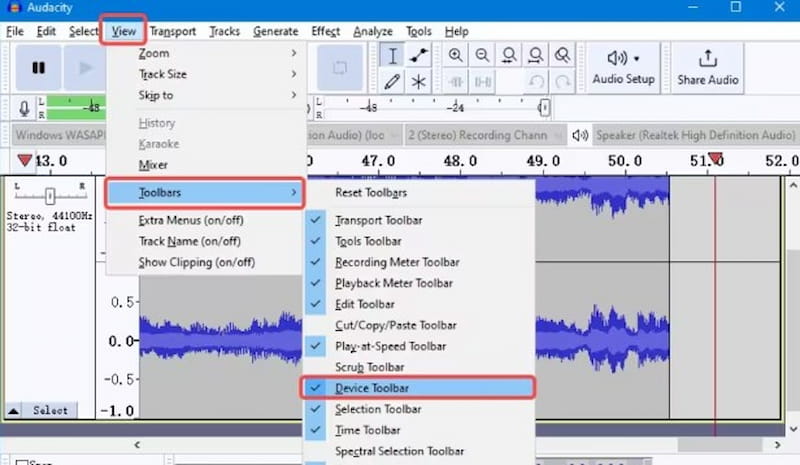
Simple Steps in Using Audacity
Step 1. Open Audacity and then choose Stereo Mix or System Audio.
Step 2. Play the YouTube video that you want to capture.
Step 3. Click Record to begin and Stop when finished.
Step 4. Remove any unneeded sections and export as MP3.
Quality: Up to 320 kbps.
Cons: A manual procedure that requires editing
Tool 2: APowersoft Screen Recorder
Apowersoft Screen Recorder is a simple but powerful tool for capturing both video and audio from YouTube. Users can use the Audio Only mode to capture audio directly from the system and store it in MP3 format. It supports variable bitrates and audio sources, making it a versatile tool for recording online music or podcasts. However, free users may encounter limited capabilities or watermarks, and recordings must be manually edited afterward.
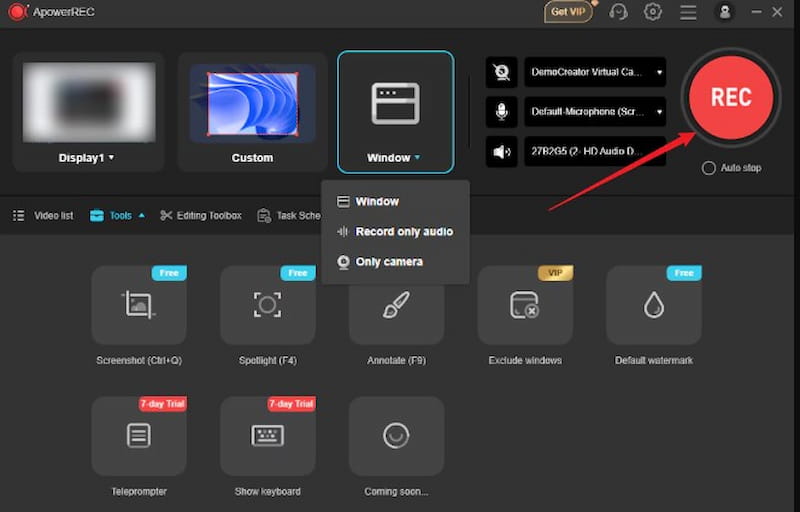
Step 1. Launch the Apowersoft Screen Recorder.
Step 2. Switch to audio-only mode.
Step 3. Play the YouTube video.
Step 4. Stop the file and export it as MP3.
Quality: High-quality audio recording.
Cons: Uses real-time recording; must avoid background noise.
Part 5. Comparison Table for YouTube to MP3 Tools
Choosing between converters, online tools, and addons can be challenging. This comparison chart shows how each approach performs in terms of format support, quality, and simplicity, allowing you to determine which one is ideal for your workflow.
| Output Formats | Max Quality | Conversion Speed | Batch Downloads | Retains ID3 Tags | Ad-Free | Ease of Use |
| TopVox All Music Converter | MP3, M4A, FLAC, WAV | 320kbps | Fast | Yes | Yes | Yes | Very Easy |
| YTMP3 | MP3 | 192kbps | Moderate | No | No | No | Easy |
| Y2Mate | MP3 | 192kbps | Moderate | No | No | No | Easy |
| SaveFrom | MP3 | 192kbps | Moderate | No | No | No | Easy |
| Tubly Downloader | MP3 | 256kbps | Fast | No | No | Yes | Easy |
| Video DownloadHelper | MP3 | 256kbps | Moderate | No | No | Partial | Medium |
| Audacity | MP3 | 320kbps | Manual | No | Yes | Yes | Medium |
| Apowersoft | MP3 | 320kbps | Manual | No | Yes | Yes | Medium |
Part 6. FAQs about YouTube to MP3
Is it OK to download MP3s from YouTube?
Many of the YouTube MP3 download converters are not permitted by YouTube. Downloading copyrighted material without authorization is frequently unlawful. YouTube actively seeks to prevent this. Using a converter that violates YouTube's terms of service may result in account restrictions or even legal action.
Which YouTube to MP3 method produces the highest audio quality?
Desktop converters such as TopVox All Music Converter typically produce the greatest results. They support MP3 quality of up to 320kbps while preserving information. Online tools are useful, but they compress files, resulting in somewhat inferior audio quality.
Can I convert complete YouTube playlists to MP3s?
Yes, software converters like TopVox All Music Converter provide batch downloading of playlists. This saves time by converting numerous tracks at once rather than doing it separately for each video.
Is there a risk while utilizing online converters?
Yes, some free converters include pop-ups or deceptive advertisements that can link to dangerous websites. To keep safe, use reliable platforms such as Y2Mate or SaveFrom, and avoid clicking on dubious download buttons.
Which bitrate should I pick when converting to MP3?
A 320kbps bitrate provides near-CD quality and is ideal for music fans who prefer crisp sound. If you want to save space or bandwidth, 192kbps is an excellent blend of size and quality.
Conclusion
It's never been easier to convert YouTube videos to MP3. Whether you choose a complex product like TopVox All Music Converter for high-quality and quick results, or simple web solutions like YTMP3 and Y2Mate, there is a method for everyone. A desktop converter is still the best option for steady performance and high-quality sound. Always use reliable tools to ensure safe, smooth, and ad-free downloads.
Owen Bannett
Owen Bannett is a music enthusiasm as well as a senior writer. He has paid close attention on the pros & cons of various audio formats, bitrate, sample rate and encoding methods. Always seeking the best listening experience, Owen has deep insights about lossless music and diverse music converters on the markets.


 by
by