

Lifetime License
$119.96 $149.95 $249.95

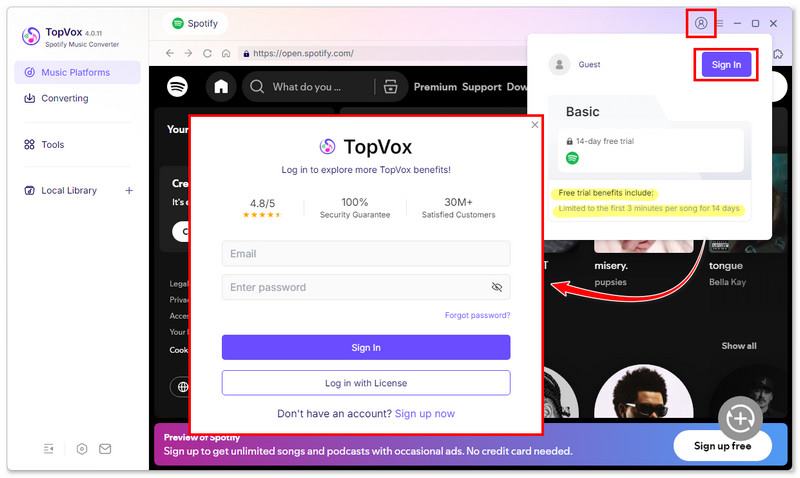
Click Sign in and enter your email and password. Note that a new Free user can enjoy a 14-day free trial and enjoy first 3-minute conversion of each track.
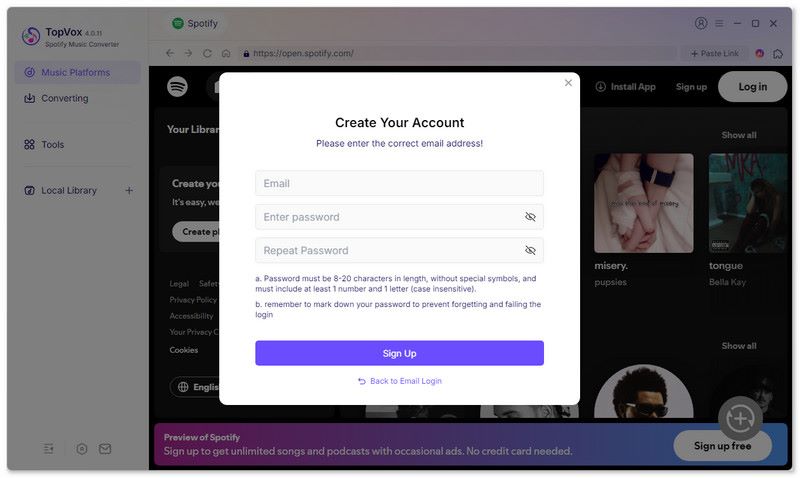
If you don’t have a TopVox account, you can use another way to access the program. The system will automatically send a temporary password to the email you previously used when purchasing or activating the product. Then check it in your email to log in.
Log in to your Spotify account and choose your preferred Spotify songs, playlists, or albums, etc. (Free or Premium users can both download without limits). Also, you can directly download any tracks in the official library.
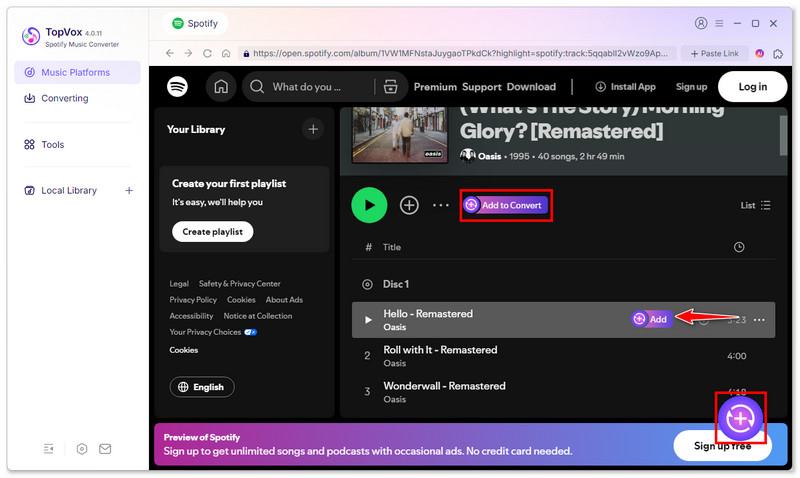
Open the target Spotify album or playlist, 3 ways to add Spotify track(s) to the conversion list.
• For the whole playlist/album: Click the Add to Convert button next to the More Options (…) or click the purple plus icon (Click to Start Analyzing) in the bottom right corner.
• For a single song: Hover over the song and click Add.
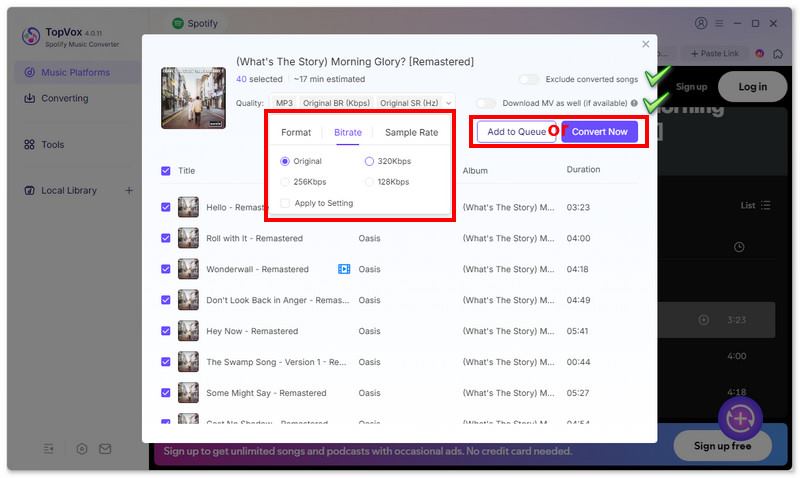
You can set output format and quality (MP3/Original BR/Original SR by default). And click Convert Now to convert the current song list immediately. If you want to batch download more songs, click Add to Queue and add these songs to the task list for later conversion.
📌Tips: To avoid duplicates, you can enable Exclude converted songs before downloading. If you want to save MV with the songs, toggle on Download MV as well.
Go to Converting (the task list), please click Setting > Output Folder to choose a storage location to save tracks.
📌Tips: For more advanced settings, click on Smart Mode. You can customize the conversion speed, simultaneous downloads, Audible splitting options, playback effects, and more.
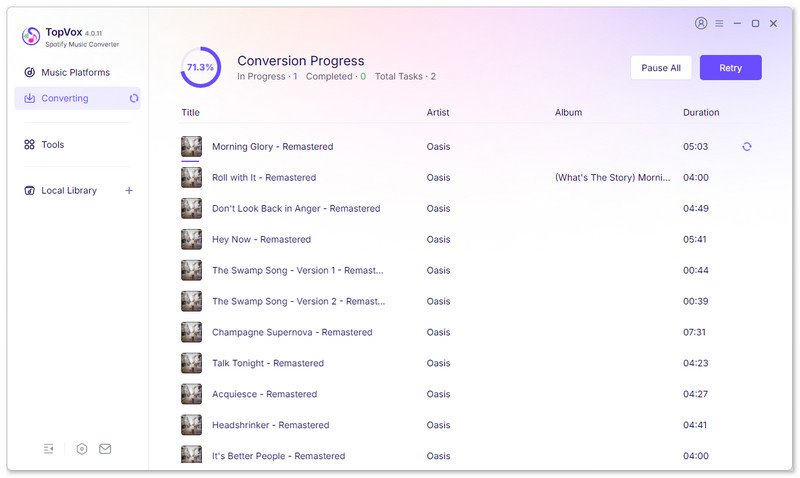
After done, click Convert All to start Spotify-to-MP3 Conversion.
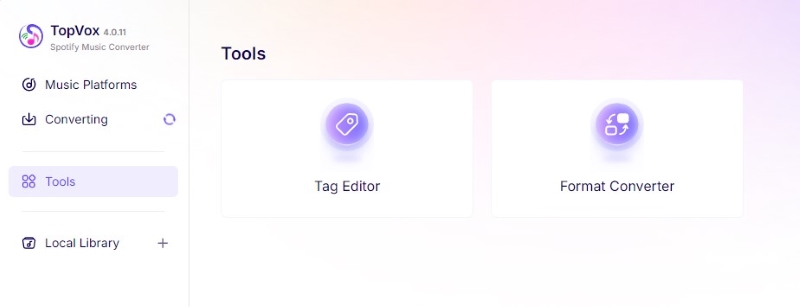
Tool 1: Tag Editor
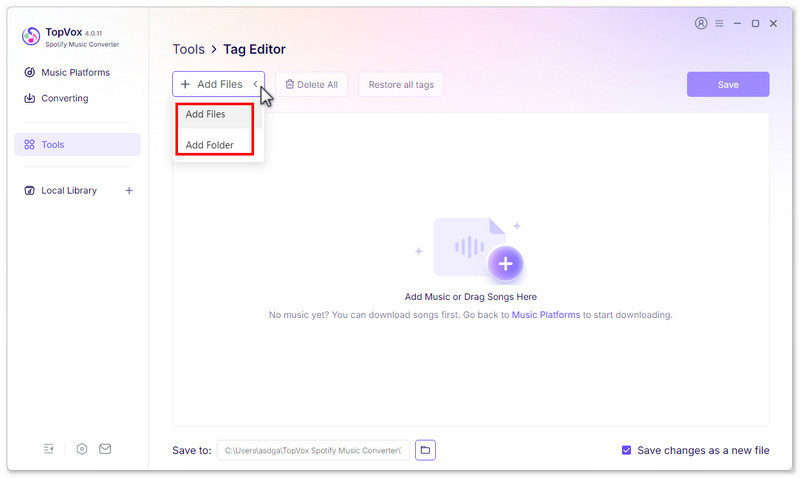
Click Tools > Tag Editor > Add Files, upload individual downloaded files or an entire folder.
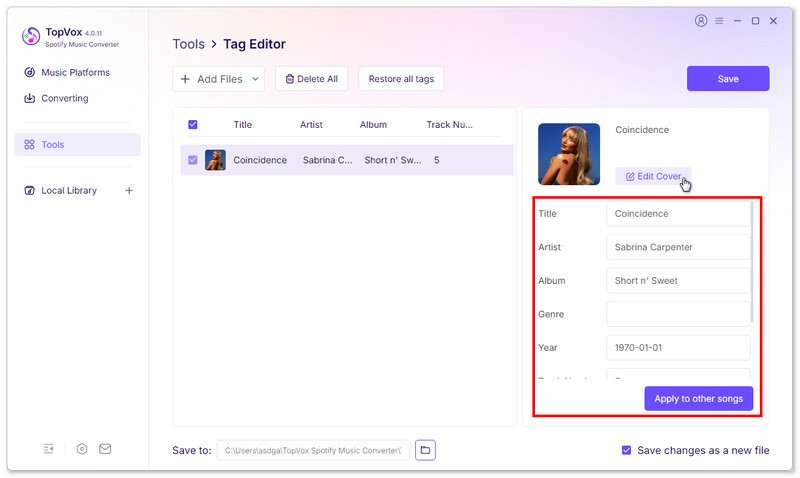
You can rename the title, artist, album, genre, year, etc., and change the cover as you like. Go ahead and save the modified file.
Tool 2: Format Converter
Select all local music by clicking Add Files or dragging songs here directly.
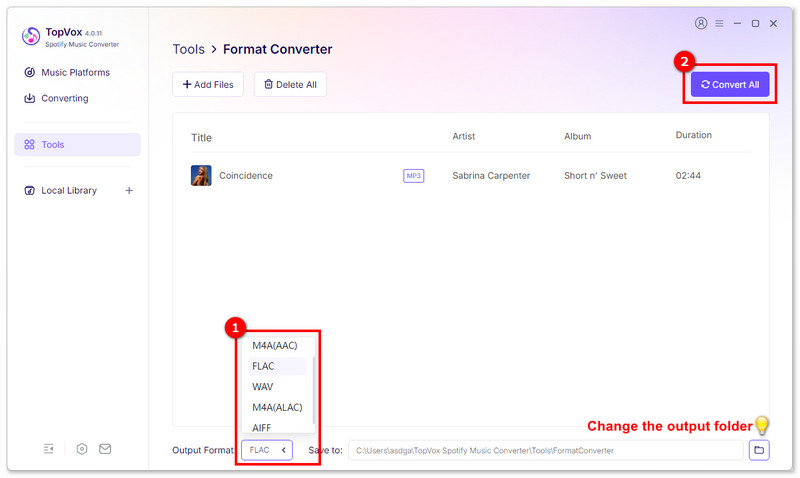
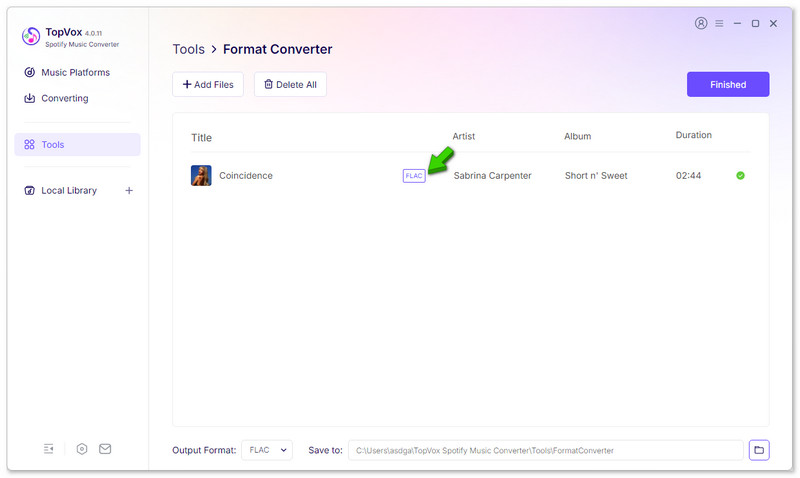
Choose an output format and convert all songs. Once done, click Finish and check out your converted files in the target folder.


*Required field
*Please enter a valid email
Copyright © 2026 TopVox. All rights reserved.

Subscribe to Our Newsletter:
Please fill in the details below. Fields marked are required.
First Name
First Name cannot be empty.
Last Name
First Name cannot be empty.
Email Address
Email Address cannot be empty.
Invalid Email Address . Please try again.
Country
Country cannot be empty.
Phone(optional)
Please enter a valid phone number.
ZIP Code(optional)
Please enter a valid ZIP code.
📌Subscribe now and take an extra 20% off on top—double the savings, plus early access to future product updates.

Congratulations! - Exclusive Bonus🎁
Thank you for subscribing! You have successfully joined our newsletter. Expect updates, offers, and insights delivered straight to your inbox. Plus, we offer you an extra $30 off on TopVox Lifetime Membership!


