[2026] TunePat Spotify Music Converter Review & Alternatives
DRM restrictions prevent many Spotify users from truly enjoying their favorite music. If you want to play songs on other devices or keep listening while the subscription has expired, a reliable music downloader is essential. TunePat Spotify Music Converter is a lesser-known but powerful tool to download Spotify tracks for offline listening. With numerous strong competitors emerging, is it still worth using? In the in-depth review, we'll focus on its features, pros and cons, and explore alternative tools to help you better manage your digital music library.
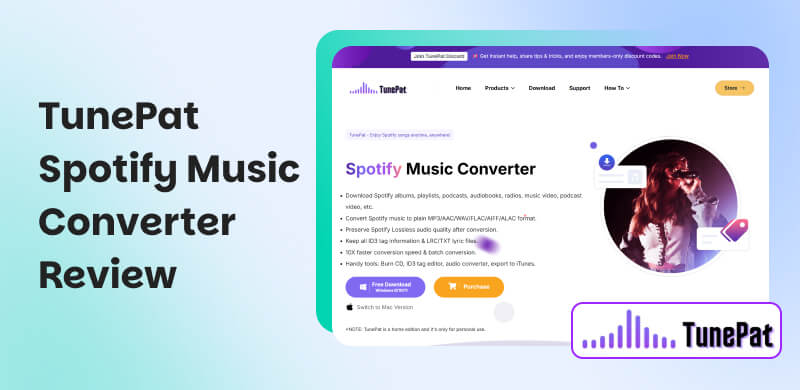
Part 1. What is TunePat Spotify Music Converter?
TunePat Spotify Music Converter is a music download and conversion tool designed for Spotify. It enables users to bypass encryption restrictions and directly turn Spotify songs, playlists, or albums into universal formats in high-quality with full ID3 tags, preventing music from being taken off or unable to play due to expired subscriptions. Then you can save your favorite music locally for listening on other devices, like an MP3 player, car systems, etc. Even if you are a free Spotify user, you can get rid of ads and enable offline listening.
With its built-in Spotify web player, you only need to log in to your Spotify account (free or premium) in the software, select the song you want to download, and it will capture and save it to your local computer through recording and parsing techniques.
Part 2. Features of TunePat Spotify Music Converter [Real Feedback]
Free Download Spotify audio tracks and videos
TunePat can save Spotify songs/albums/playlists/podcasts/audiobooks/radio shows. Besides, you can also save Spotify videos (music videos and podcast videos). During the process, the software will identify and filter all ads in audio tracks, letting you enjoy the pure music offline.
Download Spotify tracks to various popular formats
You can convert Spotify music to MP3, AAC, WAV, FLAC, ALAC, and AIFF, sharing your favorite Spotify tracks on different devices. Another light spot is to transform local music files into various formats (MP3, M4A, M4B, WAV, OGG, FLAC, AIFF, M4R). Therefore, you don’t have to get other tools to turn songs on your computer.
Batch conversion at a faster speed
You can directly save playlists or albums in one click at 10× speed, which means a 3-minute song only takes around a dozen seconds. Except for conversion speed, you can adjust your playback speed (1×, 5×, 10×) to get a special listening experience.
Keep all of the data information as the originals
With an ID tag identification technology, you can download music with all useful information, like Title, Artist, Album, Track Number, etc. And the tool will sort out all converted music based on these tags. It’s entirely straightforward to manage your music library.
Advanced tools for better storage
Not only a music converter, TunePat still serves as a burner. You can easily turn and preserve songs onto CDs without downloading additional burners. Plus, ID3 tags can be edited using a separate MP3 tag editor.
Pros
- Works for both Spotify free and Premium users.
- No need to install the Spotify desktop app.
- Multi-format lossless conversion.
- Supports various customization options.
- Download the whole playlist in one shot.
Cons
- Download only 1 minute of each song in the trial.
- Download music at 160 kbit/s with ads in the free tier.
- The converted songs may be incomplete.
- The program always crashes or runs slowly.
User Reviews
“Whether I’m downloading playlists for offline listening or converting songs into formats that work with my editing software, it’s been smooth, fast, and reliable.” - From Trustpilot
“Downloads are high quality and an overall great way to build your music library. Only downside is the length of time it takes to download.” – From Trustpilot
“I've been locked out of my account twice now because of Tunepat, plus the software is quite buggy.” – From Trustpilot
Part 3. Step-by-Step Tutorial: How to Use TunePat?
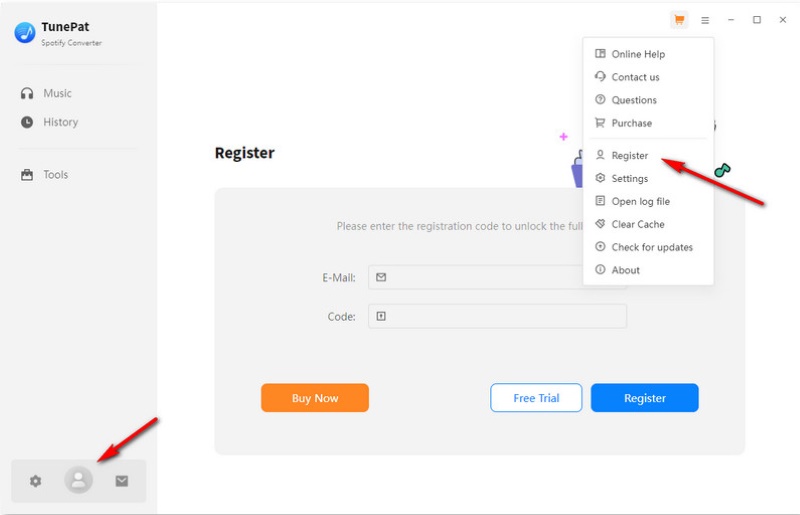
Step 1. Launch and register the software. After logging in, you can choose from two options: the Spotify App and the Spotify Web player. We take the latter as the example. Next, you have to log in to your Spotify account.
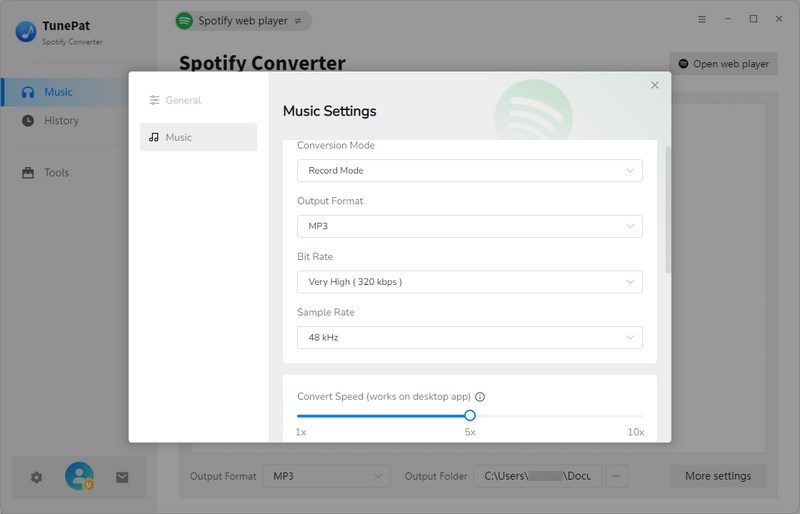
Step 2. Adjust your download settings before conversion, like output folder/format, bit rate, and other parameters.
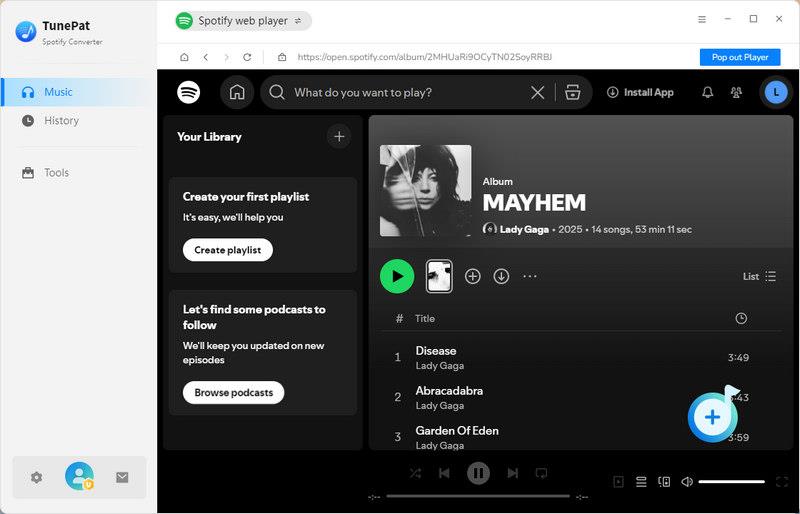
Step 3. Select audio tracks you want to download and click the plus icon in the lower right corner (Click to add).
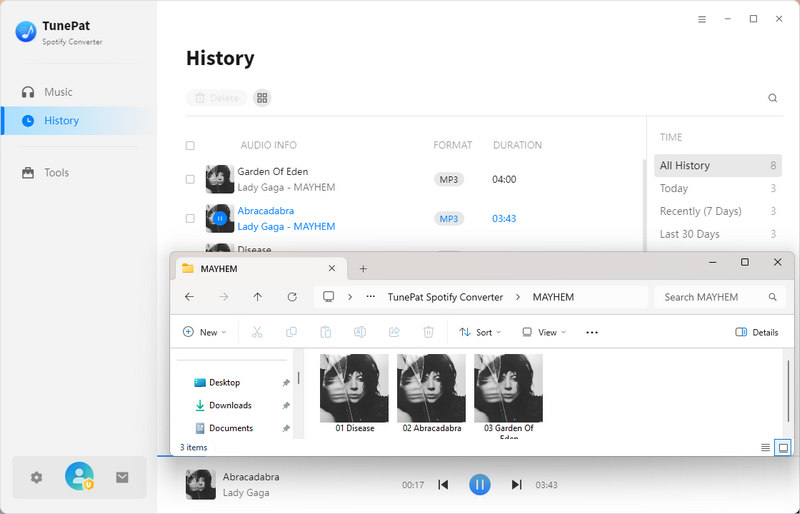
Step 4. Click Convert to go on the progress. You can check and locate the downloaded songs from History.
Part 4. Top 4 Alternative Spotify Converters to TunePat
Topvox All Music Downloader [Recommended]
Topvox All Music Downloader is a one-stop software to convert music from popular streaming platforms, including Spotify, Apple Music, Amazon Prime Music, YouTube Music, Deezer, Pandora, SoundCloud, or Line Music. With a seamless workflow, you can finish searching, playing, and converting Spotify music without repeated downloading and switching music apps. One of the most prominent features of it is speed. It supports batch downloads up to 35× faster speeds, which is a great advantage to convert music efficiently, saving time and effort. The downloaded songs will keep with ID3 tags and pure quality at up to 320kbps and 48000Hz, you can easily manage and share your lossless audio tracks to other devices!
Pros
- Batch conversion at 35× lightning-fast speed.
- Built-in web player supports familiar music apps.
- Various output formats, such as MP3, WAV, FLAC, AIFF, M4A (AAC/ALAC).
- High audio quality with original details.
- Intuitive and clean interface is easy to use.
- 99% success rate for music downloading.
Cons
- Download the first 3 minutes of each song in a limited free trial.
- High cost due to its all-in-one features.
Steps to Use Topvox All Music Downloader:
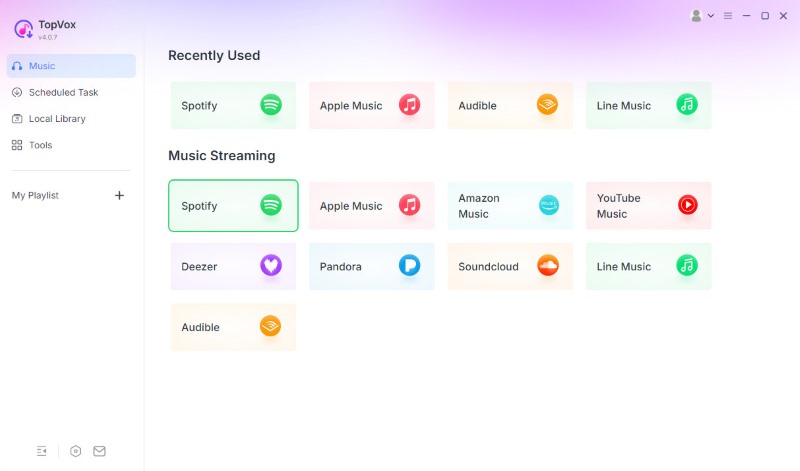
Step 1. n the startup page, choose the Spotify platform and log in to your Free or Premium Spotify account.
Step 2. Search for the songs, playlists, albums, podcasts, or other audio content you prefer, click Add to Convert. You can also click the Add button (a plus icon at the lower right corner).
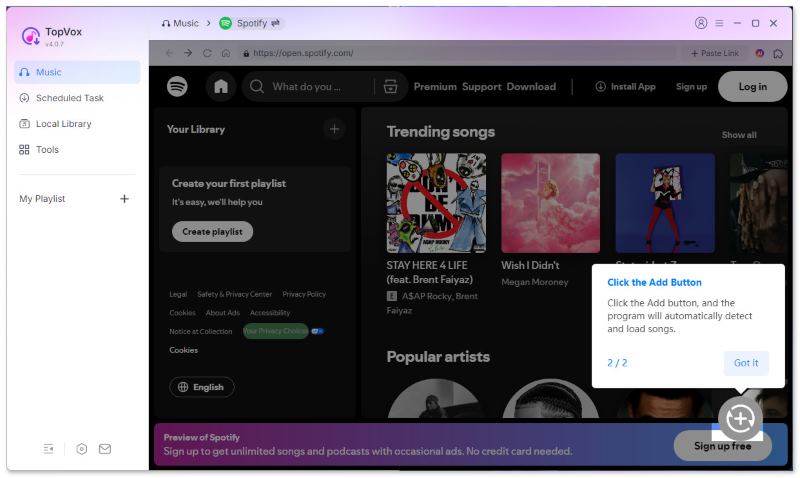
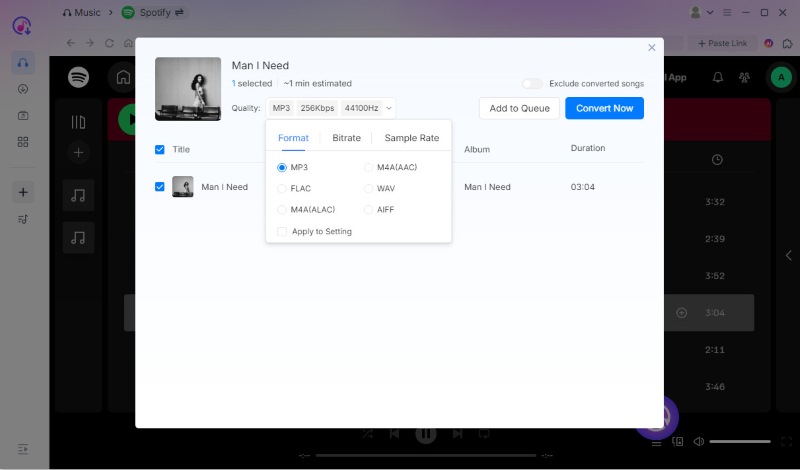
Step 3. Customize output settings here like bitrate, sample rate, output format, etc. and click Convert Now.
Audifab Spotify Converter
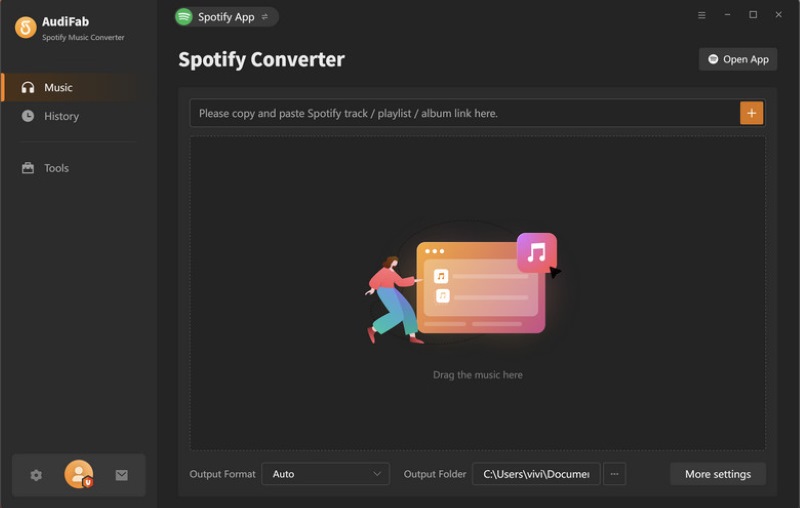
Audifab Spotify Converter allows you to download music on Spotify without Premium. This software can batch download and convert music to various mainstream formats, such as MP3, AAC, WAV, FLAC, AIFF or ALAC. It not only maintains lossless audio quality, but also fully retains the ID3 tag information of the tracks. Besides, Audifab integrates practical tools such as CD burning, tag editing, and AA/AAX audiobook conversion, making it convenient for users to enjoy high-quality music offline on various devices.
Pros
- Convert Spotify music to MP3/AAC/WAV/FLAC/AIFF/ALAC.
- With a 10× faster downloading speed.
- Stream lossless Spotify music with ID3 tags.
- Works both for Free and Premium Spotify users.
- Designed with built-in additional tools.
Cons
- Convert the first minute of any audio file in the free trial.
- The speed isn’t fast enough for large playlists.
- Accounts have a risk of being banned.
Macsome Spotify Downloader
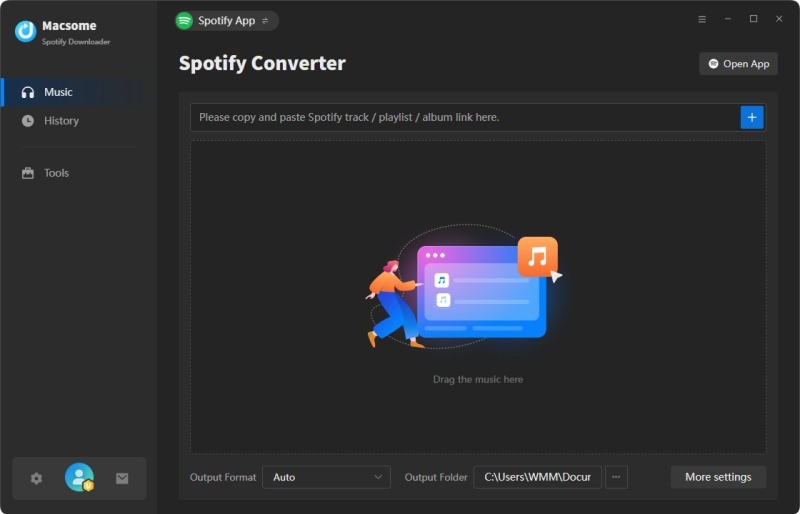
Macsome Spotify Downloader is not just a download tool, but also an audio processing workstation. In addition to downloading lossless Spotify music to different audio formats, it has a useful toolbox with audiobook conversion, audio editor and CD burning functions. The entire process from downloading and editing to saving as a local music library can be completed through the software. Macsome can export downloaded songs to iTunes in accordance with the original order of the playlist, enabling iPhone/iPod users to manage music easily.
Pros
- Supports multiple audio formats, like MP3, AAC, WAV and FLAC.
- High success rate in downloading Spotify tracks.
- Converted songs retain original ID3 tags.
- Customize the metadata of music files.
- Export the entire playlist to iTunes with one click.
Cons
- Can't listen to Spotify music while converting.
- Only 1 minute of each song can be converted in the free trial.
ViWizard Spotify Converter
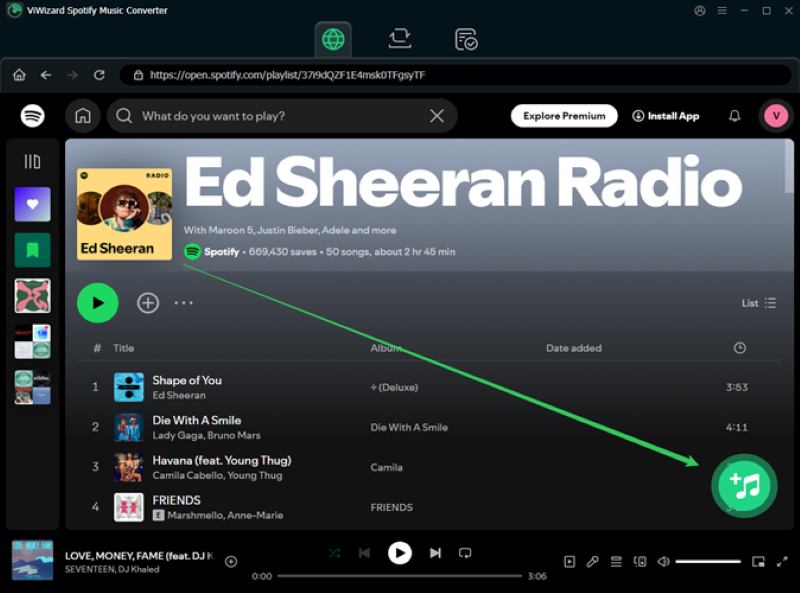
ViWizard Spotify Converter is another tool that has a faster conversion speed than most converters. It runs 15 times as fast to download lossless Spotify audio to other formats with all tag information. You can adjust playback speed and customize audio parameters as you like. In addition, ViWizard has a unique filter feature, which means you don't need to worry about re-downloading any songs. Its built-in music player allows you to preview and manage offline music without switching software.
Pros
- Supports up to 15× faster speed in batch.
- Supports preview and adjust playback of converted music.
- Personalize output setting parameters.
- Filter out downloaded Spotify music.
- User-friendly interface.
Cons
- Unstable conversion quality, such as skipping all the time.
- The download speed is not as fast as expected.
Part 5. Comparison of 5 Spotify Music Downloaders
| TunePat Spotify Music Converter | Topvox All Music Downloader | Audifab Spotify Converter | Macsome Spotify Downloader | ViWizard Spotify Converter |
| Supported Platforms | Spotify | Spotify, Apple Music, Amazon Music, Deezer, etc. | Spotify | Spotify | Spotify |
| OS | Windows 11/10/8, macOS 11 or above | Windows 7 or later (64-bit), macOS 10.14 or above | Windows 11/10/8.1/8, macOS 11-26 | Windows 11/10/8, macOS 11-26 | Windows 11 (32-bit & 64-bit)/10/8/7, macOS 10.13-26 |
| Conversion Speed | 10× | 35× | 10× | 10× | 15× |
| Output Formats | MP3, AAC, WAV, FLAC, AIFF, ALAC | MP3, M4A(AAC/ALAC), WAV, FLAC, AIFF | MP3, AAC, WAV, FLAC, AIFF, ALAC | MP3, WAV, AAC, FLAC, AIFF, ALAC | MP3, FLAC, WAV, AIFF, M4A, and M4B |
| Audio Quality | 128/256kbps | 320kbps | 160/320kbps, 24-bit/44.1 kHz FLAC | 128-320kbps | 160-320kbps |
| Additional Functions | Flexible speed option, smart folder archive, CD-burning, and tag editing. | All-in-one web player | CD-burning, ID3 tags editing, and audiobooks conversion. | CD-burning and importing music to iTunes. | Filter downloaded music, adjust playback speed, and preview converted music. |
| Required Spotify App | ❌ | ❌ | ❌ | ✔ (App record mode) | Optional |
| Pricing | 3-Month Plan: $26.95
1-Year Plan: $44.95
Lifetime Plan: $74.90 | 1-Month Plan: $19.95
Lifetime Plan: $159.90 | 1-Month Plan: $14.95
1-Year Plan: $79.90
Lifetime Plan: $79.90 | 1-Month Plan: $14.95
1-Year Plan: $44.95
Lifetime Plan: $79.95 | For individuals: 1-Month Plan: $19.95
1-Year Plan: $49.95
Lifetime Plan: $89.95 |
Conclusion
Totally, TunePat Spotify Music Converter is still a professional converter for Spotify with useful advanced tools like CD burning and tag editor for managing local music. Although each Spotify music converter we mentioned has something special, a common problem with them is slow performance. Topvox All Music Downloader offers 35× conversion speed, far faster than other tools. It also supports one-stop downloads from multiple music platforms, which is the best choice for efficiency and compatibility.
Luna Harper
Luna Harper is a passionate music lover and an inspiring content sharer. She has explored most of the music converters available on the market, acquiring thorough knowledge of their features, usability, and differences. Luna enjoys using her professionalism to help fellow music lovers get superior audio quality.




 by
by