Top 6 Methods to Convert Spotify to MP3 [Full Guide]
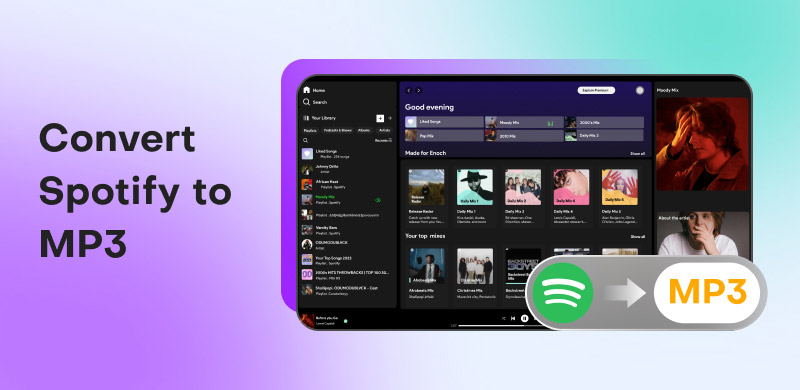
Spotify offers numerous music and podcasts, making it an ideal platform because it provides the best audio quality. However, since it is an online-based tool, you must be connected to the internet to listen to music. Plus, you have to subscribe to its premium plan to save the music. If you want to convert Spotify to MP3 effectively, be sure to check this post. We will teach you how to save your favorite Spotify songs, albums, or playlists to MP3 using your browser, desktop, and mobile devices.
How We Test
We have reviewed Spotify-to-MP3 converters using a standardized process to ensure reliability. We purchase all testing accounts independently without any involvement or sponsorship. Audio performance is benchmarked with commercial measurement tools, covering aspects such as bitrate, frequency response, dynamic range, and delay (latency) under a range of network conditions.
Part 1. Why Convert Spotify to MP3?
User Review From Reddit:
“It's not DRM in the traditional "oh I paid for this song but I can only listen to it here" because you didn't pay for a song. you payed for the service. You don't own anything on Spotify…”
“I don't understand putting DRM on songs you actually buy for their full price.”
Although you are a Premium user, you’re only allowed to enjoy the DRM-protected Spotify music within the Spotify app. Therefore, many listeners want to convert Spotify to other devices and choose MP3 as the output format due to its compatibility.
There’s another issue: is converting Spotify to MP3 legal? Well, it depends on how you use the music. If you plan to download Spotify music and share it on your social media accounts without the owner's consent, it is illegal. As laid out in Spotify’s Terms and Conditions, Spotify is only for personal, non-commercial use.
Part 2. The Best Way to Download Spotify to MP3: TopVox
To convert Spotify to MP3, you need a reliable Spotify converter that provides a smooth, straightforward conversion process. We suggest using TopVox All Music Converter. Thanks to this offline program, you can perfectly convert and batch-download Spotify songs to MP3 format with a simple main interface. Aside from that, it also ensures the best quality for up to 320 kbps and a fast conversion speed up to 35 times faster than other converters. With that, you can finish the task without consuming much time at a high level of quality, supporting an available playback anywhere, anytime.
(TopVox respects the intellectual property rights of Spotify and is intended for personal backup only.)
Features
- Fast Spotify-to-MP3 conversion with ID3 tags.
- Supports numerous audio output formats.
- Provides a lossless audio quality at 320kbps.
- Download music from different platforms, like Apple Music, Pandora, Amazon, etc.
- Available on both Windows and Mac OS.
- The advanced tool supports more conversion options.
Pros
- An all-in-one solution eliminates the need for multiple tools.
- Downloading large playlists or entire albums quickly.
- Keep with the original audio fidelity.
- Tag Editor makes it easy to organize your local music library.
Cons
- It only converts the first 3 minutes of each song during a 14-day free trial.
How to convert Spotify to MP3 via TopVox:
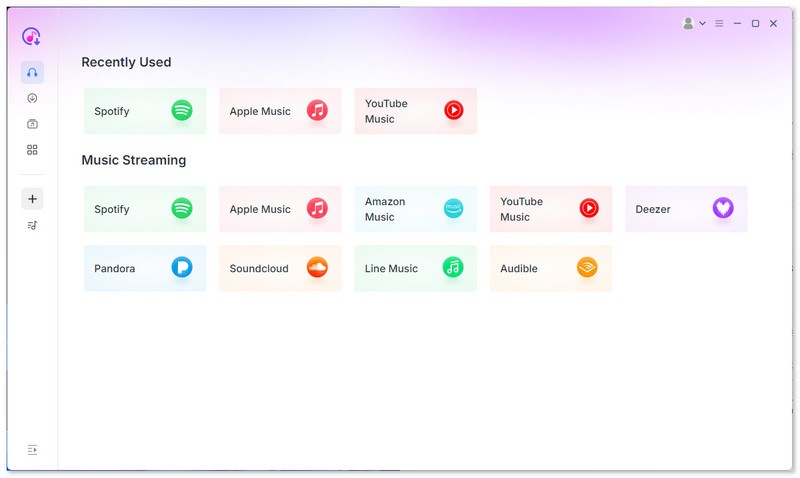
Step 1. After the installation, run it on your computer. Click the Spotify platform, then enter your Spotify account information.
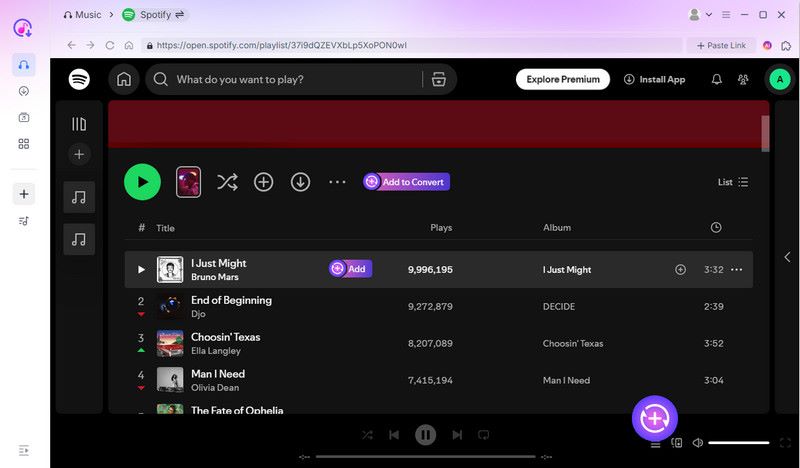
Step 2. Go to the Search section and browse the Spotify music you want to convert. Then hit the Add to Convert button. You can add as many songs as you want.
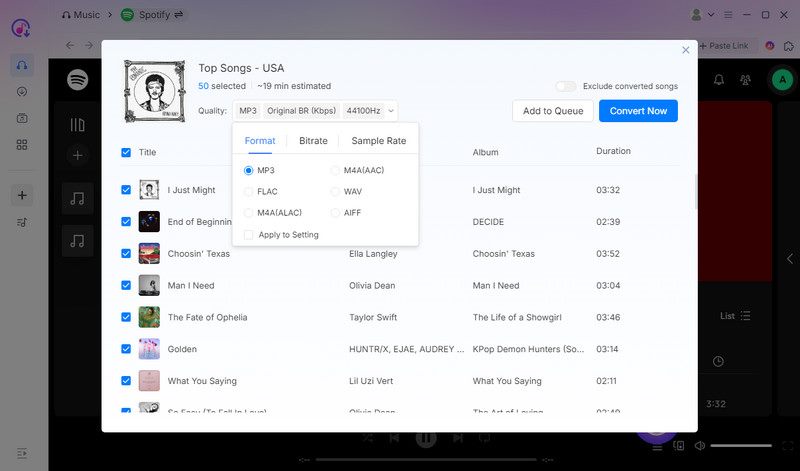
Step 3. Go to the Format section and choose MP3 as your output format. Once done, tap the Convert Now to begin converting your Spotify tracks to MP3 format.
User experience:
After following this method, converting Spotify music to MP3 is a straightforward task. What we like here is that it can give you a smooth and fast conversion process. It also ensures that you can enjoy exceptional audio quality for an enhanced listening experience.
Part 3. 5 More Ways to Convert Spotify to MP3
If you're looking for an alternative method to download music from Spotify to MP3, refer to this section. We will show you how to convert your favorite music using your browser, as well as on Android and iOS devices.
SpotiDownloader
If you prefer using an online tool to convert Spotify songs to MP3, you can try SpotiDownloader. This tool is ideal if you want an easy way to achieve your primary objective. It features a simple layout and provides results in just a few clicks. Additionally, it can automatically convert your Spotify music into MP3 or FLAC format. So, see the instructions below and start converting your favorite music from Spotify.
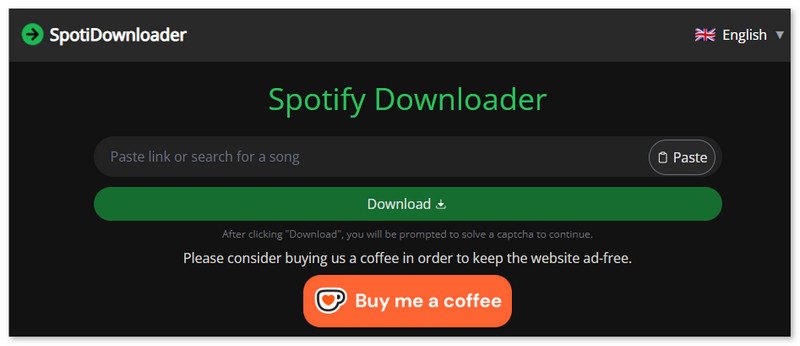
Step 1. Go to your browser and visit the main Spotify Downloader website. After that, return to your Spotify account and copy the link of the song you want to download.
Step 2. Then, proceed to the tool and paste the link to the music. Once done, tap the Submit button.
Step 3. After the loading process, click the Download button to start saving the converted music to your computer.
Pros
- No downloads or special software required.
- A simple one-click conversion process.
- An ad-block feature allows you to enjoy pure tracks.
- Supports multiple languages.
Cons
- Not capable of converting multiple songs.
- Converted sound with lossy quality.
- Difficult to find the saved location of the song.
User experience:
The downloading process is straightforward and fast without installing any apps. It has a user-friendly feature that lets you choose 21 languages. But the biggest problem is that I can’t find where the converted songs are! Such a conversion is simply meaningless.
Spotisong Downloader
To download a Spotify playlist to MP3, you can try using Spotisong Downloader. This free tool is among the best converters, offering a fast conversion process. It is compatible with multiple browsers, including Google, Safari, Opera, and others. You can customize the output quality from 128 kbps to 320 kbps.
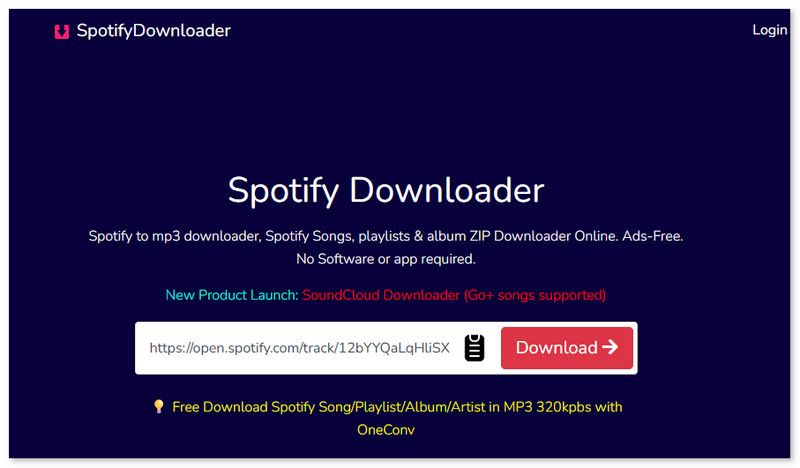
Step 1. Copy and paste the music link to the tool.
Step 2. A new page will automatically present. Click Generate Download Link, then you can choose the output quality.
Step 3. Click Download to save the MP3 files on your computer.
Pros
- A single song or the whole playlist can be saved.
- Ads-free interface.
- Get original 128K M4A files straight from Spotify.
Cons
- No more than 25 songs in a playlist.
- Need a registered account to download more songs.
User experience:
I can effectively convert my favorite music into MP3 format. The only drawback here is that only 3 song downloads are allowed per day. For more, you have to log in or come back tomorrow.
Spowload
Spowload is among the best online tools that you can use to transcode Spotify to MP3 smoothly. It is because the tool doesn't have any annoying ads that can disturb you during the conversion process. The advantage here is that it can deliver the best audio quality, enabling you to enjoy your favorite music during playback.
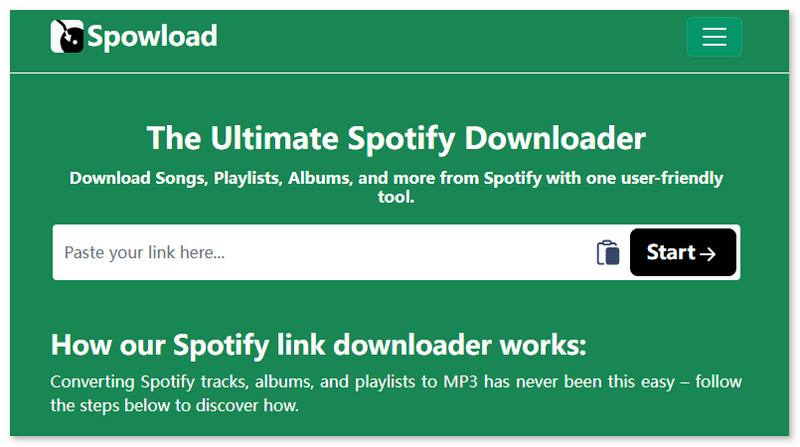
Step 1. Paste the link to the Spotify music into the interface.
Step 2. After that, click the Start > Convert button to begin converting the music.
Step 3. Hit Download to save the music on your computer.
Pros
- Works on Android, iOS, Windows, and Mac.
- Download Spotify songs, albums, and playlists with ID3 tags.
- Free to use.
Cons
- Remain pop-up ads.
- Don’t support batch download.
- Conversion speed is slow.
- Audio quality is limited.
User experience:
It can even offer a simple interface for fast navigation. Thus, if you want to achieve your main goal. But there are inevitable drawbacks, such as low speed/quality and interruptive ads, which may affect your downloading experience.
Spotiflyer [Android]
Spotiflyer is an excellent app you can download on your Android to convert Spotify music to MP3. With this app, you can get your favorite music in the best quality. It can even automatically convert the music to MP3, so you don't need to choose the MP3 format during the process.
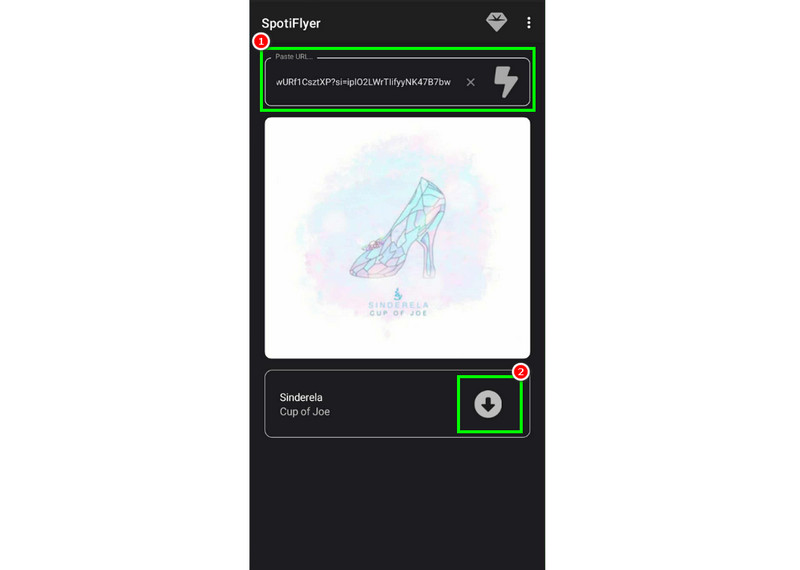
Step 1. Download the app or add the Trusted Filter Extension. Then, launch it to start the process.
Step 2. Copy and paste the Spotify link into the app, and the loading process will begin..
Step 3. Click the Download symbol to start the Spotify to MP3 conversion.
Pros
- Works on Android, Windows, macOS, and Linux.
- Open-source on GitHub.
Cons
- Can’t control the audio quality during conversion.
- Original ID3 tags may be broken.
- Output format is only MP3.
- No support for the iOS system.
User experience:
When using this tool on an Android phone, you can complete the task quickly and efficiently. However, it can’t be found in the official APP store, so there’s a potential security risk. And sometimes, you will receive malware or virus warnings.
Spotify Save Bot [Telegram Bot]
For iOS and Android, you can ask a Telegram Bot for help in downloading your Spotify tracks to MP3. Spotify Save Bot is ideal if you prefer not to use downloaders on your mobile devices. The only drawback here is that the downloading process is time-consuming. Therefore, if you wish to start downloading your favorite Spotify songs, follow the steps below.
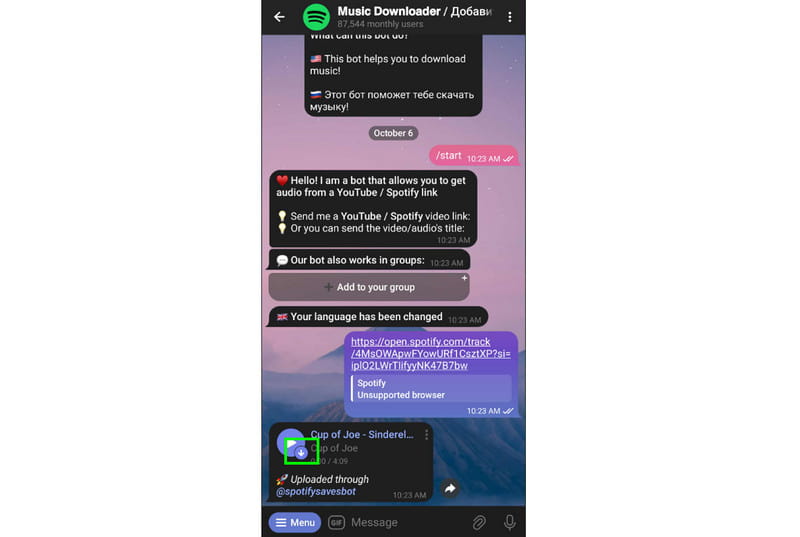
Step 1. Search for the Spotify Save Bot on your Telegram. In the bot’s page, you can type /start to communicate with it.
Step 2. Then, paste the music link from Spotify to the chat. The bot will start giving you related audio information.
Step 3. Hit the Save to Files to begin download. Once done, you can now start listening to your favorite music.
Pros
- Easy to use without engineering requirements.
- Supports high-quality downloading (up to 320kbps).
Cons
- The download success rate is unstable.
- Without advanced features.
User experience:
What we like here is that it consistently produces high-quality Spotify songs to MP3 once starting a conversation with the bot. But the experience of the bot is not as good as desktop software, like TopVox All Music Converter, which offers more customized tools and features for downloading Spotify songs and playlists to MP3.
Part 4. Comparison of 6 Spotify-to-MP3 Downloaders
| TopVox All Music Converter | SpotiDownloader | Spotisong Downloader | Spowload | Spotiflyer | Spotify Save Bot |
| Tool Type | Desktop (PC/Mac) | Online Web | Online Web | Web / Android | Open-source | Telegram Bot |
| Audio Quality | Lossless (FLAC/WAV/320kbps) | 128kbps (Average) | Up to 320kbps | 128 – 256kbps | 128kbps | 128kbps |
| Batch Download | 35x Fast Batch | ❌ | ZIP available (Slow) | Limited | Unstable | ❌ |
| Built-in Player | ✅ | ❌ | ❌ | ❌ | ❌ | ❌ |
| Output Formats | MP3, FLAC, WAV, M4A, AIFF | MP3 Only | MP3 Only | MP3, M4A | MP3 Only | MP3 Only |
FAQs about Converting Spotify to MP3
Q: Is there a safe method to download Spotify music?
A: Yes. To download Spotify music, you must use a reliable converter, such as TopVox All Music Converter. With this tool, you can ensure a smooth process without encountering any issues.
Q: Where can I find the downloaded Spotify songs?
A: Using online tools, you can view all the downloaded Spotify music from the recent download history list in the browser. If you choose a desktop converter like TopVox, go to the Local Library in the app.
Conclusion
To convert Spotify to MP3, you can use all the methods we have provided in this article to start downloading. Additionally, if you want the best tool to help you convert Spotify playlists to MP3 and other formats with the highest quality, it is better to use TopVox All Music Converter. It can even support batch conversion, allowing you to handle multiple Spotify songs simultaneously, making it the most powerful converter.
Luna Harper
Luna Harper is a passionate music lover and an inspiring content sharer. She has explored most of the music converters available on the market, acquiring thorough knowledge of their features, usability, and differences. Luna enjoys using her professionalism to help fellow music lovers get superior audio quality.




 by
by