Download SoundCloud Music on PC [Best SoundCloud Downloader]
How to download SoundCloud music on PC? If you prefer listening to your favorite music offline, it is better to download it on your PC. That way, there is no need for you to access an internet connection. The good thing here is that the SoundCloud platform is capable of providing a Download button, perfect for downloading your music. Plus, there are more tools you can rely on to effectively achieve a SoundCloud to MP3 procedure. So, if you want to explore all the possible methods to obtain your favorite SoundCloud music, start reading everything in this tutorial.
Before we proceed to the best methods of downloading SoundCloud music, you can first take a peek at the best SoundCloud downloaders from the table below.
| SoundCloud | TopVox All Music Converter | SoundCloud Downloader | DownCloudMe | SoundCloudMate |
| Audio Quality | Up to 256 Kbps | Up to 320 Kbps | Up to 1218 Kbps | Up to 128 Kbps | Up to 128 Kbps |
| Batch Download | Yes | No | Yes | No | No |
| Security and Safety | Very Safe | Strong (desktop software, fewer ads/malware risks) | Moderate (open‑source, safe if installed correctly) | Risk of ads/pop‑ups | Risk of ads, trackers |
| Best For | Offline listening only via SoundCloud Go/Go+, no permanent MP3 export. | Best for audiophiles; preserves high fidelity | Reliable for tech‑savvy users; requires setup. | Simple but limited; single‑track downloads only. | Easy to use, but capped quality and security concerns. |
Part 1. Official Way to Download SoundCloud Music on PC
Do you want to download SoundCloud to PC officially? Then the best way is to get SoundCloud's premium version. This way, you can access its Download button for a smooth downloading process. What makes it more ideal is that you can download as much music as you want. You can also get an excellent audio quality for up to 320 Kbps. You can even download a playlist if you want for a better listening experience. With that, if you want to download from SoundCloud, check the steps below.
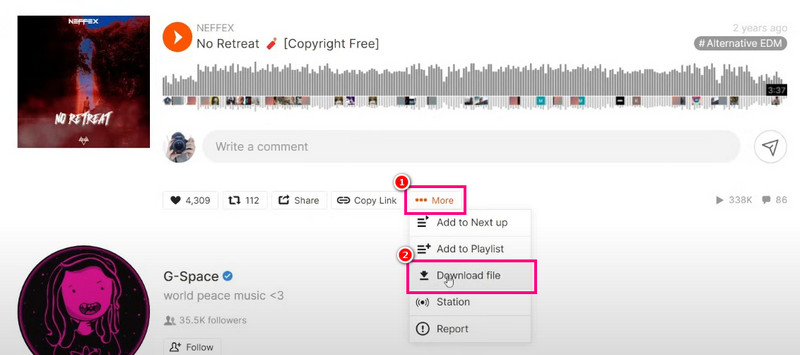
Step 1. Download the SoundCloud platform and access its premium version, which is the SoundCloud Go. Then, start searching for the music you want to download.
Step 2. After that, click the three-dot button, and various options will appear on your screen.
Step 3. Click the Download File option to start downloading the music from SoundCloud. After that, you can start listening to the music without any internet connection.
Drawbacks
- • The offline downloads are only locked inside the SoundCloud platform.
- • The music cannot be exported to MP3, FLAC, or other audio formats.
- • To access the Download feature, it is recommended to use SoundCloud’s premium version.
- • There are no options for 320 Kbps.
- • When the subscription expires, the music will also disappear.
Part 2. Professional SoundCloud Downloader
Are you looking for a professional SoundCloud downloader that can offer a better result compared to the SoundCloud platform? In that case, we suggest using TopVox All Music Converter. The program is ideal since it can ensure downloading SoundCloud music with the best quality for up to 320 Kbps. Plus, it has a comprehensive user interface, allowing you to access all the features easily and smoothly. The good part about the software is that it lets you download and convert multiple songs at once. You can even get your favorite playlist without any trouble. It also supports various audio output formats, including MP3, AAC, AC3, M4A, WAV, FLAC, and more. Lastly, you can download the program on both Mac and Windows computers, making it more accessible to all users.
Features
- The music downloader has a fast downloading and conversion process that is up to 35 times faster.
- The software can convert and download music with the best quality for up to 256 and 320 Kbps.
- The program can offer a pre-built web player, perfect for playing various music.
- It can download music from various platforms, like Spotify, Amazon Music, Apple Music, Deezer, and more.
You can use the simple methods below to start downloading your music using this SoundCloud downloader.
Step 1. Download TopVox All Music Converter on your PC. You can use the buttons below to instantly access the program.
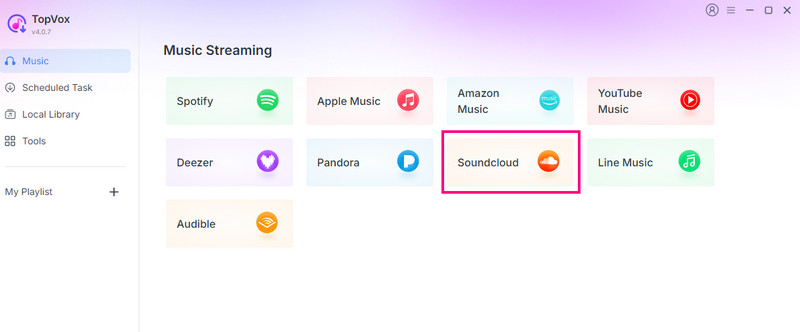
Step 2. After you open the software's primary user interface, click the SoundCloud platform and start creating your account.
Step 3. Now, proceed to the Search button and look for the music you want to save. After that, click the Add button to insert the music into the conversion section.
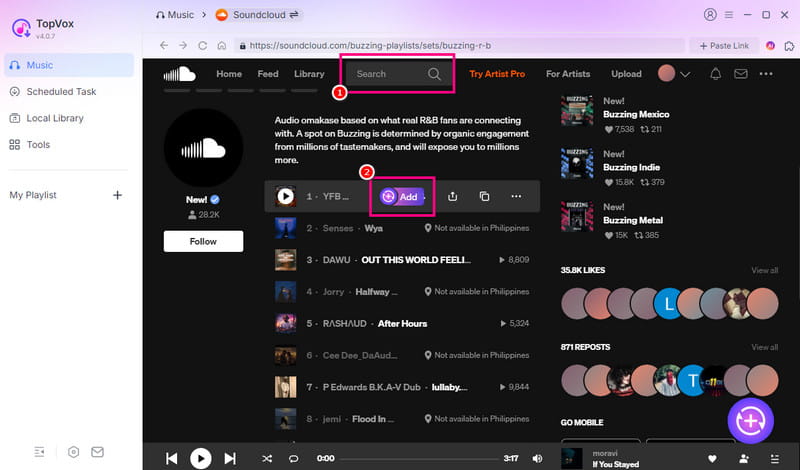
Since the program supports the batch processing feature, you can add as many songs as you want.
Step 4. You can start clicking the Convert Now button to begin the downloading process. Once done, you can start listening to the music offline.
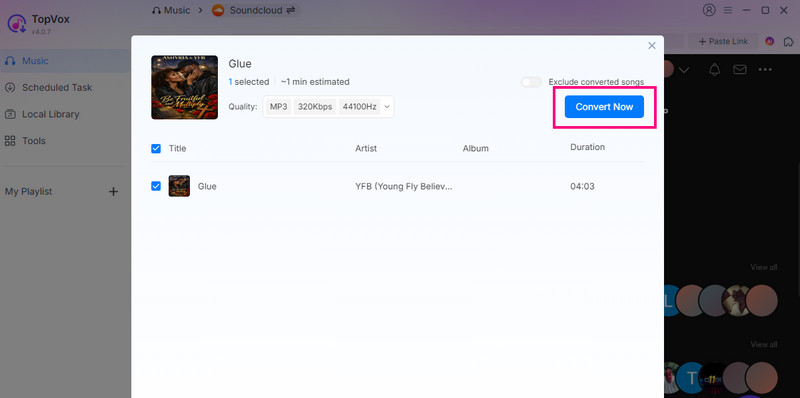
Thanks to this method, you can download your favorite music from SoundCloud without any limitations. You can even save the music on your computer as long as you want. The best part here is that you can also download music in different formats. You can download SoundCloud to M4A, MP3, WAV, FLAC, and more. Thus, rely on this program if you want to get a smooth downloading process.
Part 3. Online SoundCloud to MP3 Converters
Do you prefer an online method to instantly download SoundCloud music? In that case, you must use a reliable online SoundCloud downloader. What makes the online tools ideal is that there is no need for installation. All you need to do is access a certain tool on your browser and start the music downloading process. In addition to that, you can even get your favorite music for free. So, if you are looking for an effective tool to convert and download SoundCloud music to MP3, see the information below.
1. SoundCloud Downloader
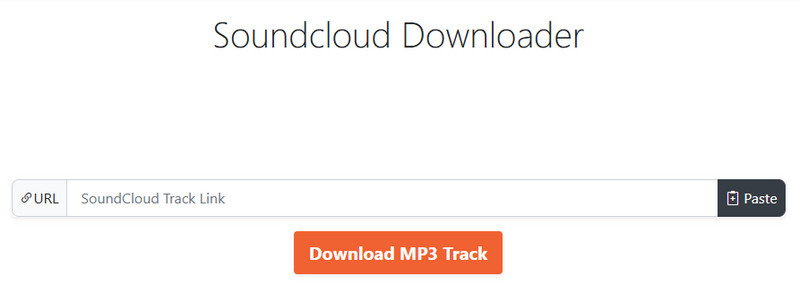
SoundCloud Downloader is one of the most trusted online tools that can help you save and download music from SoundCloud. With this tool, you can obtain the music without spending a penny. What makes the tool ideal is its fast conversion process. Plus, it is available on various web platforms, making it more accessible to all users.
2. DownCloudMe
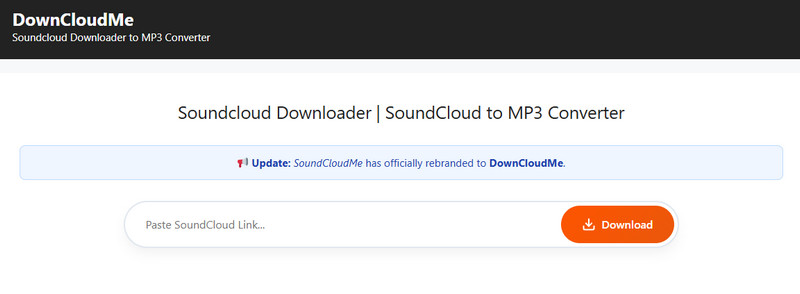
Another online-based tool you can rely on to effectively download SoundCloud songs as MP3 on your computer is DownCloudMe. This tool is among the tools that don't require installation. Plus, you can use this tool for free, making it more accessible to all users. The good thing here is that the conversion process is simple, thanks to the tool's simplicity.
3. SoundCloudMate
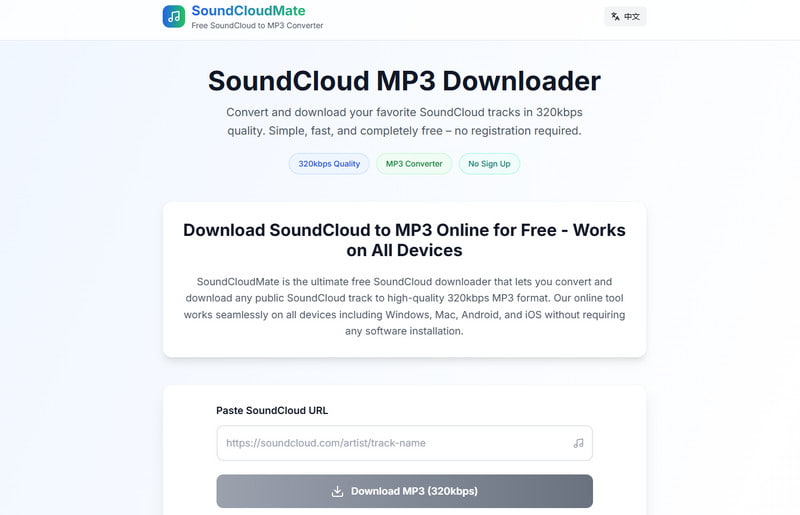
For our last user-friendly browser-based SoundCloud to MP3 converter, we suggest using SoundCloudMate. By pasting the SoundCloud link, users can convert recordings straight to MP3, usually producing files at 128–192 kbps quality. It is perfect for casual listeners who want quick, no-setup downloads and is available on all devices.
Limitations of the Online SoundCloud to MP3 Converters
- • Since the tools are online-based, they require a stable connection for a smooth conversion process.
- • Some of the tools can only offer 128 Kbps, which might not be satisfying to some avid listeners.
- • There are also some security concerns. Some online tools have ads, pop-ups, and trackers.
How to Download SoundCloud Songs Online
Want to learn how to download songs from SoundCloud to a computer using an online tool? Well, when using online tools, you will notice that they have the same pattern of downloading a song. So, to learn how to download your favorite music from SoundCloud, use the steps below.
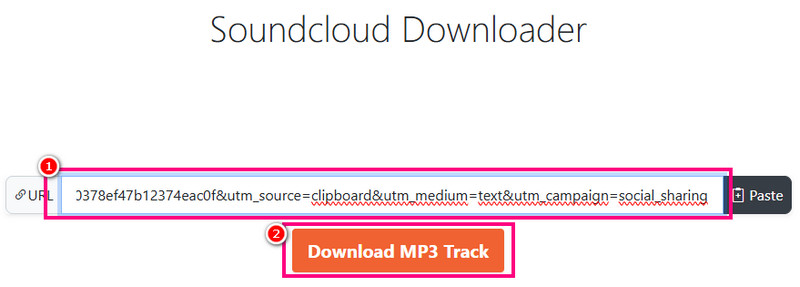
Step 1. You can choose your preferred online tool. You can also use SoundCloud Downloader as your tool.
Step 2. Then, from the SoundCloud platform, click the three-dot button to copy the link to the music.
Step 3. Now, start pasting the link to the box section. Once done, click the Download button. After that process, you can start playing the music on your desktop.
Part 4. FAQs about SoundCloud Download to PC
Q. Can you download music from SoundCloud?
A. Absolutely, yes. To download music from SoundCloud, you must have its subscription plan. However, take note that once the subscription expires, the saved music will also disappear.
Q. Can I download tracks from SoundCloud and save them as MP3s?
A. Unfortunately, no. You cannot save the music as MP3 files on your computer. SoundCloud can only let you save its music to its own library section.
Q. Is it safe to access online tools to download SoundCloud music?
A. If you are using the right tool, then there is no need to worry about your privacy and security. But, if you want a reliable music downloader, it would be better to access TopVox All Music Converter. This software ensures that you can keep your music and privacy.
Conclusion
To download SoundCloud to PC, you can use all the methods we have provided in this tutorial. You will also learn how to convert your SoundCloud music to MP3 using an online tool. Plus, if you need a professional software that can download your SoundCloud music permanently, we suggest using TopVox All Music Converter. This program can even save your song to various formats with the best quality, making it a powerful music downloader and converter for users.
Owen Bannett
Owen Bannett is a music enthusiasm as well as a senior writer. He has paid close attention on the pros & cons of various audio formats, bitrate, sample rate and encoding methods. Always seeking the best listening experience, Owen has deep insights about lossless music and diverse music converters on the markets.




 by
by