Complete Review of Krisp AI Meeting Note Taker Tool
 by Ethan Carter | April 9, 2026 | AI Note Taker
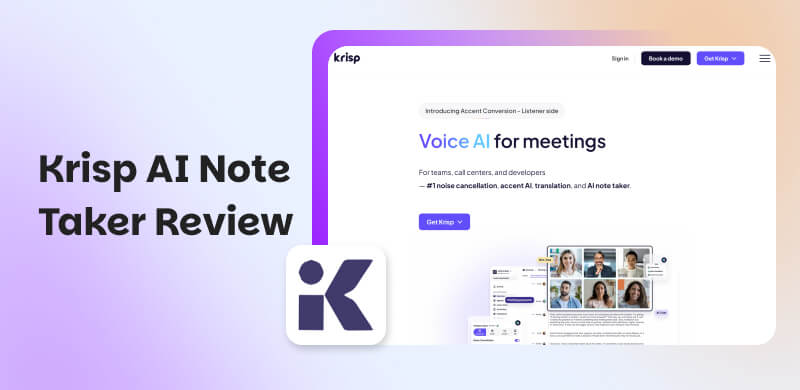
Having to attend a lot of meetings in a day is very stressful. We all got the feeling right? Because whether you are working from home or office, online meetings will definitely be there. There will always be information that we need to understand and remember to do our work efficiently. Yet, having to comprehend a lot might lead us to meeting fatigue. Thus, using a tool that automatically takes notes and details for you will be a great help and less stress for your work. In line with that, if you are thinking of using Krisp AI Note Taker as a solution, then you must read this article so that you will get to know more about its features, pros, cons, prices, and more.
Key Takeaways on Krisp AI Note Taker Review
- Krisp AI Note Taker is the best because of its real-time noise cancellation. Plus the fact that it is paired seamlessly with automated meeting transcription.
- It has a great function for delivering accurate, well-structured notes. All of these can save time and reduce manual effort.
- The tools emphasize strong privacy by processing audio locally.
- It is ideal for professionals and teams who want distraction-free meetings with reliable summaries.
Part 1. What is A Krisp AI Note Taker?
Krisp AI is known to be a ground-breaking tool for noise cancellation and has since developed into a full-featured Voice AI suite. At this moment, the tool is currently processing more than 1 billion minutes of voice audio per month. With that, it was named one of Time Magazine's Best Inventions of 2020 in the artificial intelligence category.
In addition Krisp AI is unique due to its incredible processing methodology. Because the tool uses machine learning algorithms to process all audio locally on your device which is contrast to cloud-based competitors. Because your audio never transfers to any cloud unless you specifically choose to, this guarantees that private conversations stay just that private. That is only an overview of the incredible tool of Krisp AI. We will discover more of its features and capabilities in the next part.
Part 2. Main Features: Why is Krisp AI Different?
Bot Free Transcription
Krisp AI is also known to be the only AI note-taking application that does not use bots to join your audio and video sessions. This allows a process without any visible AI participants. More than anything else, it records transcriptions, meeting notes, and summaries, making it ideal for private meetings where it would be improper to have visible bots present. Thus, transcription will become much smoother and not distracting with other participants of the meeting.
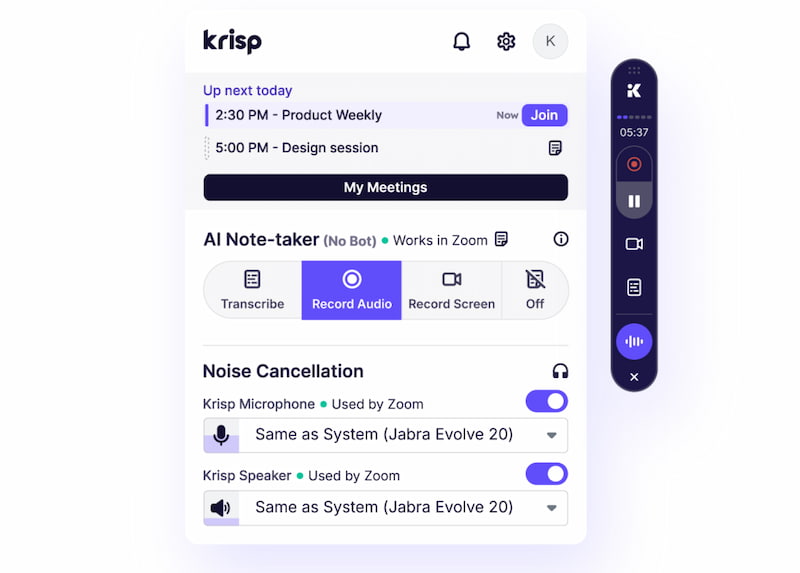
AI Noise Cancellation
As we mentioned above, Krisp is known for its AI-powered noise cancellation. Which is still one of the best products available in the market nowadays. More than that, Krisp's AI is trained to distinguish your voice from background noise. Then if you worry about the quality of the audio, then you do not have to because in order to preserve the naturalness and clarity of your speech, it can use exact background voice cancellation to block out echoes, clattering keyboards, domestic appliances, and even neighboring conversations.
Moreover, participants will only hear you once, not twice, thanks to its integrated echo cancellation feature, which also makes sure that sound from your speakers does not reverberate into the conversation.
AI Accent Conversion
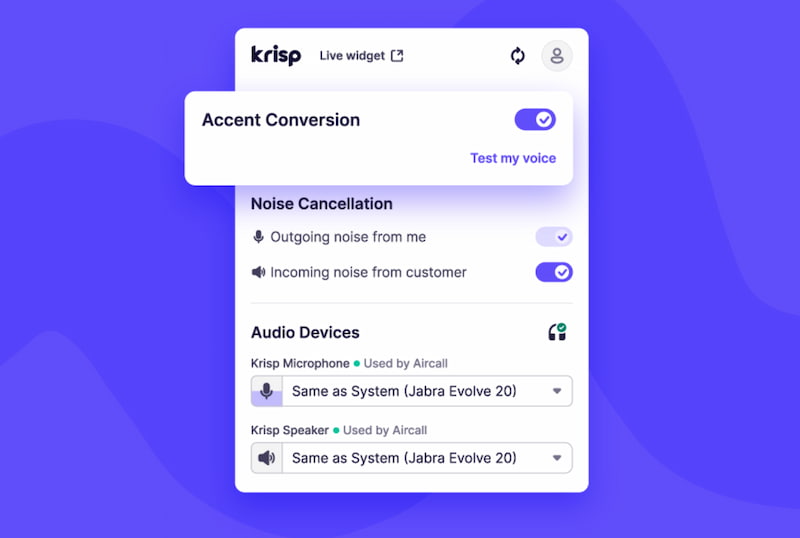
One of Krisp AI's most notable features is its AI Accent Conversion, which maintains each speaker's voice identity while making English sound more neutral. This is especially helpful for foreign teams and contact centers where the clarity of accents can affect how well people communicate. Therefore, there will be no more struggle in understanding the speaker accent because this AI tool can do it for you. Less stress and prevent meeting fatigue indeed.
AI Insights
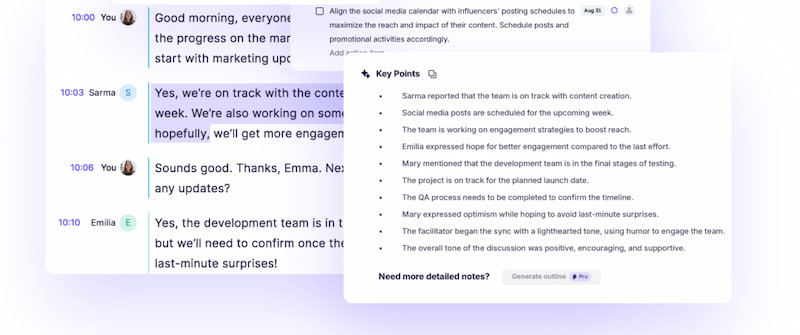
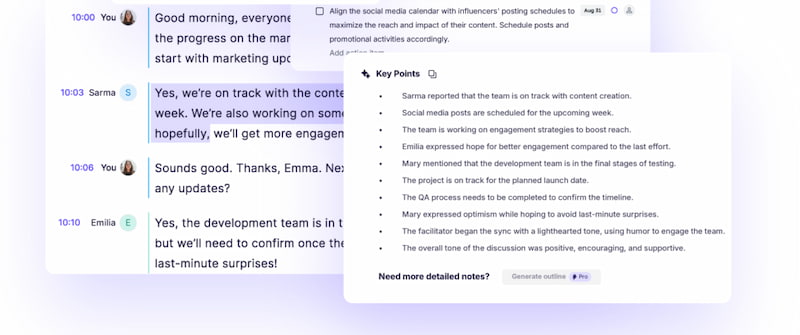
As we all know, Krisp AI automatically generates a clear, organized AI summary after the meeting has been done. With the use of it, you get an easy-to-digest of the main gist rather than having to sift through lengthy transcripts or try to remember specifics. In connection with that, AI Insights is also offered by this tool that allows users to see common conversation themes, possible roadblocks, or even meeting attitudes. This is more than just a summary because now, the teams can better understand why decisions were taken and what needs to be addressed going forward with the help of this important context.
Part 3. Pros and Cons of Krisp AI Meeting Note Taker
Pros
- Leading-Edge Noise Cancellation: The tool has a 40dB+ reduction that is effective even in loud places. Say goodbye with random noises in your meeting with this feature.
- Local Processing: Your device handles all audio processing. That means, there will be no chats transmitted to outside servers. Making your data safe.
- Bot-Free Transcription: Ideal for delicate discussions, this feature eliminates any obvious AI participants from your meetings.
- Unlimited Transcriptions: Unlimited transcribing feature available even with the free plan.
- Universal Compatibility: Compatible with more than 800 apps and there will be no special integrations required.
- Two-way Noise Cancellation: Noise is eliminated from both your audio and incoming audio via two-way cancellation making it very effective for clear audio.
Cons
- Noise Suppression Only on Desktops: Sadly, because real-time noise suppression is not supported by mobile apps. It only works with your macOS and Desktop computers.
- Voice Clipping in Noisy Environments: Speech can occasionally be clipped along with the noise in excessively noisy areas.
- RAM Usage: The application's high memory usage may have an impact on performance especially with your older machines.
- Occasional Robotic Sound: Voices can sound a little robotic when extremely loud noises break through.
Part 4. Pricing Plan: How to Choose the Fit One?
| Plan | Price (Annual Billing) | Key Features | Best For |
|---|---|---|---|
| Free | Free | Unlimited transcription. 60 min a day noise cancellation. 2 AI notes per day. 7-day history list. | Casual users who need basic transcription and occasional noise cancellation |
| Pro (Popular) | $8 per month | Unlimited transcriptions. 60 min a day for an accent conversion. 5 GB storage. 17 plus languages supported. | Freelancers, remote workers, and individuals needing full features at low cost |
| Business | $15 per month | 4 hour a day accent conversion. 30 GB storage. CRM integrations available. SSO and SCIM support. | Small to mid-sized teams that require collaboration tools and integrations |
| Enterprise | Custom | On-device transcription. Dedicated servers. SOC 2 compliance. Dedicated account manager. | Large organizations with strict compliance, security, and scalability needs |
Part 5. How to Start with Krisp AI?
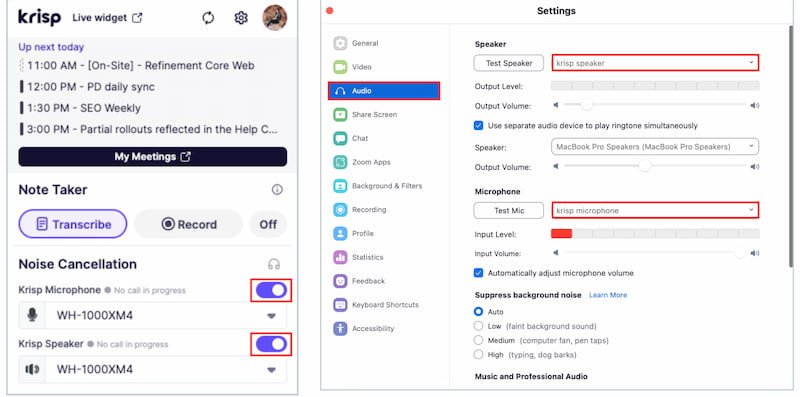
Here is a simple guide you can follow in order to know how to start with Krisp AI. After we learn its features and the things it can do. See this quick guide for you:
Step 1. The first thing we need to do is open Krisp AI on your computer.
Step 2. After that, please pick your physical microphone and speaker you wish to use and turn on Noise Cancellation toggles.
Step 3. Now, kindly select the Krisp AI microphone and speaker in the audio settings of the web-based app you intend to have noise cancellation in. Then you will be good to go.
Part 6. Other Software Options for Better AI Note-taking Experience
If you think you need more tools that might be better or similar to Krisp AI, then here are the top three alternatives for you. We will also help you comparing it.
Bluedot AI
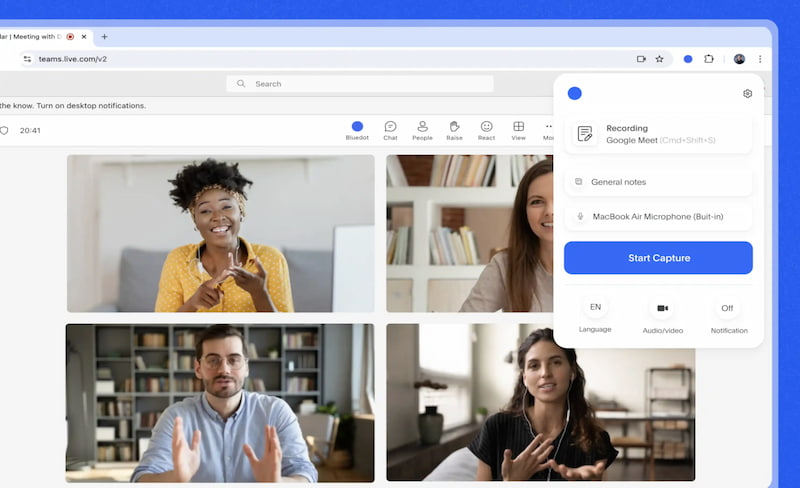
Bluedot AI is first on the list because of its focus on bot-free note-taking and recording audio straight from your device. It is also effective with providing transcription, summaries, and wide language support. The best thing about this tool is its ability to place a strong emphasis on privacy by making sure user data will not be utilized to build AI models. The software is flexible for professionals because it connects with programs like Teams, Zoom, Slack, and Notion. Users who appreciate smooth, undetectable note-taking with robust privacy safeguards will find it ideal.
Avoma
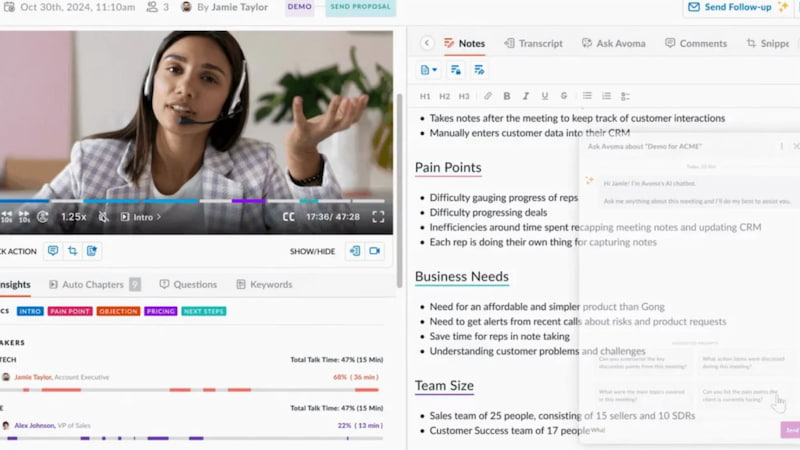
The second alternative to Krisp AI is Avoma because of its robust CRM automation and coaching tools. This tool is built for teamwork, sales, and customer success that helps teams increase productivity and optimize workflows by offering transcription, summary, deal insights, and meeting analytics. More than that this tool is a powerful enterprise solution because of its extensive integration with calendars, conferencing platforms, and CRM systems. It’s best for organizations that want actionable insights and automation tied directly to customer interactions.
Granola
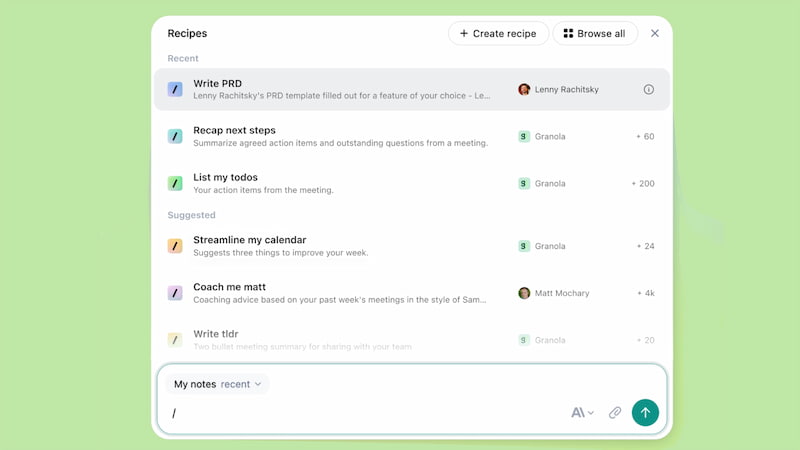
Third on the list is the incredible Granola AI which has a simple, bot-free note-taking application that records audio straight from your device without requiring you to attend meetings. For individuals and small teams, it is straightforward but efficient because it concentrates on transcription, summarization, and improved live notes. A key component is privacy, as local device capture guarantees less data leakage. For consumers who like simple, distraction-free note-taking without intricate integrations, Granola is ideal.
Comparison of Krisp AI Alternatives
| Feature | Krisp | Bluedot AI | Avoma | Granola |
|---|---|---|---|---|
| Best For | Individuals & teams needing noise cancellation plus transcription. | Professionals who want bot-free, invisible note-taking | Sales, customer success, and teams needing CRM automation and coaching | Lightweight users who want enhanced notes without bots. |
| Bot-Free | Bot-free transcription and notes | Bot-free. | Bots join meetings for recording. | Bot-free. |
| Noise Cancellation | Industry-leading suppression. | Focused on transcription and not with noise. | No noise cancellation. | No noise cancellation |
| Integrations | CRM and conferencing apps | CRM, Notion, Slack, Teams, and Zoom. | Deep CRM integrations, scheduling, and coaching. | Zapier workflows. |
| Privacy | SOC 2 compliance. | Does not use data to train AI models. | Enterprise-grade compliance. | Local device capture, lightweight privacy |
| AI Features | Transcription, summarization, accent conversion, AI notes | Transcription, summaries, multilingual support | Transcription, summarization, deal insights, coaching | Transcription, summarization, enhanced live notes |
| CRM Automation | CRM integrations. | Auto-updates CRM. | Strong CRM automation & lead routing. | Limited via Zapier only. |
You May Also Like
FAQs about Krisp AI Note Taker
Q: What makes Krisp AI unique from others?
A: Krisp AI is unique because of its capability to integrate AI insights, transcription, accent conversion, and strong noise cancellation. More than that, this tool offers better privacy protection than many of its rivals because it processes audio locally on your device. Both of these reasons set apart Krisp AI from other tools.
Q: Is it safe to use Krisp AI for private meetings?
A: Yes, because Krisp AI processes audio on-device. That means it does not automatically upload it to the cloud. Therefore, it is a reliable tool for those that value data security and privacy. It simply means that your data will not go with any cloud because date will only store on your computer only.
Q: Does Krisp AI automatically generate meeting summaries?
A: Yes. After the meeting Krisp AI produces organized summaries and insights for you to review. This feature never fails in assisting users in rapidly comprehending important details without having to read lengthy transcripts.
Conclusion
We can now conclude that Krisp AI Note Taker is a potent tool for professionals looking to minimize meeting fatigue and maintain productivity without overlooking crucial facts. Because this tool will do the taking notes for you. But we also learned that it also offers more than simply note-taking because it also improves communication quality overall with its industry-leading noise cancellation, bot-free transcribing, AI summaries, and distinctive accent conversion feature. Let us now make your daily work easy with Krisp AI Note Taker.
Ethan Carter creates in-depth content, timely news, and practical guides on AI audio, helping readers understand AI audio tools, making them accessible to non-experts. He specializes in reviewing top AI tools, explaining the ethics of AI music, and covering regulations. He uses data-driven insights and analysis, making his work trusted.