Creating Podcasts with Google AI Podcast Generator: How Does It Work?
 by Ethan Carter | April 9, 2026 | AI Podcast Tools
Podcast media is one of the interesting kinds of media for entertainment and learning. Yet, it is also one of the most processed media to create. From generating ideas to editing each audio for a great outcome. Good thing, due to the rise of AI technology, we can now create podcasts with ease. One of the tools that we can use is the NotebookLM of Google AI Podcast Generator. That is why, in this post, we will tackle important points about this tool and see how it became great in the field of podcast creation. Get to know more about this tool now by reading the details reviewed for you.
Part 1. Google AI Podcast Generator: What is NotebookLM?
What is Google NotebookLM?
Users are mainly using NotebookLM from Google for three things, these are to learn faster, present with confidence, and to unlock their creative skills. This tool helps us learn faster by allowing us to upload our lectures from school or training. With that, it explains some complicated topics for us to understand quickly. More than that, through the lectures you uploaded the tool also can create a detailed presentation outline that you can use for your reports or performance tasks. Indeed, it helps us be more confident with our presentation.
Moreover, it is also a tool to allow us to be more creative. In fact, it can now help us generate podcasts with its newest feature. Basically, all of your notes, documents, transcripts, or articles that you have uploaded will automatically generate short podcast‑style episodes. Moreover, NotebookLM has various AI voices from its library with over 120 in some versions. This Enables a natural‑sounding multilingual audio output.
How Does NotebookLM Work?
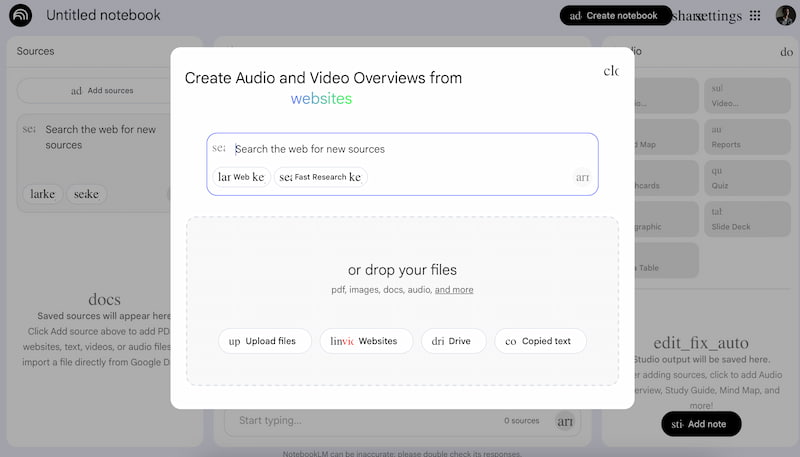
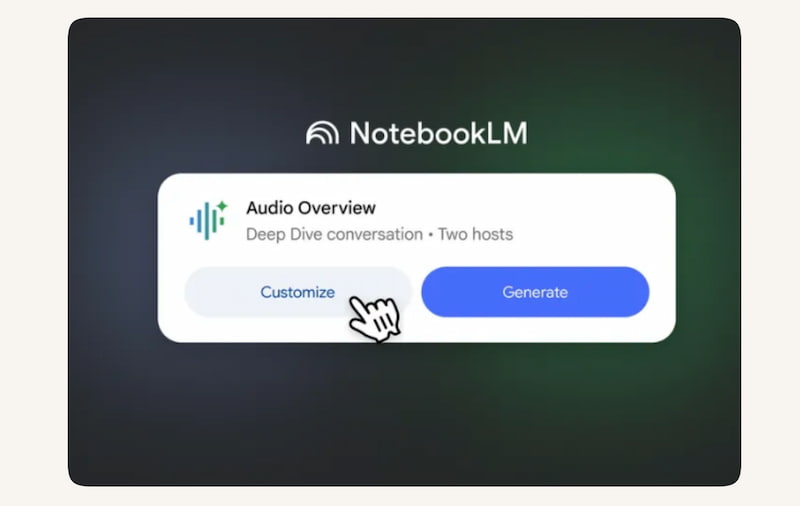
Gemini Integration lets NotebookLM work. That is right, NotebookLM is powered by Google’s Gemini multimodal models. With that, these two tools can process text, audio, video, and slides. Easily, Google Gemini analyzes the uploaded sources like PDFs, Docs, YouTube videos, audio files, etc. and builds a structured knowledge based on the data you have written. After that, the podcast generator feature of it will now use this knowledge base to script a conversational dialogue between two AI hosts.
Pros
- The tool can convert complex documents into audio.
- Integrated Gemini multimodal AI for you.
- The tools are very helpful for students and professionals.
- Provides citations and references for transparency.
Cons
- There might be a risk for misinterpreting content
- AI voices may still sound artificial or repetitive.
- Limited availability and early-stage reliability.
- Possible misattribution of sources or factual errors.
- Ethical concerns around voice cloning and likeness rights.
Part 2. Key Features of Google NotebookLM Podcast Generator
Accurate Transcription
As we all know, NotebookLM leverages Gemini’s multimodal AI to transcribe your uploaded documents, or even videos from YouTube. Therefore, you can now expect that the tool can capture spoken words, technical terms, and contextual meaning, ensuring reliable source material for podcast creation. It makes it one of the leading tools that has a high accuracy when it comes to transcriptions.
Automated Content Organization
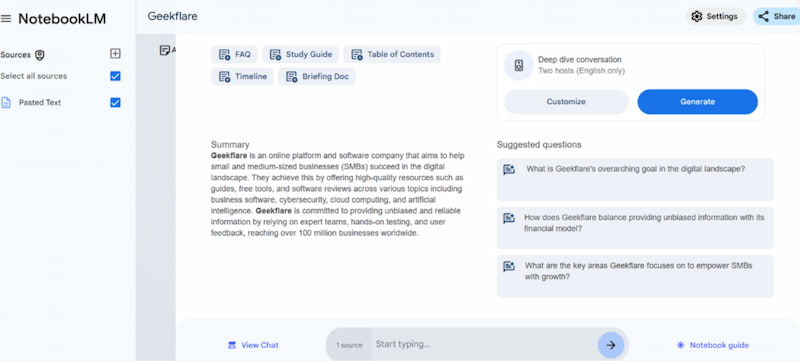
In NotebookLM, we can also expect that the system does not just transcribe, it also structures the information you need for your podcast. Thus, Gemini organizes all of your notes into themes, highlights, and summaries.
Enhanced Audio Quality
Another good thing with NotebookLM is its audio quality. That is possible because of Google's advanced text-to-speech technology that allows us to generate clear, natural-sounding voices for our podcast. In this tool you can notice that the audio is optimized for smooth pacing, reduced distortion, and balanced tone. All of this will give the final podcast a professional and studio-like quality.
Share Across Platforms
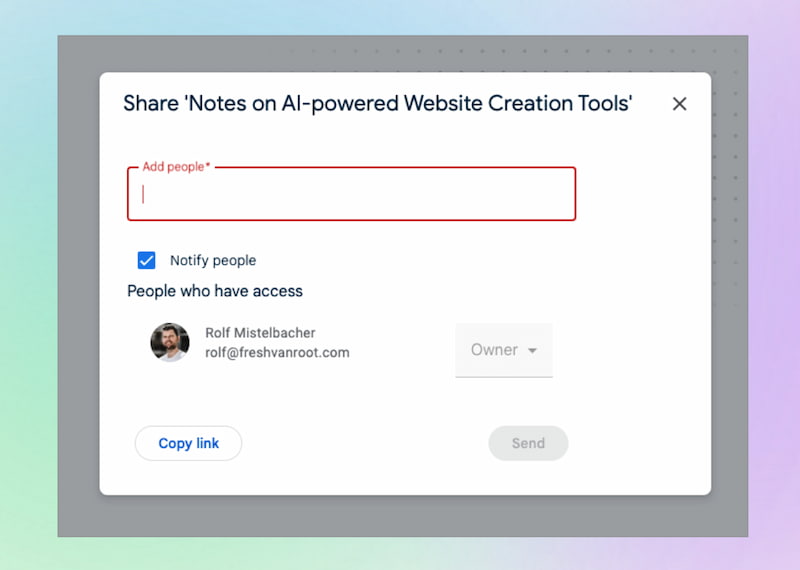
More than the technicalities of its feature, NotebookLM also cares about collaboration. Because once you are done generating, the podcasts can now be exported and shared across multiple platforms like Google Drive, YouTube, or podcast apps. This makes it easy for users or teams to distribute content widely.
Convert YouTube Videos into Podcasts
NotebookLM can ingest YouTube video transcripts or audio, summarize the content, and transform it into a podcast episode. This is especially useful for turning lectures, interviews, or tutorials into portable audio learning.
AI‑Generated Hosts
Instead of a monotone narration, NotebookLM creates two AI hosts who discuss the material conversationally. This dual‑voice format makes the podcast engaging, simulates human dialogue, and helps listeners retain information better.
Part 3. Create a Podcast with Google AI Podcast Generator
Let us now proceed with the simple steps we need to take in order to create your podcast using Google AI Podcast Generator.
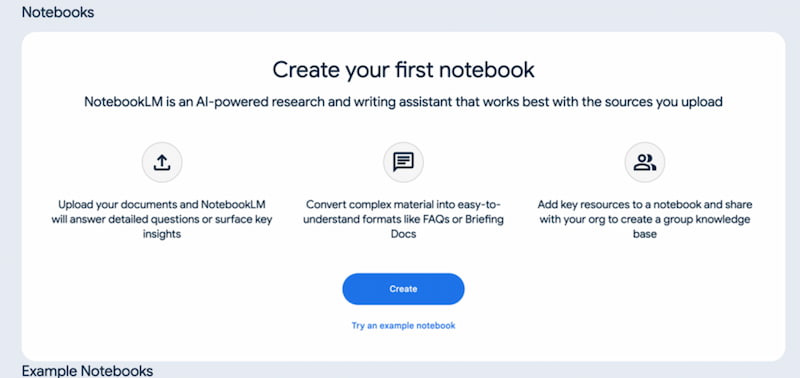
Step 1. We can go with your web browser and access the NotebookLM site. From there, you will have to sign in with your Google account. Then, right after you see the editing interface of it, click the Create button now.
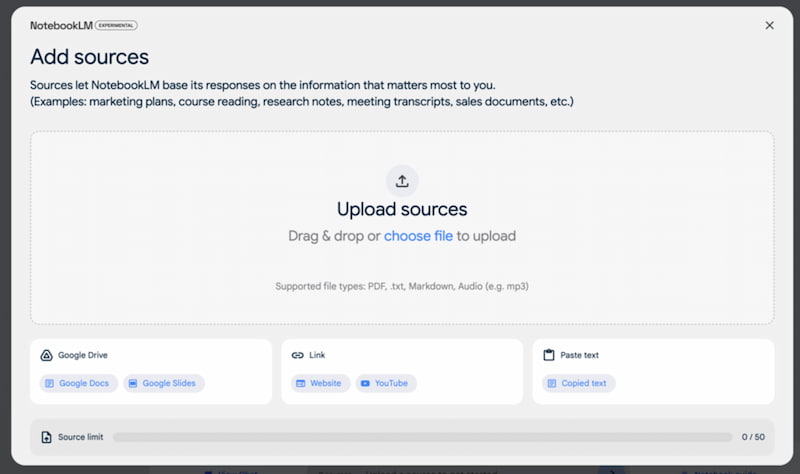
Step 2. Then click the Upload Resource button now to choose the files you want to create.
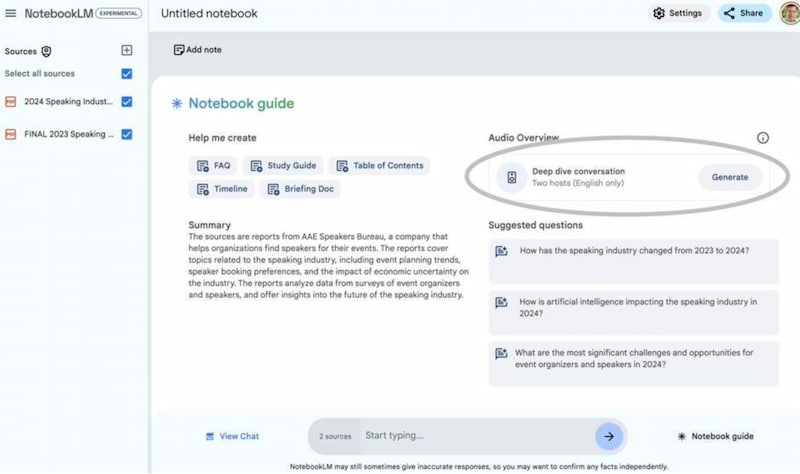
Step 3. Once your content is uploaded, you will now see the Notebook Guide screen. This tab will provide a short summary of your sources and offers some options that you can create based on the data. You can choose from there or type specific themes you like.
Step 4. After that, please proceed with the Generate button and you will need to wait for a few minutes until your podcast is ready to be saved.
Part 4. Comparison of NotebookLM and Other Alternatives
NoteGPT
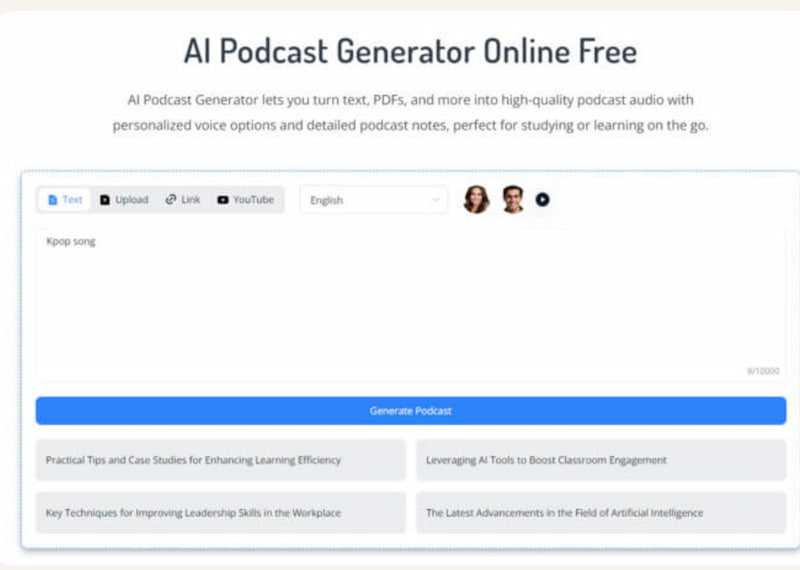
First on the list is NoteGPT, mainly because this tool can convert text, PDFs, and YouTube videos into podcasts with customizable AI voices of your choice. More than that, it offers transcription, summarization, and multilingual support. All of these features make it versatile for educators, creators, and teams in terms of easy generation of podcasts.
Skywork.ai
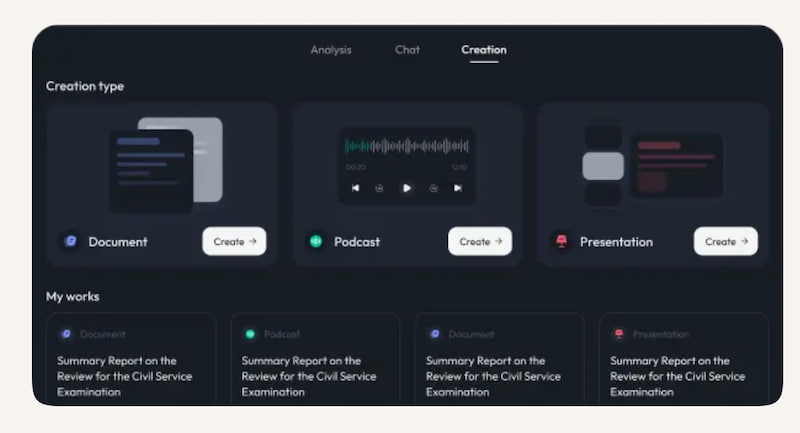
Skywork.ai is the tool you are looking for to provide you an end-to-end podcast generator with auto-scripting, AI voice synthesis, analytics, and editing features. This tool is specifically designed for individuals and marketing teams. Because it helps them simplify production and distribution across platforms like Spotify and YouTube.
Descript
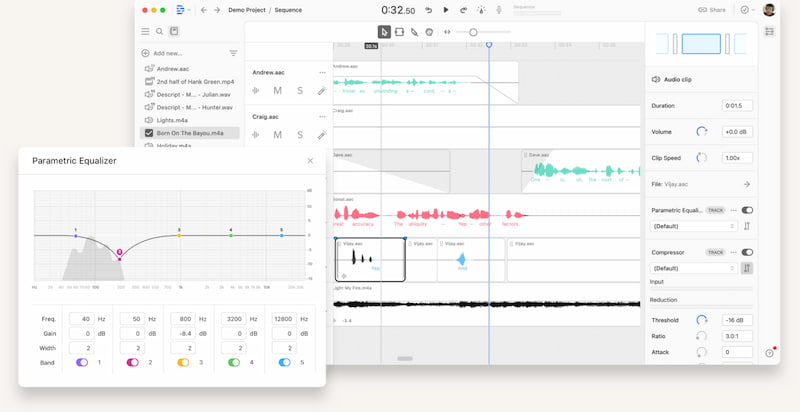
Descript is the next alternative because of its AI-powered podcast and video studio that allows users in editing and modifying transcripts. The tool is cool by combining recording, transcripting, text-based editing, AI voices, and collaboration tools, making production as intuitive as editing a document.
Rev
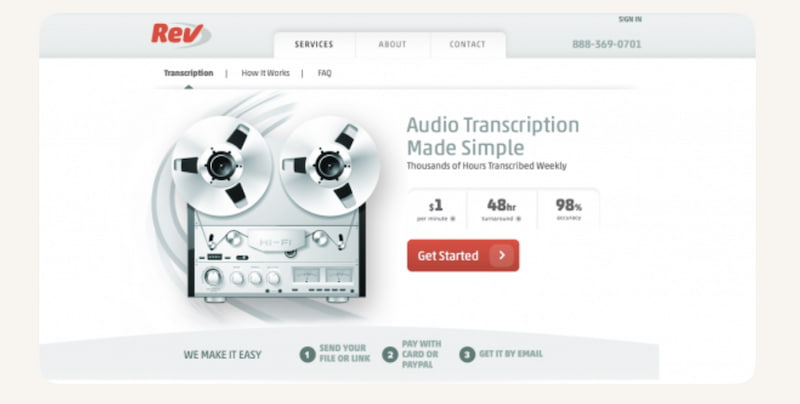
Specializes in highly accurate transcription services for podcasts and audio content. Offers human-verified and AI-generated transcripts, boosting accessibility, SEO, and editing efficiency, with support for over 57 languages.
You May Also Like
How to Use CapCut Text to Speech and Best Alternatives in 2026
Guidelines for Using TikTok Voice Changer and an Alternative
| Feature | NotebookLM | NoteGPT | Skywork.ai | Descript | Rev |
|---|---|---|---|---|---|
| Audio Quality | High, natural AI voices. | Good, customizable voices. | Professional-grade synthesis | Strong, with editing polish. | Dependent on source audio. |
| Voice Customization | Multiple AI voices, dual-host format. | Wide range, multilingual. | Customizable voices for branding. | AI voice cloning and overdubs | None. |
| Content Sources | Docs, PDFs, YouTube, audio, multimodal. | Text, PDFs, websites, YouTube. | Scripts, notes, marketing content. | Audio, video, transcripts. | Audio files, podcasts. |
| Script Editing | Automated conversational scripting. | Basic summarization. | Auto-script with editing options. | Full transcript-based editing. | No script editing. |
| Ecosystem Integration | Google Docs, Drive, YouTube. | Flexible, web-based. | Distribution to Spotify, YouTube. | Integrates with editing workflows. | Export to text, captions. |
FAQs on Google AI Podcast Generator
Q: Can I customize the voices in NotebookLM?
A: Yes, you can customize the voice in NotebookLM. Because the tool is great with providing multiple AI voices, multilingual options, and a dual‑host conversational format. This feature keeps ensuring users with engaging, natural-sounding podcast experiences. Additionally, it is possible because of Gemini Integration with the tool.
Q: What content can I use when generating with NotebookLM?
A: You can use any type of documents with data on it. Specifically, you can upload PDFs, Google Docs, YouTube videos, audio files, and more as long as it contains the data you wish to hear on your podcast. Moreover, NotebookLM integrates multimodal inputs, enabling flexible, dynamic podcast creation across diverse sources.
Q: Are there ethical concerns when generating podcasts with NotebookLM?
A: Yes, there might be some concerns whenever we use NotebookLM. These concerns include voice cloning usage, likeness rights, and lawsuits challenging whether AI voices unlawfully replicate real individuals without consent.
Conclusion
Therefore we conclude that Google AI Podcast Generated by the face of NotebookLM is a great tool that makes it easier to produce a podcast. We can see that its Gemini integration makes it more efficient with the process it does. No wonder why many users keep using it nowadays. Yet, if you think you need more options, then alternatives like NoteGPT, Skywork.ai, Descript, and Rev are also great when it comes to providing podcasts from the documents we upload.
Ethan Carter creates in-depth content, timely news, and practical guides on AI audio, helping readers understand AI audio tools, making them accessible to non-experts. He specializes in reviewing top AI tools, explaining the ethics of AI music, and covering regulations. He uses data-driven insights and analysis, making his work trusted.