How to Download YouTube Music to MP3 for Free on Any Device
Are you looking for the easiest way to download YouTube music for offline listening? Whether you want MP3 or MP4 files, various applications may let you store your favorite songs quickly and for free. We've compiled a list of the finest 7 free YouTube Music downloaders for 2026, ranging from basic internet converters to feature-rich desktop programs. This article evaluates their performance, features, and ease of use so you can select the best option for your needs.

1. TopVox All Music Converter
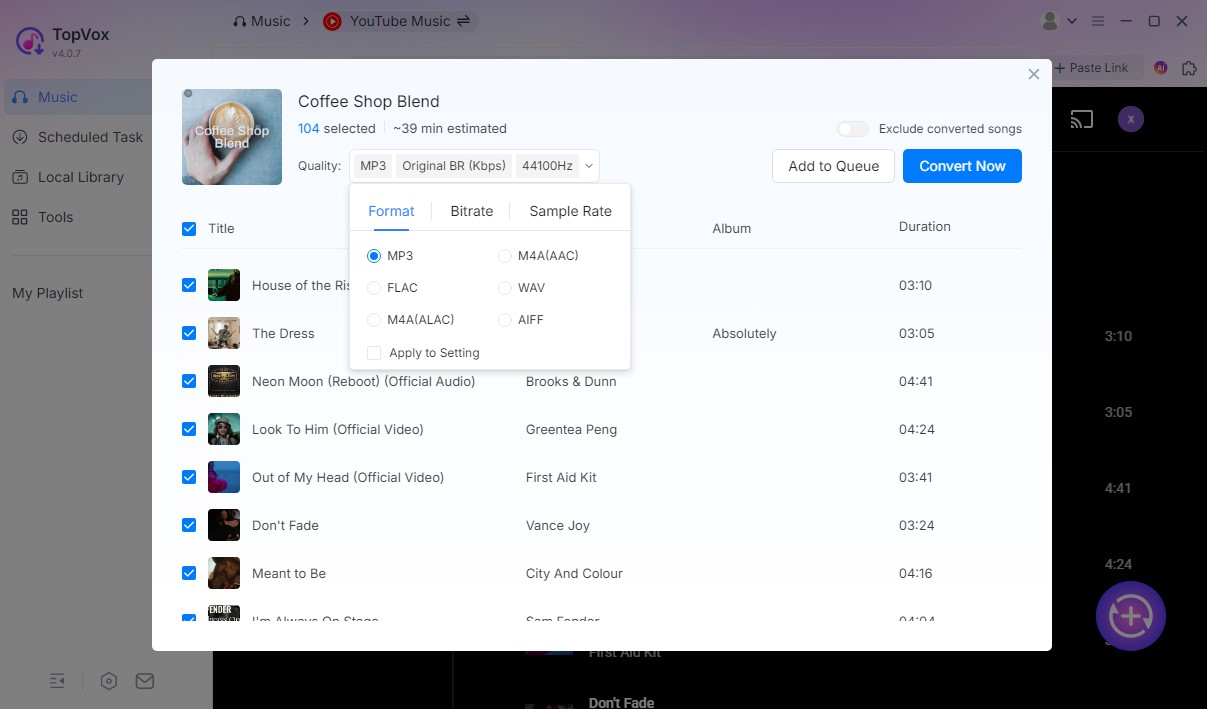
TopVox All Music Converter is a premium all-in-one Youtube Music downloader and converter that works with your Windows and macOS devices. It is intended for those who seek lossless audio quality, quick conversion times, and complete control over their downloaded files. More than that, this tool helps you get the music you love to hear for free anytime and anywhere. You only need to convert the music you want from the Youtube Site of TopVox All Music Convert and you will be good to go. In line with that, here are the key features you can enjoy in this tool and the simple steps you can follow below.

Features
- Supports MP3, M4A, FLAC, and WAV output formats.
- Maintains 100% original sound quality and ID3 tags.
- Batch download and conversion support.
- Built-in music player with quick preview.
- Works with both Windows and macOS.
Steps to Use TopVox All Music Converter
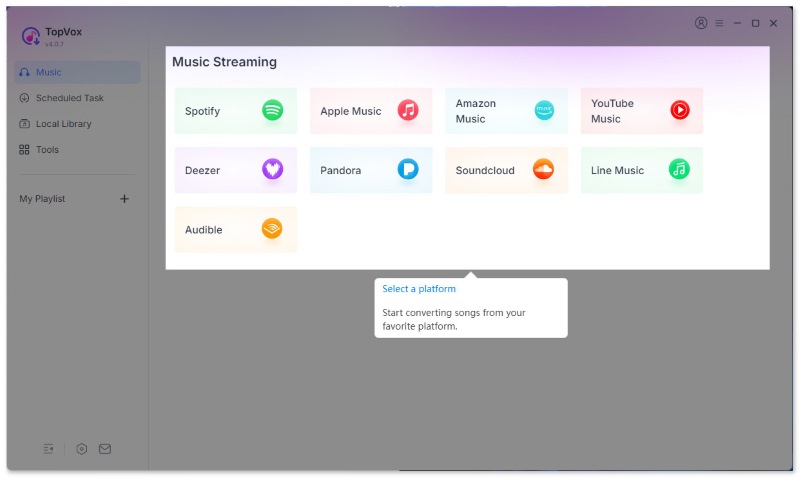
Step 1. Download and install TopVox All Music Converter. Then, launch the app and sign in with your YouTube account.
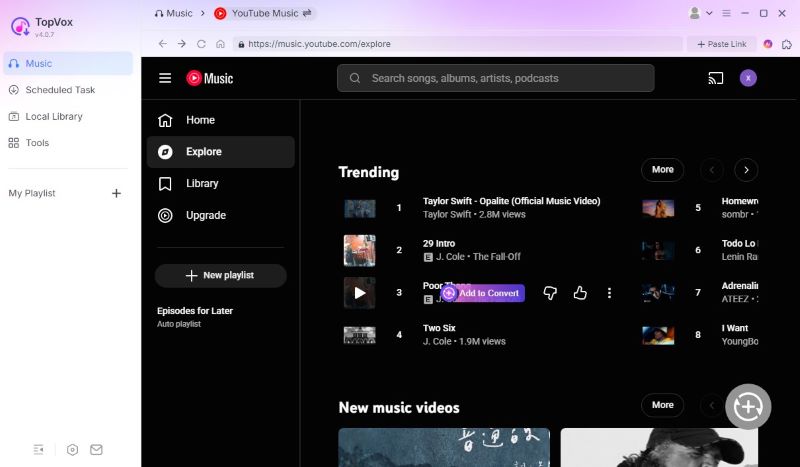
Step 2. Choose the song or playlist you want to download from YouTube. Please click the Add to Convert button to continue.
Step 3. Change the output format and audio quality, and then click the Convert Now icon to download your favorite tracks.
Verdict
TopVox provides a professional, ad-free experience for users looking to create a permanent and high-quality music library.
2. AllavSoft
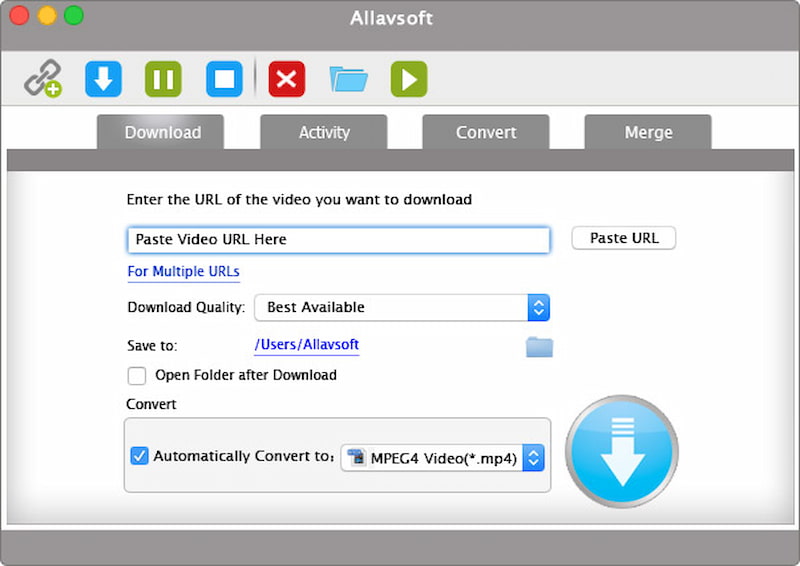
Allavsoft is a multipurpose software that allows users to download audio and video files from prominent streaming services like YouTube, Spotify, and Vimeo. Its user-friendly layout allows you to effortlessly explore the application and select your desired media format before downloading it seamlessly.
Allavsoft supports a wide range of audio formats for downloading audio files from YouTube, including MP3, WMA, WAV, AAC, AAC, and more. All you have to do is copy and paste the URL of the YouTube video you want to download to Allavsoft. From there, you may choose the audio format you want, and Allavsoft will do the rest.
Features
- Downloads from YouTube, Spotify, Vimeo, and more than 1000 sites.
- MP3, WMA, WAV, and AAC formats are supported, among others.
- Batch download and auto-convert to your favorite format
- Enables video-to-audio extraction.
- Integrated video player.
Steps to Use Allavsoft
Step 1. Copy the YouTube video link and paste it into Allavsoft.
Step 2. Choose your favorite output format such as MP3 or WAV.
Step 3. Click Download to begin saving the file.
Verdict
AllavSoft is a dependable desktop application for large downloads and format compatibility. It's fast, simple, and ideal for transcoding numerous YouTube songs at once.
3. aTube Catcher
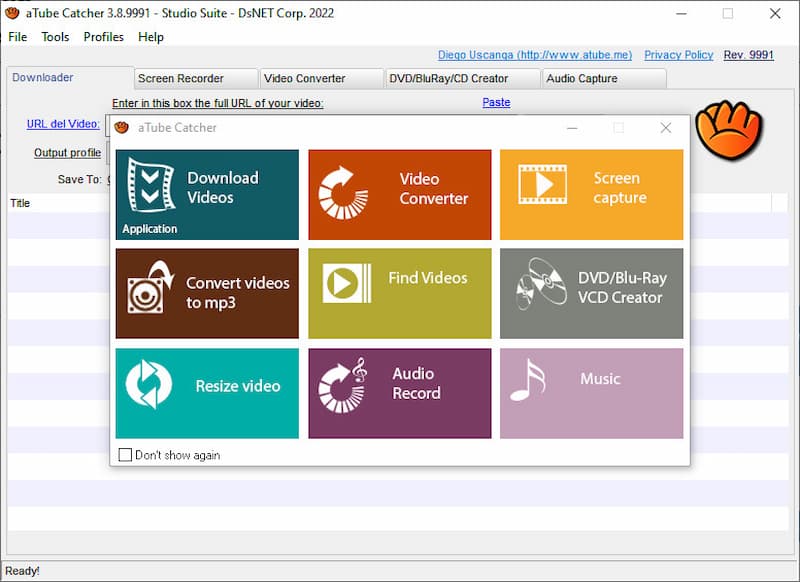
aTube Catcher is another versatile YouTube Music Downloader that is commonly used to download great music from different platforms including YouTube and many more. You can export multimedia information in a variety of formats, including MP4, MP3, WMA, WMV, FLAC, and WAV. It's another free YouTube Music download software you shouldn't miss.
Features
- Downloads and recordings from YouTube, Vimeo, Facebook, and other platforms.
- Converts into MP3, MP4, WMV, FLAC, or WAV.
- Built-in screen recorder and DVD creator.
- Supports batch processing.
- 100% free for Windows.
Steps to Use aTube Catcher
Step 1. Paste the YouTube video link into aTube Catcher.
Step 2. Select your export format MP3, FLAC, or MP4.
Step 3. Click Download to begin saving the media.
Verdict
aTube Catcher is excellent for Windows users seeking both downloading and recording capabilities. It's multipurpose, lightweight, and ideal for high-quality music storage.
4. Y2mate
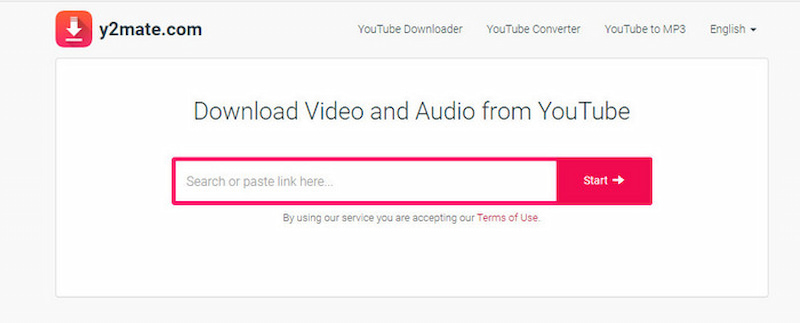
Y2mate is one of the most widely used internet applications for downloading YouTube music. It requires no installation, making it ideal for users who like quick and easy conversions right from their browser.
Features
- Download in MP3, MP4, M4A, and WEBM format.
- No registration is necessary.
- The conversion process is fast and simple.
- Works on all browsers and devices.
Steps to Use Y2mate
Step 1. Go to Y2mate and paste your YouTube URL.
Step 2. Select MP3 or MP4 as the format.
Step 3. Click Download to convert and save the file.
Verdict
Y2mate is ideal for rapid browser-based downloads. It's straightforward and convenient, but it doesn't have advanced features like lossless audio or metadata retention.
5. Ssvid YouTube to MP3 Converter
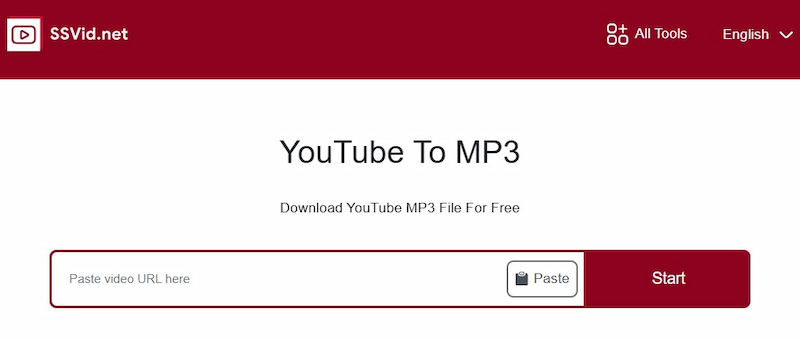
Ssvid YouTube to MP3 Converter is another useful web-based tool for converting YouTube videos to high-quality MP3s. It is lightweight, easy to use, and does not require an account.
Features
- High-speed MP3 transcoding.
- Supports HD and 320kbps audio.
- Compatible with: PC, Mac, Android, and iOS.
- No installation required.
Steps to Use Ssvid YouTube to MP3
Step 1. Go to the Ssvid page and paste your YouTube URL.
Step 2. Select MP3 and the appropriate quality.
Step 3. Click Download to save the song.
Verdict
Ssvid is a quick and simple online MP3 converter. It's dependable for daily usage and works seamlessly across several devices.
6. OnlyMP3
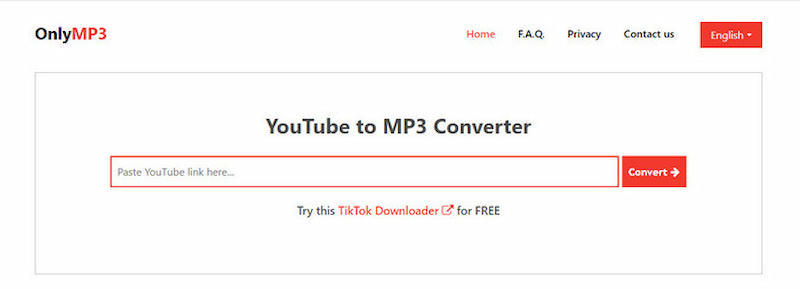
When it comes to free online YouTube downloaders, OnlyMP3 YouTube to MP3 Converter (Link: https://en.onlymp3.io) is one of the greatest options to consider. It's a sophisticated web application that lets you easily convert YouTube videos to MP3 audio files with a single click. This digital portal is extremely efficient and user-friendly, making it ideal for anyone who needs to extract audio data from YouTube content, such as music fans or content makers.
Features
- Converts YouTube videos to MP3s fast.
- Keeps audio in 320kbps high quality.
- Works without software installation.
- Save files directly to Dropbox or a local drive.
- Compatible with all major browsers.
Steps to Use OnlyMP3
Step 1. Enter your YouTube link into OnlyMP3's input bar.
Step 2. Select MP3 as the output format.
Step 3. Click Convert to download the file.
Verdict
OnlyMP3 is one of the most straightforward and clean internet converters available. It is free, speedy, and allows you to listen to 320kbps MP3s without installing any software.
7. Savefrom
SaveFrom has long been one of the most popular methods for downloading YouTube music tracks. This free internet downloader allows users to save songs directly to their devices without having to install any additional software. You may simply convert and download videos in a variety of formats, including MP3 for audio and MP4 for video.

Features
- Converts YouTube videos to MP3 and MP4.
- No app installation is required.
- A simple paste-and-download interface.
- Fast and dependable downloads.
- Supports numerous streaming websites.
Steps to Use Saveform
Step 1. Go to SaveFrom and paste your YouTube URL.
Step 2. Select MP3 or MP4 as the output format.
Step 3. Click Download to save the file locally.
Verdict
SaveFrom is still a reliable internet downloader for YouTube Music. It's fast, ad-free, and great for those who want quick results without having to utilize any additional programs.
Comparison Table of Top 7 Free YouTube Music Downloader
Choosing the best YouTube Music downloader is determined by your requirements, whether you want a speedy web tool or a feature-rich desktop client. The chart below ranks the top 7 free YouTube Music downloaders based on compatibility, output quality, batch support, ad-free experience, and overall usability.
| Type | Supported OS | Output Formats | Lossless Quality | Batch Downloads | Retains ID3 Tags | Ad-Free | Ease of Use | Pricing |
| TopVox All Music Converter | Desktop | Windows, macOS | MP3, M4A, WAV, FLAC | Yes | Yes | Yes | Yes | 5/5 | Free Trial / Paid |
| AllavSoft | Desktop | Windows, macOS | MP3, WAV, AAC, WMA | Yes | Yes | Yes | Yes | 4/5 | Free / Paid |
| aTube Catcher | Desktop | Windows | MP3, MP4, WMV, FLAC | Yes | Yes | No | Yes | 4/5 | Free |
| Y2mate | Online | All (Web) | MP3, MP4 | No | No | No | No | 3/5 | Free |
| Ssvid | Online | All (Web) | MP3 | 320kbps | No | No | Yes | 4/5 | Free |
| OnlyMP3 | Online | All (Web) | MP3 | 320kbps | No | No | Yes | 4/5 | Free |
| SaveFrom | Online | All (Web) | MP3, MP4 | Yes | No | No | Yes | 4/5 | Free |
Conclusion
With these seven trusted tools, downloading YouTube music is easier than ever. Whether you prefer a simple internet converter or a complex desktop tool, there is an option for everyone. TopVox All Music Converter is the greatest choice for people looking for the highest quality, fastest conversion time, and lifetime access to their favorite tunes. Give it a try today and you'll have complete control over your YouTube Music library, anytime, anywhere, forever.
Owen Bannett
Owen Bannett is a music enthusiasm as well as a senior writer. He has paid close attention on the pros & cons of various audio formats, bitrate, sample rate and encoding methods. Always seeking the best listening experience, Owen has deep insights about lossless music and diverse music converters on the markets.




 by
by