2026 Review of Fathom AI Notetaker: Features, Pricing & Honest Test
 by Ethan Carter | May 26, 2026 | AI Note Taker
Being thrown to the corporate world to make a living is part of growing up. Then, being part of the corporate world can also consist of having to attend a lot of meetings. Sometimes, we get overwhelmed by it. Even if you take notes of everything, that process of taking notes itself is also an additional task for us. Therefore, you might need help from an AI note taking tool such as Fathom AI Note Take. We get it now why you are here. Well, let us review its features and the things it can offer for you, how much would it cost you, and a few alternatives you can also use. Read now and make your bombarded meeting schedule be productive and efficient.
Part 1. What is a Fathom AI Notetaker?
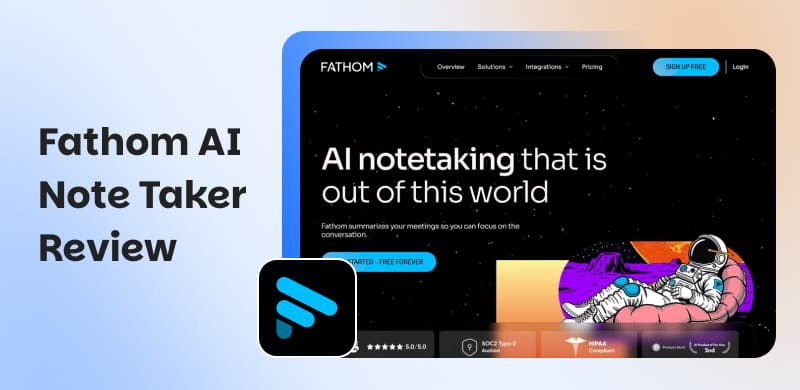
Fathom AI Notetaker is an AI-powered meeting assistant that can help us transcribe and summarize Microsoft Teams, Zoom, and Google Meet meetings in real time. One good thing about this tool is its measure approach. It is most likely influenced by the product philosophy of its founder, Richard White. Don't create quickly, build carefully.
As we all know in 2020, when the world began to transition to remote work and the number of virtual meetings increased dramatically. It was the Coronavirus era, but it is also when Fathom was established. White was conducting 15 to 20 Zoom calls each day at the time for user research. The suffering was evident in the hasty note-taking, overlooked ideas, and poor follow-ups. The concept was sparked by that mess: what if AI could do more than simply record meetings? What if it could also intelligently identify and emphasize the important points? That is the interesting history of Fathom AI.
Part 2. Fathom Reviews: Why Choose Fathom in 2026?
Record Meeting with Live Transcription
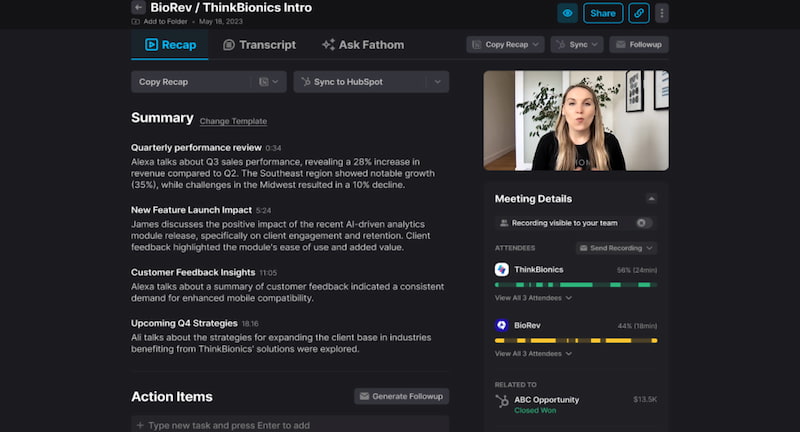
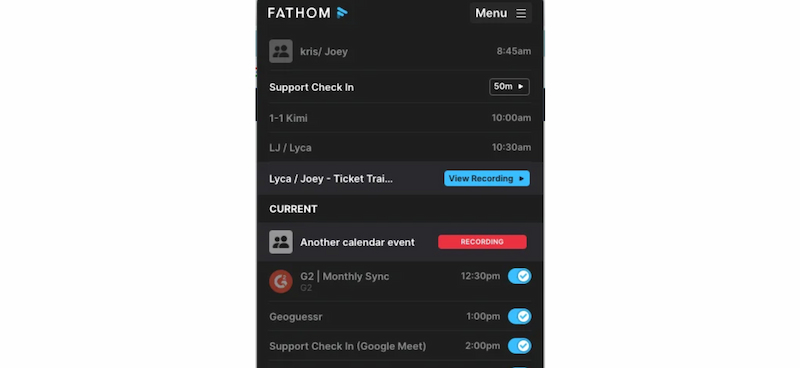
Fathom participates automatically in Zoom, Google Meet, or MSTeams calls which are the leading online meetings up until now. You may call it a bot because the tool will automatically attend selected meetings, record the conversation, and transcribe everything in real time once it is connected to your calendar and has been given the appropriate rights. The way screen recording operates is that Fathom will record the meeting's video stream, including any shared screens.
Clickable Transcriptions
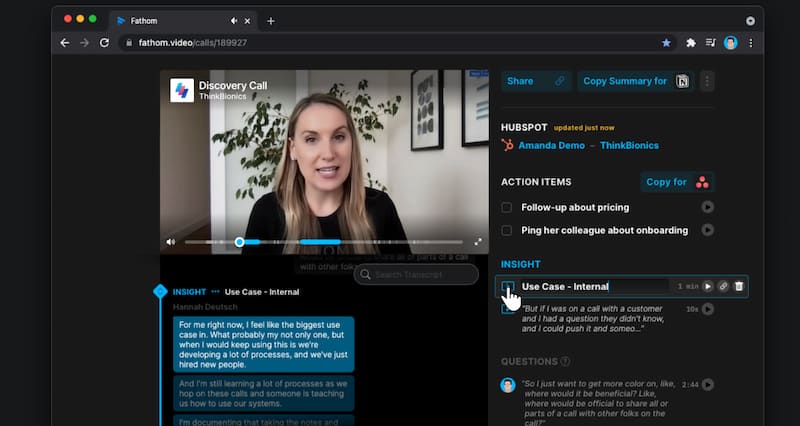
A complete transcript will be sent to you as soon as the meeting concludes. You can click on any sentence to go directly to that section of the film, and each speaker is recognized. There is more to Fathom's transcripts than just searching through them. They can also be edited. Before sharing, you can rearrange the speakers, edit the text, or cut out unnecessary words. This makes maintaining a neat, professional meeting record archive very simple.
Sharable Transcription and Minutes
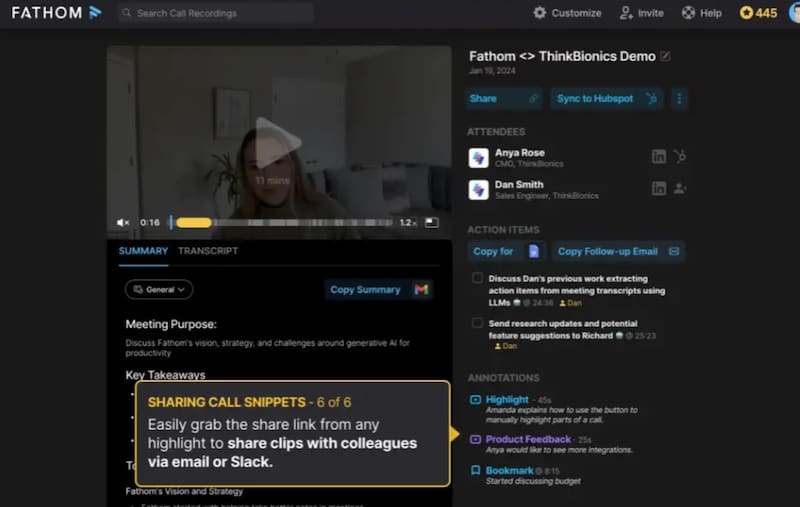
A single link may be used to share any content you produce in Fathom, including highlights, video clips, and AI summaries. Links can be sent externally to partners and clients or kept internal to your organization.
Pros and Cons of Fathom AI Notetaker
Pros
- Accurate transcripts of your meetings.
- Works with Zoom, Meet, and with Teams.
- Auto-highlights key points from the meetings.
- Easy sharing with your team for collaboration.
- Saves time and no manual notes needed.
- Free plan available.
Cons
- Limited tool integrations.
- Paid features can be pricey.
- It works best with English language only.
- Errors with jargon or overlap during the meeting.
- It needs a stable internet for smooth work.
- Some learning curve.
Part 3. Fathom Pricing: How to Choose your Plan?
| Plan | Cost | Key Features | Best For |
|---|---|---|---|
| Free Plan | Free | ●Unlimited recordings & transcriptions ●AI calls summaries. ●Clips & playlists. ●Search across calls. | Individuals, freelancers, students, or professionals who want powerful note-taking without paying.. |
| Premium | Paid (monthly/annual options) | ●All Free features. ●Advanced search and organization. ●Custom highlights and summaries. | Professionals who handle multiple meetings/projects and need deeper control, smarter search, and customization. |
| Team Edition | $19/user/month ($15 annual) | ●All Premium features. ●Global search across shared calls. ●Playlists of highlights. ●Collaboration tools. ●Custom transcription vocabulary. ●Single sign-on | Small to mid-sized teams like marketing, sales, customer success that need shared access, collaboration, and alignment on meeting insights. |
Part 4. Comparison with Fathom and the Alternatives
Otter.ai
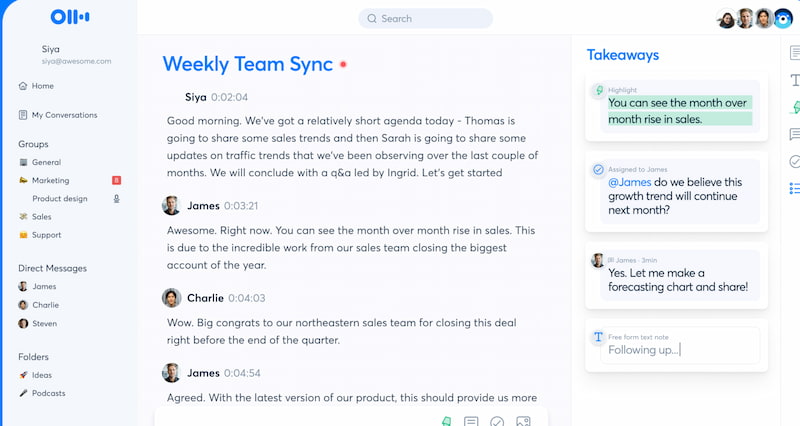
Otter.ai is one of the most widely recognized transcription and collaboration tools, offering real-time note-taking during meetings, lectures, and interviews. That is why it is one of the great alternatives to Fathom AI. More than that, the tool supports multiple platforms and languages, making it popular among educators, journalists, and business teams who need searchable, shareable transcripts with live collaboration features. Thus, if you are one of the persons mentioned, then this alternative might work for you as well.
Jamie
Jamie is the second on the list of Fathom AI Alternatives because of its privacy-first AI note taker built for professionals in regulated industries or those who value confidentiality. Unlike most competitors, Jamie works offline, ensuring sensitive conversations remain secure. It’s especially suited for executives, consultants, and legal professionals who require accurate summaries without compromising data privacy. Thus, if you are in the legal field, this is for you.
MeetGeek
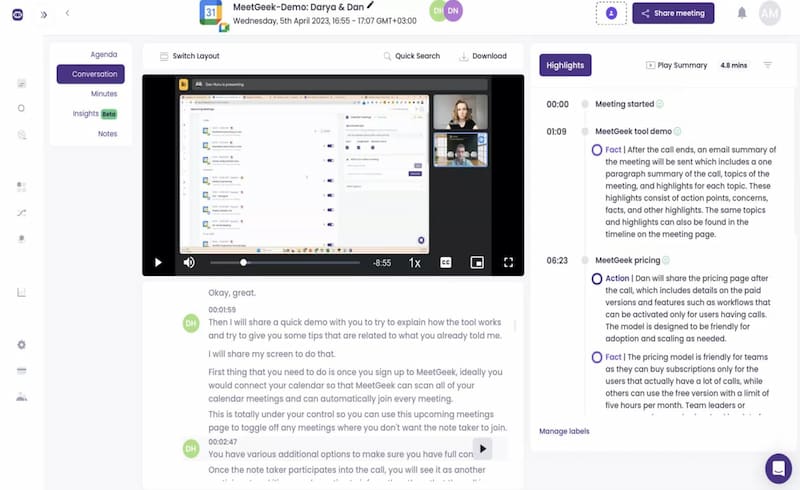
MeetGeek is an AI meeting assistant focused on automation and CRM integration, helping teams streamline workflows by syncing meeting insights directly into sales and customer success platforms. It is also one of Fathom AI's great alternatives because of its integration for CRM. More than that, the tool provides contextual summaries, keyword alerts, and automation features, making it a strong choice for remote teams and organizations with client-facing roles.
Comparison Charts of Fathom AI Alternatives
| Tool | Best For | Platform Support | CRM Integration | Language Support | AI Features Access | Free Plan | Online/Offline |
|---|---|---|---|---|---|---|---|
| Fathom | Individuals & teams needing unlimited free notes. | Zoom, Google Meet, Teams. | Available in Business plan. | Primarily English. | AI summaries, highlights, search, playlists. | Yes. | Online only. |
| Otter.ai | Teams in tech, education, media needing real-time collaboration. | Web, iOS, Android, Zoom, Meet, Teams. | Limited. | Multi-language. | Real-time transcription, searchable notes. | Yes. | Online only. |
| Jamie | Privacy-conscious professionals, regulated industries. | Windows, macOS, iOS, Android. | No CRM sync. | Multi-language. | Offline transcription, privacy-first AI summaries. | Yes. | Works offline. |
| MeetGeek | Remote teams, sales, customer success needing automation | Zoom, Meet, Teams, Web. | Strong CRM integrations. | Multi-language. | Contextual AI summaries, automation workflows. | Yes. | Online only. |
FAQs on Fathom AI Notetaker Review
Is Fathom really free?
Yes, there are no hidden limits on the number of recordings or transcriptions that can be made with the individual free plan.
Why should I get the Team Edition or Premium Edition of Fathom AI?
Team Edition and Premium edition of Fathom really helps especially with organization or a whole corporation team. This is because the Team Edition facilitates cooperation, shared insights, and organizational alignment, while Premium offers more sophisticated search and customization options. Both offer incredible features that help a certain team or a business for a smoother process of communication.
Is CRM integration supported by Fathom AI?
Yes. However it is only available in the business plan, where coaching metrics and CRM sync are included. Thus, paying a certain cost is needed.
How accurate is Fathom's transcribing ability?
Strong overall, but best in English.
Can I use Fathom AI even though I am only a student?
Yes. Although Fathom AI was created for business meetings, researchers, teachers, and students who desire precise notes from lectures, interviews, or study sessions can also benefit from its transcription and summarizing functions.
Conclusion
As we get into the conclusion, Fathom AI has accurate transcripts, limitless free recordings, and clever summaries that increase productivity and save time. More than that it is a potent meeting assistant. While competitors like MeetGeek, Jamie, and Otter.ai fill distinct markets, its Premium and Team plans offer personalization and teamwork. Fathom is the most generous and useful option for contemporary meetings, regardless of whether you're an individual, a privacy-conscious professional, or a team in need of a CRM connection. Overall, using an AI note take can really help us to do a lot of meetings and save important details from it.
Ethan Carter creates in-depth content, timely news, and practical guides on AI audio, helping readers understand AI audio tools, making them accessible to non-experts. He specializes in reviewing top AI tools, explaining the ethics of AI music, and covering regulations. He uses data-driven insights and analysis, making his work trusted.