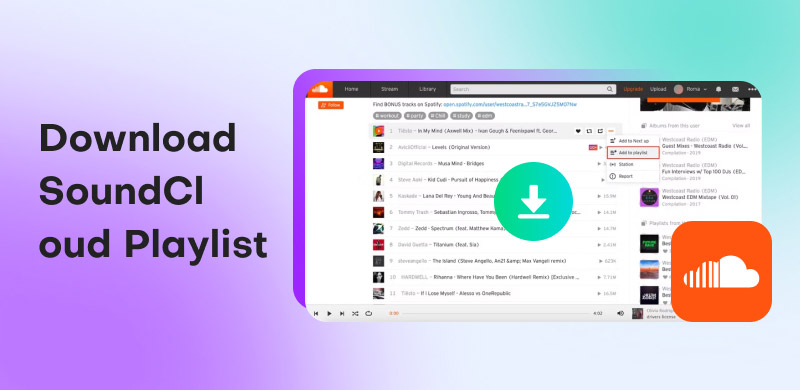
How to Download SoundCloud Playlist Without Missing a Track
SoundCloud is one of the world's largest music streaming services, offering numerous playlists. While creating and sharing playlists is easy, downloading them for offline listening can be a more challenging task. To make it easier, we’ve put together four effective ways to download SoundCloud playlists. We will provide solutions by showing multiple methods, including online tools, browser extensions, mobile shortcuts, and dedicated software. This way, you can enjoy your music anytime, even without an internet connection.
Part 1. Best Way to Batch Download SoundCloud Playlists [Windows/Mac]
TopVox All Music Converter is a one-stop music downloader totally compatible with Windows and Mac. It provides access to your best-loved SoundCloud playlists, tracks, artists, podcasts, remixes, and major label releases. This software lets you batch download a playlist from SoundCloud simultaneously. It can deliver excellent sound quality of up to 48,000 Hz and 320 kbps. In addition to SoundCloud, it also supports Apple Music, Amazon Music, Pandora, Deezer, Line Music, Spotify, YouTube Music and Audible.
Features
- High-quality audio output up to 320 kbps and 48,000 Hz.
- Access to the other eight music streaming services beyond SoundCloud.
- Batch download support for full SoundCloud playlists or tracks at once.
- Export downloaded songs in MP3, M4A (AAC), WAV, FLAC, AIFF, or M4A (ALAC).
Here’s how to download a SoundCloud playlist on Windows and Mac:
Step 1. Start by securing the free download of TopVox All Music Converter.
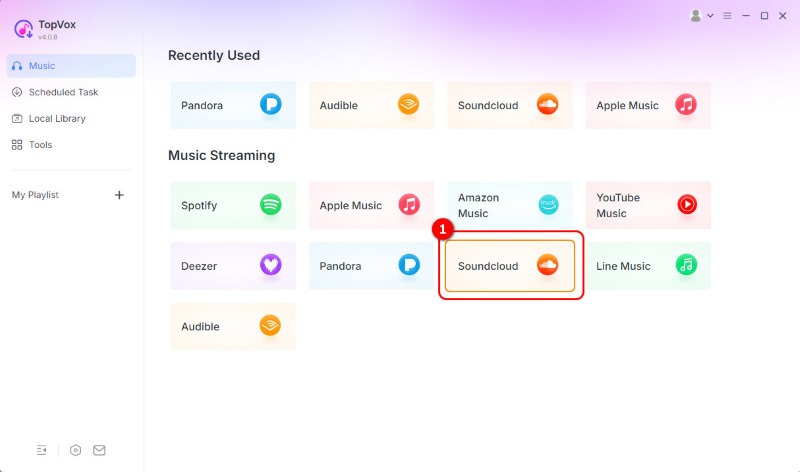
Step 2. On the TopVox home screen, you will see tiles for various music streaming services. Select the SoundCloud tile to open the integrated browser for SoundCloud. Sign in to your SoundCloud account and navigate to the playlist you want to download.
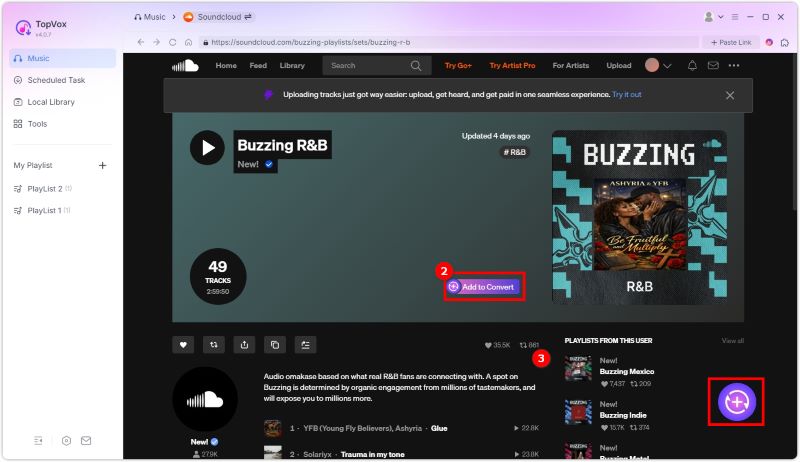
Step 3. With the playlist open, you can click Add to convert besides song name to download single tracks. You may also select the Add Button with a plus sign to add the entire playlist or album you selected.
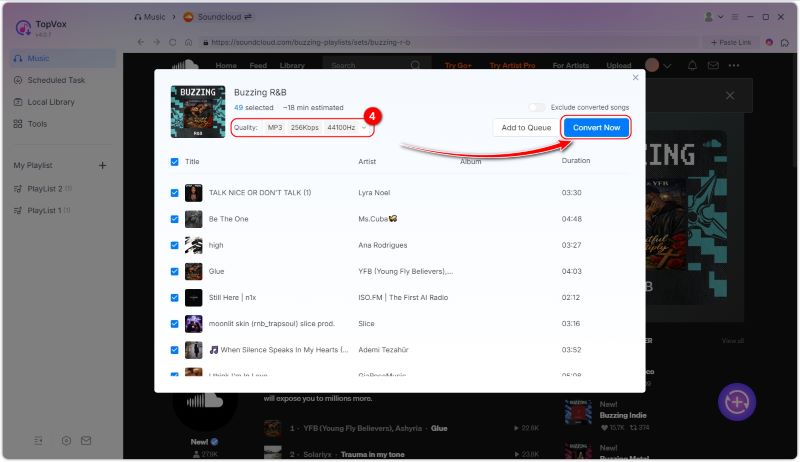
Step 4. By default, the resulting files are configured to download in MP3 format (256 kbps, 44,100 Hz). Still, you can modify your output preferences. After setting down and adding all songs, click Convert Now to download every track in the playlist.
TopVox Al Music Converter provides an effortless way to batch download SoundCloud playlists. It lets you enjoy your favorite playlists for offline listening without dealing with DRM and Content ID systems. It ensures you get high-quality files that you can keep permanently.
Part 2. Download SoundCloud Playlists Online
SoundcloudMe
SoundcloudMe is a browser-based SoundCloud to MP3 converter that allows you to save playlists for offline listening. It can extract audio with a bitrate of up to 320 kbps to ensure music remains crisp on every device. Additionally, there are no restrictions for saving playlists, songs, DJ sets, or podcasts.
Here’s how to download a SoundCloud playlist to MP3 in SoundcloudMe:
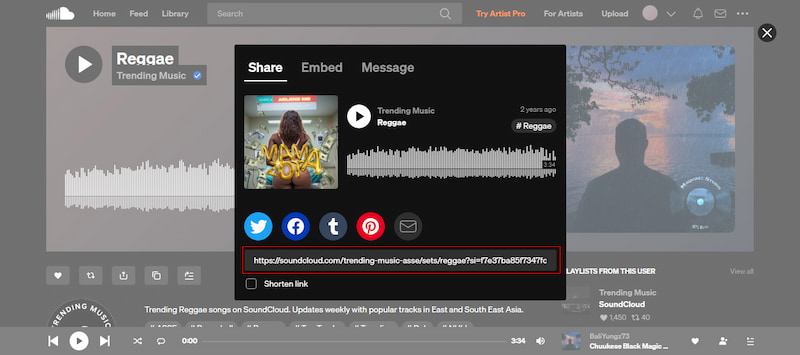
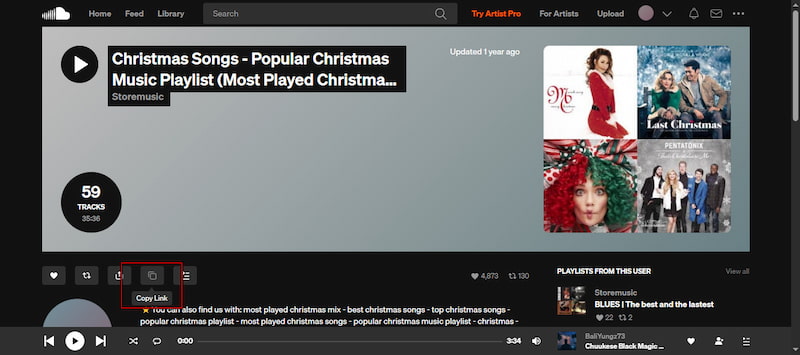
Step 1. On SoundCloud, navigate to the playlist you want to download. Click Share and copy the link so you have the playlist URL ready.
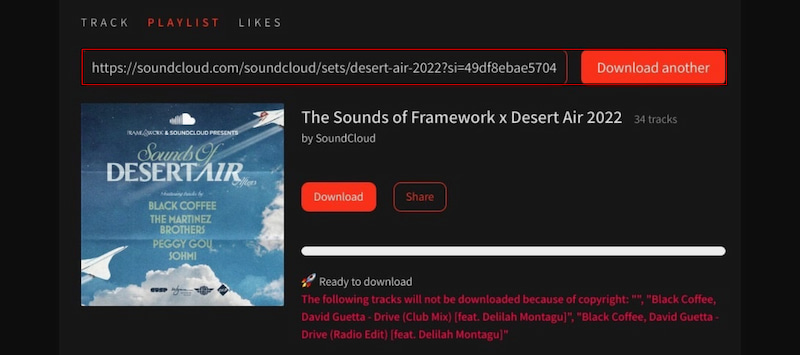
Step 2. In a new browser tab, open SoundcloudMe, and you’ll see an input box. Paste the playlist link you copied from SoundCloud into this box.
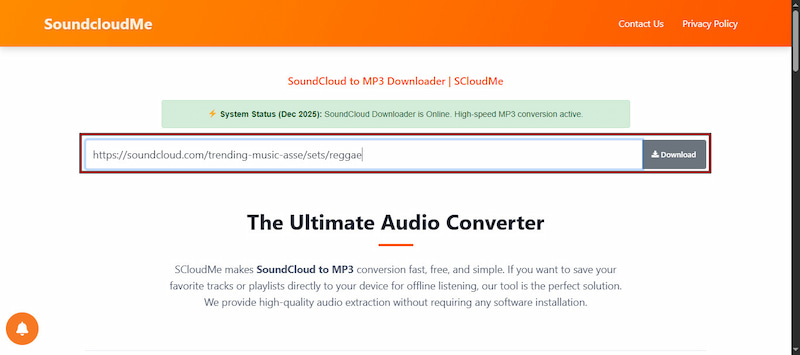
Step 3. Click the Download button by the input box to process the link. Once the MP3 files are ready, click the individual Download buttons to save each track from the playlist.
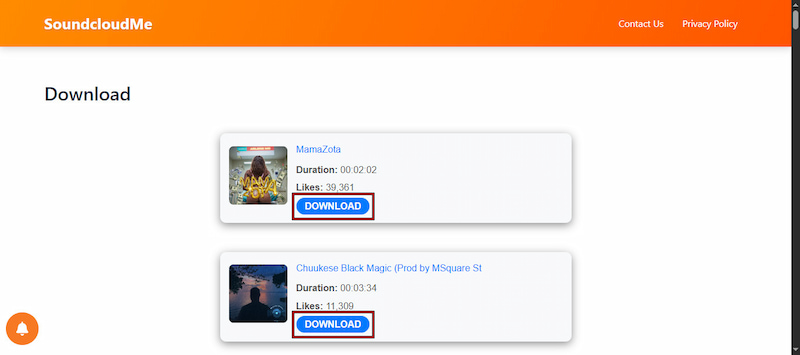
SoundcloudMe requires no software downloads to download your dearly-loved playlists. However, instead of downloading a full batch, you need to download each track individually.
Downloadsound.cloud
Downloadsound.cloud is another browser-based SoundCloud downloader to download SoundCloud playlists as a ZIP. It quickly analyzes the playlist link, displays basic information, and starts downloading directly from the browser.
Step 1. Open SoundCloud and proceed to the playlist you want to save. Click the Copy Link or copy the URL from your browser bar.
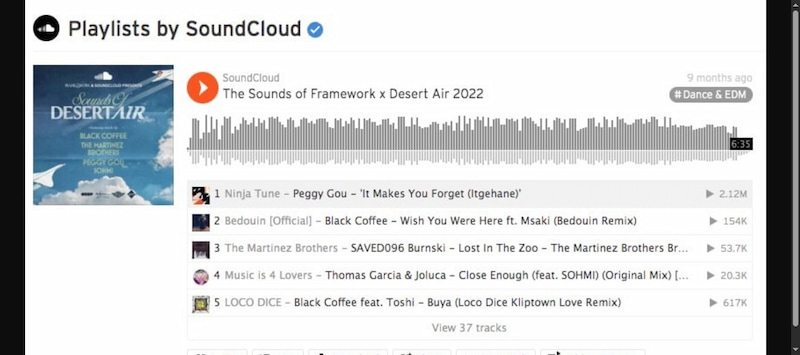
Step 2. On the Downloadsound.cloud page, paste the playlist URL into the input box. Click Download to package the playlist into a ZIP file containing the MP3 tracks.
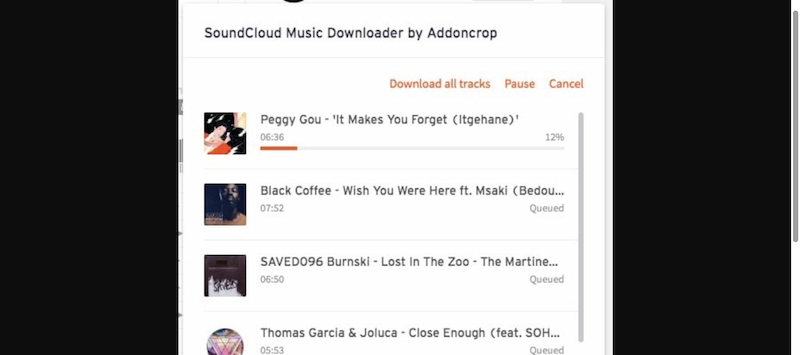
Downloadsound.cloud is a practical online solution for downloading SoundCloud playlists as a ZIP file. However, it cannot download SoundCloud Go+ songs or those protected by copyright.
Part 3. Download SoundCloud Album on Mobile
The Shortcuts app allows you to easily download SoundCloud albums directly on your iPhone. This method enables you to save tracks without requiring a computer or specialized software. You simply install a custom shortcut, connect it to SoundCloud, and export the files to your device.
Here’s how to download SoundCloud songs or albums on mobile:
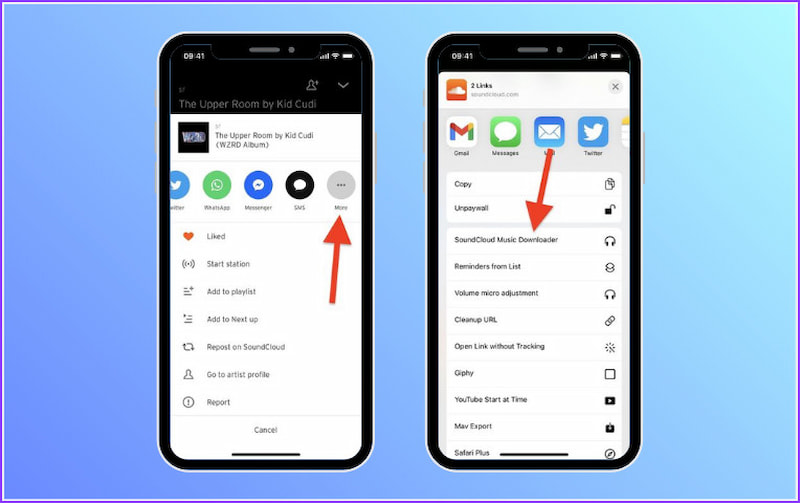
Step 1. Run the Shortcut app and tap Create Shortcut on the main screen. Search for SoundCloud Music Downloader and add it to your shortcut library.
Step 2. Launch the SoundCloud app and head to the album you want to download. Tap the three dots button and tap More from the menu.
Step 3. Tap Share and scroll down the share sheet to find SoundCloud Music Downloader. Select it to start the download process. Wait until it completes, then find your saved tracks.
The Shortcuts method offers a convenient mobile solution for downloading albums on SoundCloud. However, you cannot download albums that are restricted or have copyright protection.
Part 4. Download SoundCloud Playlist to MP3 Via Browser Extension
SoundCloud Music Downloader by Addoncrop is a browser extension that allows you to download SoundCloud playlists . It supports batch downloads, including album cover art, and is designed primarily for Chrome. If you're using a non-Chrome browser, consider using the CRX Emulator instead.
Step 1. Beforehand, install the extension on your browser. Next, go to soundcloud.com in Chrome and head to the playlist you want to download.
Step 2. Click the Download button located below the playlist’s music banner. All tracks from the playlist are automatically added to the download queue.
The SoundCloud Music Downloader extension by Addoncrop offers a convenient way to download playlists. However, it collects private information, which could be a privacy concern.
Part 5. FAQs about Downloading SoundCloud Playlist
Q: Can you download an entire playlist from SoundCloud?
A: Not all tracks on SoundCloud are available for direct download. Many artists or labels restrict downloads, especially on free accounts. However, you can bypass these limitations legally using TopVox All Music Converter.
Q: What are the limitations of SoundCloud downloads?
A: SoundCloud imposes several limitations on downloads, especially for basic accounts. If you want unlimited access to downloadable playlists or albums, you need TopVox All Music Converter. This tool legally allows you to save tracks without these restrictions.
Q: How do I download a whole playlist at once?
A: To download an entire SoundCloud playlist in one go, use TopVox All Music Converter. It supports batch downloads, allowing you to add an entire playlist to the conversion queue and download all songs simultaneously.
Conclusion
SoundCloud limits direct downloads, and some tracks may be restricted from download. Fortunately, there are several effective methods to download SoundCloud playlists for offline listening. Among these methods, TopVox All Music Converter stands out as the most reliable solution. With it, you can download entire playlists simultaneously and enjoy high-quality audio. If you want a fast, safe, and convenient way to save your SoundCloud playlists permanently, get TopVox today.
Owen Bannett
Owen Bannett is a music enthusiasm as well as a senior writer. He has paid close attention on the pros & cons of various audio formats, bitrate, sample rate and encoding methods. Always seeking the best listening experience, Owen has deep insights about lossless music and diverse music converters on the markets.




 by
by